I tried connecting to AWS IoT Core from a local Linux container

This page has been translated by machine translation. View original
Introduction
I wanted to explore AWS IoT Core, so I decided to start by testing whether I could connect from a local Linux container.
In this article, I'll create a Thing in AWS IoT Core, run the downloaded connection kit inside a Fedora container, and test MQTT5 Publish/Subscribe.
Test Environment
- macOS Tahoe 26.6.2
- Podman 5.7.0
- Container: Fedora Linux 44 (
fedora:latest) - AWS IoT Core (
ap-northeast-1)
Creating an AWS IoT Thing
I used the Quick Connect feature in the AWS IoT Core console. The official steps are documented at Try the AWS IoT Core quick connect tutorial.
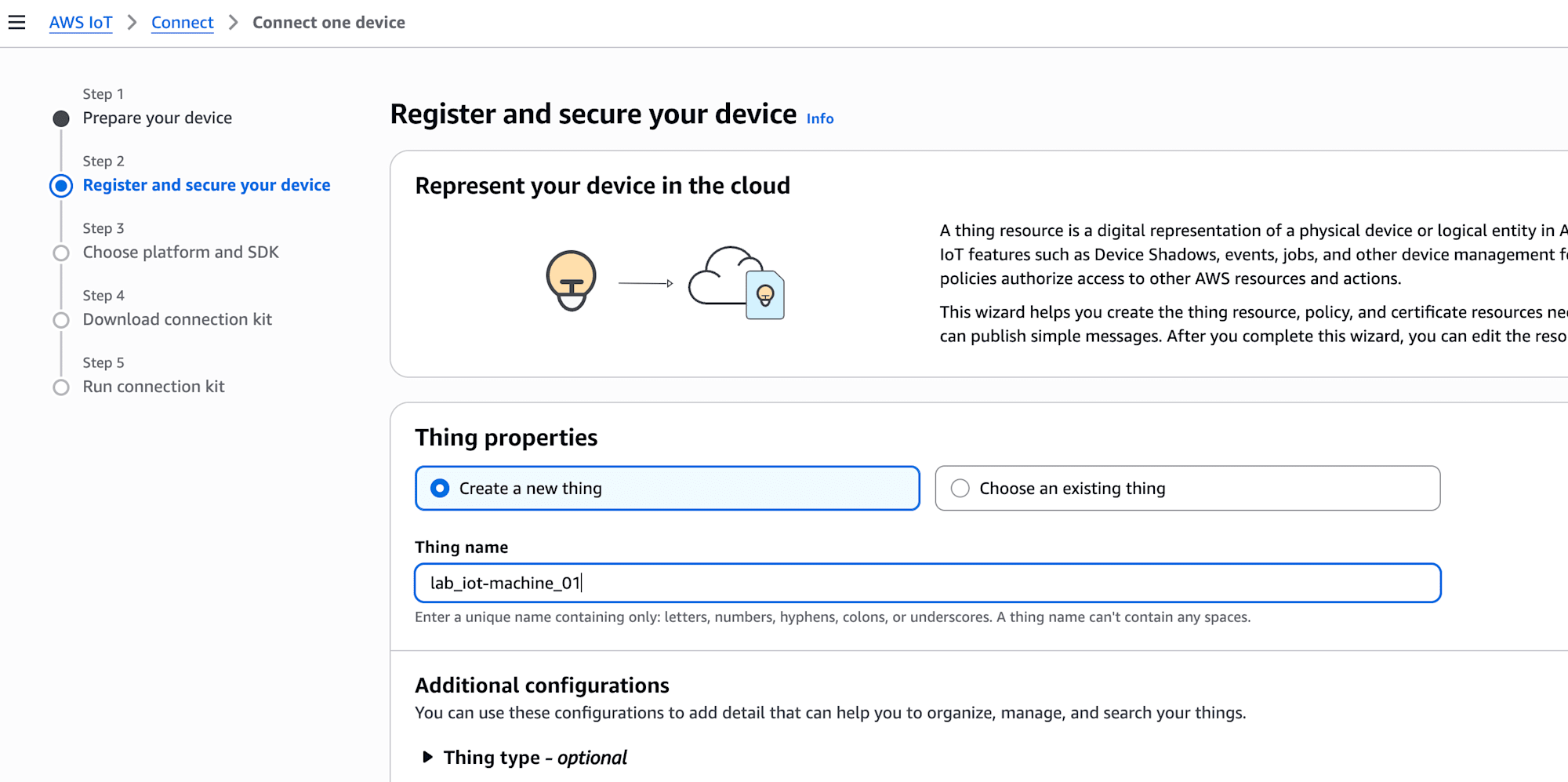
- Open Connect > Connect one device
- Select Create a new thing and enter
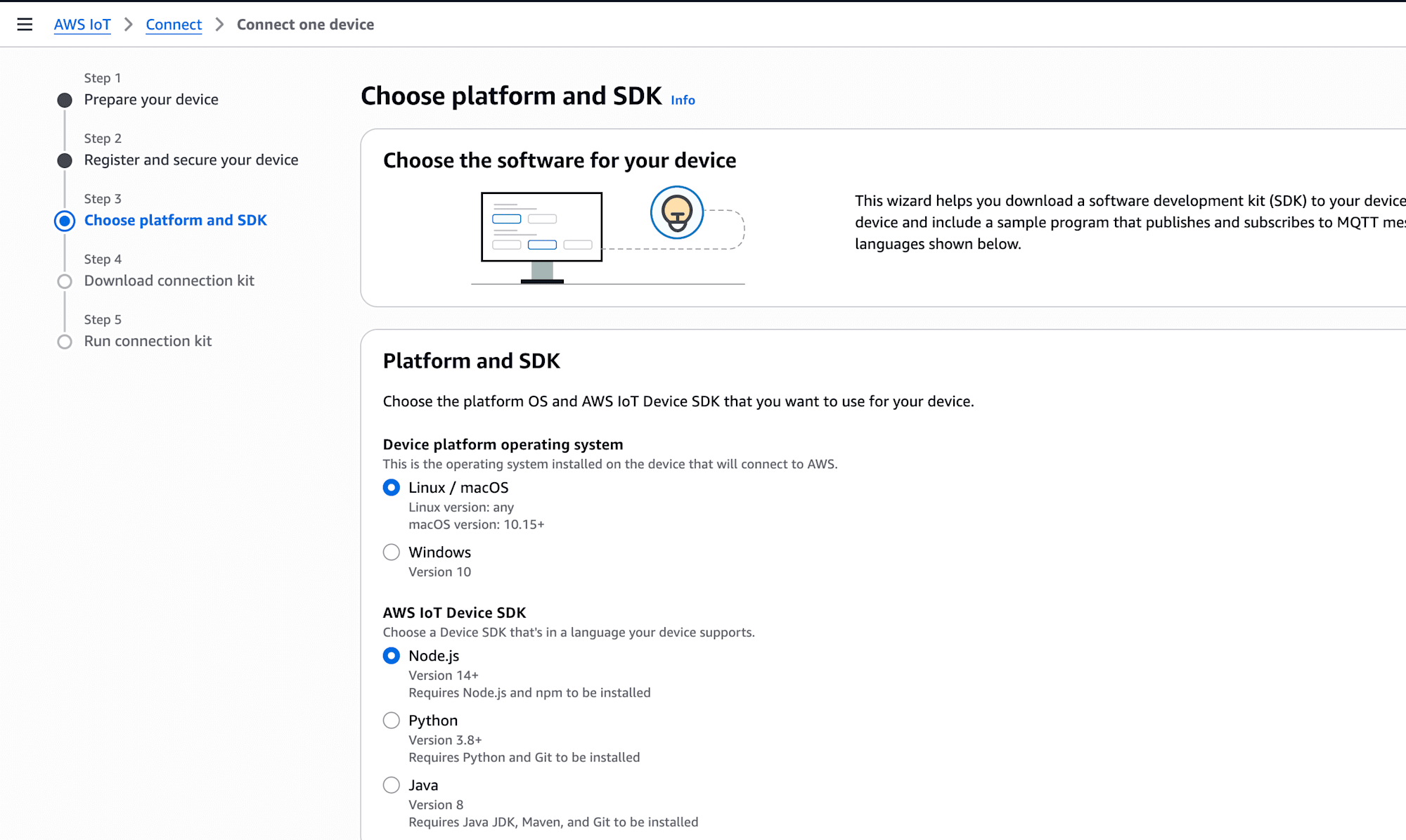
lab_iot-machine_01as the Thing name - Select Linux/OSX for Platform and Node.js for SDK
- Download
connect_device_package.zipas the connection kit
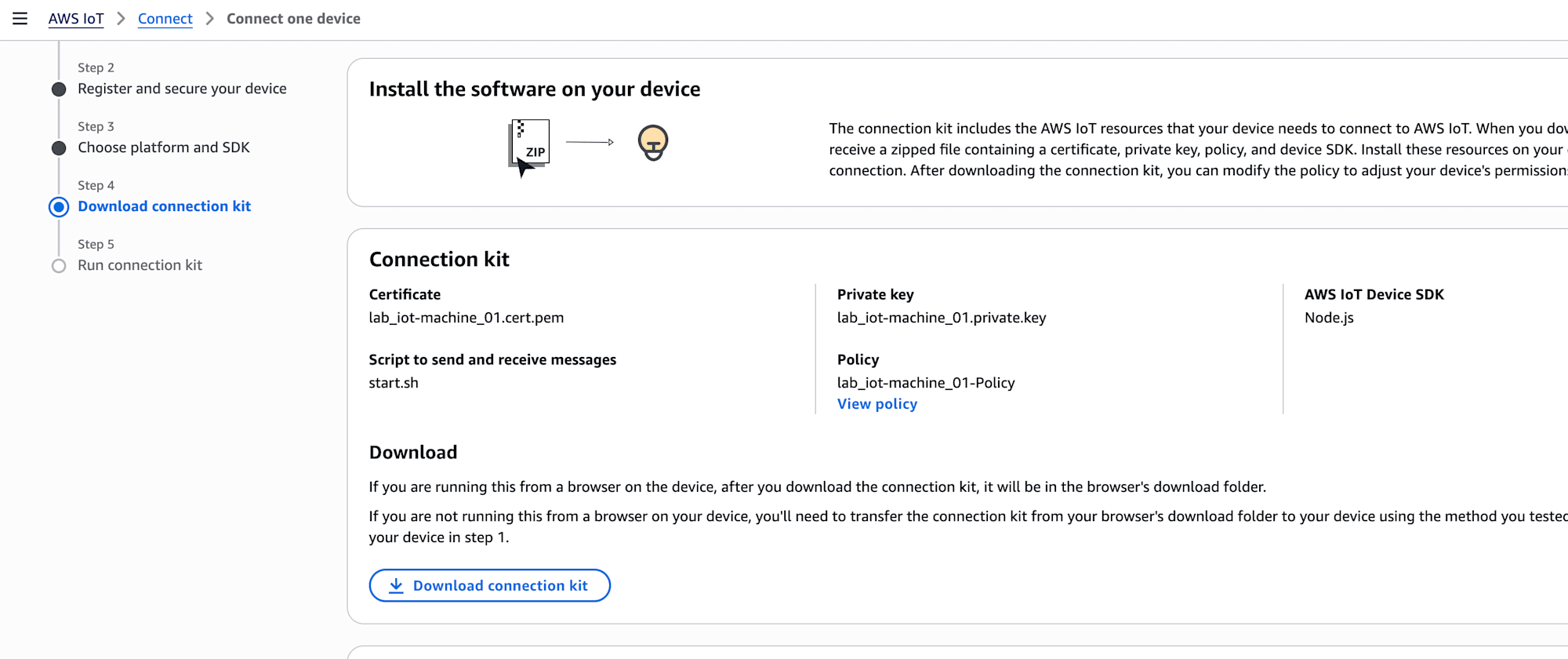
The connection kit primarily contains the following files:
- Device certificate
- Public and private keys
- A copy of the AWS IoT Policy
start.shfor running the sample
Preparing the Local Container
Extracting the Connection Kit
I placed connect_device_package.zip in /workspace, which is visible from the container, and extracted it there. I did not rename any files or move them to a different folder.
cd /workspace
unzip connect_device_package.zip
Installing Missing Packages on Fedora
Since fedora:latest did not come with the necessary commands, I installed the following packages:
unzipcurlopensslgitnodejsiputils
dnf install -y unzip curl openssl
dnf install -y git
dnf install nodejs
dnf install -y iputils
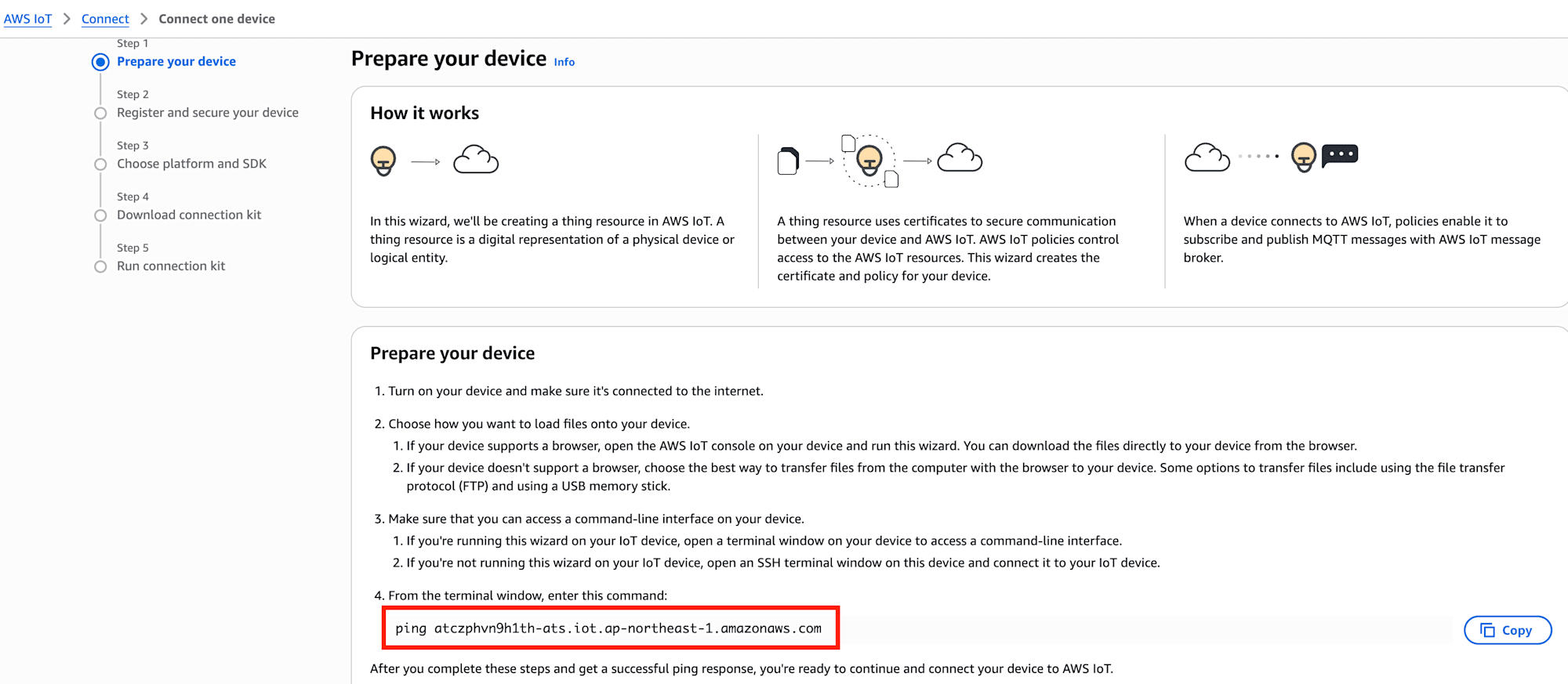
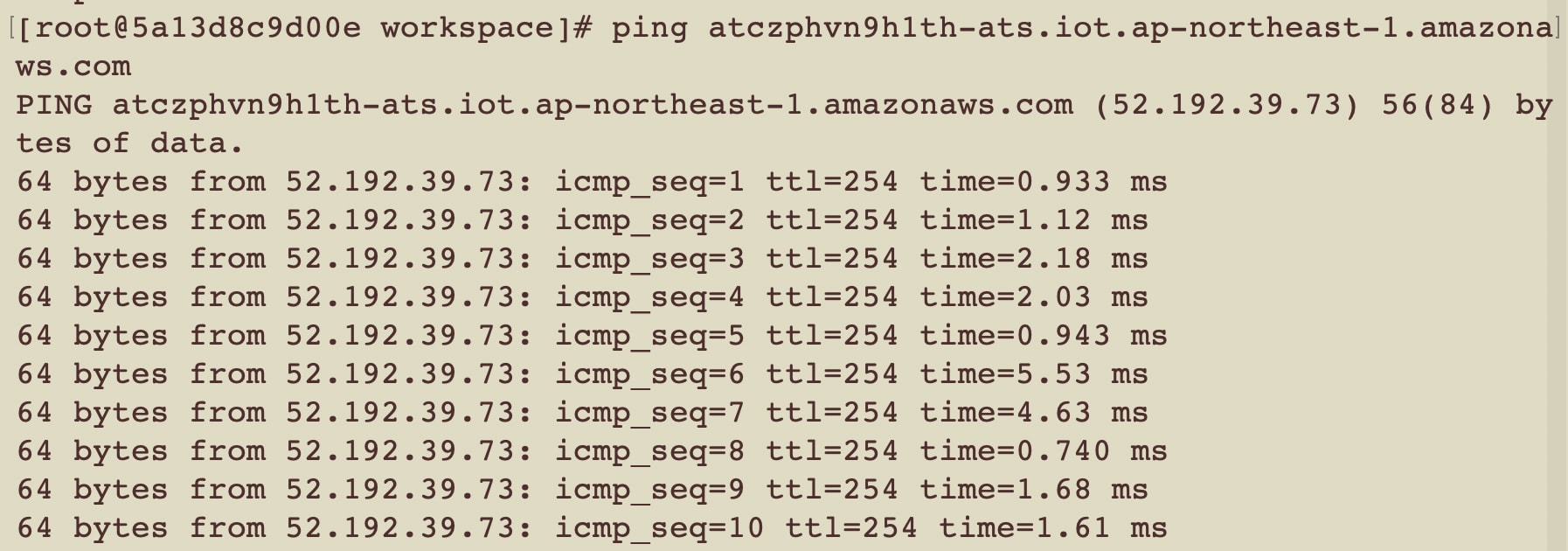
I added iputils later in order to test ping to the AWS IoT endpoint.
What Was Needed Before Running start.sh
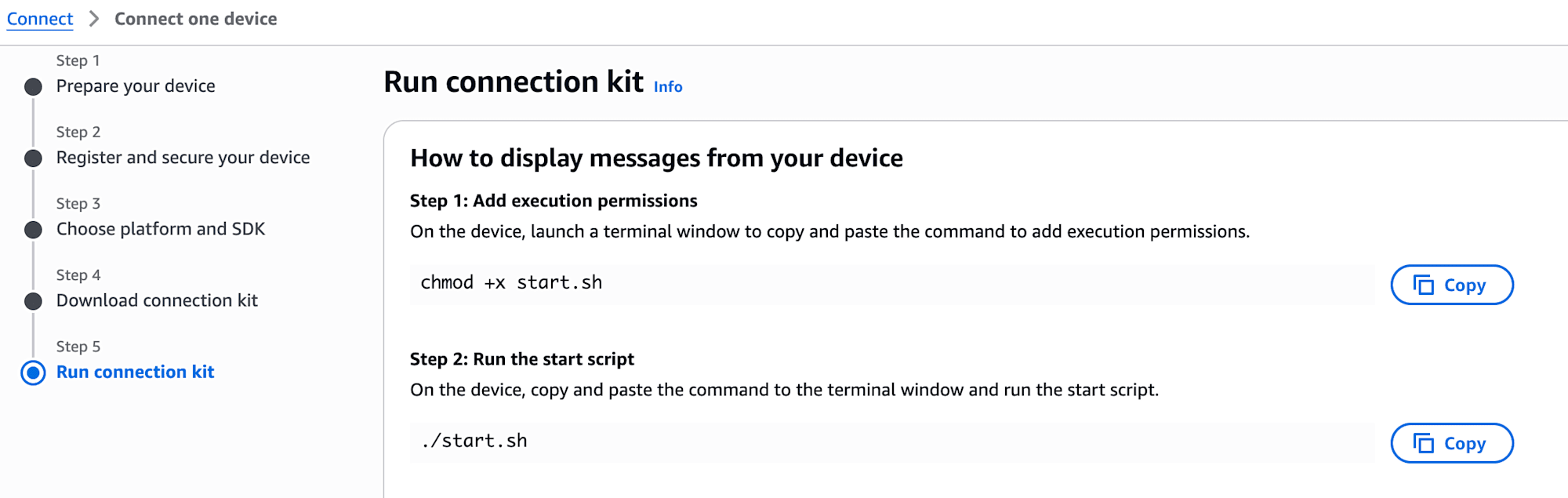
The AWS IoT Core console instructs you to extract the connection kit and run start.sh. However, in this Fedora container, I first needed to install the required packages and build the SDK and sample.
| Situation | Cause | Resolution |
|---|---|---|
uzip: command not found |
Typo in the command | Fixed the command |
git: command not found |
Git was not present on Fedora | dnf install -y git |
npm: command not found |
Node.js and npm were not installed | dnf install nodejs |
Cannot find module .../dist/index.js |
A previously cloned SDK folder remained, causing start.sh to skip the installation step |
Manually built the SDK and sample |
tsc: command not found |
The sample's prepare script called the SDK's TypeScript compiler before the SDK's dependencies were installed |
Installed including devDependencies from the SDK side first |
start.sh is designed to run clone and npm install only when the SDK folder does not exist.
if [ ! -d ./aws-iot-device-sdk-js-v2 ]; then
  git clone https://github.com/aws/aws-iot-device-sdk-js-v2.git --recursive
  cd aws-iot-device-sdk-js-v2
  npm install
  cd samples/node/mqtt/mqtt5_x509
  npm install
fi
On the first run, it stopped immediately after cloning the SDK with npm: command not found. However, since the SDK folder remained, the condition was not entered on subsequent runs, and npm install was skipped even though installation and build were incomplete. As a result, it was trying to execute dist/index.js, which did not yet exist. I resolved this by installing dependencies and building in order starting from the SDK side.
cd /workspace/aws-iot-device-sdk-js-v2
rm -rf node_modules
npm install --include=dev
npm run build

cd samples/node/mqtt/mqtt5_x509
rm -rf node_modules dist
npm install --include=dev

cd /workspace
bash start.sh
Execution Results
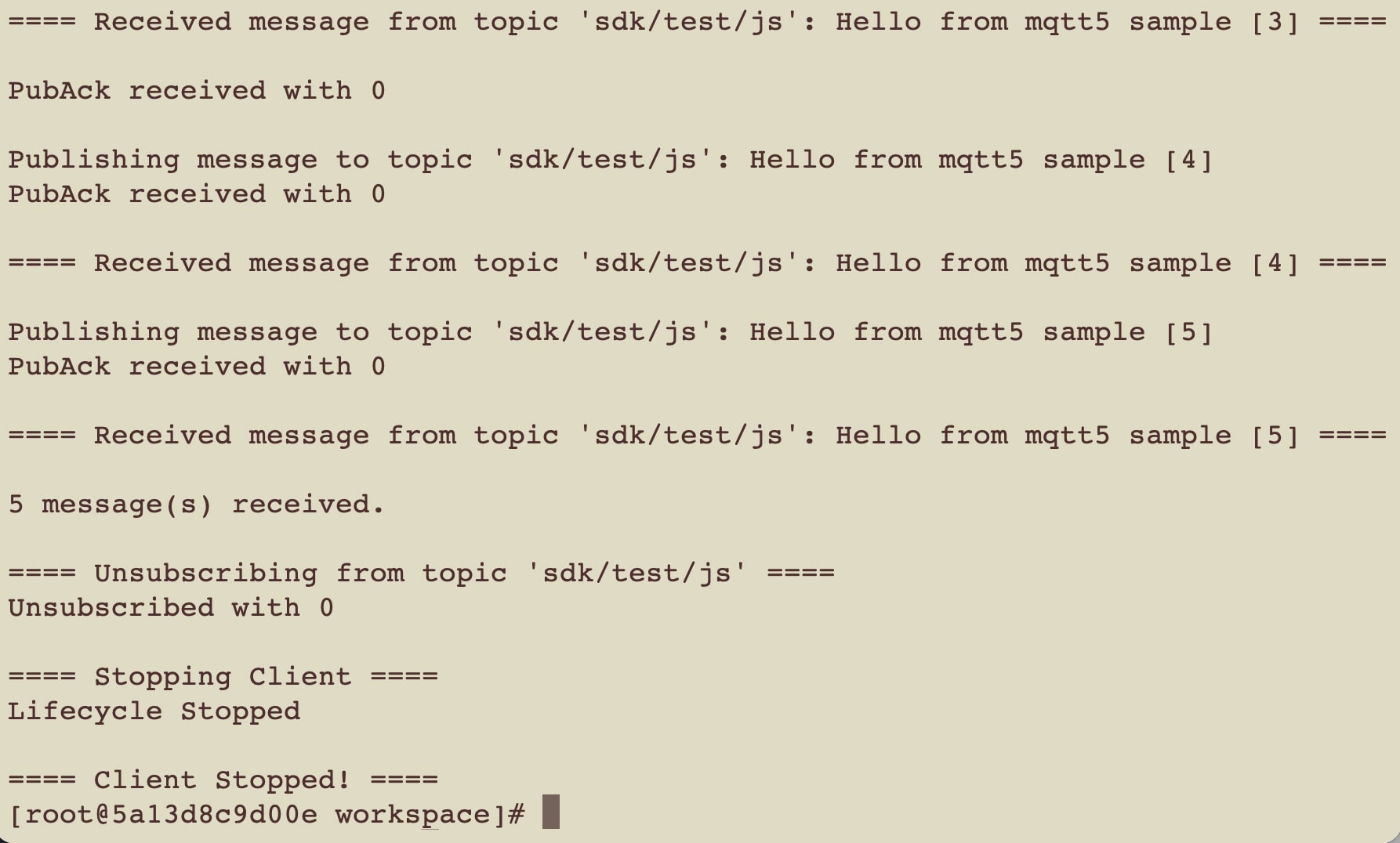
Here is the actual execution log.
[root@5a13d8c9d00e workspace]# bash start.sh

Running pub/sub sample application...

Starting MQTT5 X509 PubSub Sample

==== Creating MQTT5 Client ====

==== Starting client ====
Lifecycle Connection Attempt
Connecting to endpoint: 'atczphvn9h1th-ats.iot.ap-northeast-1.amazonaws.com' with client ID 'sdk-nodejs-v2'
Lifecycle Connection Success with reason code: 0

==== Subscribing to topic 'sdk/test/js' ====
Suback received with reason code: 1

==== Sending 5 message(s) ====

Publishing message to topic 'sdk/test/js': Hello from mqtt5 sample [1]
PubAck received with 0

==== Received message from topic 'sdk/test/js': Hello from mqtt5 sample [1] ====

Publishing message to topic 'sdk/test/js': Hello from mqtt5 sample [2]
PubAck received with 0

==== Received message from topic 'sdk/test/js': Hello from mqtt5 sample [2] ====

Publishing message to topic 'sdk/test/js': Hello from mqtt5 sample [3]
PubAck received with 0

==== Received message from topic 'sdk/test/js': Hello from mqtt5 sample [3] ====

Publishing message to topic 'sdk/test/js': Hello from mqtt5 sample [4]
PubAck received with 0

==== Received message from topic 'sdk/test/js': Hello from mqtt5 sample [4] ====

Publishing message to topic 'sdk/test/js': Hello from mqtt5 sample [5]
PubAck received with 0

==== Received message from topic 'sdk/test/js': Hello from mqtt5 sample [5] ====

5 message(s) received.

==== Unsubscribing from topic 'sdk/test/js' ====
Unsubscribed with 0

==== Stopping Client ====
Lifecycle Disconnected with reason code: None
Lifecycle Stopped

==== Client Stopped! ====
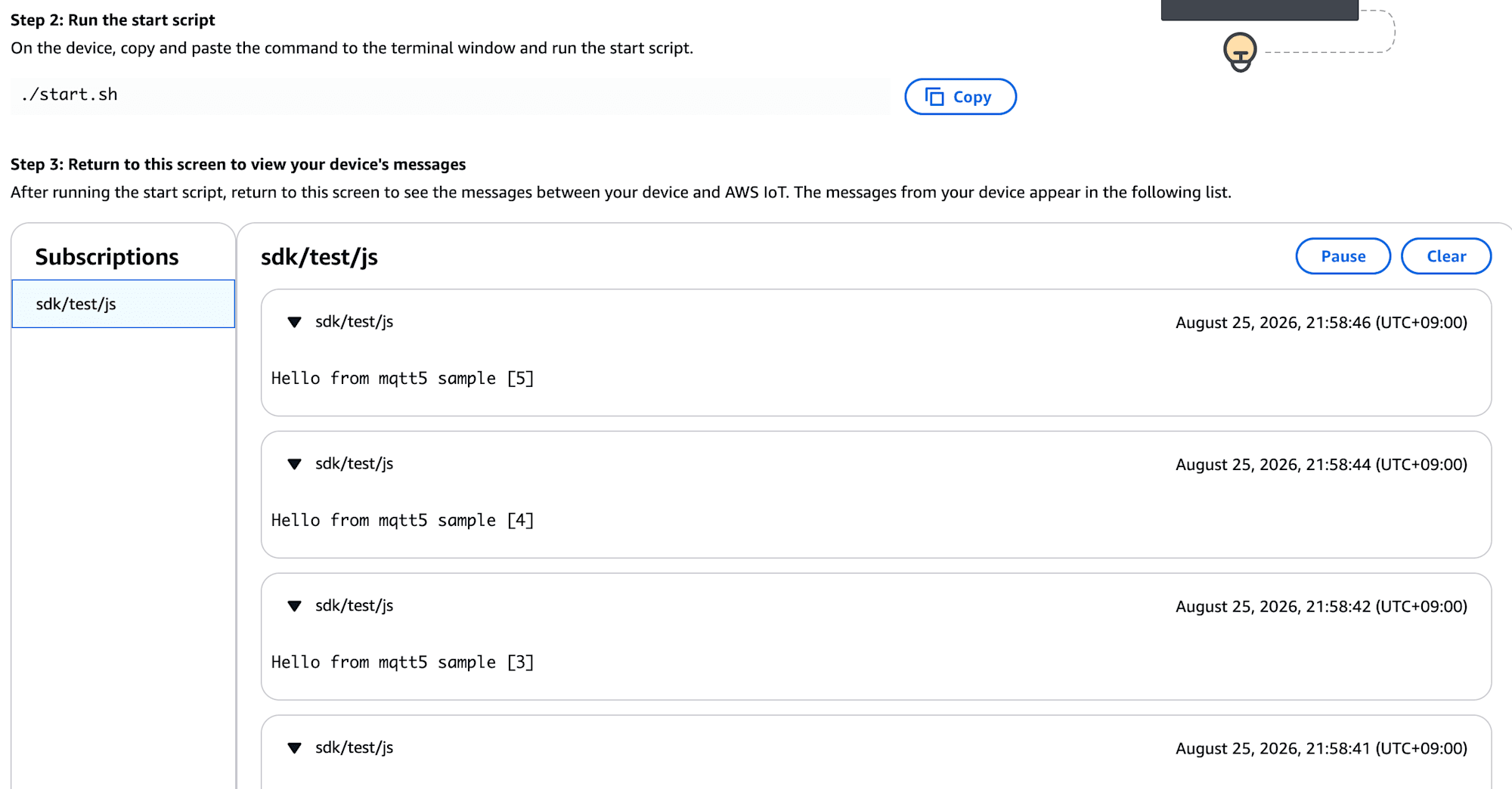
Reviewing the Sample Contents After Testing
The connection test was successful up to this point, but I had not closely examined the certificate, Policy, or the MQTT5 sample internals during execution. After testing, I looked into what the connection kit and sample code were actually doing.
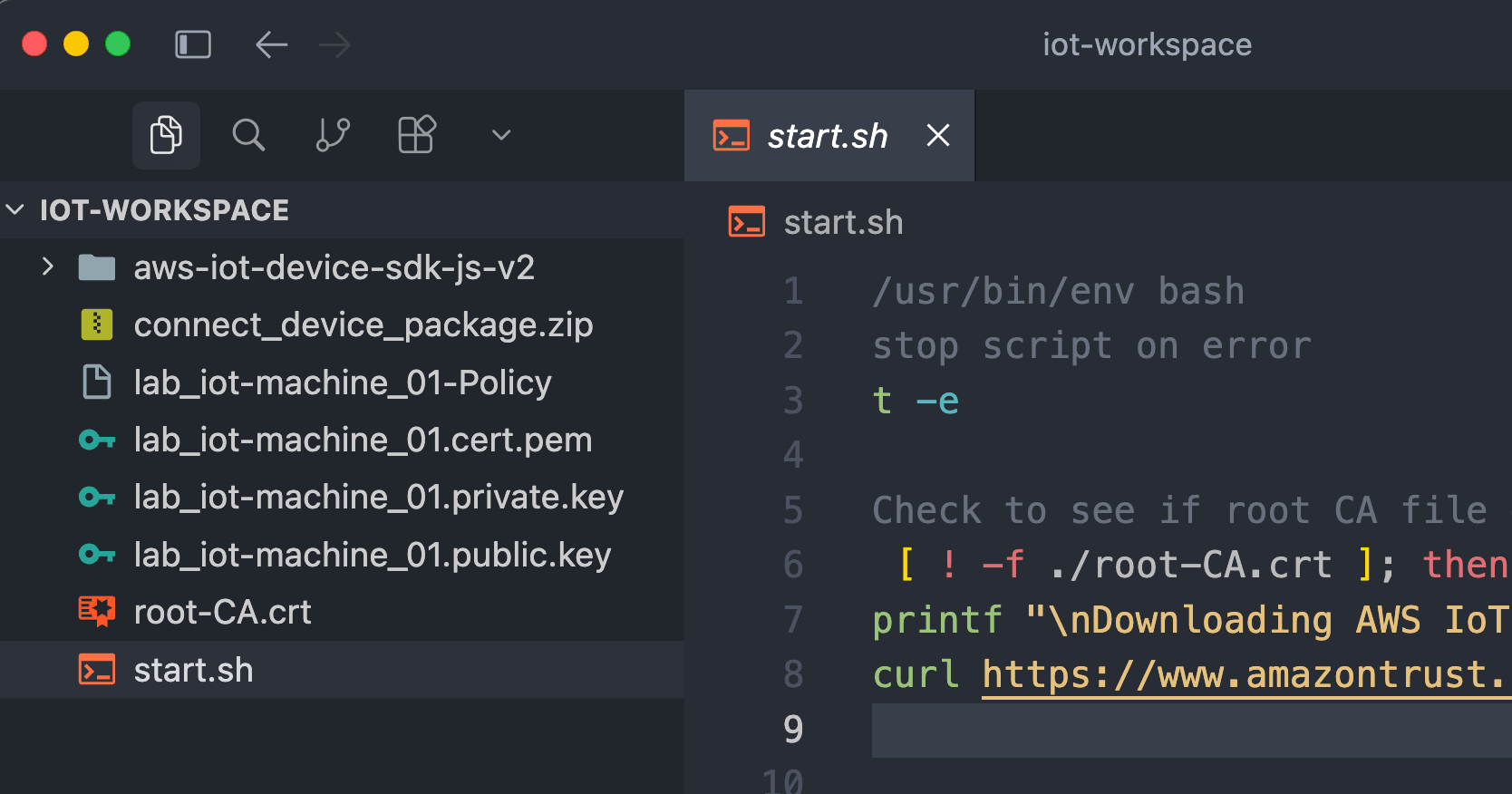
File Structure After Execution
Extracting only the relevant files, /workspace had the following structure:
/workspace/
├── connect_device_package.zip
├── start.sh
├── lab_iot-machine_01.cert.pem
├── lab_iot-machine_01.public.key
├── lab_iot-machine_01.private.key
├── lab_iot-machine_01-Policy
├── root-CA.crt
└── aws-iot-device-sdk-js-v2/
    └── samples/node/mqtt/mqtt5_x509/
        ├── package.json
        ├── index.ts
        └── dist/index.js
What was present when the connection kit was extracted were the certificate, public key, private key, Policy copy, and start.sh. root-CA.crt and aws-iot-device-sdk-js-v2 were downloaded and cloned by running start.sh.
The role of each file is as follows:
lab_iot-machine_01.cert.pem: The X.509 device certificate specified bystart.shvia--certlab_iot-machine_01.private.key: The private key specified bystart.shvia--keylab_iot-machine_01.public.key: The public key included in the connection kit. Not directly loaded by this samplelab_iot-machine_01-Policy: The JSON of the IoT Policy included in the connection kitindex.ts: The TypeScript source of the MQTT5 X.509 sampledist/index.js: The JavaScript built fromindex.ts, which is the file actually executed bystart.sh
root-CA.crt is downloaded by start.sh, but its file path is not passed to the Node.js sample in this case, and it is not referenced from index.ts either.
What Did start.sh Pass to the Sample?
The start.sh in the connection kit ultimately executes the following command:
node aws-iot-device-sdk-js-v2/samples/node/mqtt/mqtt5_x509/dist/index.js \
  --endpoint atczphvn9h1th-ats.iot.ap-northeast-1.amazonaws.com \
  --key lab_iot-machine_01.private.key \
  --cert lab_iot-machine_01.cert.pem \
  --client_id sdk-nodejs-v2 \
  --topic sdk/test/js
What is passed here is the AWS IoT endpoint, private key, certificate, MQTT Client ID, and Topic. The Thing name lab_iot-machine_01 itself is not passed as a connection parameter; sdk-nodejs-v2 is used as the Client ID instead.
Since no message body or send count is specified, the sample's defaults of Hello from mqtt5 sample and 5 times are used.
What Was the MQTT5 Sample Doing?
The source code I reviewed can also be found in the official AWS GitHub repository at the mqtt5_x509 sample.
QoS (Quality of Service) is a level that represents the delivery quality in MQTT. With QoS 1 (At Least Once) used in this test, the sender retransmits until it receives a PUBACK (acknowledgment) from the recipient, ensuring at least one delivery. However, the same message may be delivered more than once.
The flow of processing is as follows:
Create MQTT5 client
  ↓
Connect to AWS IoT Core
  ↓
Subscribe to sdk/test/js with QoS 1
  ↓
Publish 5 times to the same sdk/test/js with QoS 1
  ↓
Receive 5 messages with the same client
  ↓
Unsubscribe
  ↓
Stop and Close the client
In the sample code, the MQTT5 client is created by passing the certificate and private key paths to newDirectMqttBuilderWithMtlsFromPath(). It then subscribes to sdk/test/js with QoS 1 and publishes 5 messages to the same topic.
In the execution log, one Received message for the same topic appears after each Publish. Since the same Client ID is used from connection through reception, sending to a different device or a different client was not tested.
The reason codes in the log can also be verified in the AWS IoT Core MQTT reason code reference. 0 for Connection and PubAck means Success, and 1 for Suback means Granted QoS 1.
What Was Written in the Policy File?
The lab_iot-machine_01-Policy is not included in the command executed by start.sh. The Node.js sample does not load this file either.
The local Policy file contained the following entries matching the Client ID and Topic used in this test:
iot:Connect: Resource set toclient/sdk-nodejs-*iot:Subscribe: Resource set totopicfilter/sdk/test/jsiot:Publish,iot:Receive: Resource set totopic/sdk/test/js
The Client ID specified by start.sh is sdk-nodejs-v2 and the Topic is sdk/test/js, both of which match the values in the Policy file. The Policy also includes iot:PublishRetain, but the sample code does not specify RETAIN.
On the other hand, the local Policy file alone does not reveal which certificate this Policy is attached to on the AWS side. This can be verified from the AWS IoT Core console.
- Open
lab_iot-machine_01from Manage > All devices > Things - Open the certificate for this test from Certificates
- Confirm the association with the Thing under Things in the certificate details
- Confirm the attached Policy under Policies
- Open the Policy and verify that the Policy document matches the local
lab_iot-machine_01-Policy
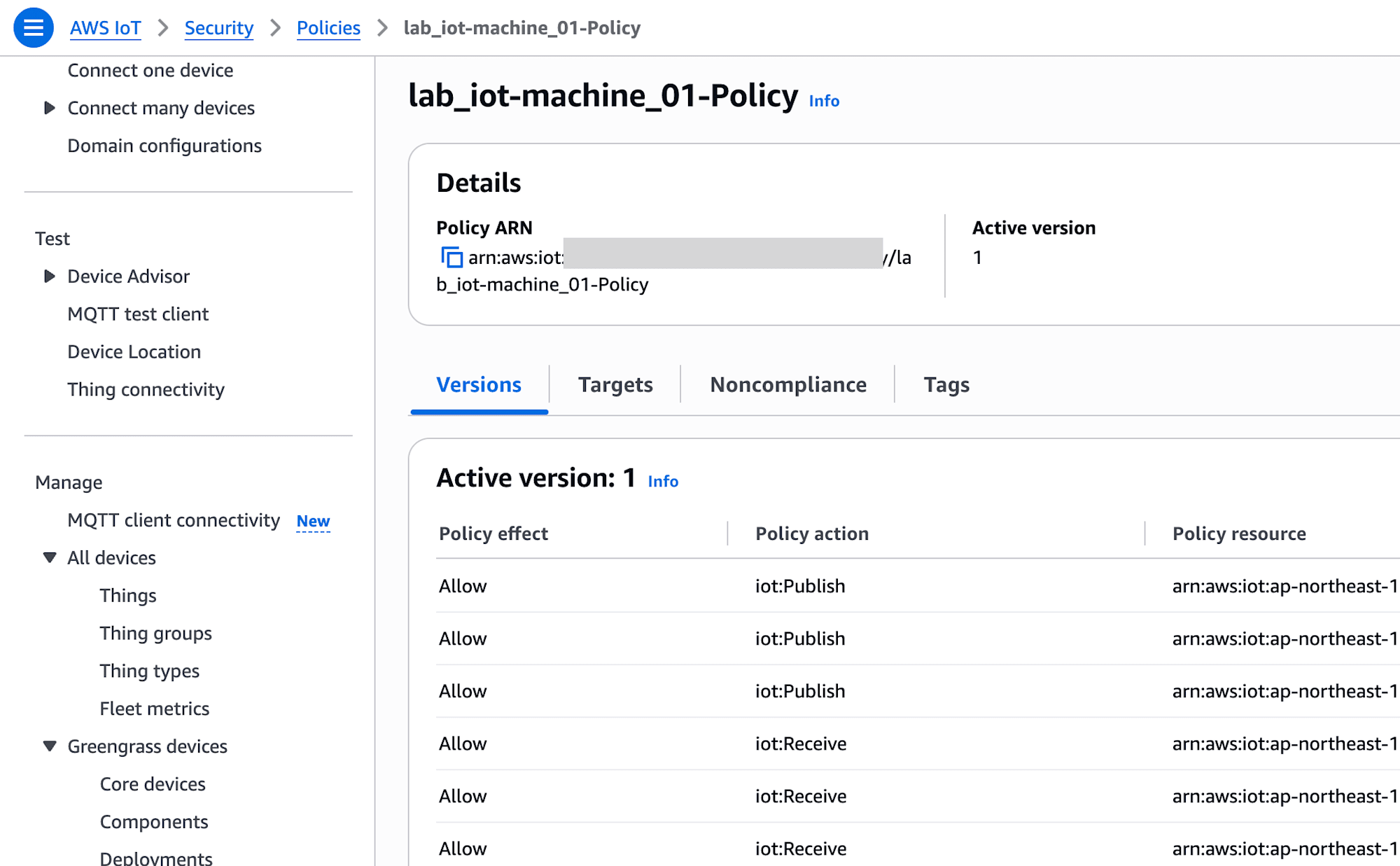
The official documentation also includes steps to verify attached policies from Policies in the certificate details.
What Was Confirmed This Time
What could be directly confirmed from the execution log was that the connection succeeded using the certificate, private key, Client ID, and Topic specified by start.sh, and that the Subscribe to sdk/test/js, 5 Publishes, 5 Receives, and Unsubscribe all completed successfully.
The Client ID in the log is sdk-nodejs-v2, not the Thing name. The Topic sdk/test/js was also specified by start.sh, not a sample default.
Conclusion
I was able to connect to AWS IoT Core from a local Fedora container using an X.509 certificate and verify MQTT5 Publish/Subscribe.
The biggest challenge this time was not the AWS IoT Core configuration, but rather that the minimal Fedora image was missing the necessary tools, and when start.sh stopped partway through, it judged the setup as complete based solely on the presence of the SDK folder. It is easier to proceed if you prepare unzip, git, and Node.js before running the script, or if it fails midway, verify the dependencies and build starting from the SDK side.
Note that the connection kit contains a private key. Do not include it in Git or public articles, and after testing, revoke the certificate and delete the Thing, certificate, Policy, and their associations when they are no longer needed.
