
How to execute Workspace Execution on the Alteryx One platform

This page has been translated by machine translation. View original
What I'm Having Trouble With
Please tell me how to run Workspace Execution.
How Should I Handle This?
Overview
Workspace Execution is a feature that allows workflows created in Alteryx Designer Desktop to be run automatically and manually on the Alteryx One platform. [1]
Previously limited to the Enterprise plan, this feature has been expanded to the Professional plan as well, enabling workflow execution across a wider range of use cases. [1]
Reading the following blog article from our company alongside this article should help deepen your understanding. [2]
As an additional note, according to [1], this appears to be distinct from scheduled execution in Alteryx Designer Cloud and plan execution via Orchestrator.
Steps
These steps are based on the screen images as of the time of writing in October 2026.
Saving a Workflow to the Alteryx One Library
Please work in Alteryx Designer Desktop, which is already connected to an Alteryx One workspace.
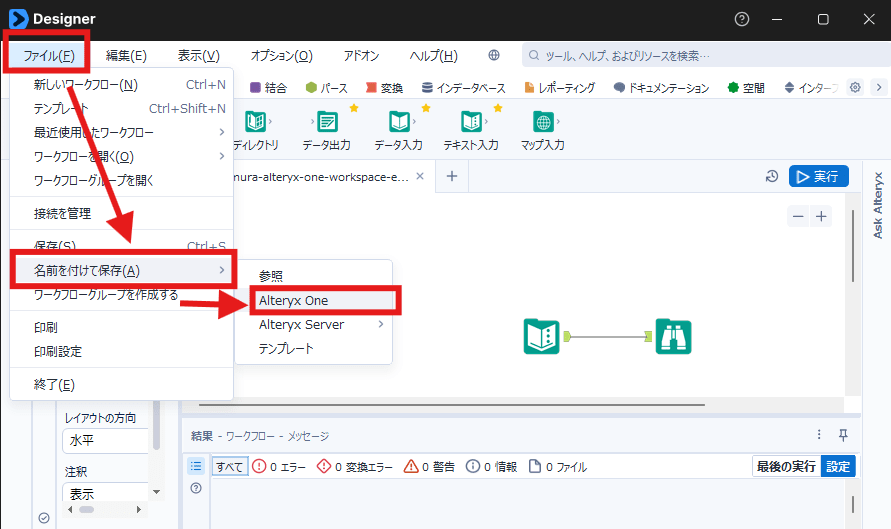
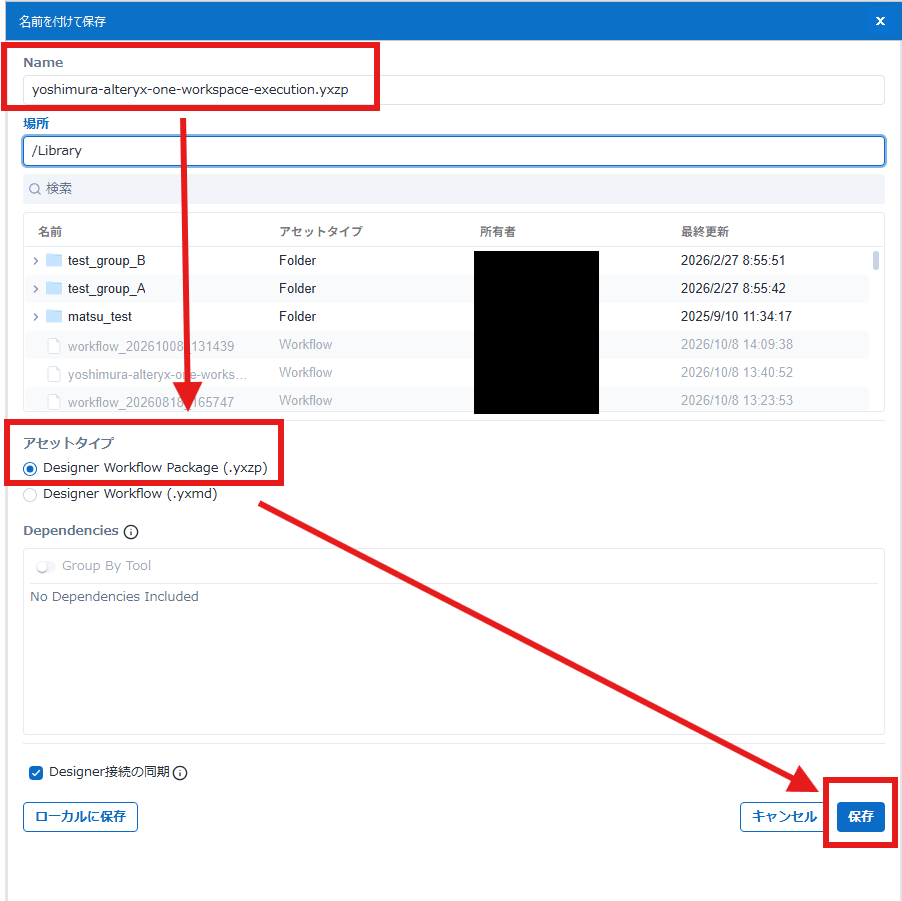
Saving in workflow package format is required.
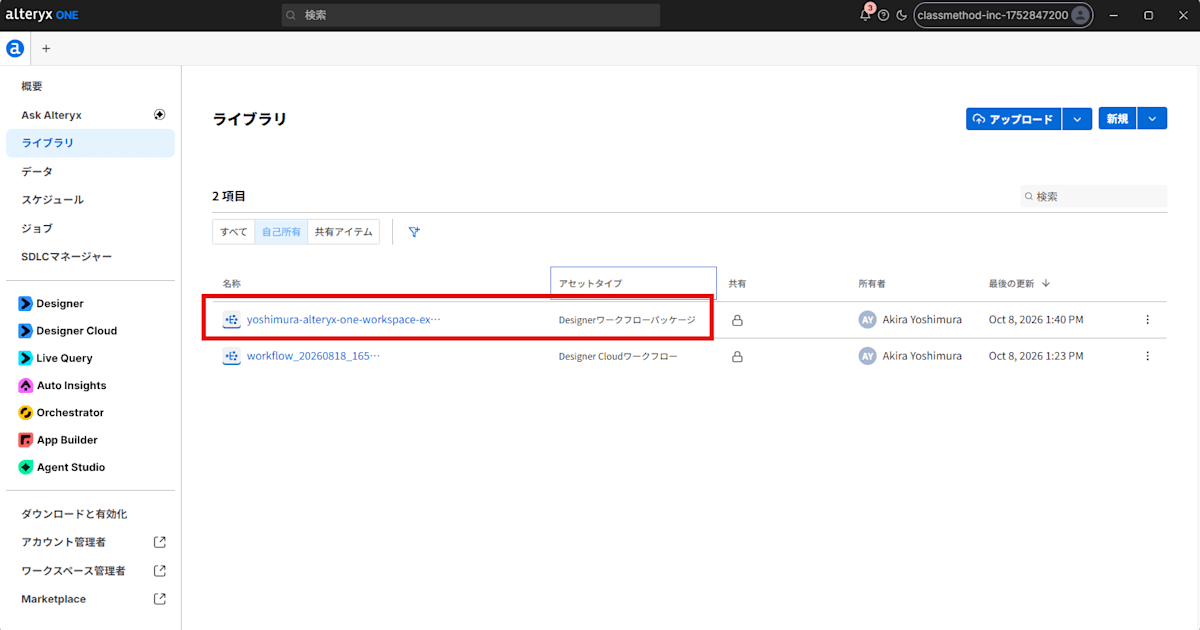
Please verify that the workflow you created has been uploaded to the Alteryx One library with "Asset Type: Designer Workflow Package."
Creating an Automatic Execution Schedule
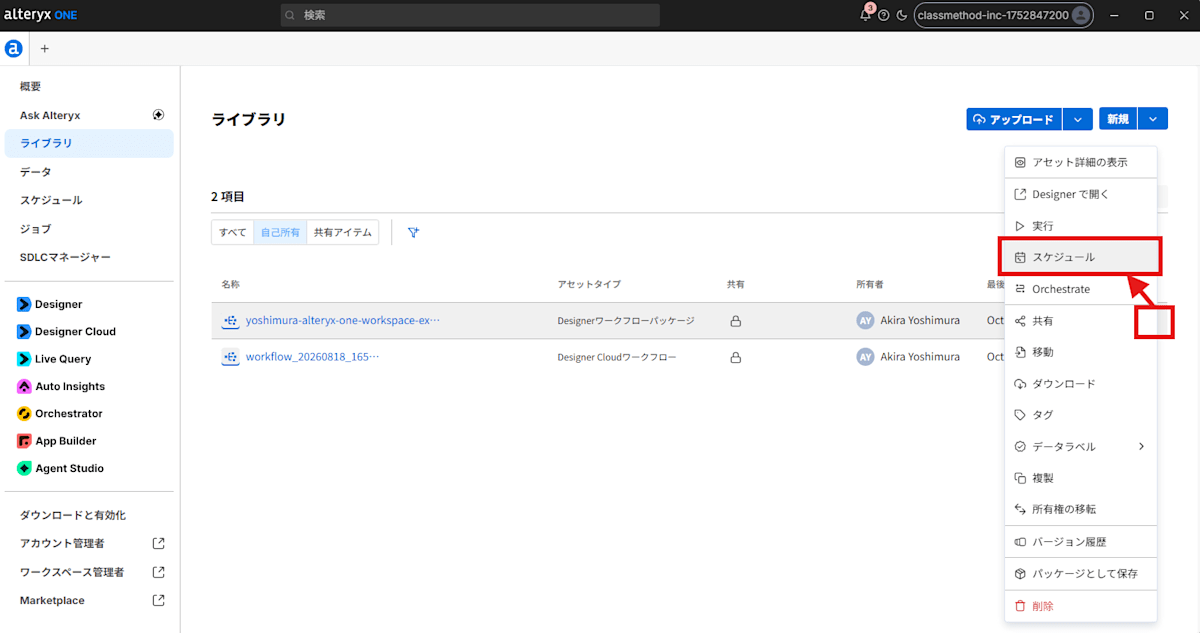
Select Schedule from the workflow menu registered in the library, and create a new schedule.
At the time of writing, workflows and schedules can only correspond on a one-to-one basis, and it does not appear to be possible for multiple workflows to reference the same schedule.
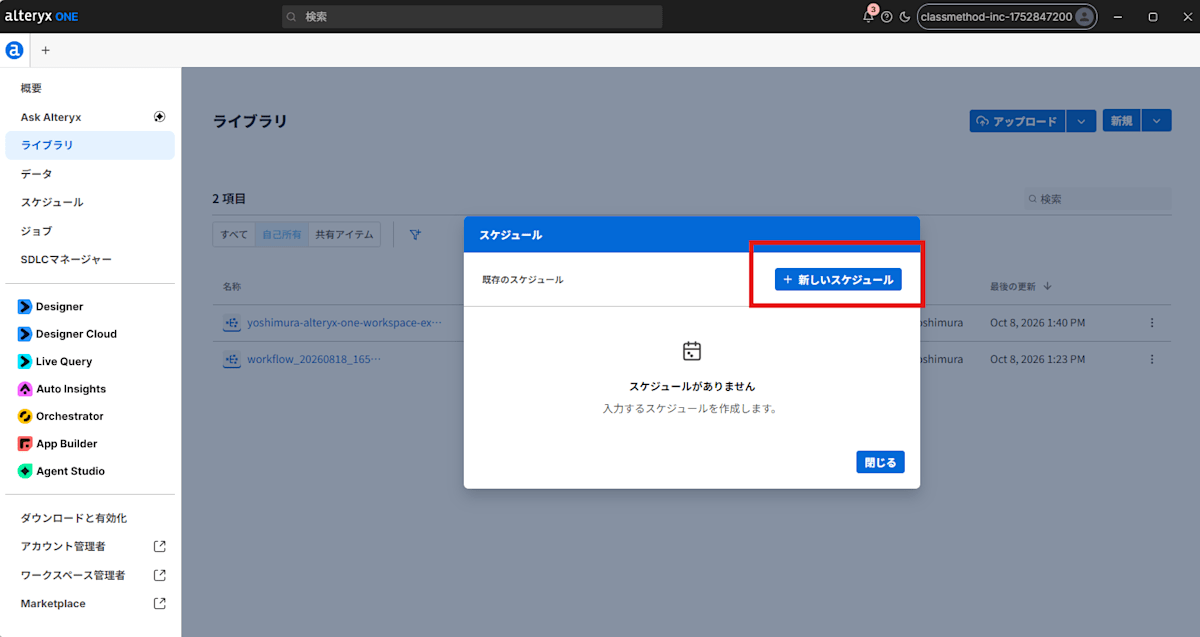
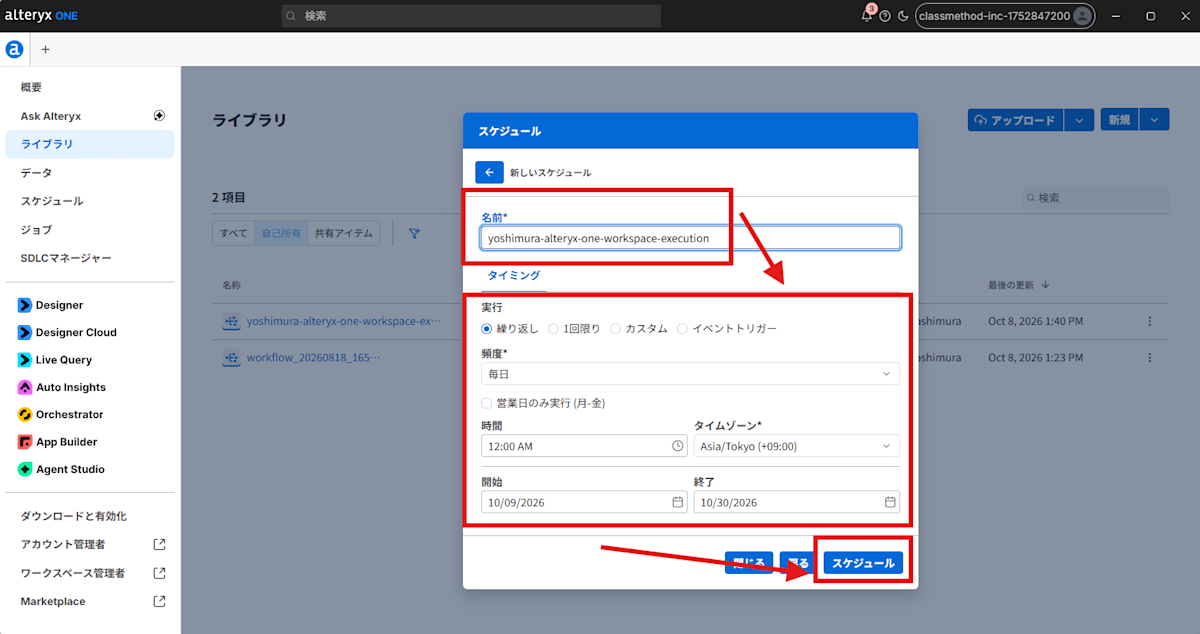
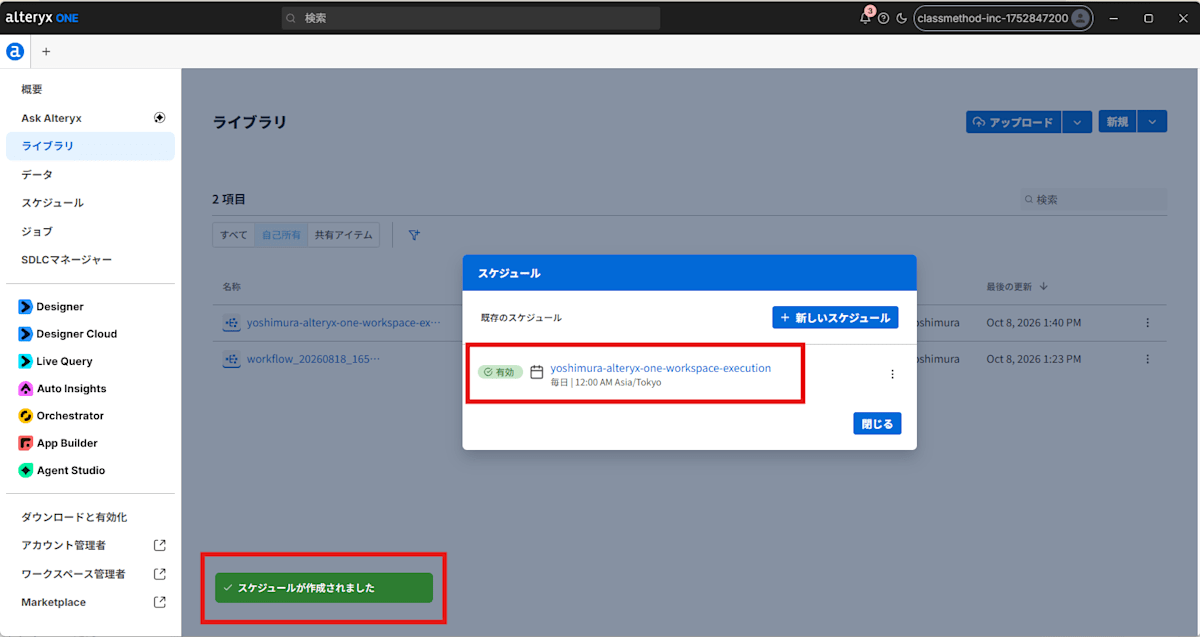
Checking the Schedule
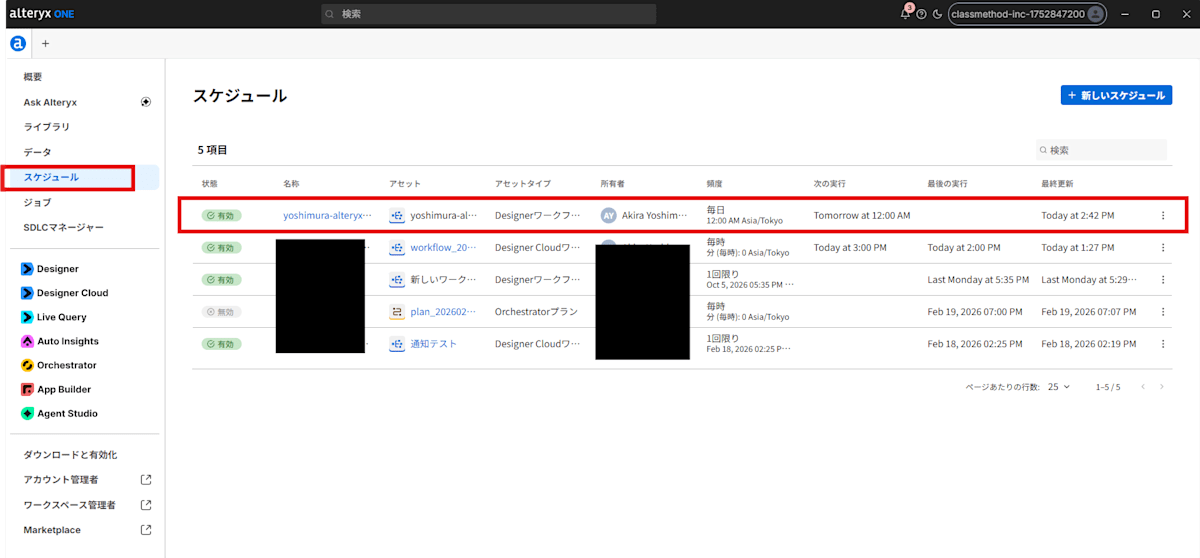
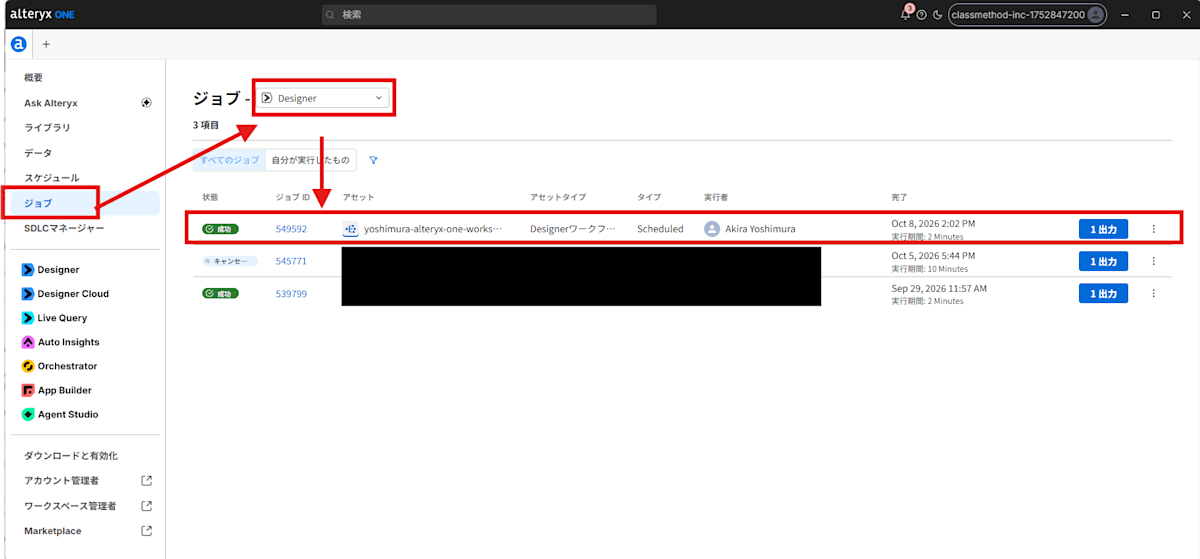
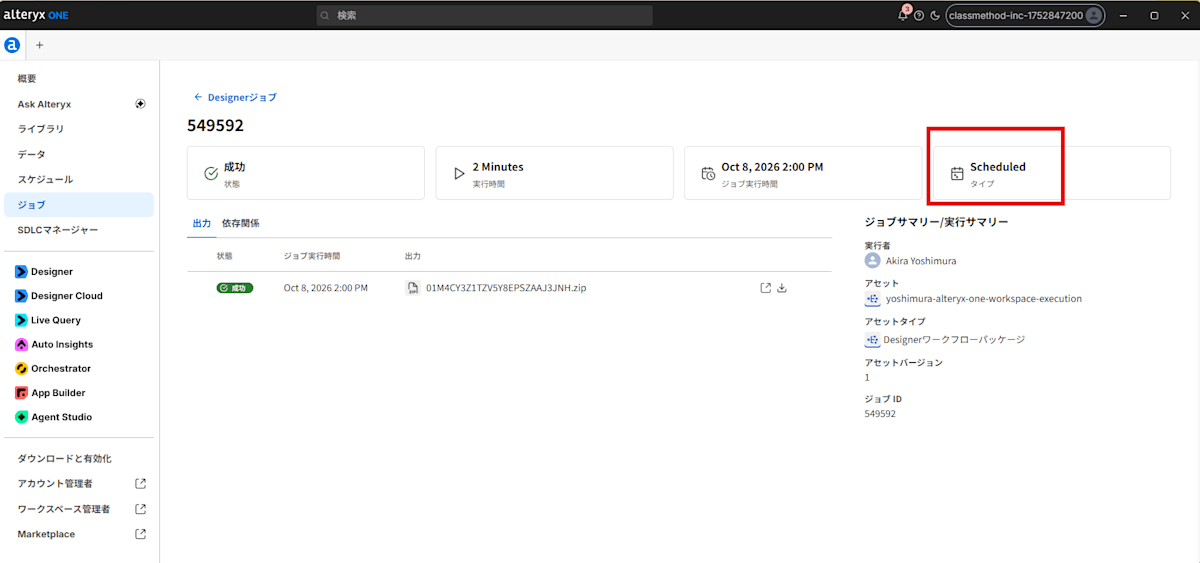
Checking the Workflow Execution Results
References
[1] Workspace Execution
[2] [Alteryx One] Trying Out the "Workspace Execution" Feature That Allows Designer Desktop Workflows to Run in the Cloud | DevelopersIO