How can I check the number of automated workflow runs on the Alteryx One platform?

This page has been translated by machine translation. View original
The Problem
Please tell me how to check the number of automated workflow runs.
How to Handle It
Overview
On the Alteryx One platform, workflows can be run automatically through Alteryx Server or Workspace Execution.
These automated runs are billed on a usage-based model tied to the number of runs, and are counted as Automation Credits under your Alteryx One contract.
Automated runs consume the Automation Credits purchased at the time of the annual contract.
If you are using automated runs beyond the Automation Credits you purchased in advance, you will need to purchase additional Automation Credits.
This article introduces how to check the usage status of your contracted Automation Credits.
Steps
These steps are based on the screen images as of the time of writing in November 2026.
How to Check in the Alteryx One Account Admin Console
Users running product version 2025.1 or later can check this in the Account Admin Console of the Alteryx One platform.
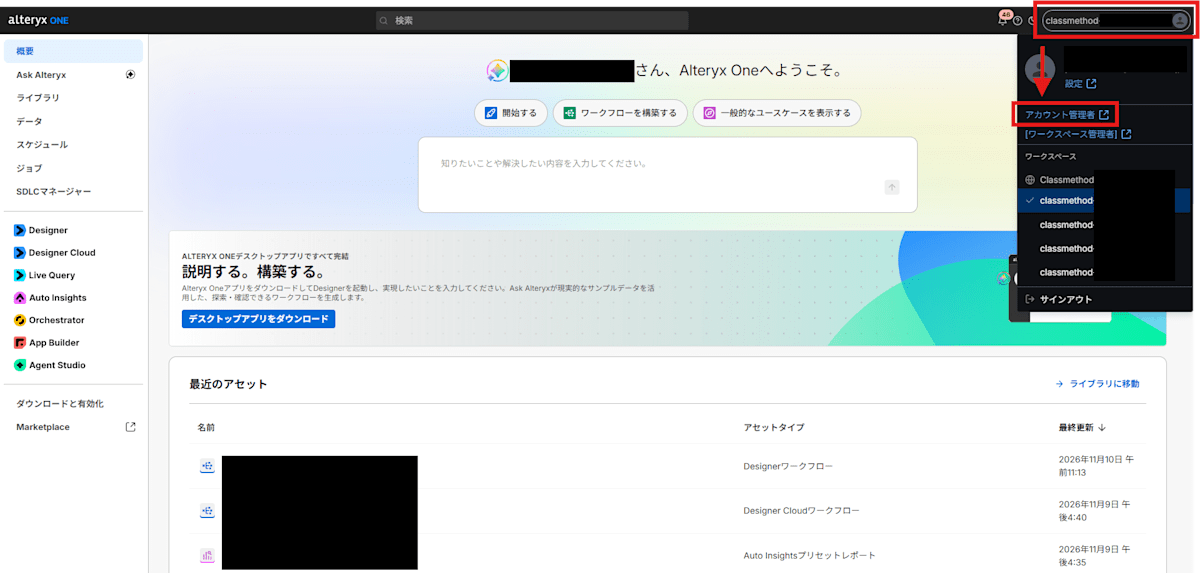
Log in to your Alteryx One workspace and click "Account Admin" from the menu in the upper right.
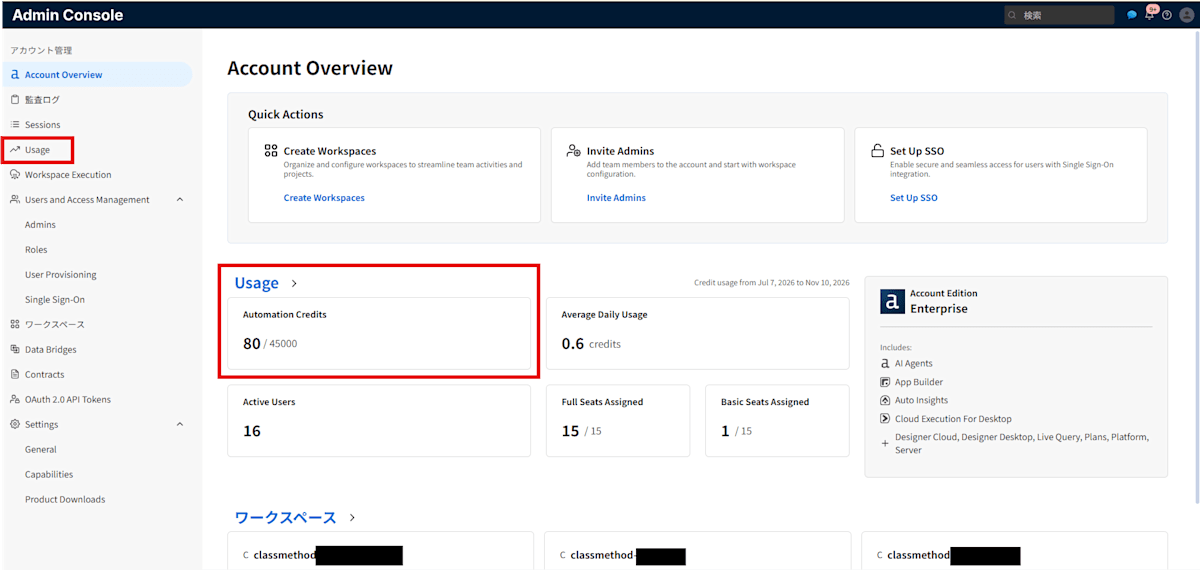
In "Account Overview" on the Account Admin screen, you can check the total contracted quantity and the current number of runs.
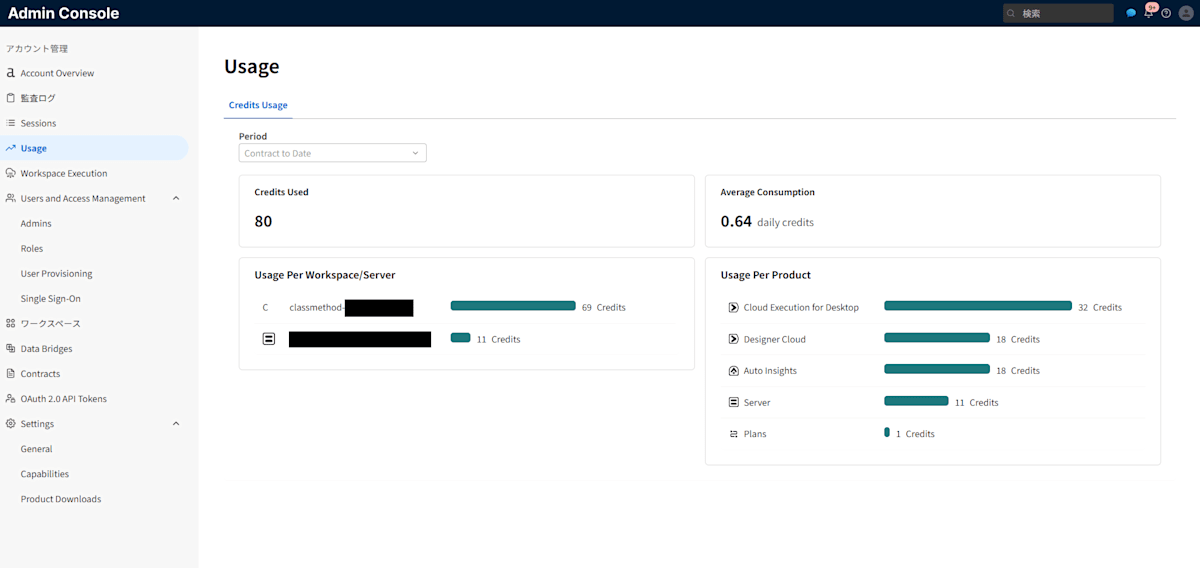
On the "Usage" screen, you can check the breakdown of the number of runs for Alteryx One, Alteryx Server, and each of the other products.
Here you can comprehensively check which product accounts for the largest share of runs.
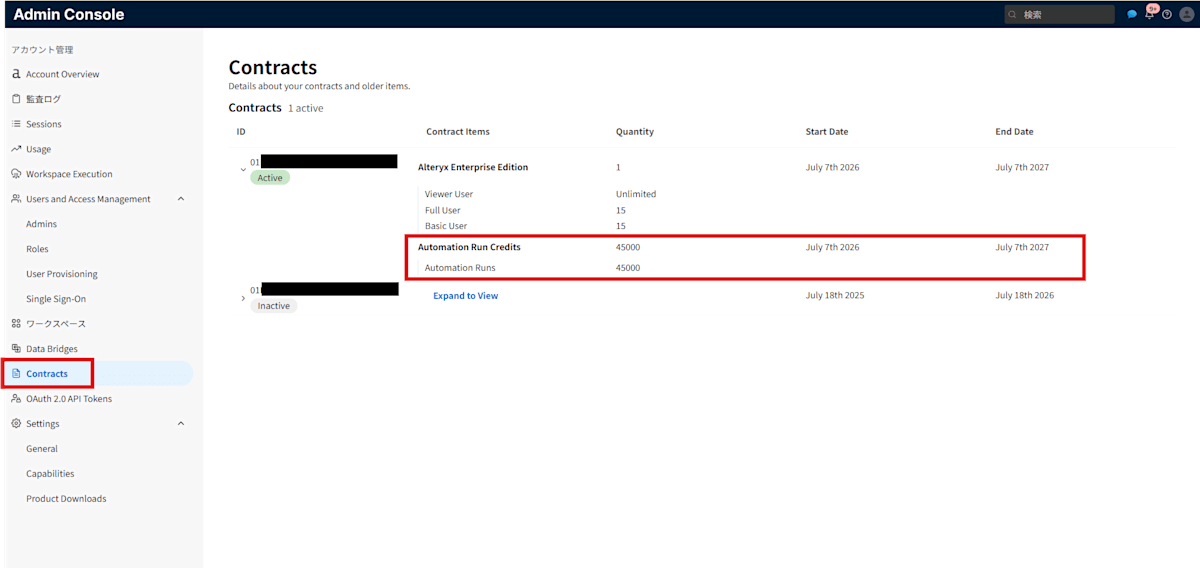
On the "Contracts" screen, you can check the quantity of Automation Credits for each contract.
How to Check in Alteryx Server 2024.2 or Earlier Environments
- One note before this section:
Official support for the 2024.2 series of products, including Alteryx Server, ended on October 30, 2026.[1]
Therefore, even after performing the steps in this section, please consider promptly upgrading to version 2025.1 or later.
Users who are running automated workflows on Alteryx Server product version 2024.2 or earlier need to check the number of runs using a dedicated workflow provided officially.
For the specific steps and the workflow download, please refer to the official Alteryx documentation.[2] [3]
As mentioned above, if it is confirmed that you have exceeded the Automation Credits purchased in advance, you will need to report that fact.
References
[1] Are you using an old version? About upgrading Alteryx | DevelopersIO
[2] Server Automation Tracking Report
[3] Server Automation Tracking Report | Alteryx Marketplace