How to rename an existing backup plan
This page has been translated by machine translation. View original
What I was struggling with
I wanted to change the backup plan name in AWS Backup, but wasn't sure how to do it.
How to handle it
You can change the backup plan name by running the update-backup-plan command in the AWS CLI.
What I tried
First, create any backup plan.
In the image below, I intentionally created it with a typo in the plan name. (Plan name: teat-backup-plan)
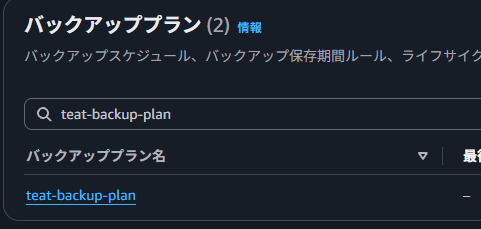
First, run the following command in the AWS CLI to check the current backup plan settings.
aws backup get-backup-plan --backup-plan-id "Backup Plan ID"
While comparing with the confirmed settings, run the update-backup-plan command.
Set the new plan name in BackupPlanName. This time, we will set it to test-backup-plan to fix the typo.
aws backup update-backup-plan \
  --backup-plan-id "Backup Plan ID" \
  --backup-plan '{
    "BackupPlanName": "test-backup-plan",
    "Rules": [
      {
"RuleName": "test-backup-rule",
"TargetBackupVaultName": "Default",
"ScheduleExpression": "cron(45 14 ? * * *)",
"StartWindowMinutes": 60,
"CompletionWindowMinutes": 10080,
"Lifecycle": {
  "DeleteAfterDays": 7
},
"EnableContinuousBackup": false,
"ScheduleExpressionTimezone": "Asia/Tokyo"
      }
    ],
    "AdvancedBackupSettings": [
      {
"ResourceType": "S3",
"BackupOptions": {
  "BackupACLs": "enabled",
  "BackupObjectTags": "enabled"
}
      }
    ]
  }'
Verify in the console that the backup plan name has been changed.
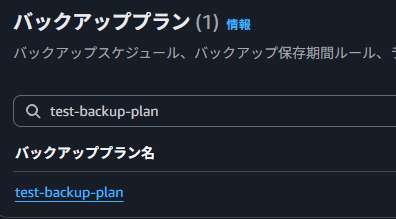
We were able to confirm that it was changed to test-backup-plan instead of teat-backup-plan.
Summary
To change the backup plan name in AWS Backup, you can make the change via the AWS CLI rather than the console. Since deleting a backup plan does not affect existing backups, renaming can be handled by recreating the backup plan, but I hope this helps you know that changes can also be made via the CLI.
References
[1] update-backup-plan — AWS CLI 2.37.4 Command Reference
[2] Update a backup plan - AWS Backup
After creating a backup plan, you can edit the plan—for example, you can add tags, or you can add, edit, or delete backup rules. Any changes that you make to a backup plan have no effect on existing backups created by the backup plan. The changes apply only to backups that are created in the future.
