How to check security-related notifications for Tableau products
Here's how to check Tableau security notifications using the Salesforce Trust Status page to view security advisories and configure notification settings.

2026.10.23
This page has been translated by machine translation. View original
Issue
Please tell me how to check security-related notifications for Tableau products.
Overview
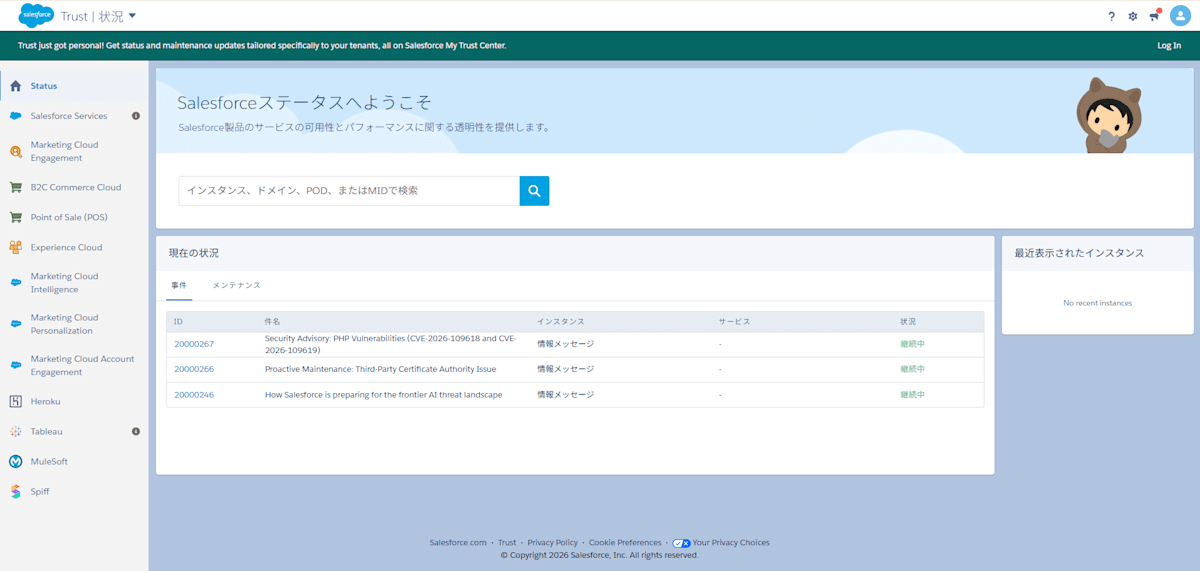
Please open the Trust Status page from Salesforce and check the reported security advisories.[1]
※ User registration is required.
[1] Trust Status
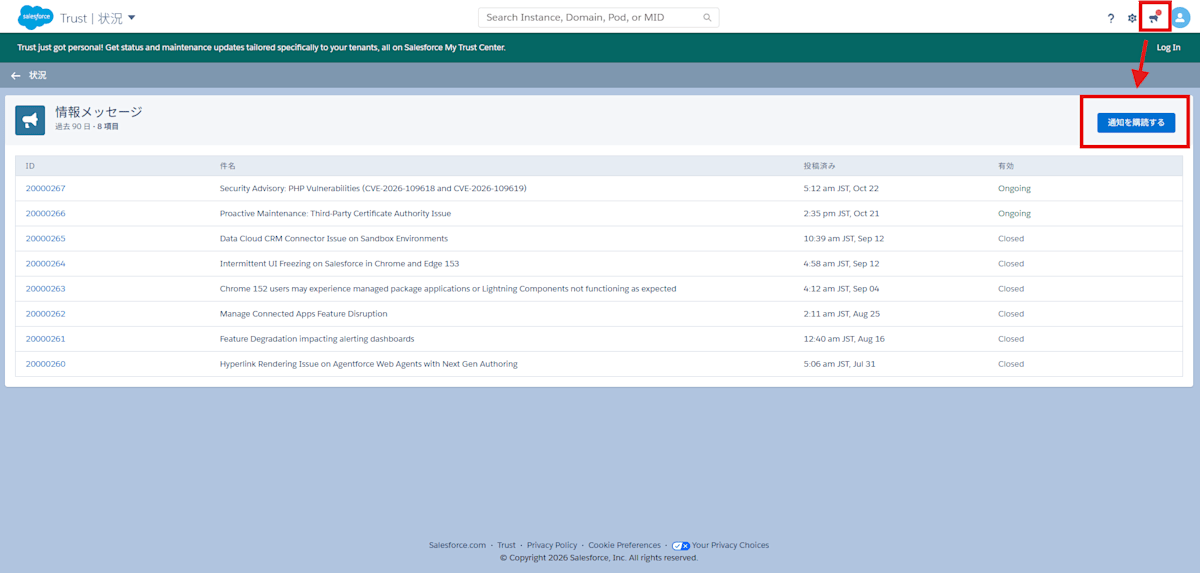
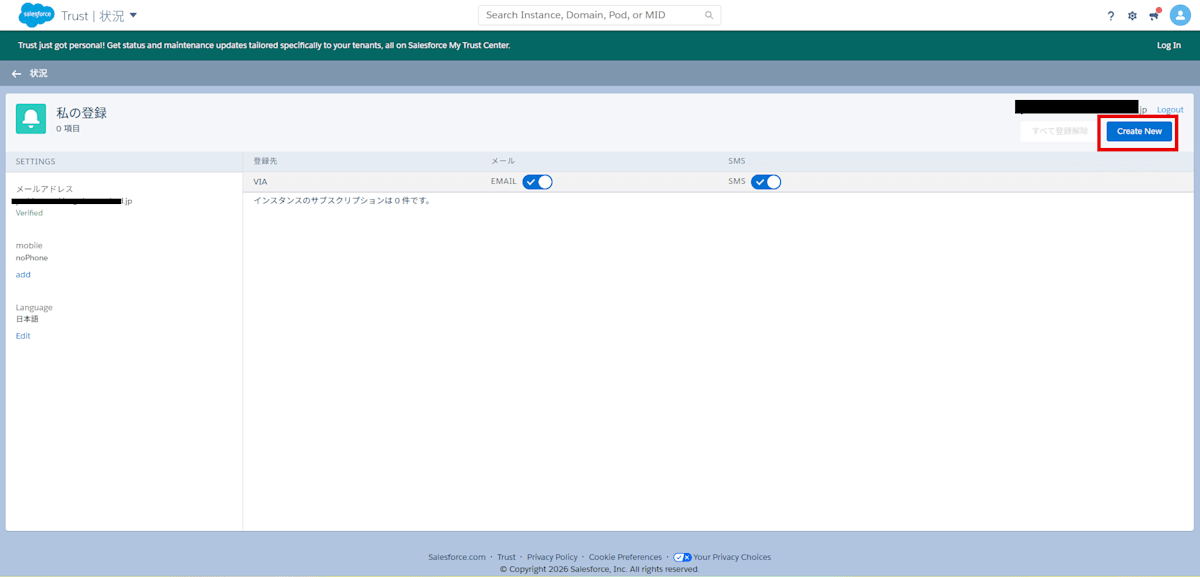
Please also consider setting up security notifications.[2]
[2] Trust Status
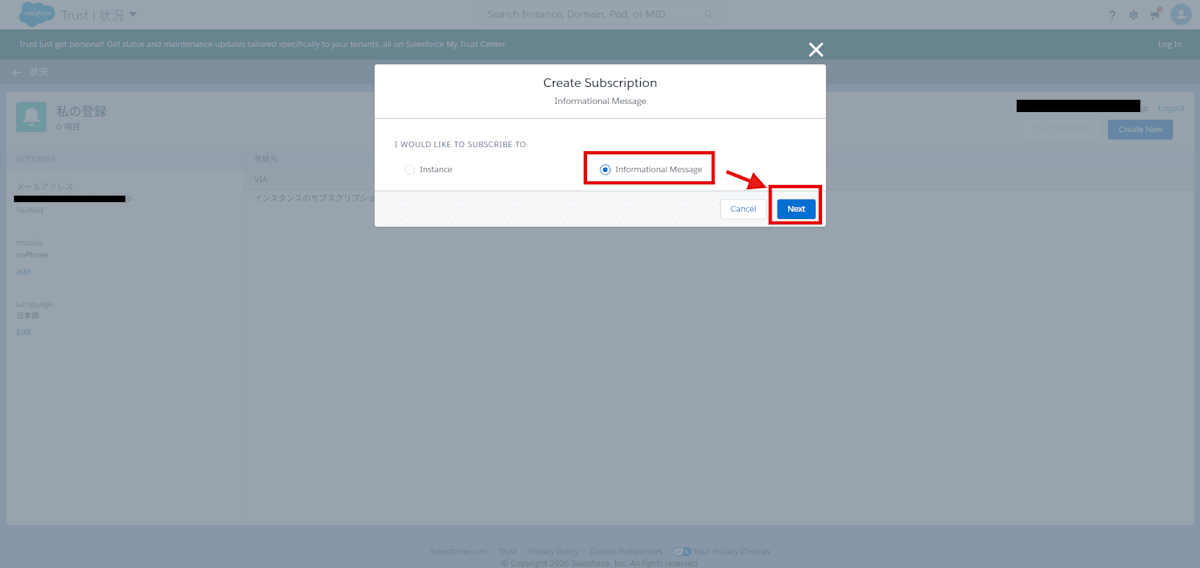
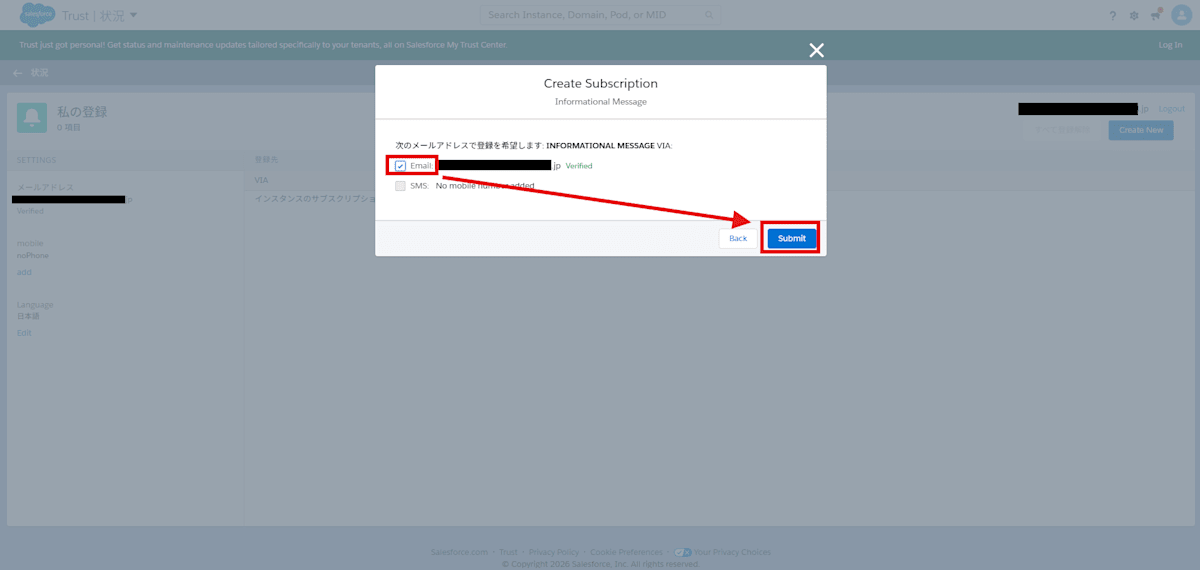
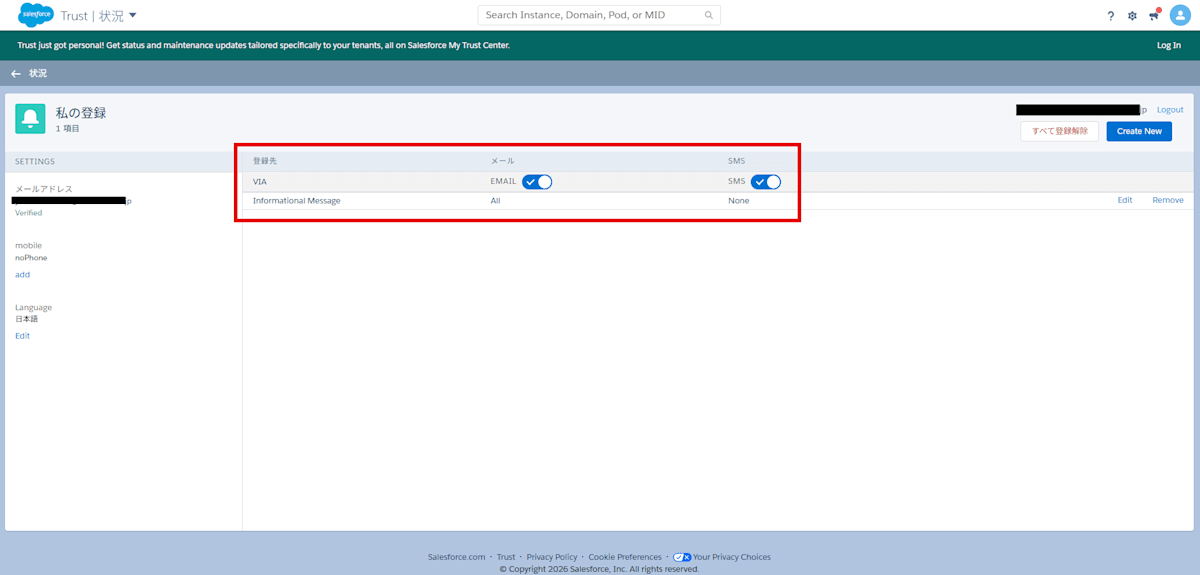
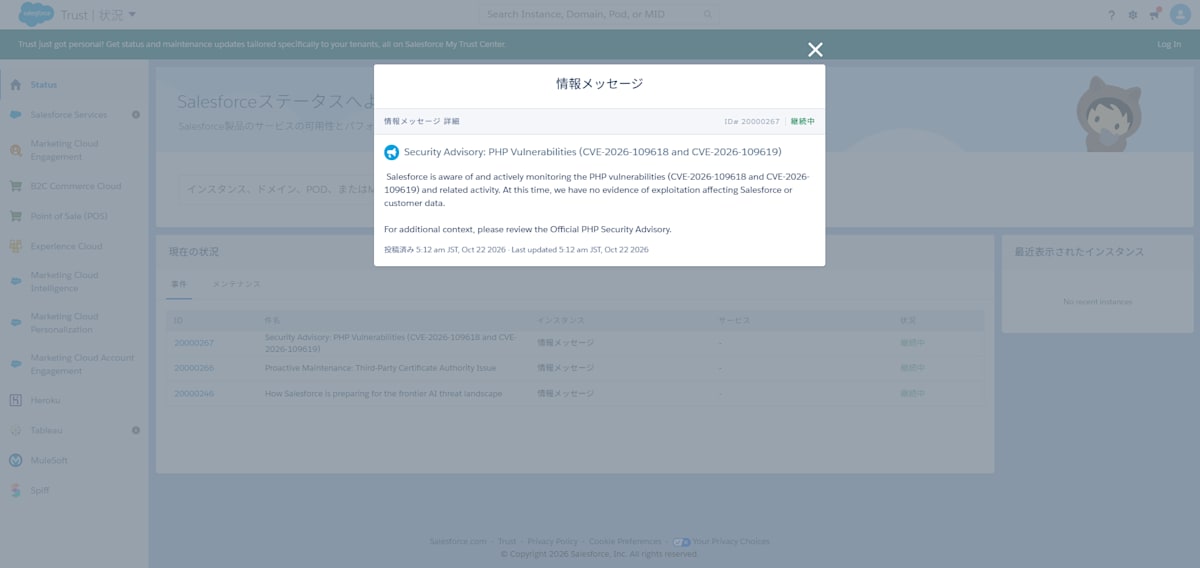
Example of a Security Advisory
As of October 23, 2026, when this article was written, a security advisory regarding PHP vulnerability remediation had been reported.
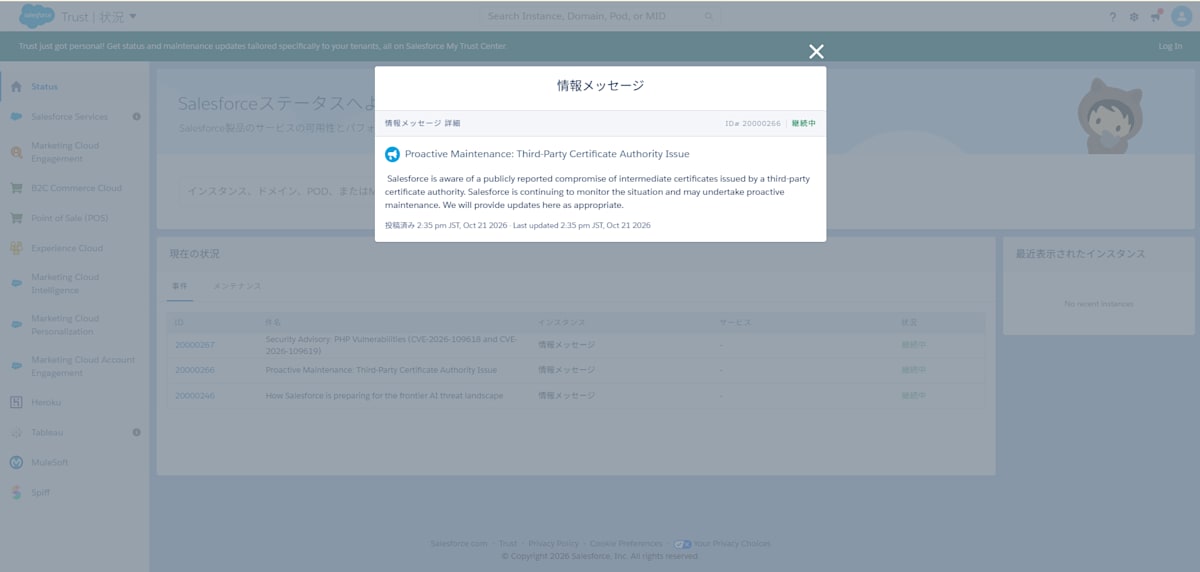
(Machine translation)
Preventive Maintenance: Issue Regarding a Third-Party Certificate Authority

Salesforce is aware of a publicly reported incident in which an intermediate certificate issued by a third-party certificate authority has been compromised.
Salesforce continues to monitor the situation and may perform preventive maintenance.
We will provide updates here as the situation develops.
(Machine translation)
Security Advisory: Regarding PHP Vulnerabilities (CVE-2026-109618 and CVE-2026-109619)

Salesforce is aware of PHP vulnerabilities (CVE-2026-109618 and CVE-2026-109619) and related activity, and is continuously monitoring the situation.
At this time, there is no evidence of exploitation that would impact Salesforce or customer data.
For more details, please refer to the official PHP security advisory.