
How to change the user ID and username in Tableau Server

This page has been translated by machine translation. View original
Problem
I want to change the user ID or username in Tableau Server.
How should I handle this?
Overview
As of the latest version Tableau Server 2026.2 at the time of writing this article, there is no feature implemented to change the ID or name of a created user.
Therefore, recreate the user with the desired username and transfer content ownership from the original user.
Steps
Please refer to the following Salesforce Help Community article for specific steps.[1]
This article includes screenshots taken during the actual procedure, so please use them to understand the work involved.
[1] Cannot change username or display name in Tableau Server | Salesforce Help
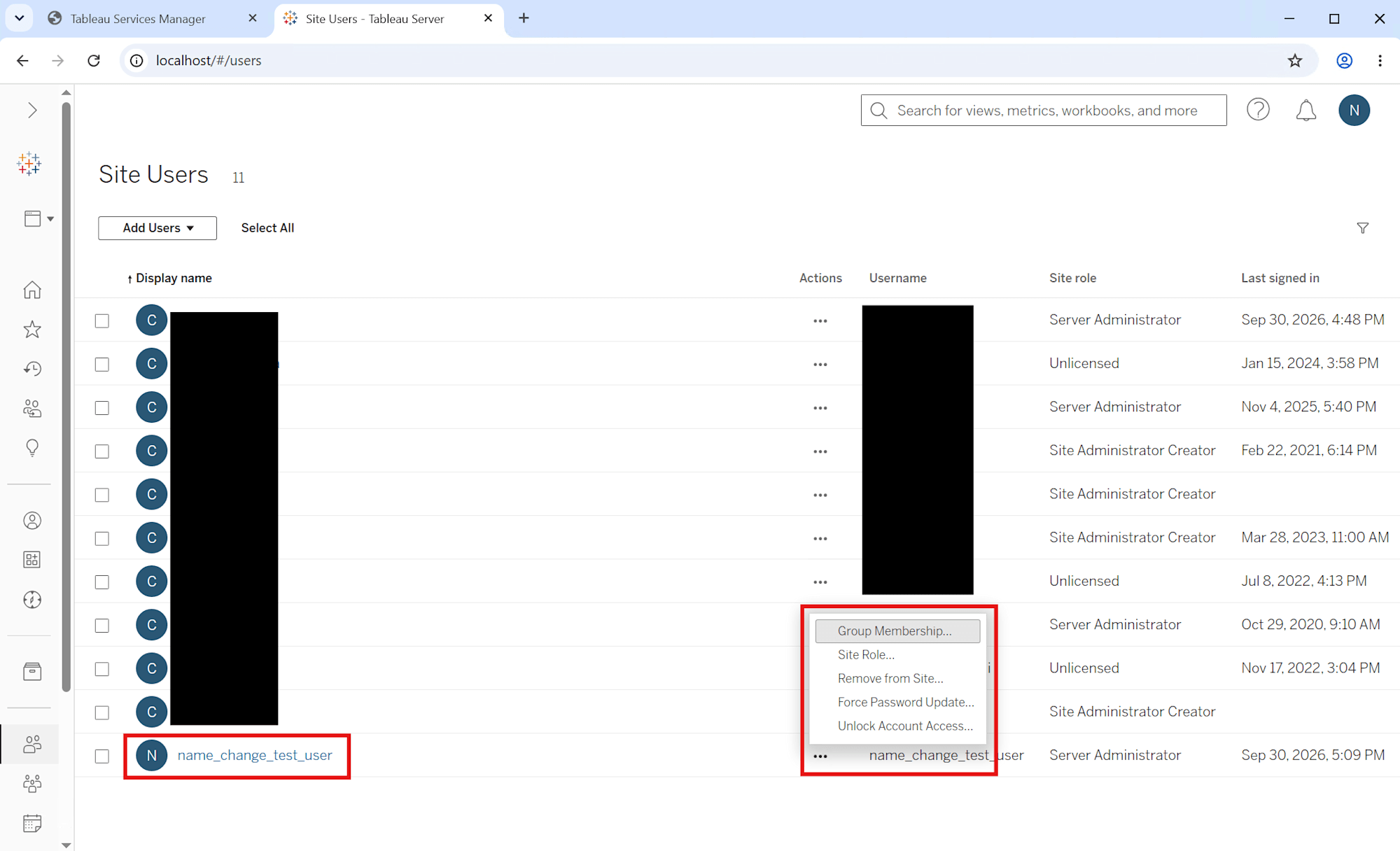
The username menu is open, and we can confirm that there is no "Change Username" feature.
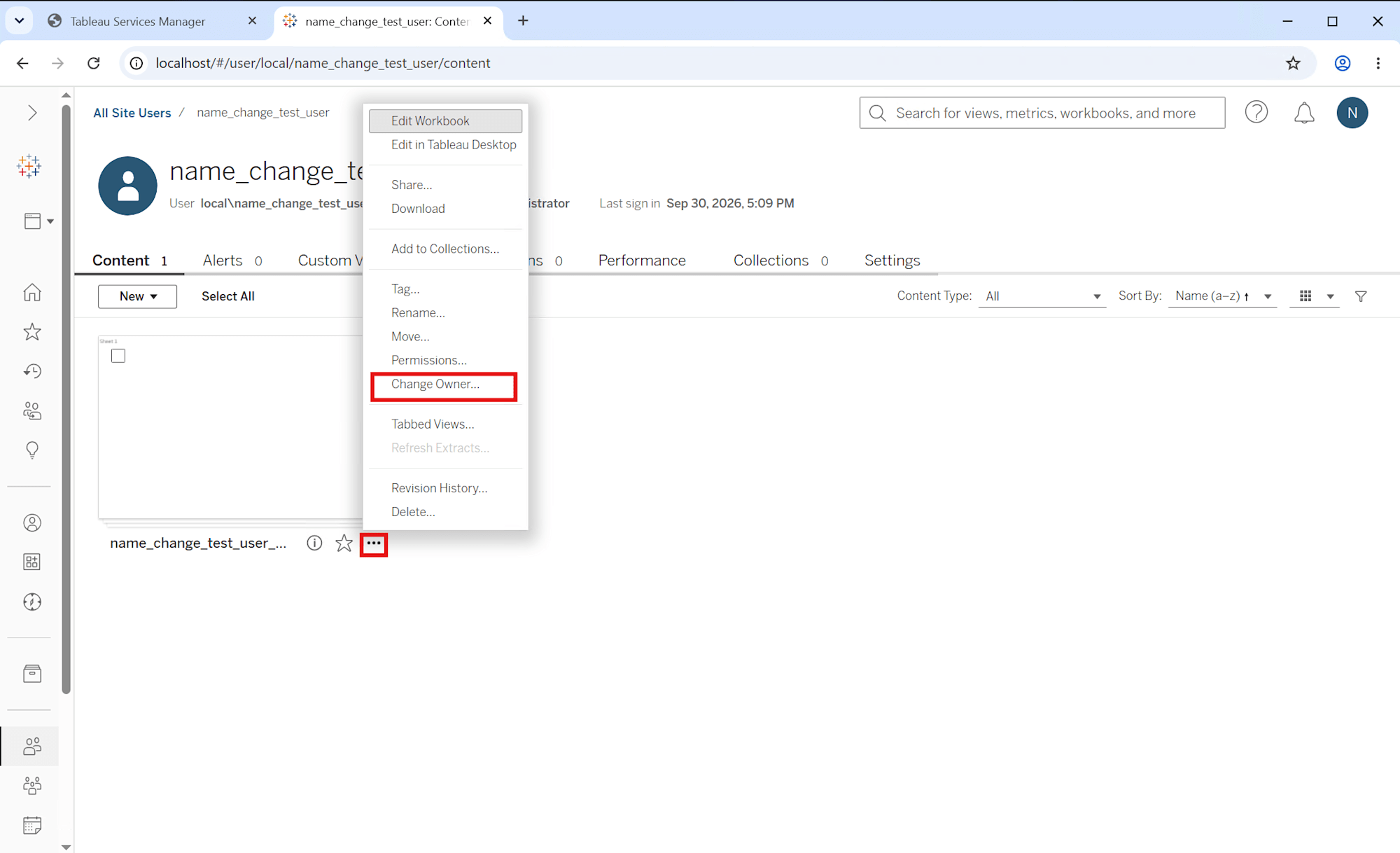
All content owned by the user to be changed is moved to a temporary owner user.
Since deletion will fail if content remains when deleting the original user at the end of the procedure, be sure to move all content without exception.
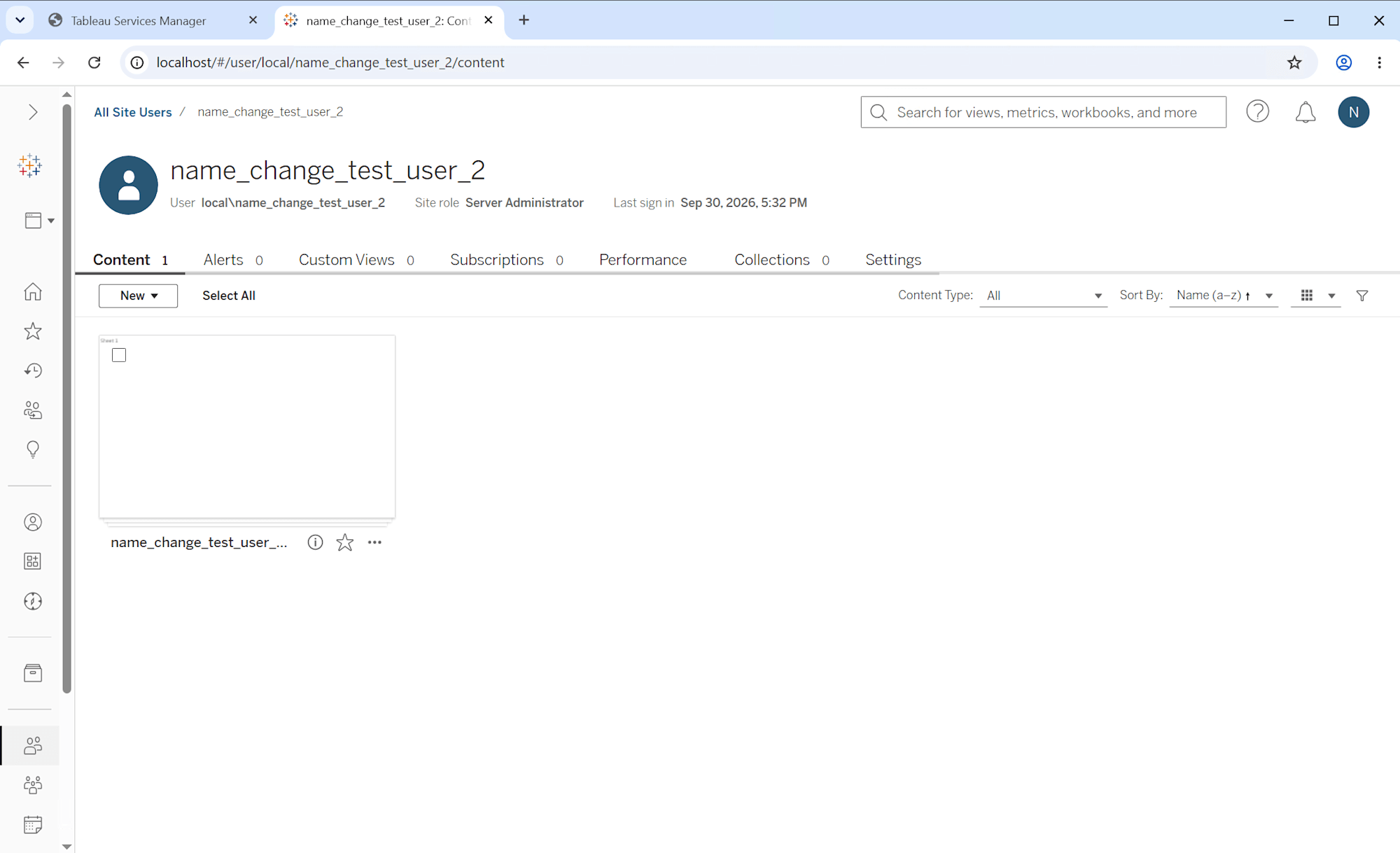
The ownership of the moved content has been transferred to the new user.
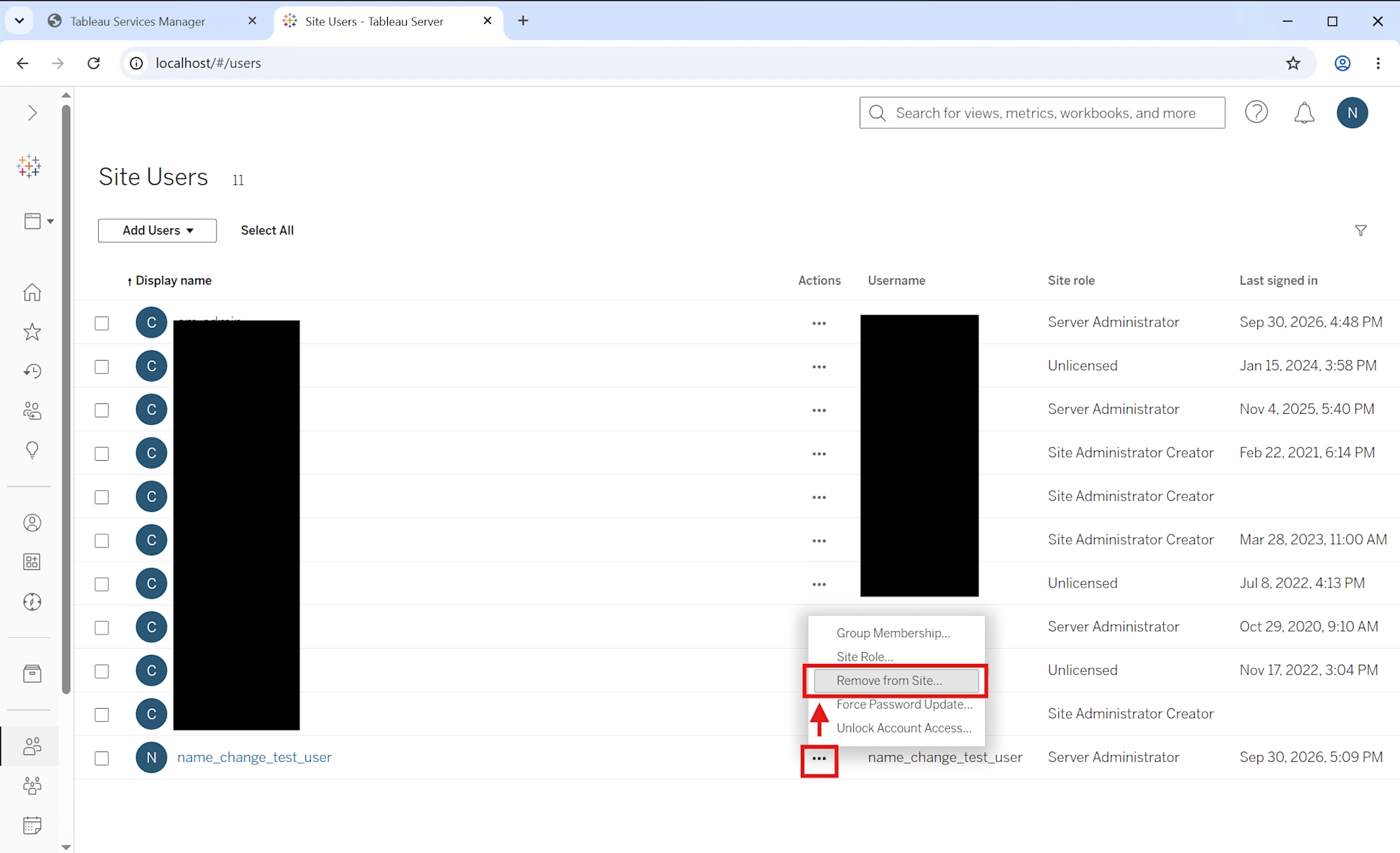
Delete the now-unnecessary original user to complete the procedure.