How to block access from outside Japan using AWS WAF WebACL

This page has been translated by machine translation. View original
Introduction
When I looked at the AWS WAF console after a while, I found that the UI had changed considerably, and I struggled with creating a WebACL...
So this time, I've summarized the following two points:
- How to create a WebACL that blocks access from outside Japan using the new UI
- How to verify access from different countries using CloudShell
Preparation
For this demonstration, I'll use an Application Load Balancer (ALB) as the target for the WebACL.
Behind the ALB is a target group with an EC2 instance running Apache.
Creating a WebACL
Follow these steps to create a WebACL.
Here is the AWS official documentation:
AWS WAF で保護パック (ウェブ ACL) を作成する - AWS WAF、AWS Firewall Manager、AWS Shield Advanced、および AWS Shield ネットワークセキュリティディレクター
-
Select the ALB created for testing as the resource to protect.

-
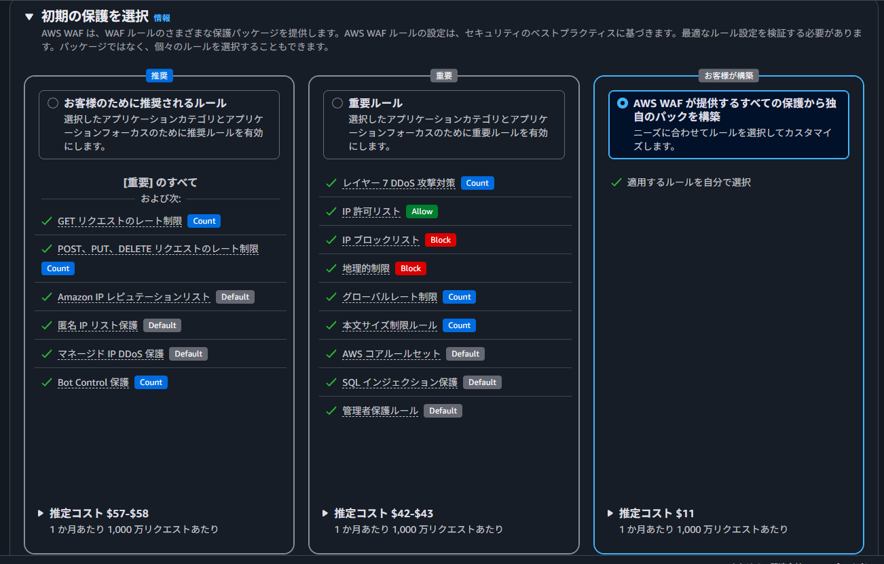
For initial protection, select "Build your own pack from all protections provided by AWS WAF".
※ Currently, you can choose protection packages based on security best practices when creating a WebACL!
-
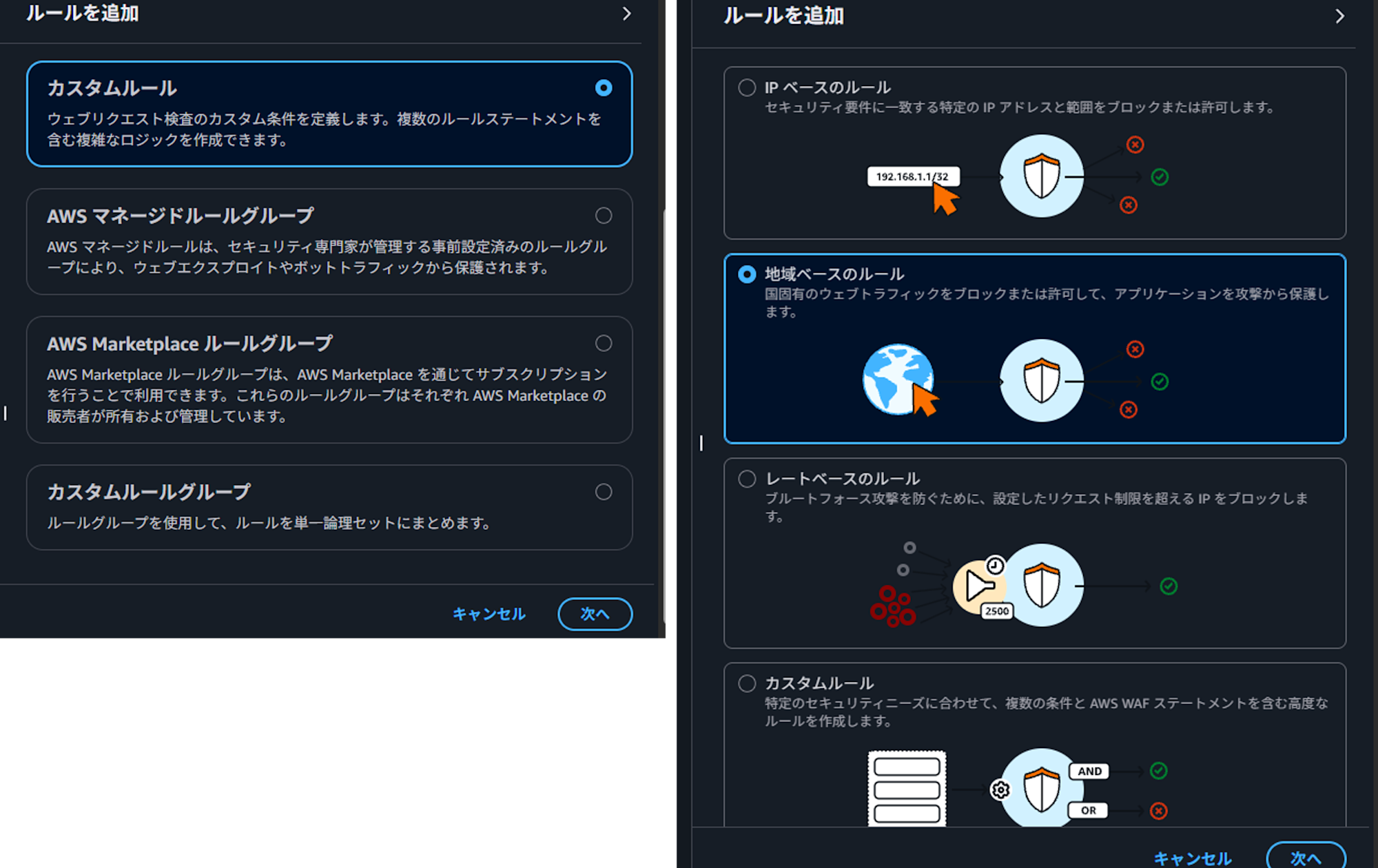
A panel will be displayed on the right. Select "Custom rules", click "Next", select "Geographic-based rules", and click "Next".
-
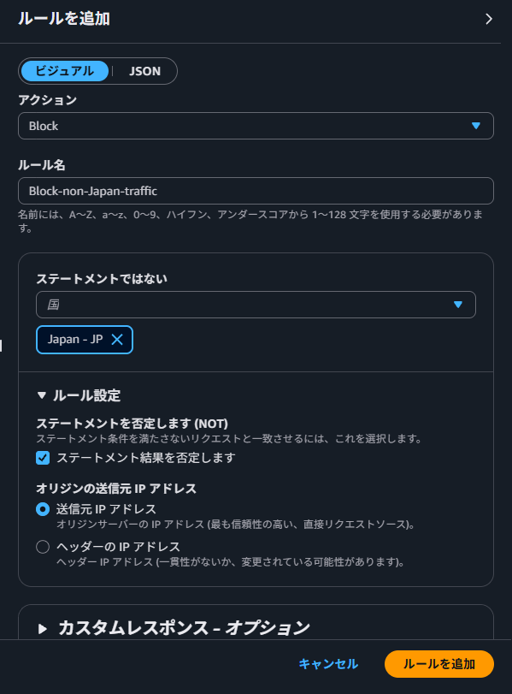
Configure a rule to block access from outside Japan, and click "Add rule". If the action is "Block", check "Negate the statement (NOT)". If not checked, only access from Japan will be blocked.
-
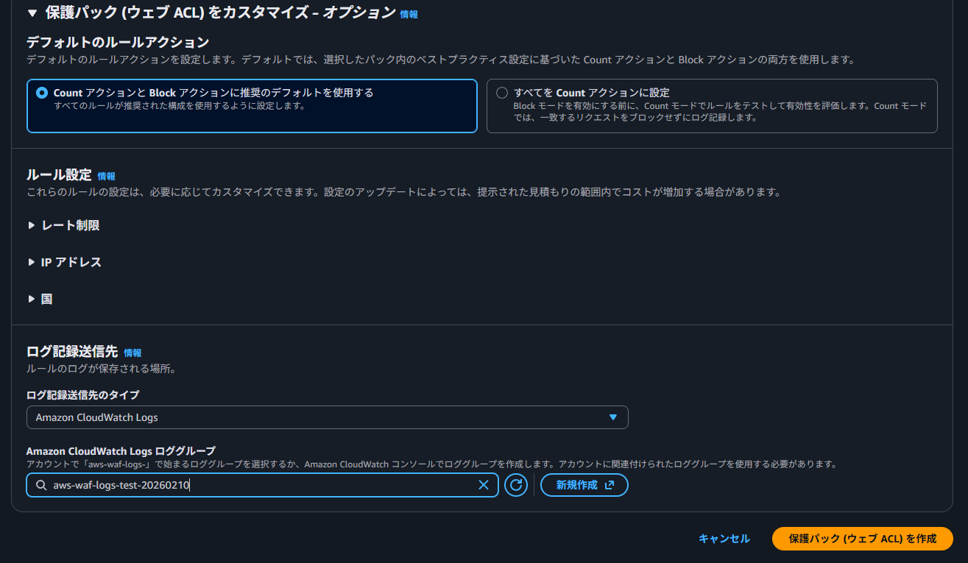
Since I want to also check in logs that access from outside Japan is blocked, I select "CloudWatch Logs" as the log destination type and choose a log group created for verification. Finally, click "Create protection pack (Web ACL)".
Note that the log group name must start with "aws-waf-logs-", so be careful when creating it.
Verification with CloudShell
To verify the operation of the created WebACL, I'll use CloudShell.
-
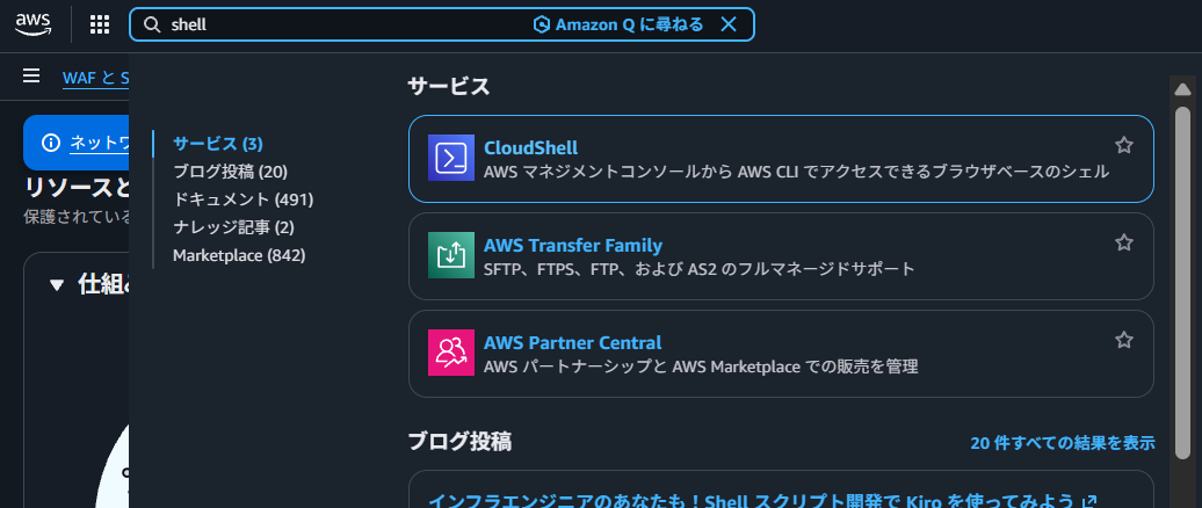
Type "Shell" in the search bar at the top of the console and select "CloudShell".
-
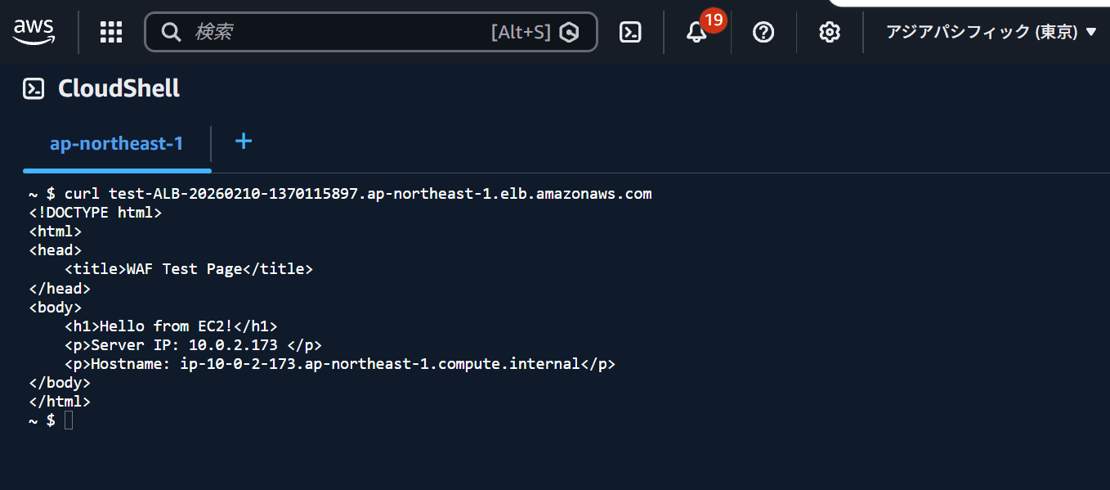
First, let's check if access from Japan is allowed. Select the Tokyo region at the top of the console. Execute a curl command against the ALB's DNS name and confirm that the test page is displayed.
-
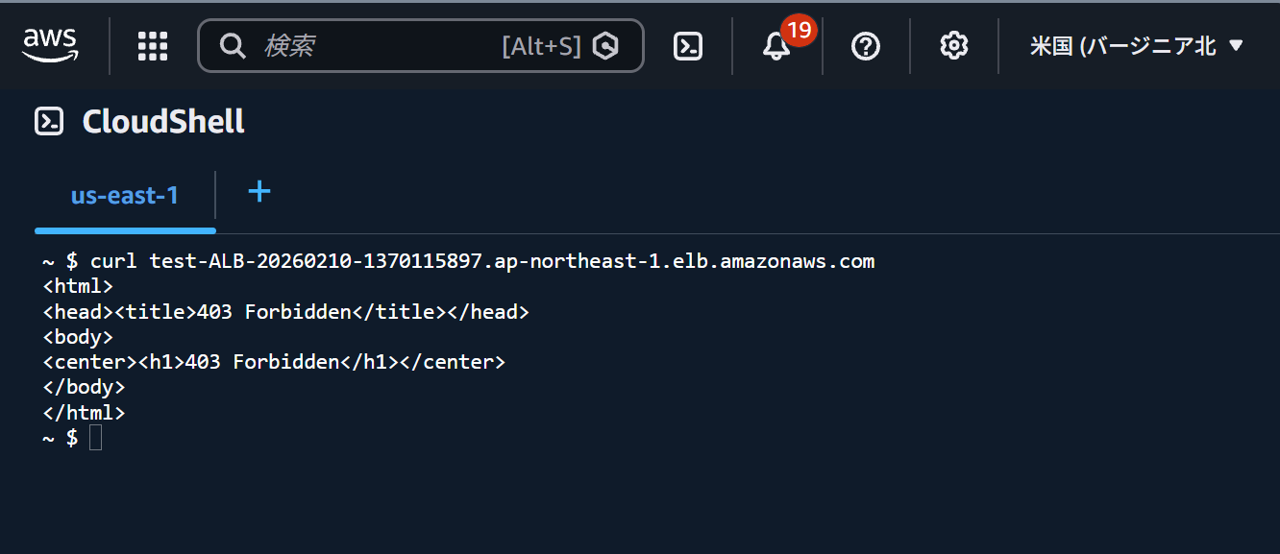
Next, select the Northern Virginia region and execute the curl command again.
This time, 403 Forbidden is displayed.
-
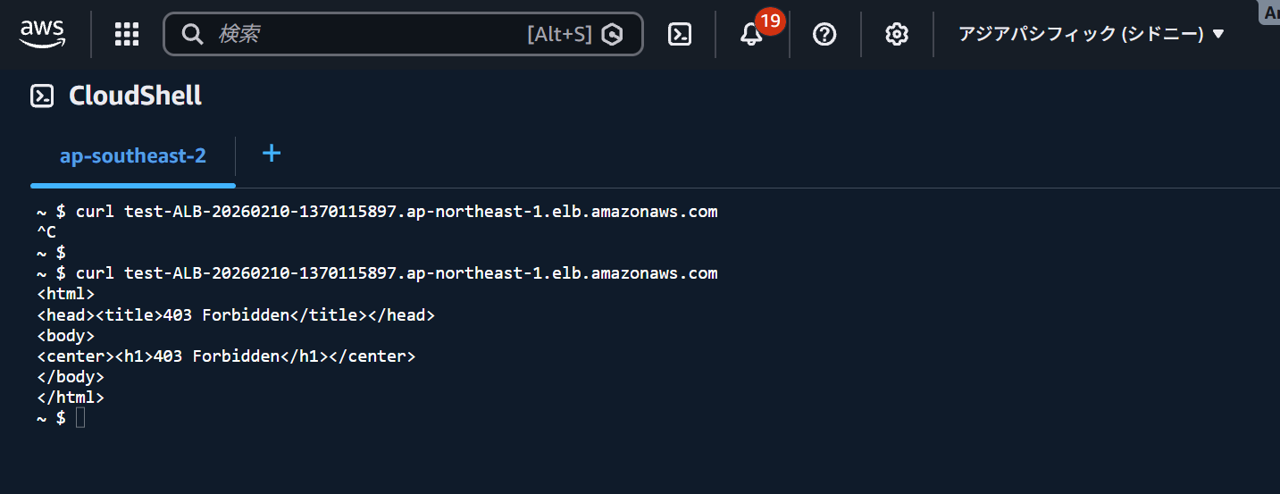
Let's also check regions other than Northern Virginia. When selecting the Sydney region and executing the curl command, 403 Forbidden is returned as well.
-
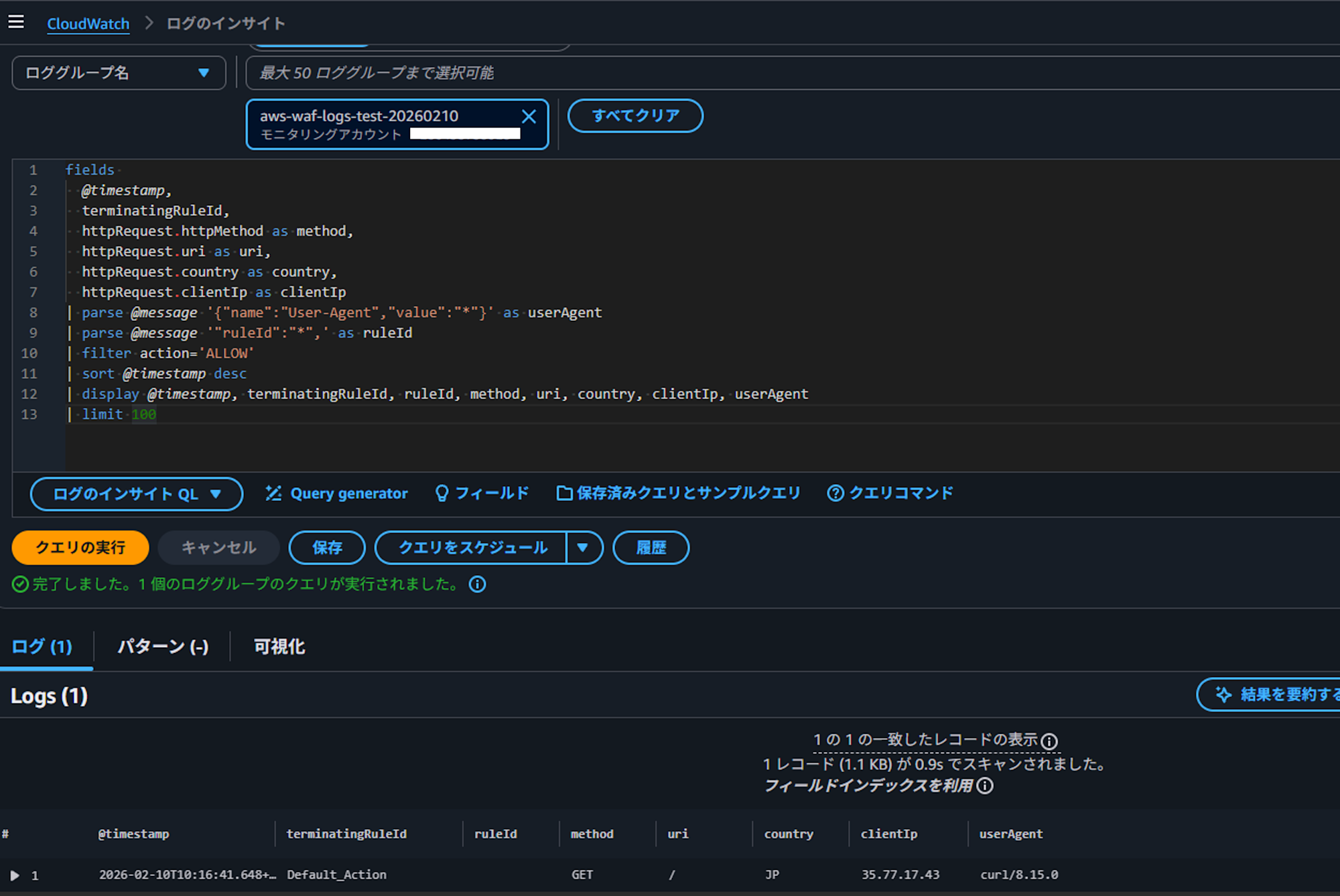
Let's also verify that the WebACL is working properly by checking the logs. In CloudWatch Logs Insights, select the log group configured as the log destination, and check logs where Action is ALLOW. One access from JP is displayed.
-
Next, check logs where Action is BLOCK. Two logs are displayed blocking access from outside Japan.
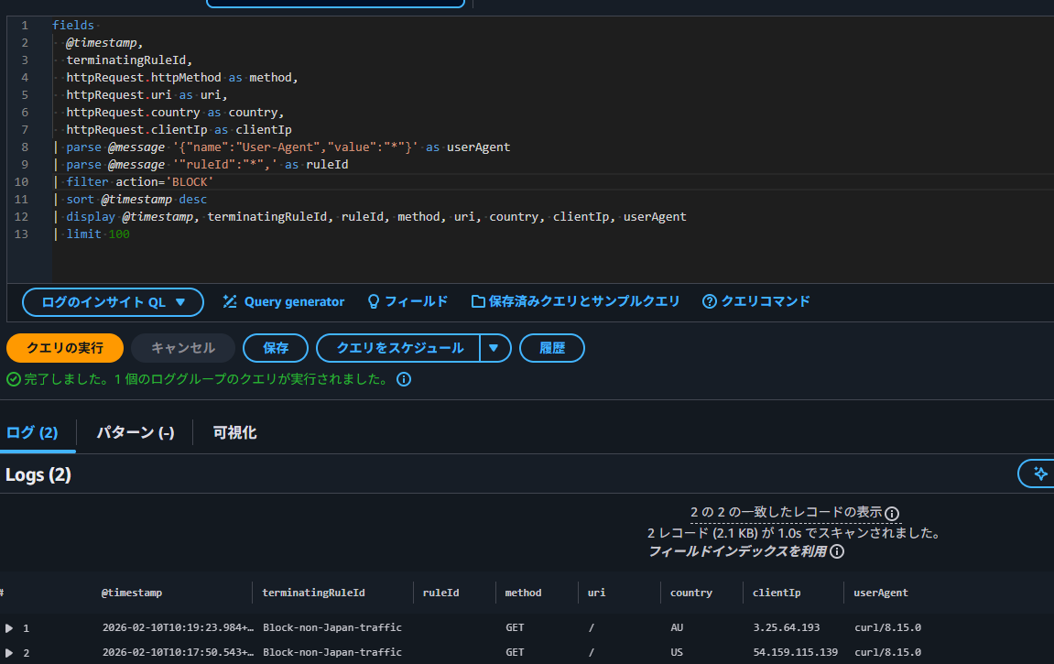
For the SQL query used for these logs, please check this blog:
AWS WAFのログをCloudWatch Logs Insightsで分析する | DevelopersIO
Summary
This time, I created a WebACL using the new UI of the AWS WAF console and verified it easily with CloudShell. It's nice that you can select protection packages based on best practices during creation. Also, rules and log delivery destinations can be added and configured even after the WebACL is created.
Finally, please note that the method of blocking access from outside Japan that we tested is not 100% effective.
よくある質問 - AWS WAF | AWS
===== Excerpt (start) =====
24. How accurate is the GeoIP database?
The accuracy of mapping IP addresses to countries varies by region. According to recent tests, the overall accuracy of IP address to country mapping is 99.8%.
===== Excerpt (end) =====