
Observing if Unity MCP × Claude Code breaks down when trying to handle bullet hell patterns, athletic course generation, and dungeon generation in 2D games

This page has been translated by machine translation. View original
Introduction
In the previous article, we gave Unity MCP and Claude Code the challenging task of modifying a 3D game. There were many issues like inconsistent materials and lighting problems, making it difficult for AI to complete the task independently. However, that was a challenging task because it involved 3D. Some readers might think that 2D would be easier for AI to handle compared to 3D.
However, even in 2D games, there are several points where things can break down from a practical perspective. Can performance hold up with numerous objects in bullet hell patterns? Are there inaccessible areas in automatically generated platforms? Will players get stuck in dungeons with interconnected rooms? These problems may not be easy to solve even in 2D.
In this article, I created three games from scratch using an empty 2D project and observed whether AI could address these challenges. In conclusion, while simple games worked fine, more complex games exhibited a characteristic breakdown where "the code appears valid but the game is actually unplayable." This article reports on the process and causes.
Verification Flow
For each theme, I followed this flow: I instructed Claude Code to implement the game, then manually verified the initial output. If there were issues, I provided one correction instruction, and the output after correction was used for final evaluation.
Test Environment
| Item | Version / Details |
|---|---|
| Unity | 6000.3.10f1 (LTS) |
| Unity MCP | com.unity.ai.assistant 2.1.0-pre.1 |
| AI | Claude Code + Claude Opus 4.6 |
| OS | Windows |
| Template | 2D (Empty Project) |
Target Audience
- Technical staff developing games with Unity or Unreal Engine
- Developers interested in the capabilities of AI coding tools
- People who are starting to use or considering Claude Code or MCP for their work
References
- Unity AI Assistant (MCP)
- Claude Code
- Previous Article: Testing Unity MCP × Claude Code to Modify a 3D Game
Installing Unity MCP
Please refer to the previous article.
Themes 1, 2: Bullet Hell Shooter and Auto-Generated Platformer
First, I'll show the results for simpler themes for comparison. The full prompts are included in the appendix.
Theme 1: Bullet Hell Shooter
I asked for a 2D shooting game where the player controls a ship with the keyboard and avoids bullet patterns from a boss. Claude Code completed this in about 7.5 minutes.
The initial output was already a functional game. Five bullet patterns were implemented with appropriate colors, increasing difficulty over time, and reasonable avoidability. The game balance was good, allowing even first-time players to survive for several to tens of seconds.
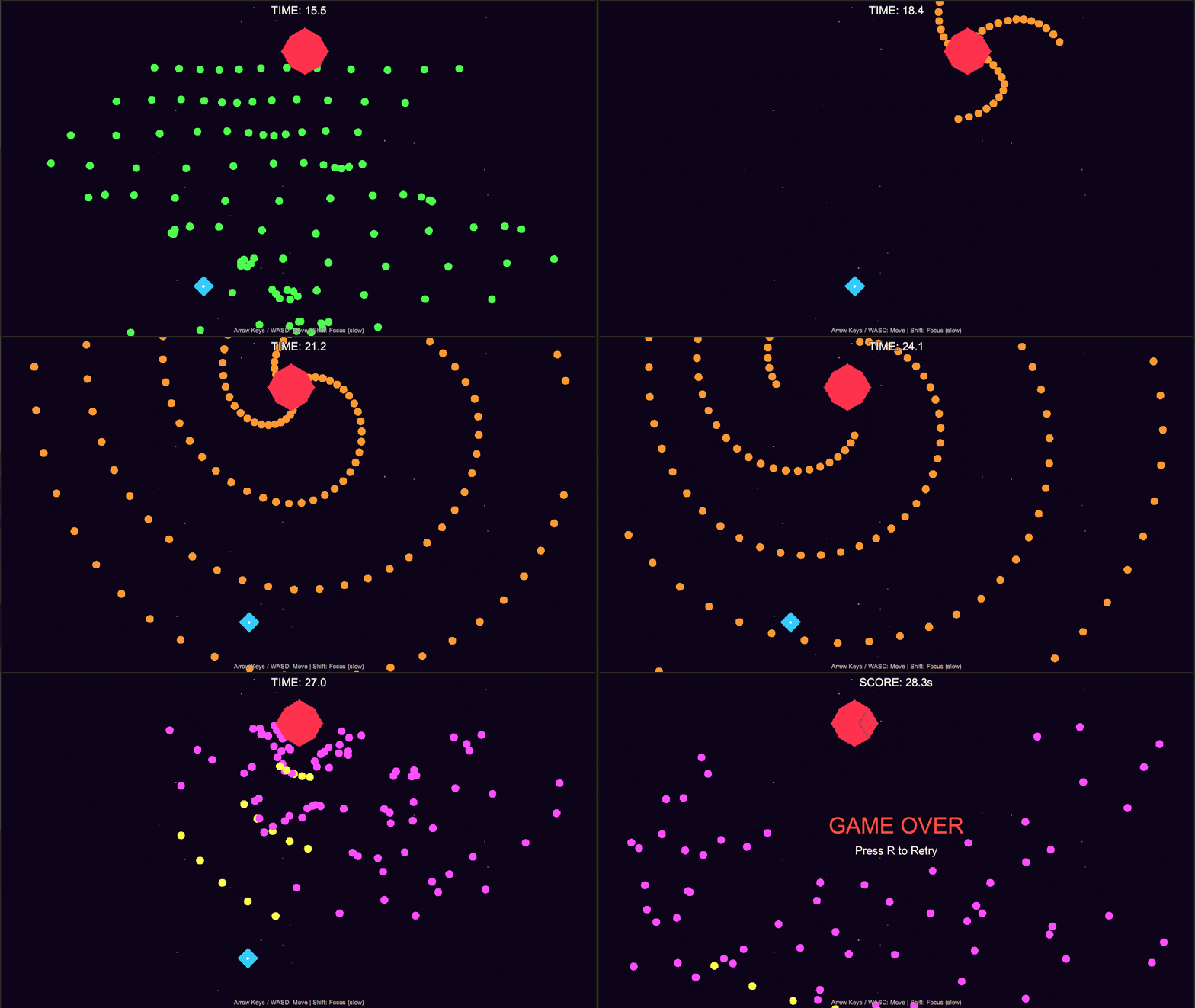
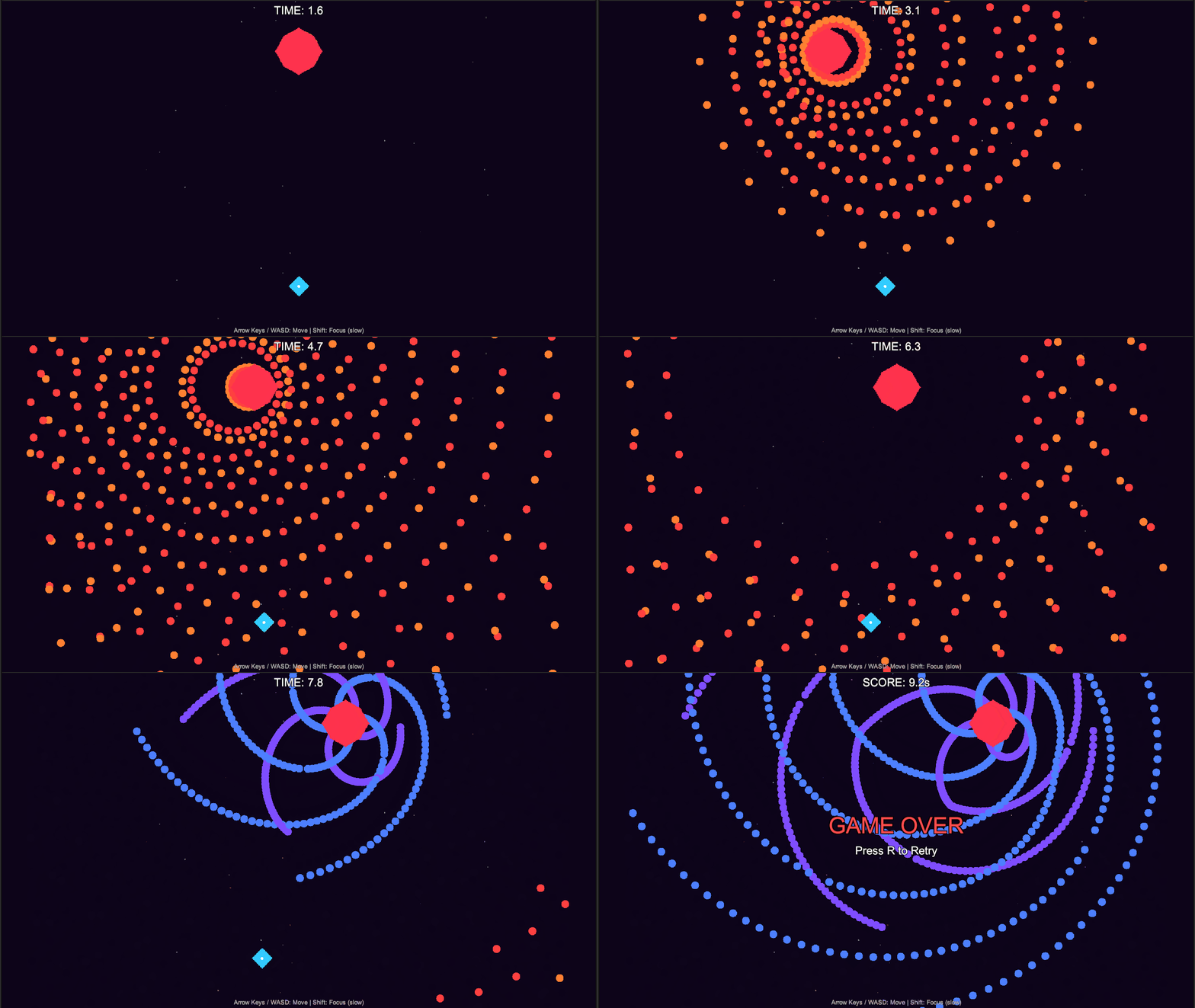
In my correction instruction, I asked to scale up the number of bullets on screen to 500-1,000 and redesign the architecture if necessary to maintain performance. Claude Code redesigned the architecture to pre-allocate an object pool of 1,500 bullets and replaced physics calculations with manual distance calculations. After the modification, no noticeable frame drops were observed in the editor.
Theme 2: Auto-Generated Platformer
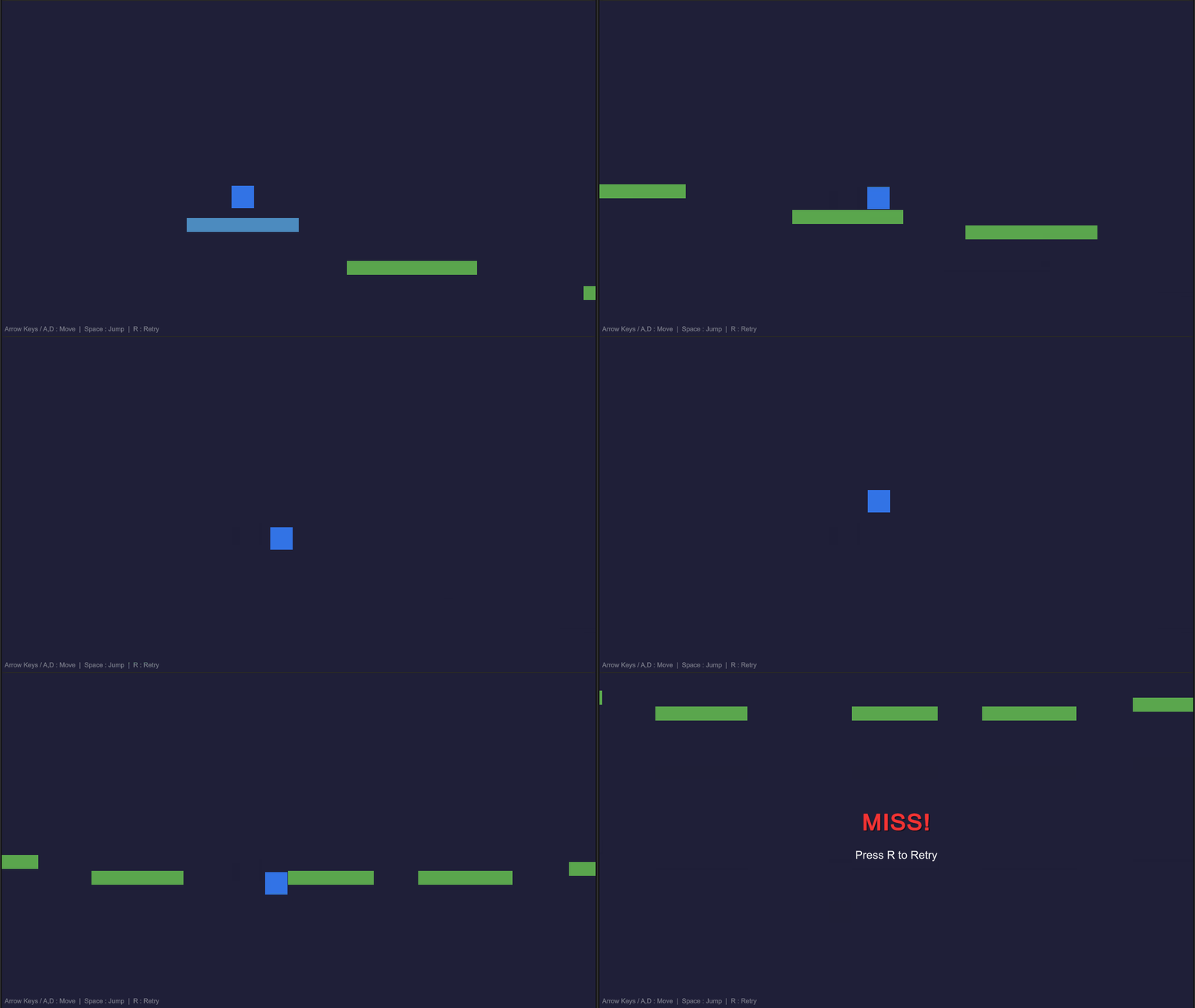
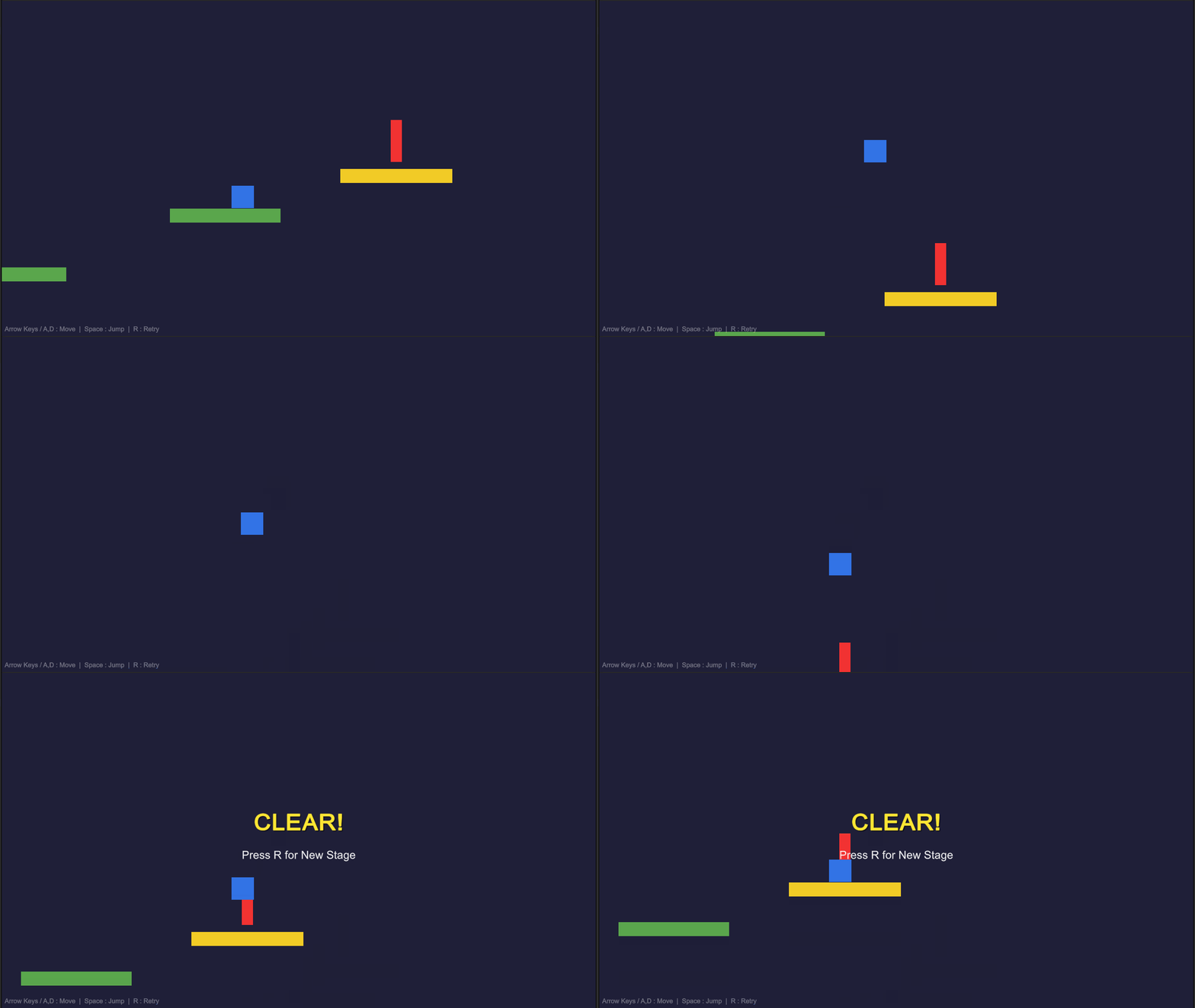
I requested a 2D side-scrolling platformer with an auto-generation mechanism for platforms. Claude Code completed this in about 9 minutes.
This also functioned as a game from the initial output. From visual testing across several regenerations, 15 platforms were randomly placed, all reachable by jumping. There were minor issues, such as jump height being too high causing platforms to go off-screen, and sticking to walls when touching them from the side, but these weren't game-breaking problems. I considered it complete without correction instructions.
Theme 3: Exploration Dungeon
Themes 1 and 2 both functioned from their initial outputs, which didn't adequately probe the breakdown points that might occur in actual 2D game development. What I particularly wanted to confirm in this test was whether the game would break down. For example, in an exploration game with non-linearly connected rooms and gates that require specific abilities to progress, even small errors in the order of room connections or ability placements can easily create dead ends. I added Theme 3 to see how well Claude Code × Unity MCP could handle this type of complexity.
Prompt and Claude Code's Output
In the prompt, I requested automatic generation of maps with rooms connected by passages, gradual acquisition of movement abilities (double jump, dash, wall climbing), enemy placement, and minimap display. See the appendix for the full text.
Claude Code completed the implementation in about 49 minutes. This breaks down to about 18 minutes for planning and about 31 minutes for implementation and testing. This is significantly longer than the 7.5 minutes for Theme 1 and 9 minutes for Theme 2. The generated scripts comprised 10 files totaling approximately 1,700 lines.
The following elements were generated by Claude Code:
- Progression design to acquire abilities in order: double jump → dash → wall climbing
- Algorithm to ensure no contradictions in ability placement order
- 3 types of enemies (patrolling, jumping, flying) placed according to room progression
- Canvas-based UI showing minimap, HP bar, and control instructions
Notably, Claude Code ran 7 tests on its own and fixed 5 issues independently. This count was confirmed from the Unity MCP Play mode call count in the session log.
This testing and self-correction loop was made possible by Unity MCP. Claude Code used Unity MCP to start/stop Play mode, retrieve console logs, inspect game object states, and capture screenshots. For example, it discovered the problem of "some areas not having assigned rooms" by querying the room distribution status through Unity MCP. At least in this test, the iterative check-and-fix cycle heavily depended on Unity MCP.
| Issue | Detection Method | Claude Code's Solution |
|---|---|---|
| UI initialization error | Console log retrieval | Delayed event registration |
| Cannot move between vertically connected rooms | Screenshot + state inspection | Added platforms |
| Player falling through floor holes | State inspection (player position) | Shifted spawn position to safe location |
| Some areas not assigned rooms | State inspection (room distribution) | Algorithm correction |
| Defeated by enemies immediately after start | Behavior observation during Play mode | Added 3-second invincibility at start |
Manual Verification: Initial Output Was Broken
I couldn't exit the starting room. The room exits were placed near the middle of walls at a height unreachable with the player's initial jump. The double jump ability would have allowed reaching it, but that was in another room. I was stuck in the first room without being able to take a single step out.
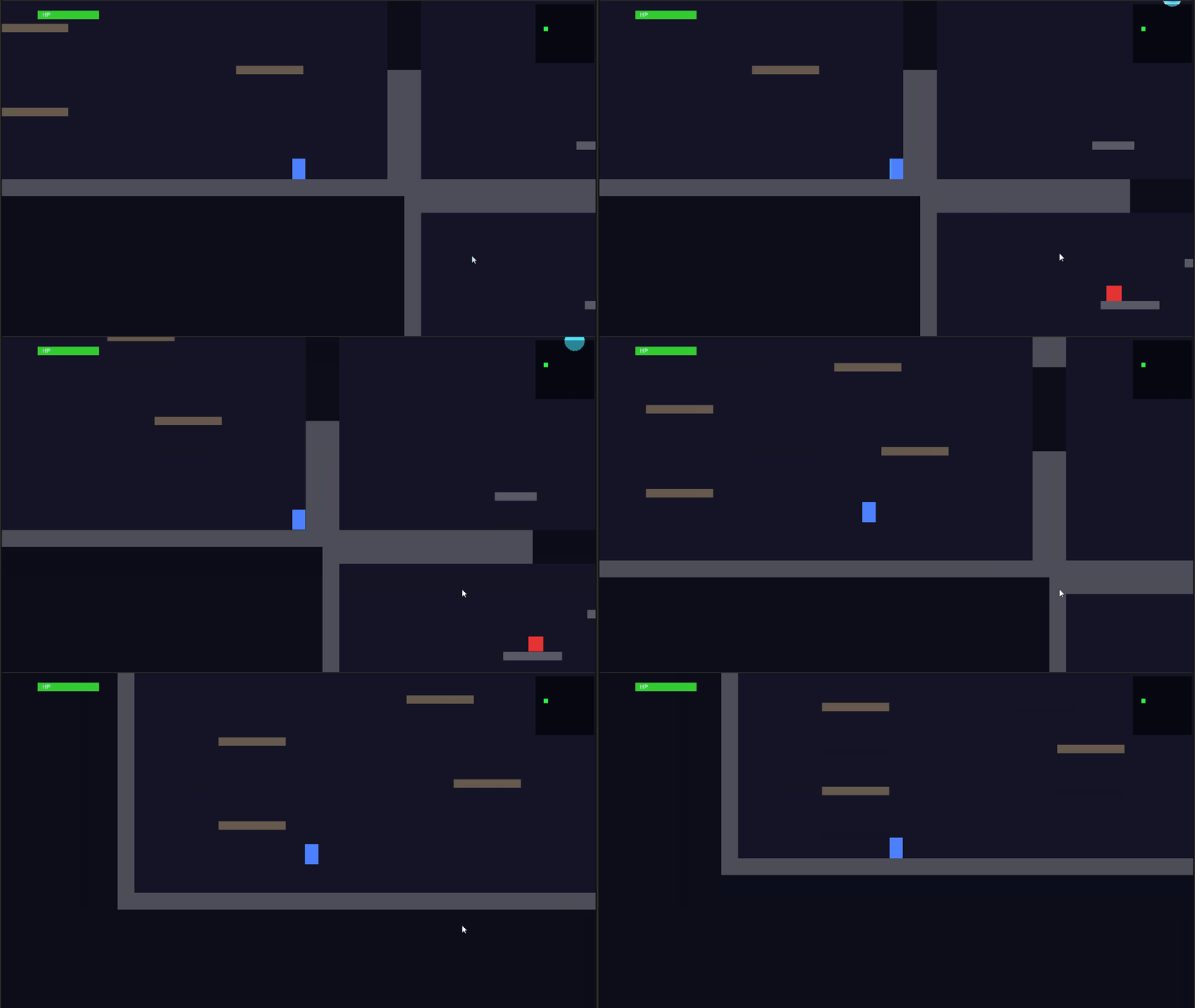
Though Claude Code ran 7 tests and fixed 5 issues on its own, it missed this most basic problem. The cause lies in Claude Code's testing method. During testing, Claude Code warped the player through MCP to check the state of each room. This was closer to debugging operations rather than actually playing the game, so it wasn't testing whether the game was playable with keyboard controls.
Correction Instruction and Result
As a correction instruction, I stated "Cannot exit the starting room. Please modify so that players can move to adjacent rooms in the initial state." Claude Code accurately identified the problem. It determined that the cause was exits being placed in the middle of walls at heights unreachable by jumping, so it changed the position of exits from the middle of walls to floor level. The correction touched 2 spots and took 4 minutes.
Post-Correction Verification: Playable But Dead Ends Remain
The exit problem was resolved, and room-to-room movement, ability acquisition, enemy combat, and goal reaching all functioned properly. The game was functional.
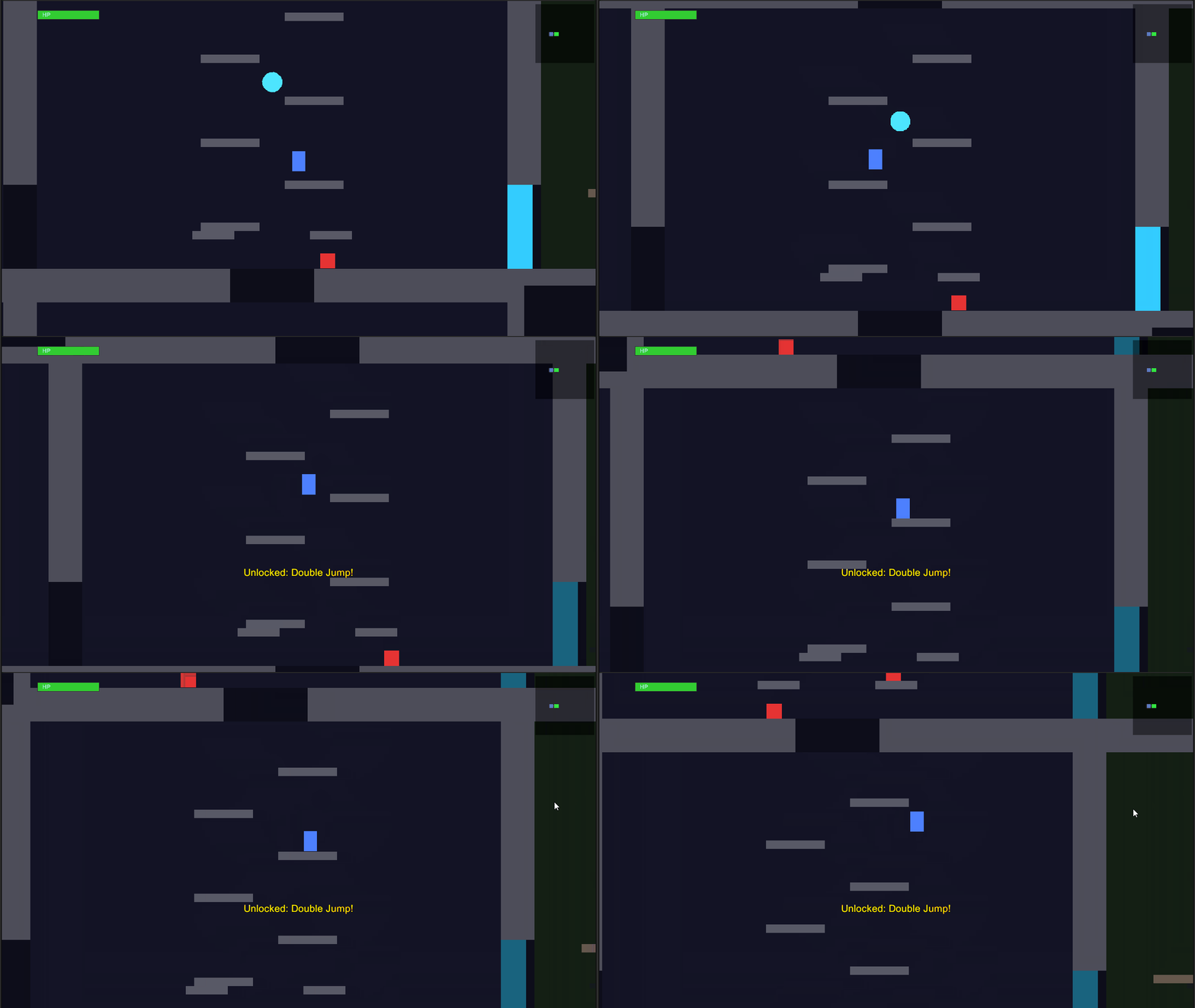
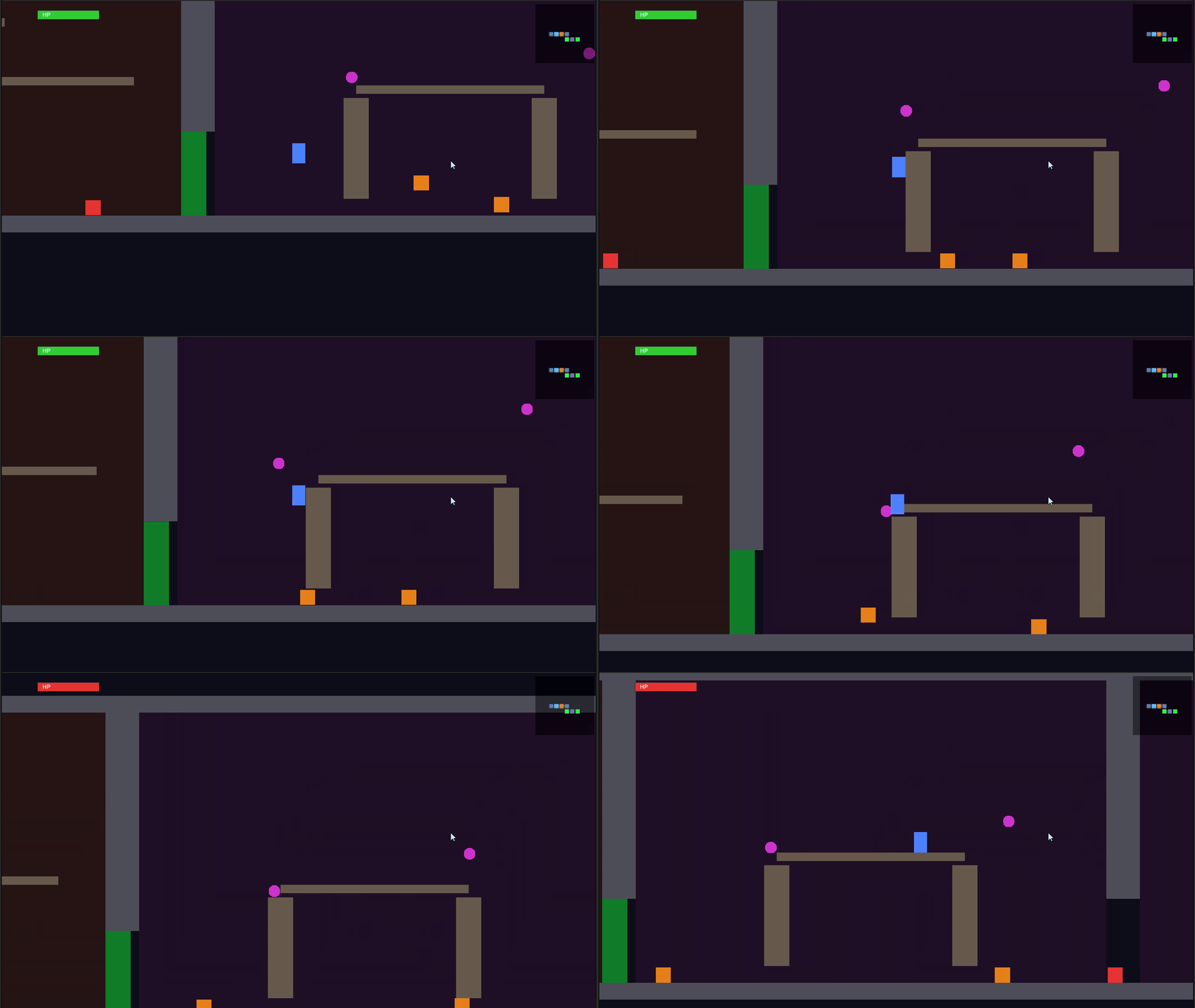
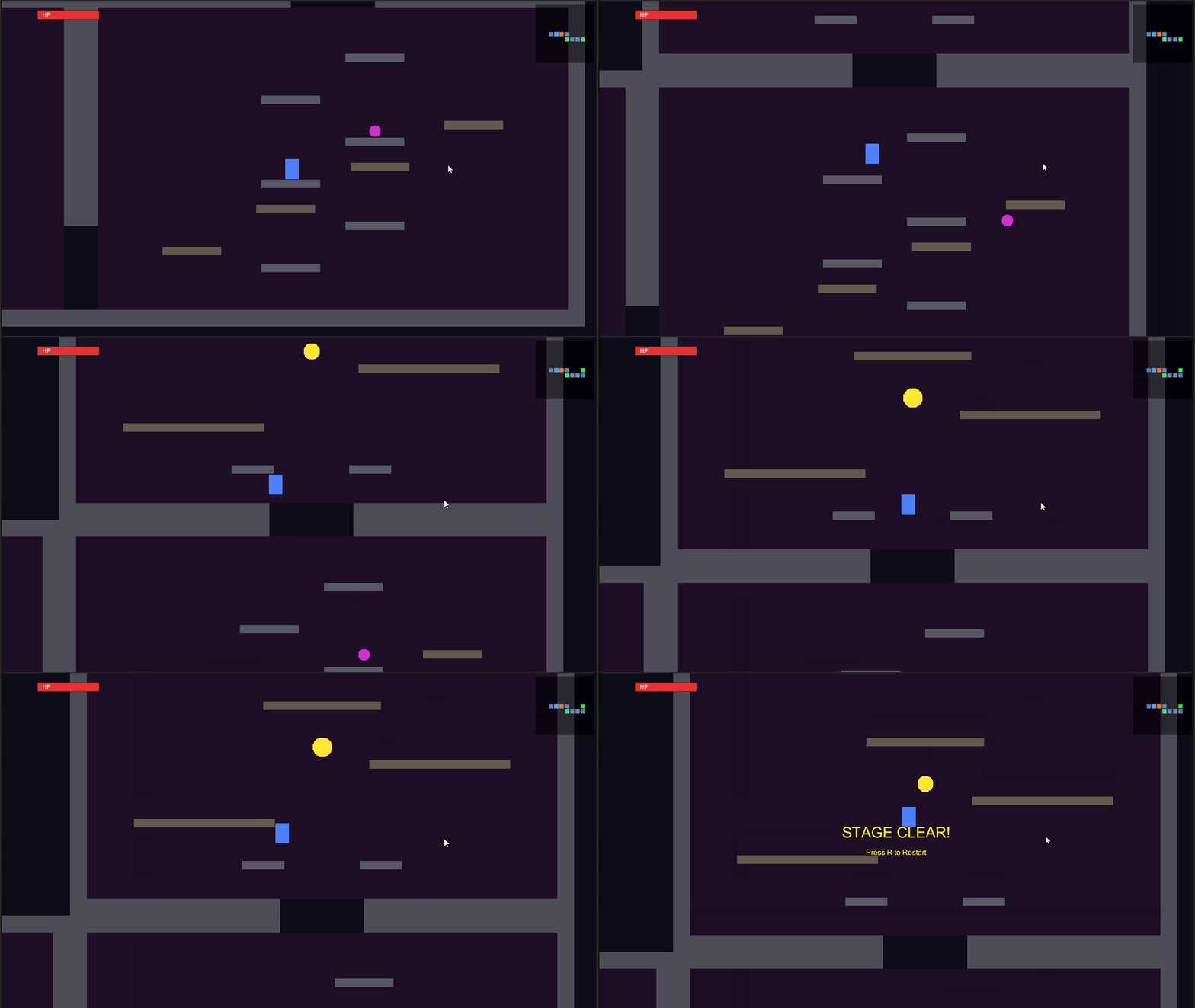
However, playing multiple times revealed dead-end patterns.
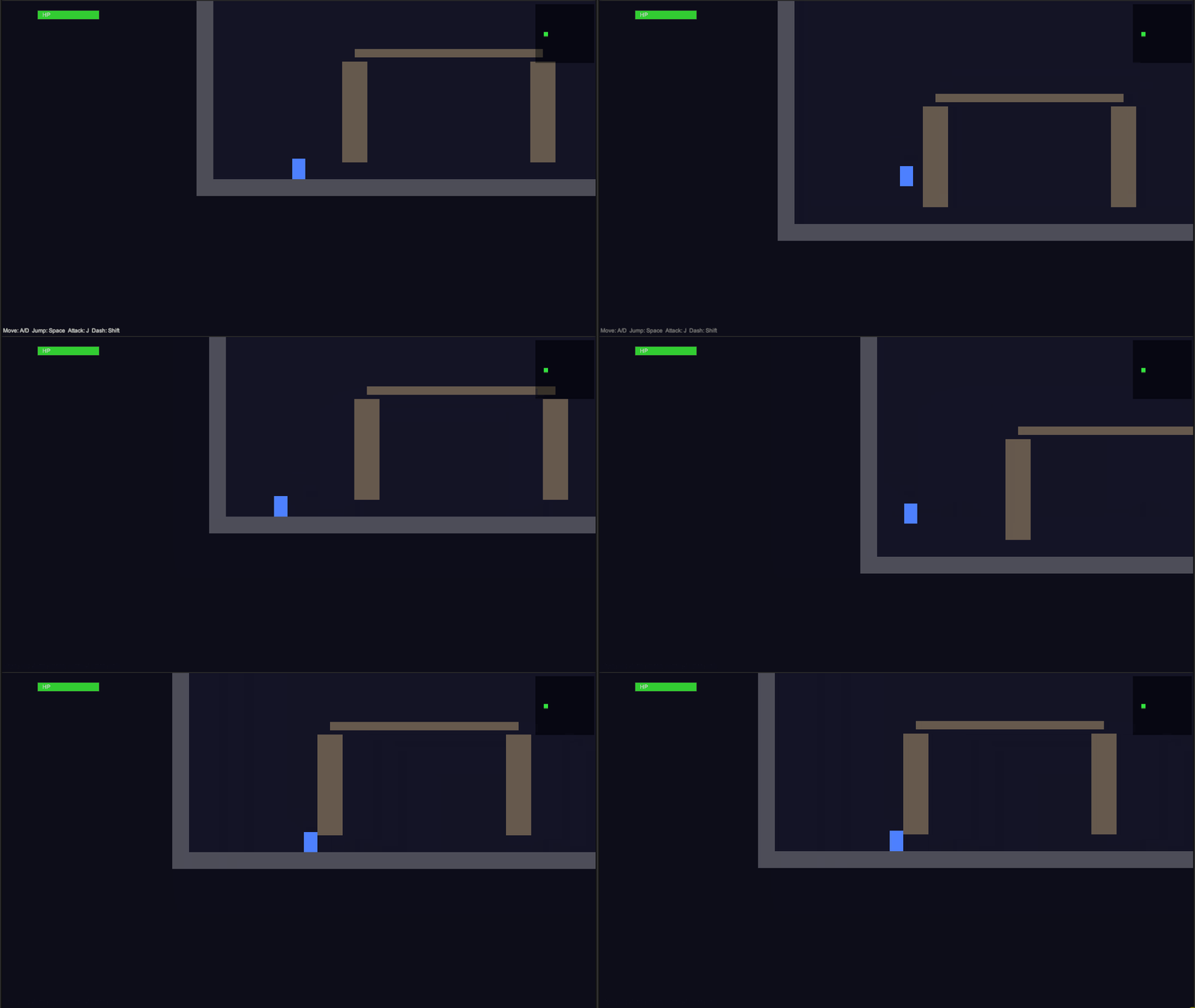
Dead End Pattern 1: Initial Room Obstacles
When tall obstacles were generated at the initial spawn point, they couldn't be crossed without the double jump ability. The double jump was only available in another room. Though the exits were passable, there were dead ends within the room.
Dead End Pattern 2: Room with Only Upward Paths
In some rooms, passages to other rooms were only available upward. If you fell into such a room without the double jump ability, you'd be trapped and unable to return. Some starting rooms had this pattern as well.
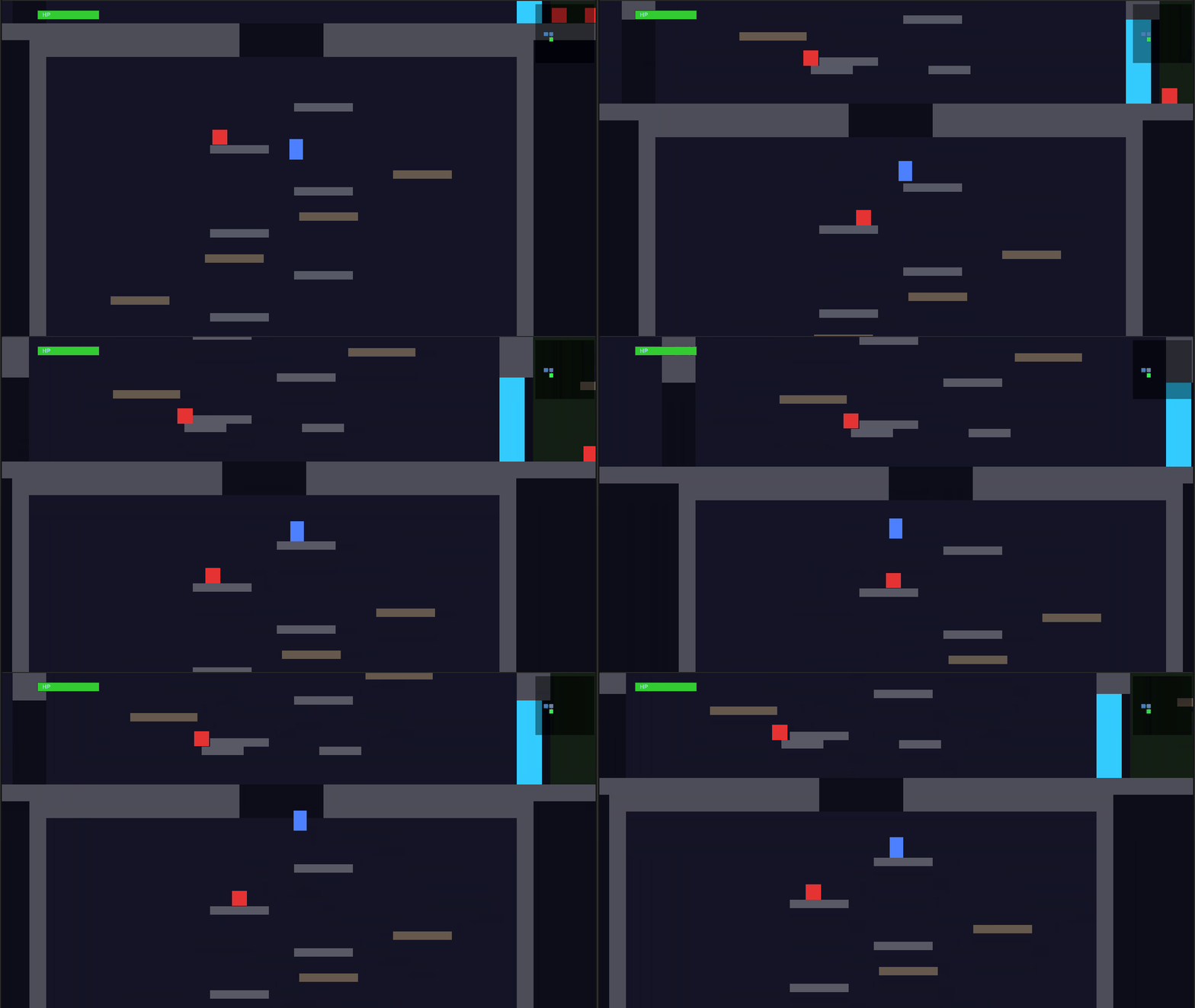
Claude Code guaranteed the consistency of "which abilities are placed in which rooms." However, it lacked verification at the operational level of "can you actually traverse this room with your current abilities."
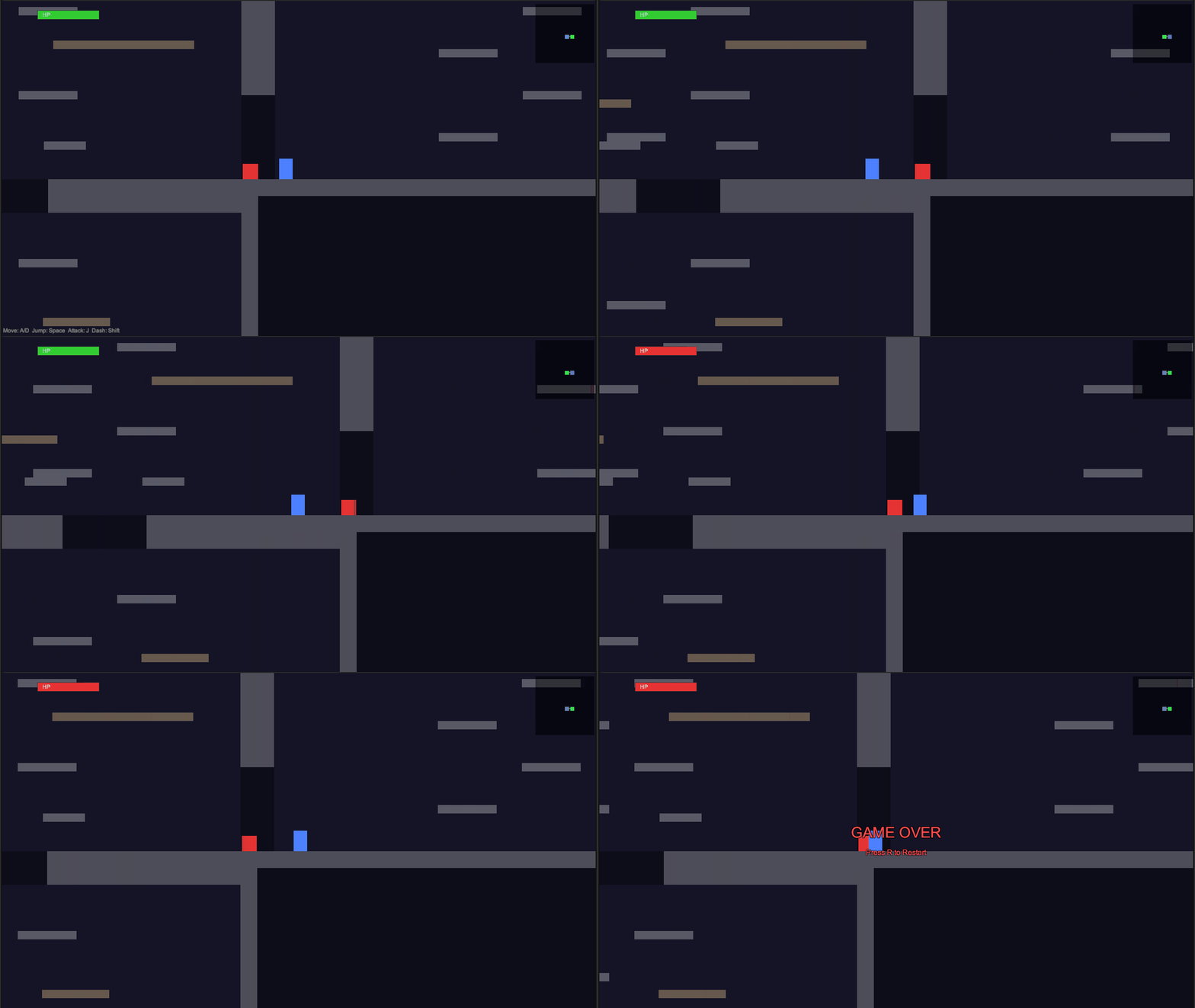
Other remaining issues included: the HP bar length not changing when taking damage (though the color correctly changed to red), sticking to walls when touching them from the side (same as in Theme 2), and round enemies looking similar to ability items.
| Category | Result |
|---|---|
| Launch | OK |
| Controls | OK |
| Abilities | OK. All 3 types can be acquired and used |
| Map Auto-Generation | Mostly OK. Dead end patterns exist |
| Enemies | OK. Placement, patrol, and combat all function |
| HP and Combat | OK. Bug where HP bar length doesn't change |
| Minimap | OK. Exploration status reflection and gate color distinction work |
| Camera | OK |
| Game Cycle | OK. Clear, game over, and restart all normal |
| Visuals | Mostly OK. Round enemies and ability items look similar |
Analysis
Cross-Theme Comparison
Comparing the three themes reveals the relationship between task complexity and output quality.
| Aspect | Theme 1 | Theme 2 | Theme 3 |
|---|---|---|---|
| Time Required | 7.5 minutes | 9 minutes | 49 minutes |
| Initial Output | Functional | Functional | Broken |
| After Correction | No breakdown | — | Functional (with remaining issues) |
Simple tasks reach a practical level on the first output. As tasks become more complex, breakdowns occur. Correction instructions can help restore functionality to some extent.
It's notable that in Theme 3, Claude Code ran 7 tests and fixed 5 issues in a self-correction loop. Since Themes 1 and 2 worked on the first output, we can observe that the number of tests increases with task difficulty.
Correct Blueprint, Unplayable Game
The dungeon design logic Claude Code created in Theme 3 was well-made. It guaranteed no contradictions in ability placement order with algorithms, ensuring data consistency. However, when actually played, dead ends occurred.
I believe the cause lies in the gap between "data correctness" and "experience correctness." Claude Code created what was correct as a dungeon blueprint. However, it didn't verify what would happen when a human moved a character on that blueprint. Claude Code's testing method clearly shows this gap. During testing, Claude Code warped the player to inspect the game state. This is like checking operation through a debug console, not testing by playing with a controller. It can confirm that the game's data is working correctly but not whether the game is playable.
How to Prevent This
Several methods could address this issue:
- Specify in the prompt
Explicitly state check points like "verify that exit heights are within jumping range." This is easy but only works if you can predict problems in advance. - Incorporate numerical checks
Include logic in the generated code that compares exit heights to jump capability. This would have prevented the exit problem, but more advanced pathfinding would be needed for room layout issues like Dead End Patterns 1 and 2. - Have AI actually play the game
Run the game with a self-driving player to comprehensively verify reachability. This is most reliable but currently has high implementation costs.
What became clear from this test is that AI doesn't spontaneously perform even level 2 checks. Comparing exit heights to jump capabilities is simple arithmetic, but AI didn't realize this check was necessary. Currently, humans need to supplement "playability" considerations through prompts or tool design.
Conclusion
The three theme tests revealed these three conclusions:
- Simple tasks reach practical levels on first output
Both the bullet hell shooter and platformer worked on the first output, and responses to correction instructions were accurate. - Complex tasks have breakdowns in initial output
Correction instructions enabled basic game progression, but dead end patterns remained. AI tries to cope by increasing the number of self-tests, but limitations in testing methods cause it to miss critical issues. - AI can create correct blueprints, but verifying playability remains a human task
There's a gap between data consistency and actual play experience, and bridging this gap currently remains a human role.
Appendix: Full Prompts
Theme 1: Bullet Hell Shooter
This project has Unity MCP installed. Please create a 2D bullet hell shooting game while operating the Unity Editor through Unity MCP.

### Game Content

- The player controls their ship with the keyboard and avoids enemy bullet patterns
- There is 1 boss enemy at the top of the screen that attacks with multiple bullet patterns
- Prepare at least 3 different bullet patterns that switch over time
- When the player is hit, it's game over, and they should be able to retry
- Display survival time as the score

### Bullet Pattern Requirements

- The density should be sufficient to constitute a bullet hell game. Don't make it too sparse where avoiding is trivial
- However, adjust the difficulty so that even first-time players can survive for several to tens of seconds
- The boss should switch bullet patterns over time, becoming harder in later stages

### Constraints

- Don't use external assets. Compose with shapes or simple sprites
- Make it immediately playable when the Play button is pressed
The bullet density is insufficient. Please scale up so there are around 500-1,000 bullets on screen simultaneously. Redesign the architecture if necessary to maintain performance.
Theme 2: Auto-Generated Platformer
This project has Unity MCP installed. Please create an automatic stage generation system for a 2D platformer while operating the Unity Editor through Unity MCP.

### Game Content

- Make it a side-scrolling 2D platformer
- The player controls movement and jumping with the keyboard
- The stage is automatically generated when play begins
- The game is cleared when the player reaches the goal from the starting point

### Auto-generation Requirements

- Guarantee that the player can reach the goal from the start
- Even with random platform placement, ensure there are no unreasonable situations where platforms are placed at distances beyond jumping reach
- Generate a different layout each time the stage is regenerated
- Falling counts as a miss, and the player should be able to retry

### Constraints

- Don't use external assets. Compose with shapes or simple sprites
- Make it immediately playable when the Play button is pressed
Theme 3: Exploration Dungeon
This project has Unity MCP installed. Please create an automatic map generation system for a 2D exploration action game while operating the Unity Editor through Unity MCP.

### Game Content

- Make it a side-view 2D action game
- The player controls movement, jumping, and attacks with the keyboard
- The player has HP and takes damage when hit by enemy attacks. Game over occurs when HP reaches zero
- The map consists of multiple rooms and is automatically generated at the start of play
- Rooms are connected by passages, allowing free movement back and forth, not one-way
- Enemies are placed in rooms. Each room has different types and arrangements of enemies
- As exploration progresses, movement abilities (double jump, dash, wall climbing, etc.) can be acquired. These abilities allow breaking through previously impassable terrain or obstacles to progress to new areas
- The game is cleared when all abilities are collected and the player reaches the deepest room
- Display a minimap on screen showing explored rooms and current position

### Auto-generation Requirements

- Guarantee that the entire map is reachable. Dead ends (where necessary abilities become unobtainable) must not occur
- Ensure ability placement order is logically correct. For example, avoid contradictions like placing double jump in a room that requires double jump to reach
- Include 8 or more rooms, and generate a different map each time
- Have variation in room layouts and connections

### Constraints

- Don't use external assets. Compose with shapes or simple sprites
- Make it immediately playable when the Play button is pressed
I cannot exit the starting room. The initial jump power doesn't reach the first platform, so I can't move between rooms and the game is stuck. Please modify so that players can move to adjacent rooms using only the initial abilities.