Amazon RDS for SQL Server now supports Developer Edition! #AWSreInvent

This page has been translated by machine translation. View original
Hello, this is Maruto.
There was an announcement at AWS re:Invent 2025 that Developer Edition will be additionally supported on Amazon RDS for SQL Server.
What is SQL Server Developer Edition
It's an edition that allows you to use the full functionality of SQL Server Enterprise Edition for development and testing purposes.
Previously, additional licenses for Standard Edition or Enterprise Edition were required even for development and testing, but by using Developer Edition, you can now develop and test while keeping costs down.
Prerequisites
- Not for use in production environments
- Obtain installation media and cumulative update programs from Microsoft and place them in S3
- Create a custom engine version on AWS
Let's try it
First, obtain the installation media from Microsoft.
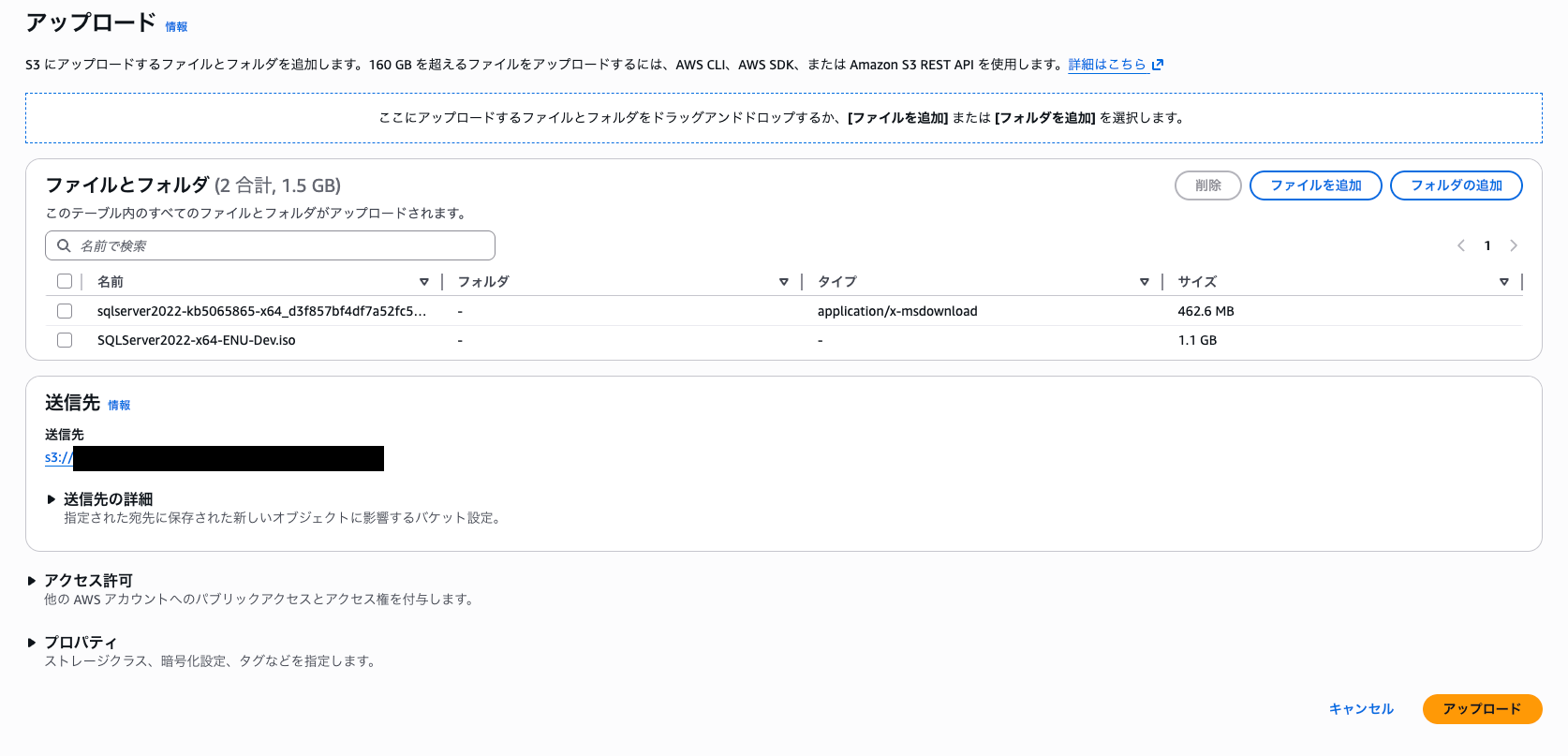
At the time of writing this article, only SQL Server 2022 16.00.4215.2 was supported as the engine version, so the installation ISO for English SQL Server 2022 Developer Edition and related cumulative update file (KB5065865) are needed. (I'll omit the download method.)
After downloading the installation media and update files, upload them to S3.
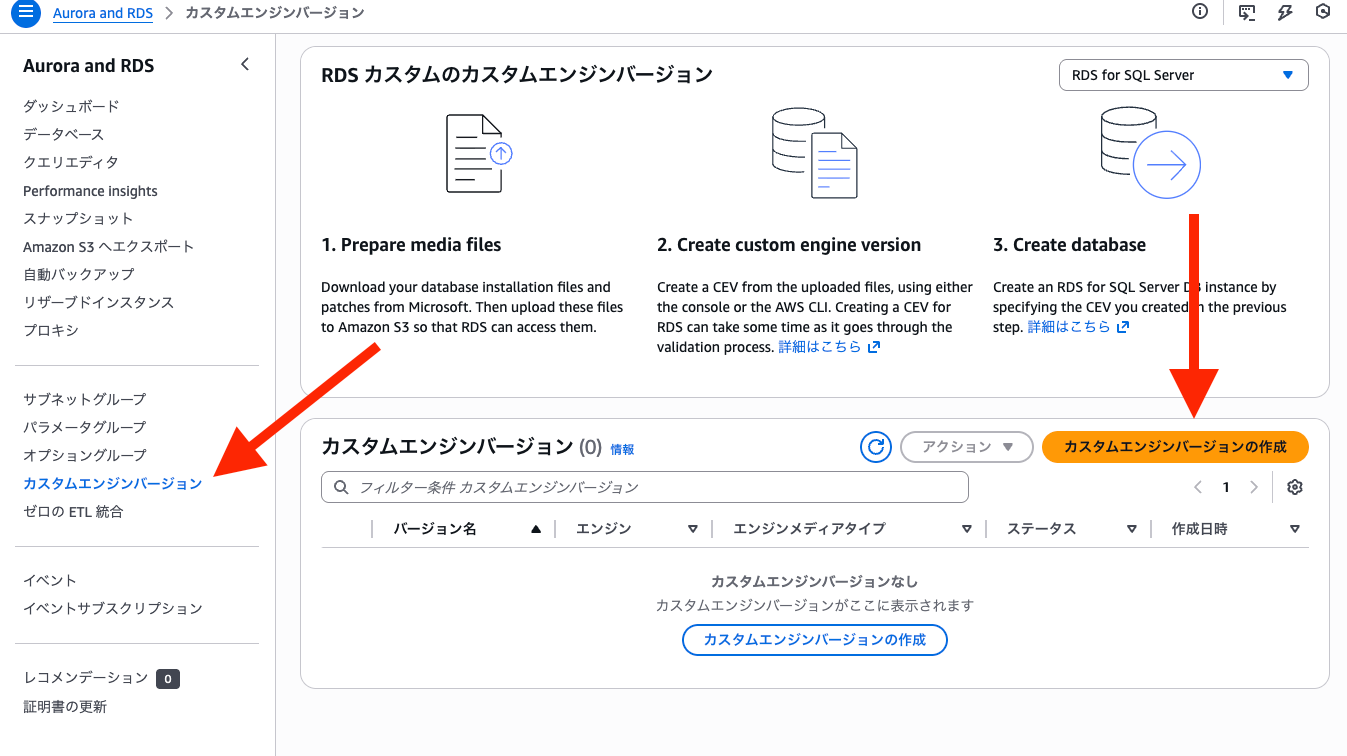
After uploading, create a custom engine version in RDS.
Select "SQL Server" as the engine type, enter any custom engine version name, and set the installation media and update file that you placed on S3 earlier in the installation media field.
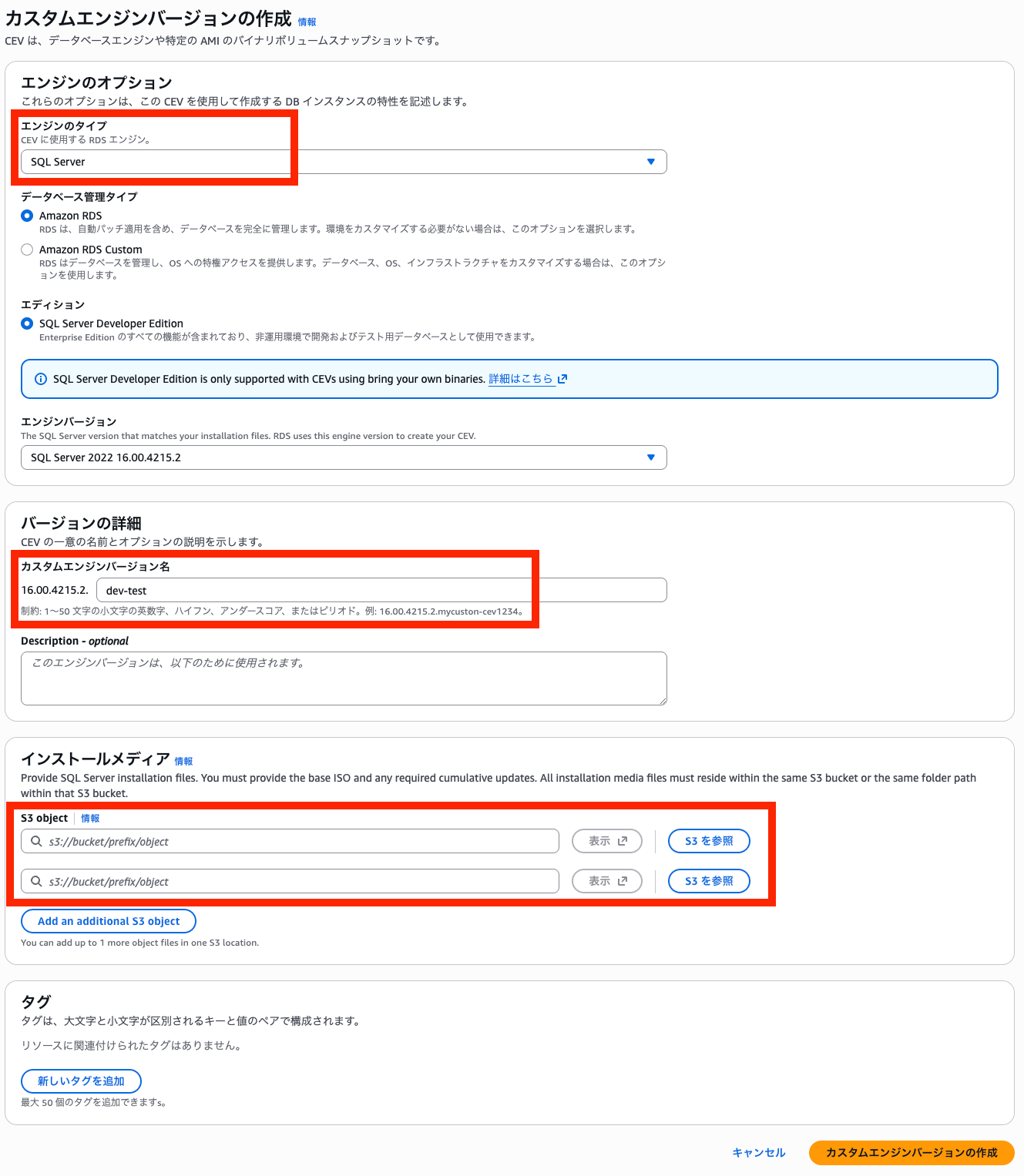
Note that when I set up Japanese installation media, an error occurred. (It was not a supported version)

When I used the English version of the installation media, I was able to successfully create a custom engine version, so please check if things don't go well.
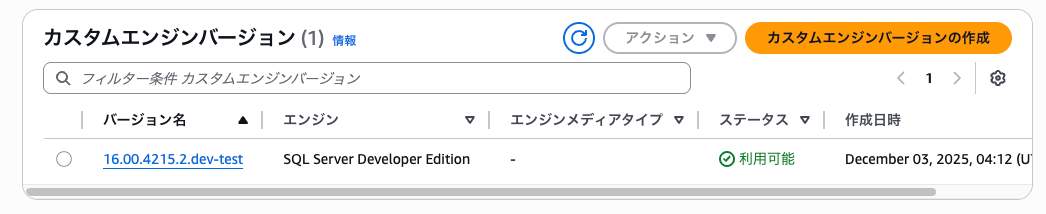
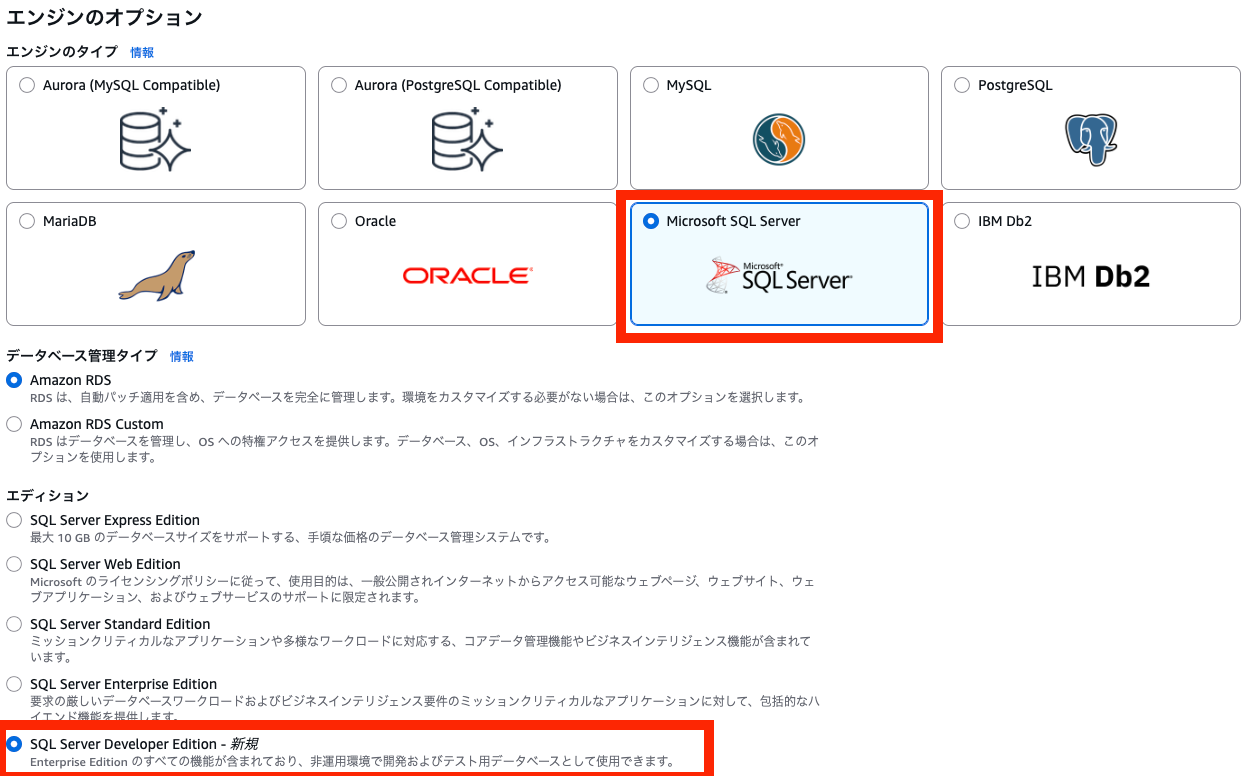
Next, let's create a database.
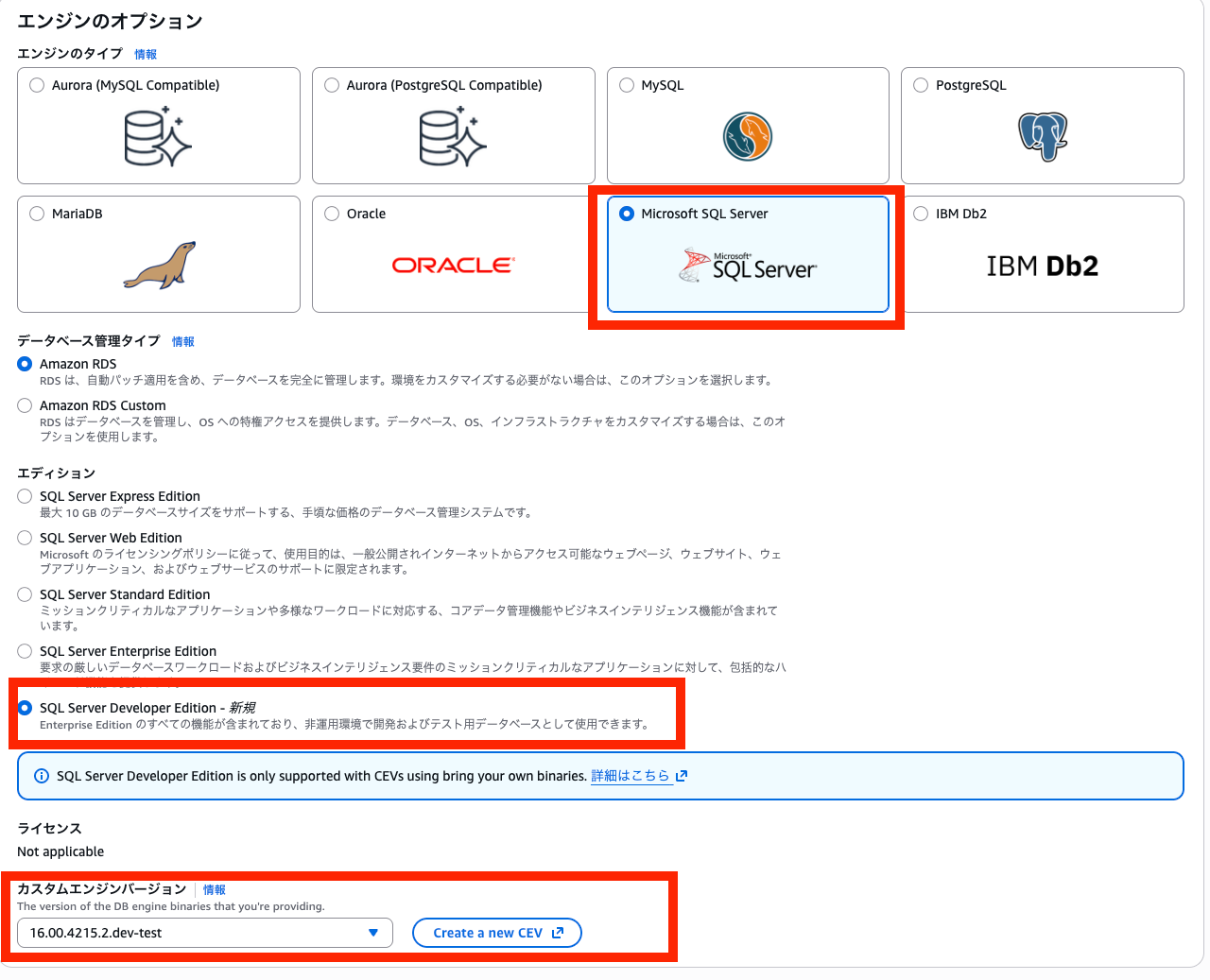
When setting up RDS for SQL Server, select "SQL Server Developer Edition" as the edition.
Then you can select the custom engine version you created, select it, and then create the database as usual.
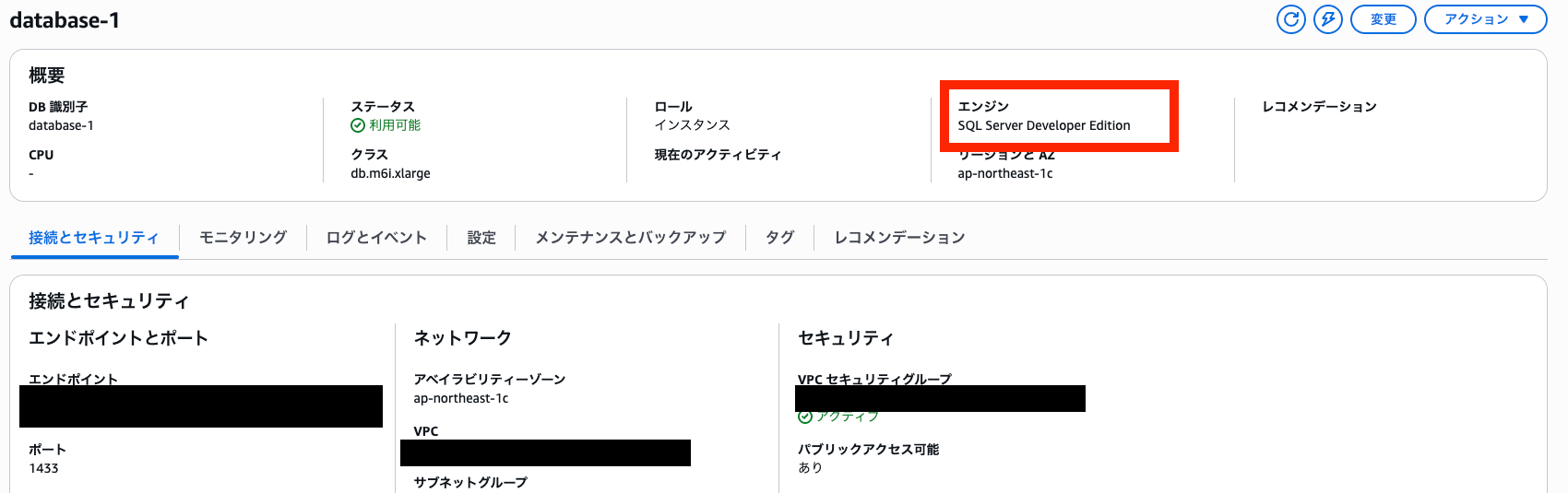
After a while, the creation was completed, and the engine was displayed as SQL Server Developer Edition.
Let's actually connect and check the edition.
I used the SQL Server (mssql) extension for Visual Studio Code provided by Microsoft for the connection.
With this, you can easily get server information in the output when connecting.
Let's connect by entering the Amazon RDS endpoint and authentication information.
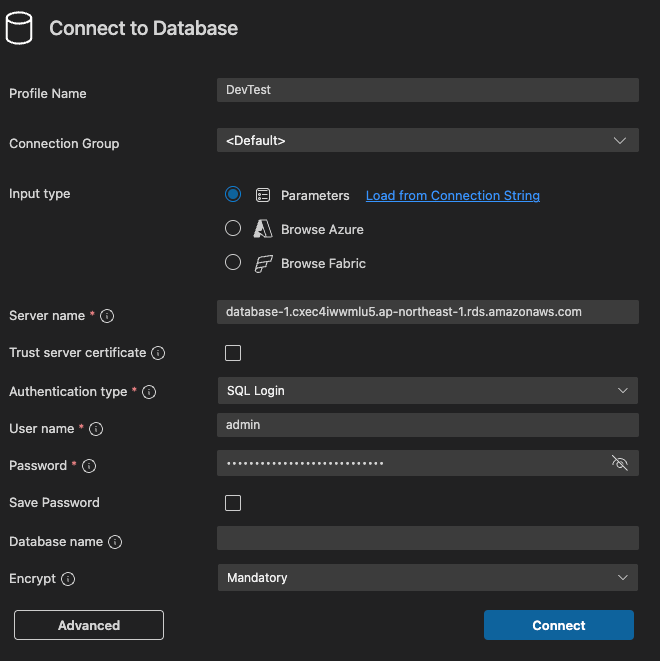
The following output was obtained:
[10:50:31] Connected to server "database-1.cxec4iwwmlu5.ap-northeast-1.rds.amazonaws.com" on document "database-1.cxec4iwwmlu5.ap-northeast-1.rds.amazonaws.com__admin_SqlLogin_7C4459D4-52E4-41E8-B24C-92F2E1D8EC24_applicationIntent:ReadWrite_applicationName:vscode-mssql_encrypt:Mandatory_id:7C4459D4-52E4-41E8-B24C-92F2E1D8EC24_trustServerCertificate:true". Server information: {"cpuCount":4,"physicalMemoryInMB":16112,"serverMajorVersion":16,"serverMinorVersion":0,"serverReleaseVersion":4215,"engineEditionId":3,"serverVersion":"16.0.4215.2","serverLevel":"RTM","serverEdition":"Developer Edition (64-bit)","isCloud":false,"azureVersion":0,"osVersion":"Windows Server 2016 Datacenter 10.0","machineName":"EC2AMAZ-R99H5HL","options":{}}
Formatted information:
{
    "cpuCount": 4,
    "physicalMemoryInMB": 16112,
    "serverMajorVersion": 16,
    "serverMinorVersion": 0,
    "serverReleaseVersion": 4215,
    "engineEditionId": 3,
    "serverVersion": "16.0.4215.2",
    "serverLevel": "RTM",
    "serverEdition": "Developer Edition (64-bit)",
    "isCloud": false,
    "azureVersion": 0,
    "osVersion": "Windows Server 2016 Datacenter 10.0",
    "machineName": "EC2AMAZ-R99H5HL",
    "options": {}
}
Indeed, there is an indication of Developer Edition (64-bit) in serverEdition, confirming that it was successfully built!
Conclusion
Previously, even for development and testing purposes, additional licenses were required on Amazon RDS, which might have been difficult from a cost perspective in some cases.
Although a custom engine version needs to be created, this update has made it much easier to develop and test on AWS with the same environment, which is quite useful.
While the supported engine versions are still limited, it will become even more convenient if various versions are supported in the future, so we look forward to that.
This was Maruto bringing you the latest update and verification.