Introduction to Vercel Feature Flags to Accelerate Trunk-Based Development - How to Use Flags SDK, Toolbar, and Edge Config

This page has been translated by machine translation. View original
Hello, this is Toshima.
In this article, I'll explain the appeal and specific usage methods of Vercel's Feature Flags, which are useful for implementing trunk-based development.
Introduction
Trunk-based development is a development strategy where all developers frequently commit to a single branch, using short-term feature branches.
This approach minimizes merge conflicts and enables continuous integration (CI). However, to successfully implement trunk-based development, a mechanism that separates deployment to production environments from feature activation is essential.
This is where Vercel's Feature Flags come into play. Vercel's Feature Flags are deeply integrated into trunk-based development workflow and accelerate the entire frontend development lifecycle.
In this article, I'll introduce the Feature Flags-related functions provided by Vercel and explain how to use them in trunk-based development.
Specifically, I'll cover the following three features:
| Component | Main Role | Characteristics |
|---|---|---|
| Flags SDK | Flag evaluation within applications | Open-source, optimized for Next.js/SvelteKit |
| Vercel Toolbar | Flag manipulation during development and QA | Override flag values directly from the browser to confirm behavior in real-time |
| Edge Config | Global configuration data store | Ultra-low latency data reading, suitable for A/B testing and redirects |
By combining these tools, you can implement release strategies such as personalization based on user attributes and gradual feature rollout, not just simple ON/OFF functionality.
About Flags SDK
@vercel/flags is a library for integrating feature flags into Next.js and SvelteKit applications. It's based on server-side evaluation and designed to minimize performance impact.
Examples of defining and using flags
Defining flags in a common file like lib/flags.ts makes them easier to manage.
You can also utilize request information (headers, cookies) in the decide function.
lib/flags.ts
import { flag } from 'flags/next'

// Simple boolean example
export const showNewFeature = flag<boolean>({
  key: 'new-feature',
  decide: () => process.env.ENABLE_NEW_FEATURE === 'true',
})

// Example using request headers (regional information)
type GDPRBannerEntities = {
  country: string
}

export const enableGDPRBanner = flag<boolean, GDPRBannerEntities>({
  key: 'gdpr-banner',
  identify({ headers }): GDPRBannerEntities {
    return {
      country: headers.get('x-vercel-ip-country') || 'US',
    }
  },
  decide({ entities }) {
    const euCountries = ['DE', 'FR', 'ES', 'IT'] // Add other EU member countries
    return euCountries.includes(entities.country)
  },
})

// Example that changes based on cookies (user tier)
export type BannerTheme = 'default' | 'premium' | 'sale'

type HeroBannerEntities = {
  userTier: string | undefined
}

export const heroBannerTheme = flag<BannerTheme, HeroBannerEntities>({
  key: 'hero-banner-theme',
  identify({ cookies }): HeroBannerEntities {
    return {
      userTier: cookies.get('user_tier')?.value,
    }
  },
  decide({ entities }) {
    if (entities.userTier === 'premium') {
      return 'premium'
    }
    if (process.env.IS_SALE_PERIOD === 'true') {
      return 'sale'
    }
    return 'default'
  },
})
For more practical content such as Dedupe and Precompute, please check each document.
Flag evaluation in components
Evaluate defined flags in server components or API routes.
import { showNewFeature, enableGDPRBanner, heroBannerTheme } from '@/lib/flags'
import { GDPRBanner, NewFeatureComponent, HeroBanner } from '@/components'

export default async function HomePage() {
  // Evaluate multiple flags in parallel
  const [isNewFeatureEnabled, isGDPRBannerEnabled, bannerTheme] = await Promise.all([
    showNewFeature(),
    enableGDPRBanner(),
    heroBannerTheme(),
  ])

  return (
    <main>
      <HeroBanner theme={bannerTheme} />
      {isNewFeatureEnabled && <NewFeatureComponent />}
      {isGDPRBannerEnabled && <GDPRBanner />}
    </main>
  )
}
Next, I'll introduce Vercel Toolbar, which allows you to easily toggle defined flags during development.
About Vercel Toolbar
By implementing Vercel Toolbar, you can override feature flag values directly from the browser during development or in preview environments to check behavior.
This allows you to test various scenarios without deployment.
About enabling the Toolbar
The configuration details are as described in the documentation:
The Toolbar appears in preview environments (verification environments created from branches or PRs connected to Vercel).
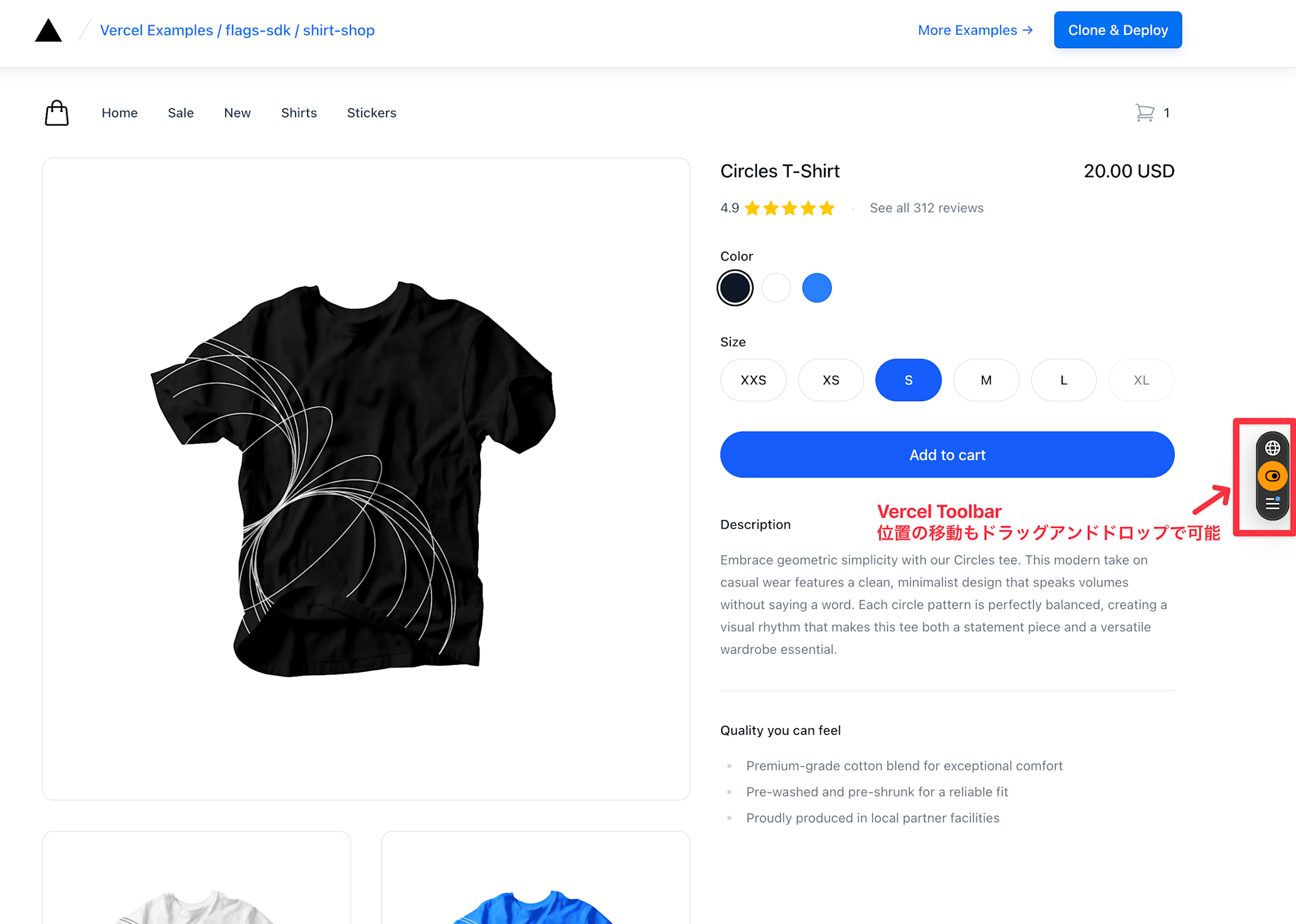
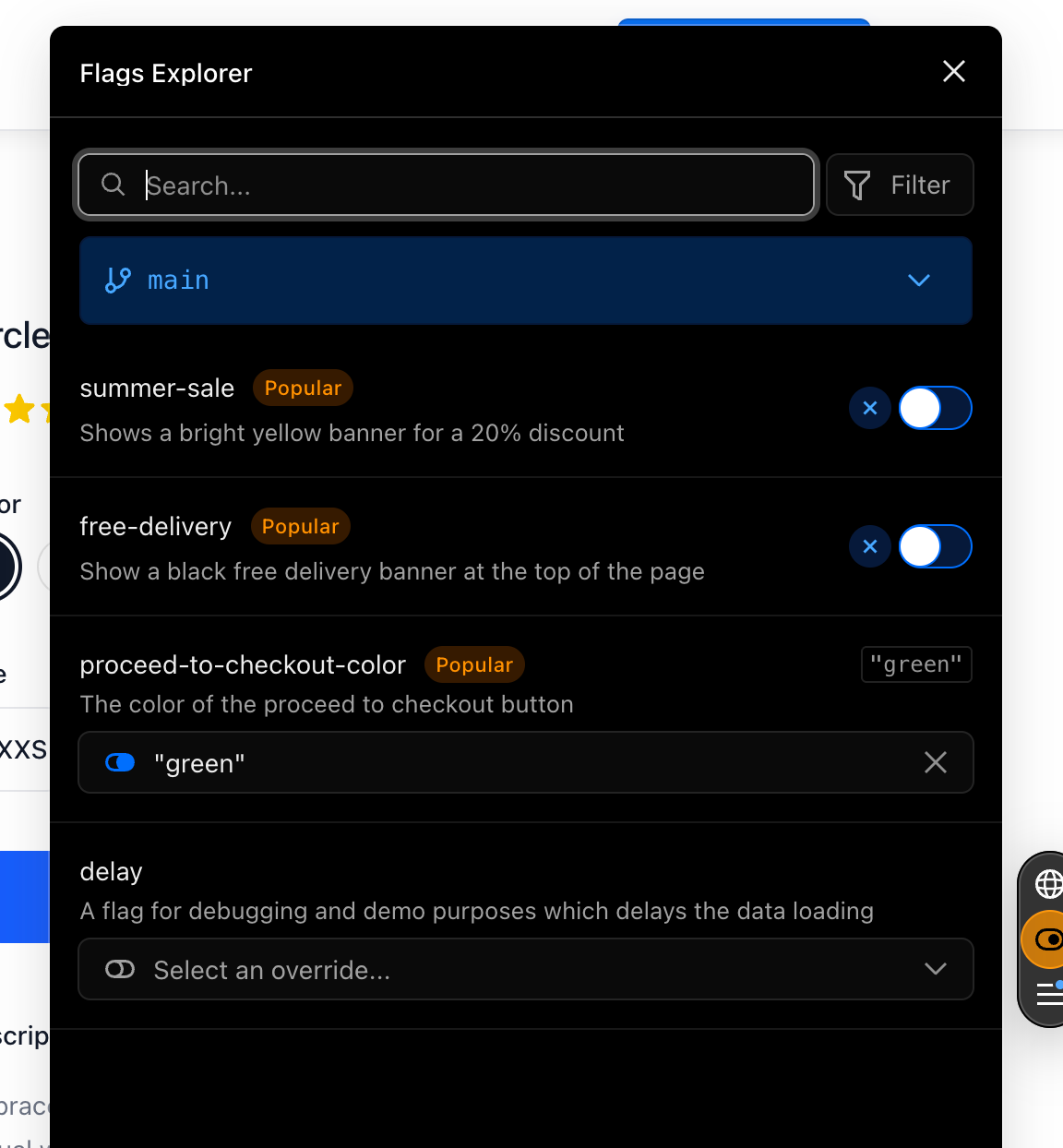
From here, press Flags Explorer to make some changes.
Let's try turning on "summer-sale" and clicking Apply:
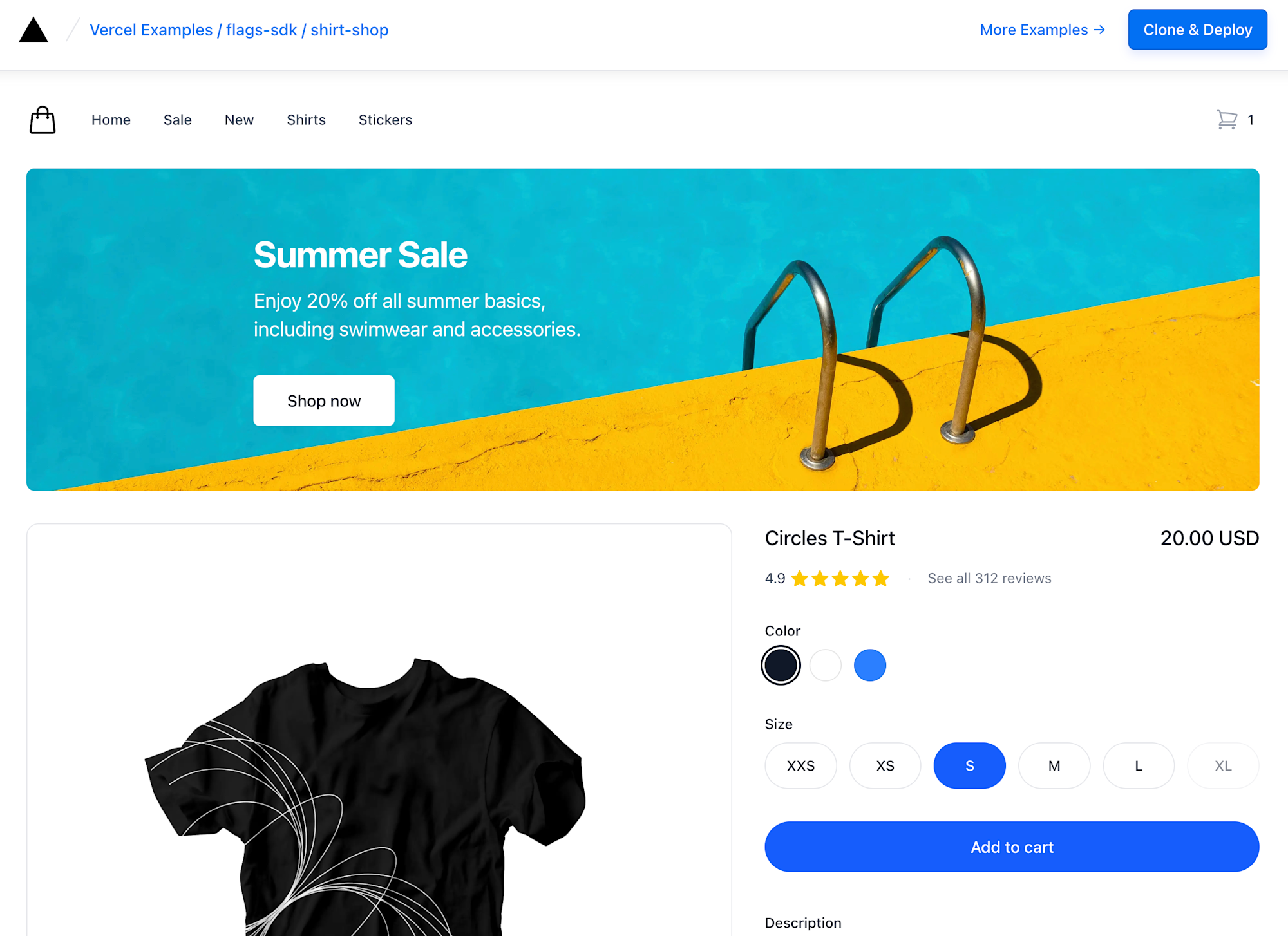
The Summer Sale banner is now displayed:
The cart page now includes a Summer discount:
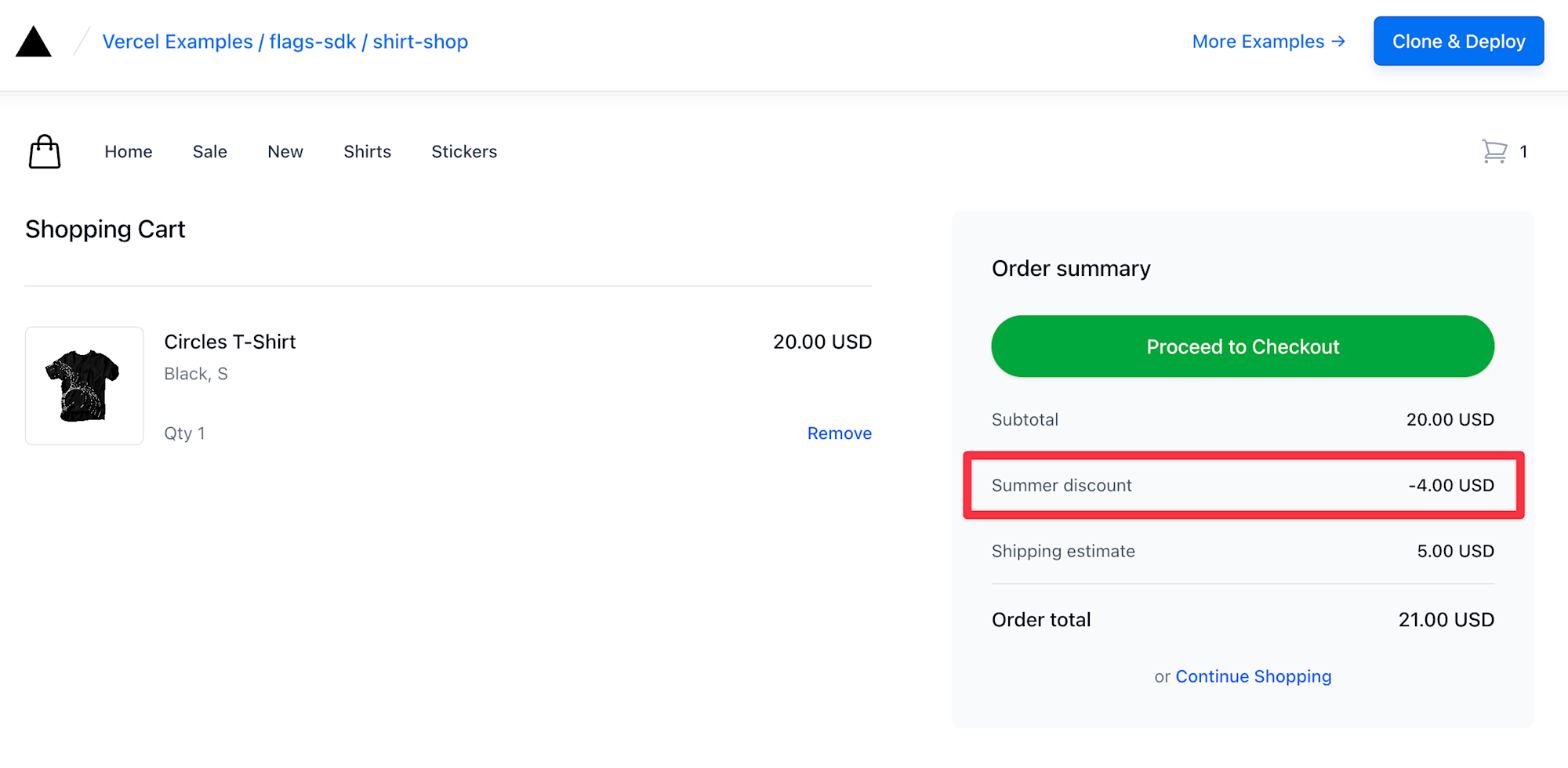
This way, you can check UI changes and behavior without deployment.
Sample code using flags is publicly available; for details, please check the repository.
So far we've been managing flags with environment variables, but this requires deployment each time flag values change. The next section introduces Edge Config, which allows dynamic flag value changes without deployment.
About Edge Config
In the examples so far, we've managed flags with environment variables. However, this requires deployment every time flag values change.
With Edge Config, you can change flag values from the Vercel dashboard without deployment, and read data with ultra-low latency by placing it on Vercel's global edge network. It's suitable for storing data that is frequently read but infrequently updated.
Setting up Edge Config
Create Edge Config in the Vercel dashboard and proceed with configuration.
Flag definition using Edge Config
Below is an example of a simple flag definition using Edge Config. Values stored in Edge Config are retrieved via an adapter and evaluated in the decide function.
lib/flags.ts
import { flag } from 'flags/next'
import { edgeConfigAdapter } from '@flags-sdk/edge-config'

// Get boolean values from Edge Config
export const showBetaDashboard = flag<boolean>({
  key: 'beta-dashboard',
  adapter: edgeConfigAdapter(),
  decide({ value }) {
    return value ?? false
  },
})

// Pattern for directly storing 'A' or 'B' in Edge Config
// Show the same variant to all users (for gradual rollout)
export const checkoutVariant = flag<'A' | 'B'>({
  key: 'checkout-variant',
  adapter: edgeConfigAdapter(),
  decide({ value }) {
    return value === 'A' || value === 'B' ? value : 'A'
  },
})
Utilizing Edge Middleware
The true value of Edge Config is demonstrated when combined with Middleware.
You can rewrite requests or redirect them at the edge before they reach the origin server.
In the context of Feature Flags, combining Edge Config with Middleware allows dynamic control of maintenance mode switching or access control from specific IP addresses.
Below is a simplified example. In production use, additional considerations such as returning 503 status codes and detailed logging would be necessary.
middleware.ts
import { NextResponse, type NextRequest } from 'next/server'
import { get } from '@vercel/edge-config'

export const config = {
  matcher: [
    '/((?!api|_next/static|_next/image|favicon.ico).*)',
  ],
}

export async function middleware(request: NextRequest) {
  const { nextUrl, ip } = request

  try {
    const [isMaintenance, blockedIps] = await Promise.all([
      get<boolean>('isMaintenance').then(v => v ?? false),
      get<string[]>('blockedIps').then(v => v ?? []),
    ])

    // IP blocking
    if (ip && blockedIps.includes(ip)) {
      return new NextResponse('Forbidden', { status: 403 })
    }

    // Maintenance mode
    const isMaintenancePath =
      nextUrl.pathname === '/maintenance' ||
      nextUrl.pathname.startsWith('/maintenance/')

    if (isMaintenance && !isMaintenancePath) {
      return NextResponse.rewrite(new URL('/maintenance', request.url))
    }

    return NextResponse.next()
  } catch (error) {
    console.error('Edge Config error:', error)
    return NextResponse.next()
  }
}
Practical Tips
Here are some tips for using Feature Flags in production.
Flag naming conventions
Deciding on consistent naming conventions for your team makes management easier.
| Pattern | Example | Use case |
|---|---|---|
enable-* |
enable-dark-mode |
Feature ON/OFF |
show-* |
show-beta-banner |
UI element display control |
use-* |
use-new-checkout |
Implementation switching |
Removing unnecessary flags
Flags can easily become technical debt, so it's important to regularly take inventory.
- Remove flag checks from code once they've been fully rolled out to all users
- Delete settings from Edge Config and the Vercel dashboard
- Recording a "scheduled removal date" when creating flags is effective for preventing removal oversights
Production usage considerations
- Always set default values: Set default values for flags to prepare for Edge Config connection issues
- Gradual rollout: Deploy new features gradually, starting with a subset of users, and only roll out to everyone after confirming there are no issues
- Set up monitoring: Monitor for changes in error rates or performance before and after flag switches. This example code has minimal logging for simplicity, but for production use, consider detailed log design including paths, IPs, timestamps, etc.
Summary
In this article, I introduced three Feature Flags-related functions provided by Vercel:
- Flags SDK: A library for defining and evaluating flags within applications
- Vercel Toolbar: A tool for manipulating flags from the browser during development and QA
- Edge Config: A data store for reading flag values with ultra-low latency
By combining these, you can separate code deployment from feature release, implementing safe and flexible release strategies.
If you're practicing trunk-based development or considering its implementation, please try Vercel's Feature Flags.