
What I learned from using Claude Code on the web for a bit

This page has been translated by machine translation. View original
I tried out Claude Code on the web, which lets you run Claude Code in a cloud environment from a browser or mobile device, and I've summarized what I learned. There are many aspects that differ from local Claude Code, and I noticed several things particularly around security and developer experience.
Note: Claude Code on the web is a feature in research preview as of the time of writing this article (2026/7/5). The content of this article reflects what I tested in late June 2026, and behavior may change with future specification updates. Please keep this in mind. The version of Claude Code used was around v2.1.177 to v2.1.185 (this is an estimate since I didn't record it).
What is Claude Code on the web
Simply put, it's a mechanism that runs Claude Code in an isolated cloud environment rather than a local terminal, and lets you operate it from a browser or mobile app. When you start a session, the repository is cloned to a cloud VM provided by Anthropic, and Claude Code works inside it.
- Getting started with Claude Code on the web - Claude Code Docs
- Using Claude Code on the web - Claude Code Docs
There are no additional charges for VM execution. That's great news. However, as mentioned above, this is currently a preview feature, so it may change in the future.
※ From here on, I'll refer to execution on Claude Code on the web as "remote execution/remote session," and execution elsewhere as "local execution/local session."
What I tried
Since I often write Terraform code at work, I had it write Terraform code to create an EKS cluster and a sample app running on it. I only had it write the code; deployment (running terraform apply with AWS credentials) was out of scope.
Verification perspectives
1. Security
I verified whether Claude Code on the web could be used as a risk mitigation measure for development using Claude Code. In recent years, many pieces of malware targeting developer machines have appeared. When developing on a local machine, the scope of damage from malware could spread across the entire local machine.
On the other hand, as mentioned above, Claude Code on the web operates by cloning the repository to a cloud VM for each session. This allows the scope of compromise to be localized to that repository. Focusing on this "localization of compromise scope," I investigated whether there are any concerns from the perspective of "developing securely."
2. Developer experience
If it's difficult for developers to use, it ultimately won't spread, so I looked into whether there are any concerns on this front.
Below, I'll write what I noticed, divided into "🔒 Security" and "🧑💻 Developer experience."
🔒 What I learned about security
To restrict accessible repositories, you have to restrict them on the GitHub side
At first, I thought setting Repository access to Only select repositories in the GitHub App would be enough if I wanted to limit which repositories the on the web feature could touch.
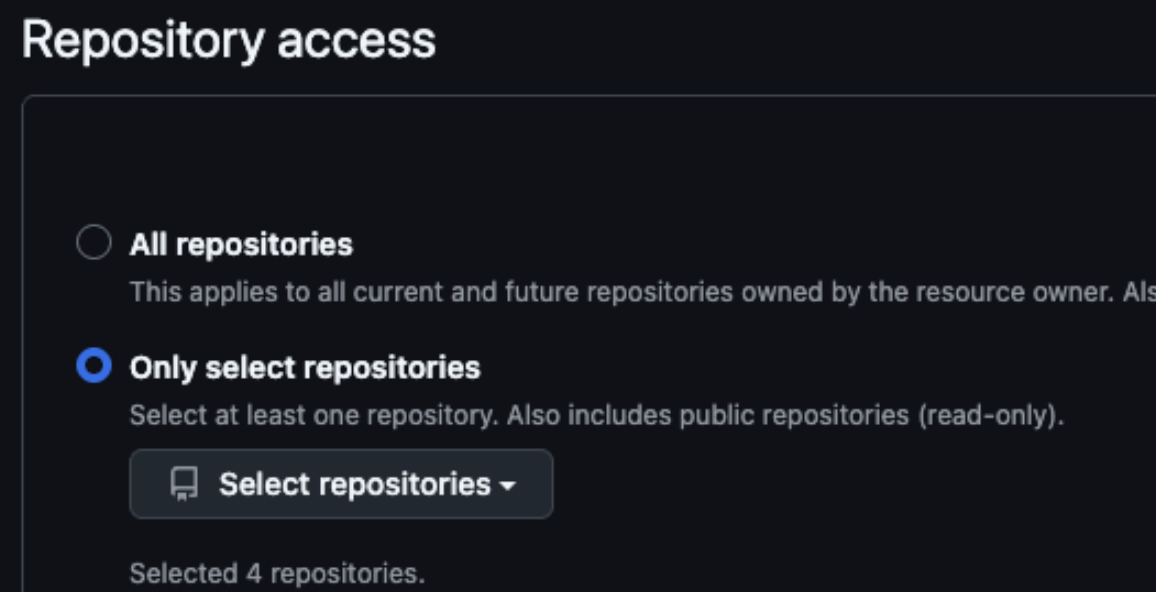
However, reading the official documentation's notes, that wasn't the case.
With either method (※ there are two GitHub authentication methods: using the GitHub App, and using the
/web-setupcommand), cloud sessions can access all repositories that the connected GitHub account has access to. This means access is possible not only to repositories where the Claude GitHub app is installed, but also to other repositories. (omitted) If you want to restrict which repositories a team can access from cloud sessions, you need to restrict access in GitHub itself.
In other words, if you want to narrow the scope of access, you need to restrict it on the GitHub account side (team and repository access permissions). Note that the GitHub App installation scope ≠ session access scope.
I actually tried this. I narrowed the scope to only 4 repositories in the GitHub App settings as shown below, but
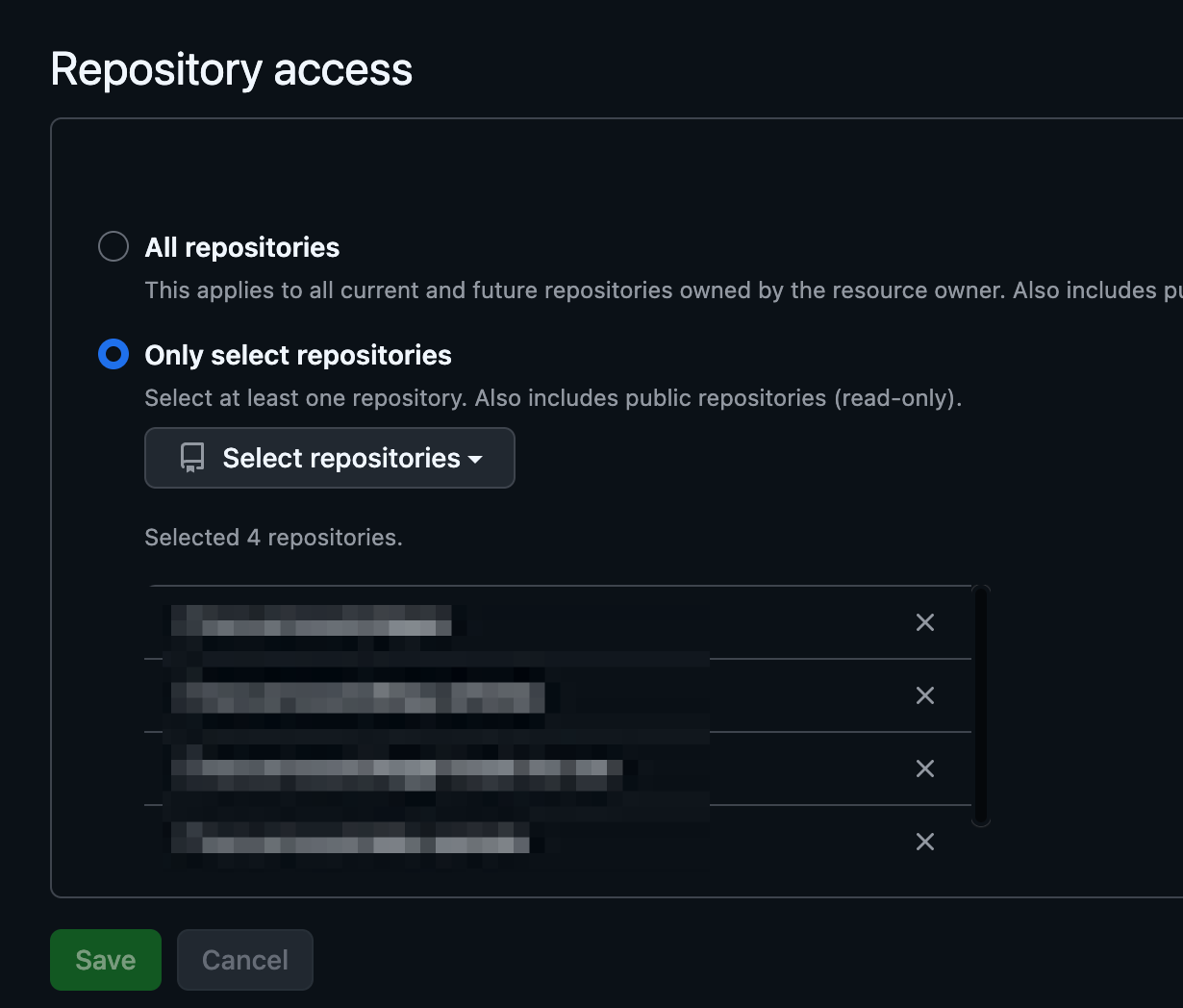
on the Claude Code on the web screen, repositories other than the selected 4 are also visible.
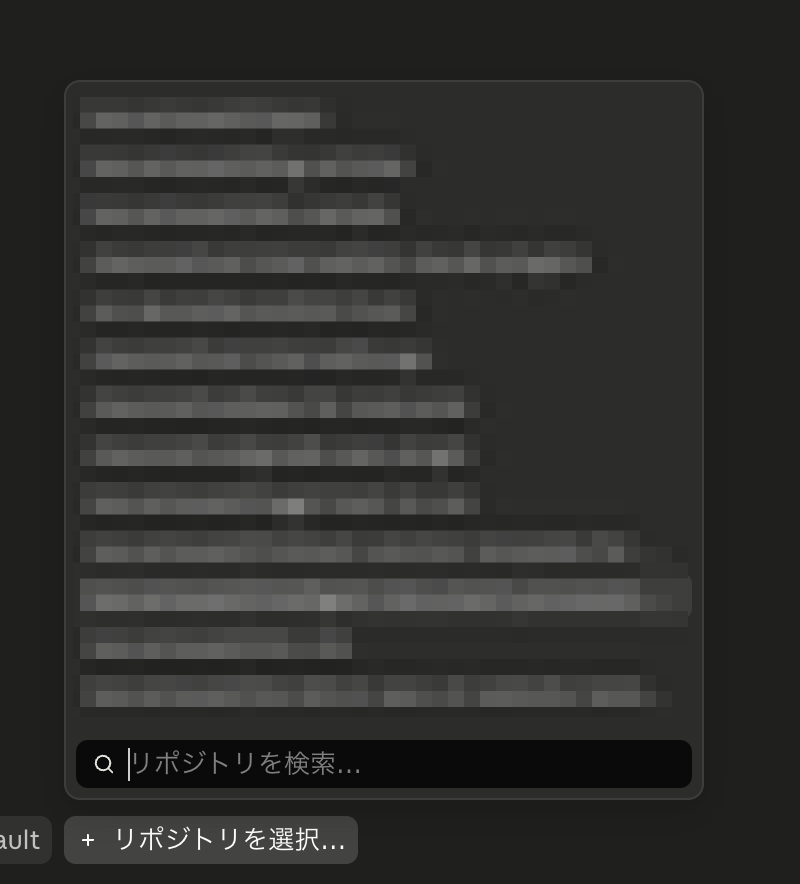
I was actually able to start sessions (clone repositories to the VM) for repositories other than the selected 4.
This "can access all repositories" is a bit concerning. As I mentioned earlier, the security of Claude Code on the web (localization of compromise scope) in the sense that "it operates by cloning the repository to a cloud VM for each session" is attractive. But if Claude's access rights are somehow stolen, all repositories could be accessed, meaning we can't expect localization of compromise scope in that regard.
The best practice possible at this point would be to not link Claude directly to each developer's GitHub account, but instead create a dedicated GitHub account for Claude Code per project, configured to access only the minimum necessary repositories. Honestly I find that cumbersome... I've been hearing a lot lately about how accounts used by AI agents and accounts used by humans should be separated, and that argument seems applicable here as well.
There is (not yet) a mechanism to share or templatize cloud environment settings across teams
I couldn't find any mechanism to enforce, share, templatize, or export/import cloud environment settings (setup scripts, environment variables, network allowlists) within a team. You'd need to work things out individually.
- Setup scripts: Sharing is possible by writing them as
SessionStarthooks and committing/pushing. You can also use theCLAUDE_CODE_REMOTEenvironment variable to branch and only run them during remote execution. However, processing executed via setup scripts is cached and can be reused as the starting point for later sessions, while processing executed viaSessionStarthooks is not cached. - Network allowlists: I couldn't find a way to share them. You'd have to push the settings to the repository and prompt each developer to configure them.
Many pre-installed tools means relatively higher vulnerability risk
The VM where each session runs has many tools pre-installed. While convenient, if any of these have vulnerabilities, the potential impact within the session is relatively broader compared to approaches like Dev Containers where you can limit to the minimum necessary.
Note that Terraform was not pre-installed.
GitHub integration tools are set up automatically
During testing, even though git push was blocked by the deny list, Claude Code told me:
git push via Bash was not possible because it was registered in the deny list in
.claude/settings.json, but a push via GitHub API usingmcp__github__push_filessucceeded
In other words, even though Bash's git push was blocked, pushing was still possible via GitHub API tools. Furthermore, I had not configured a GitHub MCP server. It appears to be automatically added with on the web.
This presumably corresponds to what the official documentation describes as "built-in GitHub tools that let Claude read issues, list pull requests, get diffs, and post comments without any setup."
It seems worth keeping in mind that simply blocking Bash's git push in the deny list may not be enough to stop pushes entirely. That said, the basic development flow with on the web is "have it develop on a feature branch on the VM, push to a remote branch on GitHub, and create a PR," so if pushing is impossible, it becomes unusable.
- Using both local and remote execution
- Not wanting Claude Code to run
git pushlocally
If that's your policy, you'll need to put some extra thought into your permissions settings.
pre-push hooks likely won't work in many cases
There are Git pre-push hooks that run various checks before pushing. I considered whether, even if malware were installed during development by Claude Code, running security checks within this pre-push hook script could contain the impact within the VM.
However, with on the web, pre-push hooks seem likely not to work in many cases. There are two reasons.
The first is that whether the hook fires depends on how push is executed.
- Running
git pushin Bash → ✅ Fires - Pushing via GitHub API tools (like the
push_filesmentioned above) → ❌ Does not fire
As mentioned earlier, since Claude Code may push via GitHub API, there are cases where pre-push hooks are bypassed.
The second is that setting up hooks is somewhat cumbersome in the first place. Since .git/hooks/ is not under version control and is not included in clones, custom pre-push hooks don't exist in new remote session clones. If you want them, you need to put them in place yourself during the session.
- Write out
.git/hooks/pre-pushandchmod +xvia a setup script or SessionStart hook - Or point
core.hooksPathto a committed directory - Or use husky etc. (
npm installwirescore.hooksPath=.husky)
pre-push checks can be substituted with Claude Code's PreToolUse hook
While Git's pre-push hooks have gaps as described above, Claude Code's PreToolUse hook can serve as a substitute. By defining it to fire when push tools like push_files via GitHub API are executed, you can also cover API-based pushes in your checks.
Security tools distributed via MDM are out of scope
This goes without saying, but security tools installed on all employees' machines via MDM (such as Sentinel) are out of scope for the isolated VM in the cloud. You need to operate with the assumption that protections that were effective on local machines won't be effective with on the web.
🧑💻 What I learned about developer experience
Current state of local ↔ remote handoffs
The handoff between local and remote sessions was in the following state at the time I tested.
The method of transferring a local session mid-way to remote using & {prompt content} appears to have been removed. It seems it was possible right after the preview release, but it didn't work when I actually tried it (tested on v2.1.177), and there's no mention of it in the official documentation.
You can start a remote session from a local terminal with claude --remote "{prompt content}". However, this only "starts" one; it doesn't "continue something started locally as remote." Combining it with --resume results in an error.
% claude --resume "slack-mcp-permissions-update" --remote ※ `slack-mcp-permissions-update` is the local session name
Error: --cloud cannot be combined with --resume.
To reattach to a cloud session, pass its id: `claude --cloud <session-id>` (find IDs at claude.ai/code).
I'm not sure what the last line To reattach to a cloud session means, but using --cloud appears to start a new separate session, looking the same as claude --remote.
# The following simply started a new session with "slack-mcp-permissions-update" as the prompt
% claude --cloud "slack-mcp-permissions-update"
Created cloud session: Update Slack MCP permissions
View: https://claude.ai/code/session_01H8BjhUSNdFfGBiYycGhoge?from=cli&m=0
Resume with: claude --teleport session_01H8BjhUSNdFfGBiYycGfj14
Passing an existing remote session ID as an argument also resulted in an error.
% claude --cloud session_017rp1aTs6U4jqvT4Spyhoge
Error: Attaching to an existing cloud session is not enabled for your account.
- You can use
claude --teleportto handle a remote session locally mid-way. However, that local session is not synchronized with the remote session (think of it as branches diverging).
Some built-in commands are unavailable
Among the built-in commands available locally, some were unavailable with on the web. Within the scope of my testing, the following were unavailable:
/branch/doctor/rewind
The documentation also states:
Commands like
/modeland/configthat open interactive terminal pickers are not available.
However, /model did bring up a form like the one below for selecting a model (as of 2026/7/4):
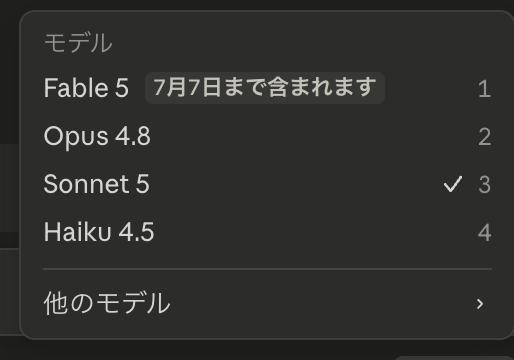
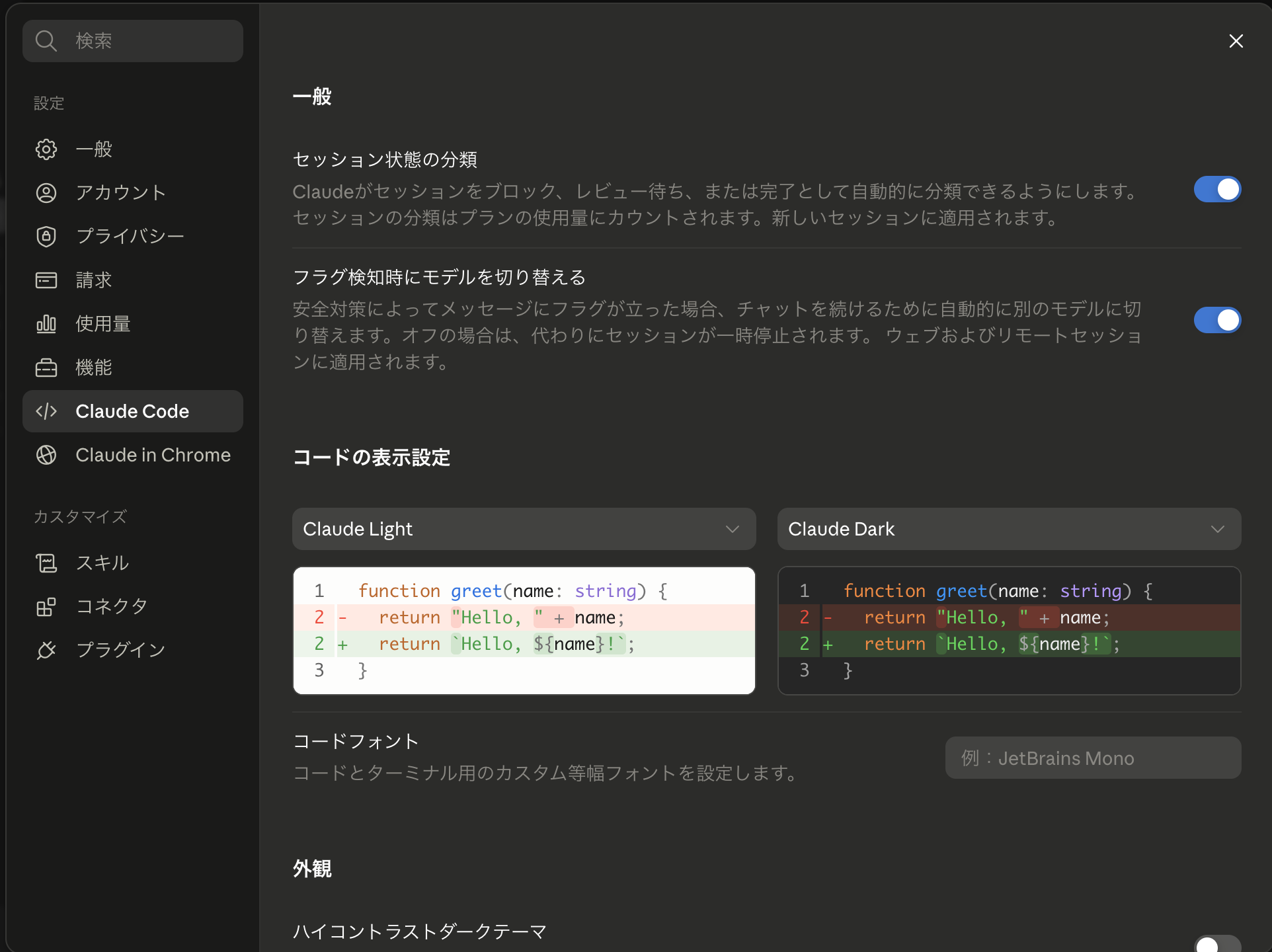
/config also worked. But unlike the local version, it opened the Claude Code settings screen on claude.ai ↓.
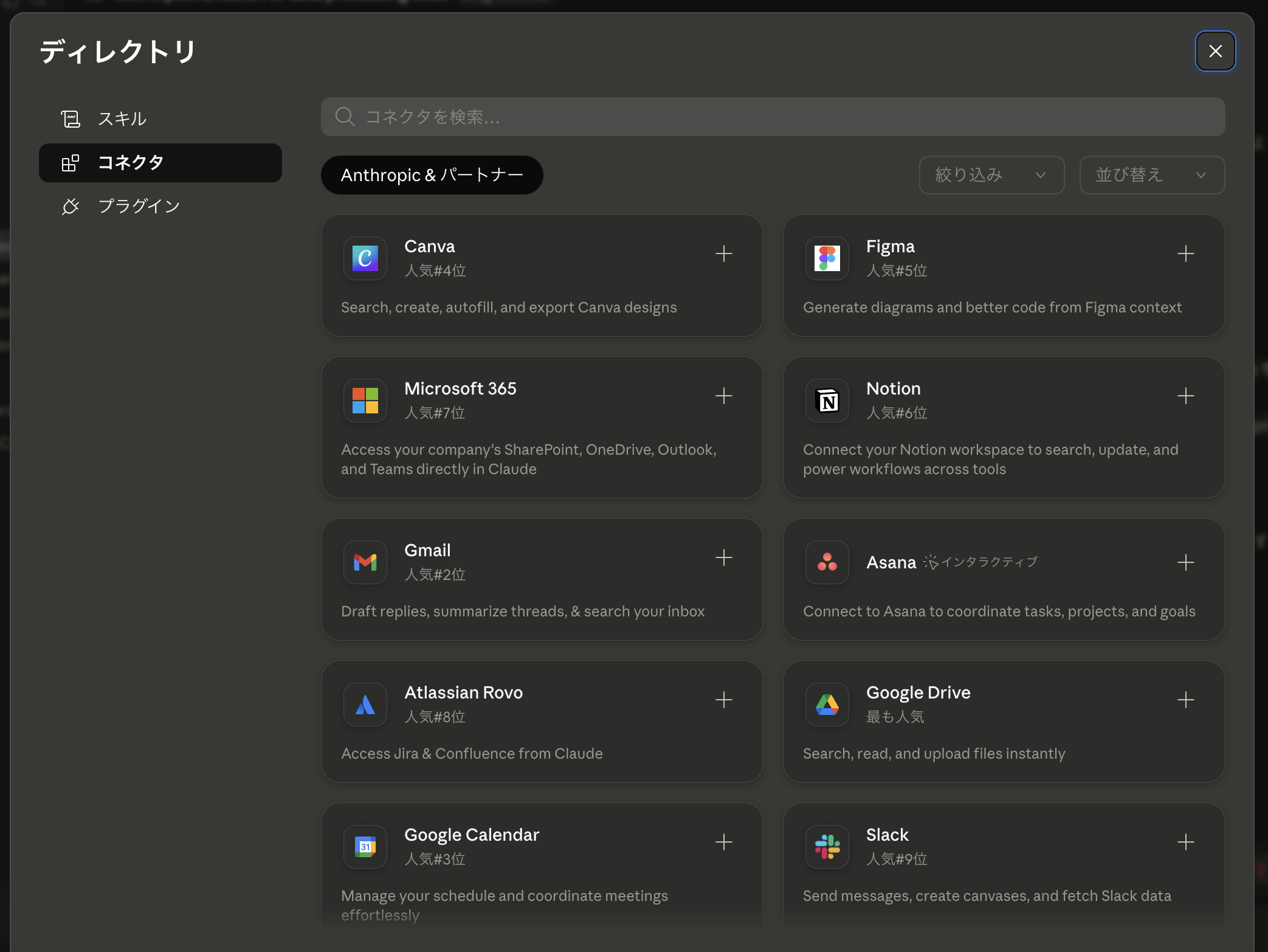
/mcp also opened a connector settings screen.
At this point, there are built-in commands that don't work or behave differently from local, and you should probably assume that the documentation is inaccurate in many places.
settings.local.json practices need to be revisited
I had been using the approach of not committing settings.local.json (including it in .gitignore) and sharing only example settings as settings.local.example.json. However, since on the web only uses code that has already been pushed to the remote repository, this approach doesn't work as-is.
Developer-specific environment variables (API keys, etc.) would need to go into the aforementioned cloud environment setup scripts (or SessionStart hook scripts) or environment variable settings, or be entered during the session.
There's a mode that automatically creates pull requests
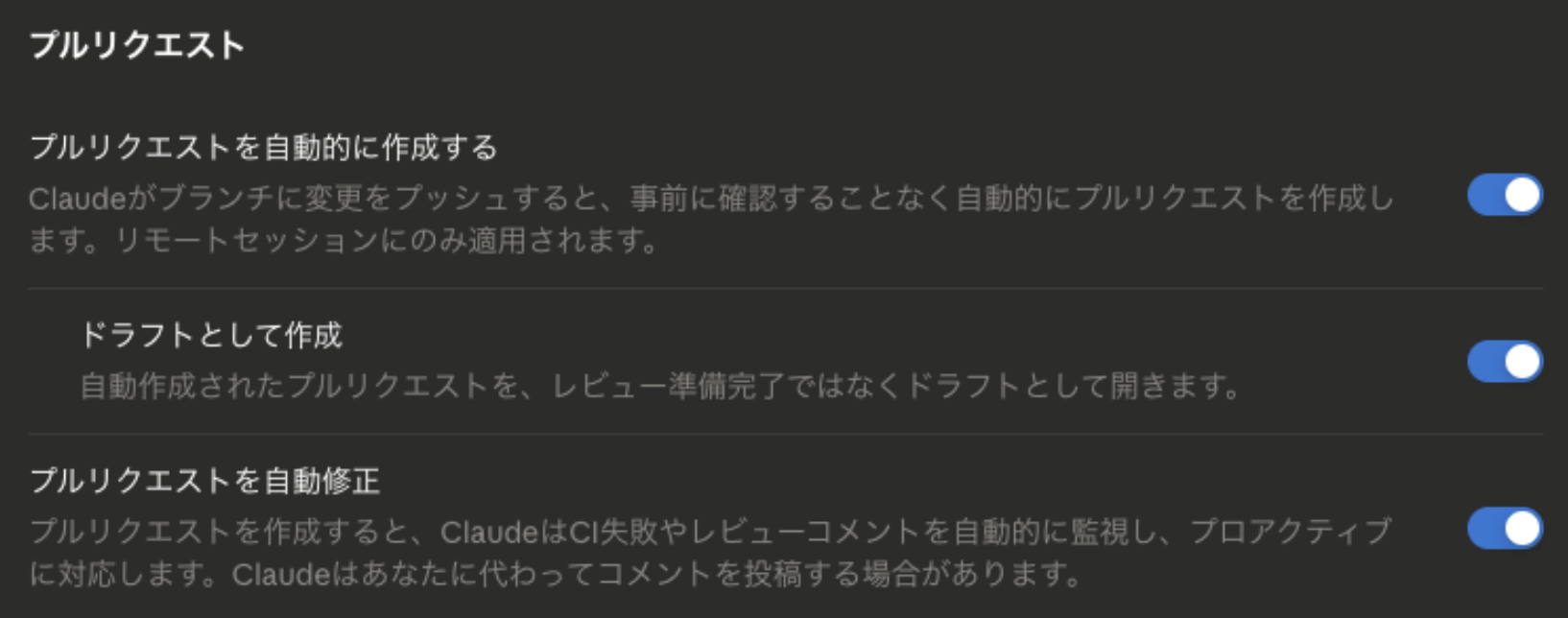
There's a mode that automatically creates a pull request when a session completes. Even without it turned on, you can request one during the session and it will be created. There's also a mode that monitors pull requests and handles fix requests.
Sessions can't be created at the subdirectory level
I tried to clone only a subdirectory of a Git repository to the VM and create a session, but it wasn't possible. The entire repository gets cloned to the VM. With a monorepo structure, you're forced to include directories that aren't needed for development. ※ The behavior with sparse-checkout was not tested.
Session history can't be carried over when changing plans (Enterprise → Max)
Midway through testing, I switched from a company-contracted Enterprise Plan to a personal Max 5x. The remote sessions I had created under the Enterprise Plan became inaccessible. Local sessions were unaffected by the plan change since the session information remains locally, so I felt this was a significant difference.
Summary
I've summarized what I learned from trying out Claude Code on the web. Looking back at the key points that stood out:
- Access scope needs to be restricted on the GitHub side (can't be restricted through GitHub App installation scope)
- Blocking
git pushin Bash may still be bypassed. Since pre-push hooks don't fire for API-based pushes, consider substituting withPreToolUsehooks - Many pre-installed tools means relatively higher vulnerability risk. Security tools installed via MDM are out of scope
- Several locally-oriented practices need revisiting, including local ↔ remote handoffs, unavailable built-in commands, and
settings.local.jsonpractices
As mentioned repeatedly, Claude Code on the web is a feature in preview, and this article reflects what I tested in late June 2026. The specifications will likely continue to change, so please also check the latest official documentation when actually using it.
