
Why are invalid controls displayed in the Security Hub CSPM console when I have not disabled any controls?

This page has been translated by machine translation. View original
Problem
Although there are no manually disabled controls, the number of disabled controls is still displayed on the Control screen in the Security Hub CSPM console. Why is this happening?
Cause
Controls that don't apply to any of your enabled security standards (controls that apply to security standards you haven't enabled) are being displayed as "disabled".
What I verified
In my environment, only "AWS Foundational Security Best Practices v1.0.0" is enabled.
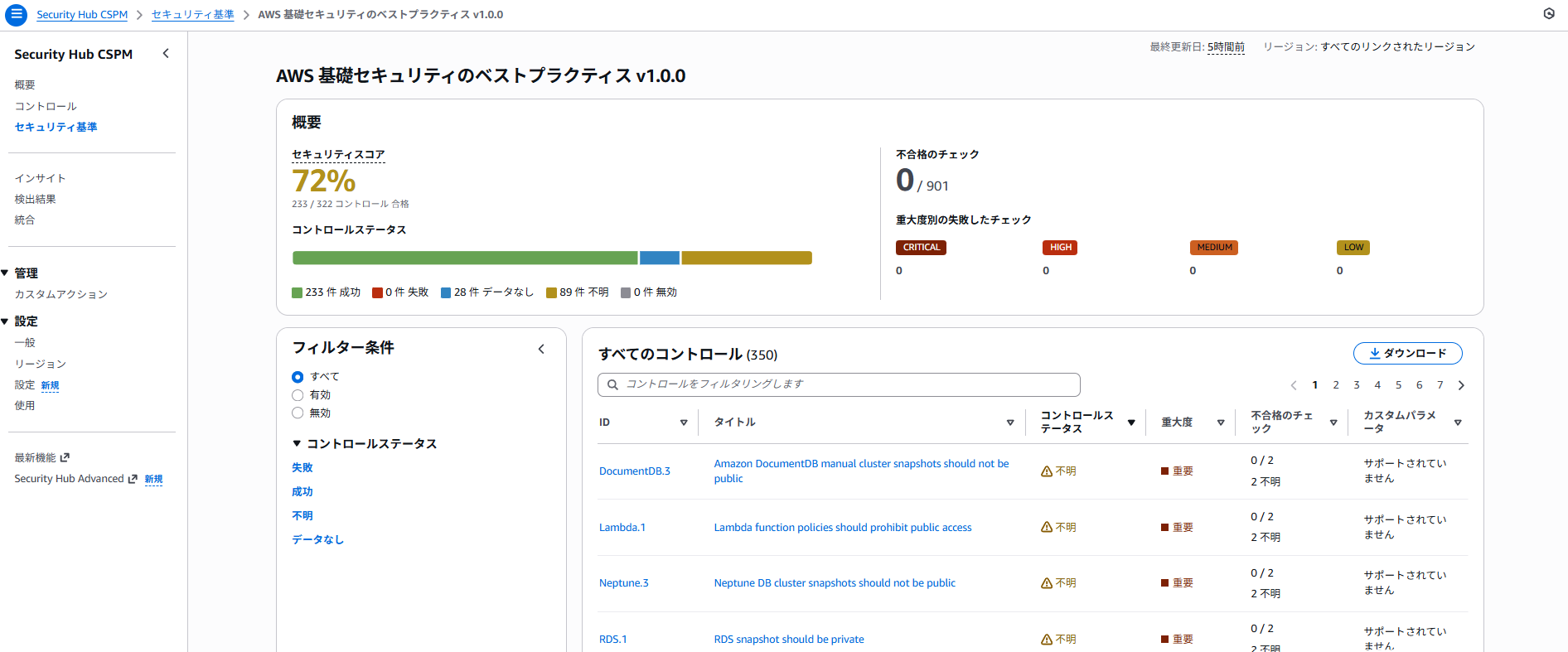
When I display the results for "AWS Foundational Security Best Practices v1.0.0" from Security Hub CSPM console > Security standards, the following screen is displayed.
Based on this, I then viewed Security Hub CSPM console > Controls.
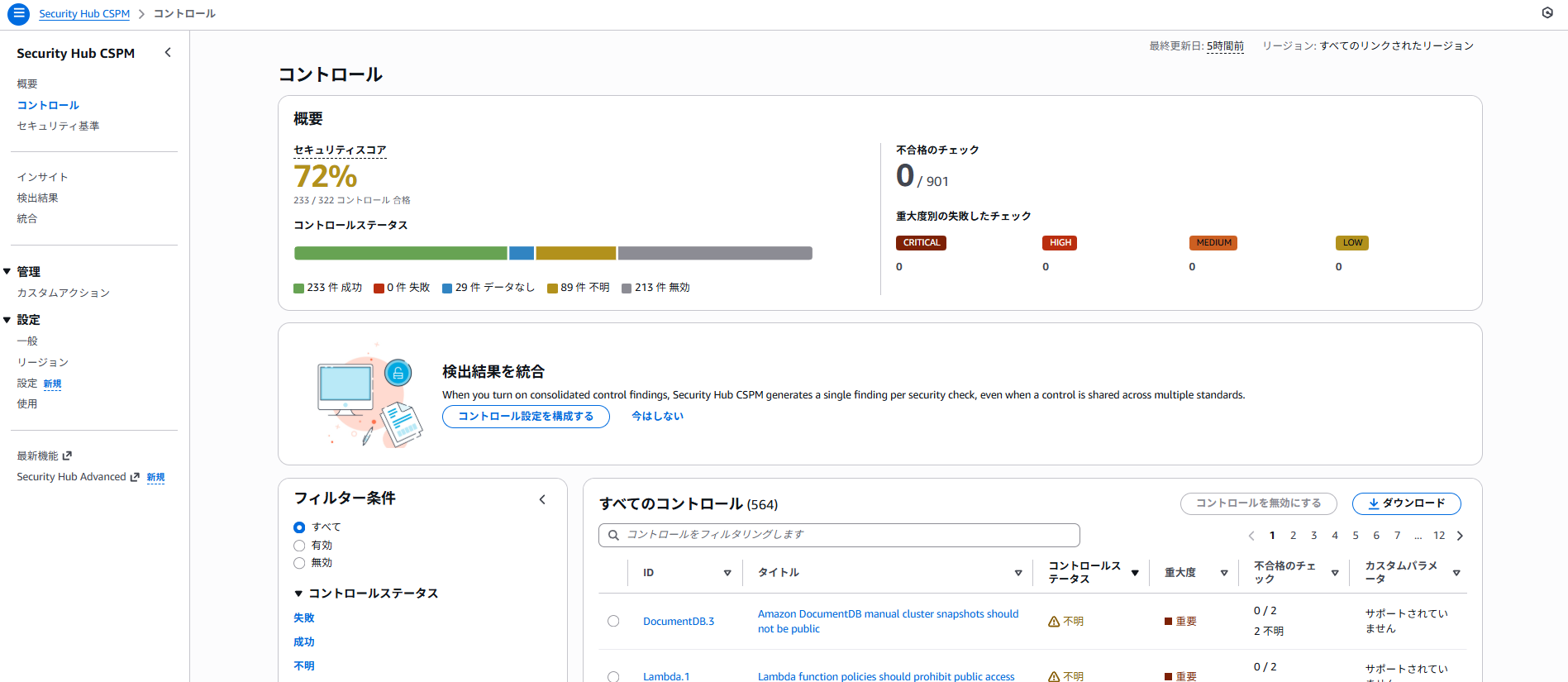
I confirmed that the number of items for each status matches the control statuses active in "AWS Foundational Security Best Practices v1.0.0", and controls that apply to other security standards are shown as disabled.
Additional information
Security Hub CSPM console > Controls (consolidated controls view) displays the total number of controls currently available in Security Hub CSPM.
Consolidated Controls View