The infrastructure costs and responsibility boundaries disappear in client-side apps with ZAF (Zendesk Apps Framework)

This page has been translated by machine translation. View original
Introduction
I built a sidebar app that displays internal system information on the Zendesk ticket screen. The first thing I was unsure about during design was where to run the app.
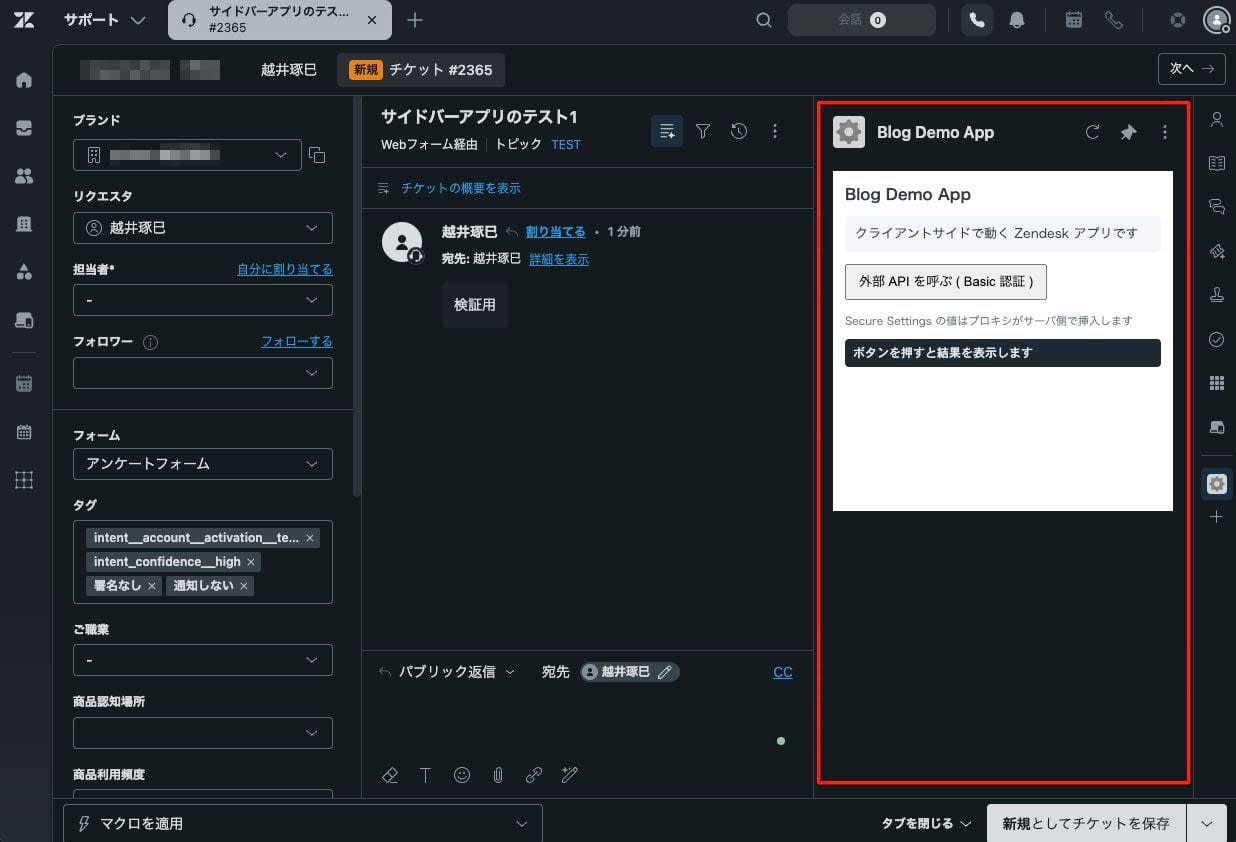
Zendesk apps are built on a framework called ZAF (Zendesk Apps Framework). ZAF is a framework that embeds the app's screen into the Zendesk admin interface and takes care of everything from calling external APIs to handling authentication credentials. There are two types of ZAF apps: client-side apps where assets are served by Zendesk, and server-side apps where assets are hosted on your own server.
At first I thought of using my own server, which I was familiar with, but I realized it could be built sufficiently on the client side and chose that approach. What I appreciated most after actually building and deploying it was not the features themselves, but the fact that the infrastructure costs and responsibility boundaries I would have borne with a self-hosted server approach simply disappeared entirely.
This article summarizes what Zendesk takes care of and to what extent with ZAF apps, and what disappears compared to the server-side approach.
Target Audience
- Those unsure whether to use client-side or server-side as the execution environment for their Zendesk app
- Those who want to build an internal-facing Zendesk app that calls external APIs without increasing operational burden as much as possible
References
- Choose your own app adventure
- Using the Apps framework
- Manifest reference
- Making API requests from a Zendesk app
- Using ZCLI
3 Things Zendesk Takes Care Of
When you choose a ZAF client-side app, Zendesk takes care of the following three things.
The first is asset delivery.
The official documentation states the following:
Zendesk stores your app's assets and serves them up to your agent's browser -- no need to host any of your app's assets on some other server.
When you specify a local HTML file in the location of manifest.json, Zendesk delivers that HTML along with JavaScript and CSS to the agent's browser. No server is needed to host assets.
{
  "location": {
    "support": {
      "ticket_sidebar": "assets/iframe.html"
    }
  },
  "frameworkVersion": "2.0"
}
The second is relaying external API calls.
If you call an internal system API directly from browser JavaScript, it will in most cases be blocked by CORS restrictions.
Unless the called API side returns permission headers, the request will not go through. Adding such configuration to an internal API just for this purpose comes with both effort and risk.
ZAF's client.request() resolves this issue through relaying. When calling a URL other than Zendesk, by default the request goes through Zendesk's proxy server. Since it becomes server-to-server communication from Zendesk's server to the external API rather than direct access from the browser to the external API, it is not subject to CORS restrictions. You can call it as-is without modifying the called API side.
The third is keeping secrets confidential.
Calling external APIs requires authentication credentials such as API keys or Basic authentication. Writing these directly in the frontend means the credentials end up reaching the client side. Anyone who opens the developer tools can read those values.
To avoid this, a server would normally be needed. You set up your own proxy that holds the credentials, and the browser calls the external API through that proxy. Even though you just want to complete everything on the client side, you end up needing to prepare one server just to hide the credentials.
Zendesk takes care of this too. You register credentials as a setting called Secure Settings, and in the request header you write a placeholder like {{setting.name}} instead of the actual value. When the request passes through the proxy, the proxy replaces the placeholder with the actual value on the server side before sending it to the external API. Since credentials do not appear before the proxy, only placeholders appear in the frontend. You can hide credentials without setting up your own proxy.
The asset delivery path and request flow can be illustrated as follows:
Deployment is done with zcli (Zendesk CLI). No server setup or monitoring appears. Use apps:validate to validate manifest.json and assets, apps:create for the initial upload, and apps:update for subsequent deployments.
npx @zendesk/zcli apps:validate
npx @zendesk/zcli apps:create
npx @zendesk/zcli apps:update
What Disappears Compared to the Self-Hosted Server Approach
This is where I felt the most impact from actually building it. Let me list what I would have been responsible for if I had self-hosted the same app on the server side.
With a server-side app, since assets are placed on your own server, you end up being responsible for that server all the way to the end. Specifically, the cost of a continuously running server, OS and middleware patches, TLS certificate renewal, monitoring and logging, and fault isolation all fall within your own scope of responsibility. It means maintaining one server running 24 hours a day for an internal sidebar app used by a handful of agents.
Choosing a client-side app shifts this scope of responsibility to the Zendesk side. All you own is the app's code, and both asset delivery and the operation of its foundation fall within Zendesk's responsibility boundary.
The differences between the two can be laid out as follows:
| Burden | Server-side (self-hosted) | Client-side (Zendesk-hosted) |
|---|---|---|
| Server costs | Bear the cost of continuous operation | Not needed |
| Patches and vulnerability response | Handle yourself | Zendesk's responsibility |
| TLS certificate renewal | Manage yourself | Zendesk's responsibility |
| Monitoring and availability | Your responsibility | Zendesk's responsibility |
| Fault isolation scope | From server to app | Confined to app code |
What I found particularly helpful was that the fault isolation scope narrows.
When the app doesn't work as expected, since the scope of what to investigate is confined to the app code, troubleshooting goes faster. The smaller the internal-facing app, the more you appreciate having infrastructure costs and the question of who is responsible when something goes down eliminated from the start.
Summary
With Zendesk's client-side apps, Zendesk takes care of three things: asset delivery, CORS bypass, and keeping secrets confidential. As a result, the infrastructure costs and responsibility boundaries you would have borne with a self-hosted server approach simply disappear entirely. Until you truly need custom backend processing, a client-side app is more than sufficient. I hope this serves as useful information for those who are unsure about which execution environment to choose.