
I tried relaying a fixed authentication external integration to OAuth using Zendesk ZIS

This page has been translated by machine translation. View original
Introduction
When migrating from Zendesk API tokens to OAuth, if the caller is a program you wrote yourself, you can obtain an access token using client_credentials and refresh it as it expires. However, some callers, such as SaaS products that only allow you to enter fixed credentials in an admin panel, cannot implement token acquisition logic.
Under these conditions, pasting a time-limited access token as a fixed value will cause the integration to stop after it expires. Therefore, I tried a configuration where requests from external services are received by a Zendesk Integration Services (ZIS) inbound webhook, and ZIS calls the Zendesk API using an OAuth connection managed by ZIS.
In this configuration, the access token of the Zendesk OAuth connection held by ZIS does not expire, and refresh tokens are not used. Rather than a configuration where ZIS renews the token each time it expires, it continuously uses the connection created when an administrator authenticated for the first time. Therefore, there is no need to implement token acquisition or renewal on the external service side.
As a result, I was able to send an event from an external source using fixed Basic authentication and add one private comment to a verification ticket. This article introduces the minimal configuration used for verification.
Target Audience
- Those considering migrating from Zendesk API tokens to OAuth
- Those who cannot implement OAuth token acquisition in the caller
- Those who want to try combining ZIS inbound webhooks with OAuth connections
References
- Using ZIS inbound webhooks
- Building your first ZIS integration
- Creating and managing OAuth connections
- ZIS custom actions
- Inbound Webhooks API
Configuration
For the external service, you configure the URL, username, and password returned when the inbound webhook is created. The external service only needs to send events using fixed Basic authentication. Upon receiving an event, ZIS starts the flow corresponding to the job spec and calls the Zendesk Support API using the OAuth connection.
For verification, I used a Zendesk test tenant and a new ticket with one initial comment. As the initial setup during migration, an admin API token was used to upload the bundle and job spec. In contrast, ticket updates after setup use the OAuth connection rather than an API token. The goal is to increase the number of private comments with a unique body from 0 before sending the event to 1 after sending it.
Obtaining the ZIS OAuth Token
Here, it is assumed that the ZIS integration has already been registered.
For ZIS_INTEGRATION, specify the name used when registering the integration, not an arbitrary string.
export ZENDESK_SUBDOMAIN='your_subdomain'
export ZENDESK_ADMIN_EMAIL='admin@example.com'
export ZENDESK_API_TOKEN='your_api_token'
export ZIS_INTEGRATION='your_zis_integration'
export TICKET_ID='12345'
export STAMP=$(date -u +%Y%m%d%H%M%S)
When you register a ZIS integration, an OAuth client with the identifier zis_${ZIS_INTEGRATION} is automatically generated.
zis_client_id=$(curl -sS \
  "https://${ZENDESK_SUBDOMAIN}.zendesk.com/api/v2/oauth/clients.json" \
  -u "${ZENDESK_ADMIN_EMAIL}/token:${ZENDESK_API_TOKEN}" \
  | jq -er --arg identifier "zis_${ZIS_INTEGRATION}" \
    '[.clients[] | select(.identifier == $identifier)]
     | if length == 1 then .[0].id else error("ZIS client count must be 1") end')
Using the obtained ID, issue an OAuth token to be used for calling the ZIS API.
token_response=$(curl -sS -X POST \
  "https://${ZENDESK_SUBDOMAIN}.zendesk.com/api/v2/oauth/tokens.json" \
  -u "${ZENDESK_ADMIN_EMAIL}/token:${ZENDESK_API_TOKEN}" \
  -H "Content-Type: application/json" \
  -d "{\"token\":{\"client_id\":${zis_client_id},\"scopes\":[\"read\",\"write\"]}}")

export ZIS_ACCESS_TOKEN=$(echo "$token_response" | jq -er '.token.full_token')
export ZIS_ACCESS_TOKEN_ID=$(echo "$token_response" | jq -er '.token.id')
unset token_response
Creating the OAuth Connection
Create an OAuth connection named zendesk.
First, call the OAuth start API.
response=$(curl -X POST \
  "https://${ZENDESK_SUBDOMAIN}.zendesk.com/api/services/zis/connections/oauth/start/${ZIS_INTEGRATION}" \
  -H "Authorization: Bearer ${ZIS_ACCESS_TOKEN}" \
  -H "Content-Type: application/json" \
  -d "{
    \"name\": \"zendesk\",
    \"oauth_client_name\": \"zendesk\",
    \"oauth_url_subdomain\": \"${ZENDESK_SUBDOMAIN}\",
    \"origin_oauth_redirect_url\": \"https://example.local\",
    \"permission_scopes\": \"read write\",
    \"allow_offline_access\": false
  }")

echo "$response" | jq -r '.redirect_url'
  % Total    % Received % Xferd  Average Speed   Time    Time     Time  Current
                                 Dload  Upload   Total   Spent    Left  Speed
100   666    0   425  100   241    321    182  0:00:01  0:00:01 --:--:--   503
https://zis.zendesk.com/api/services/zis/connections/oauth/start_redirect?flow_token=ey****
Open the output URL in an administrator's browser and follow the on-screen instructions to authenticate as an administrator. Once authentication is complete, ZIS stores the OAuth access token as a connection and redirects the browser to https://example.local. Since example.local is a dummy URL for verification purposes, the browser will display a connection error.
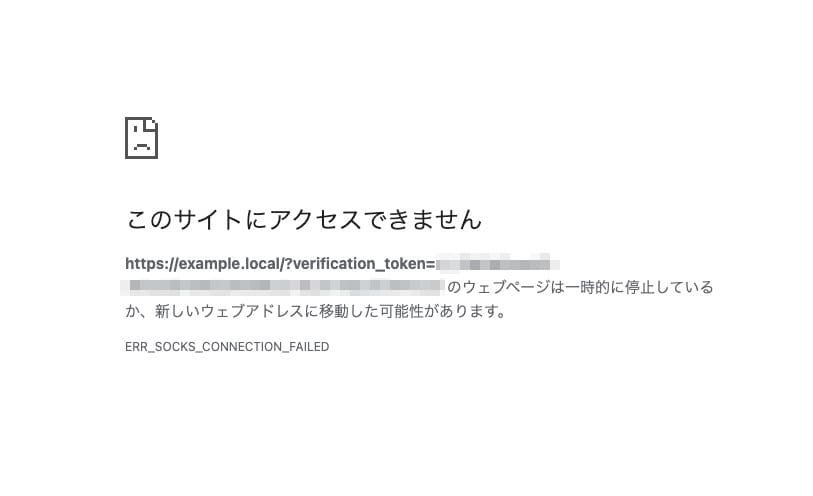
This is expected behavior. Rather than what is displayed in the browser, confirm that the zendesk connection was created using the following API.
curl \
  "https://${ZENDESK_SUBDOMAIN}.zendesk.com/api/services/zis/connections/${ZIS_INTEGRATION}?name=zendesk" \
  -H "Authorization: Bearer ${ZIS_ACCESS_TOKEN}" \
  | jq '{name, permission_scope, token_type}'
  % Total    % Received % Xferd  Average Speed   Time    Time     Time  Current
                                 Dload  Upload   Total   Spent    Left  Speed
100   869    0   869    0     0   1712      0 --:--:-- --:--:-- --:--:--  1714
{
  "name": "zendesk",
  "permission_scope": "read write",
  "token_type": "bearer"
}
Uploading the Bundle
The bundle used this time consists of three resources: an Action that adds a private comment to a ticket, a Flow that calls that Action, and a JobSpec that links inbound webhook events to the Flow.
{
  "name": "ZIS inbound OAuth bridge __STAMP__",
  "description": "Add one private comment to a disposable verification ticket",
  "zis_template_version": "2019-10-14",
  "resources": {
    "blogcomment": {
      "type": "ZIS::Action::Http",
      "properties": {
        "name": "blogcomment",
        "definition": {
          "method": "PUT",
          "path": "/api/v2/tickets/__TICKET_ID__.json",
          "connectionName": "zendesk",
          "headers": [{"key": "Content-Type", "value": "application/json"}],
          "requestBody": {
            "ticket": {
              "comment": {"body.$": "$.comment_body", "public": false}
            }
          }
        }
      }
    },
    "blogflow": {
      "type": "ZIS::Flow",
      "properties": {
        "name": "blogflow",
        "definition": {
          "StartAt": "AddPrivateComment",
          "States": {
            "AddPrivateComment": {
              "Type": "Action",
              "ActionName": "zis:__INTEGRATION__:action:blogcomment",
              "Parameters": {"comment_body.$": "$.input.comment_body"},
              "End": true
            }
          }
        }
      }
    },
    "blogjob": {
      "type": "ZIS::JobSpec",
      "properties": {
        "name": "blogjob",
        "event_source": "blog_zis_e2e___STAMP__",
        "event_type": "comment_requested",
        "flow_name": "zis:__INTEGRATION__:flow:blogflow"
      }
    }
  }
}
Generate JSON with values substituted for the placeholders.
jq \
  --arg stamp "$STAMP" \
  --arg ticket_id "$TICKET_ID" \
  --arg integration "$ZIS_INTEGRATION" \
  'walk(
    if type == "string" then
      gsub("__STAMP__"; $stamp)
      | gsub("__TICKET_ID__"; $ticket_id)
      | gsub("__INTEGRATION__"; $integration)
    else .
    end
  )' bundle.template.json > rendered-bundle.json
Upload the generated file and install the job spec.
curl -X POST \
  "https://${ZENDESK_SUBDOMAIN}.zendesk.com/api/services/zis/registry/${ZIS_INTEGRATION}/bundles" \
  -u "${ZENDESK_ADMIN_EMAIL}/token:${ZENDESK_API_TOKEN}" \
  -H "Content-Type: application/json" \
  --data-binary @rendered-bundle.json

curl -X POST \
  "https://${ZENDESK_SUBDOMAIN}.zendesk.com/api/services/zis/registry/job_specs/install?job_spec_name=zis:${ZIS_INTEGRATION}:job_spec:blogjob" \
  -u "${ZENDESK_ADMIN_EMAIL}/token:${ZENDESK_API_TOKEN}"
Creating the Inbound Webhook
Specify the same event_source and event_type as in the job spec.
curl -X POST \
  "https://${ZENDESK_SUBDOMAIN}.zendesk.com/api/services/zis/inbound_webhooks/generic/${ZIS_INTEGRATION}" \
  -H "Authorization: Bearer ${ZIS_ACCESS_TOKEN}" \
  -H "Content-Type: application/json" \
  -d "{
    \"source_system\": \"blog_zis_e2e_${STAMP}\",
    \"event_type\": \"comment_requested\"
  }"
Use the path, username, and password from the response to configure the external service.
Verification
Set the values returned at creation time as environment variables and send an event to the inbound webhook.
export ZIS_WEBHOOK_PATH='response_path'
export ZIS_WEBHOOK_USERNAME='response_username'
export ZIS_WEBHOOK_PASSWORD='response_password'

curl -X POST \
  "https://${ZENDESK_SUBDOMAIN}.zendesk.com${ZIS_WEBHOOK_PATH}" \
  -u "${ZIS_WEBHOOK_USERNAME}:${ZIS_WEBHOOK_PASSWORD}" \
  -H "Content-Type: application/json" \
  -d "{\"comment_body\":\"ZIS_BLOG_E2E_${STAMP}\"}"
The POST returned 200. After checking the ticket's comment list 5 seconds later, one private comment with an exact match to the submitted body had been added.
| Verification Item | Result |
|---|---|
| POST to inbound webhook | 200 |
| Number of matches for unique body | 0 to 1 |
| Added comment ID | 1 |
public of added comment |
false |
From these results, it was confirmed that an external service, while using fixed Basic authentication, can call the Zendesk API using an OAuth connection internal to ZIS.
Summary
Even in cases where only fixed Basic authentication can be configured, it was possible to relay through a ZIS inbound webhook and call the Zendesk API via OAuth. Since the access token of the Zendesk OAuth connection does not expire, there is no need to implement token acquisition or renewal on the external service side. Note that in production environments, if the caller supports it, please prioritize OAuth or signed webhooks.