![[Update] I tried out Amazon Q's Research feature, which now supports PowerPoint and Excel file output](https://images.ctfassets.net/ct0aopd36mqt/2x7muHjvW69fxuVNSKWZHp/b37e05a972fc8125e9214abd764928fa/amazon-quick.png?w=3840&fm=webp)
[Update] I tried out Amazon Q's Research feature, which now supports PowerPoint and Excel file output

This page has been translated by machine translation. View original
This is Ishikawa from the Cloud Business Division. While demoing Amazon Q's Research feature in front of a customer, I discovered that it now supports file output in PowerPoint and Excel formats — something that wasn't available when I demoed it at the beginning of this week.
Traditional Research was primarily centered on displaying reports on-screen, but being able to output research results directly as PowerPoint slides or Excel workbooks makes it much easier to turn them into proposal materials or data organization deliverables. So I decided to try it out right away.
What is Amazon Q's Research Feature?
Amazon Q is an AI agent-style workspace that supports business tasks such as research, analysis, and document creation, starting from natural language conversations.
Its Research feature takes a prompt (research goal) as input, formulates a research plan, collects supporting information from the web and data registered in spaces, and automatically generates a report with citations. Until now, generated reports were primarily displayed on-screen or exported as PDF/Word, but this time I confirmed that output in PowerPoint (.pptx) and Excel (.xlsx) formats is now available.
Update Details
The following behavior was confirmed in Amazon Q in the Tokyo Region (ap-northeast-1):
- PowerPoint and Excel format files can now be output as Research artifacts
- An "Artifacts" column has been added to the research list screen, allowing you to identify the output format via
PPT/Excelicons - If you explicitly specify a file format in the prompt, the output will be in that format (Excel / PowerPoint)
- Research modes include "Fast (5–10 minutes)" and "Detailed (20–30 minutes)", with a note stating "PowerPoint and Excel files take more time"
Here is an overview of how the output format is determined:
Note that document and visual creation including PowerPoint and Excel is officially introduced as Amazon Q's "document and visual creation" feature (announced in April 2026). While the documentation describes it primarily as a feature for Quick chat, I confirmed this time that these formats are also available as output from Research.
Trying It Out
Prerequisites
- Test environment: Tokyo Region (ap-northeast-1)
- For the Research target, I specified a space containing a file named "Hokkaido University-Faculty Introduction.pptx" and created a report on Hokkaido University's faculties
- I created the report by clicking the [Start Research] button
- Research mode was set to
Fast(5–10 minutes) ← This might actually be a new feature too
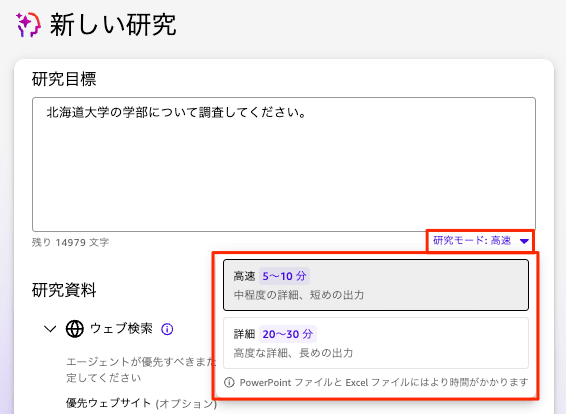
The research mode dropdown offers "Fast (5–10 minutes · Moderate detail, shorter output)" and "Detailed (20–30 minutes · High detail, longer output)", with a note explicitly stating "PowerPoint and Excel files take more time."
When No Output File Format Is Specified in the Prompt
I specified Please research Hokkaido University's faculties. as the prompt.
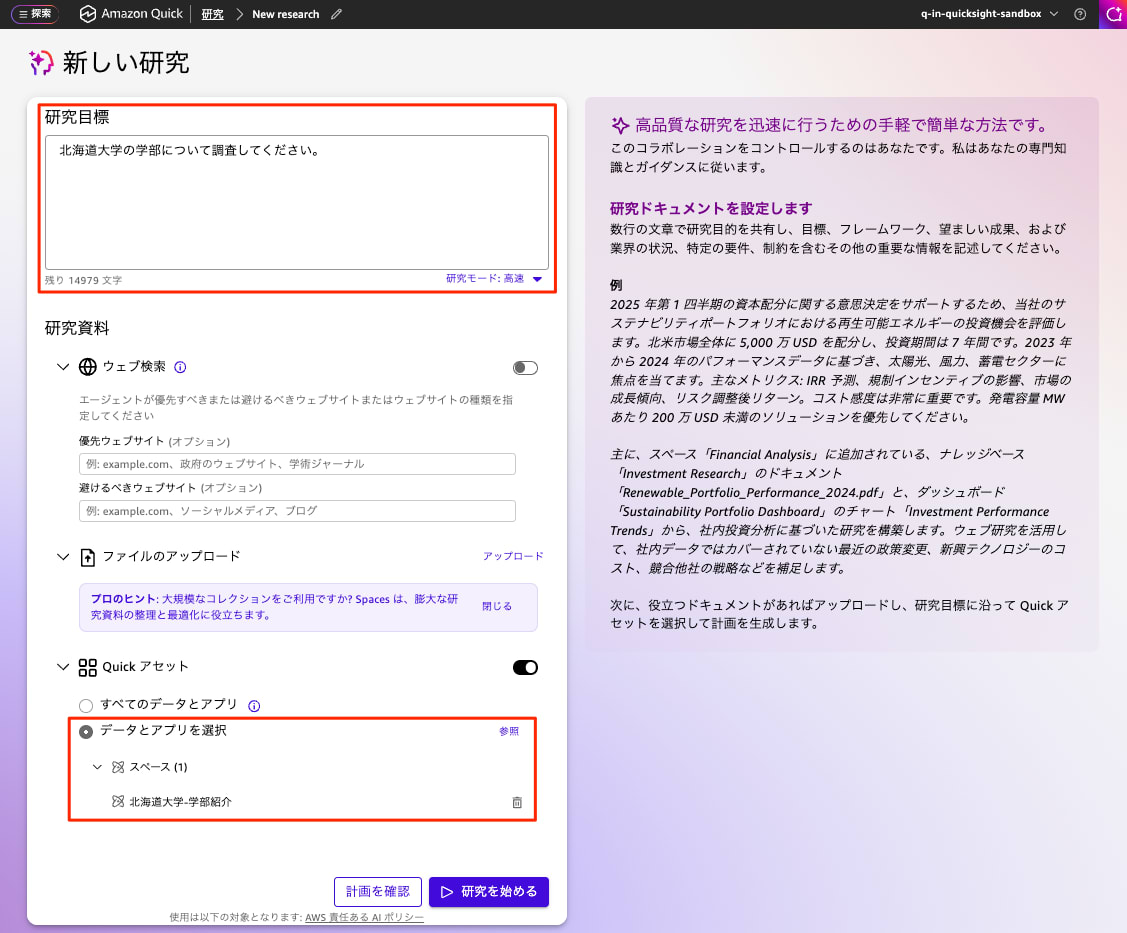
The report was created in about 4 minutes. A report in the conventional on-screen display format was output.
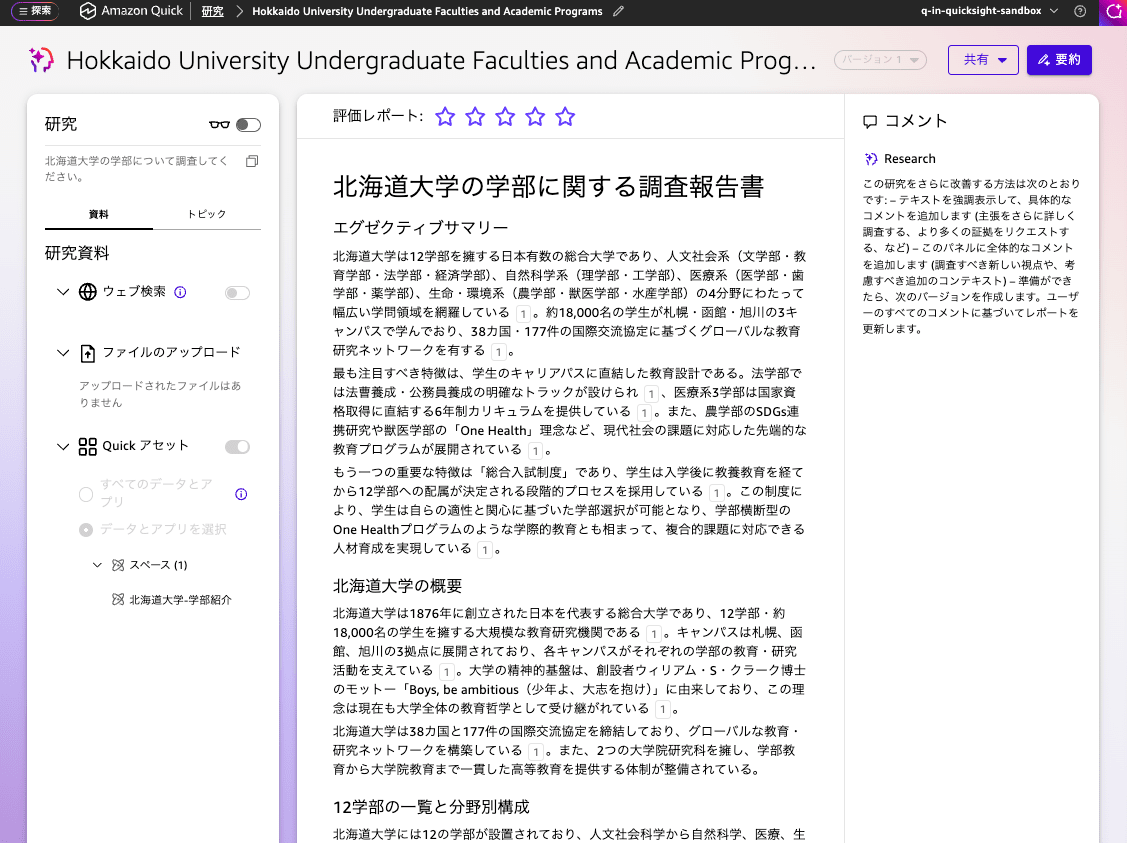
Note that depending on the content of the space, an Excel file was automatically output even without specifying a format. In that case, it was not possible to output in the conventional format even if desired.
When Excel File Format Is Specified in the Prompt
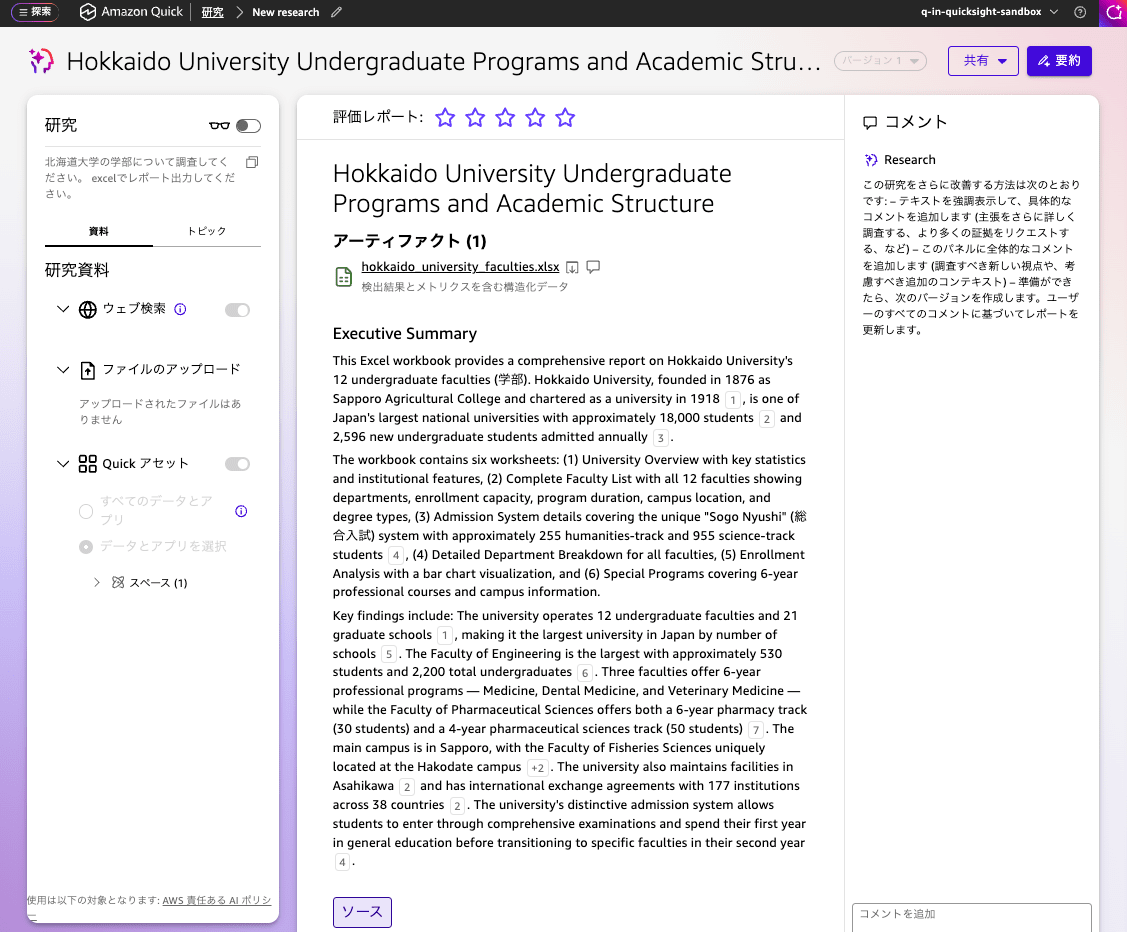
I specified Please research Hokkaido University's faculties. Please output the report in Excel. as the prompt.
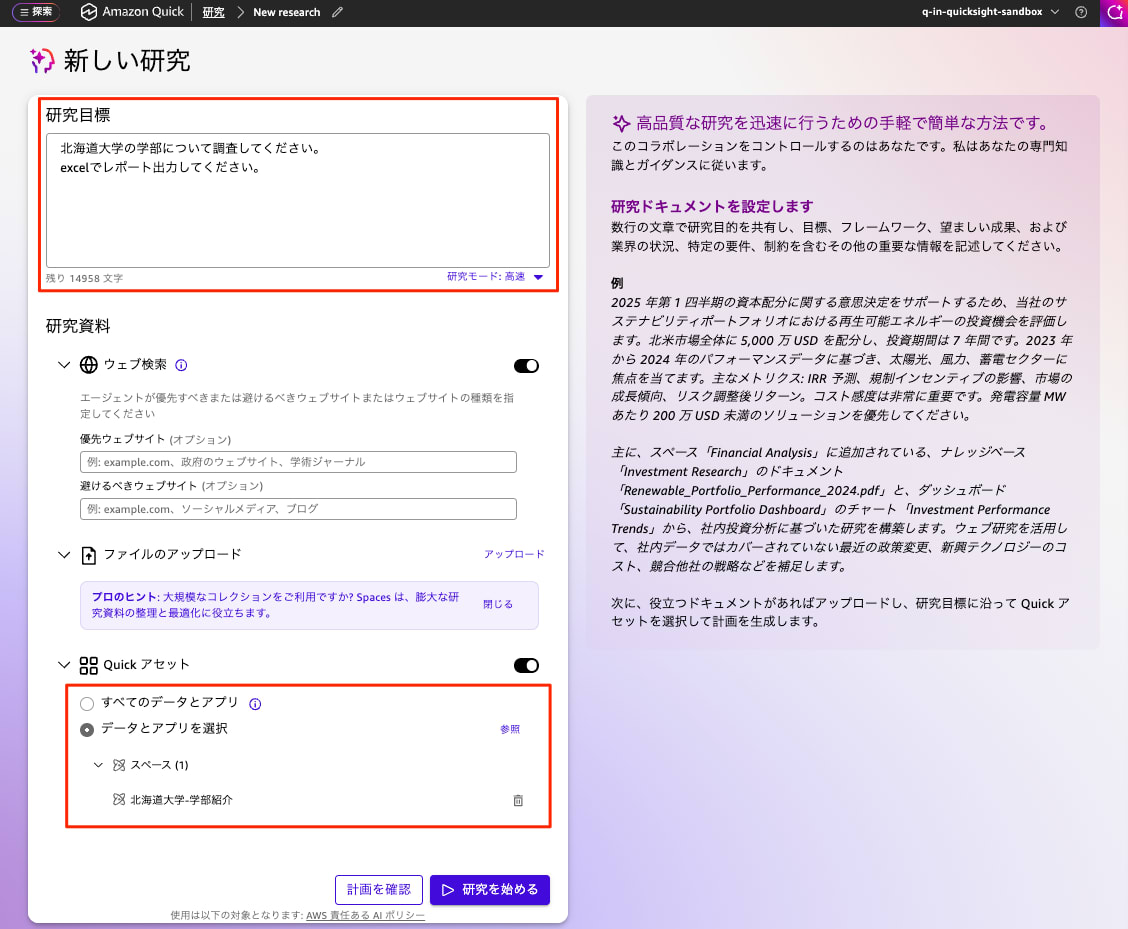
The report was created in about 10 minutes and output in Excel format. Unfortunately, the Executive Summary was in English.
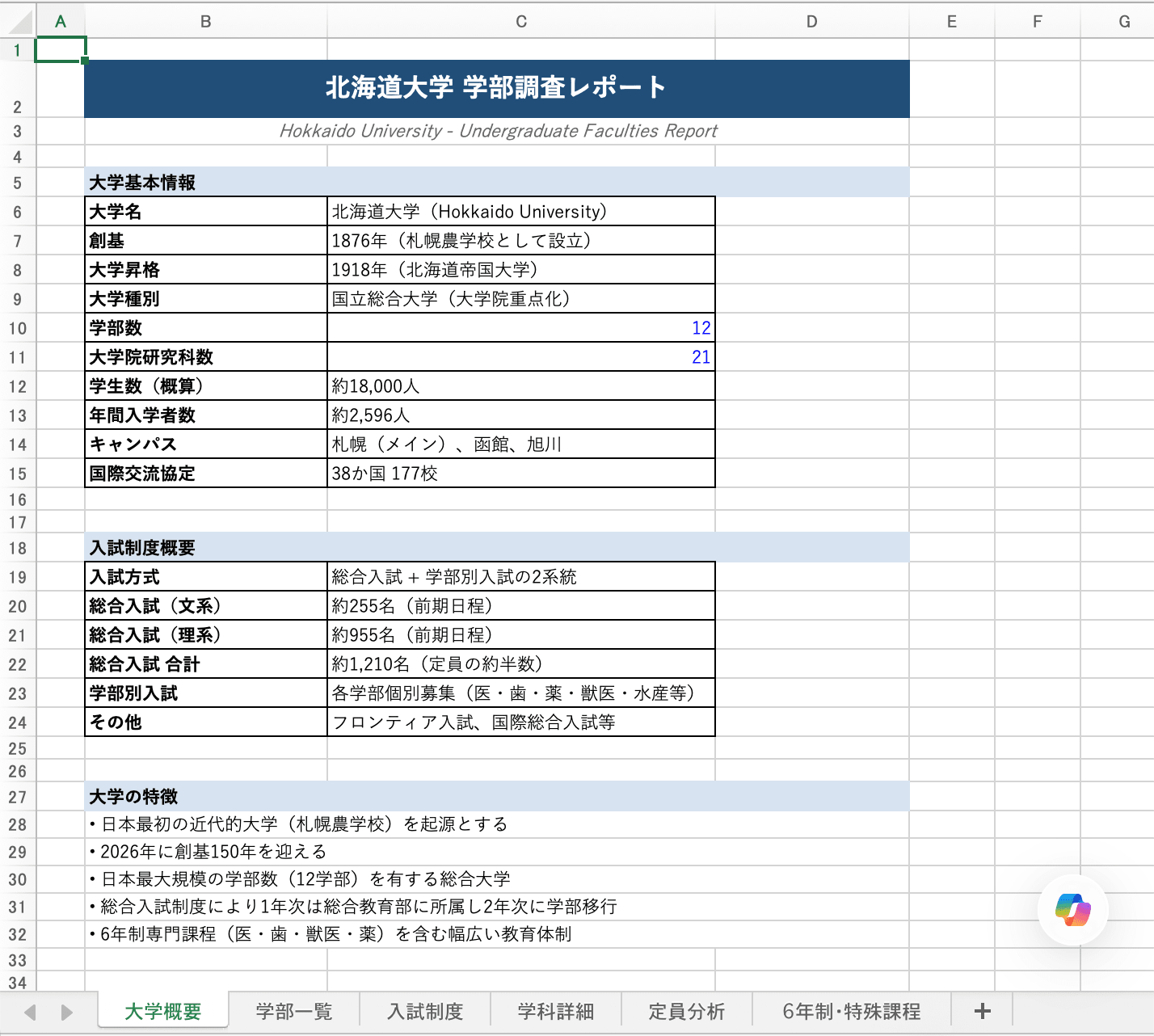
The body of the generated Excel file was written in Japanese and consisted of 6 sheets. The "University Overview" sheet can be seen to have a clean and readable layout.
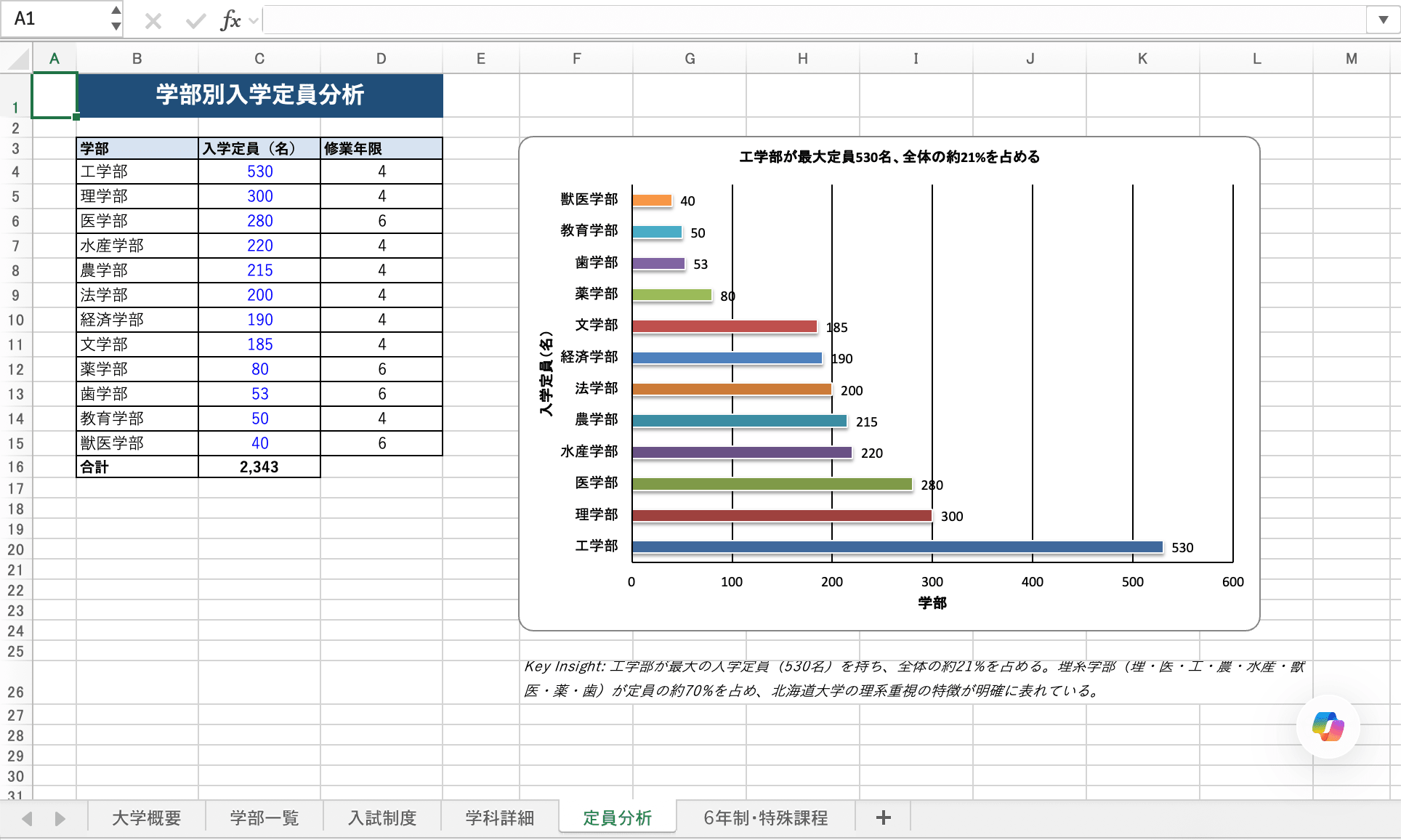
Some sheets include explanations alongside figures and tables.
When PowerPoint File Format Is Specified in the Prompt
I specified Please research Hokkaido University's faculties. Please output the report in PowerPoint. as the prompt.
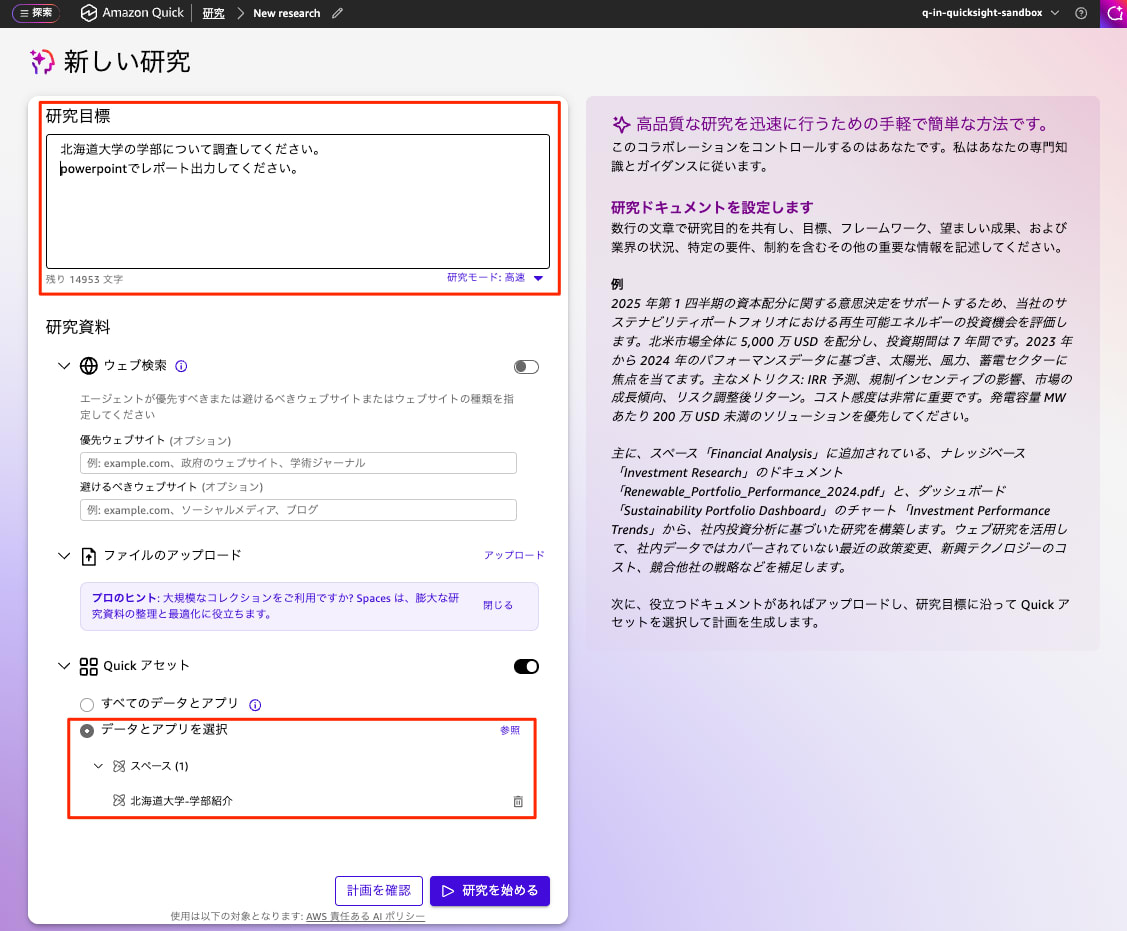
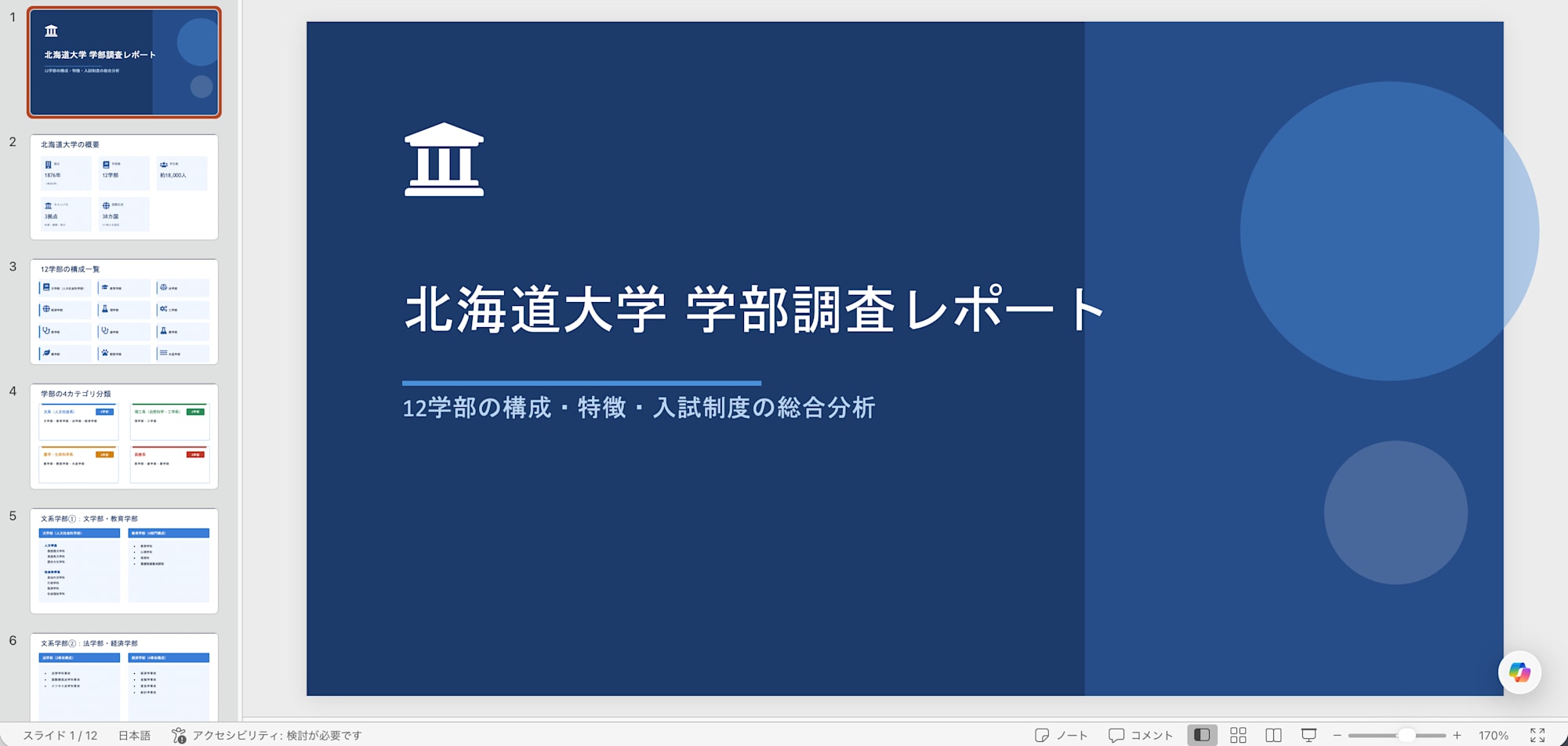
The report was created in about 13 minutes and output in PowerPoint format.
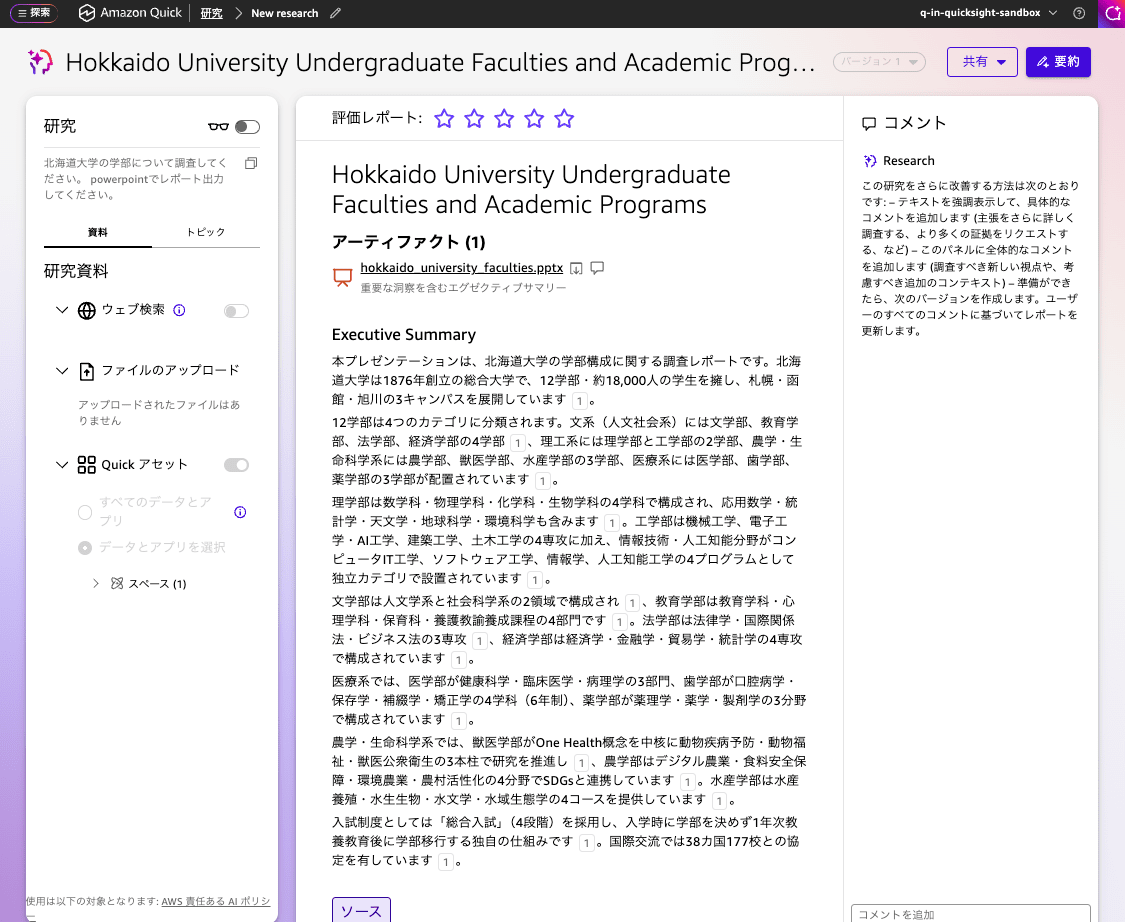
A 12-page slide deck was created. The layout is clean and readable, covering the title, overview, faculty introductions, admission system, and more.
Summary of Findings
During Research, output was being generated in either the conventional on-screen display or Excel format depending on the configured data. In this verification, I confirmed that by explicitly specifying a file format in the prompt, output can be generated as a PowerPoint or Excel file.
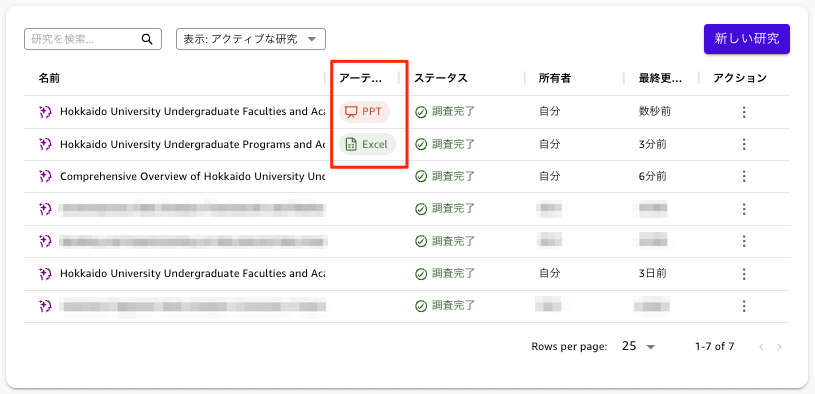
On the research list screen as well, PPT / Excel icons are displayed in the Artifacts column, making it easy to see at a glance which format was used for output.
Note that the time required was approximately 4 minutes for the standard report, about 10 minutes for Excel, and about 13 minutes for PowerPoint. As noted in the research mode description — "PowerPoint and Excel files take more time" — please be aware that file format output takes longer to generate.
In Closing
I confirmed that Amazon Q's Research feature supports file output in PowerPoint and Excel formats, and that simply specifying the format in the prompt allows you to receive research results directly as slides or workbooks. While it takes longer to generate than a standard report, the quality appears sufficient to serve as a starting point for proposal materials or data organization.
If you frequently need to turn research results into deliverables, why not try out the file output feature in Research?

