
I published the Claude Code hands-on session from Kyushu University as a workshop kit that allows even a single person to build a product.

This page has been translated by machine translation. View original
Hello, I'm Wada.
In April 2026, I led a Claude Code hands-on session for the special lecture "Social Innovation Studio" at Kyushu University QREC. I wrote about that experience in the following article.
This time, the initiative has been published as a case study.
As of August 2026, an AI utilization contest is being held within Classmethod, and I decided to reorganize the skills used in the lecture and submit them. Based on the survey feedback from the lecture and reflective feedback from the organizing members, I refined the materials and published them on GitHub as a "workshop kit" that anyone can run.
In this article, I'll write about what I changed after the lecture, what the kit can do, and how to use it. Since you can experience it solo, I hope those who want to go through "turning an idea into a product with Claude Code" from start to finish will also give it a read.
How the Lecture Went (from the Case Study)
Numbers are listed on the case study page, so I'll quote from there.
- Approximately 60 graduate students, a mix of computer science and non-computer science majors, participated in a two-day intensive lecture
- 80–90% of participants completed a prototype within the two days
- Post-lecture survey satisfaction score: 4.59 out of 5
The participants had quite varied backgrounds, and some were working professionals. The fact that the majority of them implemented something working and even reached the mutual feedback stage is, I believe, due to the effective design of skills that let participants ask Claude Code "what should I do next?" one step at a time. At the retrospective, organizing members also noted that "laying the tracks with Skills allowed the lecture to run smoothly even with a small staff." However, as I'll describe later, there were also many challenges.
Incorporating the Feedback
The month after the lecture, the organizing members held a retrospective.
Feedback:
Guiding participants through operational checks was difficult. It would be great if the kit could cover how to launch and verify the generated app, since we had to guide each participant individually.
What I did:
I prepared an implementation skill /build-app that, after generation, guides participants through the launch command and URL, and proceeds to the next question only after confirming the app is running.
Feedback:
The app had too much flexibility, so we probably should have narrowed down the framework more.
What I did:
I fixed the standard configuration to Next.js (App Router / TypeScript) + pnpm.
Feedback:
During the Kyushu University lecture, several participants got stuck because they weren't aware of their current directory.
What I did:
I fixed the locations for design documents and the app itself, and made skills always guide using absolute paths.
One more thing: the "create a landing page" segment added on the fly on the day of the lecture was well-received, so I incorporated LP creation into the main flow. The goal is for participants to not just stop at "something that works" but to articulate "who this is for and how to pitch it." It was also used at the presentation stage.
How the Hands-on Works
Participants just bring "one sentence describing the problem" and "one sentence describing the solution," then call five skills in order.
/scope-design: Answer the problem and solution in one sentence each, choose from multiple implementation approaches, and narrow down the MVP/build-app: Generate the MVP all at once, then refine the experience one step at a time by using it as if you were a single target user/verify-project: Verify by actually using it whether the problem is truly solved, and use this as the backbone of the pitch/landing-page-design: Craft copy from the buyer's perspective, and generate the LP HTML/study-plan: Take stock of what's missing "if you were to actually deliver this," and turn it into a take-home learning plan
Try It Solo (Ready in 5 Minutes)
Prerequisites on your local PC are Claude Code, Node.js 20 or higher, and pnpm.
git clone https://github.com/cm-wada-yusuke/claude-code-product-workshop-kit.git
cd claude-code-product-workshop-kit
claude
Once Claude Code is running, install the plugin used for LP generation and call the first skill.
/plugin install frontend-design@claude-plugins-official
/scope-design
Once it asks for a project name, you're ready to go. The conversation starts with "describe the problem you want to solve in one sentence," and the outputs accumulate in projects/<project-name>/.
When doing this solo, my recommendation is to go in with the intention of doing a pitch presentation. The verification.md that /verify-project writes out becomes a ready-made script for a 3-minute pitch. Even if you're not presenting to anyone, getting to the point where you can articulate in your own words "is this really solving the problem?" and "who am I pitching this to and how?" makes a huge difference in what you take away. In the lecture too, this was the part where hands stopped moving the most—and where the most learning happened.
I Tried It
I ran through it once myself. The problem and solution I used were as follows.
- Problem in one sentence: After developing a product, collecting feedback is a hassle
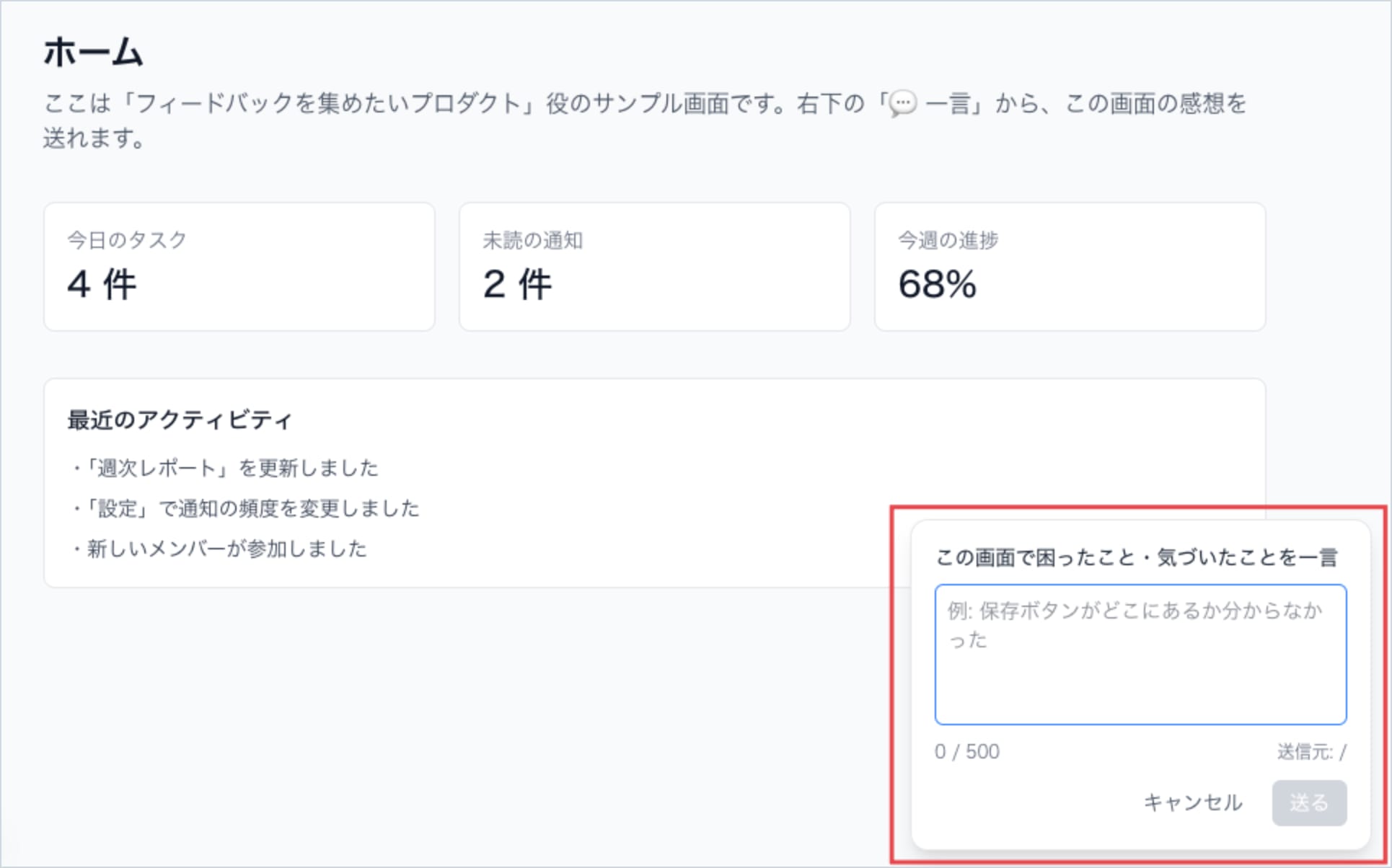
- Solution in one sentence: A web app with an embedded button that lets users send a quick word of feedback right from the screen they're using, with an inbox to view all the responses
Web App Screen
LP
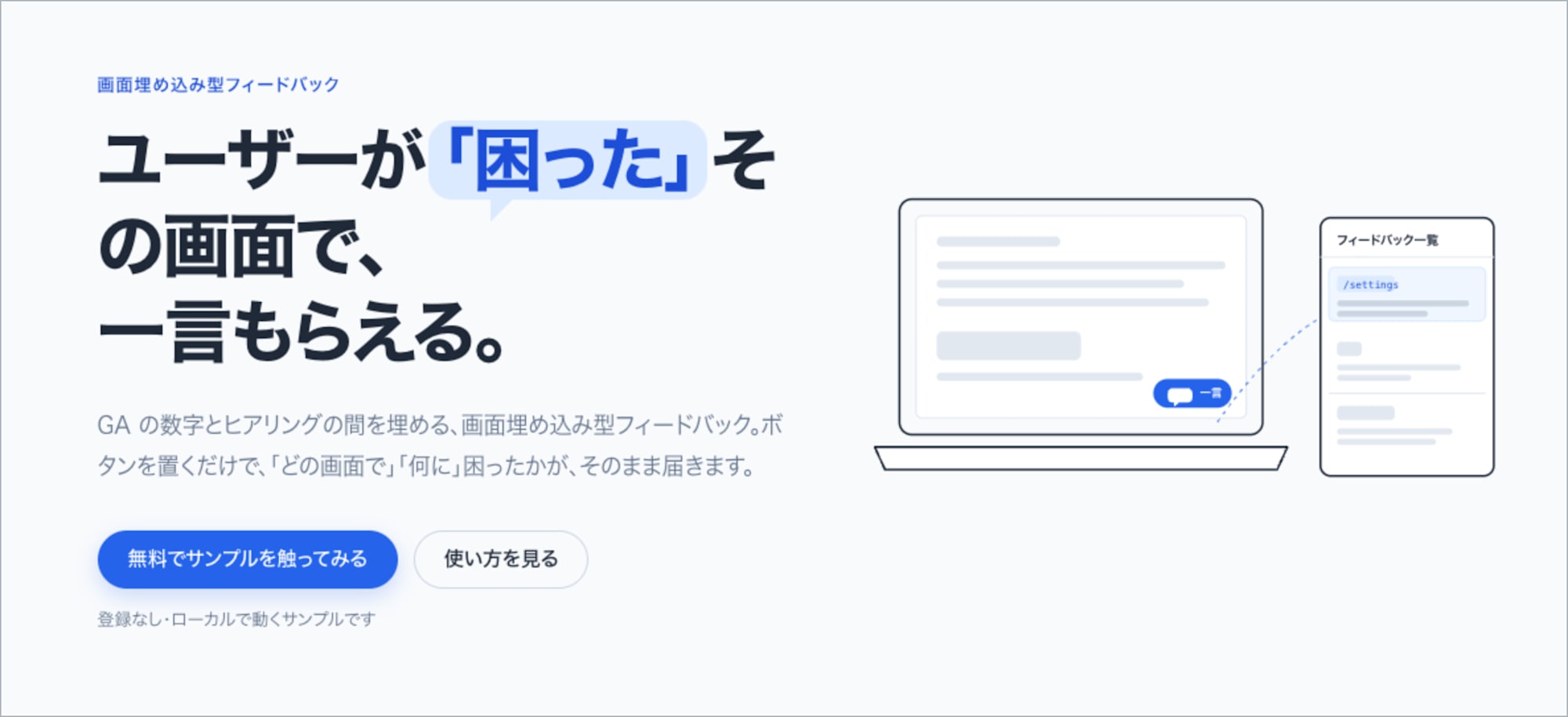
Going through it, I had thoughts that only came up from actually using it: "I'd want a login," "since it would be distributed via JS, that might be difficult in an era of strict security concerns," and "I want the feedback button to be as visible as possible, but if it interferes with the core experience, it defeats the purpose."
Large-Scale Events Require the Power of Tutors
Since pitch presentations and pair feedback are built in, the more participants there are, the closer it gets to a hackathon format, increasing opportunities to "have others spot things you couldn't notice yourself." That's clearly more effective from a learning standpoint.
However, as the number of people grows, you'll inevitably encounter issues from differences in PC environments and cases where participants get stuck on how to verify their app is running. Node.js versions, package managers, browser behavior—no matter how thorough the documentation, you can't get this down to zero. During the Kyushu University session too, the tutors were an enormous help for exactly this.
…So, if you want to scale up, you'll need the support of tutors.
Closing
With generative AI tools like Claude Code, prototypes can now be created in a short amount of time. I believe that in product development, the time people should spend is on:
- Who should we deliver this to?
- How far should we go?
- How did it actually go?
- What do we do next?
Thinking through and testing these questions is where human time should go. That's precisely why I want the part where you turn your thinking into a tangible form to be executed as quickly and reproducibly as possible. I hope the workshop kit can be of some help in that regard.
For those planning hands-on sessions or training programs inside or outside your organization, please try it out yourself first. Of course, we can also organize sessions as Classmethod. Feel free to reach out.
