![[Update] I tried out the newly supported "Research Mode" in the output of Amazon Q's Research feature](https://images.ctfassets.net/ct0aopd36mqt/2x7muHjvW69fxuVNSKWZHp/b37e05a972fc8125e9214abd764928fa/amazon-quick.png?w=3840&fm=webp)
[Update] I tried out the newly supported "Research Mode" in the output of Amazon Q's Research feature

This page has been translated by machine translation. View original
This is Ishikawa from the Cloud Business Division. In Amazon Quick's Research (Amazon Quick Research), a "Research mode" is now available that allows you to switch the depth of investigation. When entering your research objective, you can choose between Fast, which delivers results quickly, and Detailed, which performs more in-depth analysis.
You can now switch between "when you just want a quick overview" and "when you want to take your time and investigate thoroughly," making Quick Research's report output a better fit for practical business use.
What is Amazon Quick Research
Amazon Quick Research is a "deep research agent" that searches across multiple sources — including internal documents, databases, the internet, and third-party data — and automatically generates reports with citations (source tracing). When you enter a research objective, it creates an investigation plan, collects and analyzes information in the background, and compiles it into a structured report.
Update Details
The key point of this update is that a "Research mode" selection has been added to the screen where you enter your research objective.
The main changes are as follows:
- You can now optionally select a research mode when entering your research objective
- Fast mode: Investigation completes in approximately 4–7 minutes. Suitable for when you want to quickly grasp an overview or when time is tight
- Detailed mode: Performs a more comprehensive and in-depth analysis over approximately 20–30 minutes. Suitable for complex topics that require thorough investigation
After selecting a mode, you can either choose the research materials to use, confirm and modify the investigation plan via "Review plan" before starting, or immediately begin investigation with "Start researching." Generated reports are in a structured format with citations, and support downloading as PDF / Word, summarization (Summarize), and sharing (Share).
Tried It Out
Prerequisites
- Test environment: Tokyo Region (ap-northeast-1)
- Pressed the [Start Research] button to create a report
- Research modes:
FastandDetailed
When PowerPoint was specified as the source data (failure example)
As the target of the research, I specified a space containing a file named "Hokkaido-University-Faculty-Introduction.pptx" and created a report on Hokkaido University's faculties.
However, since the "Hokkaido-University-Faculty-Introduction.pptx" file I prepared for personal verification lacked sufficient information, there was almost no difference in the output content between the Fast and Detailed research modes. Furthermore, Detailed simply ended up being slower. It seems that if you want to output a report with Detailed, you need to prepare adequate information.
Going forward, I would like to verify by collecting publicly available information (web) about Nagasaki University.
Research mode: Fast with PowerPoint output
Created using research mode: Fast with the following prompt.
Please deeply research Nagasaki University's research from past to present, including its research achievements and academic contributions. Please output the report in PowerPoint.
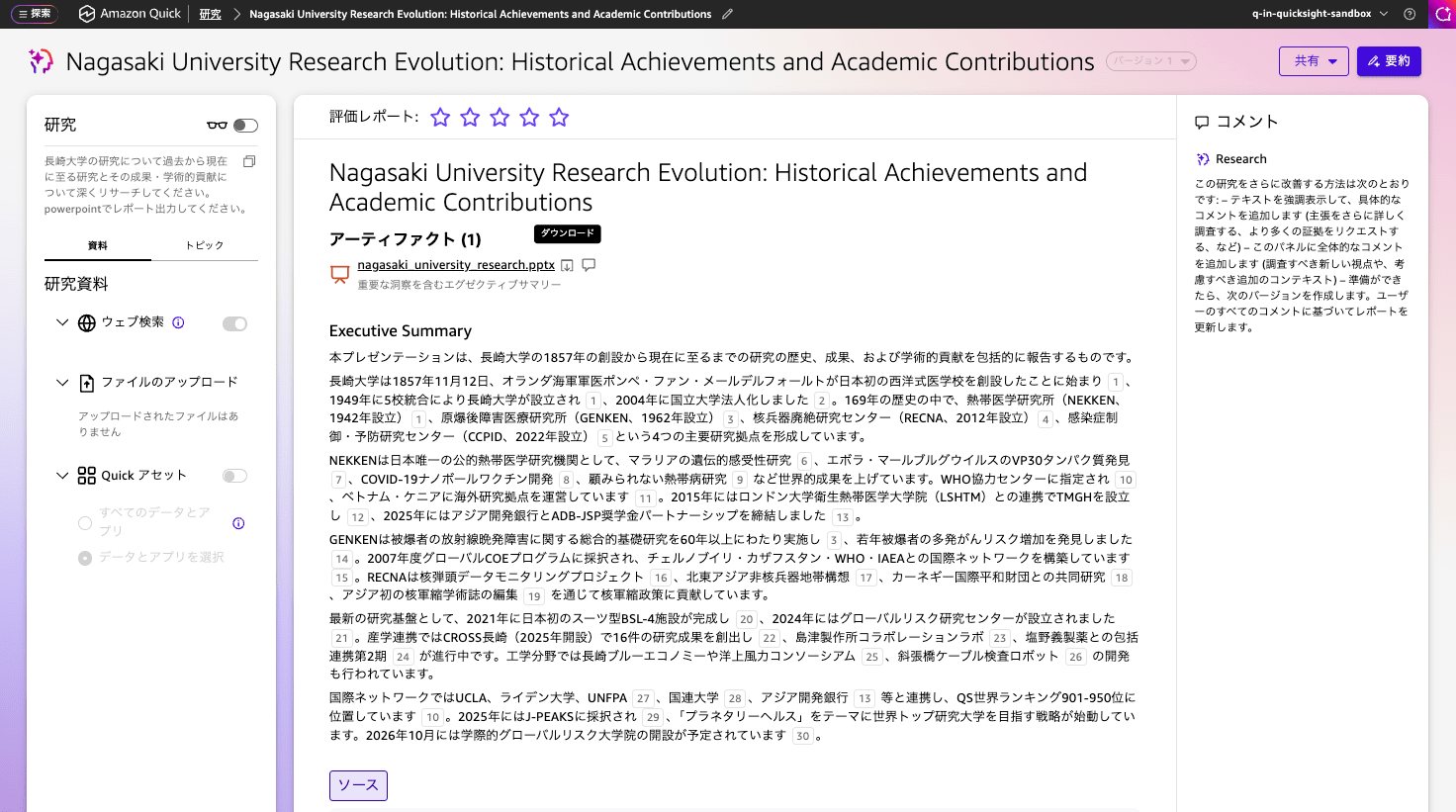
A 17-page PowerPoint file was created in approximately 14 minutes. It turned out to be quite a good presentation.
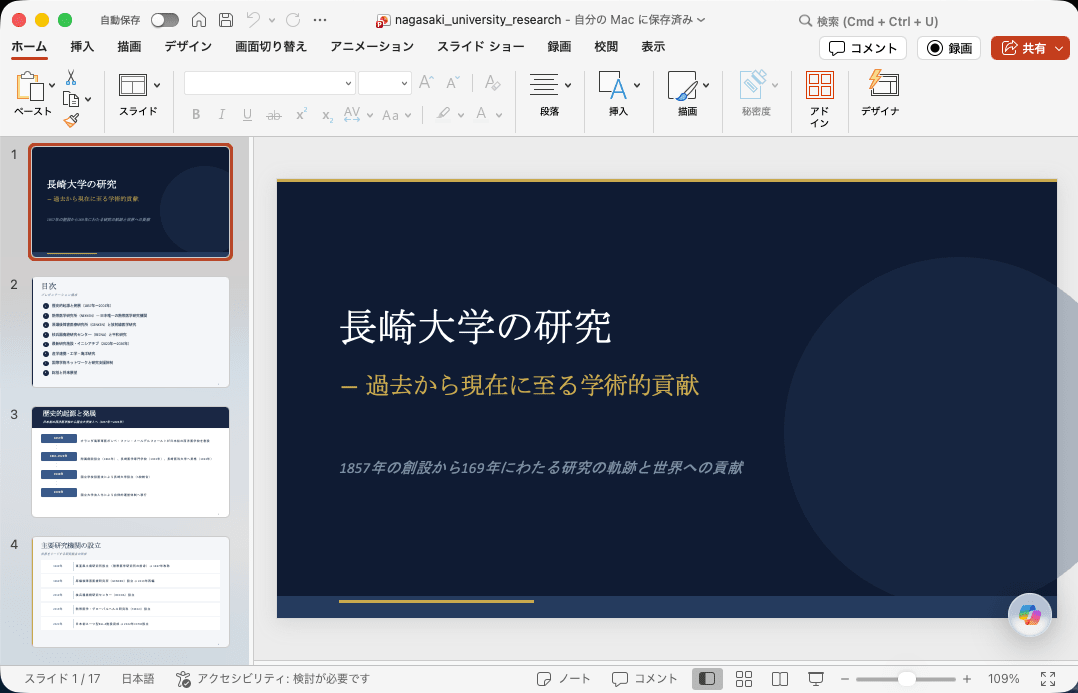
Research mode: Detailed with PowerPoint output
Created using research mode: Detailed with the following prompt. The prompt was not changed.
Please deeply research Nagasaki University's research from past to present, including its research achievements and academic contributions. Please output the report in PowerPoint.
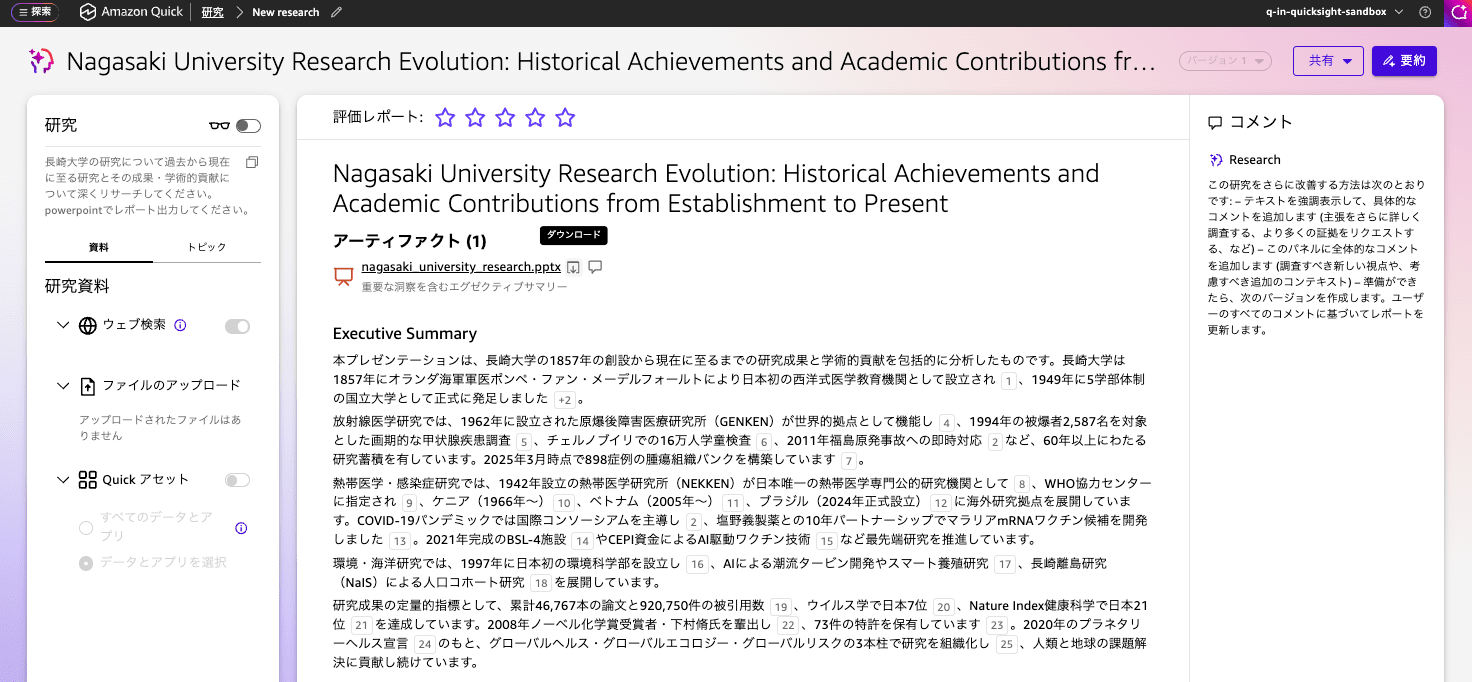
A 26-page PowerPoint file was created in approximately 20 minutes. Not only was there more information, but it also produced a visually appealing presentation using a variety of layouts. If you have the time, creating it this way will result in a more polished output.
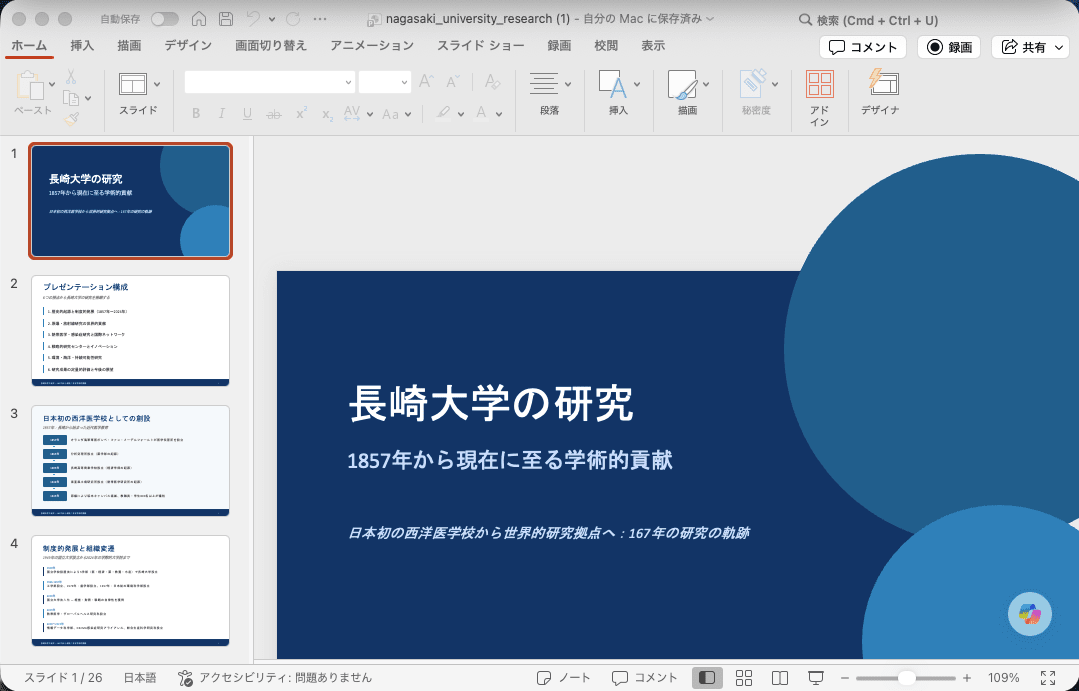
From briefly trying it out, my impression was exactly as expected: Fast is sufficiently quick for grasping an overview, while Detailed proves reliable for topics you want to dig deeper into as decision-making material.
Excel File Output
Created using the following prompt.
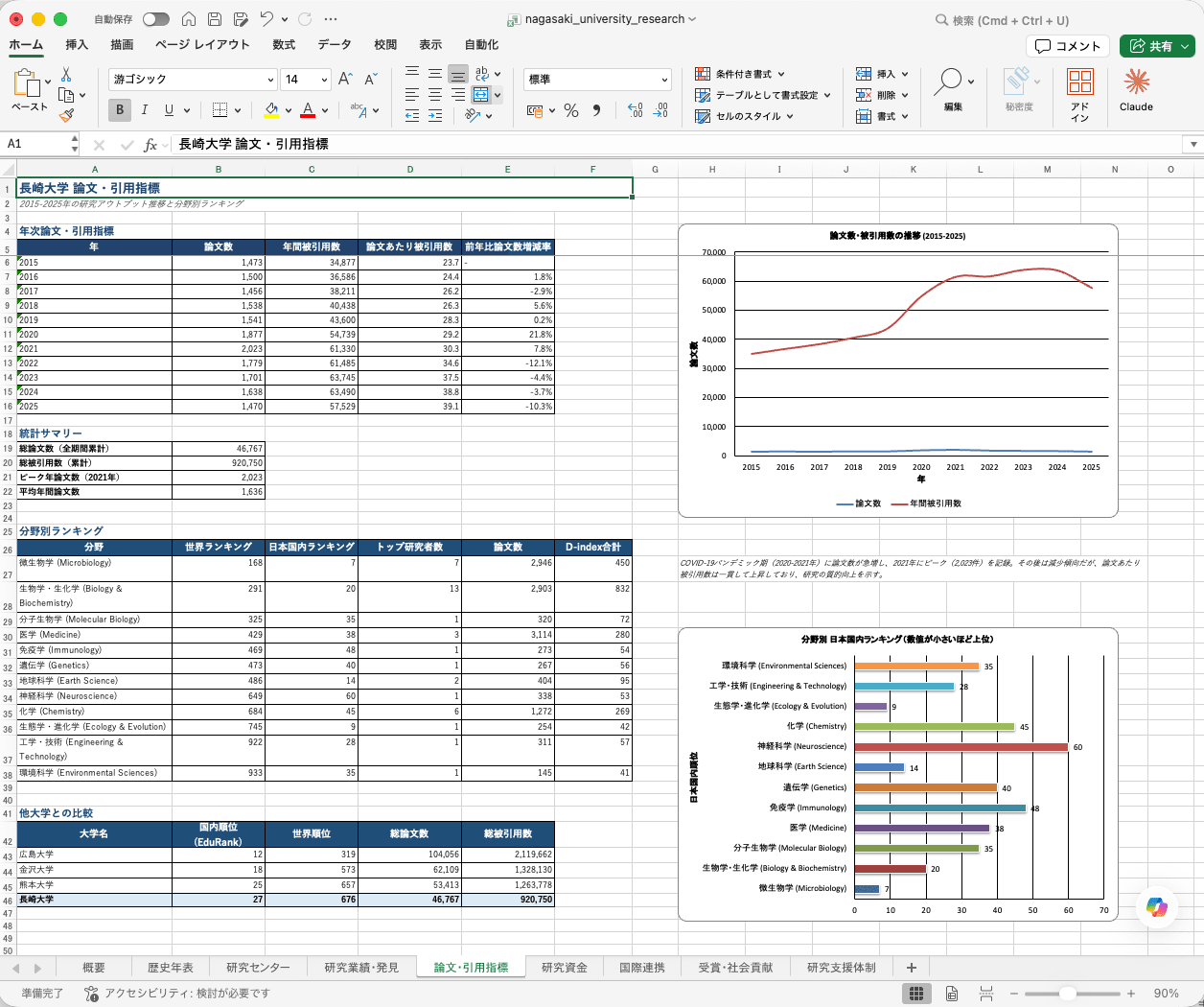
Please deeply research Nagasaki University's research from past to present, including its research achievements and academic contributions. Please output the report in Excel.
Excel file output showed the same trend as PowerPoint file output. Research mode: Fast completed in approximately 5 minutes with 8 sheets, and research mode: Detailed completed in approximately 14 minutes with 9 sheets.
The Detailed research mode gave the impression that evidence was more visibly presented.
Notes
- Selecting a research mode is optional. When not specified, it defaulted to
Fast, but the last used setting appeared again on the next use. I recommend verifying this behavior and default handling in your own environment - The time required for Fast / Detailed (approximately 4–7 minutes / approximately 20–30 minutes) is only a guideline and will vary depending on the scope of investigation and volume of sources
- "Research mode" does not have a dedicated announcement page and was reflected as a user guide update. Since the UI and specifications may change in the future, please check the official documentation for the latest information
Closing
Amazon Quick Research now offers Fast (approximately 4–7 minutes) and Detailed (approximately 20–30 minutes) as a "Research mode" that allows you to switch the depth of investigation. You can use them according to your purpose — whether for a speed-focused overview or a thorough, in-depth investigation.
For those already using Amazon Quick / Quick Research, I think the easiest way to grasp the difference is to compare Fast and Detailed on a familiar topic first.
For example, I felt it could also be useful for registering various research data into a space and organizing, visualizing, or reporting on research outcomes.

