
I tried Dataset Enrichment, which adds metadata to Amazon QuickSight datasets

This page has been translated by machine translation. View original
This is Ishikawa from the Cloud Business Division. I tried out Dataset Enrichment, which adds metadata (business context) to datasets — a feature added at the same time Dataset Q&A was introduced to Amazon QuickSight.
Dataset Q&A and Dataset Enrichment
Dataset Q&A is a feature that generates and executes SQL in response to natural language questions from users, returning results within seconds. It requires no topic pre-configuration or dashboard construction, and allows users to directly explore the dataset itself beyond the scope pre-configured by the author.
Dataset Enrichment is a method for setting business context on a single dataset without requiring topic configuration.
When business context already exists outside of QuickSight (such as in a data catalog, modeling tool, or team Wiki), authors can upload it directly to the dataset as a file. Field descriptions, intended relationships between fields, and custom instructions for specific columns or the entire dataset can all be provided in industry-standard formats (YAML, JSON) or as plain text instructions. The system automatically applies this context to all queries, so authors define it once and all users can benefit from it at scale.
Information to Register as Metadata
To register metadata to a dataset, enter or upload information into the Description and Custom Instructions fields shown in the screen below.
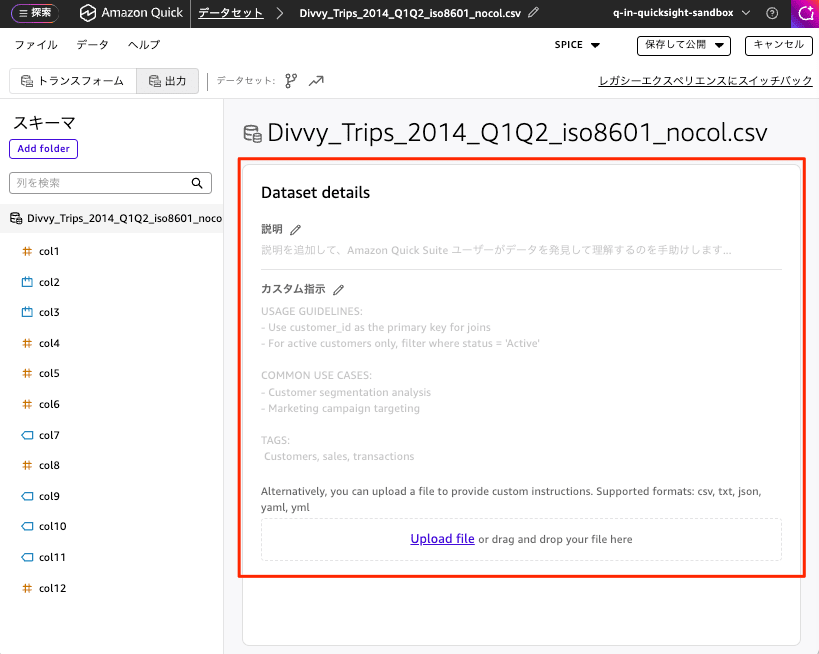
Dataset Details
This is information added as a description to help Amazon QuickSight users discover and understand the data.
Custom Instructions
Usage Guidelines
- When performing JOINs, use customer_id as the primary key.
- When targeting only active customers, filter with status = 'Active'.
Common Use Cases
- Customer segmentation analysis
- Marketing campaign targeting
Tags
- Customers, Sales, Transactions
In addition to the above, you can also upload a file to provide your own instructions. Supported formats are csv, txt, json, yaml, and yml.
Trying It Out
For the test data, I used Divvy (a bike-share service in Chicago, USA) trip record data (first half of 2014, 905,699 rows × 12 columns). To make it easier to observe the effect of metadata, I renamed the column names to col1 through col12, making it impossible to infer the content from the column names. I will compare the effect between a table with metadata configured and one without, against this dataset.
Configuring Metadata
On the data experience screen of the "new experience," select the [Output] tab.
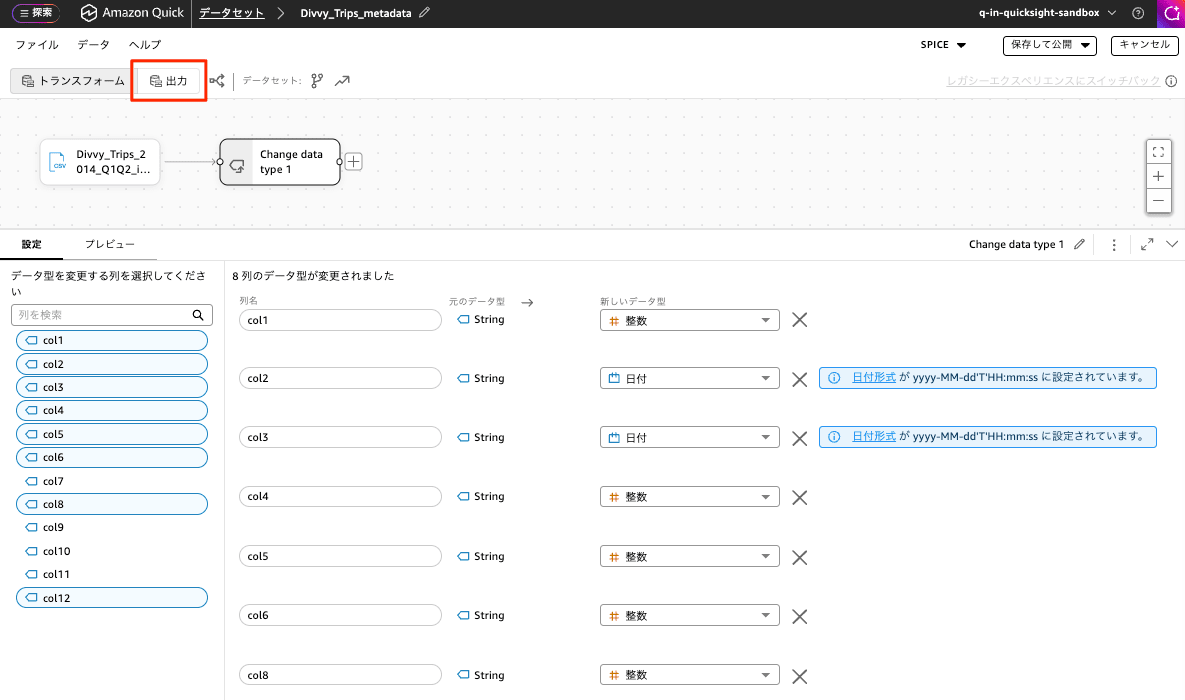
A screen for registering Dataset details will then appear. I configured the following metadata here.
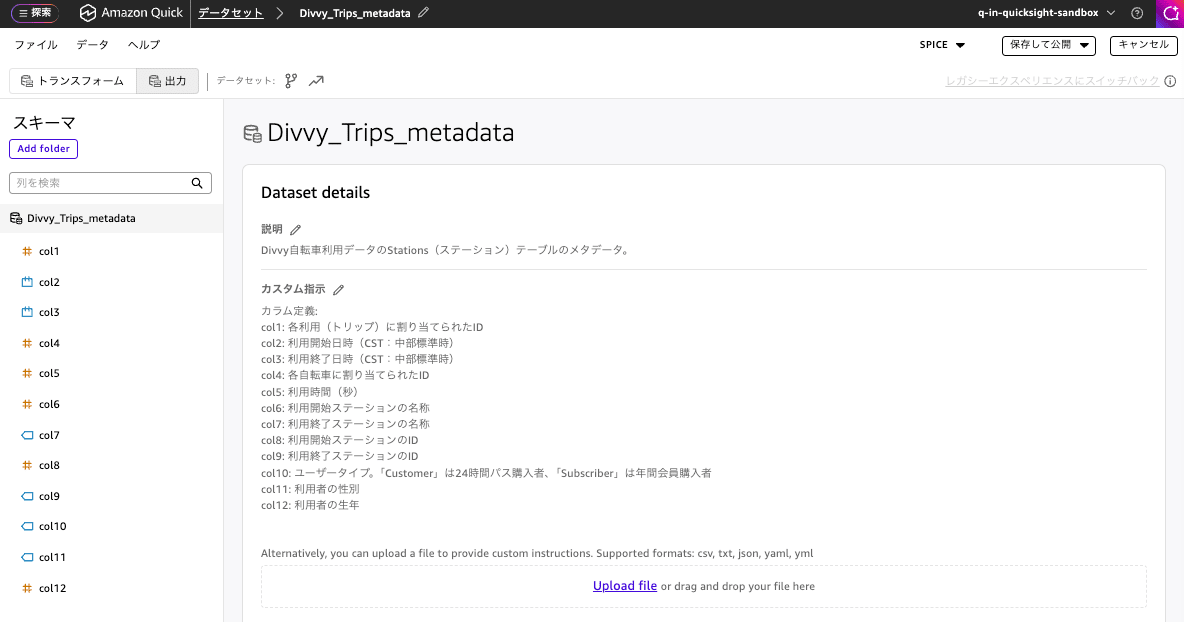
The metadata I configured is as follows.
Description
Metadata for the Stations table of the Divvy bicycle usage data.
Custom Instructions
Column definitions:
col1: ID assigned to each trip
col2: Trip start date and time (CST: Central Standard Time)
col3: Trip end date and time (CST: Central Standard Time)
col4: ID assigned to each bicycle
col5: Trip duration (seconds)
col6: ID of the departure station
col7: Name of the departure station
col8: ID of the arrival station
col9: Name of the arrival station
col10: User type. "Customer" is a 24-hour pass purchaser, "Subscriber" is an annual membership purchaser
col11: User's gender
col12: User's birth year

Main use cases:
- Time-series usage trend analysis (by time of day, day of week, month)
- Behavioral comparison between members (Subscriber) and casual users (Customer)
- Station popularity and departure/arrival (route) analysis
- Trip duration distribution and outlier detection
- Demographic analysis of Subscribers (age and gender)
Running Dataset QA (Without Metadata Applied)
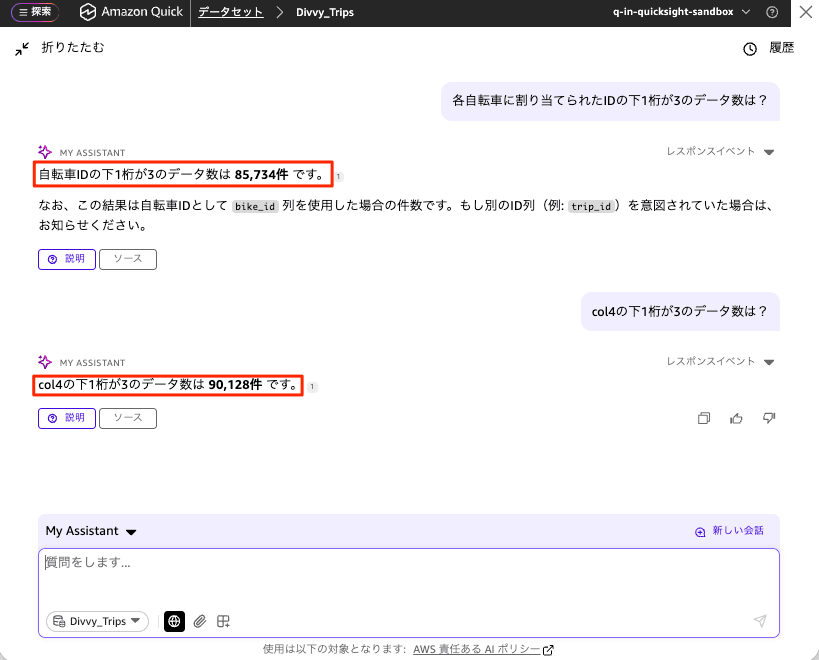
First, I ran the prompt How many records have a bike ID ending in 3? against the dataset without metadata configured.
Since the column names are col1 through col12, it was unclear which column referred to the "bike ID," and the result returned was 85,734 records. The response also included a note saying "This is the count when the bike_id column was used as the bicycle ID. Please let me know if you intended a different ID column (e.g., trip_id)," suggesting it was not confident in its column inference.
Next, when I explicitly specified the column where the bicycle ID is actually stored by asking How many records in col4 have a last digit of 3?, it returned 90,128 records. This shows that the natural language term "bike ID" had not been correctly mapped to the right column (col4), resulting in an incorrect answer.
Running Dataset QA (With Metadata Applied)
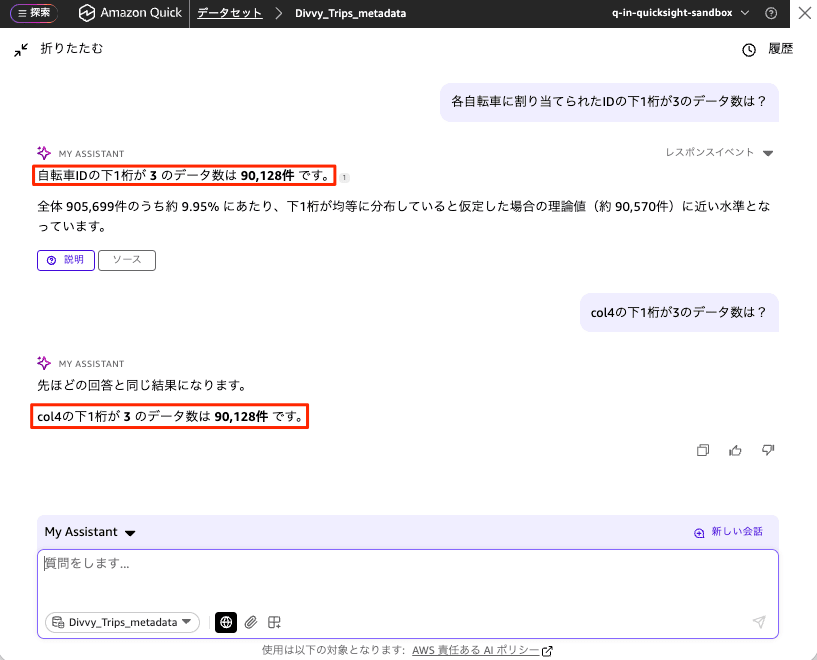
Next, I ran the same prompt How many records have a bike ID ending in 3? against the dataset with the metadata col4: ID assigned to each bicycle configured.
This time, the bicycle ID was correctly inferred as col4, and the result returned was 90,128 records. The response also included a supplementary note that "this represents approximately 9.95% of the total 905,699 records, which is close to the theoretical value (approximately 90,570 records) if the last digits were assumed to be evenly distributed." When I also asked by explicitly specifying the column with How many records in col4 have a last digit of 3?, it responded "the result is the same as the previous answer" and returned the same 90,128 records, confirming that the results from the natural language prompt and the column-specified query matched.
Comparison Results
Summarizing the results for the same prompt How many records have a bike ID ending in 3?, they are as follows.
| Condition | Natural Language Prompt Result | Result with col4 Explicitly Specified | Match |
|---|---|---|---|
| Before metadata applied | 85,734 records | 90,128 records | Mismatch (incorrect) |
| After metadata applied | 90,128 records | 90,128 records | Match (correct) |
Before metadata was applied, the natural language term "bike ID" could not be correctly linked to the right column, resulting in a different value from when the column was explicitly specified. By configuring the metadata, col4 was recognized as the bicycle ID, and the natural language prompt now returns the same correct result as when the column is explicitly specified.
Closing
With datasets where content cannot be inferred from column names, the mapping between natural language prompts and actual columns becomes ambiguous, which can lead to incorrect results. In the Dataset Enrichment test I conducted here, simply configuring the meaning of each column once as metadata allowed Dataset Q&A to correctly interpret the mapping, returning accurate results even with natural language prompts.
The greater the gap between physical column names and business terminology, the more impactful metadata enrichment becomes. This time I focused mainly on column definitions, but since Dataset Enrichment also allows you to configure relationships between fields and custom instructions, I would like to further verify its effectiveness in the future with more complex prompts involving conditions such as filtering by user category or handling units (seconds).
