![[Update] I tried out Amazon SageMaker Unified Studio's new support for Amazon OpenSearch Service as a data source](https://images.ctfassets.net/ct0aopd36mqt/wp-thumbnail-b383cfad7452c18278d4772c71cae640/70681da1d5cfd4b8d3a7edcc29830075/amazon-opensearch-service?w=3840&fm=webp)
[Update] I tried out Amazon SageMaker Unified Studio's new support for Amazon OpenSearch Service as a data source

This page has been translated by machine translation. View original
This is Ishikawa from the Cloud Business Division. Amazon SageMaker Unified Studio now supports Amazon OpenSearch Service as a data source. You can now directly query and analyze search data and log analysis data on OpenSearch alongside other data assets such as Amazon Redshift and Amazon S3, all within a single governed environment.
For those who have been switching between separate tools to handle operational search/log data and analytical structured data, this is a welcome update that enables cross-source analysis without switching tools.
What is Amazon SageMaker Unified Studio
Amazon SageMaker Unified Studio is an integrated development environment provided as part of the next-generation Amazon SageMaker. It consolidates AWS data, analytics, and AI/machine learning (ML) services into a single interface, allowing you to build, deploy, run, and monitor workflows from one place. Since data and compute resources can be shared within a team on a per-project basis, it supports cross-team collaboration and agile development.
Update Details
With this update, you can now connect Amazon OpenSearch Service as a data source in Amazon SageMaker Unified Studio.
The main changes are as follows:
- Amazon OpenSearch Service can now be added as a project data source (as stated in the title "... now supports Amazon OpenSearch," Amazon OpenSearch Serverless is not included)
- Connected OpenSearch data is displayed alongside other project data in the data explorer
- Supports direct queries in the query editor, exploration in notebooks, and integration into visual ETL jobs
- You can combine and analyze data from Amazon Redshift, Amazon S3, relational databases, and other sources with operational search data on OpenSearch in a single governed environment
This integration is particularly valuable when you want to perform correlation analysis across analytical and operational workloads. For example, by joining application logs and metrics stored in OpenSearch with transaction data, you can gain insights into system performance and user behavior.
Data engineers and analysts can build data pipelines that handle real-time search/analytics data alongside structured datasets, streamlining cross-source workflows without switching tools.
Supported Regions
Available in all AWS Regions where Amazon SageMaker Unified Studio is available.
Trying It Out
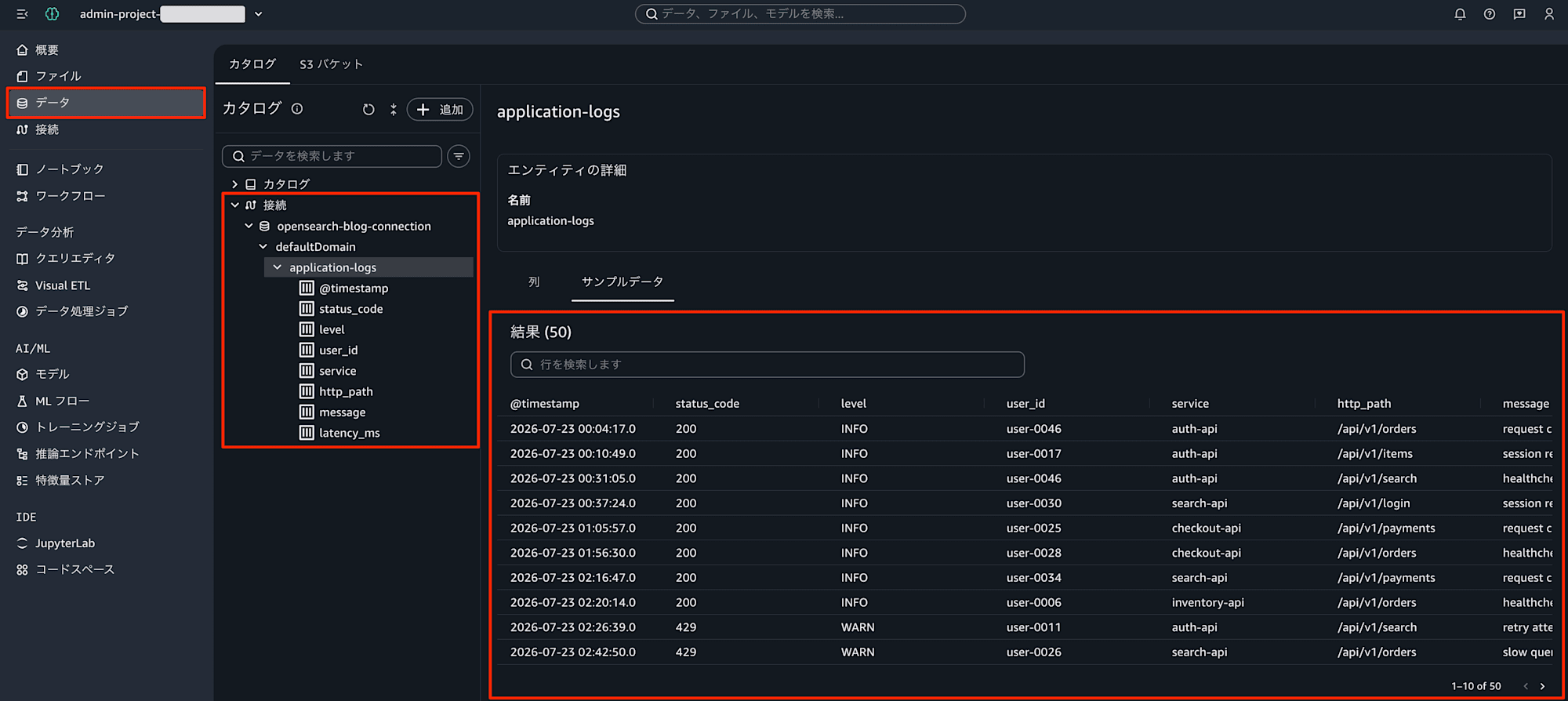
To get started, add an Amazon OpenSearch connection in the data section of your project. Once added, OpenSearch data will appear in the data explorer alongside other project data, and you can immediately run queries in the query editor, explore in notebooks, or incorporate it into visual ETL jobs.
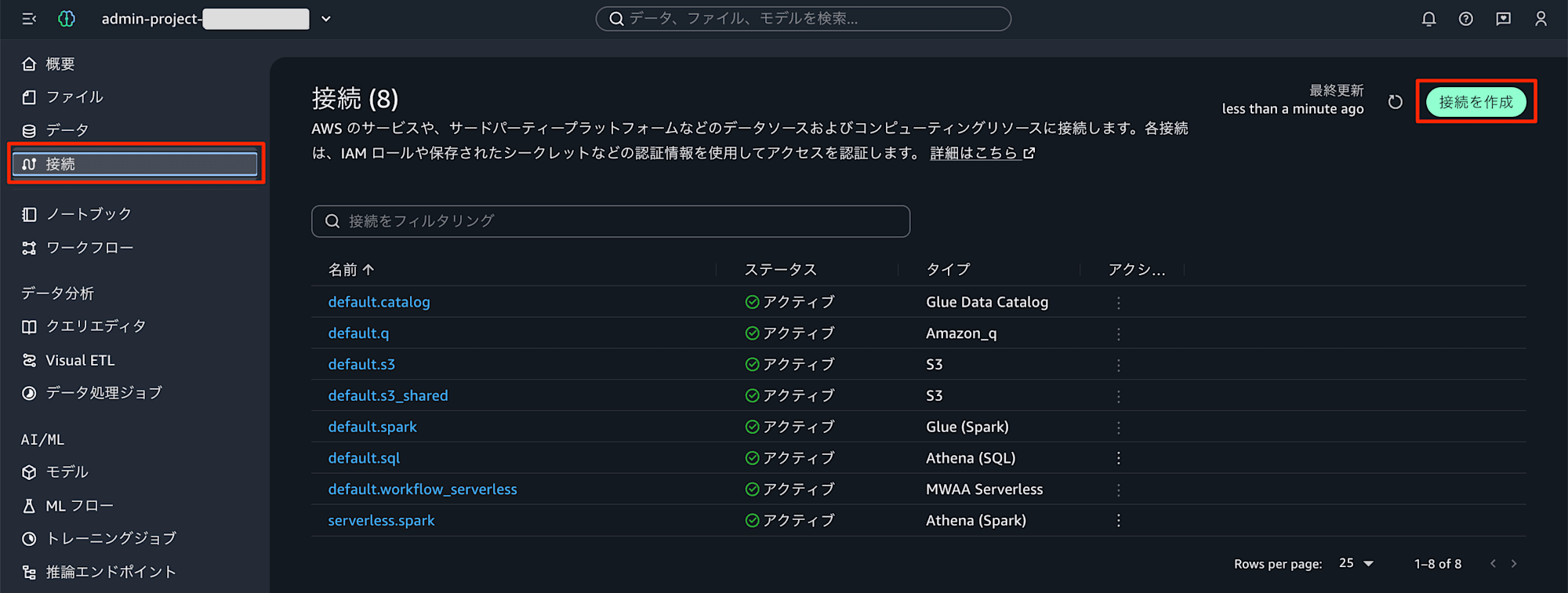
The general steps for data source connections described in the official documentation are as follows. Select "Connections" in the navigation pane, then select "Create connection."
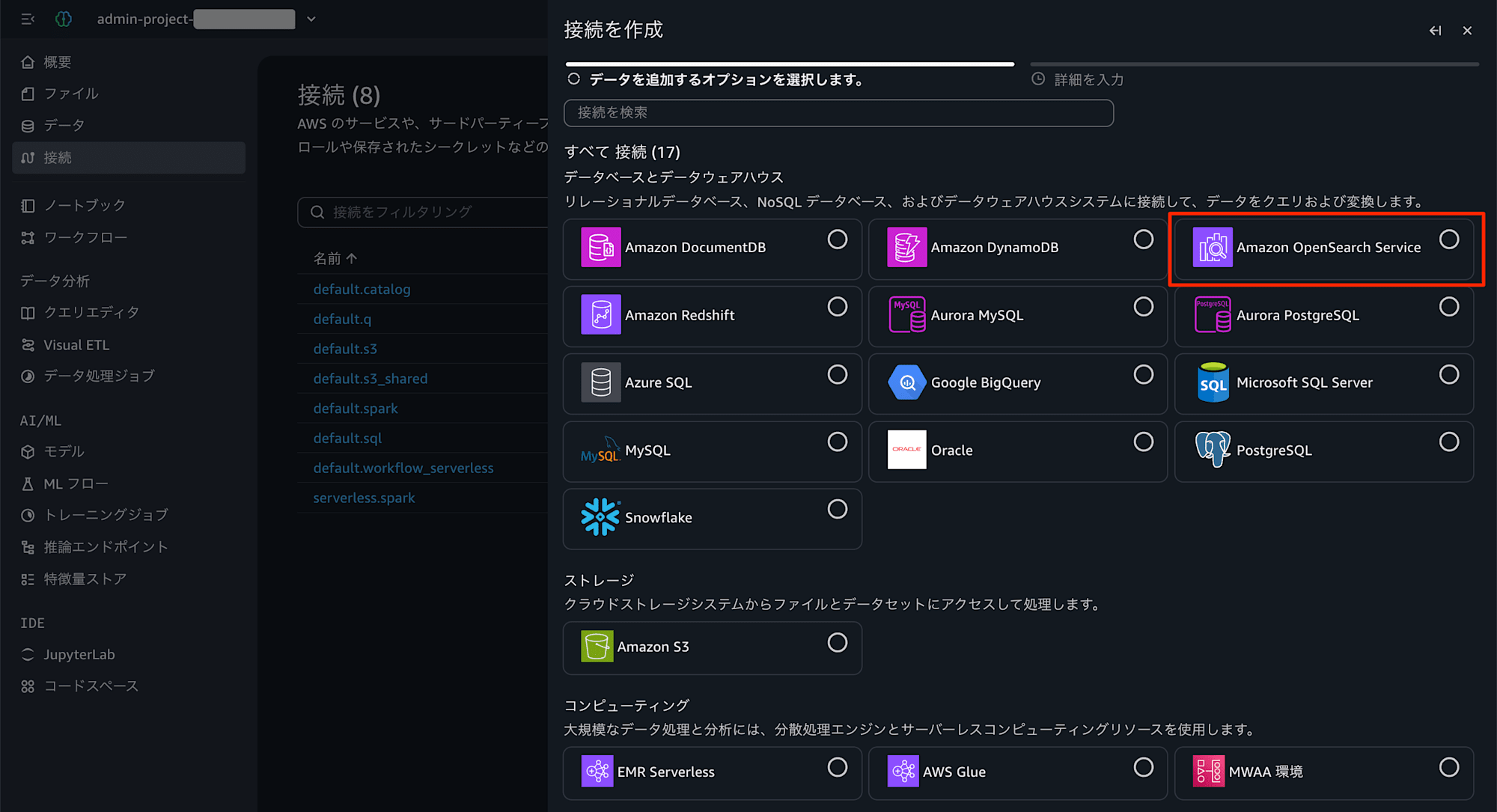
From the gallery that appears, select Amazon OpenSearch Service as the connection type.
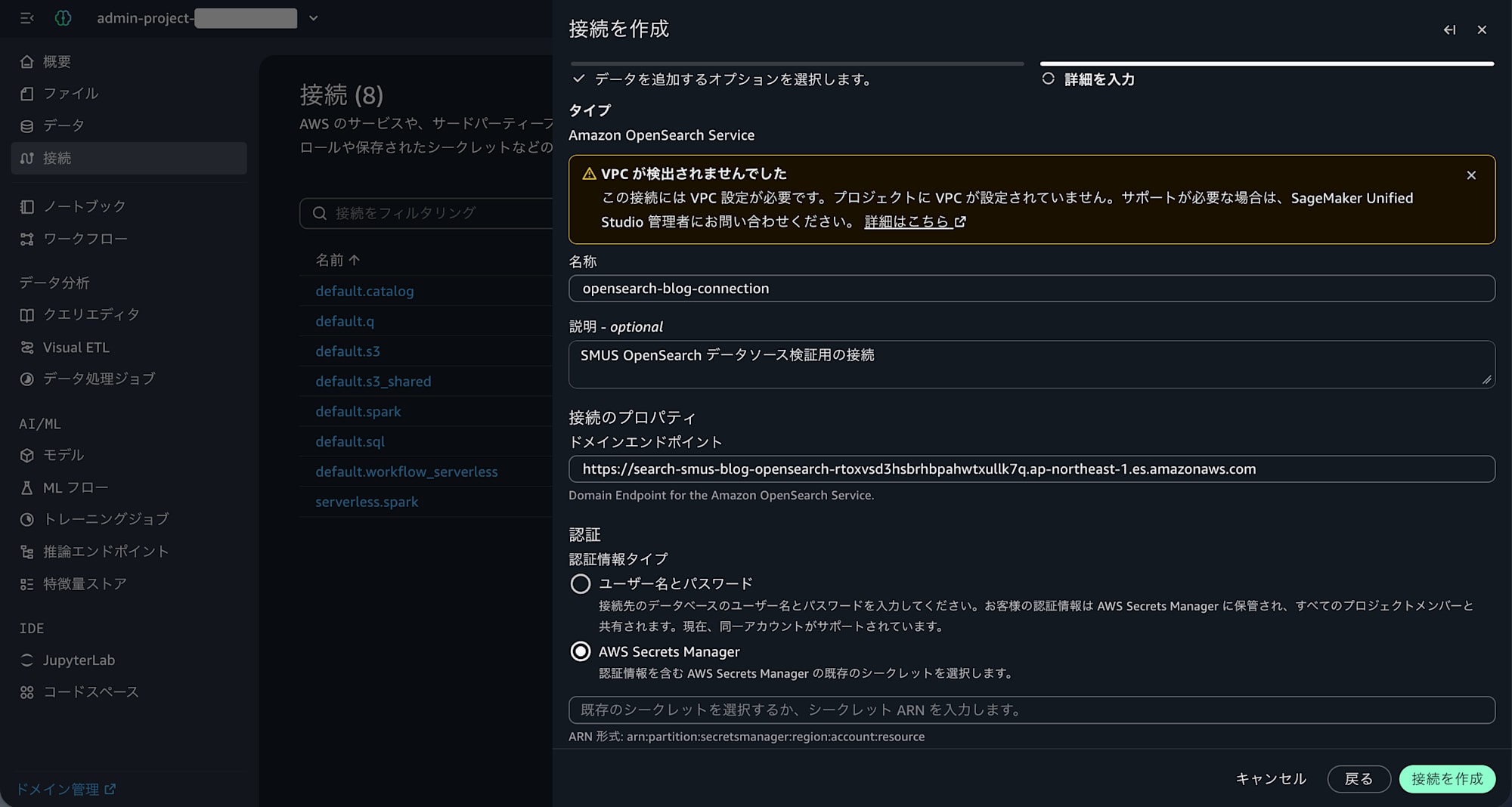
Enter a descriptive connection name in "Name," configure the parameters for the connection type, and set the credentials. You can either enter a username and password directly, or use an AWS Secrets Manager secret where credentials are stored.
Select [Create connection], and once validation passes, the connection is created. You can also press [Test connection] to verify the connection.
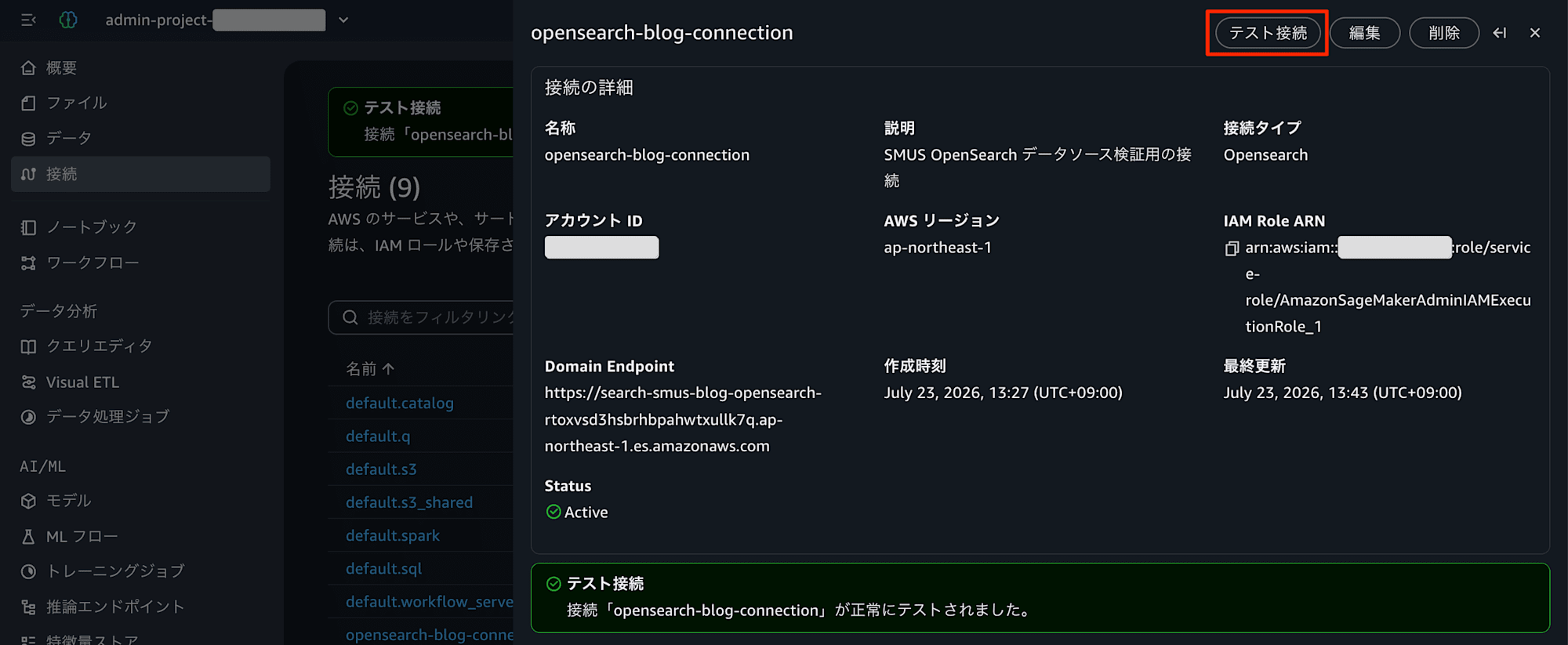
The created connection is displayed in the data section of the navigation pane, where you can check the connection name, connection type, authorization mode, and connection status.
Closing
Amazon SageMaker Unified Studio now supports Amazon OpenSearch as a data source, enabling you to combine and analyze search and log analysis data with data from Amazon Redshift, Amazon S3, and other sources in a single environment. Correlation analyses that previously required switching between multiple tools — such as joining application logs with transaction data — can now be completed entirely within Studio.
If you have been using OpenSearch for operational log analysis and search but have found it challenging to integrate with your data analytics infrastructure, why not take this opportunity to consider connecting from Amazon SageMaker Unified Studio?
