
[Update] AWS Quick Now Supports Japanese, German, Vietnamese, and Chinese, So I Tried Switching the Display Language

This page has been translated by machine translation. View original
I'm Ishikawa from the Cloud Business Division. AWS Quick now supports Japanese, German, Vietnamese, and Chinese (Simplified and Traditional), so I switched the display language in the web app and checked which parts of the screen get translated.
Starting today, AWS Quick, the AI workspace for business users, supports Japanese, German, Vietnamese, and Chinese (Simplified and Traditional).
- The interface is displayed in the supported languages, and responses are given in the language each user selects
- Applies to chat, research reports, and apps
- Available in the web app, the macOS / Windows desktop apps, and the iOS / Android mobile apps
- Available in all AWS Regions where AWS Quick is available
- Select the language in "Appearance and Language" on the settings screen
Note that Amazon Quick and Amazon Quick Sight have been renamed to AWS Quick and AWS Quick Sight, respectively. For details on the renaming, see the following article.
What are the language settings in AWS Quick?
The AWS Quick settings screen is opened from the account menu at the bottom left of the navigation panel. According to the official documentation, the settings screen consists of the tabs Account, Appearance and language, Chat, General, Privacy controls, and Advanced, and the Appearance and language tab lets you configure the following three items.
- Color mode: Light / Dark / System
- Language: The language of the interface
- Timezone: The time zone used for schedules, timestamps, and calendar availability
In addition, in Instructions on the Chat tab, you can write instructions that are sent along with every message to all agents. You specify the language, format, style, and so on here.
Regarding language settings, a separate page, "Choosing a language in AWS Quick," provides the following explanation.
- The language is set per user
- At first sign-in, a language is automatically selected based on the browser settings and usage of localized AWS websites
- Only UI elements are translated; reserved words, user input, data, date and number formats, ML Insights, and so on are not translated
However, as of November 22, 2026, the page lists 15 languages, and Vietnamese is not included. The change procedure is also written as "account name at the top right → Preferences → Preferred Language," which differs from the procedure in the announcement of selecting from the Settings screen.
Trying it out
Prerequisites
- An AWS Quick account (Edition: ENTERPRISE, AuthenticationType: IDENTITY_POOL)
- Identity Region: Asia Pacific (Tokyo) ap-northeast-1
- Test user: role ADMIN_PRO
This time I focus on the display language of the web app. The chat response language, research reports, apps, desktop apps, and mobile apps are outside the scope of this test.
Checking the current language settings
Open "Settings" from the account menu at the bottom left of the web app and select the "Appearance and Language" tab. At the start of the test, the settings were "Language: Japanese" and "Time zone: Tokyo, Japan (GMT+09:00)."
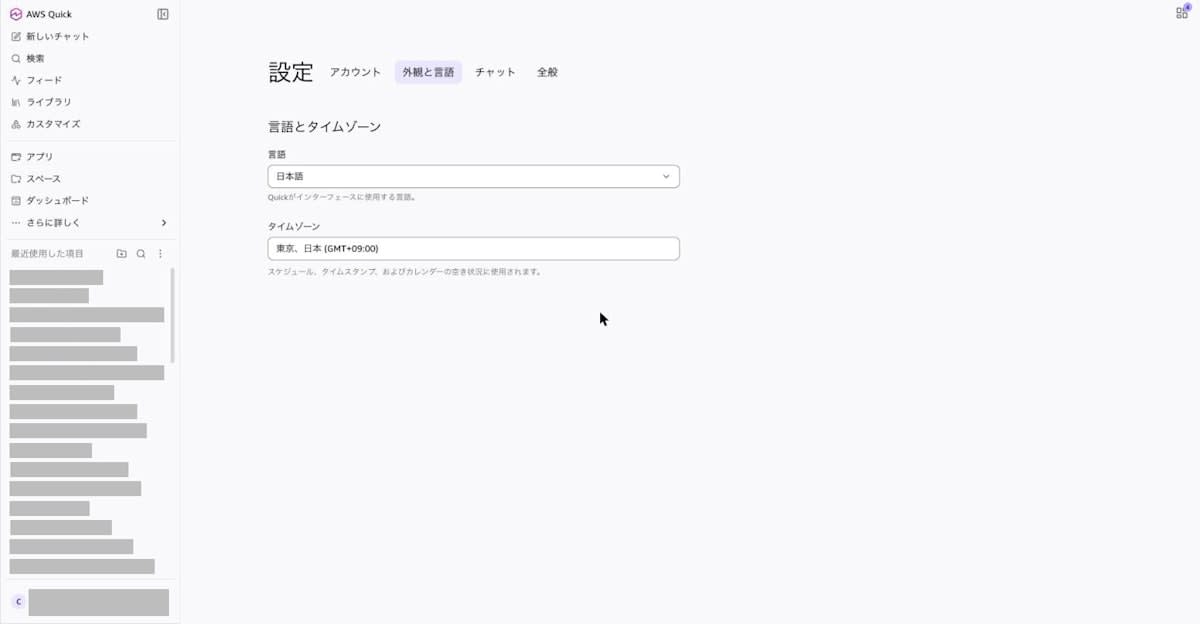
When I opened the language dropdown, the following 16 languages were available.
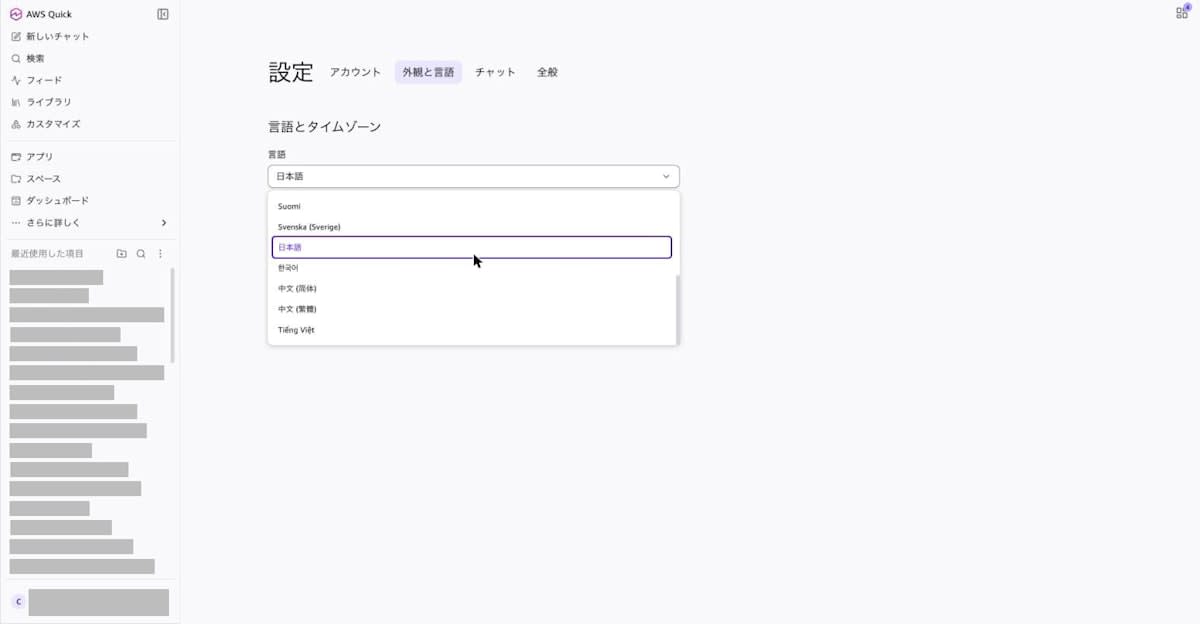
Dansk
Deutsch (Deutschland)
English (US)
Español (España)
Français (France)
Italiano (Italia)
Nederlands (Nederland)
Norsk bokmål
Português (Brasil)
Suomi
Svenska (Sverige)
Japanese
Korean
中文 (简体)
中文 (繁體)
Tiếng Việt
This is the 15 languages listed on the "Choosing a language in AWS Quick" page, plus Tiếng Việt (Vietnamese), for a total of 16 languages.
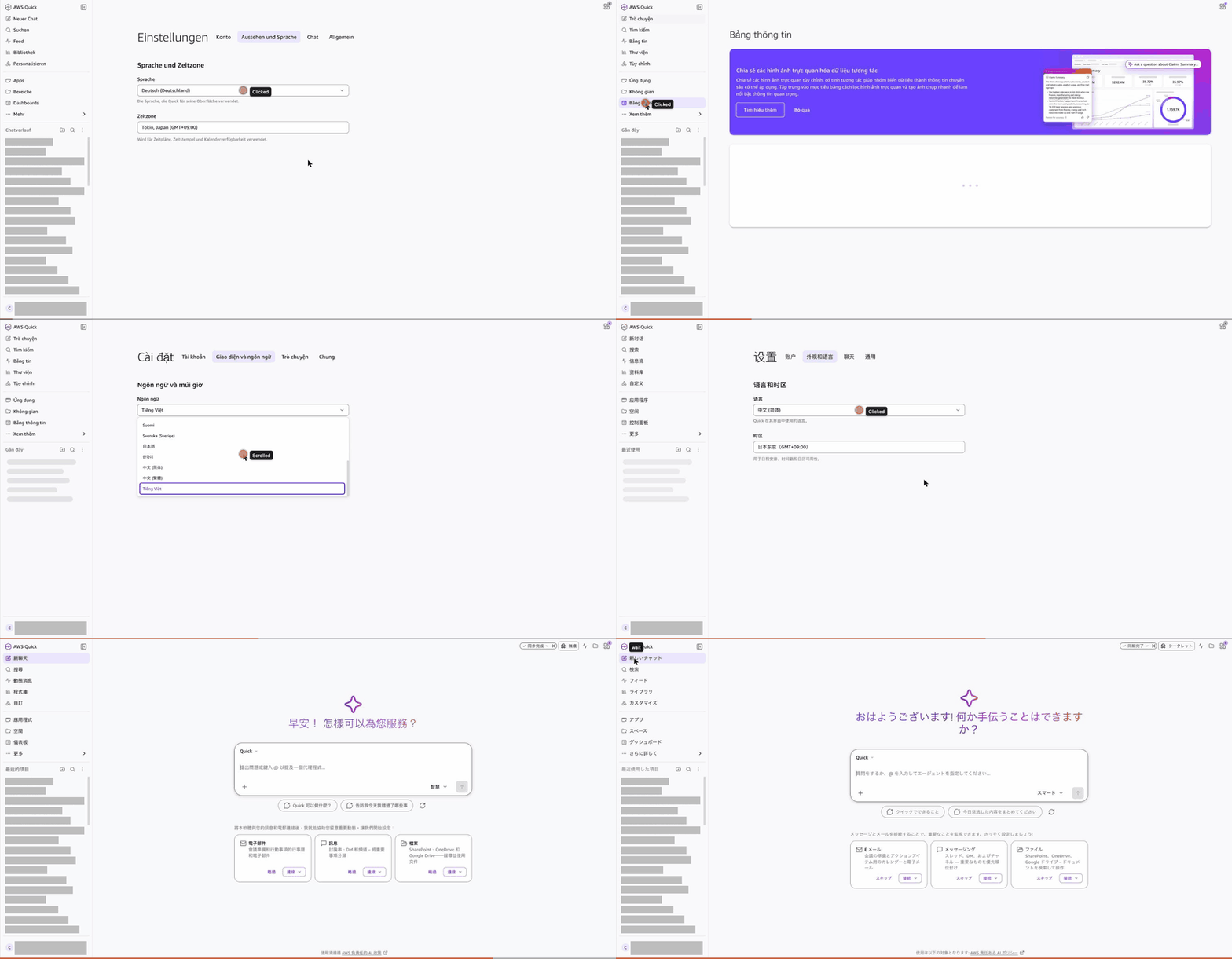
The whole switching operation is shown in the GIF below.
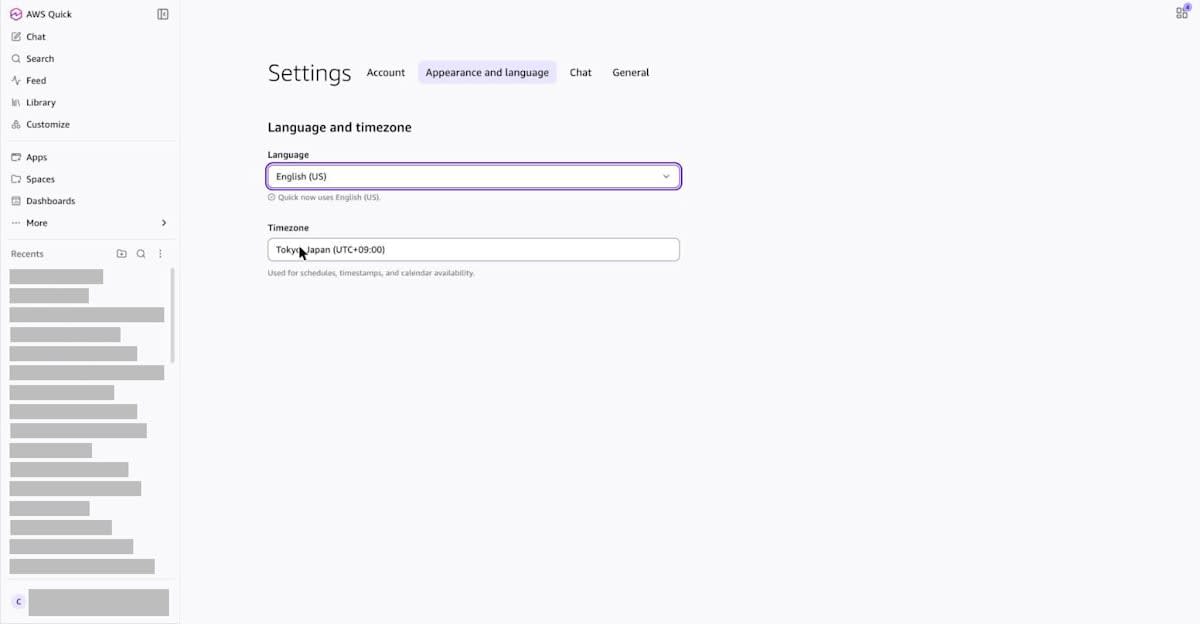
Switching to English (English (US))
When I selected English (US) from the dropdown, the screen was re-rendered immediately and "Quick now uses English (US)." was displayed below the language field. There is no save button on the settings screen; the setting takes effect the moment you select it.
When I opened "Chat," the heading became "Good morning! How can I help?" and the input field became "Ask a question or type @ to mention an agent...".
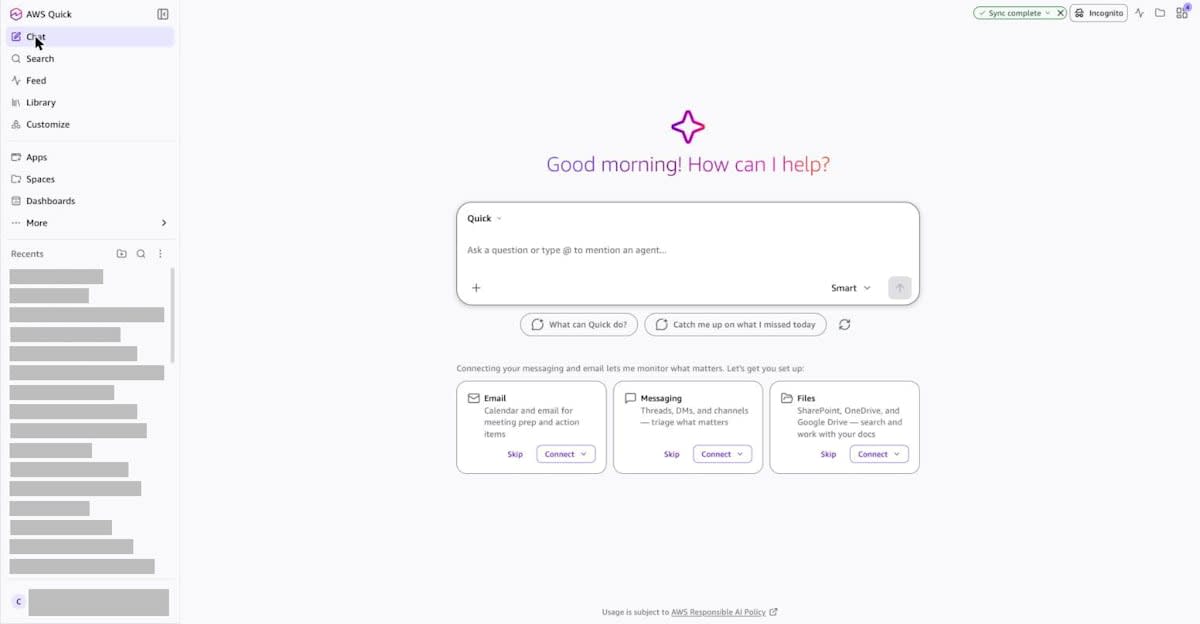
The titles of past chats listed under "Recents" on the left remain in Japanese. Chat titles are content created by the user, so they are not translated even when you switch languages.
Even after reopening the settings screen, English (US) remained selected, so the setting was retained.
Switching to German (Deutsch)
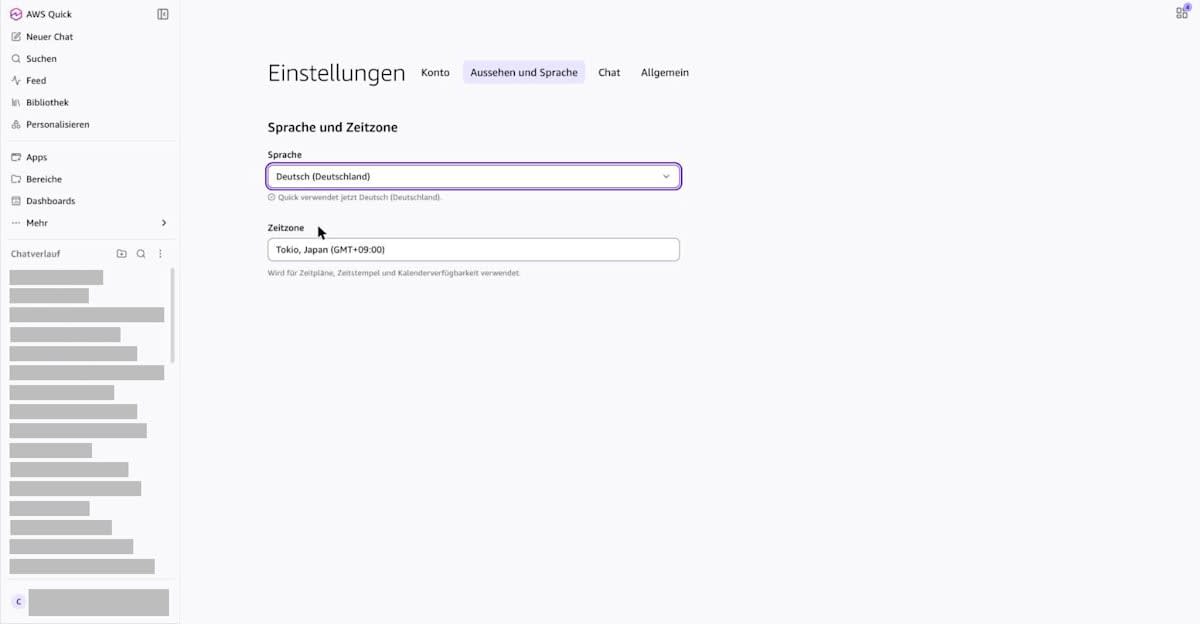
When I selected Deutsch (Deutschland), "Quick verwendet jetzt Deutsch (Deutschland)." was displayed, and the tabs on the settings screen changed to "Konto," "Aussehen und Sprache," "Chat," and "Allgemein."
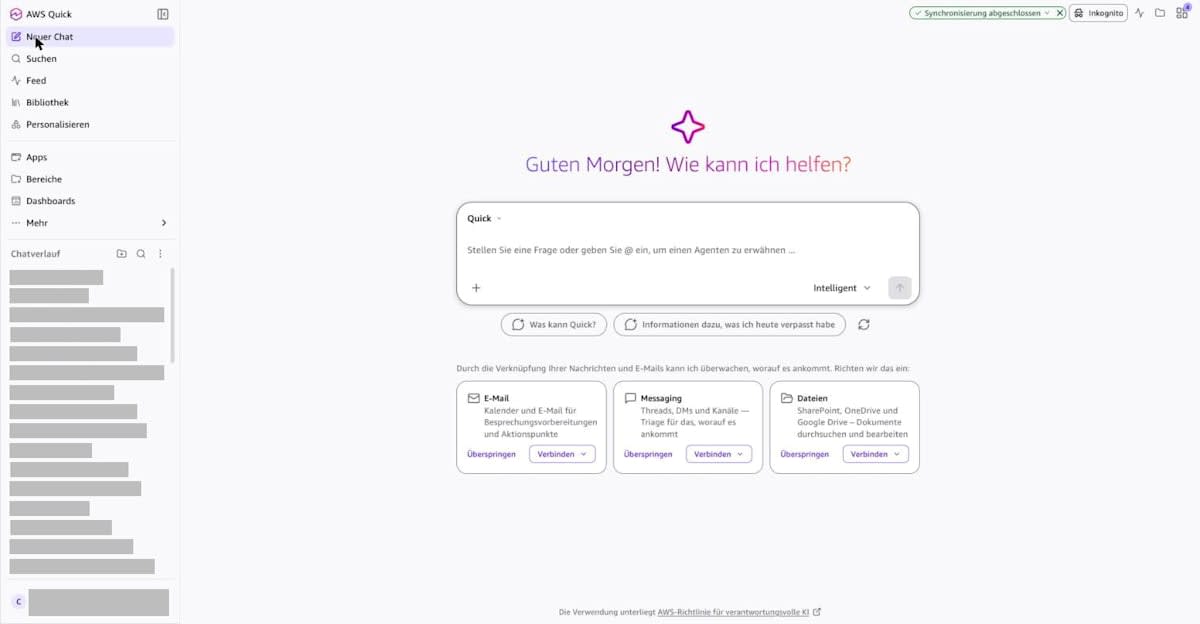
The heading on the chat screen is "Guten Morgen! Wie kann ich helfen?".
Switching to Vietnamese (Tiếng Việt)
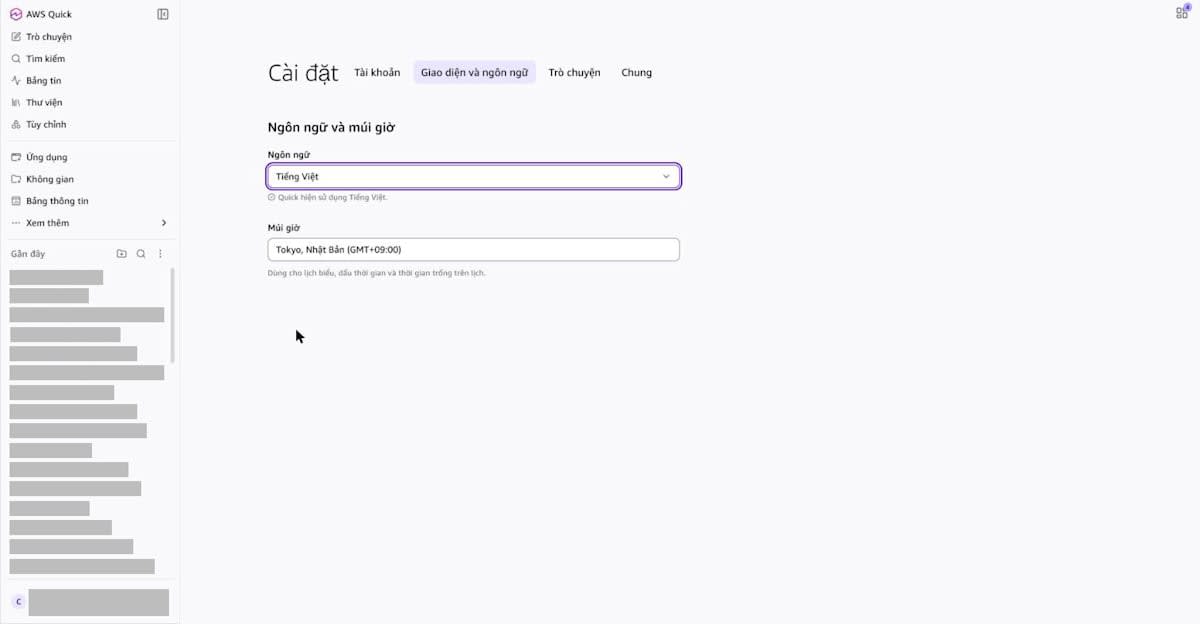
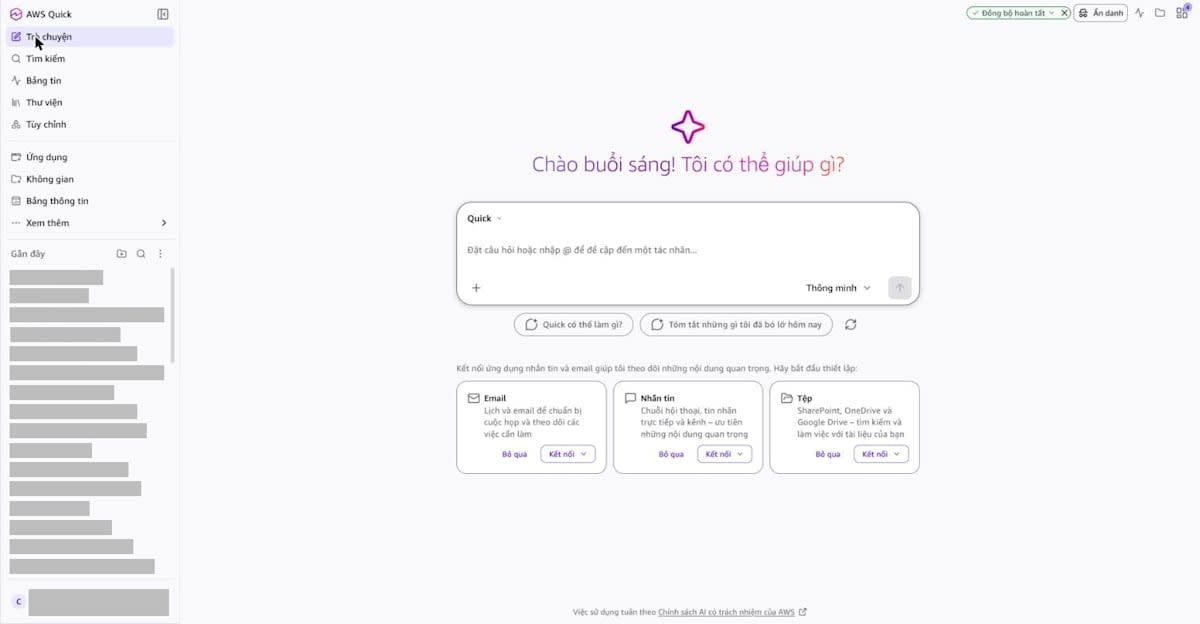
When I selected Tiếng Việt, "Quick hiện sử dụng Tiếng Việt." was displayed.
The heading on the chat screen is "Chào buổi sáng! Tôi có thể giúp gì?".
Checking the dashboard display as well
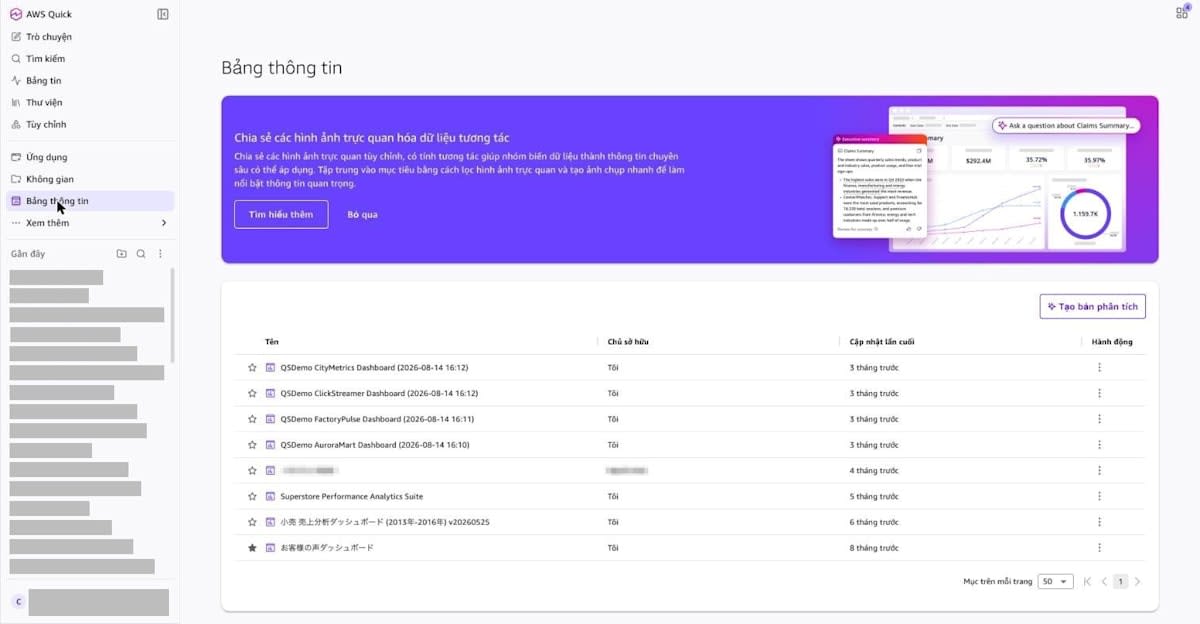
Because Vietnamese is not in the language list on the "Choosing a language in AWS Quick" page, I also checked how the dashboard (Quick Sight) screens are displayed. When I opened "Bảng thông tin" (Dashboards) in the sidebar, the column names in the list were displayed in Vietnamese as "Tên," "Chủ sở hữu," "Cập nhật lần cuối," and "Hành động." Dashboard names remain as the strings they were created with.
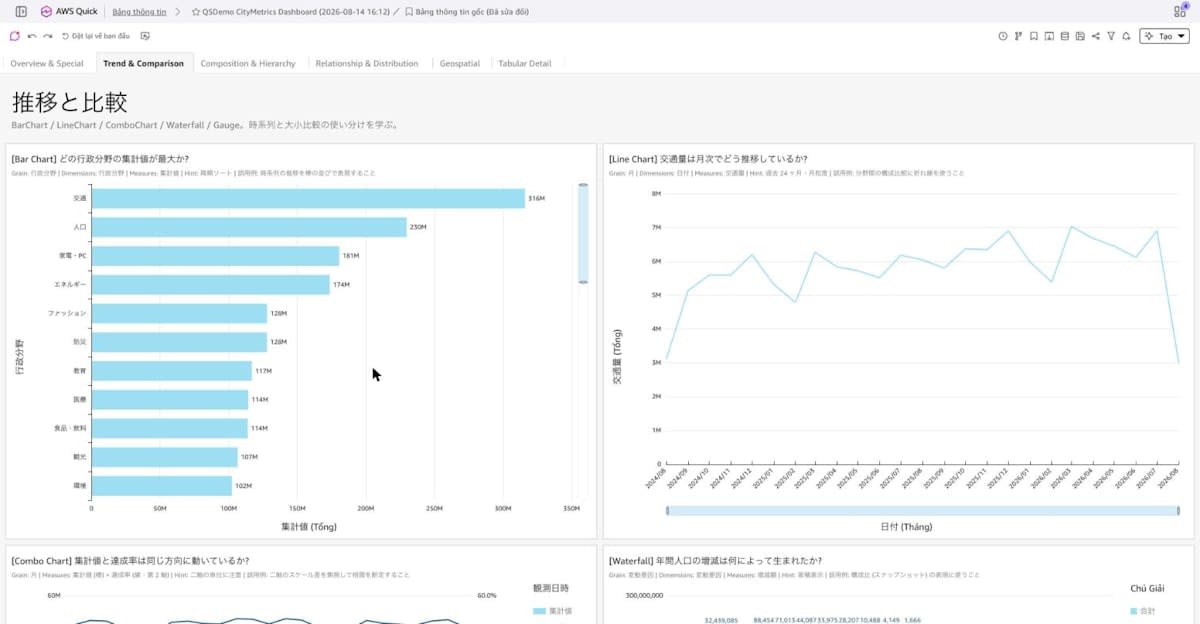
When I opened a dashboard whose sheet names and field names are in Japanese, the toolbar buttons (such as "Đặt lại về ban đầu," "Lịch sử phiên bản," and "Chia sẻ") were displayed in Vietnamese. Sheet names, visual titles, and field names remained in Japanese, and for axis labels, only the part indicating the aggregation method became Vietnamese, as in "Traffic volume (Tổng)" and "Date (Tháng)".
Switching to Chinese (Simplified and Traditional)
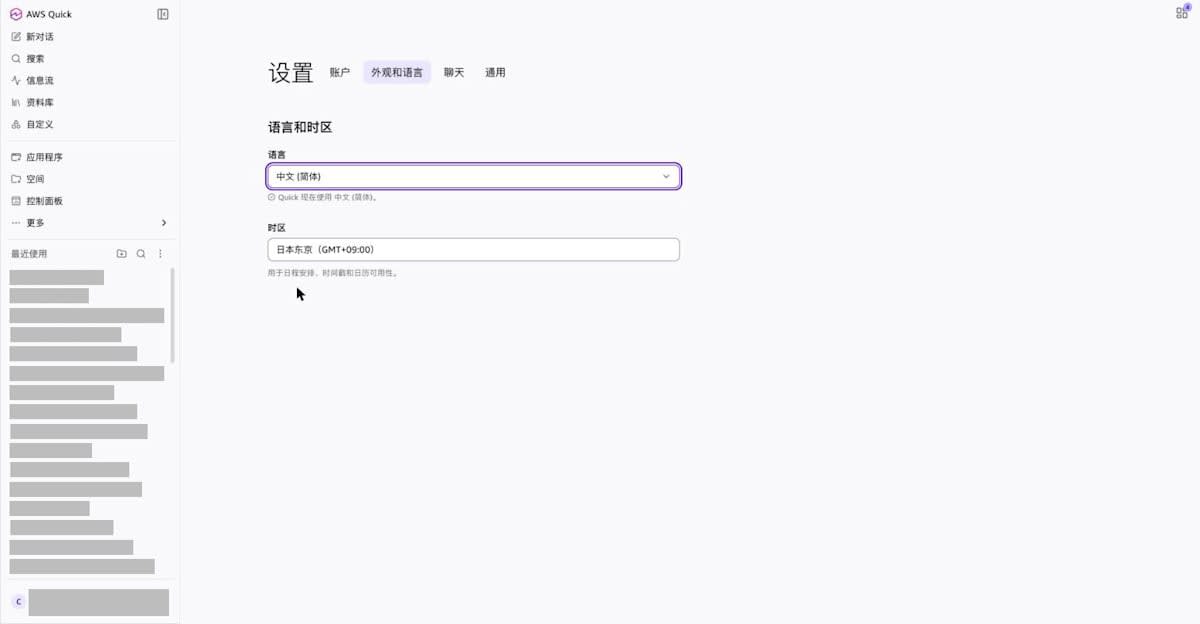
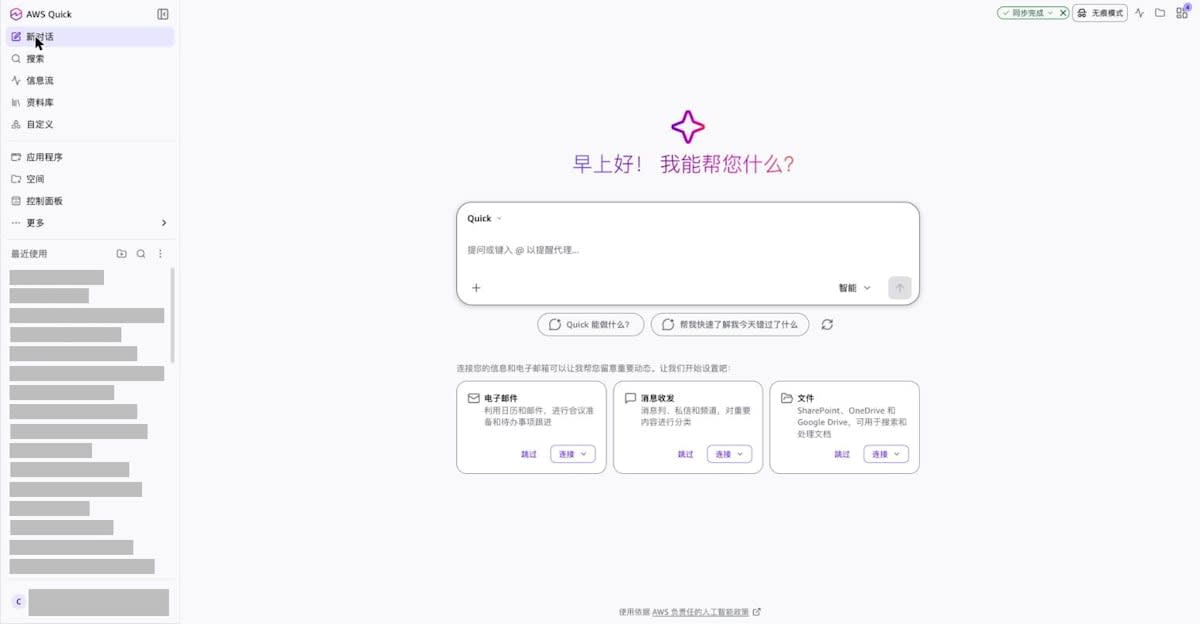
When I selected 中文 (简体), "Quick 现在使用 中文 (简体)。" was displayed, and the heading on the chat screen became "早上好! 我能帮您什么?".
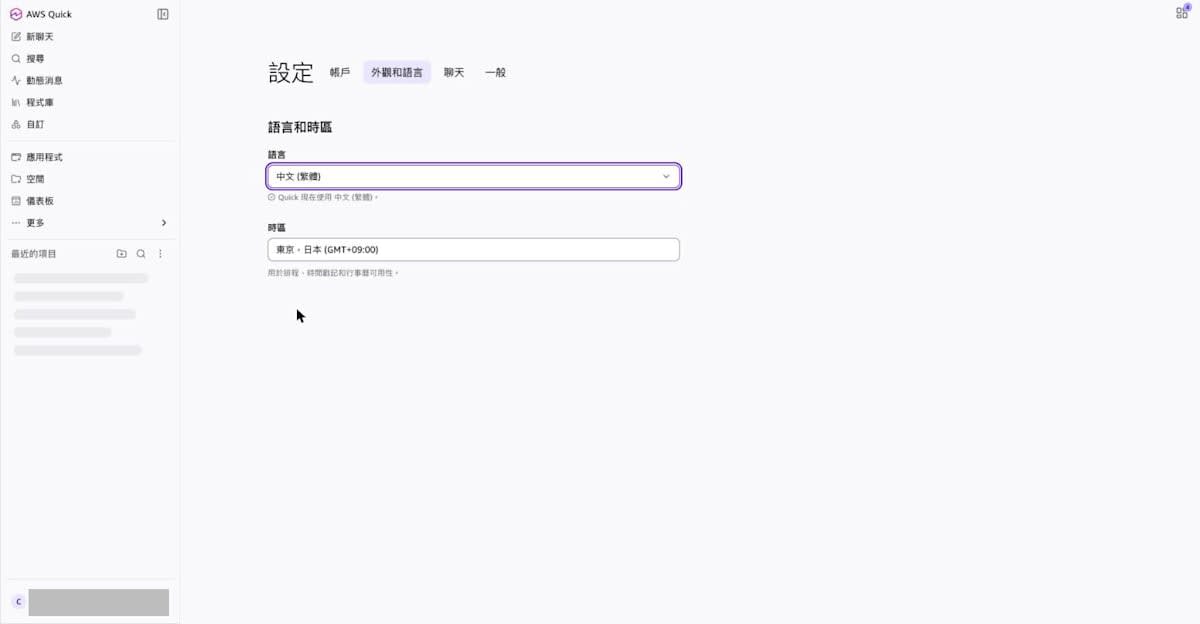
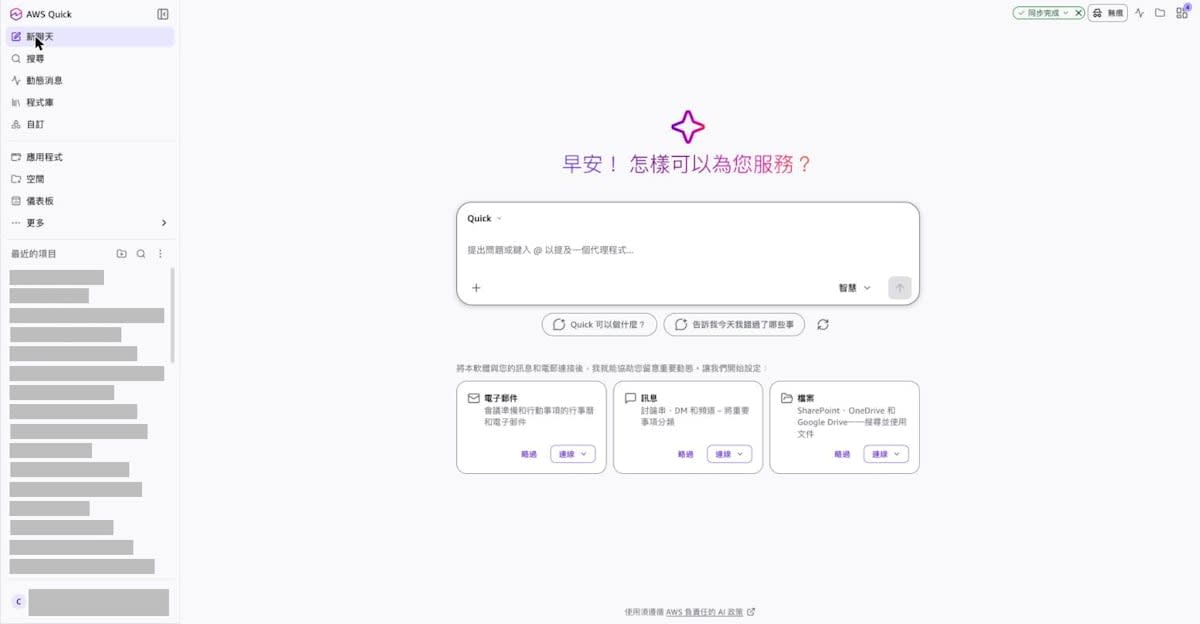
When I selected 中文 (繁體), "Quick 現在使用 中文 (繁體)。" was displayed, and the heading on the chat screen became "早安! 怎樣可以為您服務?".
Switching back to Japanese
Finally, when I switched back to Japanese, "Quick's display language is now Japanese." was displayed.
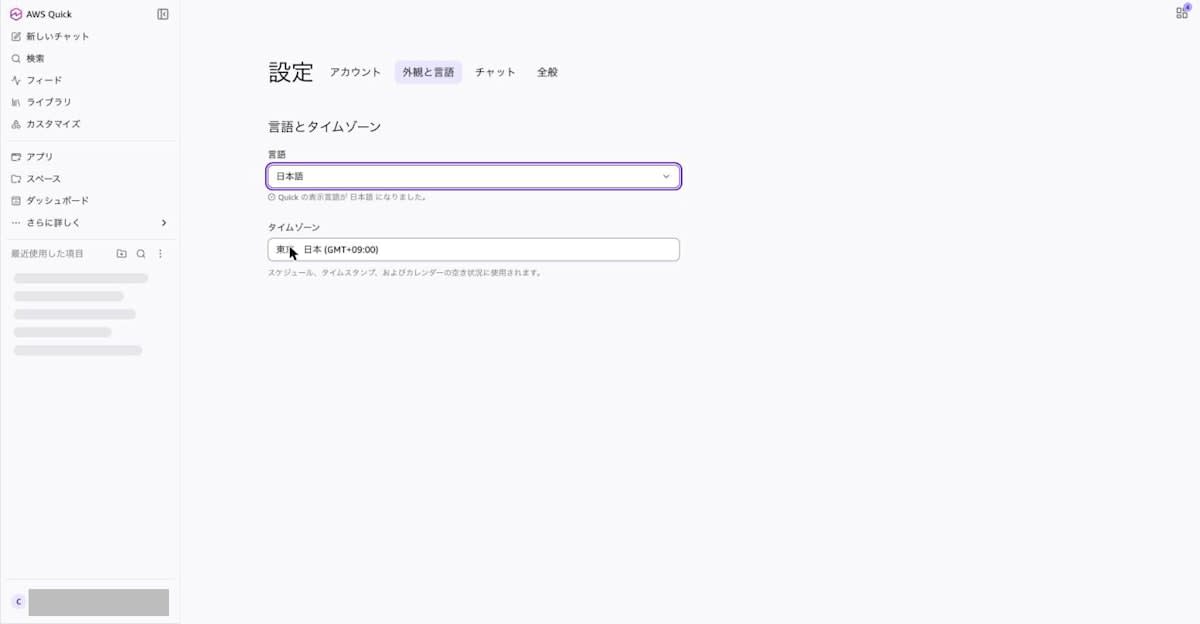
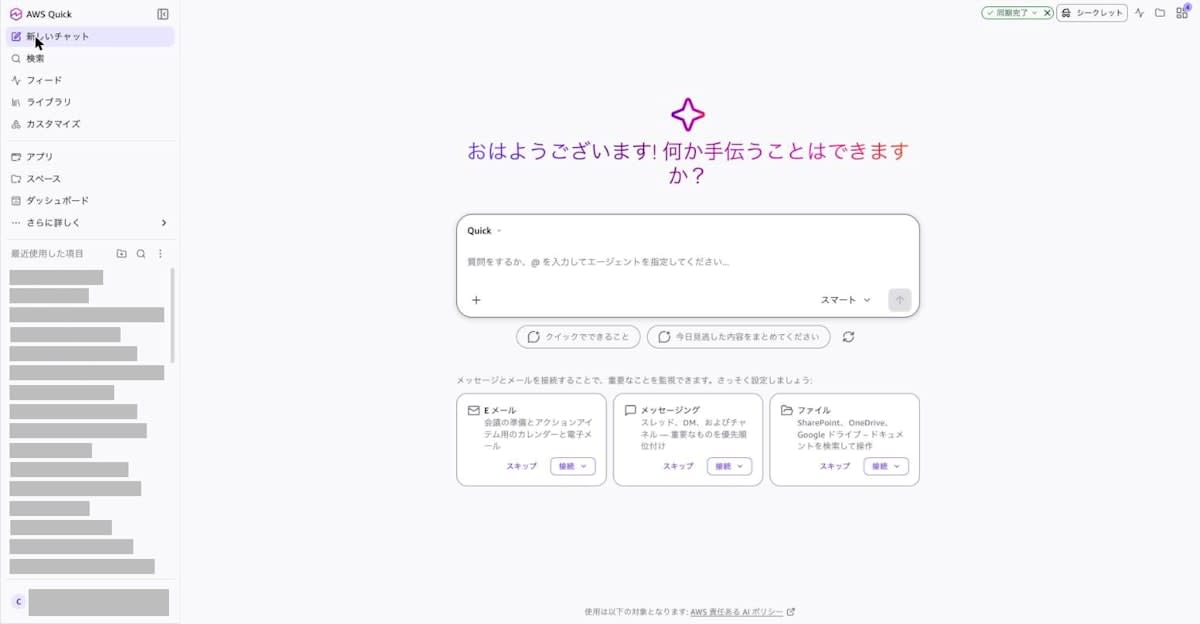
The heading on the chat screen is "Good morning! Is there anything I can help with?". The suggestion button below the input field is displayed as "What Quick can do", and the product name that stayed as "Quick" in the other languages was rendered in katakana in Japanese.
Checking the Chat tab display
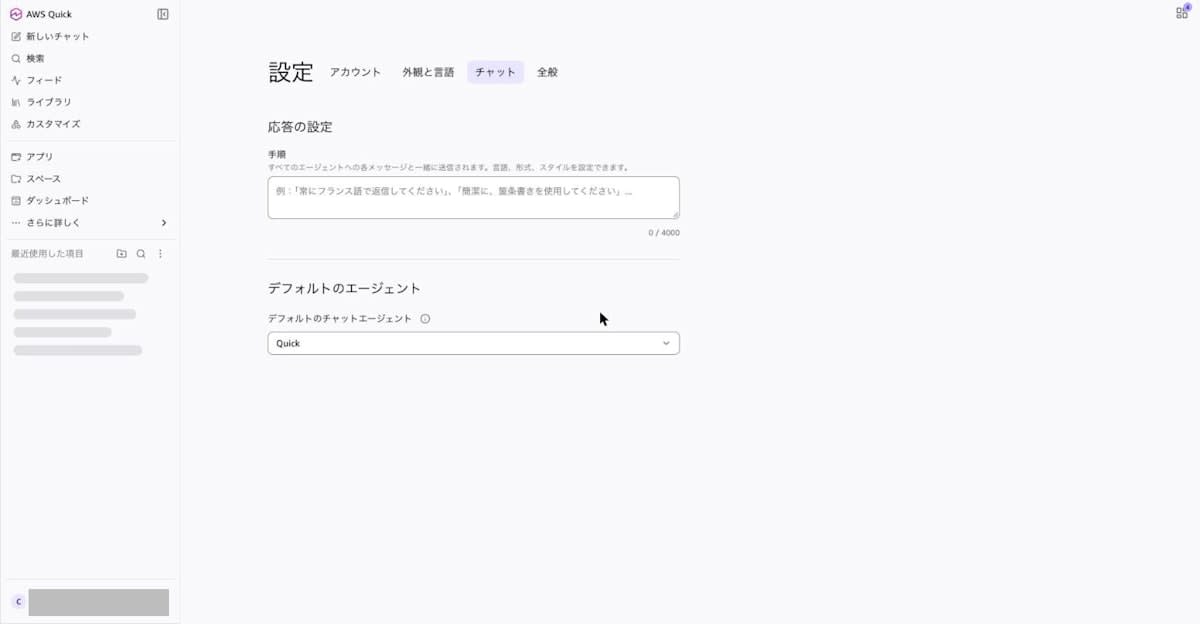
The item called Instructions in the official documentation was displayed as "Procedure" under "Response settings" on the Japanese screen. The description reads "Sent along with each message to all agents. You can set the language, format, and style." In this test, I left this item empty and did not change it.
Comparing the display in the 6 languages
The display in the six languages I switched to is summarized below. The lang attribute is the value of the lang attribute of the html element of the page being displayed.
| Selected language | lang attribute | Message after switching | Chat screen heading | Time zone display |
|---|---|---|---|---|
| Japanese | ja-JP | Quick's display language is now Japanese. | Good morning! Is there anything I can help with? | Tokyo, Japan (GMT+09:00) |
| English (US) | en-US | Quick now uses English (US). | Good morning! How can I help? | Tokyo, Japan (UTC+09:00) |
| Deutsch (Deutschland) | de-DE | Quick verwendet jetzt Deutsch (Deutschland). | Guten Morgen! Wie kann ich helfen? | Tokio, Japan (GMT+09:00) |
| Tiếng Việt | vi-VN | Quick hiện sử dụng Tiếng Việt. | Chào buổi sáng! Tôi có thể giúp gì? | Tokyo, Nhật Bản (GMT+09:00) |
| 中文 (简体) | zh-CN | Quick 现在使用 中文 (简体)。 | 早上好! 我能帮您什么? | 日本东京(GMT+09:00) |
| 中文 (繁體) | zh-TW | Quick 現在使用 中文 (繁體)。 | 早安! 怎樣可以為您服務? | 東京,日本 (GMT+09:00) |
I did not change the time zone setting value, but its display name changed to match the selected language. Only English uses "UTC+09:00"; the other languages use "GMT+09:00."
Discussion
Based on the results confirmed in the test, the diagram below summarizes which parts are translated and which are not by the language setting.
What I learned from the test is as follows.
- The language takes effect the moment you select it from the dropdown on the settings screen, and there is no need to press a save button. The selected language was retained even after reopening the settings screen.
- What gets translated is the UI components; user-created content such as chat history titles, dashboard names, sheet names, and field names remained in the original language. This matches the explanation on the "Choosing a language in AWS Quick" page that "only UI elements are translated; user input and data are not translated."
- When I selected Vietnamese, the dashboard (Quick Sight) list screen and viewing screen were also displayed in Vietnamese. Since Vietnamese is not in the language list (15 languages) on the "Choosing a language in AWS Quick" page as of November 22, 2026, checking the list of languages in the on-screen dropdown is more reliable than relying on the documentation.
- The official documentation explains that the Appearance and language tab has Color mode, but the "Appearance and Language" tab in the web app I tested showed only the two items "Language" and "Time zone."
- On the Japanese screen, Instructions in the official documentation was displayed as "Procedure," and the product name on the suggestion button was displayed in katakana ("Kuikku"). If you are configuring settings on the Japanese screen while following the English documentation, some item names do not match a literal translation.
The following items were outside the scope of this test.
- "Responses in the selected language" mentioned in the announcement (chat, research reports, apps)
- The relationship between the language setting and specifying a language in Instructions on the Chat tab
- Display in the desktop apps (macOS / Windows) and mobile apps (iOS / Android)
I hope that the language list and change procedure on the "Choosing a language in AWS Quick" page will be updated to match the new settings screen.
Conclusion
In the AWS Quick web app, I switched the display among six languages — Japanese, English, German, Vietnamese, and Chinese (Simplified and Traditional) — and checked the results. The language takes effect the moment you select it in "Settings → Appearance and Language," and the navigation, settings screen, chat screen, and dashboard toolbar are displayed in the selected language. User-created content such as chat history and dashboard names is not translated.
Because the language is a per-user setting, even when members who use Japanese, German, Vietnamese, and Chinese share the same AWS Quick account, each of them can view the screens in their own language. To start, check your own user's language setting in "Settings → Appearance and Language."
