I tried out the Inference Target of AgentCore Gateway

This page has been translated by machine translation. View original
Introduction
Hello, I'm Jinno from the Consulting Division, who also loves Budget Grocery Stores.
Everyone, do you ever look at the console when creating an AgentCore Gateway? Things have been changing a lot lately! (I'm surprised every day by the rapid updates...)
In particular, I was intrigued by all the "new" labels when adding targets.
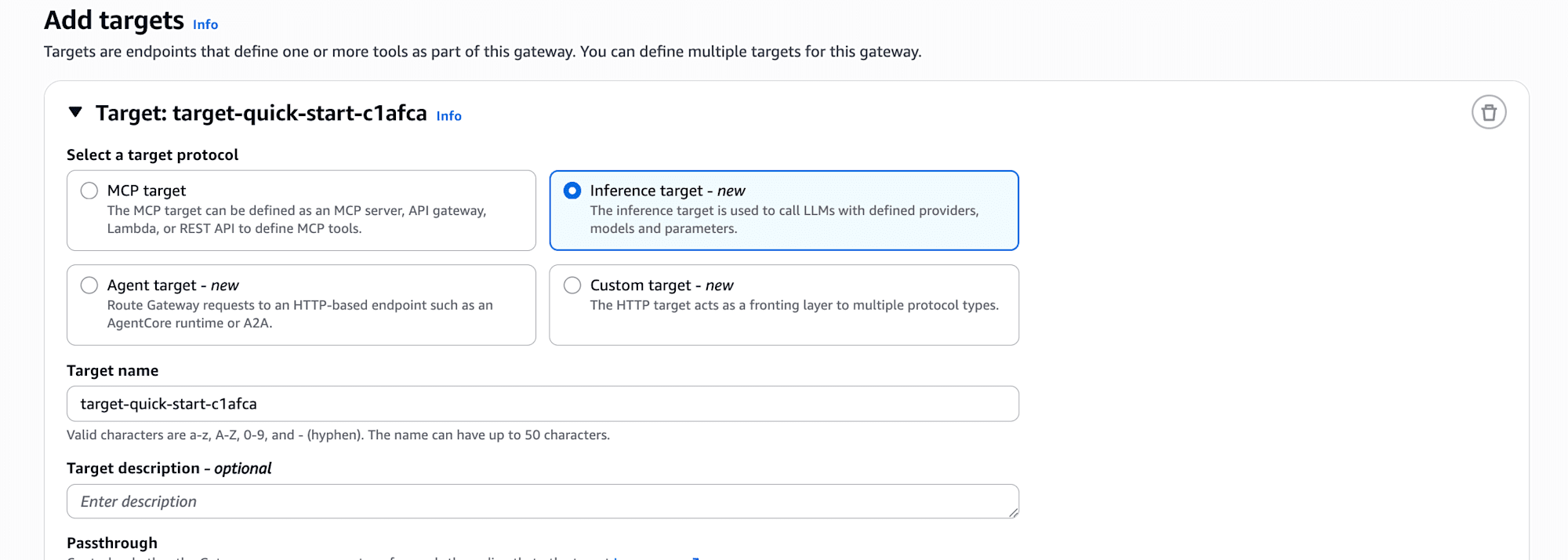
What caught my attention in particular was the Inference Target...!
Until now, my image of Gateway was something that converts Lambda functions or OpenAPI into MCP tools, but it seems that using Inference Target allows you to place the LLM provider itself behind the Gateway.
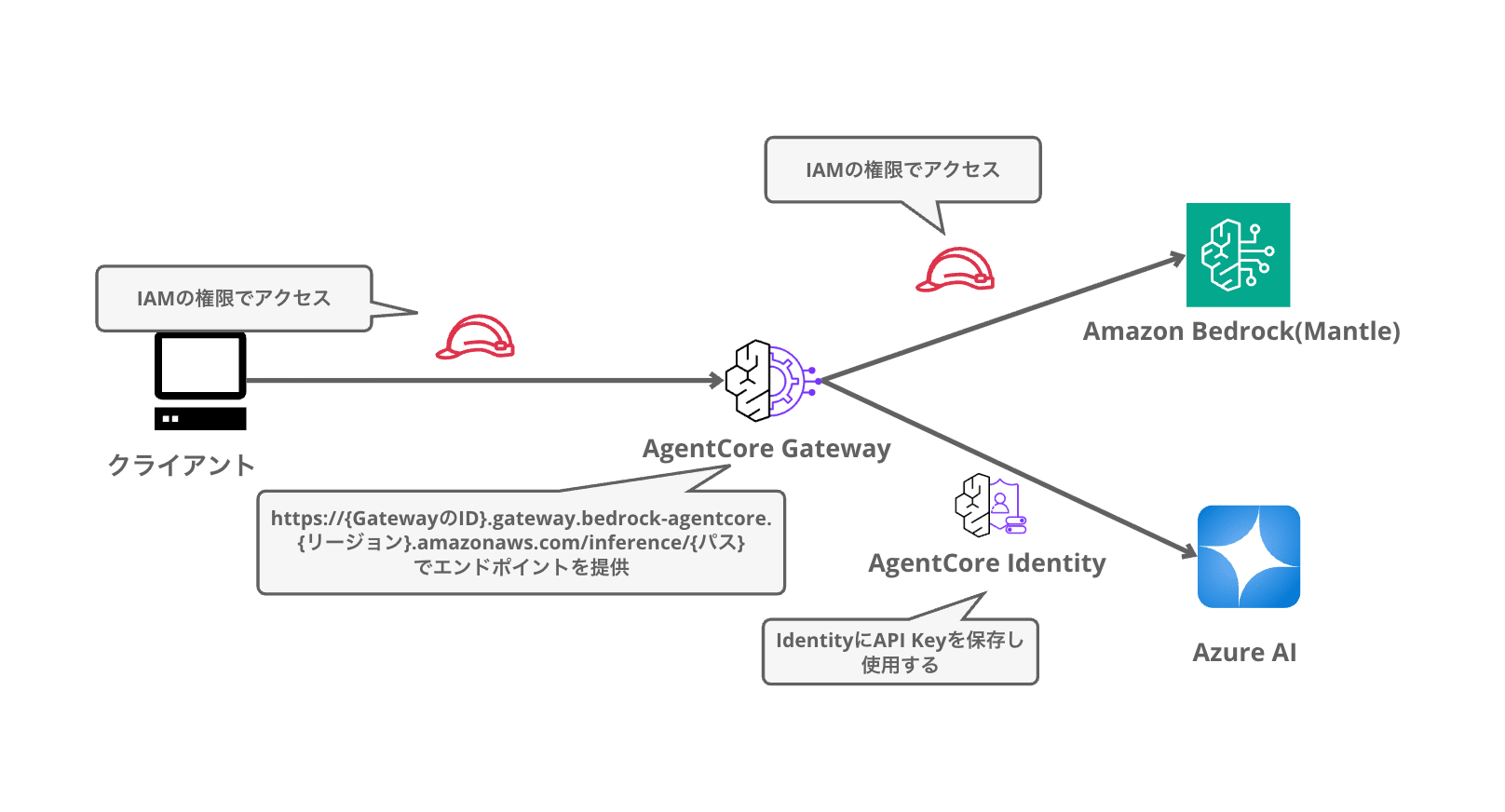
For example, if you register Azure's API key in AgentCore Identity, clients only need to know the Gateway endpoint, and there's no need to distribute the provider's API key. It's like abstracting the inference endpoint as seen from the application, similar to LiteLLM. Interesting...!!!
This time, I'll actually try through the console to add DeepSeek-V4-Flash on Azure AI Foundry with API key registration, also make Bedrock available from the same Gateway, and call two providers from a single endpoint!
Inference Target Behavior
First, let me organize how Inference Target works.
When you add an Inference Target, the Gateway itself behaves as an LLM API. The endpoint structure is as follows, and the path portion includes OpenAI-compatible /v1/chat/completions and /v1/responses, as well as Anthropic native /v1/messages.
https://{GatewayID}.gateway.bedrock-agentcore.{region}.amazonaws.com/inference/{path}
Which provider to forward to is determined not by the path but by the model value in the request body. The determination rules are the following 3 stages.
- If
modelis in "target name/model ID" format (e.g., bedrock/claude-opus-4-7), explicitly route to that target - If it's a plain model ID (e.g., gpt-5.5), match against all target definitions and route there if uniquely determined
- If multiple targets have the same model, prioritize the Bedrock target if one exists, otherwise distribute by round-robin
During forwarding, the Gateway takes care of various things behind the scenes. Rewriting to the provider-side API path, converting model IDs, and injecting the API key (or IAM role SigV4 signature) registered in AgentCore Identity. In other words, the client doesn't need to hold any provider-side credentials at all, and only needs to perform Gateway-side authentication.
Detailed behavior is summarized in the official documentation below. Please refer to it as needed.
Two Types of Inference Targets
Inference Target has two types of configuration methods. In the console, they correspond to the Model source selection options.
| Type | Description | Use Case |
|---|---|---|
| connector type | Just specify a pre-configured connector. Model detection, ID conversion, and path rewriting are automatic | 3 types: Bedrock (Bedrock Mantle) / OpenAI / Anthropic |
| provider type (Custom) | Explicitly specify endpoint URL, model mapping, and operation paths | For providers without a connector (such as Azure) or when you want fine-grained control |
Since Azure AI Foundry has no built-in connector, I'll configure it with Custom (provider type) this time. Bedrock has the Bedrock Mantle connector, so I'll quickly add it with the connector type.
The image is a configuration like the one below.
Prerequisites
Azure AI Foundry assumes prior setup. Prepare your endpoints, API keys, etc. in advance.
-
AWS account (using the US East (N. Virginia) region)
-
AWS CLI authentication configured (awscurl is used for operation verification)
-
Azure AI Foundry resources and model deployment created
- Deploy DeepSeek-V4-Flash since we'll be using it this time
-
uv
Setup
Register Azure API Key in AgentCore Identity
First, register Azure AI Foundry's API key as a credential provider. The API key is stored in AgentCore Identity's token vault, and the Gateway automatically injects it when sending.
Open Amazon Bedrock AgentCore → Identity in the console, and select "Add API key" from "Add Outbound Auth" in the Outbound Auth section.
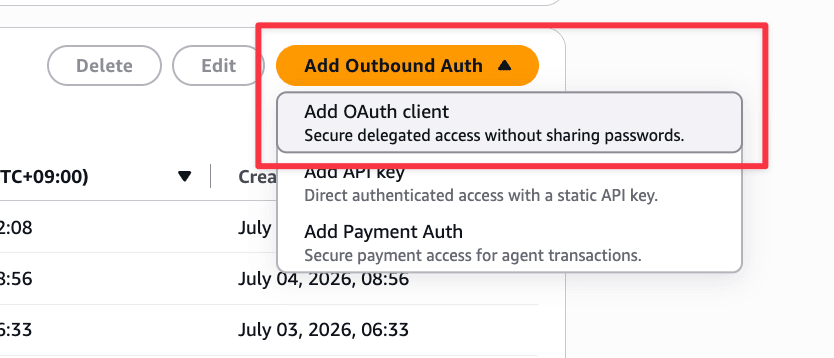
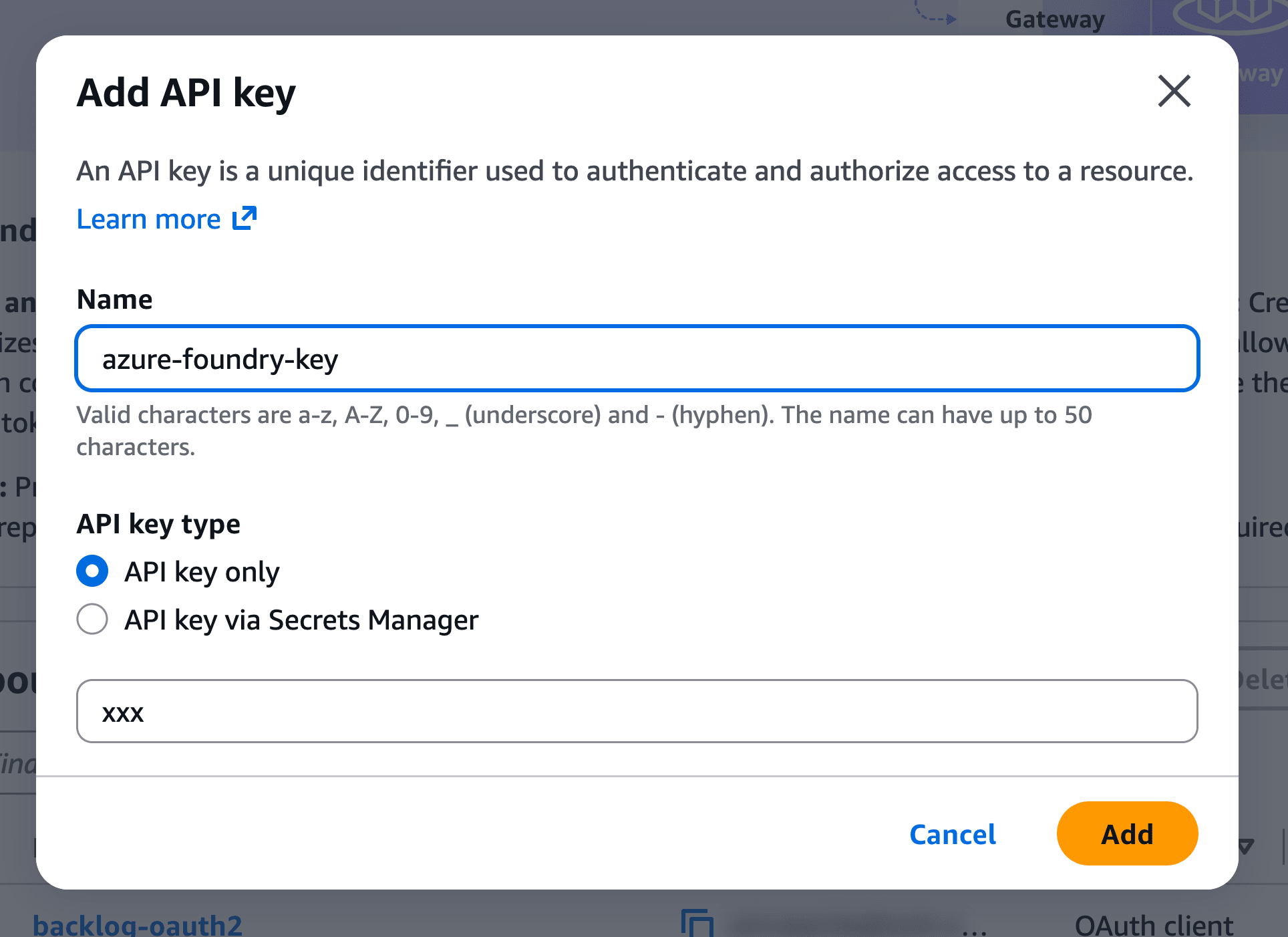
Enter a name and Azure's API key in the dialog and click "Add". This time I registered it with the name azure-foundry-key.
Create the Gateway
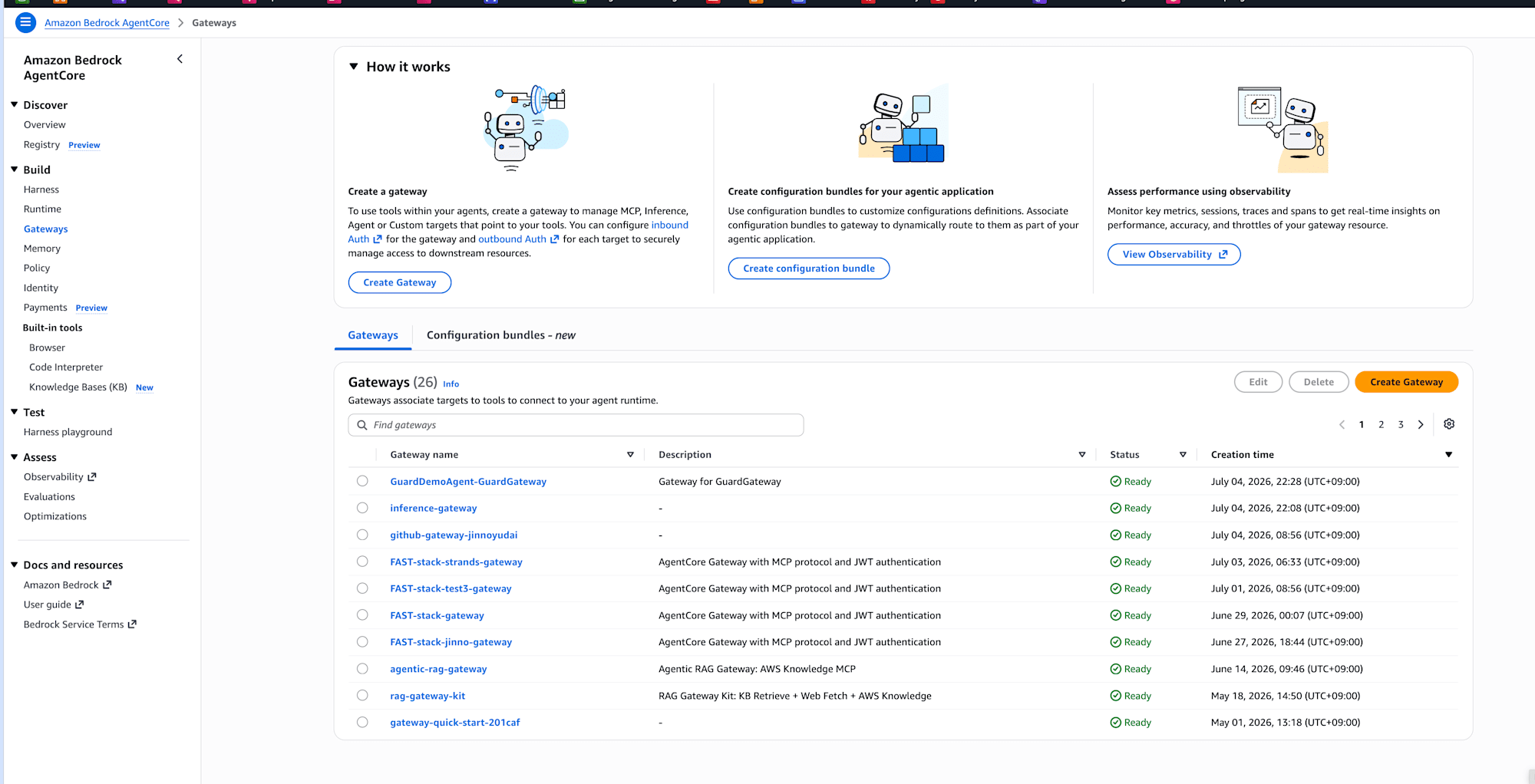
Open Amazon Bedrock AgentCore → Gateways in the console and click "Create Gateway".
The wizard has a 4-step structure. Let's proceed in order.
Define gateway details
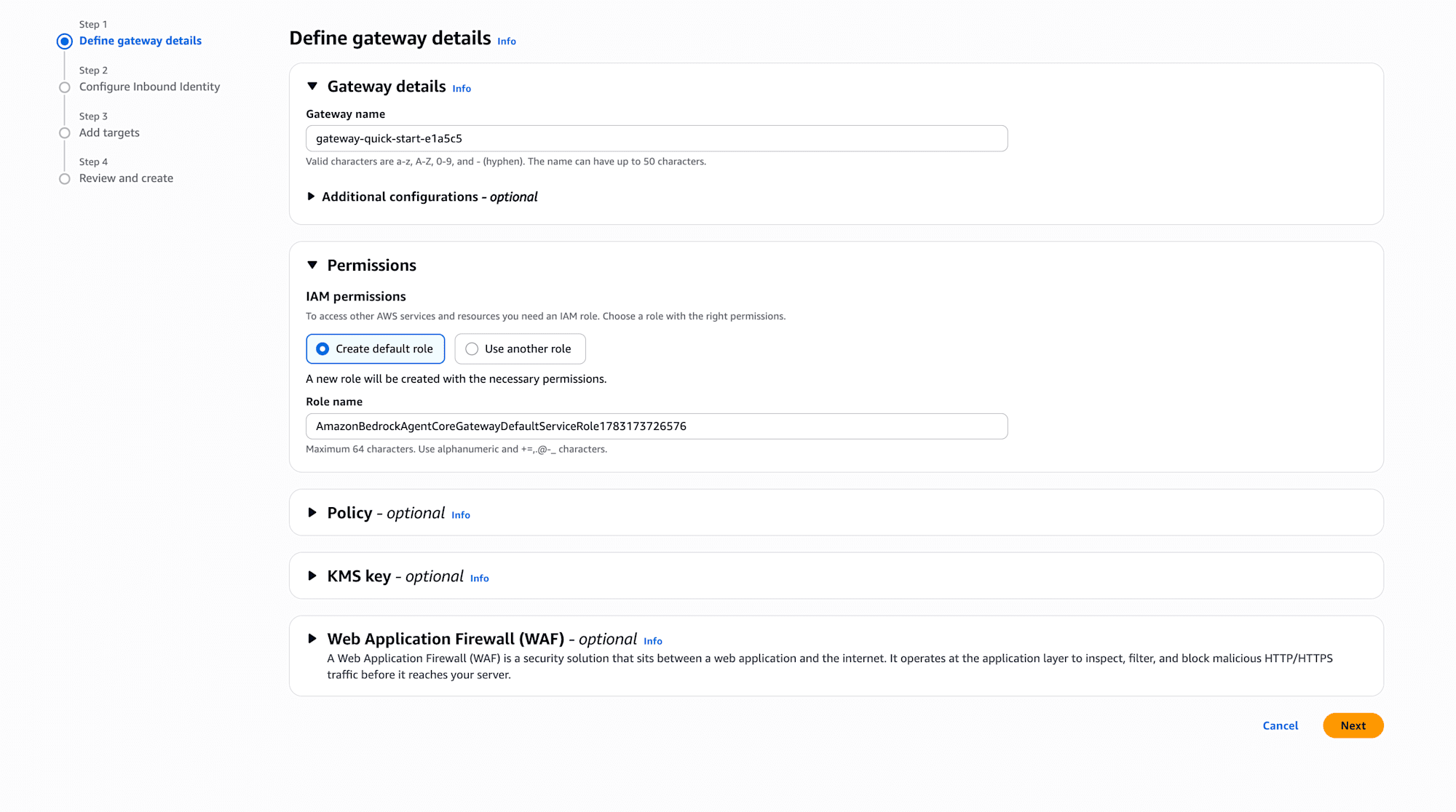
I'll use the auto-generated Gateway name as-is. For the IAM role (service role), I'll also select Create default role and leave it to be automatically created. Policy, KMS key, and WAF can also be configured here, but I'll skip them this time.
Configure Inbound Identity
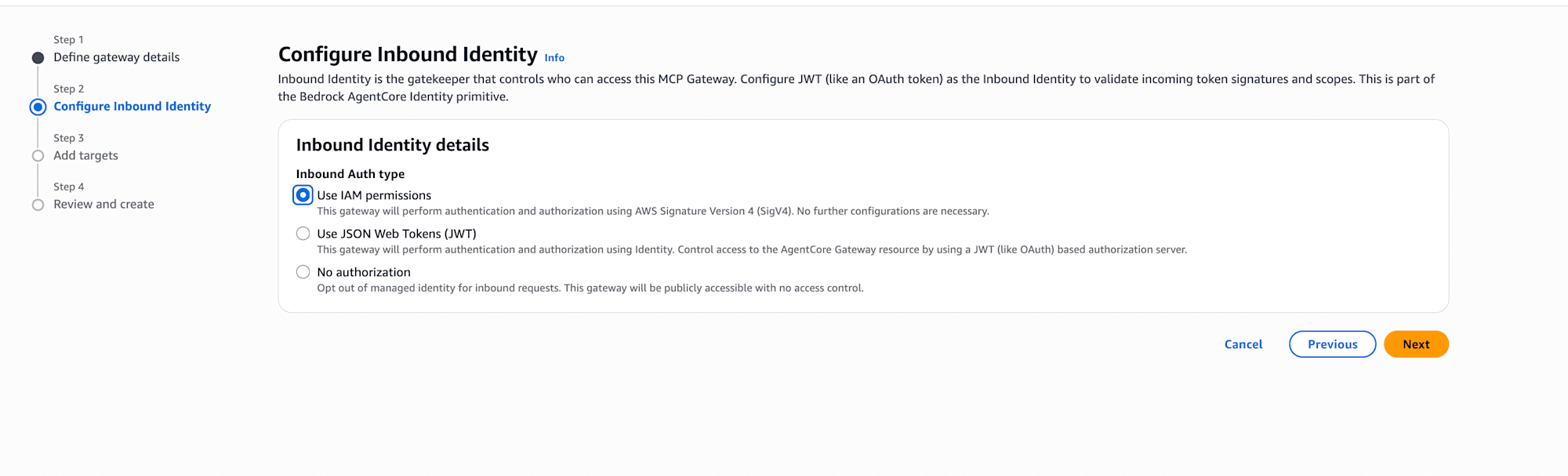
Select the authentication method for the caller of the Gateway. There are 3 options: IAM permissions (SigV4), JWT, and No authorization. This time I selected Use IAM permissions. AWS credentials can be used as-is without additional configuration. If you want OAuth-based authentication, you would choose JWT.
Add targets (1st: Bedrock)
Add Bedrock as the first target. Just select Inference target and choose the Bedrock Mantle connector from the Model source dropdown. Select IAM Role for Outbound Auth.
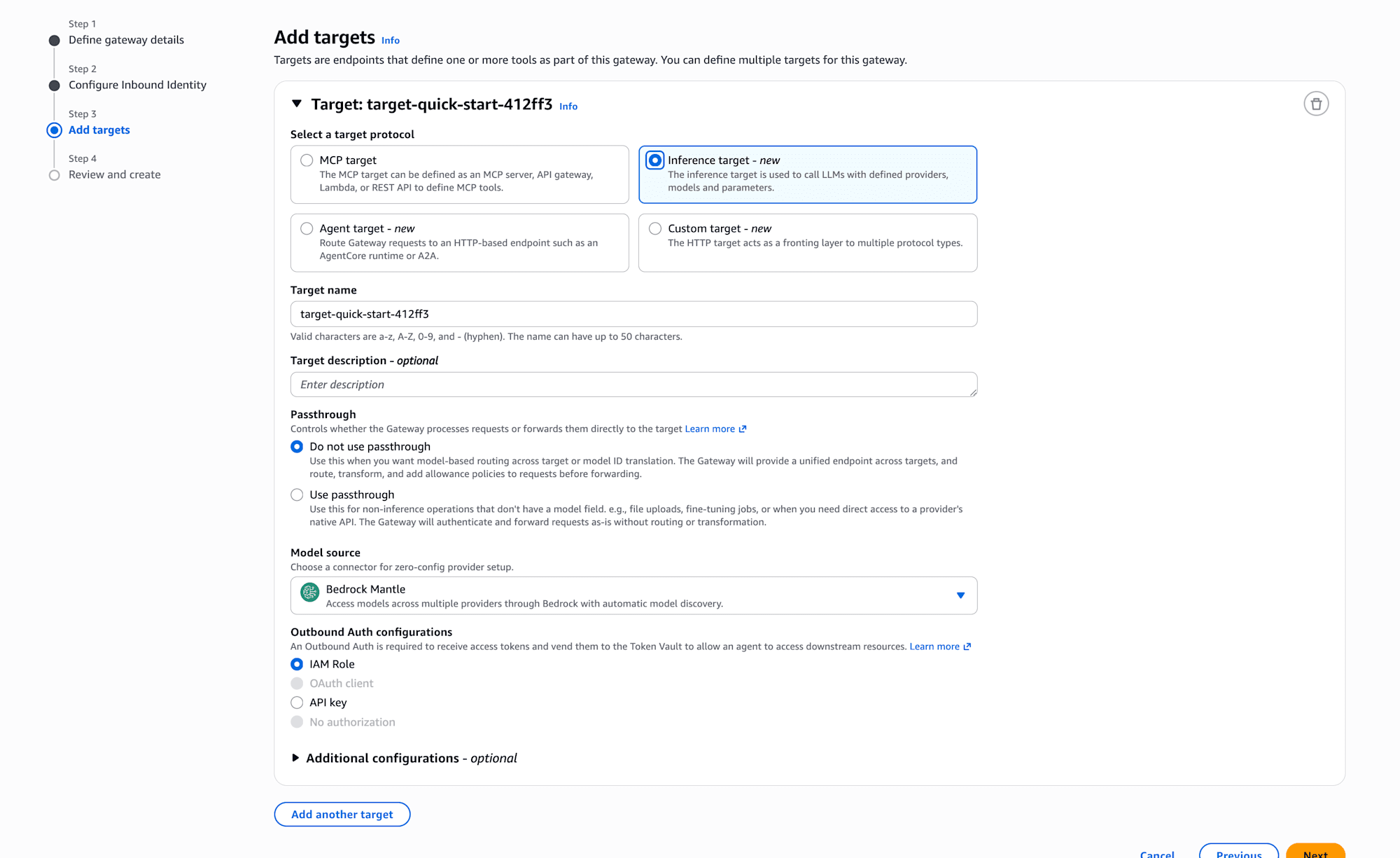
With the connector type, the Gateway automatically handles model detection and ID conversion, so that's all for the configuration.
Add targets (2nd: Azure AI Foundry)
Click "Add another target" to add a target for Azure. Since there's no connector here, select Custom for the Model source and manually define the endpoint, operation paths, etc.
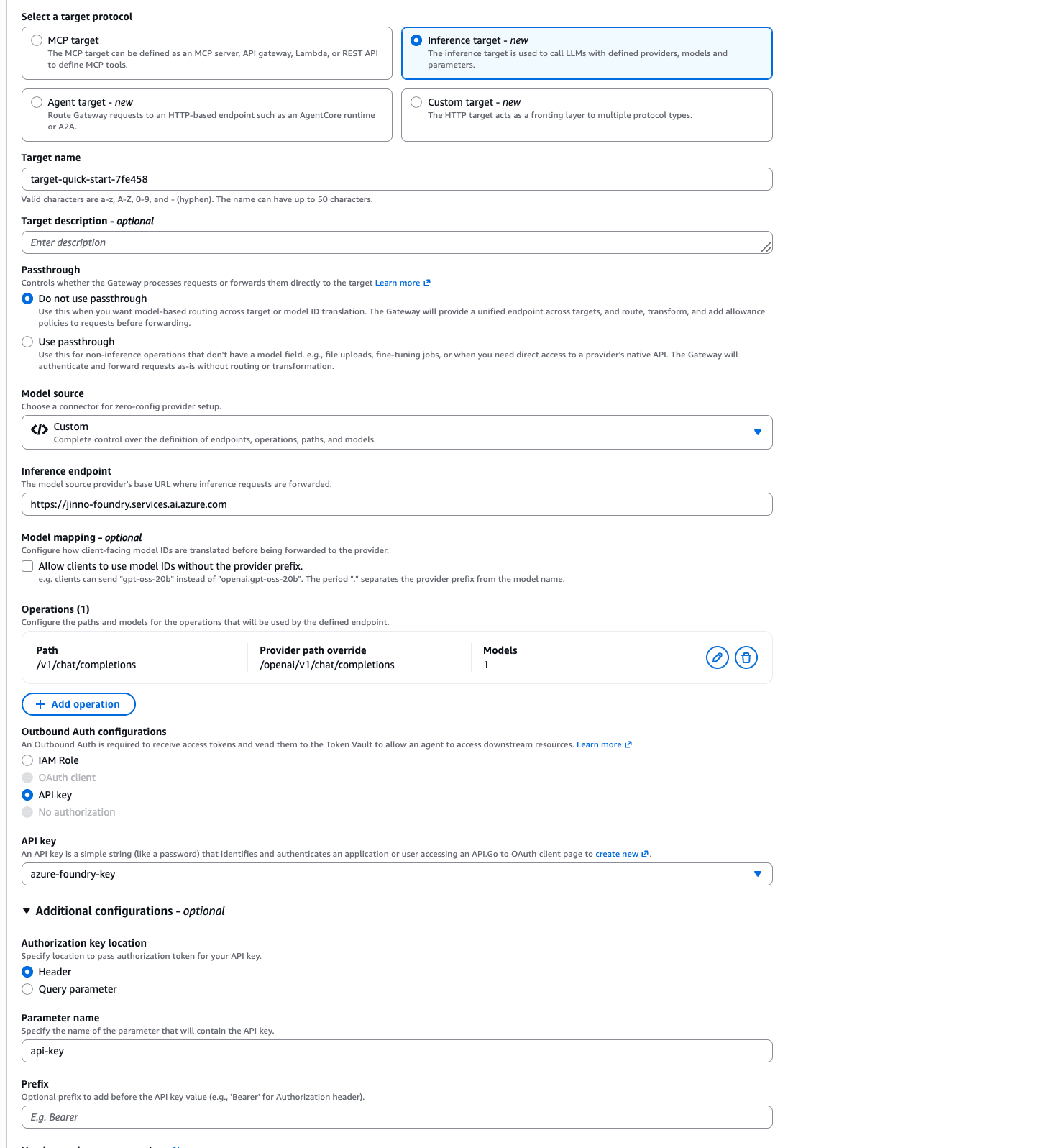
The configuration values that ultimately worked are as follows.
| Setting Item | Setting Value | Description |
|---|---|---|
| Target protocol | Inference target | Front an LLM provider |
| Passthrough | Do not use passthrough | Because we use model-based routing |
| Model source | Custom | Provider type since there's no connector |
| Inference endpoint | https://<resource name>.services.ai.azure.com | Azure AI Foundry resource endpoint |
| Operations - Path | /v1/chat/completions | Path that the client sends to the Gateway |
| Operations - Provider path override | /openai/v1/chat/completions | The actual API path on the Azure side. The Gateway rewrites it |
| Operations - Models | DeepSeek-V4-Flash | Deployment name to route to |
| Outbound Auth | API key → azure-foundry-key | Select the credential registered earlier |
| Authorization key location | Header | Send api-key in header |
| Parameter name | api-key | Match Azure's api-key header authentication |
| Prefix | (blank) | - |
Path rewriting by Provider path override is possible, and clients only need to call using the standard OpenAI-compatible path, while the Gateway converts it to Azure's specific path. Since Azure AI Foundry provides an OpenAI-compatible v1 endpoint, even non-OpenAI models like DeepSeek can be called by passing the deployment name as the model.
Model Mappings
The Custom (provider type) configuration screen also has a Model Mappings item. I left it unconfigured this time, but this is a setting for defining the conversion between the model ID specified by the client and the model ID expected by the provider.
What can be configured at this time is providerPrefix, and you specify two things: strip (whether to allow omitting the prefix) and separator (the delimiter between the prefix and model name). For example, if you configure {"strip": true, "separator": "."} when defining Bedrock with the provider type, clients can call it with the short name claude-opus-4-7 instead of anthropic.claude-opus-4-7. The image is that the Gateway converts it to the official ID with prefix when sending.
If not configured, there is no conversion, and the client needs to specify the provider's full model ID. With the connector type, this ID conversion is performed automatically, so you only need to be aware of Model Mappings when handling prefixed model IDs like Bedrock's with the provider type.
Since the Azure target this time uses the deployment name (DeepSeek-V4-Flash) directly as the model with no concept of prefix, no configuration was needed.
Review and create
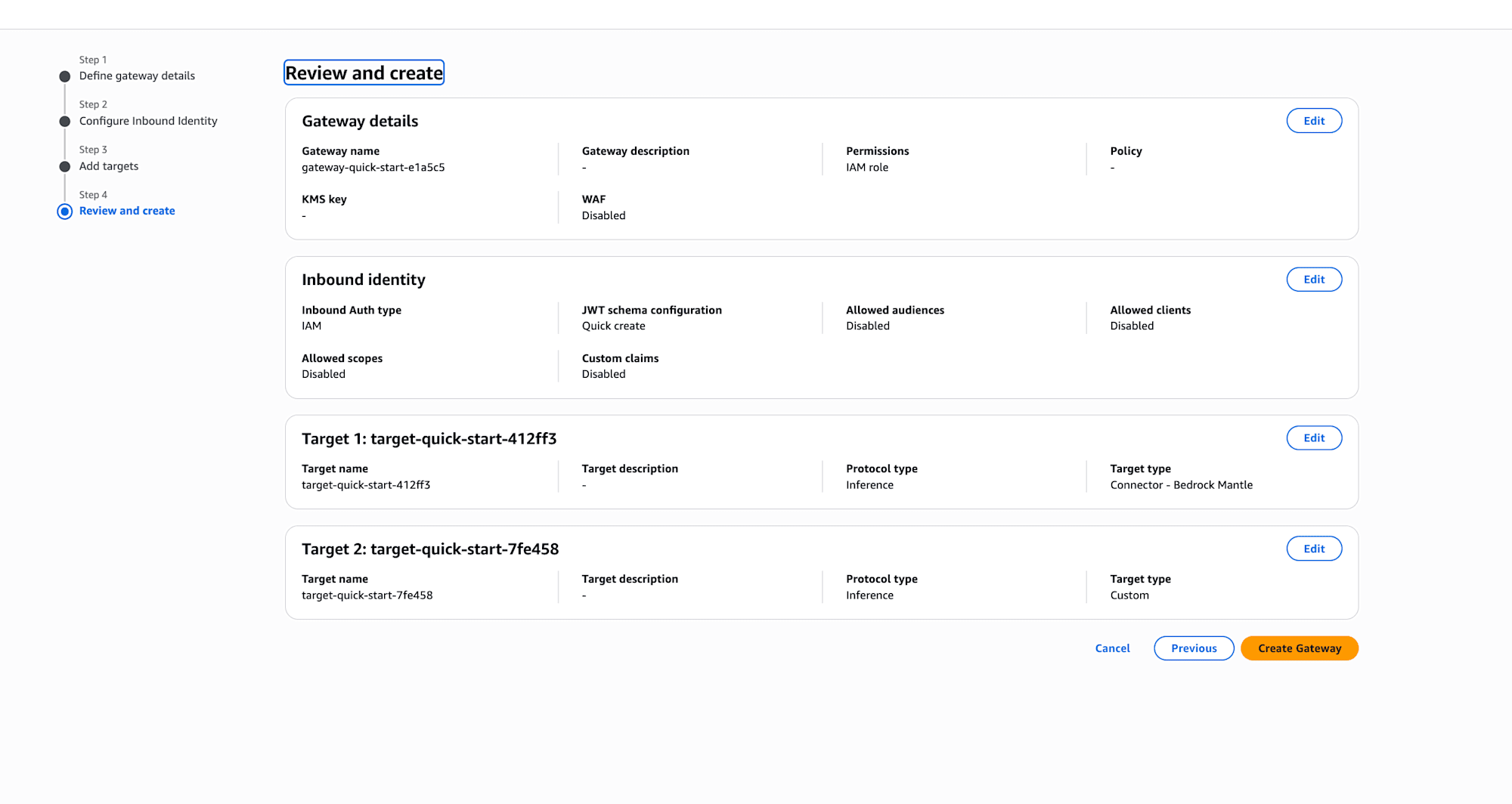
Confirm the settings and click "Create Gateway". You can see that the inbound identity is IAM and the targets are two: Connector - Bedrock Mantle and Custom.
Error Due to Bedrock Mantle Permissions
When I clicked the create button, only the Bedrock-side target became FAILED.

Reading the error, it says the auto-generated service role doesn't have bedrock-mantle:ListModels permission. Via the Bedrock Mantle connector, at least the model list retrieval requires permissions in the bedrock-mantle dedicated IAM namespace.
When I actually looked at the default role in the IAM console, it only had two policies: one for API key retrieval and one for base permissions, with no bedrock-mantle permissions. I see... let me handle that.
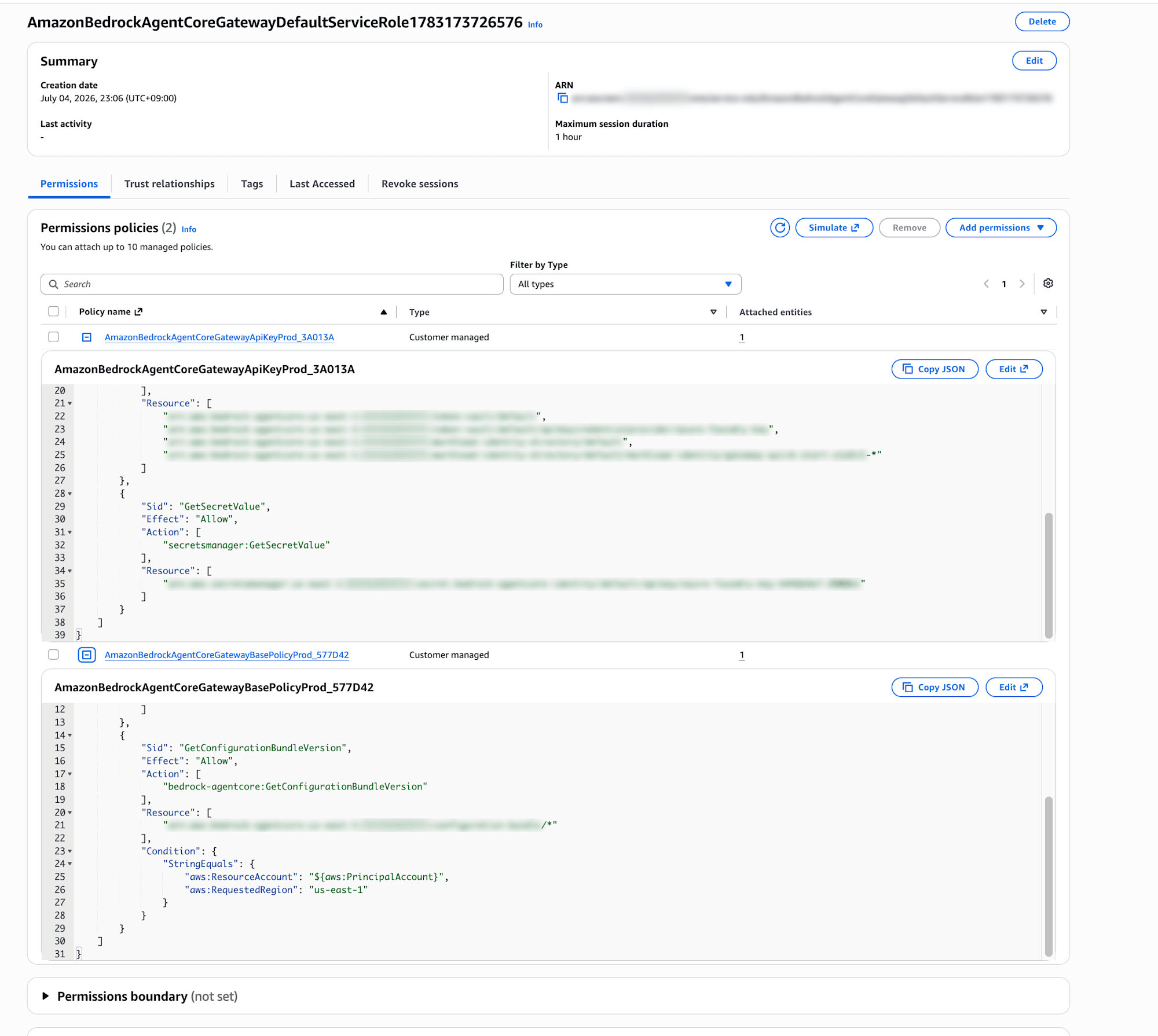
From Add permissions → Attach policies, attach the AWS managed policy AmazonBedrockMantleFullAccess.
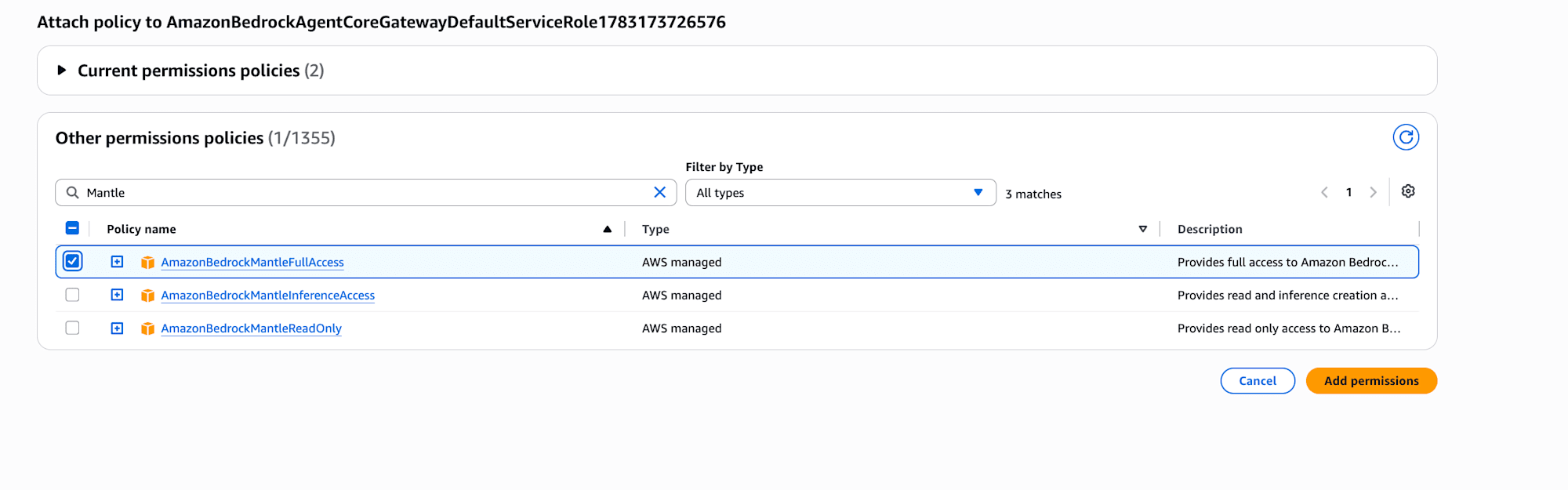
When I return to the Gateway details, the Bedrock-side target is still Failed, so I select it and click "Sync".

After waiting a while, both became Ready!

Now that we're ready, let's try it out!
Operation Verification
Check the list of available models
Since inbound authentication is IAM permissions (SigV4), I'll use awscurl, which can sign with SigV4, to hit /inference/v1/models on the Gateway.
uvx awscurl --service bedrock-agentcore --region us-east-1 \
    "https://<GatewayID>.gateway.bedrock-agentcore.us-east-1.amazonaws.com/inference/v1/models"
{
    "object": "list",
    "data": [
        {"id": "target-quick-start-412ff3/anthropic.claude-fable-5", "object": "model", "owned_by": "system"},
        {"id": "target-quick-start-412ff3/anthropic.claude-haiku-4-5", "object": "model", "owned_by": "system"},
        {"id": "target-quick-start-412ff3/anthropic.claude-opus-4-7", "object": "model", "owned_by": "system"},
        {"id": "target-quick-start-412ff3/deepseek.v3.2", "object": "model", "owned_by": "system"}
    ]
}
The 51 models auto-detected by Bedrock Mantle are listed with the target name prefix. Claude, DeepSeek, Gemma, Mistral, and more...
Note that the Azure-side model defined with Custom (provider type) did not appear in this list in this verification (calling it works fine). If you want clients to discover models, it's good to confirm in advance whether they appear in the list.
Call DeepSeek on the Azure side
The model field value in the request body automatically determines which target the Gateway sends to. First, let's try calling Azure by specifying DeepSeek-V4-Flash.
uvx awscurl --service bedrock-agentcore --region us-east-1 -X POST \
    "https://<GatewayID>.gateway.bedrock-agentcore.us-east-1.amazonaws.com/inference/v1/chat/completions" \
    -H "Content-Type: application/json" \
    -d '{"model": "DeepSeek-V4-Flash", "messages": [{"role": "user", "content": "Hello! Introduce yourself in one sentence"}], "max_tokens": 100}'
{
    "id": "7c639bc3fe984e7a8a60ecb9d27ec002",
    "model": "DeepSeek-V4-Flash",
    "choices": [{
        "index": 0,
        "message": {"role": "assistant", "content": "Hello! I'm DeepSeek, your reliable AI assistant! 😊"},
        "finish_reason": "stop"
    }],
    "usage": {"prompt_tokens": 15, "completion_tokens": 25, "total_tokens": 40}
}
A response came back from Azure AI Foundry successfully!! Great!! Since DeepSeek-V4-Flash is only defined in the Azure-side target, it's routed uniquely even without a prefix.
Call a model on the Bedrock side
Next, let's try calling Bedrock against the same endpoint, just changing the model. Route explicitly using the format target name/model ID.
uvx awscurl --service bedrock-agentcore --region us-east-1 -X POST \
    "https://<GatewayID>.gateway.bedrock-agentcore.us-east-1.amazonaws.com/inference/v1/chat/completions" \
    -H "Content-Type: application/json" \
    -d '{"model": "target-quick-start-412ff3/deepseek.v3.2", "messages": [{"role": "user", "content": "Hello! Introduce yourself in one sentence"}], "max_tokens": 100}'
{
    "model": "deepseek.v3.2",
    "choices": [{
        "message": {"role": "assistant", "content": "I'm DeepSeek, an AI racing through the world of programming and knowledge! Nice to meet you ✨"},
        "finish_reason": "stop"
    }],
    "usage": {"prompt_tokens": 15, "completion_tokens": 28, "total_tokens": 43}
}
A response came back without any issues here too!
Call Claude
Claude supports the Anthropic native /v1/messages path. Call it with the anthropic_version field.
uvx awscurl --service bedrock-agentcore --region us-east-1 -X POST \
    "https://<GatewayID>.gateway.bedrock-agentcore.us-east-1.amazonaws.com/inference/v1/messages" \
    -H "Content-Type: application/json" \
    -d '{"model": "target-quick-start-412ff3/anthropic.claude-haiku-4-5", "anthropic_version": "bedrock-2023-05-31", "max_tokens": 100, "messages": [{"role": "user", "content": "Hello! Introduce yourself in one sentence"}]}'
{
    "type": "message",
    "role": "assistant",
    "content": [{"type": "text", "text": "Hello! I'm Claude. I can help with various tasks such as answering questions, writing text, and creative work. Please feel free to ask if there's anything I can help you with!"}],
    "stop_reason": "end_turn"
}
It came back properly in Anthropic API format! The Gateway provides both OpenAI-compatible chat/completions and Anthropic's messages paths, with the structure that the supported API differs by model. You can use it matching your existing application's SDK: chat/completions for OpenAI SDK, messages for Anthropic SDK.
Using from Strands Agents
Let's try using it not just with curl, but also from an agent framework. Since the Gateway is OpenAI-compatible, you'd think you just need to replace base_url with Strands' OpenAIModel... but since this Gateway uses IAM authentication for inbound authentication, you need to attach a SigV4 signature instead of the Bearer header that the OpenAI SDK attaches.
What's handy here is the SigV4HTTPXAuth bundled with mcp-proxy-for-aws. As the name suggests, it's originally a proxy tool for MCP, but the contents are a general-purpose httpx.Auth implementation, so it can be passed directly to the OpenAI SDK's http_client. It's great not to have to write signature processing yourself!
import boto3
import httpx
from mcp_proxy_for_aws.sigv4_helper import SigV4HTTPXAuth
from strands import Agent
from strands.models.openai import OpenAIModel

auth = SigV4HTTPXAuth(
    credentials=boto3.Session().get_credentials(),
    service="bedrock-agentcore",
    region="us-east-1",
)

model = OpenAIModel(
    client_args={
        "base_url": "https://<GatewayID>.gateway.bedrock-agentcore.us-east-1.amazonaws.com/inference/v1",
        "api_key": "unused",  # Dummy because it will be overwritten by SigV4
        "http_client": httpx.AsyncClient(auth=auth),
    },
    model_id="DeepSeek-V4-Flash",
)

agent = Agent(model=model)
agent("Hello! Tell me what you're good at in one sentence")
uv run --with 'strands-agents[openai]' --with mcp-proxy-for-aws strands_gateway.py
Hello! What I'm good at is **providing accurate and detailed responses to questions and tasks based on a wide range of knowledge** 😊
The Strands agent was able to converse with Azure's DeepSeek via the Gateway! As confirmed with awscurl earlier, routing is determined by the model value, so by replacing model_id with target-quick-start-412ff3/deepseek.v3.2, you can switch to the Bedrock side with the same code.
Conclusion
I didn't know multi-provider routing had become possible...! There seems to be room for utilization when thinking about governance going forward. Especially in situations like a common platform that centrally provides access to multiple LLM providers, it may become useful.
For such AgentCore Gateway, I'd also like to introduce how to incorporate Guardrails with AgentCore Policy and Cedar next time!
I hope this article was helpful to you. Thank you for reading to the end!
Appendix: Calling Directly from Each SDK
In addition to Strands, I also tried calling from bare SDKs, so I'll document that. Both use SigV4HTTPXAuth for authentication.
OpenAI SDK
Point base_url to the Gateway's /inference/v1 and set SigV4HTTPXAuth in http_client. api_key cannot be omitted (it will error on the SDK's required check), but since the value is replaced by SigV4 signature before the request is sent and doesn't reach the server, any string is fine.
import boto3
import httpx
from mcp_proxy_for_aws.sigv4_helper import SigV4HTTPXAuth
from openai import OpenAI

auth = SigV4HTTPXAuth(
    credentials=boto3.Session().get_credentials(),
    service="bedrock-agentcore",
    region="us-east-1",
)

client = OpenAI(
    base_url="https://<GatewayID>.gateway.bedrock-agentcore.us-east-1.amazonaws.com/inference/v1",
    api_key="unused",
    http_client=httpx.Client(auth=auth),
)

response = client.chat.completions.create(
    model="DeepSeek-V4-Flash",
    messages=[{"role": "user", "content": "Hello! Introduce yourself in one sentence"}],
    max_tokens=100,
)
print(response.choices[0].message.content)
Hello! I'm DeepSeek, an AI assistant that infinitely supports your curiosity!
Anthropic SDK
Since the messages path is Anthropic API-compatible, the Anthropic SDK can also be used. The base_url goes up to /inference, and the SDK appends /v1/messages.
import boto3
import httpx
from anthropic import Anthropic
from mcp_proxy_for_aws.sigv4_helper import SigV4HTTPXAuth

auth = SigV4HTTPXAuth(
    credentials=boto3.Session().get_credentials(),
    service="bedrock-agentcore",
    region="us-east-1",
)

client = Anthropic(
    base_url="https://<GatewayID>.gateway.bedrock-agentcore.us-east-1.amazonaws.com/inference",
    auth_token="unused",
    http_client=httpx.Client(auth=auth),
)

response = client.messages.create(
    model="target-quick-start-412ff3/anthropic.claude-haiku-4-5",
    max_tokens=100,
    messages=[{"role": "user", "content": "Hello! Introduce yourself in one sentence"}],
)
print(response.content[0].text)
Hello! I'm Claude, an AI assistant developed by Anthropic. I can help with various things such as answering questions, having conversations, and writing text. Is there anything I can help you with?
There are two points to note with the Anthropic SDK.
- Pass the dummy credentials to
auth_token, notapi_key. Without credentials, you get a "Could not resolve authentication method" error at request time, so it cannot be omitted. And if you useapi_key, the SDK sends an x-api-key header which cannot coexist with the SigV4 Authorization header, resulting in a 401 "request must not include both 'authorization' and 'x-api-key' headers". Withauth_token, it's written to the Authorization header, so it gets overwritten directly by the SigV4 signature. - The anthropic_version field that was needed with curl is not required. The SDK automatically attaches the anthropic-version header, and the Gateway accepts it via header as well.
Regarding Streaming
Since the Gateway is built to pass through the provider's SSE as-is, there's no need to change existing streaming implementations, and nothing needs to be configured.
