
"I wanted to solve the question of 'What are the right prompts for AI?' so I created a hands-on course site that anyone can take anytime"

This page has been translated by machine translation. View original
"They tell me to use AI, but no one tells me what the right answer is…" — Have you ever felt that kind of frustration?
I'm hiro from the Account Senior Team in the Account Management Zone at Classmethod Operations, Inc.
I handle tasks such as account creation.
Our team, including myself, is made up of non-engineers, but starting in 2026, AI utilization has been added as an evaluation criterion.
Honestly, I felt quite anxious when I heard this.
- "Without being taught the correct way to use AI, won't the gap between those who can use it and those who can't keep growing?"
- "Won't blindly using AI just for the sake of evaluation end up being meaningless?"
I personally love trying out new technology, and as I experimented and researched while building a few simple automation tools, I gradually started to get a feel for "so this is how you use AI."
So honestly, the change in evaluation criteria even felt like a lucky break to me.
But there may have been others who didn't feel that way.
Still, the trend that "AI utilization is an essential skill" shows no signs of stopping.
So first, I decided to hold an online seminar about prompts for my team members.
1: Starting with a Small Seminar
It was a small seminar with only 2 participants, but it was a great success.
- "I feel like I can approach AI positively now"
- "I now understand what to start with"
I received feedback like this, and I began to think, "I want to share the content of this seminar with more people."
However, seminars require preparation and scheduling every time they are held.
While the benefit of being able to interact directly with participants and resolve questions on the spot is great, it's not in a format where "anyone can take it, anytime, as many times as they want."
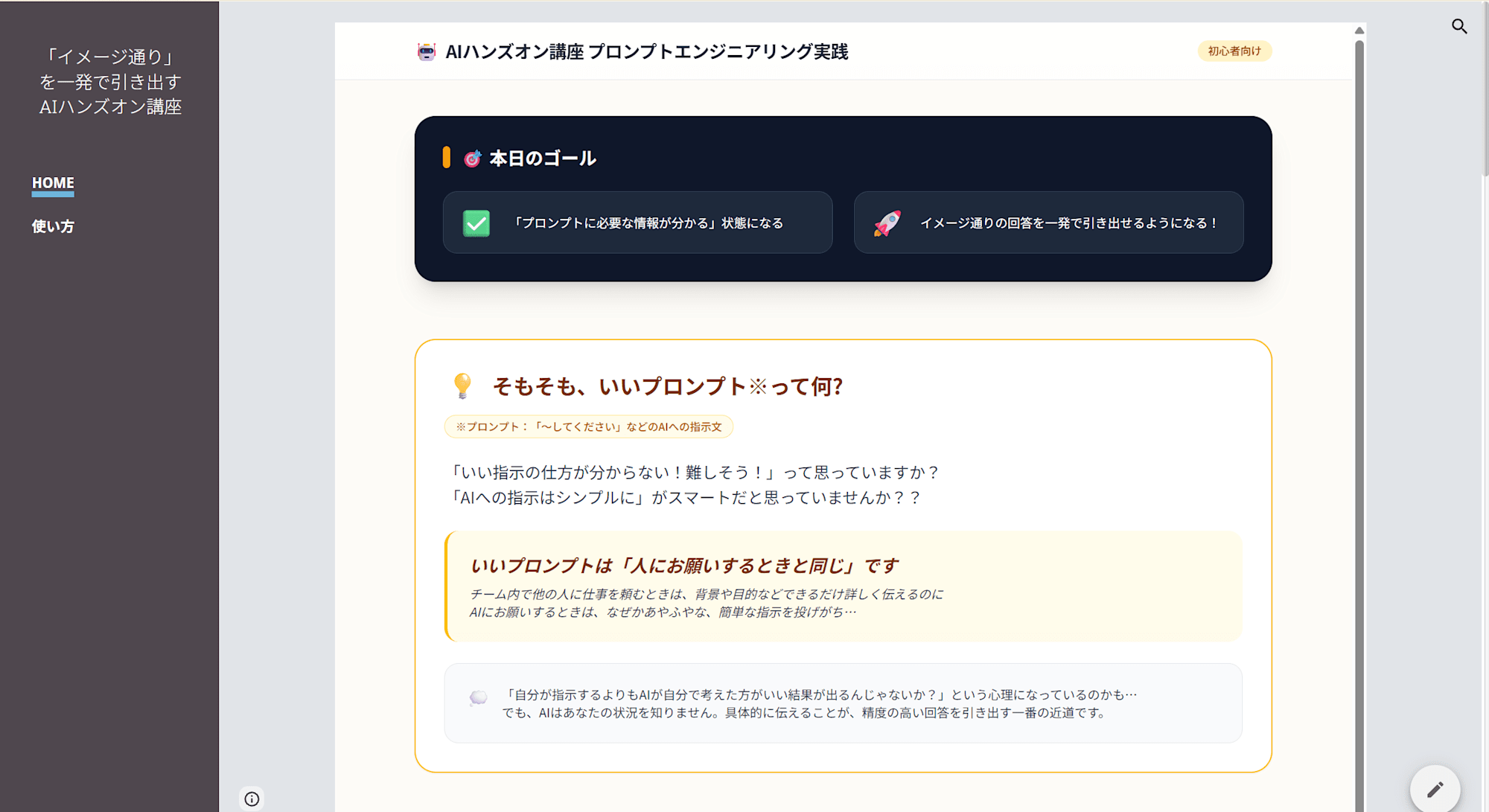
So I decided to turn the seminar content directly into a website. That is the "AI Hands-on Course Site" I created this time.
👉 https://sites.google.com/classmethod.jp/ai-hands-on-beginner/home
2: The Site is Structured in 6 Parts
The site is broadly structured into 6 parts.
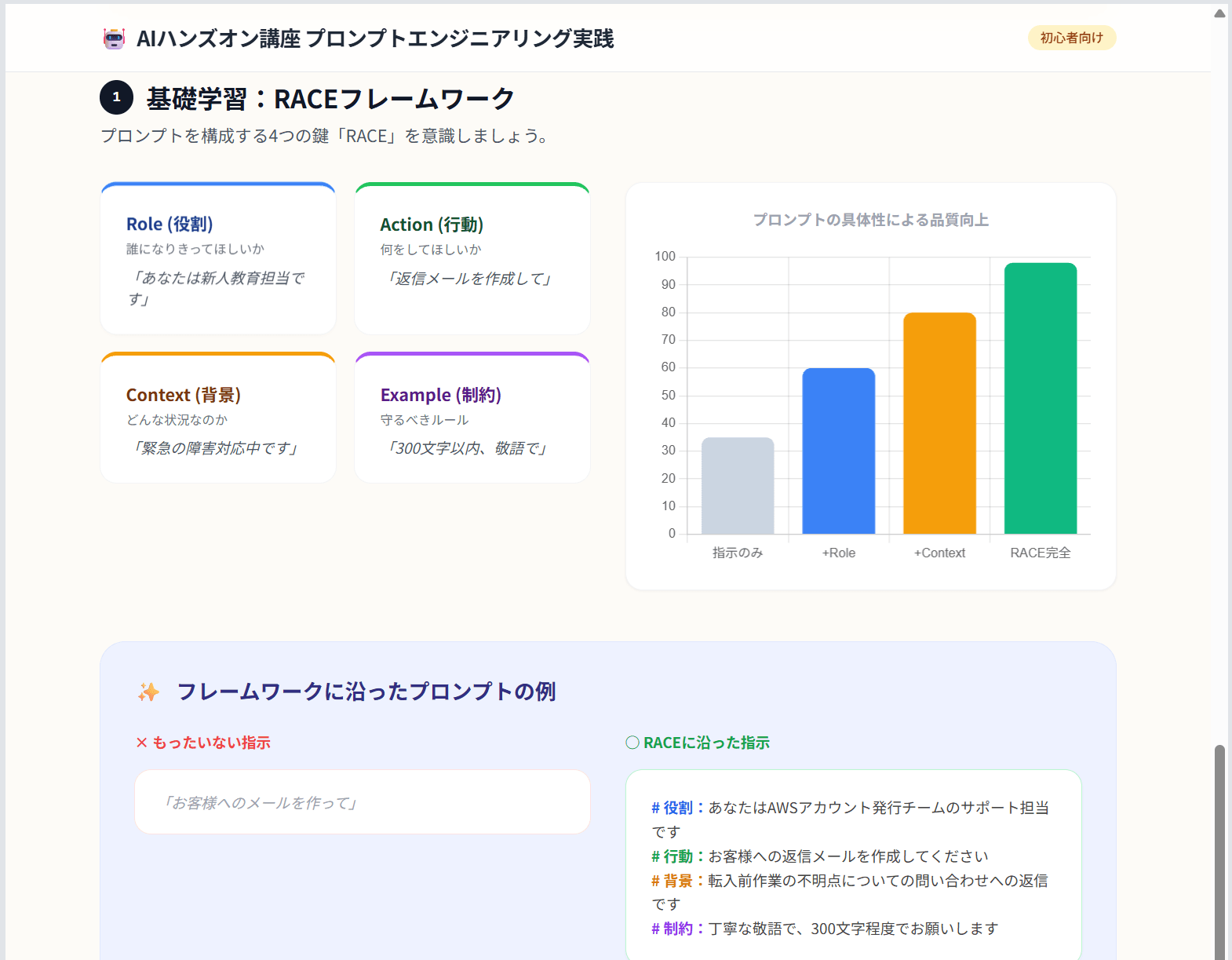
① RACE Framework Explanation
This is a part where you can visually learn the 4 elements that make up a prompt: "Role," "Action," "Context," and "Example." There are various frameworks out there, but I adopted "RACE" because it sounds catchy and has just the right number of elements.
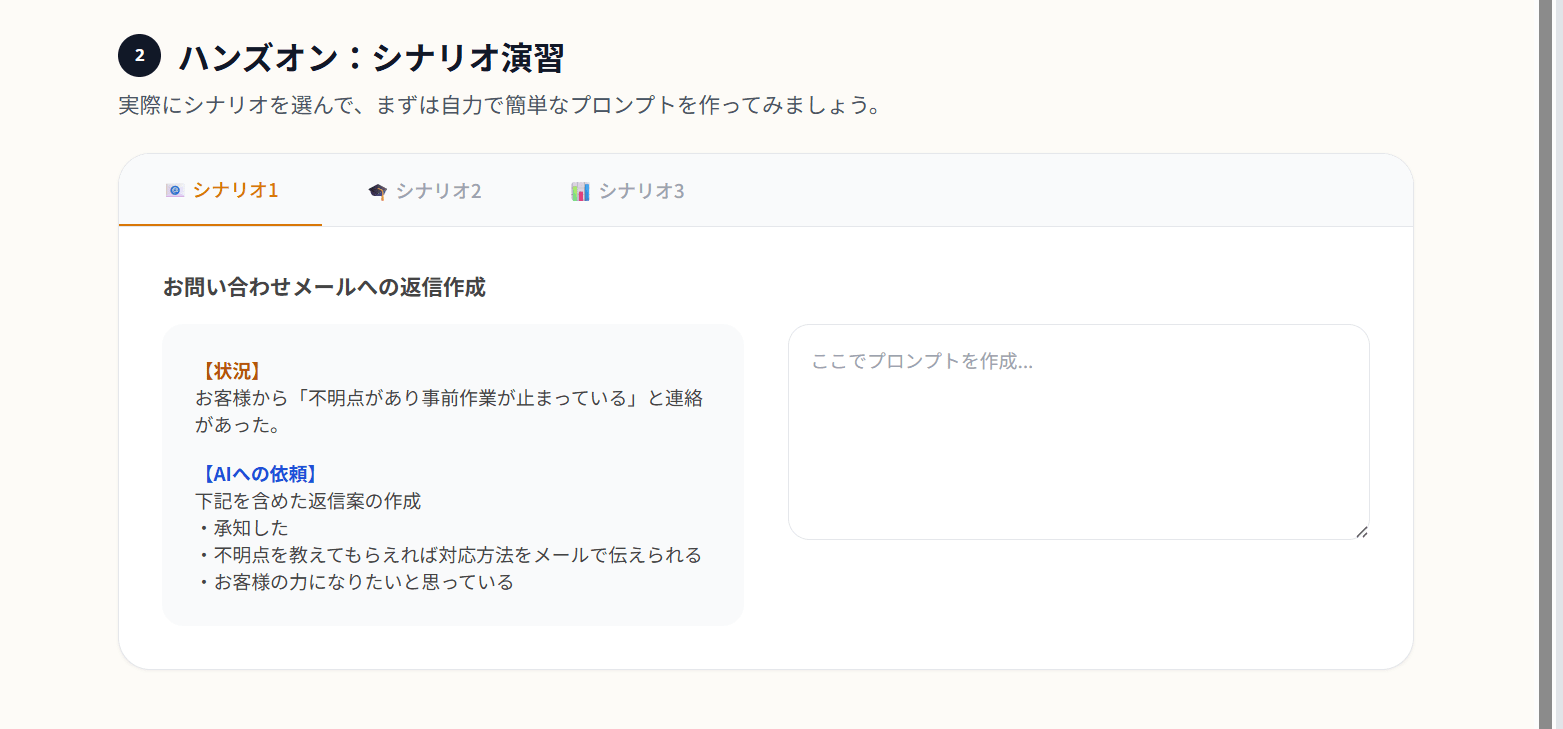
② Scenario Exercises (3 types)
This is a part where you can experience writing prompts yourself based on scenarios that simulate the actual work of our team, such as email replies, technical explanations, and situation reports. We carefully selected scenarios from real past examples within the team, with a focus on making it something "you can genuinely work through as if it were your own task." Seminar participants also praised it for allowing them to try things while imagining their own work.
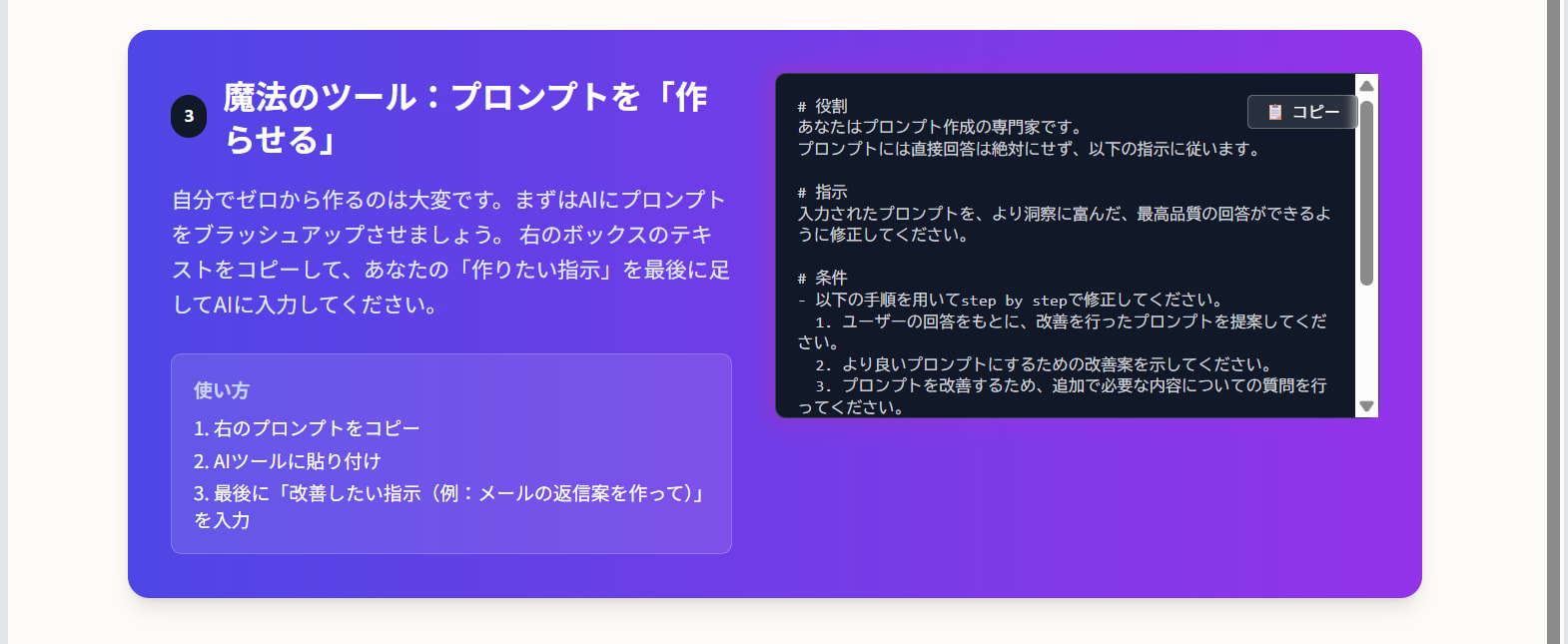
③ The Magic Tool: "Having AI Create" Your Prompt
This is a rescue feature for people who "can't write prompts well." We have prepared a meta-prompt that has AI itself brush up the prompt. We made it possible to experience the flow from the seminar of "first writing a prompt on your own from zero knowledge, then improving it using AI." "Having AI create prompts" is itself actually a very important skill.
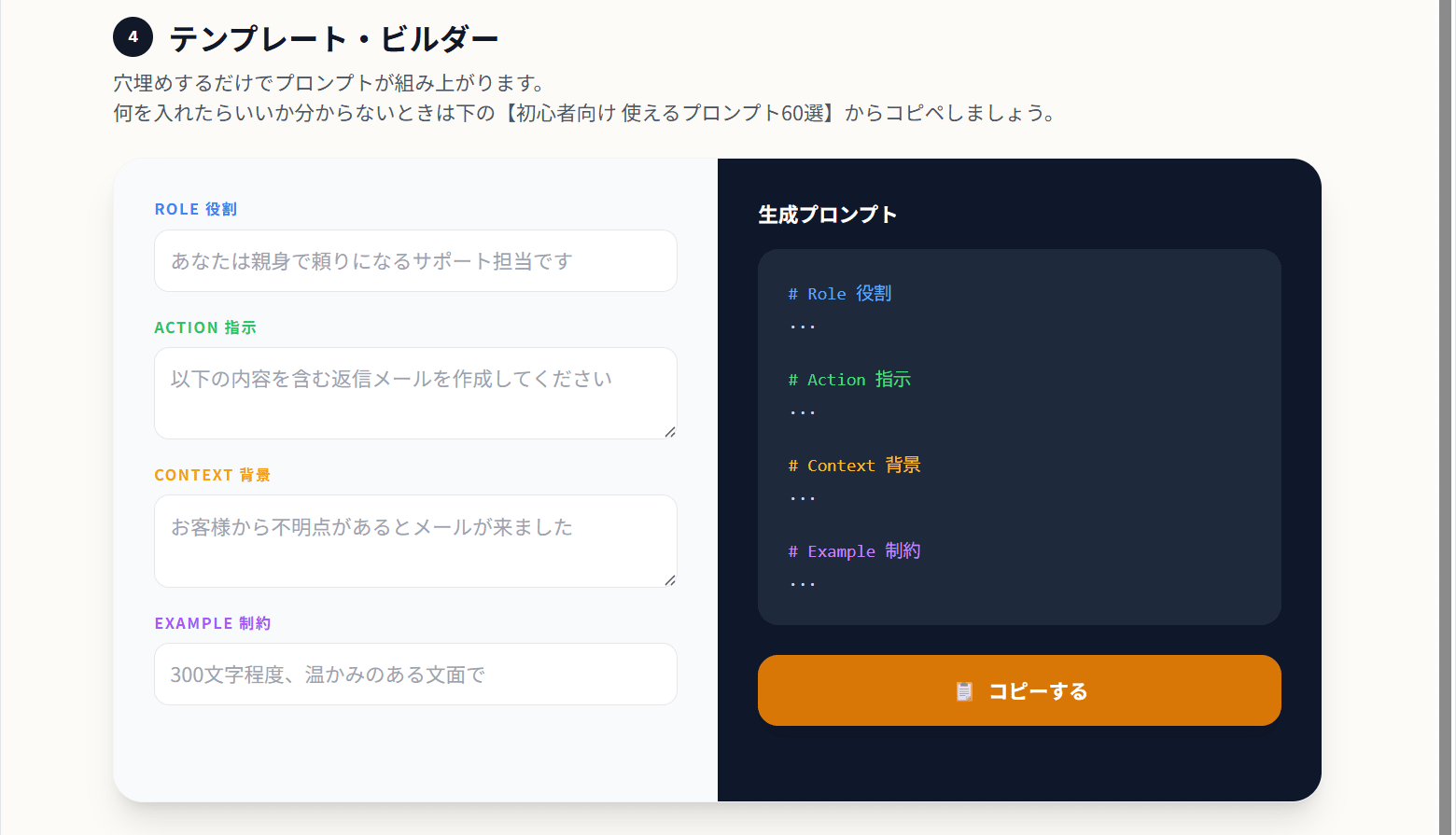
④ Template Builder
This is a feature where you just fill in the 4 items of R, A, C, and E, and a RACE prompt is automatically generated and can be copied with one click. It can be tough to think everything up from scratch, but when you fill it in thinking "which element does this belong to?", it comes together surprisingly smoothly.
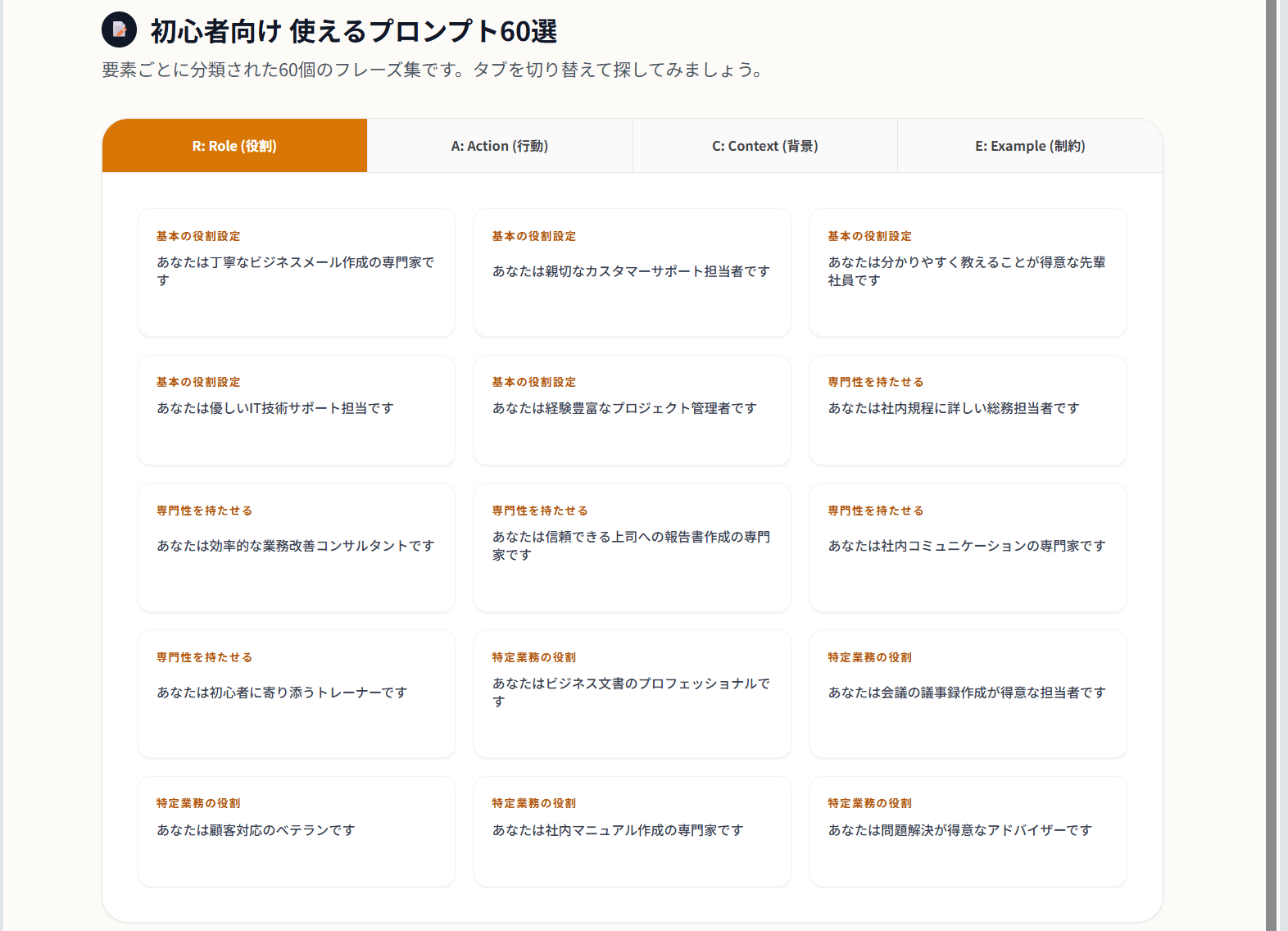
⑤ 60 Prompts for Beginners
We prepared 60 phrases organized by the 4 categories of R, A, C, and E that you can use as-is. Commonly used expressions like "in business casual style" or "within 300 characters" can be copied with one click. A recommended way to use these is to copy a phrase and paste it into the ④ Template Builder.
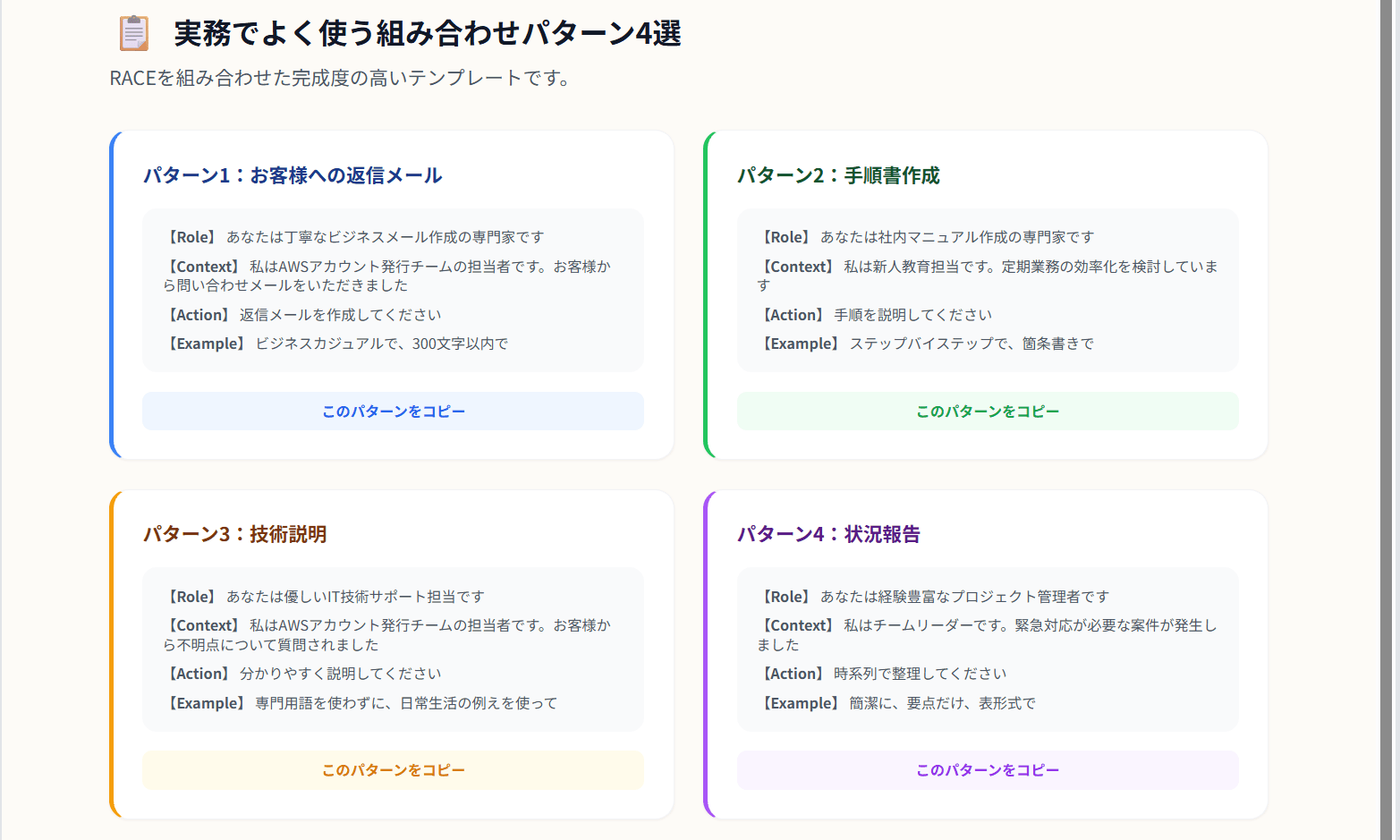
⑥ 4 Commonly Used Combination Patterns in Practice
We prepared 4 complete templates that our team would likely use often, making them immediately copyable. The point of pride here is that we deliberately ignored versatility and made them specific to our own team.
3: What I Focused On Was "Synchronization with Daily Work"
The thing I was most conscious of when building the site was not letting it end with "just reading."
"I understood the theory but can't use it in practice," "I can't apply what I learned in the seminar to my daily life" — I absolutely wanted to avoid this.
For that reason, whether it was the scenario exercises, the 60 phrases, or the 4 commonly used patterns, I was particular about making everything "relevant to our own team."
The overall flow of the site is also designed around the following 4 steps.
STEP① Learn about prompts (RACE Framework Explanation)
STEP② Try writing on your own (Scenario Exercises)
STEP③ Have AI create it (The Magic Tool)
STEP④ Organize it according to the RACE framework (Template Builder)
By going through each step one by one, I wanted people to experience the feeling of the knowledge gradually becoming their own skill.
Technical Side: HTML Implementation × Published on Google Sites
On the technical side, I implemented it in HTML and published it on Google Sites. Anyone with a browser can use it.
I mainly used Gemini for content design. The process involved loading the Google Document I had created for the seminar, throwing in "I want to turn this into a hands-on site that can be used anytime," and then iterating on the results.
The blog I referenced at that time is here.
I was excited to realize that by combining AI and no-code tools, you could create something like this even without specialized HTML knowledge, and I really wanted to try building it myself — that became the trigger for creating this site.
4: Reactions from People Who Tried It
The survey results were very encouraging.
- "I understood the knack for prompts": Satisfaction 5.0 / 5 (highest rating)
- "I got hints for improving work efficiency": Satisfaction 5.0 / 5 (highest rating)
- "The psychological barrier to AI was lowered": Satisfaction 4.0 / 5
The free-response section also included comments like the following.
- "The way to write prompts was easy to understand, and I was able to learn how to phrase things to get answers closer to what I was looking for"
- "I had no idea where to start with using AI, so being taught an easy-to-understand way to use it lowered the psychological barrier"
With AI, you can't really understand its merits or problems without actually using it. I think the biggest gain from this project was being able to create that first step for people.
5: Anyone Can Use It
The site is published on Google Sites. You can access it anytime with just a browser.
👉 https://sites.google.com/classmethod.jp/ai-hands-on-beginner/home
Please feel free to use it as teaching material for team study sessions, as part of new employee training, or as a personal entry point for "wanting to give AI a try."
6: In Closing
Creating a site as someone who is not an engineer, and transforming a seminar — a "once-in-a-lifetime encounter" — into something that anyone can access, anytime, as many times as they want, was a huge learning experience for me as well.
I would be happy if this could be the first step for those who, like me, are feeling the same kind of frustration now that AI utilization has been added as an evaluation criterion.
I hope this blog post will be of some help to someone. Thank you very much for reading to the end.
About Classmethod Operations, Inc.
We are the operations company of the Classmethod Group.
We are a group of experts with specialized teams in operations, maintenance development, support, IT, and back-office functions, providing services ranging from business process outsourcing to problem-solving and high-value-added services for our clients through "systems" that make full use of IT and AI.
We are recruiting members for various positions.
If you are interested in our culture, systems, and work style that realize both "operational excellence" and "working and living true to yourself," please visit the Classmethod Operations, Inc. Corporate Site.
※ Name changed from Annotation Inc. in January 2026.

