I Tried Deleting Call Recordings and IVR Transcriptions in Amazon Connect Customer

This page has been translated by machine translation. View original
Introduction
I checked how to delete the post-call recordings and transcripts in Amazon Connect Customer.
The targets are the recording of the call with the agent, as well as the recording and transcript of the automated interaction (IVR). The public documentation I reviewed alone did not make clear how to delete each of these, so I tried it in practice using the admin console and S3.
From the admin console, I was able to delete the recording of the call with the agent, but the IVR recording remained. After that, I deleted the IVR recording and related files from S3, and I will share the results up to the point where the transcript was no longer displayed.
Test Environment
- Region:
ap-northeast-1 - Channel: Voice
- Contact ID:
8b09f11f-39dd-4640-b506-e42d78efcf4e - S3 bucket:
amazon-connect-1b33d85eab5b - Verification methods: Amazon Connect Customer admin console, AWS CloudShell
For this contact, the flow has recording of the call with the agent and recording of the automated interaction call enabled. The segments that are recorded vary depending on the flow settings.
The IDs, bucket names, and S3 keys in this article are values from this test environment. However, the instance alias is masked. When running the commands, replace the values with those of your own environment, including INSTANCE_ALIAS described later.
Deleting Call Recordings from the Admin Console
Configuring the Security Profile
In the security profile of the user who performed the operation this time, I enabled "Delete recorded conversations" under "Recordings and transcripts".
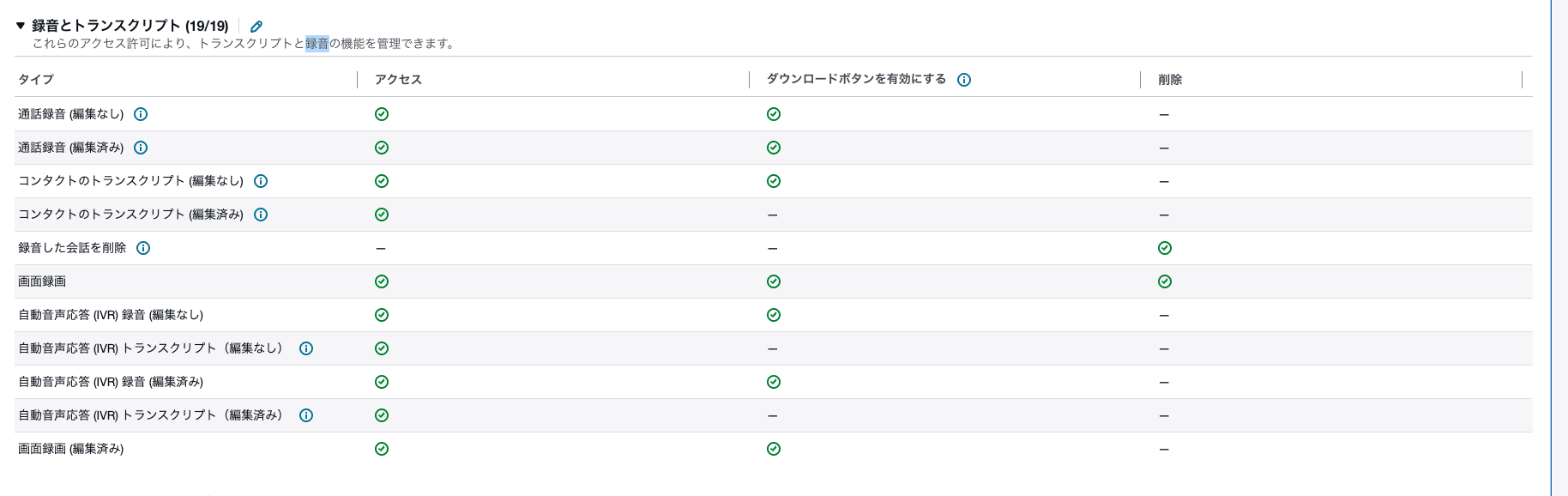
Security profile with "Delete recorded conversations" enabled
Deleting from the Contact Search Screen
Display the target contact on the contact search screen and click the delete icon.
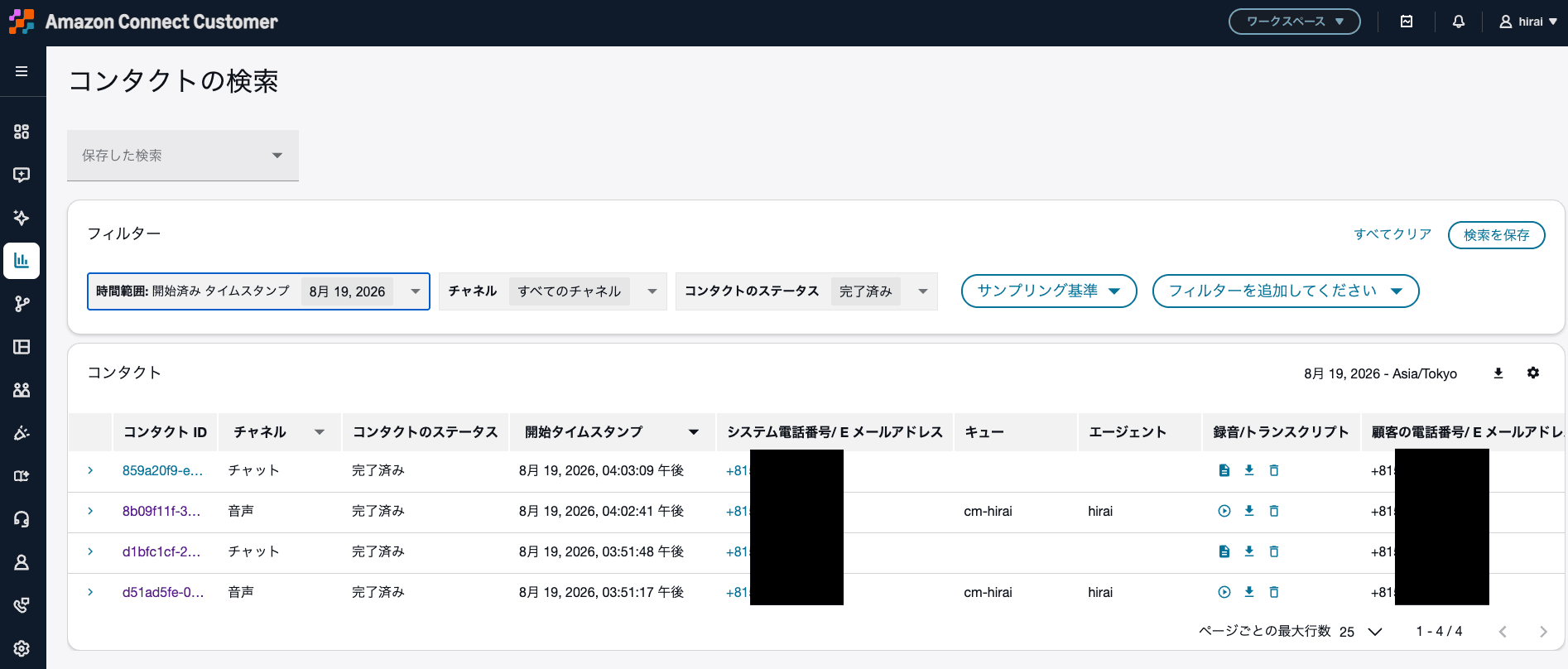
Delete icon on the contact search screen
Select the reason for deletion.
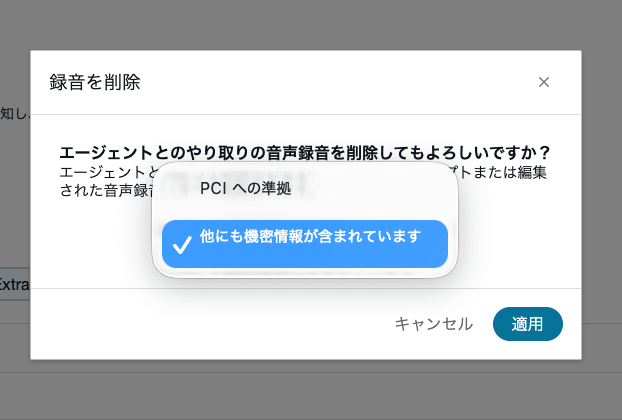
Screen for selecting the deletion reason
Confirm the details and delete the recording.
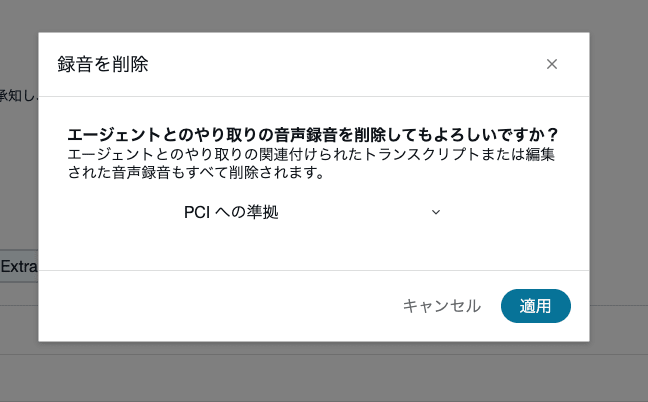
Recording deletion operation
After deletion, the message "The call recording has been deleted" was displayed.
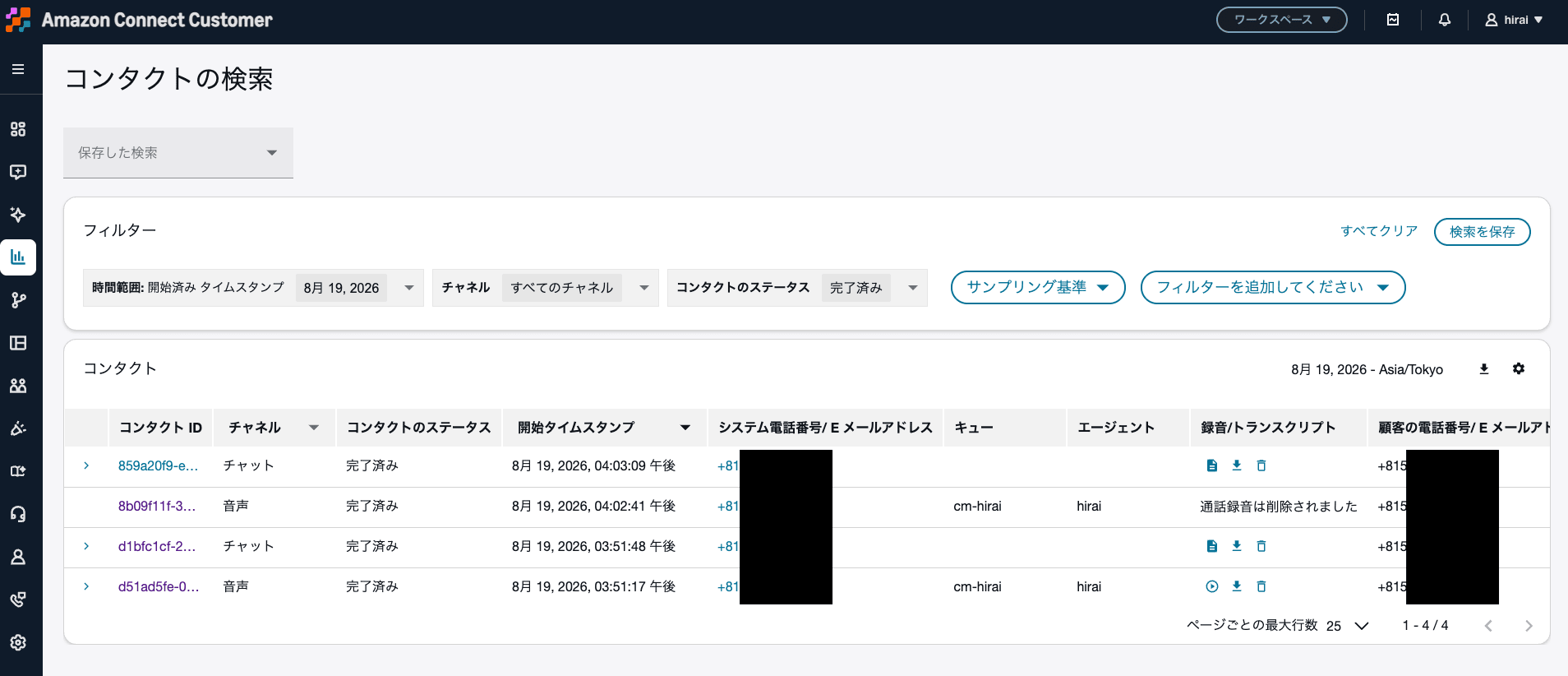
Deletion completion message
Checking the Deletion Result in the Admin Console
In "Agent interaction" on the contact details screen, the call recording and transcript were deleted, and the recording status became DELETED.
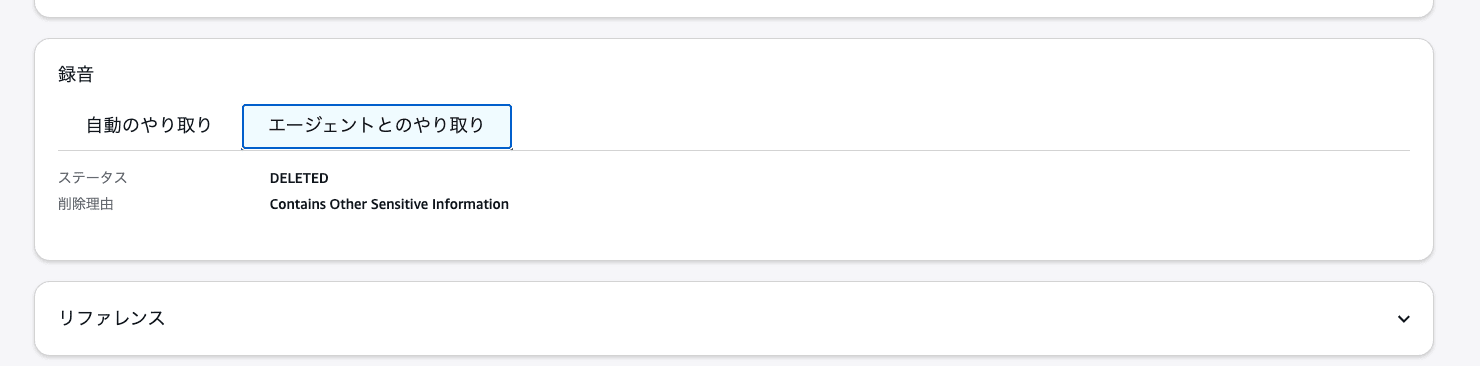
State where the call recording and transcript in "Agent interaction" have been deleted
On the other hand, in "Automated interaction" on the screen, the recording from before the agent connected could still be played, and the transcript was also displayed. In this article, I call the audio of this segment the "IVR recording".
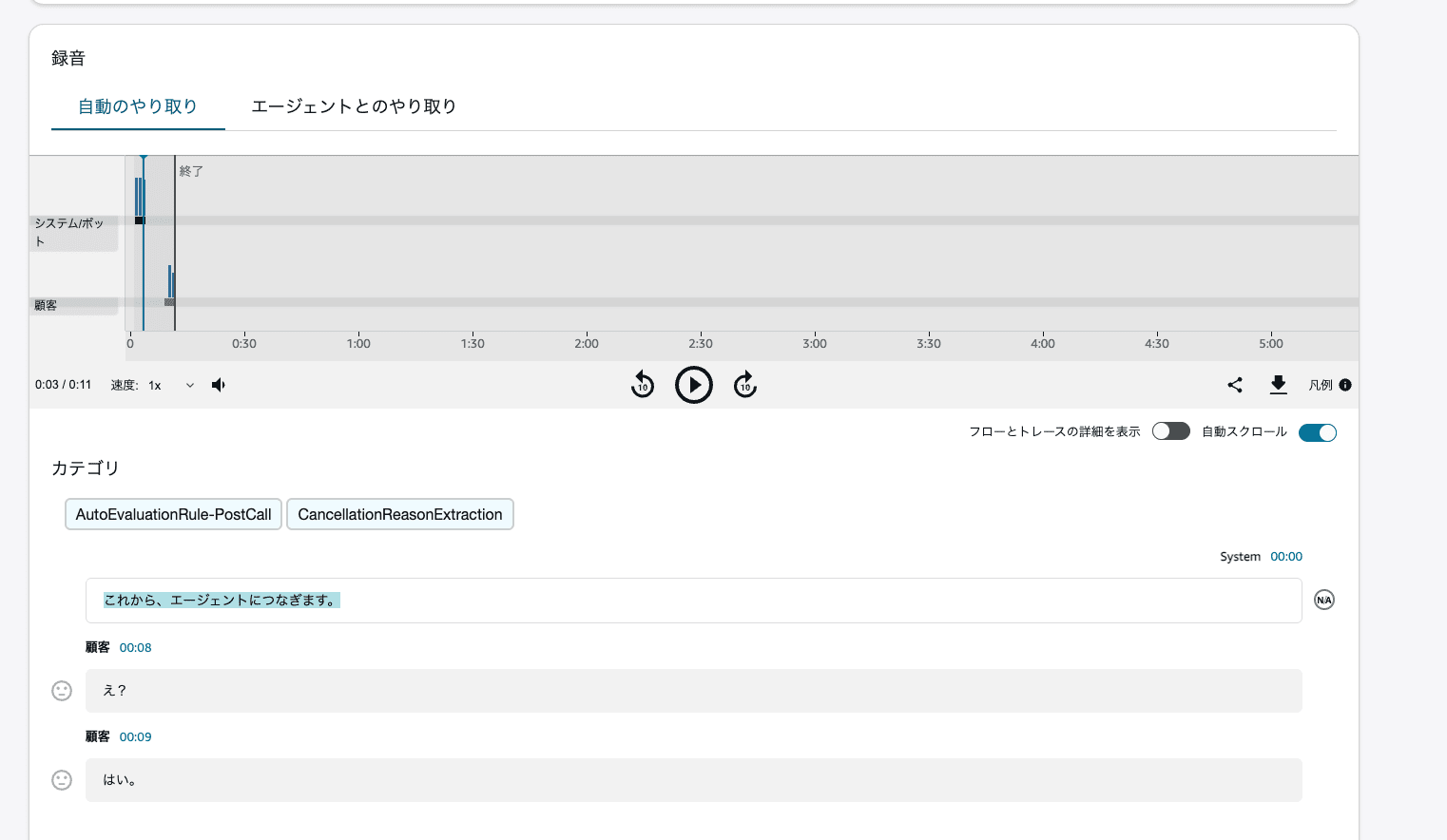
Even after deletion in the admin console, the IVR recording and transcript remain
Checking the Recording Status from AWS CloudShell
In addition to the admin console display, I ran DescribeContact from AWS CloudShell.
export AWS_REGION="ap-northeast-1"
export INSTANCE_ID="3ff2093d-af96-43fd-b038-3c07cdd7609c"
export CONTACT_ID="8b09f11f-39dd-4640-b506-e42d78efcf4e"

aws connect describe-contact \
  --region "$AWS_REGION" \
  --instance-id "$INSTANCE_ID" \
  --contact-id "$CONTACT_ID" \
  --query 'Contact.Recordings[*].{ParticipantType:ParticipantType,MediaStreamType:MediaStreamType,Status:Status,Location:Location,DeletionReason:DeletionReason}' \
  --output table
I extracted the main columns from the result after deleting in the admin console.
ParticipantType  MediaStreamType          Status
IVR              AUDIO                    AVAILABLE
None             AUTOMATED_INTERACTION    AVAILABLE
None             AUDIO                    DELETED
The AUDIO with ParticipantType: IVR is the IVR recording. On the other hand, AUTOMATED_INTERACTION is an automated interaction log, which is data separate from the WAV-format recording file. In this operation, only the recording of the call with the agent became DELETED.
The automated interaction log may contain information from during the automated response, such as interactions with flows and bots.
Deleting the IVR Recording and Related Files from S3
From the Location in DescribeContact, I was able to confirm the storage locations of the IVR recording WAV file and the automated interaction log.
Furthermore, when I searched under CallRecordings/ in S3 by the target contact ID, I also found the automated interaction log under Staging and the participant_input.json related to the IVR recording. First, I will delete these four objects.
The INSTANCE_ALIAS shown here is a value with the instance alias masked. Before running the commands below, set the alias of your own environment.
export BUCKET="amazon-connect-1b33d85eab5b"
export INSTANCE_ALIAS="your-instance-alias"

export IVR_KEY="connect/${INSTANCE_ALIAS}/CallRecordings/ivr/2026/08/19/${CONTACT_ID}_20260819T07:02_UTC.wav"

export LOG_KEY="connect/${INSTANCE_ALIAS}/CallRecordings/AUTOMATED_INTERACTION_LOG/2026/08/19/${CONTACT_ID}_8a99c0e9-778e-4697-9f45-2815099ff556_20260819T07:10_UTC.json"

export STAGING_LOG_KEY="connect/${INSTANCE_ALIAS}/CallRecordings/Staging/AUTOMATED_INTERACTION_LOG/2026/08/19/${CONTACT_ID}_8a99c0e9-778e-4697-9f45-2815099ff556_20260819T07:10_UTC.json"

export PARTICIPANT_INPUT_KEY="connect/${INSTANCE_ALIAS}/CallRecordings/ivr/2026/08/19/${CONTACT_ID}_20260819T07:02_UTC_participant_input.json"
Not only INSTANCE_ALIAS but also the file names and date/time differ depending on the contact. For the keys to delete, use the values you confirmed with DescribeContact and the S3 listing.
Before deleting, I confirmed that each object exists using head-object. For the IVR recording, the command is as follows.
aws s3api head-object \
  --region "$AWS_REGION" \
  --bucket "$BUCKET" \
  --key "$IVR_KEY"
After confirming the target keys, I deleted the four objects individually.
aws s3api delete-object \
  --region "$AWS_REGION" \
  --bucket "$BUCKET" \
  --key "$IVR_KEY"

aws s3api delete-object \
  --region "$AWS_REGION" \
  --bucket "$BUCKET" \
  --key "$LOG_KEY"

aws s3api delete-object \
  --region "$AWS_REGION" \
  --bucket "$BUCKET" \
  --key "$STAGING_LOG_KEY"

aws s3api delete-object \
  --region "$AWS_REGION" \
  --bucket "$BUCKET" \
  --key "$PARTICIPANT_INPUT_KEY"
After deletion, head-object for the IVR recording and participant_input.json returned 404 Not Found. When I rechecked the four keys later, none of the current objects were found.
Note that in a bucket with S3 versioning enabled, past versions may remain even after a normal delete-object. For the bucket used this time, the result of get-bucket-versioning was empty.
The Transcript Was Still Displayed Even After Deleting the IVR Recording and Logs
After deleting the four files, the IVR recording could no longer be played. However, content equivalent to the transcript was still displayed in "Automated interaction" on the contact details screen.
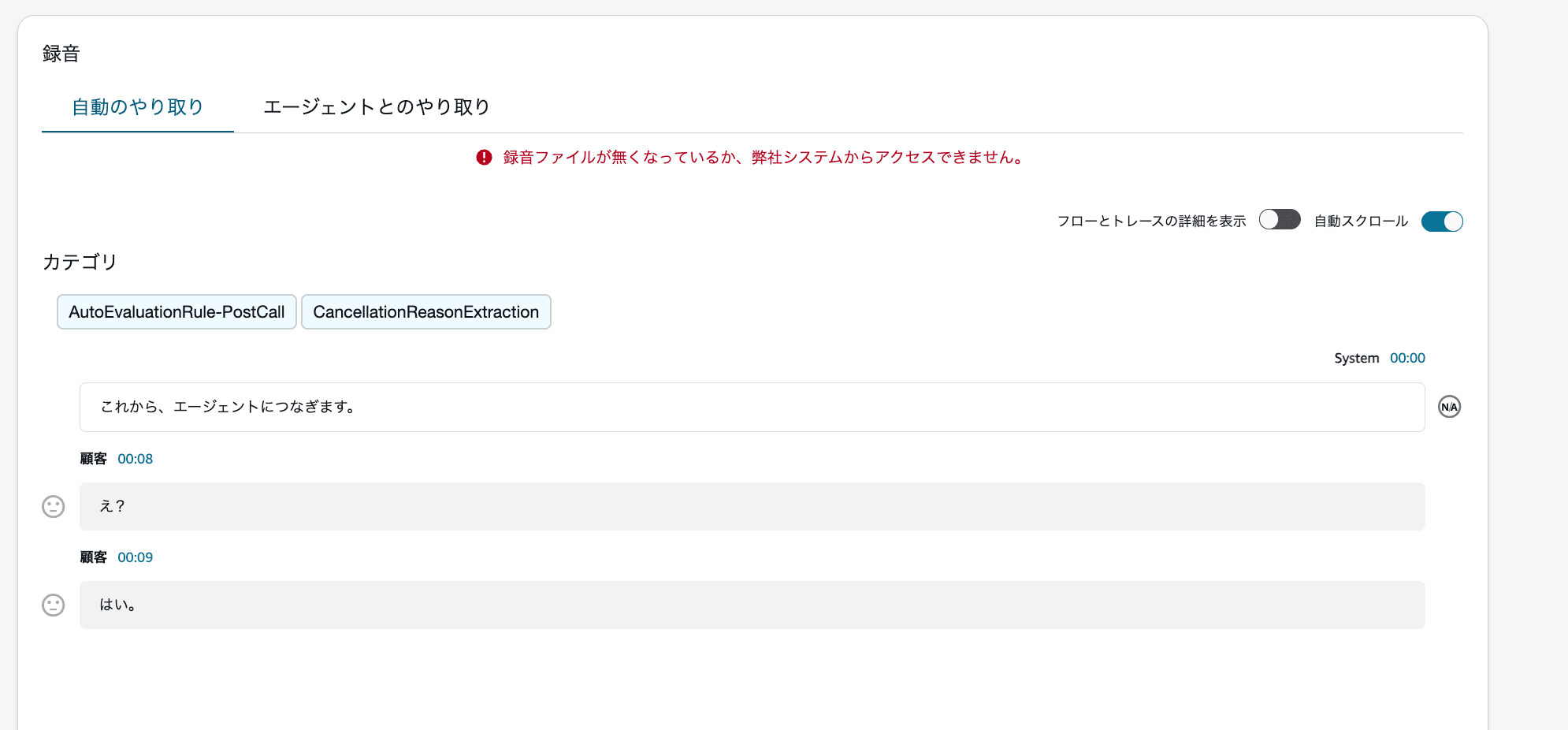
After deleting the IVR recording and logs. The audio cannot be played, but the content of "Automated interaction" is displayed
At this point, I had been checking under connect/<instance alias>/CallRecordings/ and connect/<instance alias>/Analysis/. However, these searches do not include Analysis/ directly under the bucket root. So I searched the entire bucket without specifying a prefix.
Deleting the IVR Analysis File Directly Under the Bucket Root
In AWS CloudShell, search for current objects whose key contains the target contact ID.
aws s3api list-objects-v2 \
  --region "$AWS_REGION" \
  --bucket "$BUCKET" \
  --query "Contents[?contains(Key, '$CONTACT_ID')].[Key,Size,LastModified]" \
  --output table
In this search, the following file was found.
Analysis/Voice/ivr/2026/08/19/8b09f11f-39dd-4640-b506-e42d78efcf4e_analysis_2026-08-19T07:02:42Z.json
This is a different object from the JSON under CallRecordings/AUTOMATED_INTERACTION_LOG/ that I deleted earlier. The storage location was also not under connect/<instance alias>/, but Analysis/Voice/ivr/ directly under the bucket root.
I specified the key I found and deleted it.
export ANALYSIS_IVR_KEY="Analysis/Voice/ivr/2026/08/19/${CONTACT_ID}_analysis_2026-08-19T07:02:42Z.json"

aws s3api delete-object \
  --region "$AWS_REGION" \
  --bucket "$BUCKET" \
  --key "$ANALYSIS_IVR_KEY"
Afterward, when I reloaded the contact details screen, the transcript in "Automated interaction" was no longer displayed.
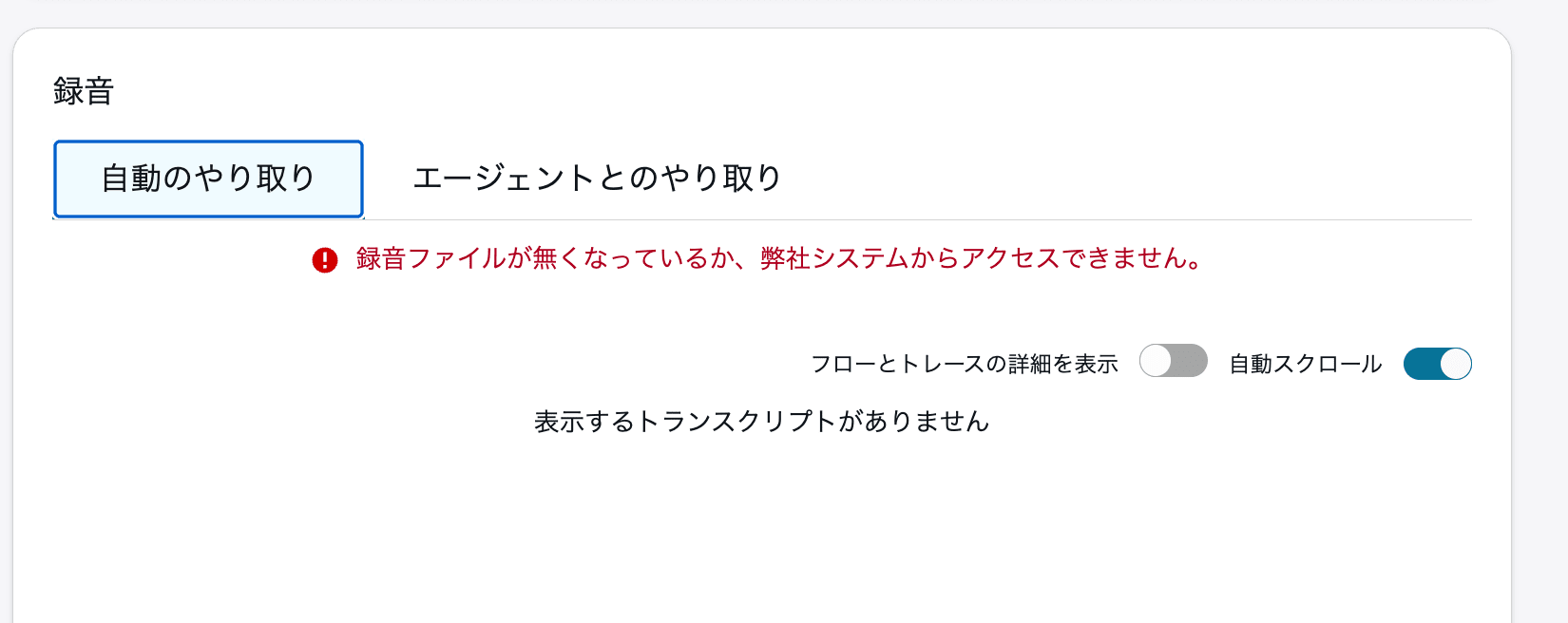
After deleting the IVR analysis file directly under the bucket root. The transcript in "Automated interaction" is no longer displayed
In this test, simply deleting the IVR recording and the automated interaction log did not remove the transcript; it stopped being displayed after I deleted the remaining IVR analysis file.
Note that even with a search of the entire bucket, what can be confirmed is only the current objects whose key contains the contact ID. It does not cover data that does not include the contact ID in the key, or objects in other buckets.
Even After Deleting from S3, the IVR Recording and Automated Interaction Log Remained AVAILABLE
After deleting the IVR recording, the automated interaction log, and the IVR analysis file from S3, I re-ran DescribeContact in AWS CloudShell.
aws connect describe-contact \
  --region "$AWS_REGION" \
  --instance-id "$INSTANCE_ID" \
  --contact-id "$CONTACT_ID" \
  --query 'Contact.Recordings[*].{ParticipantType:ParticipantType,MediaStreamType:MediaStreamType,Status:Status,Location:Location,DeletionReason:DeletionReason}' \
  --output table
I extracted the main columns from the result.
ParticipantType  MediaStreamType          Status
IVR              AUDIO                    AVAILABLE
None             AUTOMATED_INTERACTION    AVAILABLE
None             AUDIO                    DELETED
On the contact details screen, the IVR recording could not be played and the transcript in "Automated interaction" was no longer displayed. On the other hand, in DescribeContact, the IVR recording and the automated interaction log remained AVAILABLE, and the path of the deleted S3 object remained in Location. The recording of the call with the agent that I deleted from the admin console is DELETED.
Summary
In this test, even when I deleted the recording of the call with the agent from the admin console, the IVR recording remained.
Even after deleting the IVR recording and the automated interaction log from S3, the transcript was still displayed, but when I deleted the analysis file remaining in Analysis/Voice/ivr/ directly under the bucket root, it stopped being displayed.