
Amazon Connect Added a Feature That Suggests Improvements to Evaluation Forms, So I Tried It Out

This page has been translated by machine translation. View original
Introduction
Amazon Connect Customer has added a feature that checks evaluation forms used for automated AI evaluation and suggests improvements for questions.
What was added this time is not the feature that automatically evaluates interactions itself, but a feature that checks the questions and evaluation instructions used for that evaluation. It suggests improvements for questions that lack the information the AI needs to evaluate.
This article introduces how to run the check, and the results I confirmed when no issues were flagged and when improvements were flagged.
What has changed
When you have AI evaluate interactions, the questions written in an evaluation form alone may not convey the judgment criteria sufficiently.
The AWS update information gives as an example a question that checks whether the agent provided the necessary explanations at the time of sale. For such a question, it encourages you to define specifically what needs to be explained before the sale.
For example, with only a question such as "Did you provide the necessary explanations?", it is unclear which explanations are necessary. Even if a human evaluator knows the internal rules, it is difficult to ask the AI to make the same judgment unless that content is written in the question or the evaluation instructions.
With this feature, you can check for such missing evaluation criteria when configuring the form.
Running the evaluation form check
You can find out about creating and validating evaluation forms in the following official documentation.
From [Analytics and optimization] > [Evaluation forms] in the admin console, open the target evaluation form.
This time, I checked how to run it from the [Save] menu and how to run it from [Validate] on each question.
Running from [Save and validate]
Open the [Save] menu at the top right of the evaluation form and click [Save and validate].
The following screen shows [Save as draft], [Save and validate], and [Save as new version].
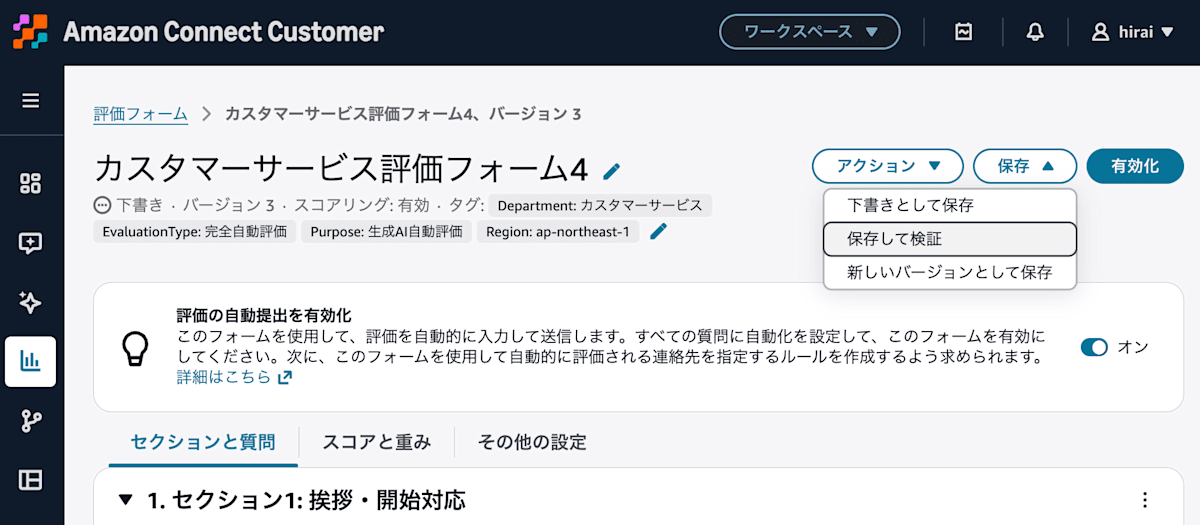
Run the check from [Save and validate] in the [Save] menu
From this menu, you can save the evaluation form and run the check.
Running from [Validate] on each question
In this verification, in addition to [Save and validate], I was also able to start the check by clicking [Validate] on the right side of each question.
The following evaluation form has the following three questions in a section called "Bot response quality".
- Was the bot able to correctly understand the customer's intent?
- Was the bot's listening and recognition smooth?
- How was the quality of the overall dialogue?
You can confirm that [Validate] is displayed on the right side of each question.
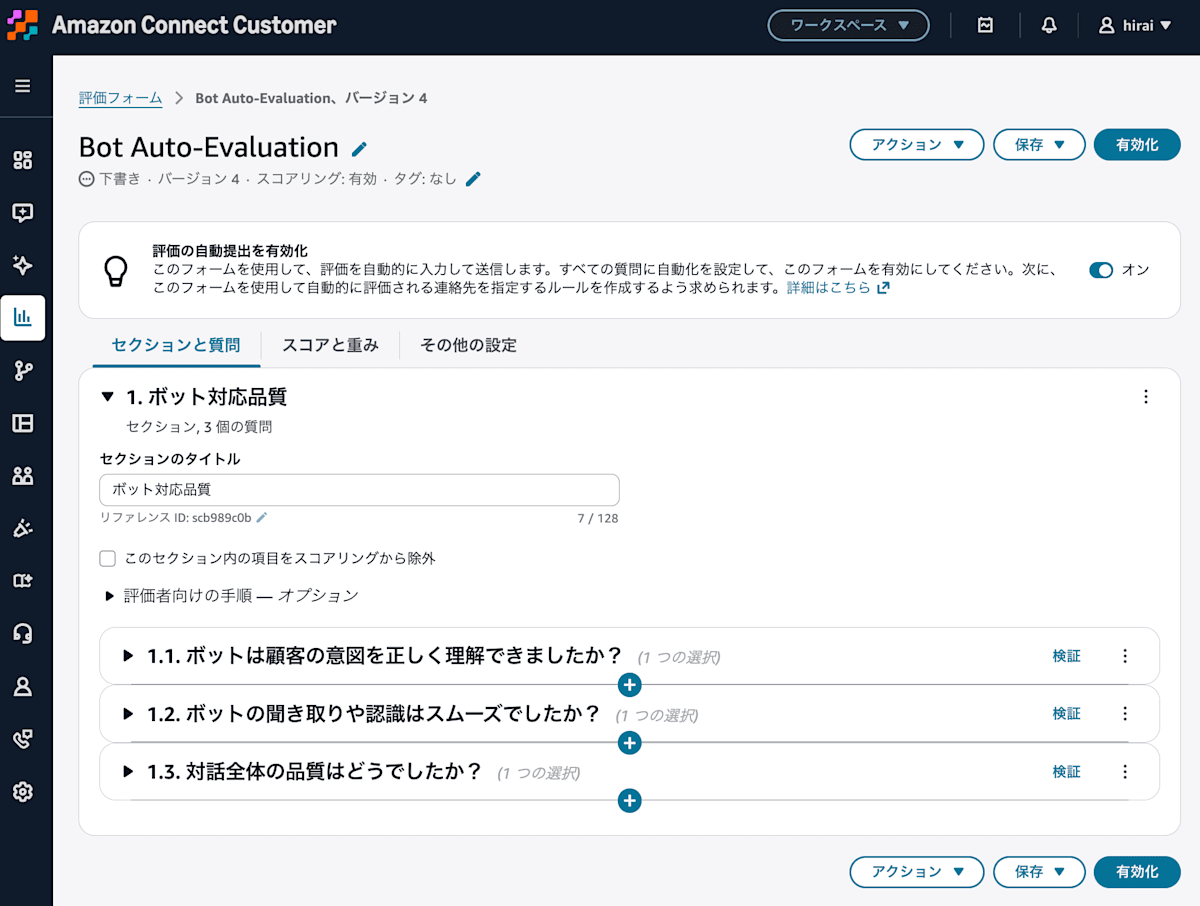
The check can also be started from [Validate] on the right side of each question
I was able to run the check directly from the form editing screen.
Verification
When no issues were flagged
When I started the check, a panel opened on the right side of the screen and validation was run.
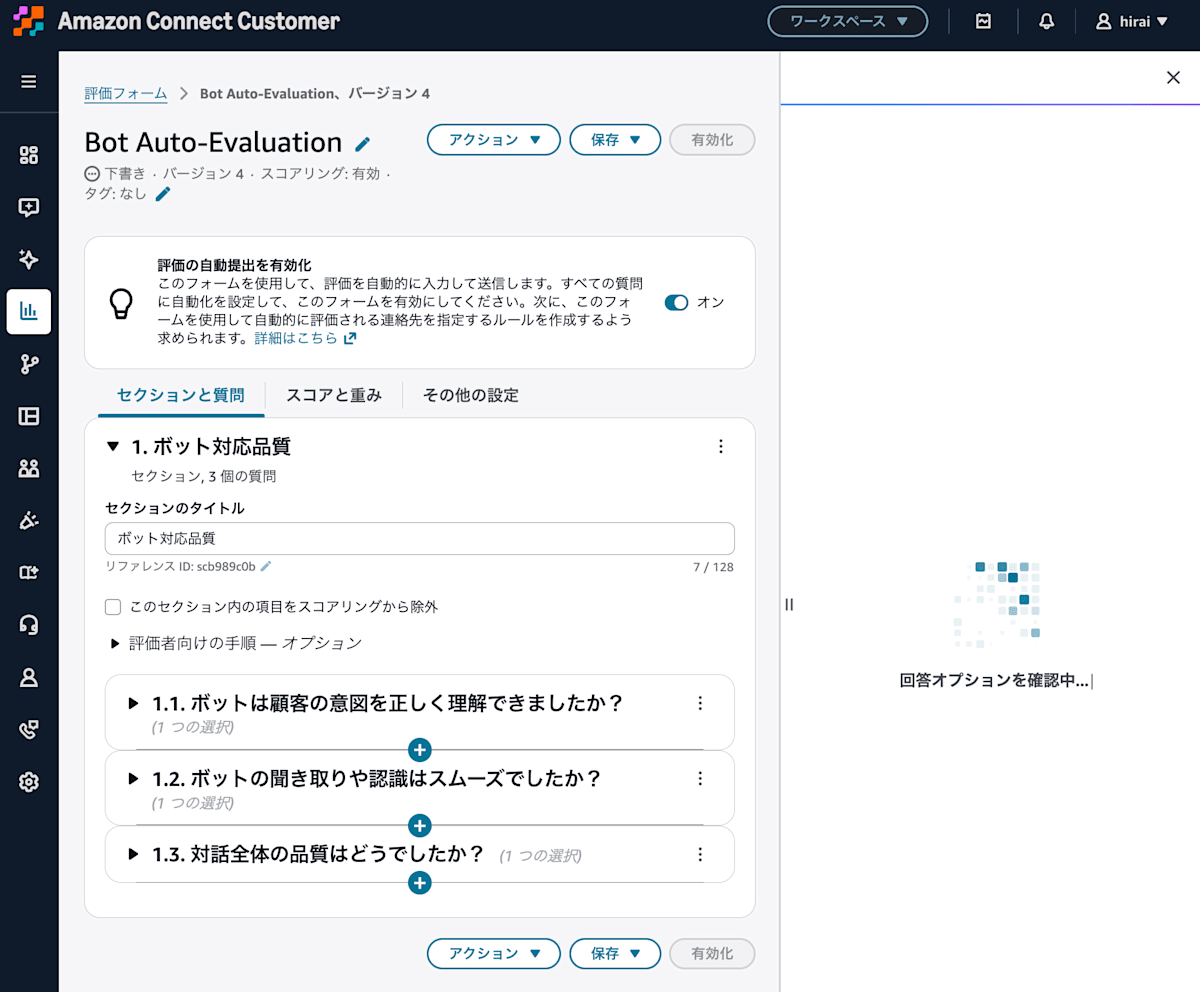
When the check starts, a panel is displayed on the right side of the screen
When the check completed, "No issues found" was displayed in [Validation results] on the right. The same result was also displayed for each of the three questions.
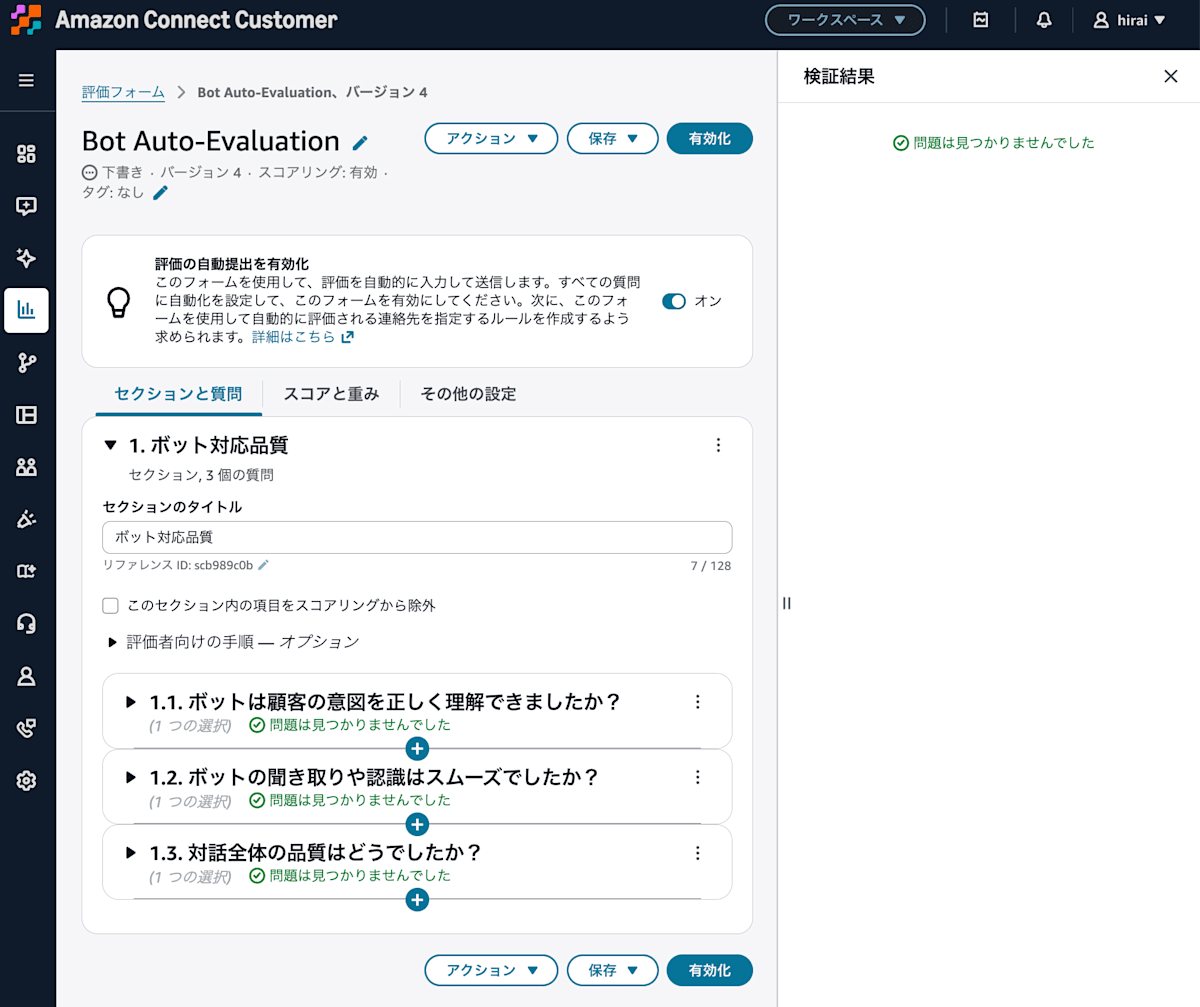
"No issues found" is displayed in the validation results on the right and for each question
In this verification, no improvements were flagged for this form.
However, even if no issues are flagged, it does not necessarily mean the AI will score as intended. Before operation, I would like to automatically evaluate actual conversations with this form and also test whether the results match the scoring that a human would expect.
When improvements were flagged
Next, I checked a form where the question type was set to [Text field] and the question "Please summarize the content of the conversation" was configured.
In the following screen, both [Instructions for evaluators — Optional] and [Instructions for AI — Recommended] are blank.
As a result of the check, "1 suggestion" was displayed on the question. In the [Automation settings check] panel on the right, a flag saying "Instructions are required" is shown, along with an English explanation and suggested improvement.
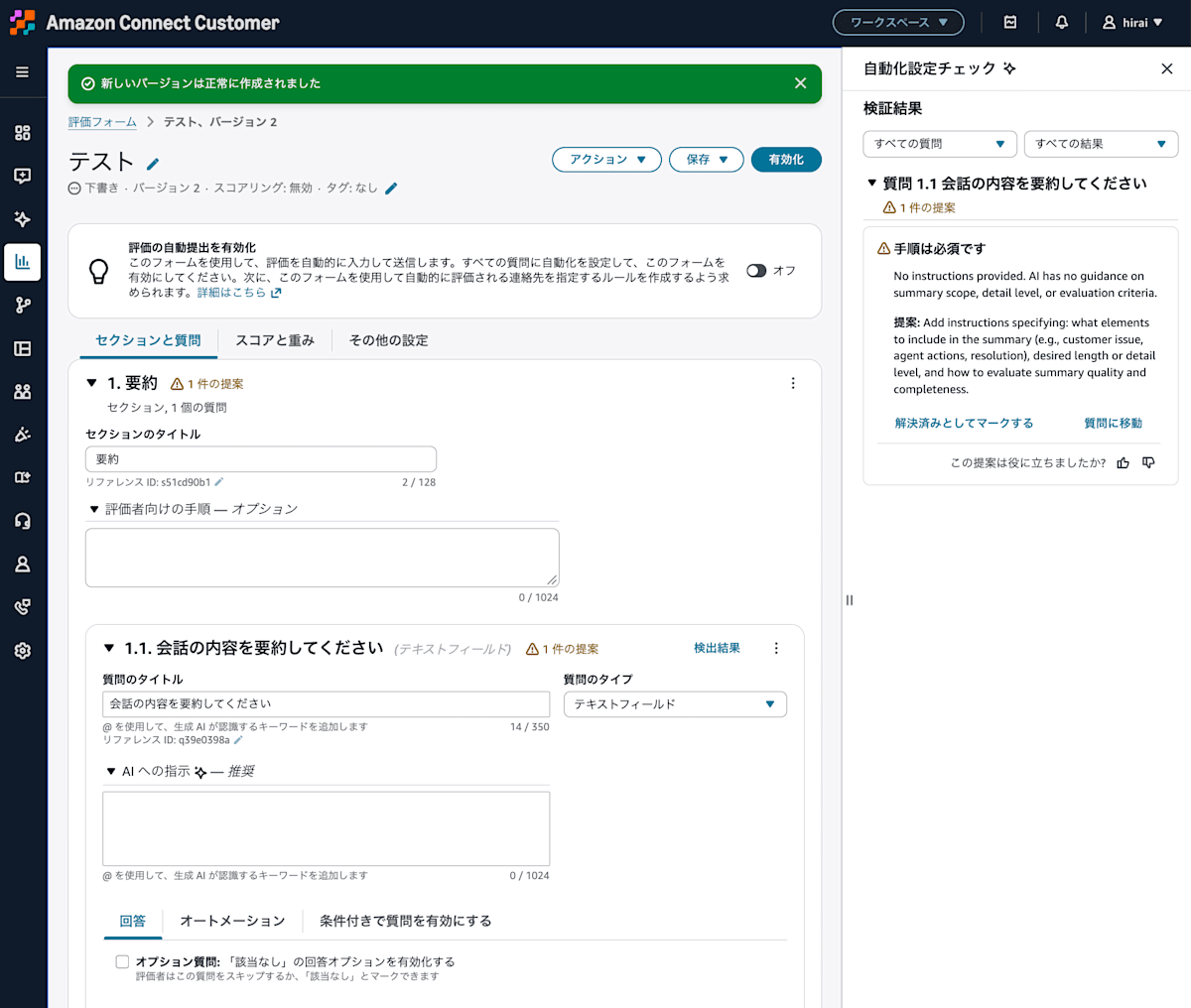
It suggests specifying the scope, level of detail, and evaluation criteria for the summary
The displayed explanation is as follows.
No instructions provided. AI has no guidance on summary scope, detail level, or evaluation criteria.
No instructions have been entered. There is no information for the AI to use to make judgments about the scope, level of detail, and evaluation criteria for the summary.
The suggested improvement was also displayed in English.
Add instructions specifying: what elements to include in the summary (e.g., customer issue, agent actions, resolution), desired length or detail level, and how to evaluate summary quality and completeness.
Please add as instructions the content to include in the summary (such as the customer's issue, the agent's actions, and the resolution), the desired length and level of detail, and the criteria for judging the quality of the summary and whether the necessary information is included.
The question this time specifies the summarization itself, but does not specify what to include or how detailed it should be. For that gap, a specific improvement suggestion was presented.
Note that the item name [Instructions for AI — Recommended] on the screen differs from the expression "Instructions are required" in the validation result. You should be careful not to interpret this display alone as meaning that the instructions field has become a required input when saving the form.
Also, on this screen the explanation of the flag and the suggested improvement were output in English. It will probably become Japanese in the future.
Summary
In an Amazon Connect Customer evaluation form, I was able to run the check from [Save and validate] or from [Validate] on each question.
In this verification, I confirmed both a case where no issues were flagged and a case where missing summary scope and evaluation criteria were flagged. The explanation and the suggested improvement were in English, but they showed specifically what should be added.
When creating a form to be used for automated evaluation, I would like to use this check to confirm missing instructions, and also test with actual conversations whether the evaluation turns out as intended.
