I tried to check if Amazon GuardDuty Investigation can be used in an event-driven manner, but it couldn't be used

This page has been translated by machine translation. View original
Hello, this is Usuda.
Everyone, are you investigating AWS incidents? (greeting)
The other day, an Investigation feature was added to Amazon GuardDuty in preview.
Since investigations need to be explicitly started from our side, I wondered if there was a way to automatically run them or automatically capture events, and I ran some tests to verify the behavior.
As the title suggests, I wasn't able to capture events automatically, so I'll summarize how to handle that situation.
Overview
Amazon GuardDuty Investigation is a feature that allows additional investigation of detected threats and more.
Traditionally, Amazon GuardDuty detects threats from various activities on AWS, but there was a reasonable need to gather additional information for determining impact and responding — such as what operations were performed before and after the threat, and retrieving related information about the target resource.
Although it's still in preview, Amazon GuardDuty Investigation investigates across a single Finding, a single AWS account, or an entire AWS Organizations, leverages AI to conduct various additional investigations, and summarizes what is happening and how to respond — it's a great feature!
It may become even more useful when officially released, but since it's still in preview, I'll summarize the results of various tests. (I'll also provide feedback to AWS)
What I Want to Do
As mentioned above, investigations using the current Amazon GuardDuty Investigation must be manually initiated.
For example, you might want to automatically trigger an investigation whenever a Finding is detected, or receive a Slack notification when investigation results are ready.
So first, I investigated whether events are emitted from Amazon EventBridge.
Events Are Not Emitted
When a threat is detected in Amazon GuardDuty, a "detail-type": "GuardDuty Finding" event is published from Amazon EventBridge. For details, see this user guide.
I first checked whether there are any additional events published by Amazon GuardDuty, such as for Amazon GuardDuty Investigation.
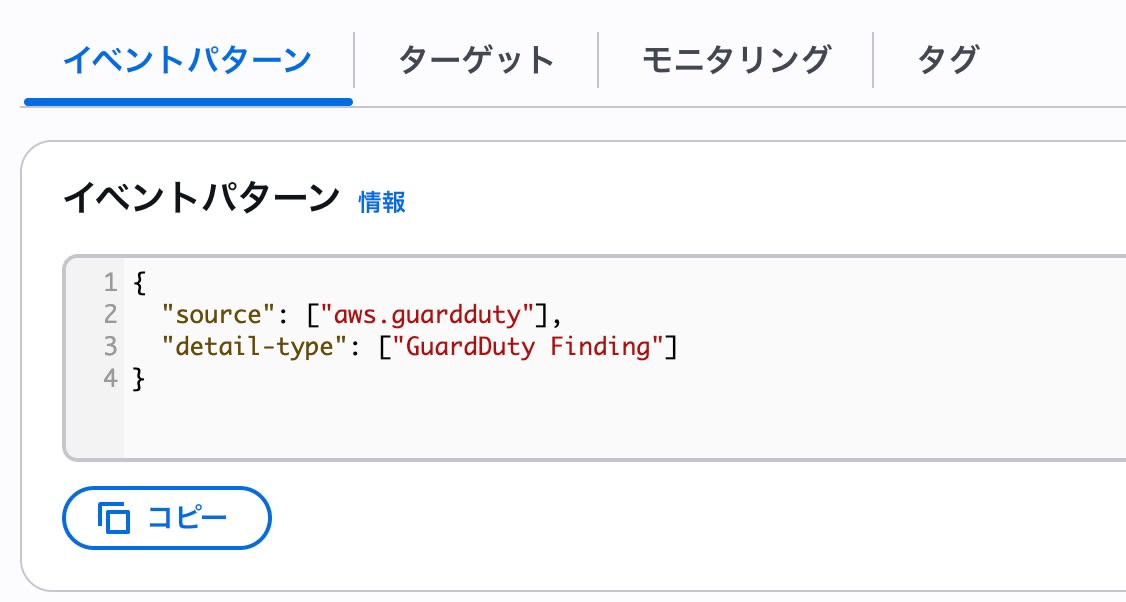
Normally, detection notifications are set up by configuring event rules like the following.
This time, I changed the configuration so that all Amazon GuardDuty events would be notified. It notifies a wide variety of actions regardless of investigations, so it's a double-edged sword setting that should only be used during minor testing.
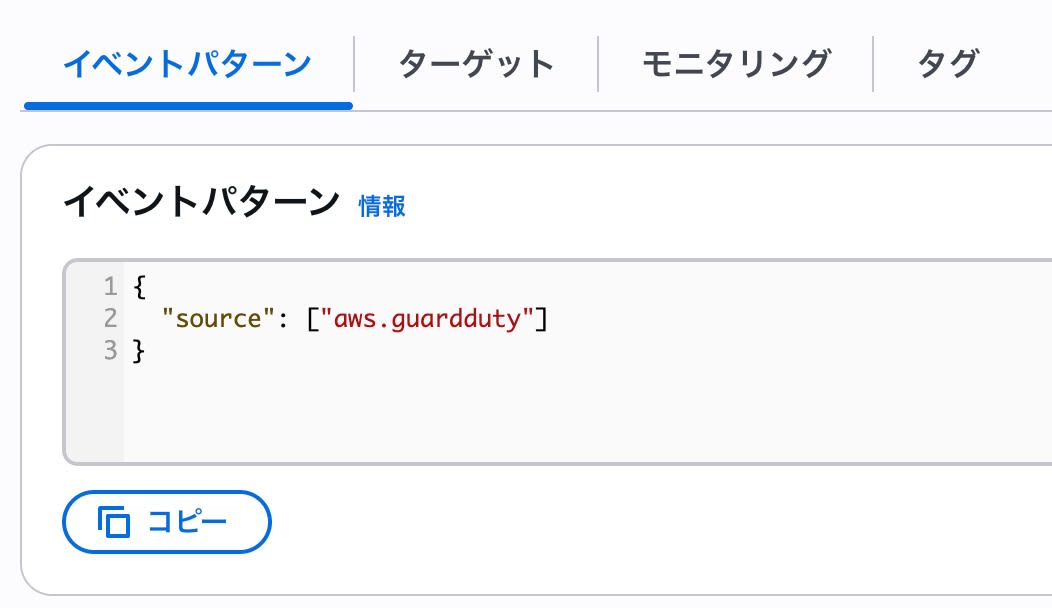
As a result, the execution of CreateInvestigation itself was captured as an AwsApiCall, as shown below.
{
    "version": "0",
    "id": "00000000-0000-0000-0000-000000000000",
    "detail-type": "AWS API Call via CloudTrail",
    "source": "aws.guardduty",
    "account": "123456789012",
    "time": "2026-07-07T01:58:24Z",
    "region": "ap-northeast-1",
    "resources": [],
    "detail": {
        "eventVersion": "1.09",
        "userIdentity": {
            "…省略…"
        },
        "eventTime": "2026-07-07T01:58:24Z",
        "eventSource": "guardduty.amazonaws.com",
        "eventName": "CreateInvestigation",
        "awsRegion": "ap-northeast-1",
        "sourceIPAddress": "203.0.113.10",
        "userAgent": "Boto3/1.43.41 md/Botocore#1.43.41 ua/2.1 os/linux lang/python#3.13.13 exec-env/CloudShell Botocore/1.43.41",
        "requestParameters": {
            "triggerPrompt": "Investigate account 123456789012",
            "detectorId": "1111111111111111111111111111111",
            "clientToken": "00000000-0000-0000-0000-000000000000"
        },
        "responseElements": {
            "investigationId": "22222222-2222-2222-2222-222222222222"
        },
        "requestID": "33333333-3333-3333-3333-333333333333",
        "eventID": "44444444-4444-4444-4444-444444444444",
        "readOnly": false,
        "eventType": "AwsApiCall",
        "managementEvent": true,
        "recipientAccountId": "123456789012",
        "eventCategory": "Management",
        "sessionCredentialFromConsole": "true"
    }
}
However, no other events were published. In other words, the situation is as follows.
- There are no event types related to Amazon GuardDuty Investigation
- Even when an Amazon GuardDuty Investigation completes, it cannot be detected passively
So, since events are not emitted, you need to explicitly go and retrieve them.
Executing Investigations and Retrieving Results with a Script
In any case, after a Findings event is emitted, you also need to explicitly trigger an investigation, so it seems best for now to make the process from that point through retrieving the results a single continuous workflow.
The article below describes investigations using the AWS CLI, so in this article I'll try it with Python.
Please refer to boto3's create_investigation and similar documentation for the code.
Roughly speaking, a script like the following worked.
import time
import boto3

ACCOUNT_ID = "999999999999"

client = boto3.client("guardduty")

detector_id = client.list_detectors()["DetectorIds"][0]

investigation_id = client.create_investigation(
    DetectorId=detector_id,
    TriggerPrompt=f"Investigate account {ACCOUNT_ID}",
)["InvestigationId"]

while True:
    resp = client.get_investigation(
        DetectorId=detector_id,
        InvestigationId=investigation_id,
    )
    investigation = resp["Investigation"]
    status = investigation["Status"]
    print(status)
    if status in ("COMPLETED", "FAILED"):
        break
    time.sleep(15)

print(investigation.get("RiskLevel"))
print(investigation.get("Confidence"))
print(investigation.get("Summary"))
I'll highlight a few key points.
As mentioned in the AWS CLI article above, unlike the console, investigations via the API don't simply specify Findings or an AWS account as explicit parameters — instead, you include those in natural language within the TriggerPrompt parameter.
It really has a generative AI feel to it.
So I've assembled this in a simplified way. On the flip side, since it's not an explicit parameter, it's also a point to be careful about as it can be a bit tricky to work with.
Also, the investigation status is found at response["Investigation"]["Status"] in get_investigation, and you can wait until it becomes either "COMPLETED" or "FAILED".
By the way, the investigation results — as you'd expect from generative AI — vary quite a bit even with the same prompt, and there were differences starting from the title like this.
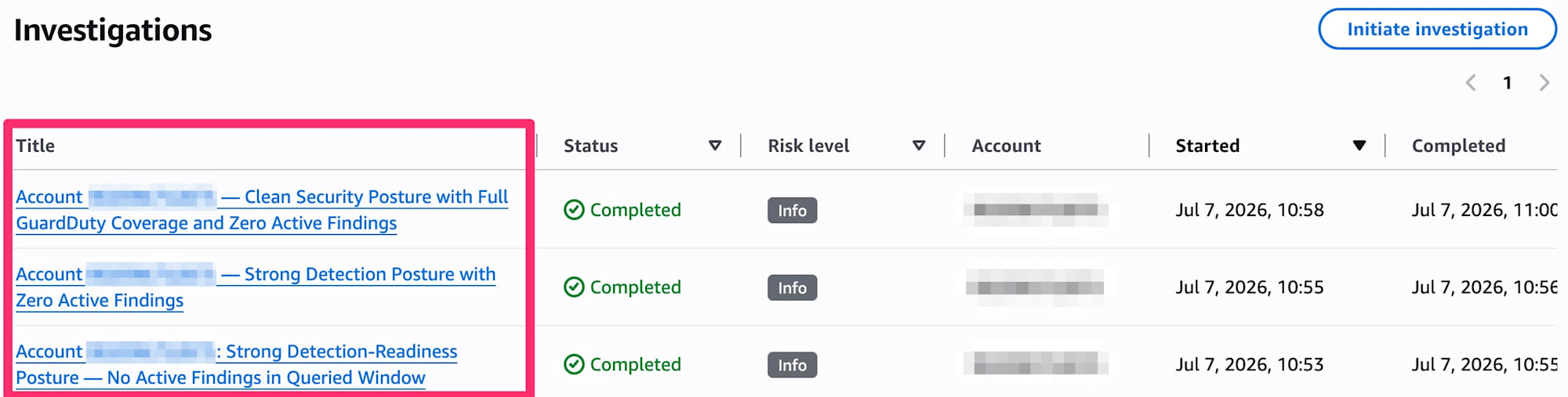
The content also changes quite a bit, so I'm curious how consistently good output will be produced in actual investigations.
Summary
I checked whether Amazon GuardDuty Investigation features could be handled in an event-driven manner, but at least in the current preview state, it was not possible.
It seems best to create notifications that combine investigation with its results in response to Findings detection.
