
I tried automatically making outbound calls from Amazon Connect to the phone number in the email body using AWS Lambda triggered by emails received in Amazon SES

This page has been translated by machine translation. View original
Introduction
Previously, I tried a configuration that throttles the Amazon Connect StartOutboundVoiceContact API call rate using Amazon SQS and AWS Lambda.
This time, I extended that configuration to try a setup that triggers on emails received by Amazon SES, extracts phone numbers from the email body in Lambda, and automatically places calls using the Amazon Connect StartOutboundVoiceContact API.
Here is what I wanted to accomplish:
External email
↓
Amazon SES email reception
↓
Save raw email to Amazon S3
↓
S3 event notification
↓
Amazon SQS
↓
AWS Lambda
↓
Amazon Connect StartOutboundVoiceContact
↓
Place a call to the phone number in the email body
For this verification, I sent an email with a phone number in E.164 format in the body.
Please call +819012345678
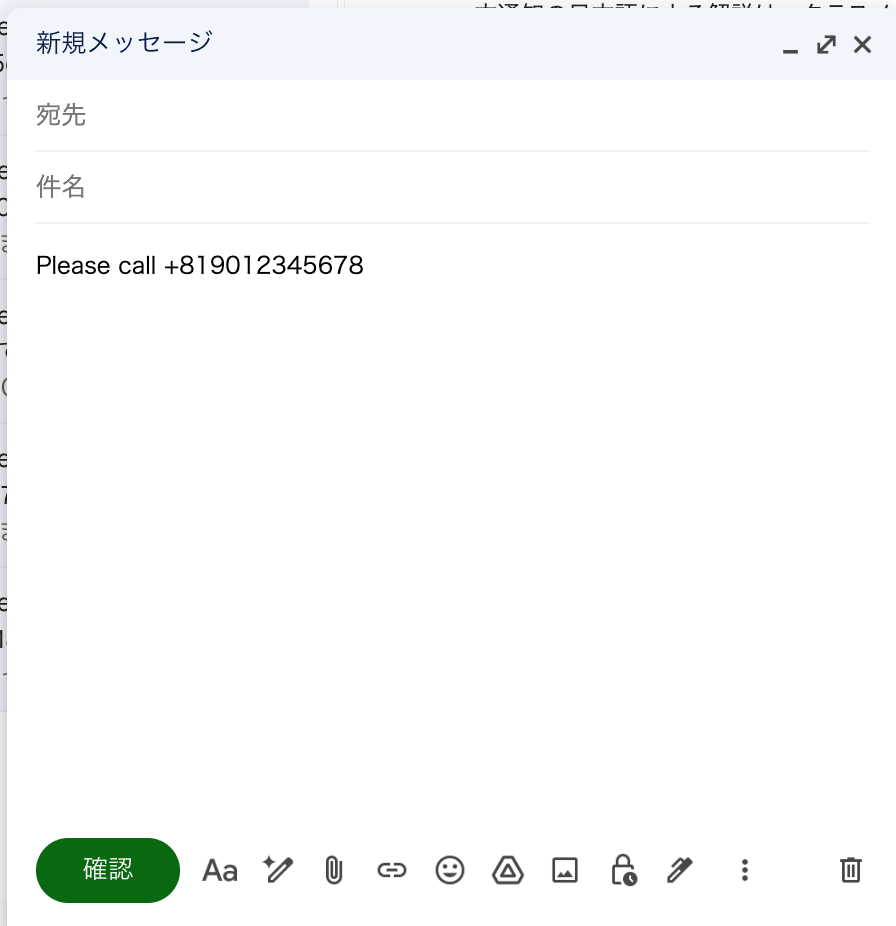
Lambda parses the raw email, extracts the phone number from the body, and passes it to the StartOutboundVoiceContact API.
When I actually tried it, I was able to confirm that a call came in approximately 10 seconds after sending the email.
Prerequisites
This time, the following are assumed as prerequisites:
- An Amazon Connect instance has already been created
- An outbound contact flow has already been created
- An outbound phone number is available for use in Amazon Connect
- A domain identity for receiving in Amazon SES has already been created
- The MX record for the receiving domain points to the Amazon SES email receiving endpoint
- The SQS queue
connect-rate-limited-call-queuewas created with the settings from the previous article - The verification region is
ap-northeast-1
Since the SQS queue uses connect-rate-limited-call-queue created in the previous article, the creation steps are omitted in this article.
Since domain names and email addresses depend on the environment, specific values are omitted in the article except where necessary. When actually using this, please replace them with your own domain and email address.
Configuration and Processing Flow
Amazon SES email reception
↓
Receiving rule
↓
Save raw email to S3
↓
S3 event notification
↓
SQS standard queue
↓
Lambda
↓
Amazon Connect StartOutboundVoiceContact
↓
Place a call to the phone number in the email body
While you can specify a Lambda action in SES receiving rules, the Lambda action event does not include the email body.
Therefore, this time I configured it to save the email received by SES to S3 as a raw email, and have Lambda read the email body from S3 starting from the S3 event notification.
The following documentation is helpful regarding SES Lambda action events:
Also, the Amazon Connect StartOutboundVoiceContact API has a call rate quota. In this configuration, similar to the previous article, I am throttling the API call rate using SQS and Lambda event source mapping.
The StartOutboundVoiceContact API quota can be checked in the AWS General Reference.
Created Resources
The main resources created or used this time are as follows:
| Resource | Name |
|---|---|
| S3 bucket | my-ses-inbound-mail-bucket |
| SQS queue | connect-rate-limited-call-queue |
| Lambda function | ses-mail-to-connect-call |
| SES receiving rule | save-mail-to-s3 |
Create an S3 Bucket
Create an S3 bucket to store raw emails received by SES.
This time, I created the bucket with the name my-ses-inbound-mail-bucket and all other settings at default.
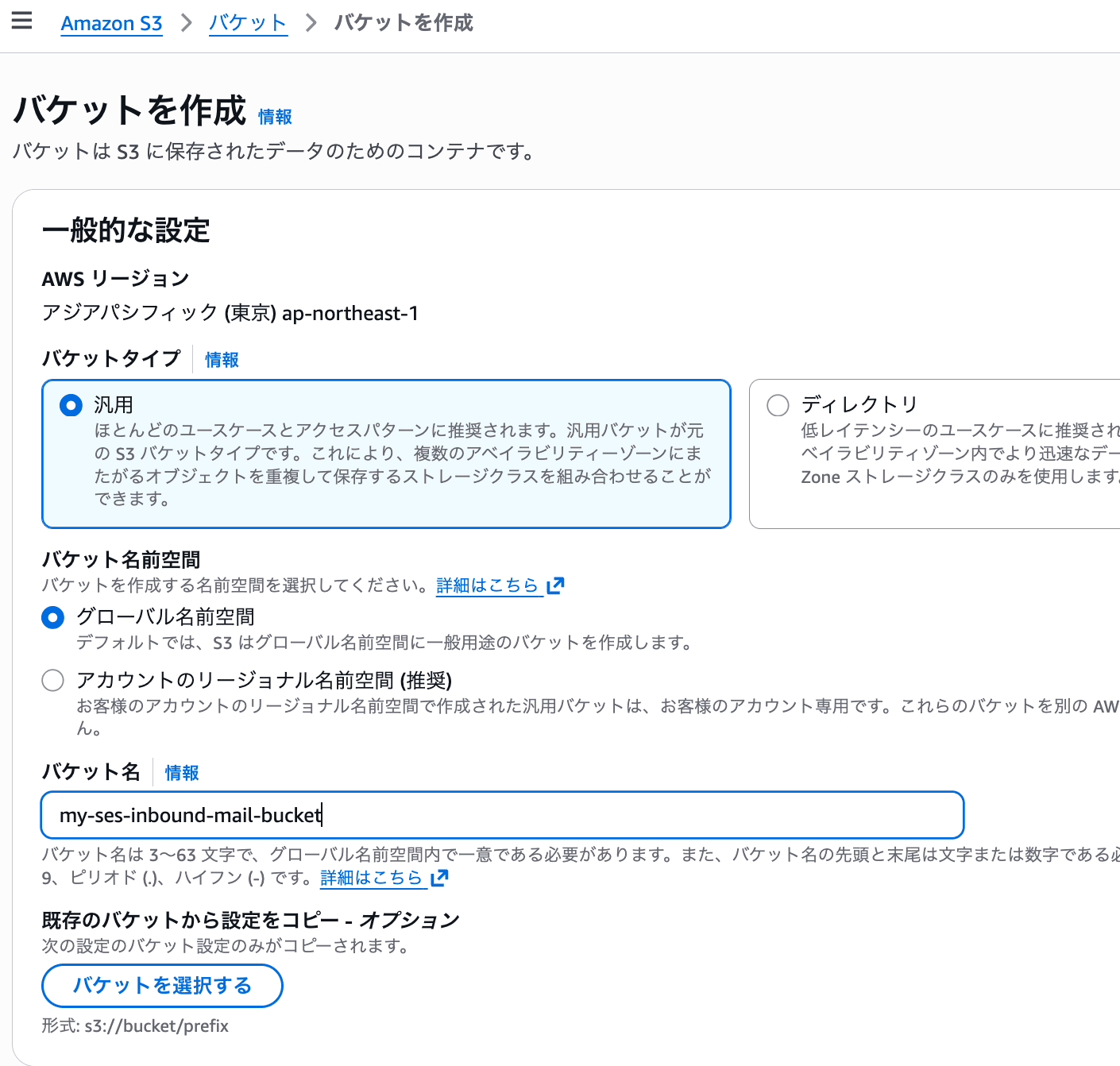
Screen showing the creation of S3 bucket my-ses-inbound-mail-bucket
Configure an S3 Bucket Policy
Configure an S3 bucket policy so that SES can save raw emails to the S3 bucket.
The following AWS official documentation is helpful regarding the permissions required for SES to save emails to an S3 bucket:
In this example, I configured the following policy. The account ID is shown as 111111111111 as an example. When actually using this, please replace it with your own AWS account ID.
{
  "Version": "2012-10-17",
  "Statement": [
    {
      "Sid": "AllowSESPutObject",
      "Effect": "Allow",
      "Principal": {
        "Service": "ses.amazonaws.com"
      },
      "Action": "s3:PutObject",
      "Resource": "arn:aws:s3:::my-ses-inbound-mail-bucket/incoming/*",
      "Condition": {
        "StringEquals": {
          "AWS:SourceAccount": "111111111111"
        }
      }
    }
  ]
}
This policy allows the SES service principal to perform s3:PutObject under incoming/ in my-ses-inbound-mail-bucket.
Configure an SQS Queue Policy
To send messages from S3 event notifications to SQS, add a statement to the SQS queue access policy that allows SQS:SendMessage from s3.amazonaws.com.
In this example, I added the following to the SQS queue connect-rate-limited-call-queue.
The account ID is shown as 111111111111 as an example.
{
  "Sid": "AllowS3SendMessage",
  "Effect": "Allow",
  "Principal": {
    "Service": "s3.amazonaws.com"
  },
  "Action": "SQS:SendMessage",
  "Resource": "arn:aws:sqs:ap-northeast-1:111111111111:connect-rate-limited-call-queue",
  "Condition": {
    "StringEquals": {
      "aws:SourceAccount": "111111111111"
    },
    "ArnLike": {
      "aws:SourceArn": "arn:aws:s3:::my-ses-inbound-mail-bucket"
    }
  }
}
The aws:SourceArn specified here is the S3 bucket ARN.
If this is specified incorrectly, the following error occurred when saving the S3 event notification:
Unable to validate the following destination configurations
The following documentation is also helpful for permission settings required to send from S3 event notifications to SQS:
Create a Lambda Function
The Lambda function was created with the following details:
- Function name:
ses-mail-to-connect-call - Runtime: Python 3.14
- Timeout: 30 seconds
The Lambda execution role was granted AWSLambdaSQSQueueExecutionRole to receive messages from SQS.
Additionally, the following inline policy was granted for reading raw emails saved in S3 and calling the Amazon Connect StartOutboundVoiceContact API.
The account ID is shown as 111111111111 as an example. Please replace <connect-instance-id> with your own Amazon Connect instance ID.
{
  "Version": "2012-10-17",
  "Statement": [
    {
      "Sid": "ReadInboundMailFromS3",
      "Effect": "Allow",
      "Action": [
        "s3:GetObject"
      ],
      "Resource": "arn:aws:s3:::my-ses-inbound-mail-bucket/incoming/*"
    },
    {
      "Sid": "StartOutboundVoiceContact",
      "Effect": "Allow",
      "Action": [
        "connect:StartOutboundVoiceContact"
      ],
      "Resource": "arn:aws:connect:ap-northeast-1:111111111111:instance/<connect-instance-id>/contact/*"
    }
  ]
}
The Resource is restricted to contacts under the target Amazon Connect instance.
The SQS queue connect-rate-limited-call-queue was configured as a trigger for Lambda.
The SQS trigger settings are the same as in the previous article, with a batch size of 1 and maximum concurrency of 2. Please refer to the following article for details.
Lambda Code
The Lambda code for this time is as follows.
This code extracts the bucket and object key from the S3 event notification included in the SQS message body, and reads the raw email from S3.
It then extracts the phone number in E.164 format from the email body using a regular expression and calls the Amazon Connect StartOutboundVoiceContact API.
import json
import os
import re
import time
import hashlib
import urllib.parse
from email import policy
from email.parser import BytesParser

import boto3
from botocore.config import Config

s3 = boto3.client("s3")

connect = boto3.client(
    "connect",
    config=Config(
        retries={
            "total_max_attempts": 1,
            "mode": "standard"
        }
    )
)

CONNECT_INSTANCE_ID = os.environ["CONNECT_INSTANCE_ID"]
CONTACT_FLOW_ID = os.environ["CONTACT_FLOW_ID"]
SOURCE_PHONE_NUMBER = os.environ["SOURCE_PHONE_NUMBER"]
DRY_RUN = os.environ.get("DRY_RUN", "true").lower() == "true"

PHONE_RE = re.compile(r"\+[1-9]\d{1,14}\b")

def lambda_handler(event, context):
    print("event:", json.dumps(event, ensure_ascii=False))

    for sqs_record in event.get("Records", []):
        body = json.loads(sqs_record["body"])

        if body.get("Event") == "s3:TestEvent":
            print("Received s3:TestEvent. Ignore.")
            continue

        for s3_record in body.get("Records", []):
            bucket = s3_record["s3"]["bucket"]["name"]
            key = urllib.parse.unquote_plus(s3_record["s3"]["object"]["key"])

            print(f"Processing s3://{bucket}/{key}")

            raw_email = get_raw_email(bucket, key)
            subject, text = parse_email(raw_email)

            destination_phone_number = extract_phone_number(subject + "\n" + text)

            if not destination_phone_number:
                print(f"No E.164 phone number found in s3://{bucket}/{key}. Skip.")
                continue

            client_token = make_client_token(bucket, key)

            print({
                "bucket": bucket,
                "key": key,
                "subject": subject,
                "destinationPhoneNumber": destination_phone_number,
                "clientToken": client_token,
                "dryRun": DRY_RUN
            })

            if DRY_RUN:
                print("DRY_RUN=true, skip StartOutboundVoiceContact.")
            else:
                start_outbound_voice_contact(
                    destination_phone_number=destination_phone_number,
                    client_token=client_token,
                    bucket=bucket,
                    key=key,
                    subject=subject
                )

                time.sleep(1)

    return {
        "statusCode": 200
    }

def get_raw_email(bucket, key):
    obj = s3.get_object(Bucket=bucket, Key=key)
    return obj["Body"].read()

def parse_email(raw_email_bytes):
    msg = BytesParser(policy=policy.default).parsebytes(raw_email_bytes)

    subject = msg.get("subject", "")

    texts = []

    if msg.is_multipart():
        for part in msg.walk():
            content_type = part.get_content_type()
            content_disposition = part.get_content_disposition()

            if content_disposition == "attachment":
                continue

            if content_type == "text/plain":
                try:
                    texts.append(part.get_content())
                except Exception as e:
                    print(f"Failed to read text/plain part: {e}")
    else:
        try:
            if msg.get_content_type() == "text/plain":
                texts.append(msg.get_content())
            else:
                texts.append(str(msg.get_content()))
        except Exception as e:
            print(f"Failed to read message content: {e}")

    return subject, "\n".join(texts)

def extract_phone_number(text):
    match = PHONE_RE.search(text)
    if not match:
        return None
    return match.group(0)

def make_client_token(bucket, key):
    raw = f"{bucket}/{key}"
    return hashlib.sha256(raw.encode("utf-8")).hexdigest()

def start_outbound_voice_contact(destination_phone_number, client_token, bucket, key, subject):
    params = {
        "InstanceId": CONNECT_INSTANCE_ID,
        "ContactFlowId": CONTACT_FLOW_ID,
        "DestinationPhoneNumber": destination_phone_number,
        "SourcePhoneNumber": SOURCE_PHONE_NUMBER,
        "ClientToken": client_token,
        "Attributes": {
            "ClientToken": client_token,
            "S3Bucket": bucket,
            "S3Key": key[:1024],
            "MailSubject": subject[:1024]
        }
    }

    response = connect.start_outbound_voice_contact(**params)
    print("StartOutboundVoiceContact response:", response)
    return response
The following environment variables were configured:
| Environment variable | Purpose |
|---|---|
CONNECT_INSTANCE_ID |
Amazon Connect instance ID |
CONTACT_FLOW_ID |
Outbound contact flow ID |
SOURCE_PHONE_NUMBER |
Source phone number. Required since this implementation does not specify QueueId |
DRY_RUN |
If true, only outputs logs without calling the StartOutboundVoiceContact API |
Initially, I verified the operation with DRY_RUN=true, confirming SES reception, S3 saving, SQS notification, Lambda execution, and email parsing.
After confirming there were no issues, I changed it to DRY_RUN=false and placed actual calls.
Phone Number Extraction Method
In this code, the following regular expression is used to extract phone numbers in E.164 format:
PHONE_RE = re.compile(r"\+[1-9]\d{1,14}\b")
Therefore, it is necessary to include a format like the following in the email body:
+819012345678
On the other hand, domestic Japanese formats like the following are not supported by this code:
090-1234-5678
09012345678
+81 90 1234 5678
Please add processing to normalize domestic Japanese formats to E.164 format as needed.
Email Body Parsing Targets
In this code, for multipart emails, only text/plain parts that are not attachments are targeted for parsing.
Therefore, phone numbers cannot be extracted from the body of emails that only contain a text/html part. Please add processing to extract text from HTML as needed.
Also, the first E.164 format phone number found in the combined string of the subject and body is used as the destination. Therefore, if another phone number is included in a signature or quoted body, an unintended phone number may be selected.
How to Create the ClientToken
ClientToken is a value used for idempotency control of the StartOutboundVoiceContact API.
By specifying the same ClientToken for the same outbound request, it is used to prevent duplicate calls due to reprocessing of the same email.
In this code, the following is hashed with SHA-256 so that the same value is produced for reprocessing of the same S3 object:
bucket + "/" + objectKey
def make_client_token(bucket, key):
    raw = f"{bucket}/{key}"
    return hashlib.sha256(raw.encode("utf-8")).hexdigest()
Since S3 event notifications, SQS, and Lambda can result in duplicate processing, the intention is to suppress the side effect of duplicate calls for the same email by passing the same ClientToken to the final outbound API.
The following documentation for the StartOutboundVoiceContact API is also helpful regarding ClientToken:
Suppressing Connect SDK Retries
In this code, botocore retry settings are specified when creating the Amazon Connect client:
connect = boto3.client(
    "connect",
    config=Config(
        retries={
            "total_max_attempts": 1,
            "mode": "standard"
        }
    )
)
By setting total_max_attempts to 1, additional retries within the SDK are suppressed.
In this configuration, the StartOutboundVoiceContact API call rate is throttled by the maximum concurrency of the SQS event source mapping and the sleep within Lambda.
If automatic retries are performed internally by the SDK, even though the Lambda code appears to call the API only once, the actual number of API requests may increase.
Therefore, I decided to delegate API call retries to SQS reprocessing rather than the SDK internally.
If an exception occurs during a StartOutboundVoiceContact API call, Lambda does not swallow the exception but instead fails. This causes the SQS message to not be deleted and to be reprocessed after the visibility timeout.
Since the same S3 object produces the same ClientToken value during reprocessing, the same outbound request can be handled during reprocessing as well.
The following documentation is also helpful regarding botocore Config:
Configure S3 Event Notifications
Configure S3 event notifications for the S3 bucket my-ses-inbound-mail-bucket.
The configuration details are as follows:
| Setting item | Value |
|---|---|
| Event name | notify-incoming-mail-to-sqs |
| Prefix | incoming/ |
| Event type | All object create events |
| Destination | SQS queue |
| SQS queue | connect-rate-limited-call-queue |
With this, when SES saves a raw email under incoming/, a message is sent to SQS via the S3 event notification.
Create an SES Receiving Rule
Create a receiving rule in Amazon SES email receiving.
This time, I named the receiving rule save-mail-to-s3.
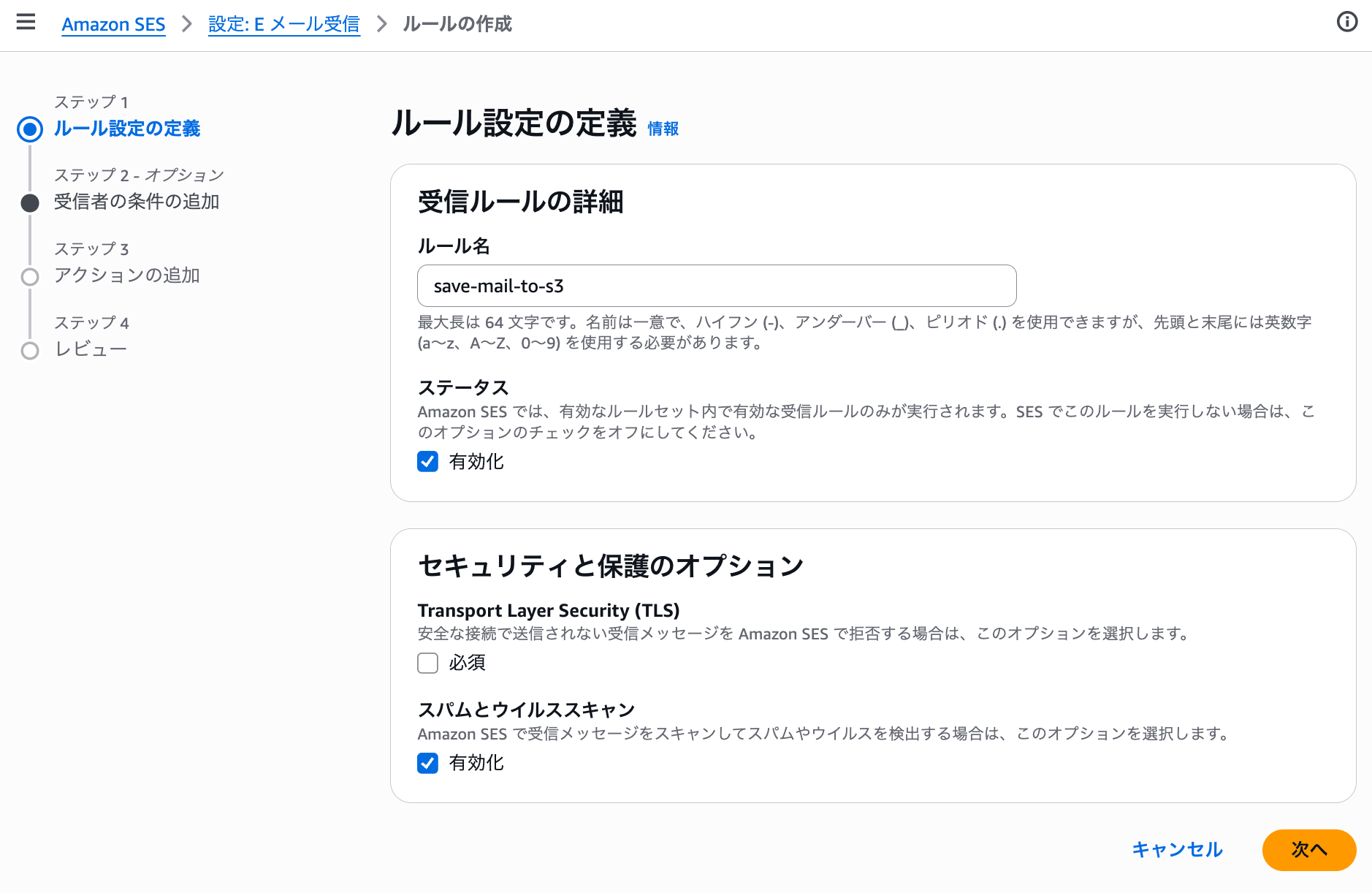
Screen showing the creation of SES receiving rule save-mail-to-s3
A verification receiving email address was specified as the recipient condition.
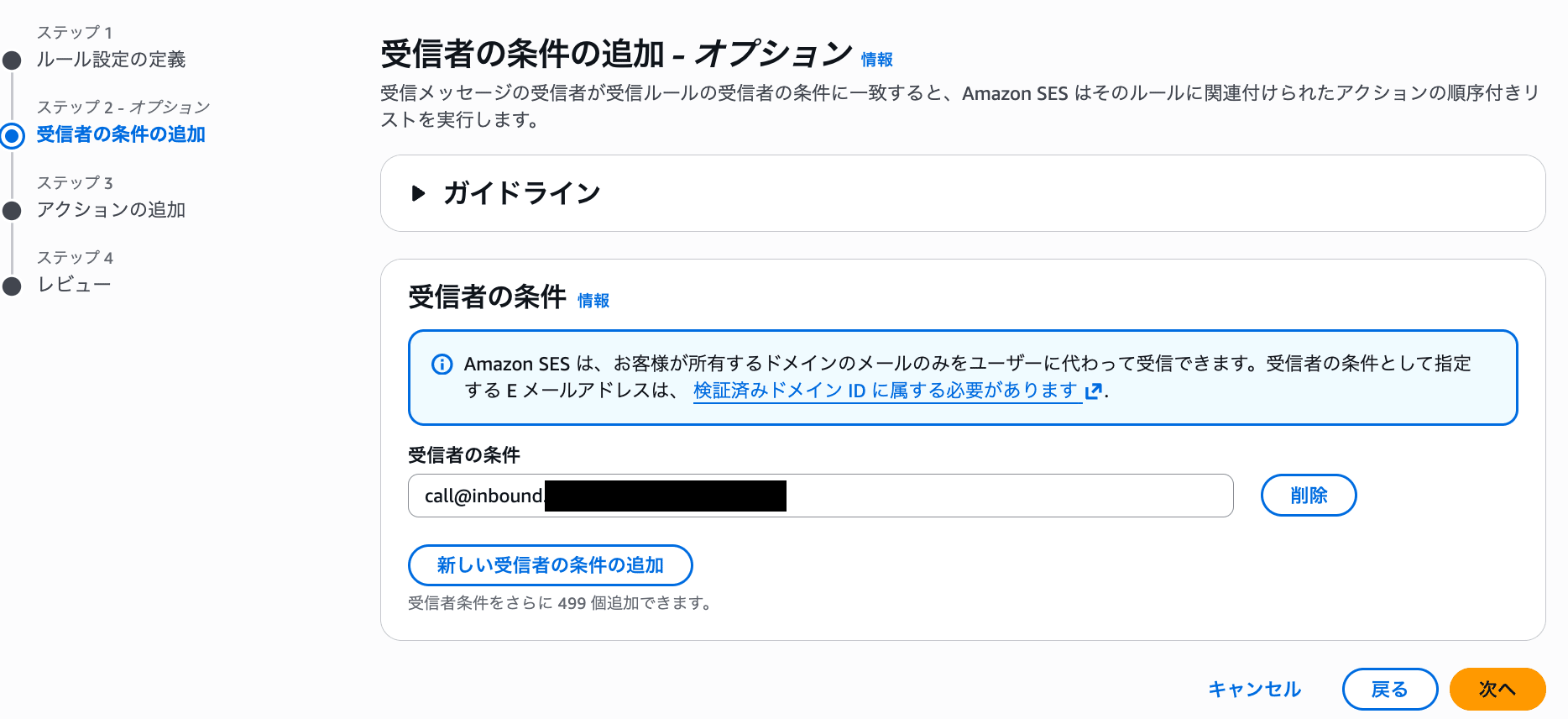
Screen showing the specification of recipient conditions
Delivery to an S3 bucket is specified as the action.
| Setting item | Value |
|---|---|
| Action | Deliver to S3 bucket |
| S3 bucket | my-ses-inbound-mail-bucket |
| Object key prefix | incoming/ |
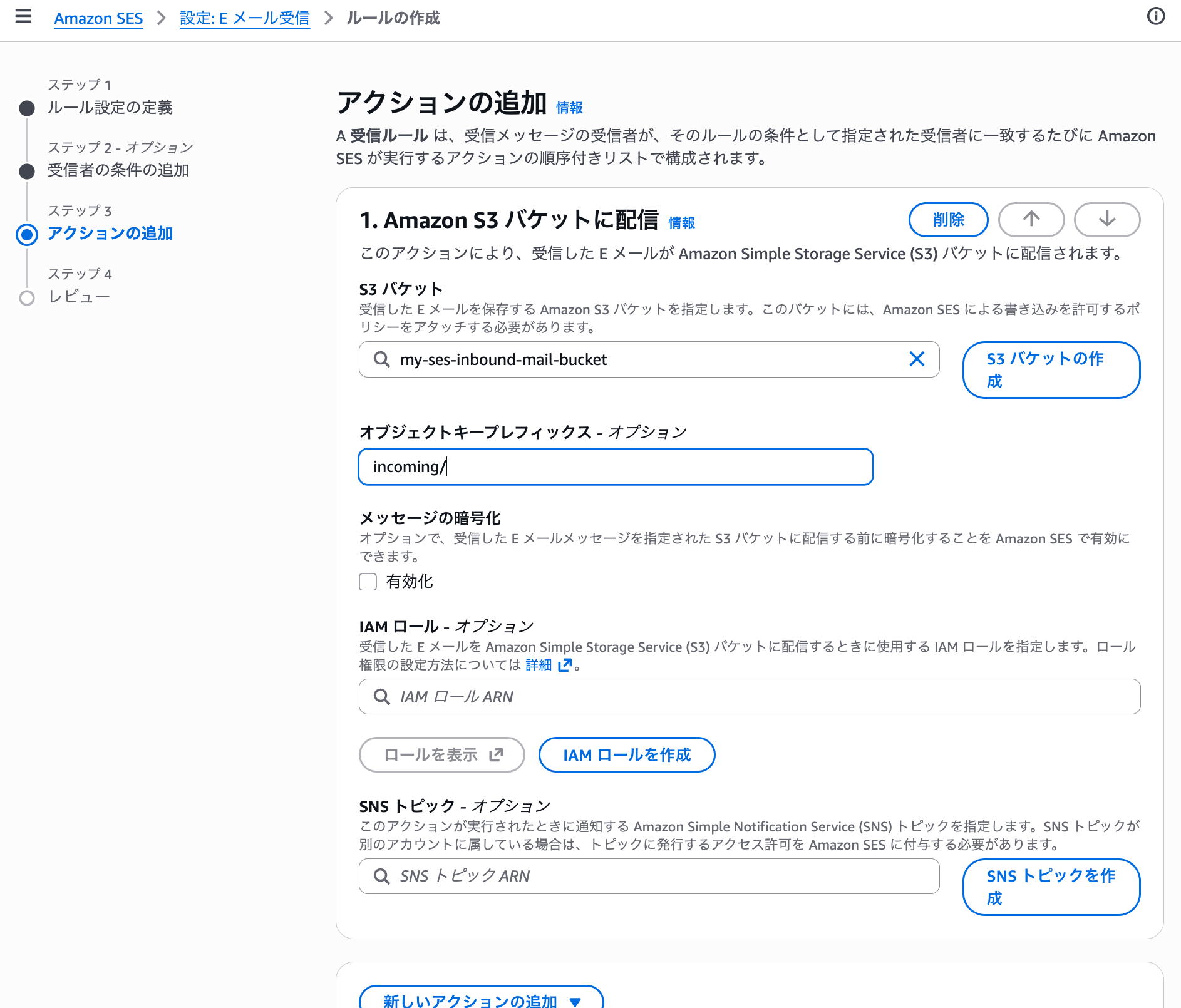
Settings to save raw email to S3 bucket my-ses-inbound-mail-bucket
With the SES S3 action, received emails can be saved to S3 in raw MIME format.
To use the created receiving rule, the receiving rule set must be activated.
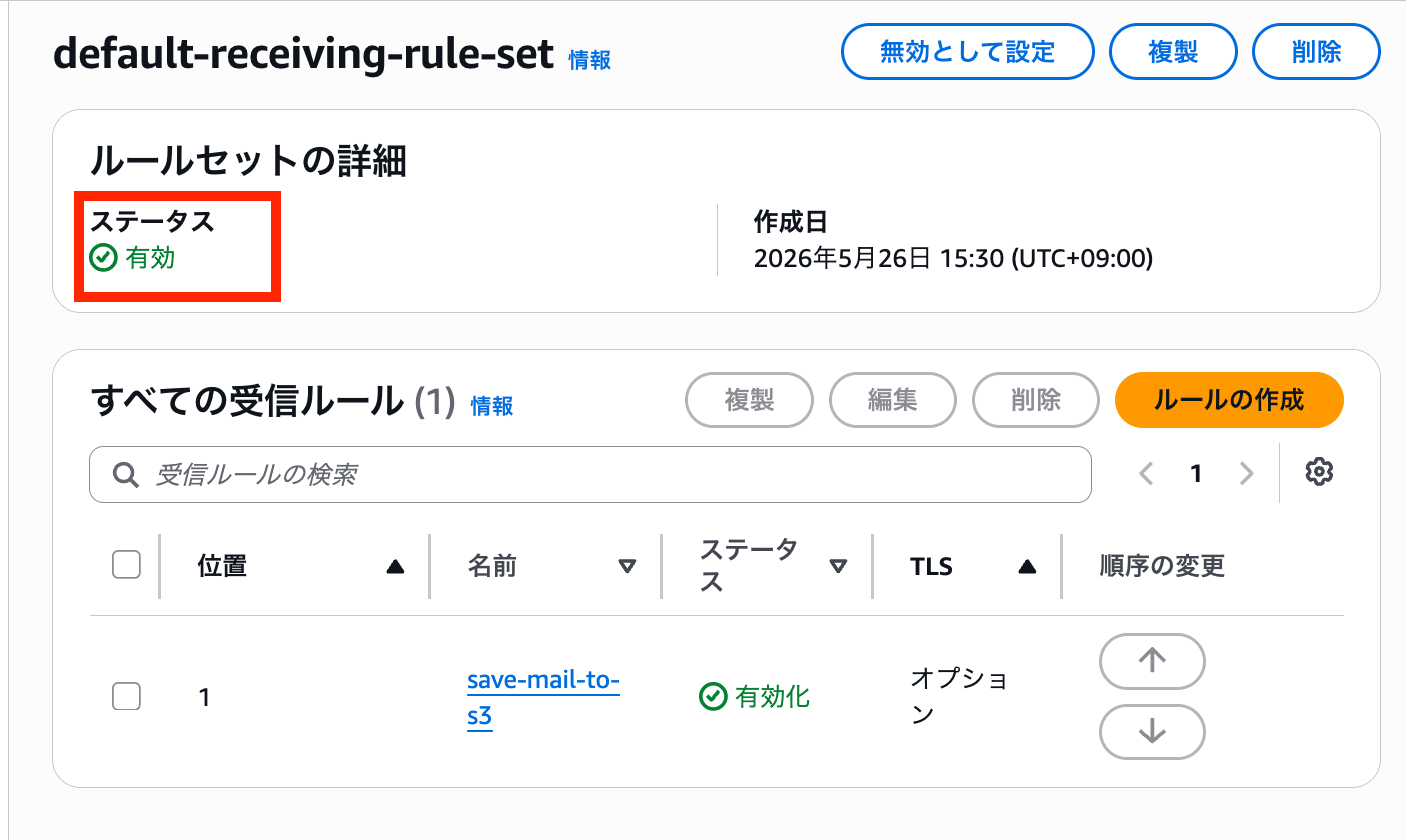
Screen showing the activation of the receiving rule set
Notes for Production Use
In this configuration, a third party who can send email to the receiving email address may be able to trigger unintended calls by including a phone number in E.164 format in the email body.
This configuration is intended for operational verification, but if used in a production environment, please consider measures such as the following:
- Process only emails from authorized senders
- Verify email authentication results such as SPF, DKIM, and DMARC
- Restrict callable country codes and phone numbers using an allowlist
- Set an upper limit on the number of calls per unit time
- Monitor CloudWatch Logs and metrics to detect abnormal calling activity
- First verify operation with
DRY_RUN=true
Since the email From header can be spoofed, it is necessary to combine it with email authentication results and other factors rather than making authorization decisions based solely on the sender's email address.
Verification
I wrote a phone number in the email body and sent an email to the verification receiving email address.
The email body was as follows:
Please call +819012345678
Initially, I verified the operation with the Lambda environment variable DRY_RUN=true.
The following logs were output to CloudWatch Logs:
Processing s3://my-ses-inbound-mail-bucket/incoming/4cklatksvuq0qc90g1k73lufosj88q5vueag8eg1

{
  'bucket': 'my-ses-inbound-mail-bucket',
  'key': 'incoming/4cklatksvuq0qc90g1k73lufosj88q5vueag8eg1',
  'subject': 'This is a test.',
  'destinationPhoneNumber': '+819012345678',
  'clientToken': '9ec31a9179cce2d6ddfafc1b228ff4721a1cbe41f6f6f050d4a7a18ec4f6abc8',
  'dryRun': True
}

DRY_RUN=true, skip StartOutboundVoiceContact.
From these logs, I was able to confirm the following:
- Lambda was triggered via SQS
- The S3 bucket and object key were obtained from the S3 event notification
- The raw email saved in S3 was read successfully
- The email subject was retrieved
+819012345678was extracted from the email body- The
ClientTokenwas generated - Since
DRY_RUN=true, the actual call was skipped
After that, I changed the Lambda environment variable as follows:
- DRY_RUN=true
+ DRY_RUN=false
When I sent the email again, I was able to confirm that a call came in approximately 10 seconds after sending.
In this verification, the following complete flow worked:
Send email
↓
Received by SES
↓
Raw email saved to S3
↓
SQS notified via S3 event notification
↓
Lambda triggered
↓
Phone number extracted from email body
↓
StartOutboundVoiceContact API called
↓
Call placed
Summary
I tried a configuration that saves emails received by Amazon SES to S3, and calls the Amazon Connect StartOutboundVoiceContact API via S3 event notifications, SQS, and Lambda.
In this verification, I was able to confirm that Lambda extracted the E.164 format phone number written in the email body and a call came in approximately 10 seconds after sending the email.
By configuring Lambda to read the raw email saved in S3 rather than handling the email body directly in the SES Lambda action, I was able to parse the email body and connect it to subsequent processing.