I examined the cost information for AWS DevOps Agent from Cost Explorer and CUR

This page has been translated by machine translation. View original
Introduction
What is DevOps Agent
AWS DevOps Agent is a managed AI operations agent provided by AWS. It autonomously performs initial incident investigation and root cause analysis based on alerts from CloudWatch alarms and observability tools. It also supports multi-account environments, enabling cross-account analysis. It became generally available (GA) on 2026-03-31.
I'm currently exploring the use of DevOps Agent in projects. Overall, I have a positive impression with the following observations:
- The operator-specific UI (Operator Web App) is refreshingly different from traditional management consoles
- The mitigation plans include practical commands with pre-validation and rollback options
- Minimal setup and prerequisites make it easy to recommend for adoption
- Potential uses beyond alert analysis, such as for security and cost operations
About Pricing
The post-GA pricing is as follows:
Pay-As-You-Go Investigations (Incident Response) $0.0083 per agent-second Evaluations (Incident Prevention) $0.0083 per agent-second On-demand SRE tasks (Chat) $0.0083 per agent-second -- Quote: Pricing – AWS DevOps Agent – AWS
Charges for investigations, evaluations, and on-demand chats are all based on agent operation time. That's about $30 per hour.
While the pricing structure is as described above, in this article I investigated how this actually appears in Cost Explorer and CUR statements.
Checking with Cost Explorer
Identifying Usage Types
You can identify usage types with the combination of Dimension: Usage Type, Service: DevOpsAgent.
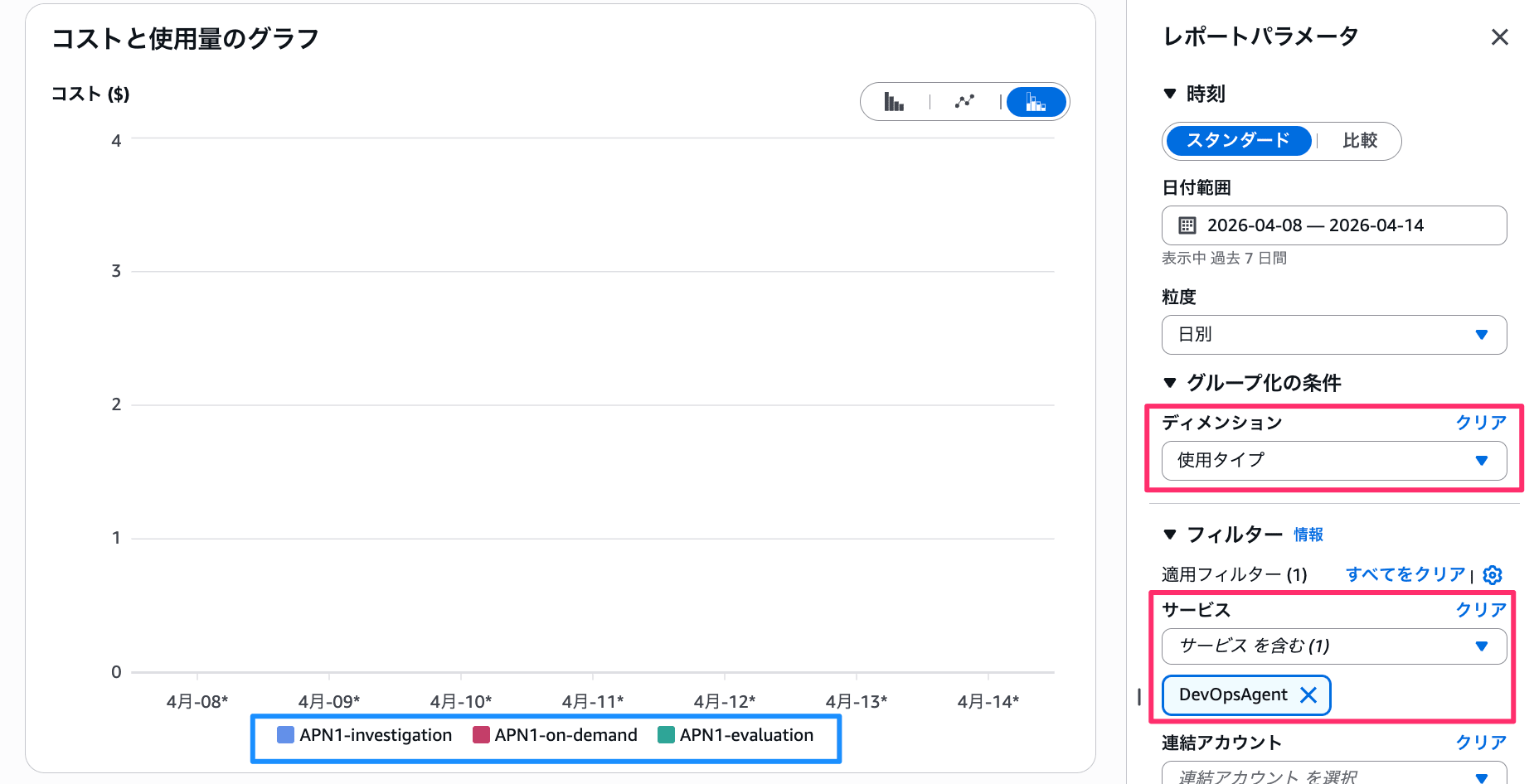
Screen filtered by Dimension "Usage Type" and Service "DevOpsAgent"
For usage in the Tokyo region, there are the following three usage types:
APN1-investigation: Usage type corresponding to "Investigations (Incident Response)"APN1-evaluation: Usage type corresponding to "Evaluations (Incident Prevention)"APN1-on-demand: Usage type corresponding to "On-demand SRE tasks (Chat)"
Usage Amount for Each Type
You can check how much each usage type is used by filtering more specifically.
For example, let's apply the filter Usage Type: APN1-investigation. You should see the Usage (Hrs) section.
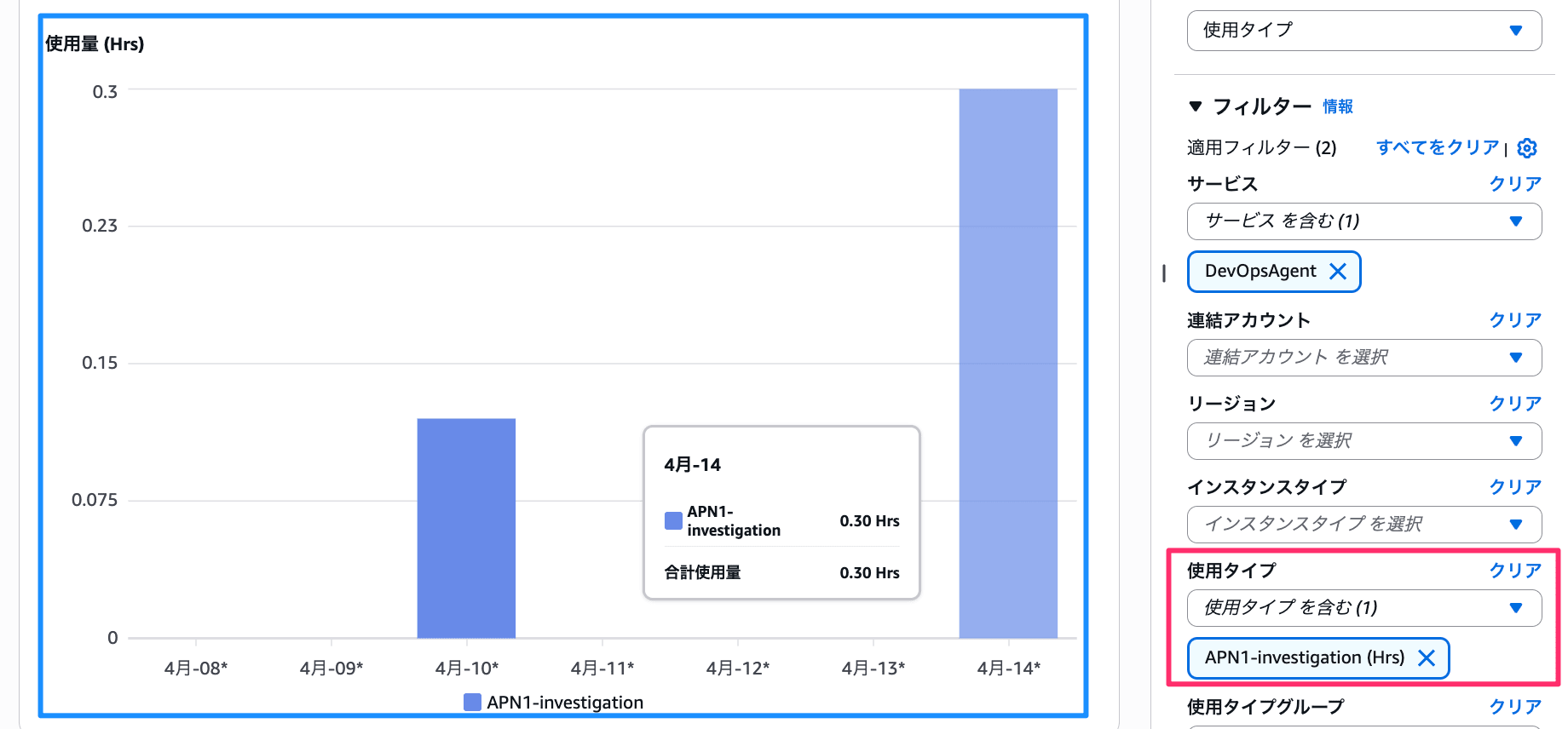
Usage graph filtered by Usage Type "APN1-investigation"
In this example, there's a recorded usage of 0.30 hours on 4/14. If the free tier had ended, this would cost approximately 0.30 hours × $30/hour = $9.00.
Checking from CUR
For this examination, I looked at the DAILY cost details from CUR 2.0. I checked one day's worth of CSV details.
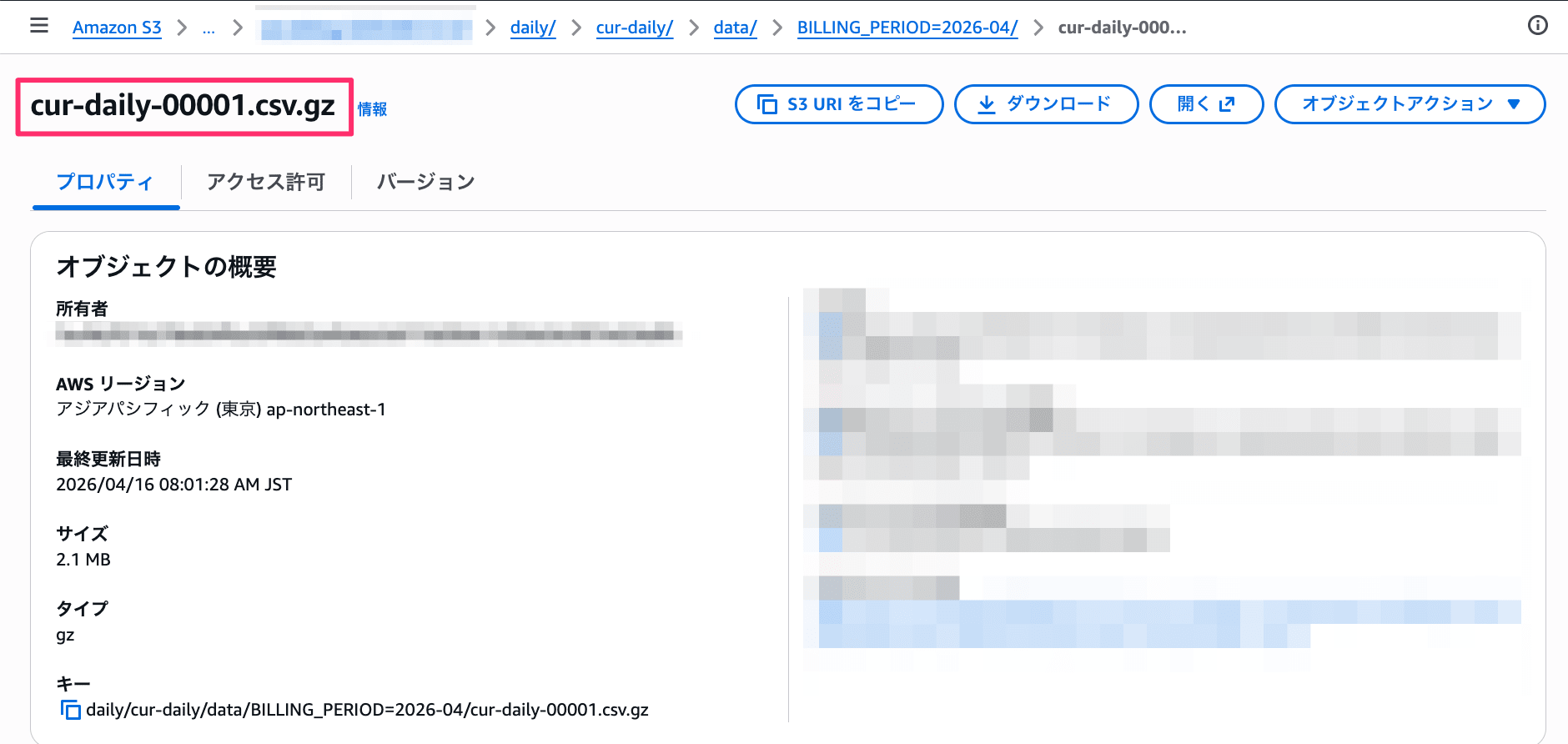
Object details of CUR 2.0 DAILY statement files stored in S3
Investigation Function (investigation) Details
Entries like the following are included (excerpt of main columns):
Basic Information
| Column | Sample Value |
|---|---|
| line_item/LineItemType | Usage |
| line_item/ProductCode | DevOpsAgent |
| line_item/Operation | OPS1 |
| line_item/UsageType | APN1-investigation |
| line_item/LineItemDescription | {Detailed below} |
| line_item/ResourceId | {Agent space ARN} |
| line_item/UsageAccountId | 111111111111 |
| product/regionCode | ap-northeast-1 |
| product/servicecode | DevOpsAgent |
| product/productFamily | AWS DevOps Agent |
Information about which account and agent space is also available.
Additionally, line_item/LineItemDescription contains pricing tier information. This entry shows free tier information: "$0.00 per Hour from 0 to 20 for investigation in Asia Pacific (Tokyo)"
Period and Usage
| Column | Sample Value |
|---|---|
| line_item/UsageStartDate | 2026-04-10T02:00:00Z |
| line_item/UsageEndDate | 2026-04-10T03:00:00Z |
| line_item/UsageAmount | 0.1183333333 |
| pricing/unit | Hours |
| pricing/publicOnDemandRate | 30.0 |
| pricing/publicOnDemandCost | 3.549999999 |
publicOnDemandCost shows the cost if calculated at on-demand rates. This records "what would have been charged" even within the free tier.
Actual Charges
| Column | Sample Value |
|---|---|
| line_item/UnblendedRate | 0.0 |
| line_item/UnblendedCost | 0.0 |
Since this is within the free tier, all actual charges are 0.0.
Prevention Function (evaluation) Details
Entries like the following are included:
Basic Information
| Column | Sample Value |
|---|---|
| line_item/LineItemType | Usage |
| line_item/ProductCode | DevOpsAgent |
| line_item/Operation | OPS2 |
| line_item/UsageType | APN1-evaluation |
| line_item/LineItemDescription | {Detailed below} |
| line_item/ResourceId | {Agent space ARN} |
| line_item/UsageAccountId | 111111111111 |
| product/regionCode | ap-northeast-1 |
| product/servicecode | DevOpsAgent |
| product/productFamily | AWS DevOps Agent |
Apart from Operation (OPS2) and UsageType (APN1-evaluation), it's mostly the same as investigation.
The line_item/LineItemDescription shows "$0.00 per Hour from 0 to 15 for evaluation in Asia Pacific (Tokyo)". The free tier limit is 15 hours for evaluation compared to 20 hours for investigation.
Period and Usage
| Column | Sample Value |
|---|---|
| line_item/UsageStartDate | 2026-04-14T01:00:00Z |
| line_item/UsageEndDate | 2026-04-14T02:00:00Z |
| line_item/UsageAmount | 0.0291666667 |
| pricing/unit | Hours |
| pricing/publicOnDemandRate | 30.0 |
| pricing/publicOnDemandCost | 0.875000001 |
Actual Charges
| Column | Sample Value |
|---|---|
| line_item/UnblendedRate | 0.0 |
| line_item/UnblendedCost | 0.0 |
This is also within the free tier, so actual charges are 0.0.
Chat (on-demand) Details
Entries like the following are included:
Basic Information
| Column | Sample Value |
|---|---|
| line_item/LineItemType | Usage |
| line_item/ProductCode | DevOpsAgent |
| line_item/Operation | POWER_CHAT |
| line_item/UsageType | APN1-on-demand |
| line_item/LineItemDescription | {Detailed below} |
| line_item/ResourceId | {Agent space ARN} |
| line_item/UsageAccountId | 111111111111 |
| product/regionCode | ap-northeast-1 |
| product/servicecode | DevOpsAgent |
| product/productFamily | AWS DevOps Agent |
The Operation is POWER_CHAT and UsageType is APN1-on-demand.
The line_item/LineItemDescription shows "$0.00 per Hour from 0 to 20 for on-demand in Asia Pacific (Tokyo)". The free tier limit is 20 hours, the same as for investigation.
Period and Usage
| Column | Sample Value |
|---|---|
| line_item/UsageStartDate | 2026-04-14T00:00:00Z |
| line_item/UsageEndDate | 2026-04-14T02:00:00Z |
| line_item/UsageAmount | 0.0297222223 |
| pricing/unit | Hour |
| pricing/publicOnDemandRate | 30.0 |
| pricing/publicOnDemandCost | 0.891666669 |
Actual Charges
| Column | Sample Value |
|---|---|
| line_item/UnblendedRate | 0.0 |
| line_item/UnblendedCost | 0.0 |
This is also within the free tier, so actual charges are 0.0.
Conclusion
I've explored the cost information for AWS DevOps Agent.
Incidentally, usage can also be checked from the [Settings] in the operator UI. (Though the display is a bit unusual...)
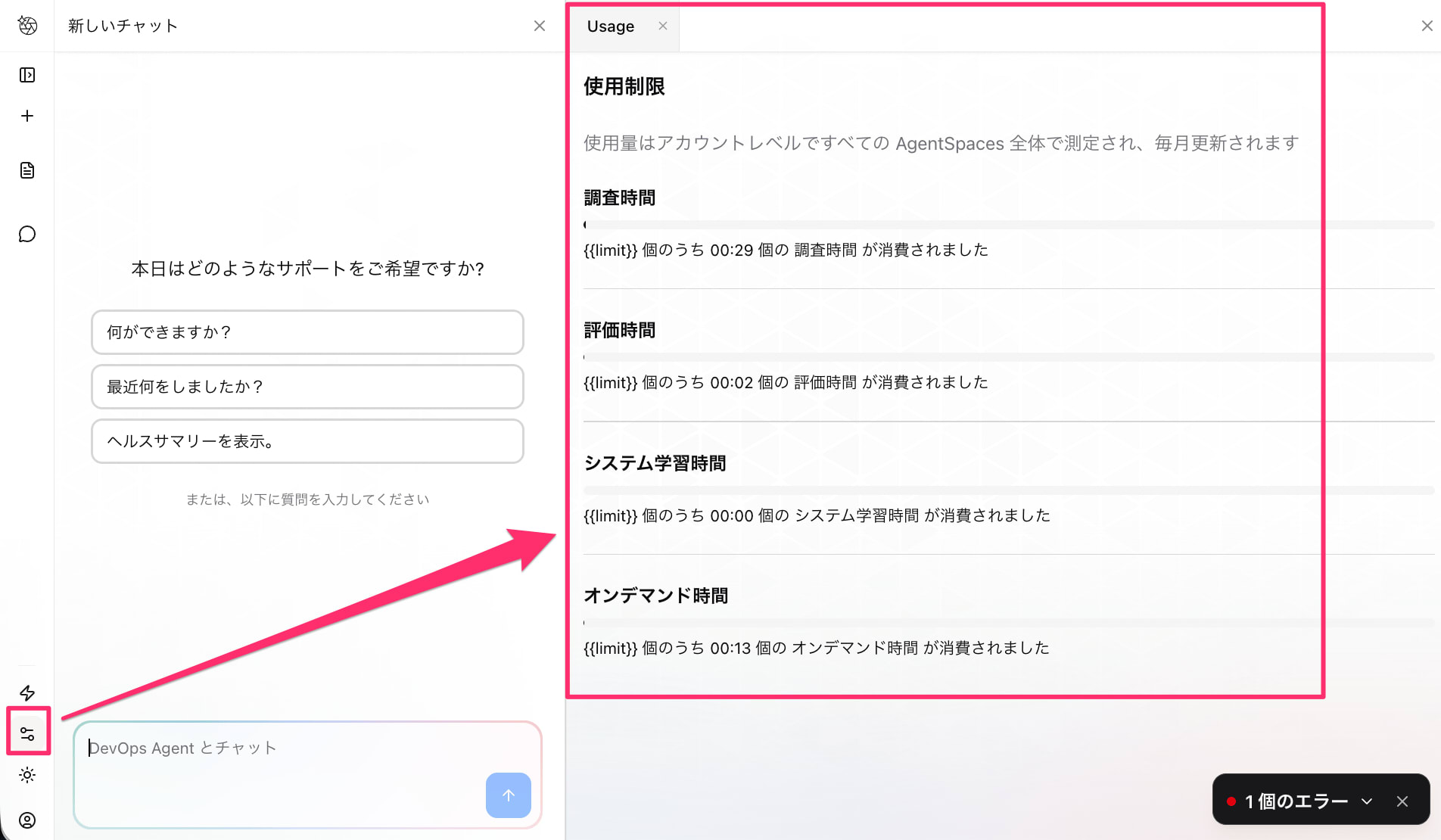
Usage information viewable from the operator UI settings screen
The billing structure is straightforward, making it relatively easy to estimate costs. Ideally, you should understand your usage during the free tier period and estimate the cost of each investigation.
I hope this information is helpful.
