![[Update] AWS Lambda MicroVMs for validating untrusted code in a sandbox environment are now available](https://images.ctfassets.net/ct0aopd36mqt/wp-thumbnail-484d8afca1cbe50513cd4d6738af2960/fa0838fa40f247093d532945fc785e88/aws-lambda?w=3840&fm=webp)
[Update] AWS Lambda MicroVMs for validating untrusted code in a sandbox environment are now available

This page has been translated by machine translation. View original
This is Iwata from the Retail App Co-Creation Division @ Osaka.
There was an interesting Lambda update on 6/22.
This update makes sandbox environments isolated by Firecracker MicroVMs available for running untrusted code, such as AI-generated code.
Firecracker MicroVMs themselves have traditionally been used behind the scenes in Lambda execution environments, but users were never aware of them. For more details, please refer to the following blog post.
So what changes with this update? Let's dive right in and take a look.
Update Overview
As mentioned above, this update provides an isolated environment for safely executing code that developers did not write themselves — i.e., untrusted code such as AI-generated code. This environment is based on Firecracker MicroVMs.
Environment isolation using traditional VMs tends to come with significant overhead. On the other hand, environment isolation using container technology alone operates with low overhead and high speed, but since it shares the kernel, there is a trade-off in that vulnerabilities in the container runtime can lead to widespread damage. Firecracker was developed to resolve these dilemmas faced by AWS Lambda — it provides powerful hypervisor-level environment isolation while also being a lightweight VMM capable of starting virtual machines in the hundreds of milliseconds range.
With the recent rise of AI and the growing challenge of how to provide safe code execution environments, Firecracker is once again in the spotlight.
The official documentation introduces a use case for using Lambda MicroVMs as the execution platform for Claude's Self-hosted sandboxes, and a SAM template for the reference architecture has also been published on a GitHub repository.
GitHub - aws-samples/sample-lambda-microvm-claude-managed-agents · GitHub
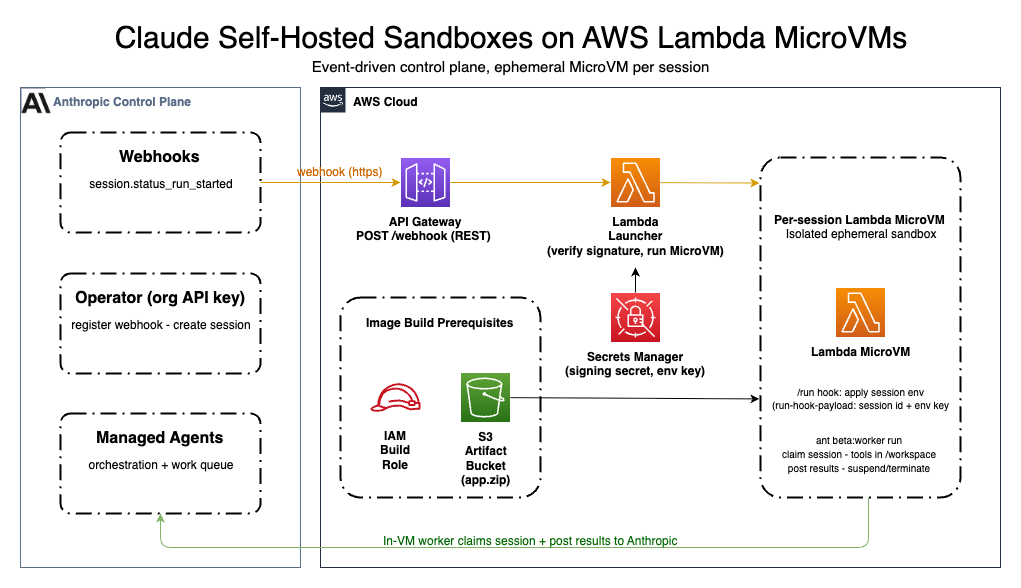
※The above image is quoted from the official documentation
MicroVM images are built from a Dockerfile and managed as Firecracker snapshots. This means that starting/stopping a MicroVM equals resuming/suspending a snapshot, which accelerates the development lifecycle.
What's Different from Traditional Lambda Functions
Although only briefly, I have tried out Lambda MicroVMs, so I will share my perspective on the differences from traditional Lambda Functions, along with notes from the documentation.
As the concept suggests, I understand Lambda MicroVMs not as an environment for executing "functions" like traditional Lambda Functions, but rather as an environment for interactively running and testing application code. Running production-grade applications on Lambda MicroVMs is not the intended use case — it is purely an environment for development and testing, and I got the impression that code that has been verified is expected to be run as a traditional Lambda Function or ECS task as before.
Unlike regular Lambda Functions, there is no triggering of code execution inside a handler via some event, nor automatic on-demand scale-out in response to the number of requests. Although it carries the Lambda service name, I think it is easier to understand if you treat it as something completely different from Lambda Functions.
Another characteristic is that Linux Capabilities can be specified, making it usable for testing eBPF programs as well.
Accessing Applications Running on MicroVMs
Applications running on a MicroVM are accessible via an HTTPS endpoint managed by AWS. This endpoint authenticates using a temporary token and forwards authenticated requests to a specified port on the MicroVM. The supported protocols are as follows.
- HTTP/1.1
- HTTP/2
- WebSockets
- gRPC
- Server-Sent Events (SSE)
When issuing a temporary token, you can specify the token's expiration time and the port number on the MicroVM to which traffic forwarding is permitted.
Available Regions
As of today, the regions where Lambda MicroVMs are available are as follows.
- Virginia (us-east-1)
- Ohio (us-east-2)
- Oregon (us-west-2)
- Ireland (eu-west-1)
- Tokyo (ap-northeast-1)
Pricing
Lambda MicroVMs incur charges for compute resources, snapshot storage and read/write operations, and standard AWS data transfer. For the Tokyo region, the pricing structure is as follows.
Compute Resources
| Item | Price |
|---|---|
| vCPU | $0.0000322421 per second |
| Memory | $0.0000042688 per GB per second |
Snapshots
| Item | Price |
|---|---|
| Snapshot storage | $0.09600 per GB per month |
| Snapshot read | $0.00185 per GB |
| Snapshot write | $0.00466 per GB |
For details, please refer to the official page below.
Let's Try It
Let's get started right away. Following the AWS blog content below, I will walk through the entire flow from running an application on a MicroVM to sending a request from Postman.
The general flow is as follows.
- Prepare source code and upload to S3
- Build the MicroVM image
- Start the MicroVM
Preparing the Source Code
First, prepare the source code for a Flask app.
import logging

from flask import Flask, jsonify

app = Flask(__name__)
logging.basicConfig(level=logging.INFO)


@app.route("/")
def hello():
    app.logger.info("Received request to hello world endpoint")
    return jsonify(message="Hello, World!")


if __name__ == "__main__":
    app.run(host="0.0.0.0", port=5000)
Also prepare a requirements.txt to install Flask.
gunicorn
flask
Prepare a Dockerfile for building the image.
FROM public.ecr.aws/lambda/microvms:al2023-minimal
RUN dnf install -y python3 python3-pip && dnf clean all

WORKDIR /app

COPY requirements.txt .
RUN pip install --no-cache-dir -r requirements.txt

COPY app.py .

EXPOSE 5000

CMD ["gunicorn", "--bind", "0.0.0.0:5000", "app:app"]
Once the above three files are ready, compress them into a ZIP file and upload to an appropriate S3 bucket.
Building the MicroVM Image
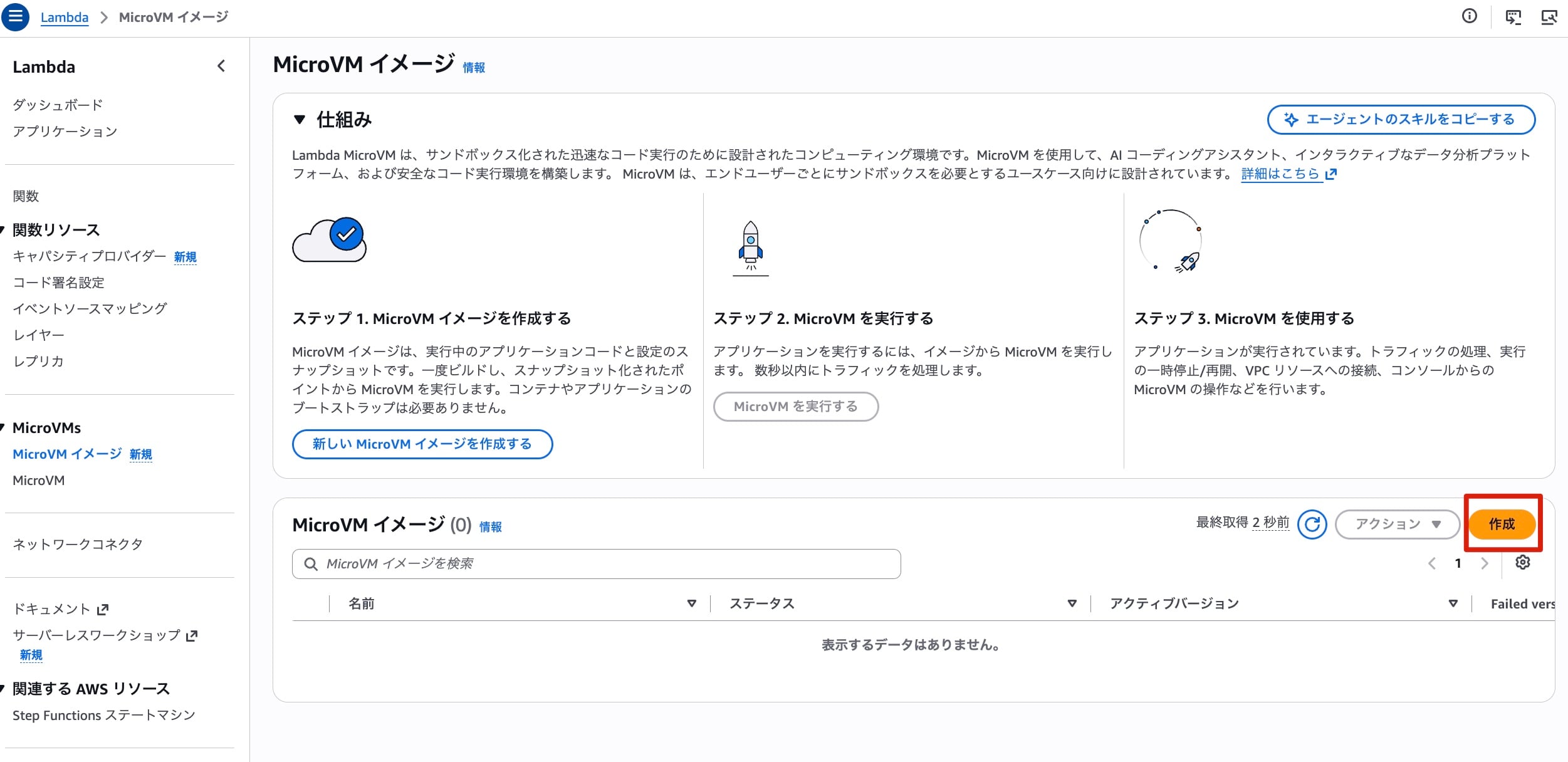
Next, let's build the MicroVM image. A MicroVMs menu has been added to the Lambda console, so select MicroVM Images from here and click the "Create" button.
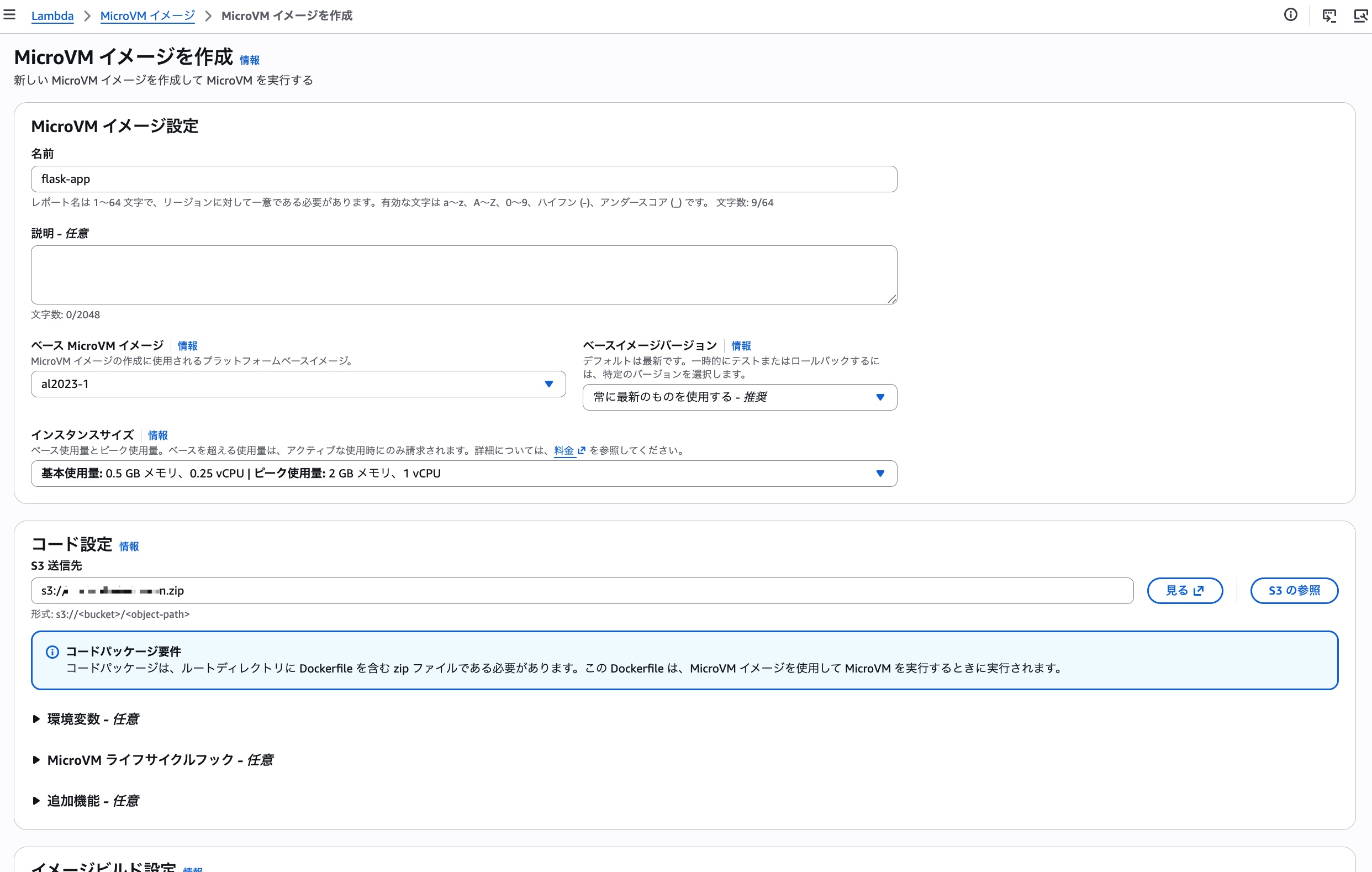
Next, specify the details for the MicroVM image. This time, I specified the key of the object uploaded to S3 earlier and proceeded with the build using the default settings for everything else. There are also some interesting-looking settings among the optionally configurable items, so I'd like to dig deeper into those in the future.
After waiting a moment, the build completes.
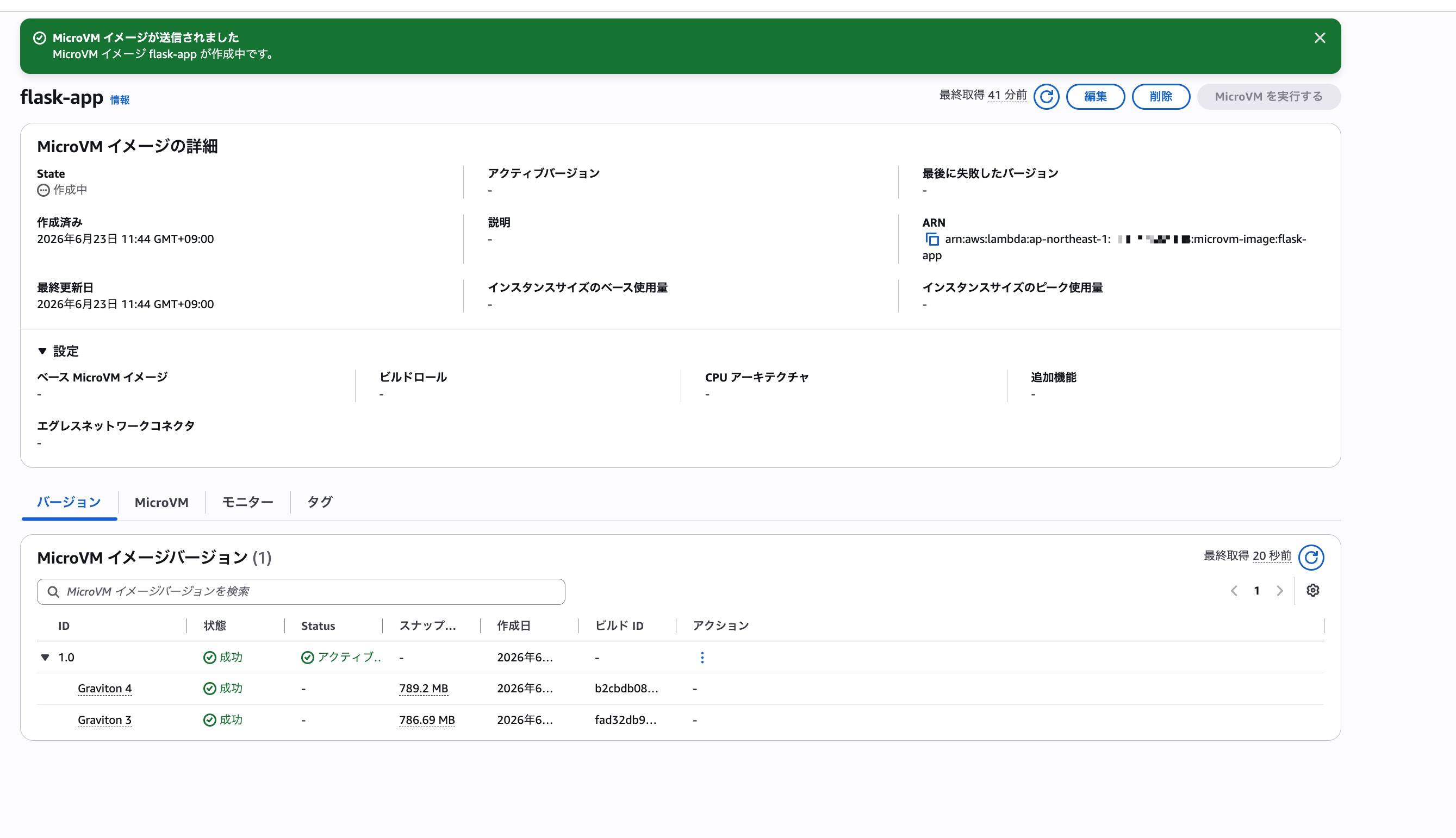
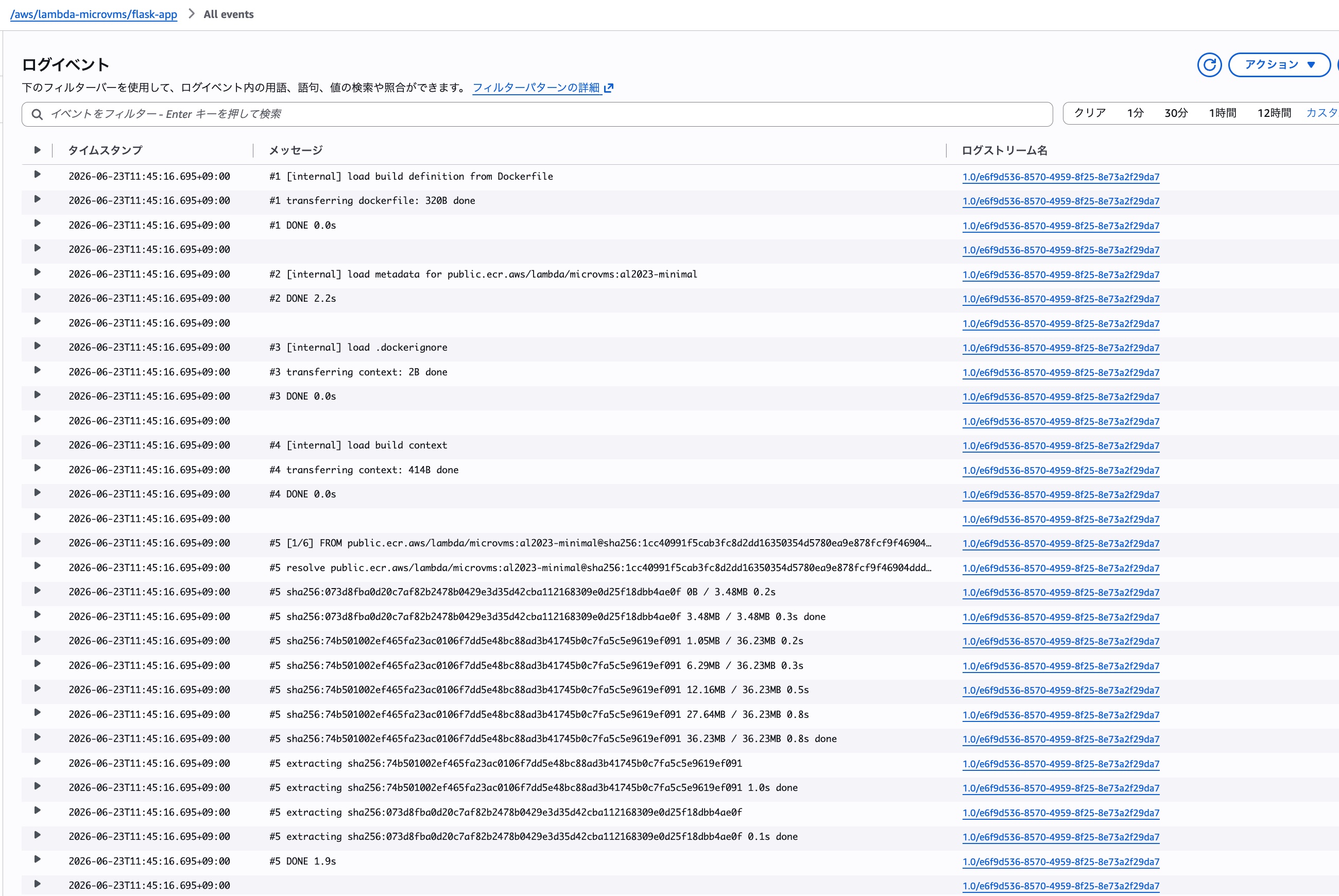
Build logs are output to the CW Logs log group /aws/lambda/<MicroVM image name>, so if the build doesn't go well, checking this log group is a good idea.
Starting the MicroVM
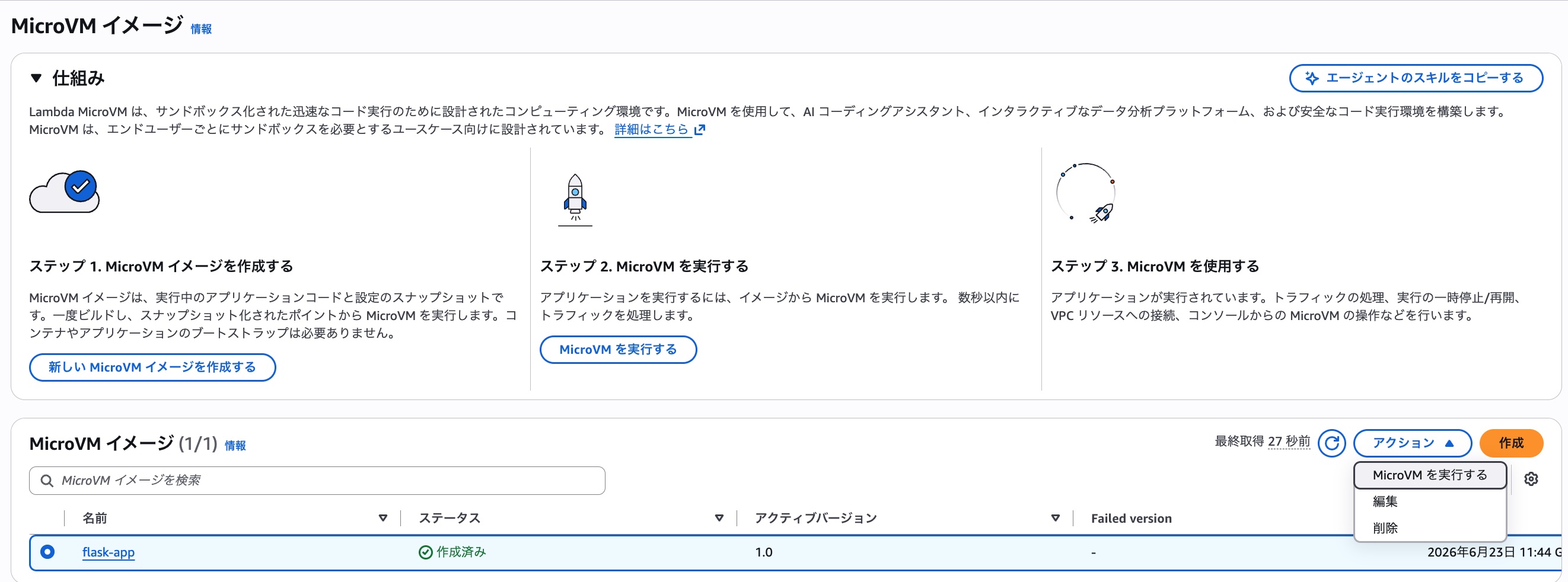
Now that the image is ready, let's start the MicroVM. Select the MicroVM image we just created, and from "Actions" choose "Run MicroVM".
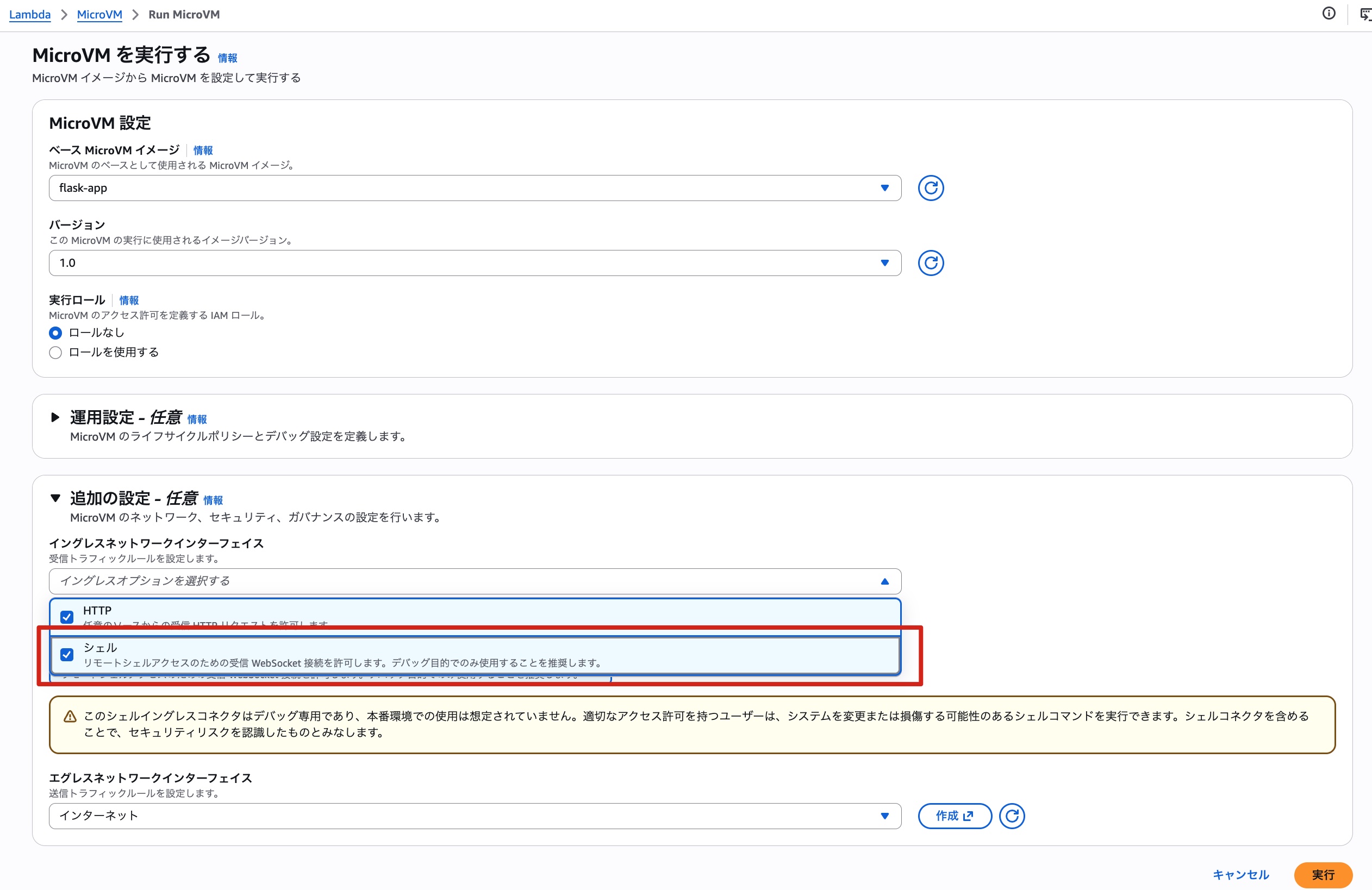
A details screen opens where you can specify the MicroVM settings. This time, in addition to the default settings, I also selected "Shell" for the "Ingress Network Interface."
Clicking the "Run" button starts the MicroVM in an instant. As expected from Firecracker!! Fast!!
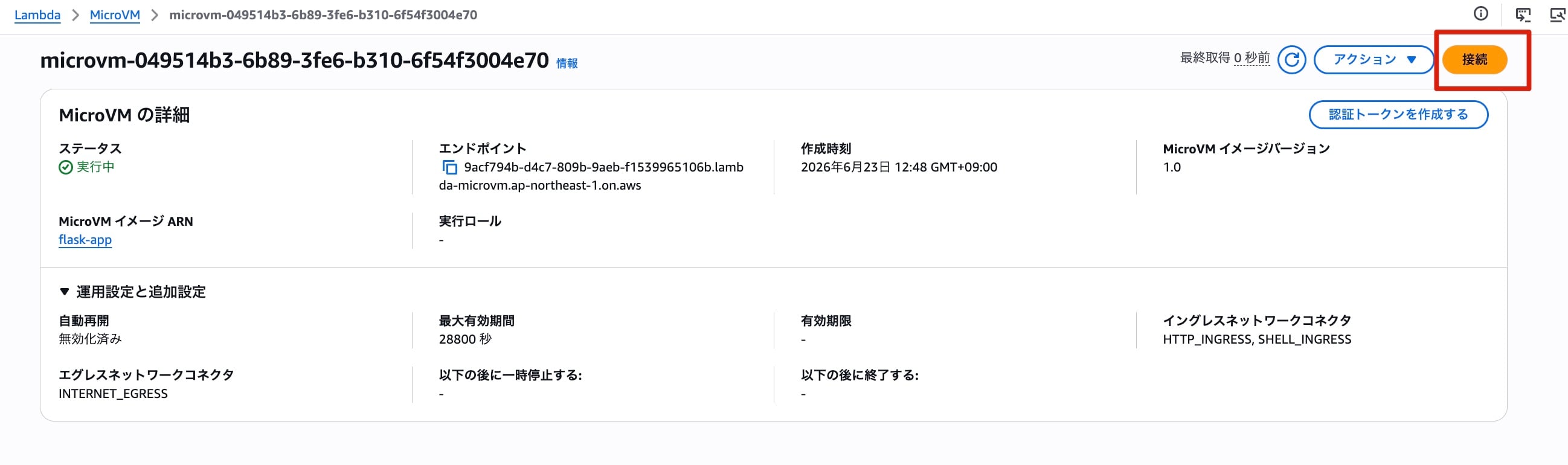
Since I allowed shell access earlier, the "Connect" button is now available. Clicking this button lets you operate the MicroVM shell from the browser, just like SSM Session Manager. I tried running a few commands.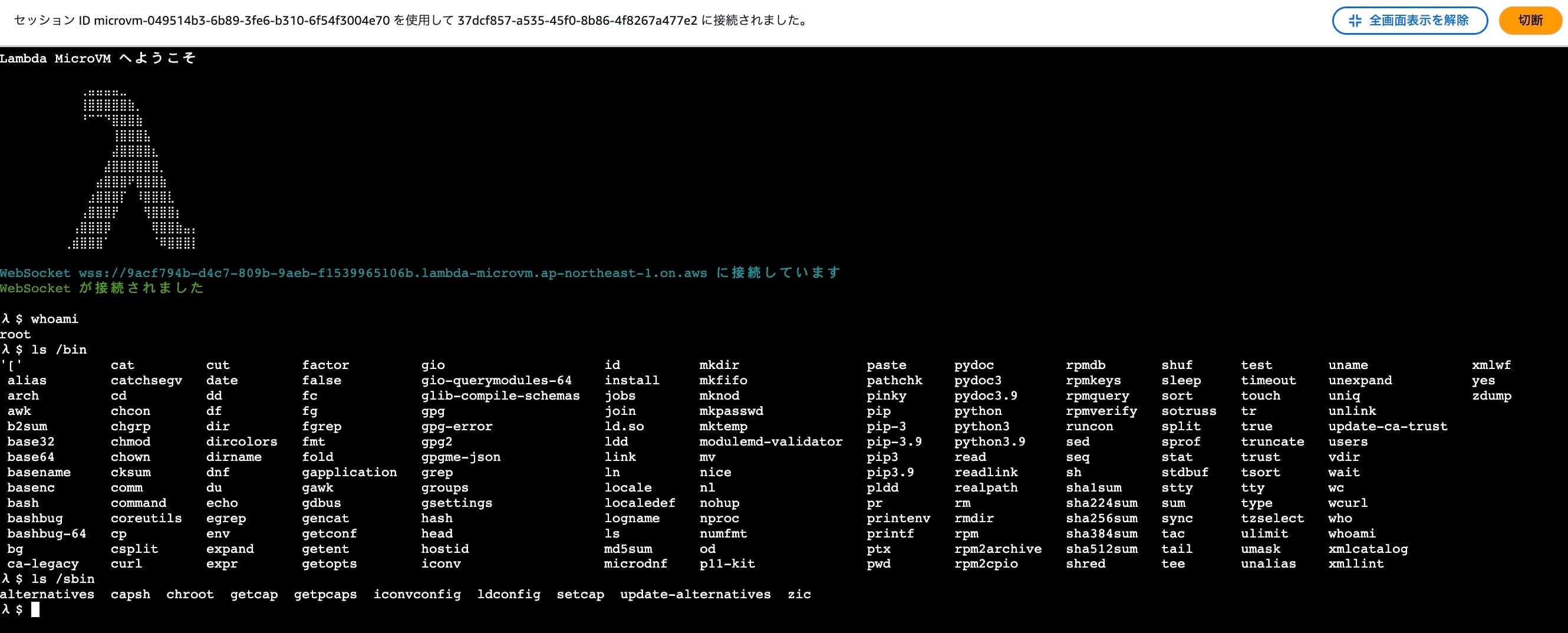
There are quite a few differences from the Lambda Function execution environment. Personally, I like the λ $ prompt.
Creating an Auth Token and Accessing from Postman
Now that the MicroVM is running, let's finally access the Flask app. From the details screen shown earlier, click "Create Auth Token" to generate a token.
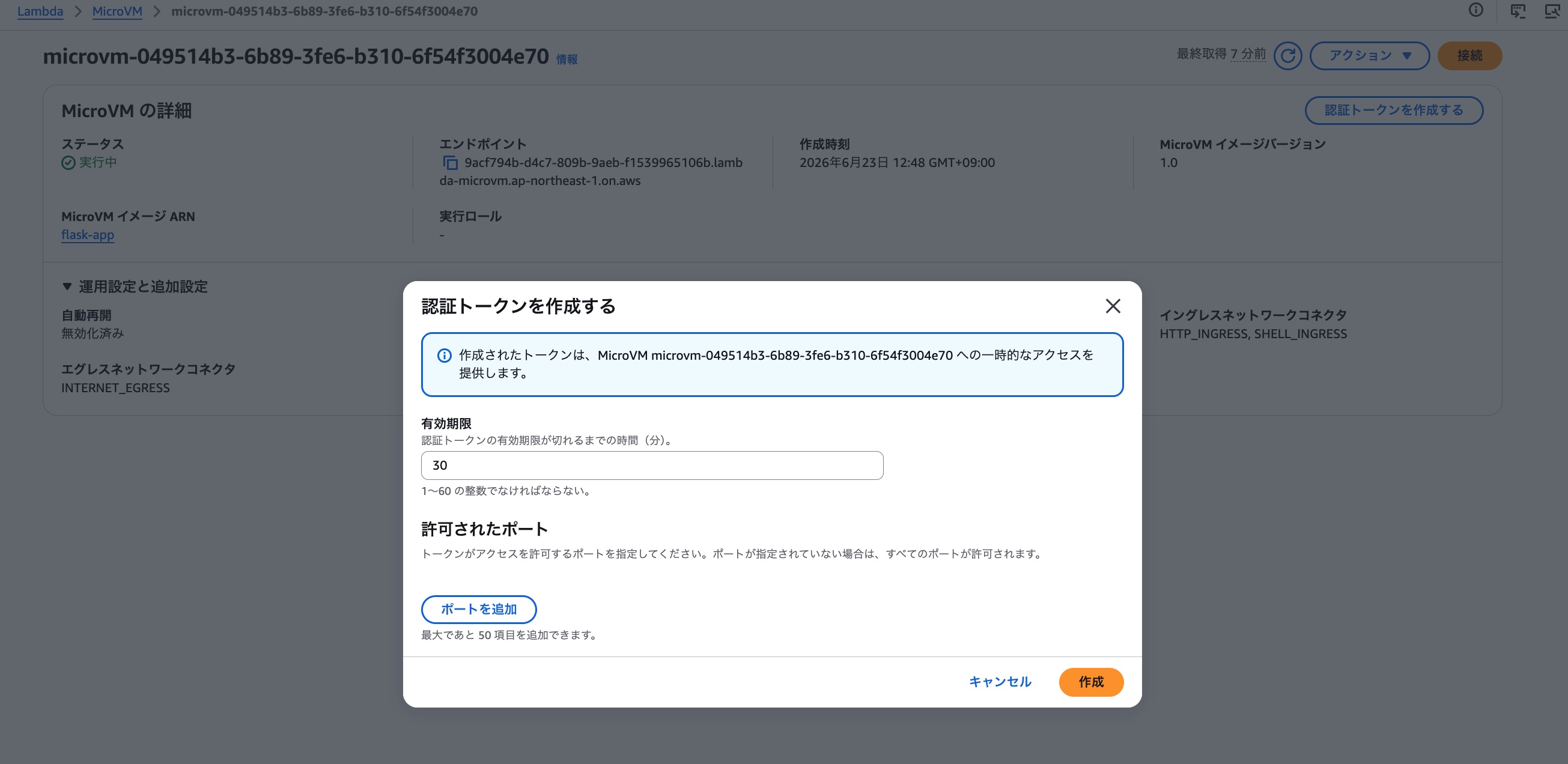
Using the issued endpoint and token, let's send a request to the MicroVM from Postman. Set the request headers as follows.
-
X-aws-proxy-auth: the issued token-
A JWE-format token was issued. Decoding the header portion gives the following.
{
  "kid": "91ea60c2-ecf2-4bc8-a6e7-10850a647641",
  "alg": "dir",
  "enc": "A256GCM"
}
-
-
X-aws-proxy-port: 5000- Specify the port number of the application running on the MicroVM. If this header is not specified, port 8080 is used by default.
- If this port is not included in the port numbers permitted at token issuance, a 403 error will be returned.
Executing the request...
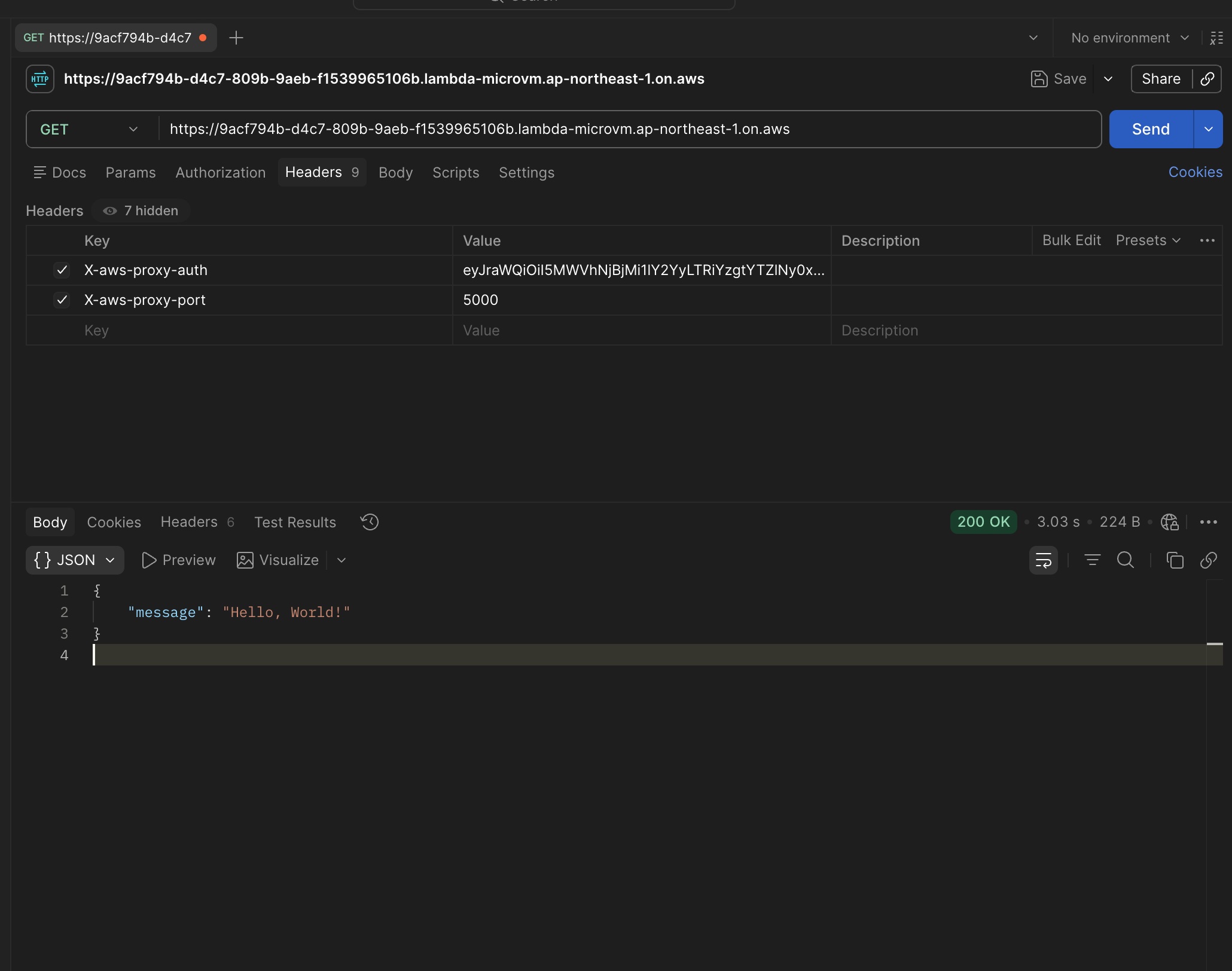
The request succeeded!! 🎉
Summary
Another interesting feature has appeared. This time I only did a quick verification, but there are also various other options supported, such as lifecycle management and network connectors, making it quite deep. I'd like to continue exploring it further.
References
- Run isolated sandboxes with full lifecycle control: AWS Lambda introduces MicroVMs | AWS News Blog
- AWS introduces Lambda MicroVMs for isolated execution of user and AI-generated code - AWS
- AWS Lambda MicroVMs - AWS Lambda
- aws-samples/sample-lambda-microvm-claude-managed-agents
- Self-hosted sandboxes - Claude API Docs