I tried updating the AWS Step Functions settings because the Teams Workflows webhook URL had been changed to a new format

This page has been translated by machine translation. View original
Introduction
Previously, I introduced how to send notifications to Microsoft Teams Workflows from AWS Step Functions HTTP tasks.
In the previous article, I sent notifications from Step Functions to Teams in Adaptive Card format as shown below.
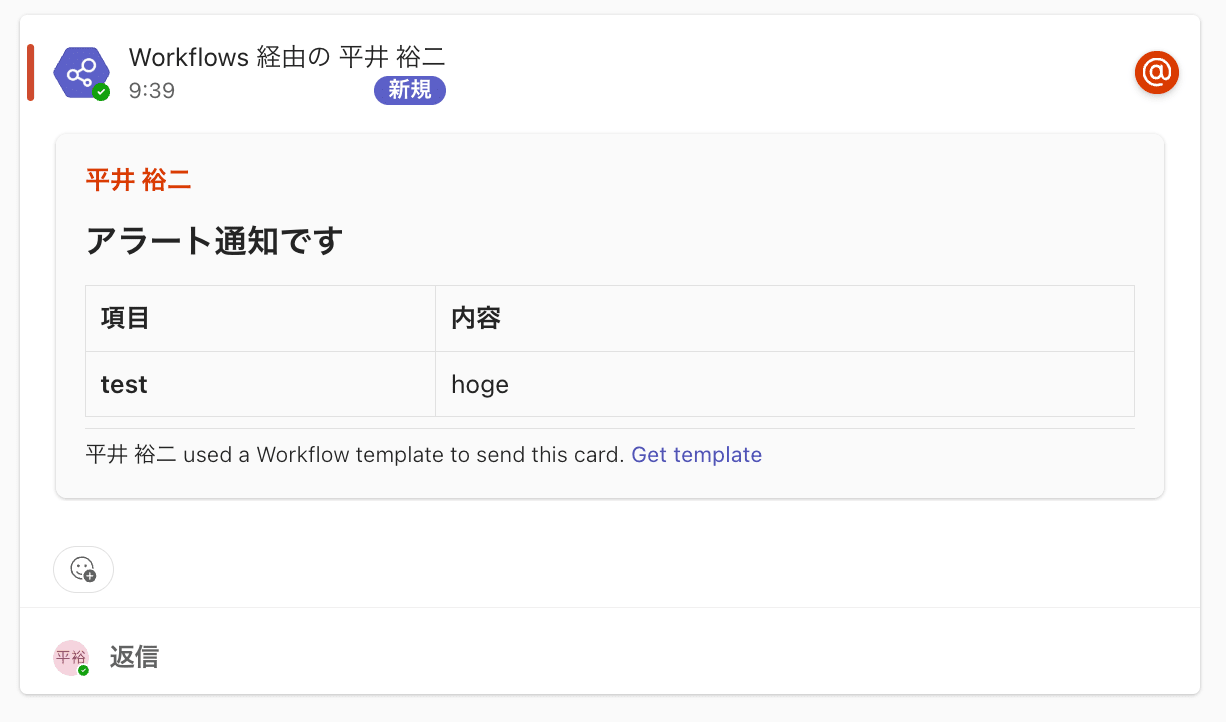
Notification sent from Step Functions to Teams in the previous article
Previously, the Webhook URL issued by Teams Workflows was in a format containing logic.azure.com as follows.
https://<region>.logic.azure.com:443/workflows/<workflow-id>/triggers/manual/paths/invoke?api-version=2016-06-01&sp=%2Ftriggers%2Fmanual%2Frun&sv=1.0&sig=<signature>
On the other hand, the newly created Teams Workflows this time issued a URL containing environment.api.powerplatform.com as follows.
https://<environment>.environment.api.powerplatform.com:443/powerautomate/automations/direct/<path>/workflows/<workflow-id>/triggers/manual/paths/invoke?api-version=1&sp=%2Ftriggers%2Fmanual%2Frun&sv=1.0&sig=<signature>
According to Microsoft's announcement, starting August 2025, flows whose URLs contain logic.azure.com among HTTP trigger or Teams Webhook trigger flows have been migrated to new URLs. The old URLs are announced to become unavailable after November 30, 2025.
This time, I verified whether it is possible to send notifications to Teams without changing the Adaptive Card content by issuing a new format Webhook URL and modifying the settings of the Step Functions state machine created previously.
How to Issue a Webhook URL
Select [Workflows] from Microsoft Teams.
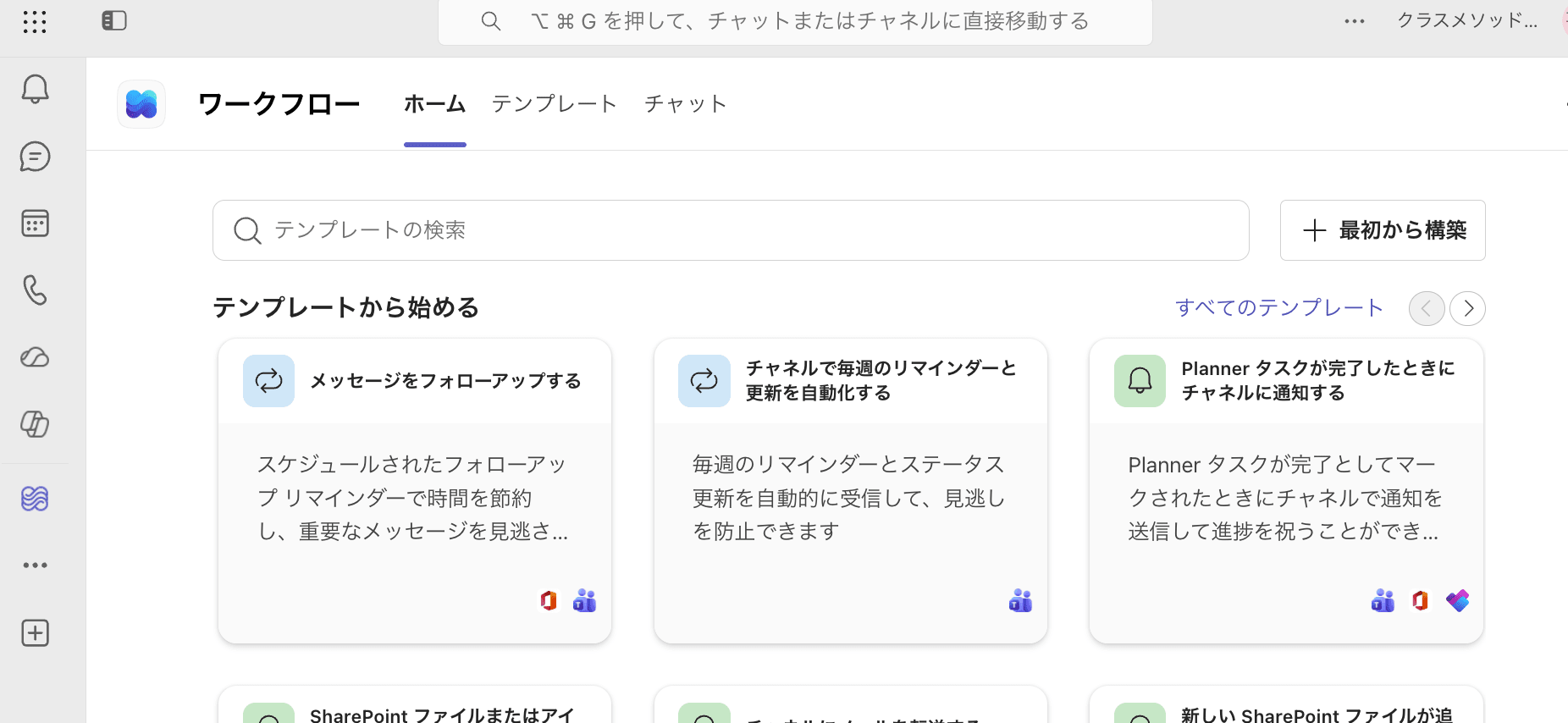
Opening Workflows from the destination channel
Search for Webhook and select [Send a webhook alert to a channel].
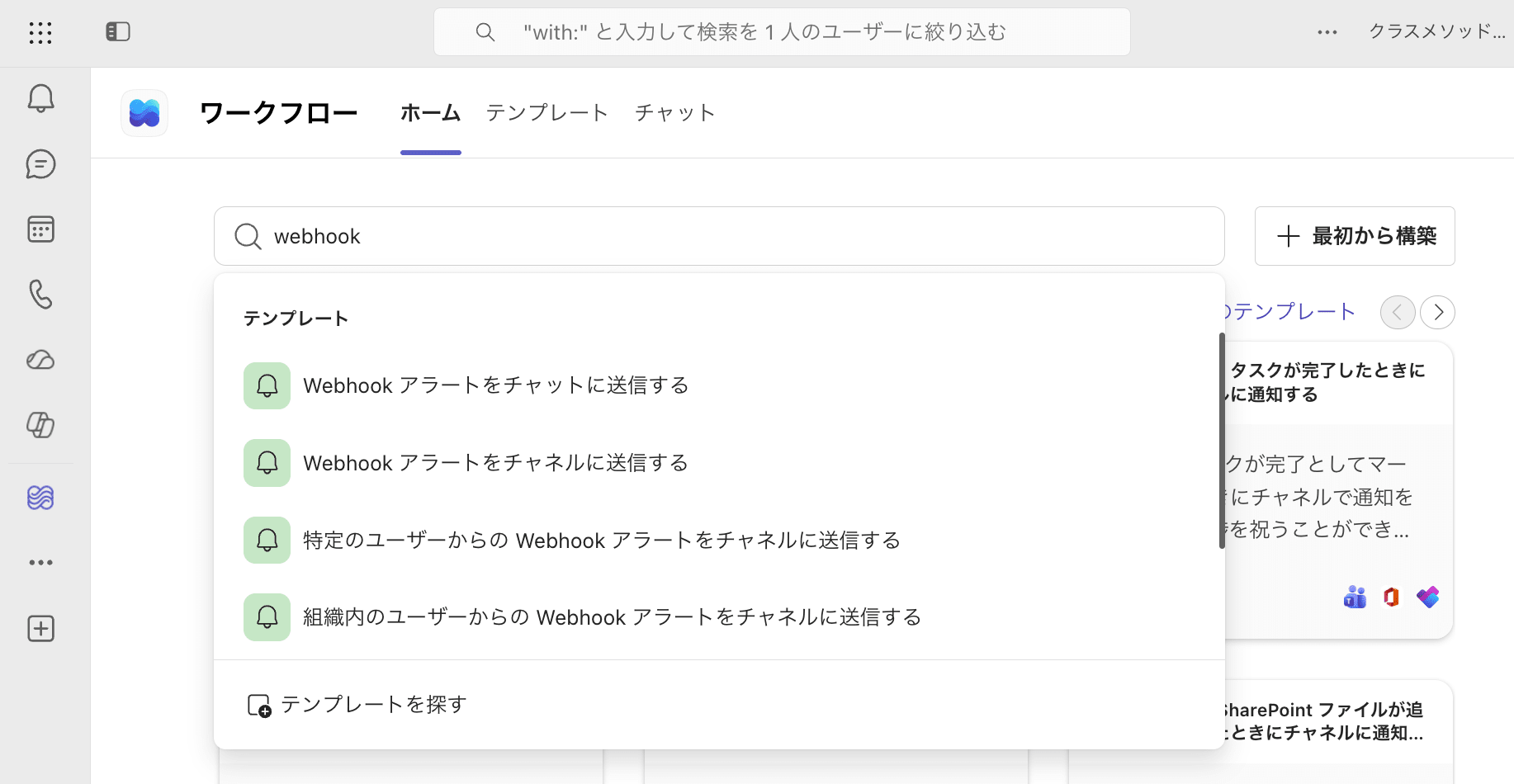
Selecting the Webhook template for a channel
Select the destination team and channel, then add the workflow.
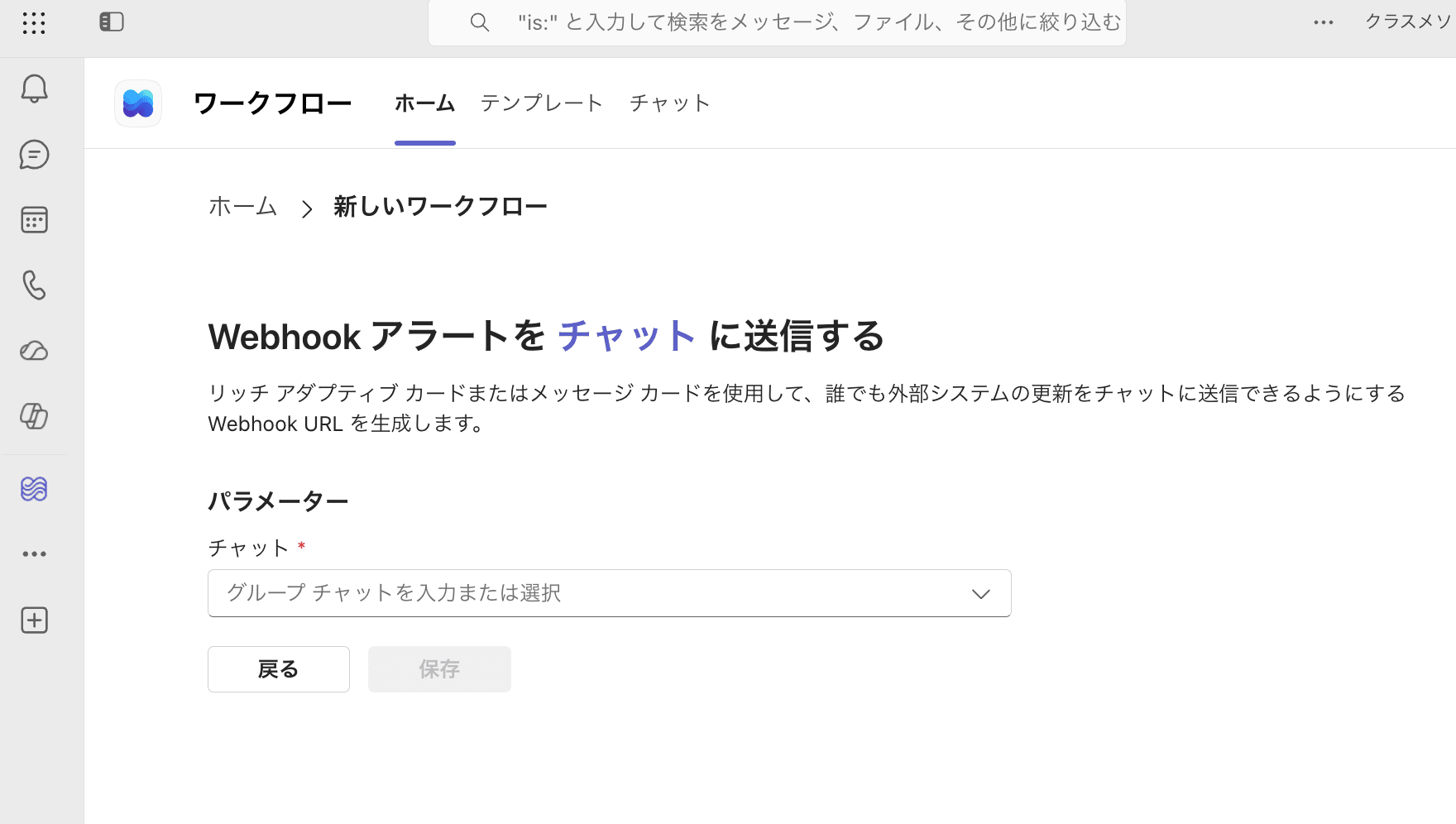
Creating a workflow by specifying the destination team and channel
The created workflow can be viewed from [Workflows] in Teams. Open the edit screen of the target workflow and expand the Webhook trigger to display the issued URL.
Click [Copy webhook link] to copy the Webhook URL.
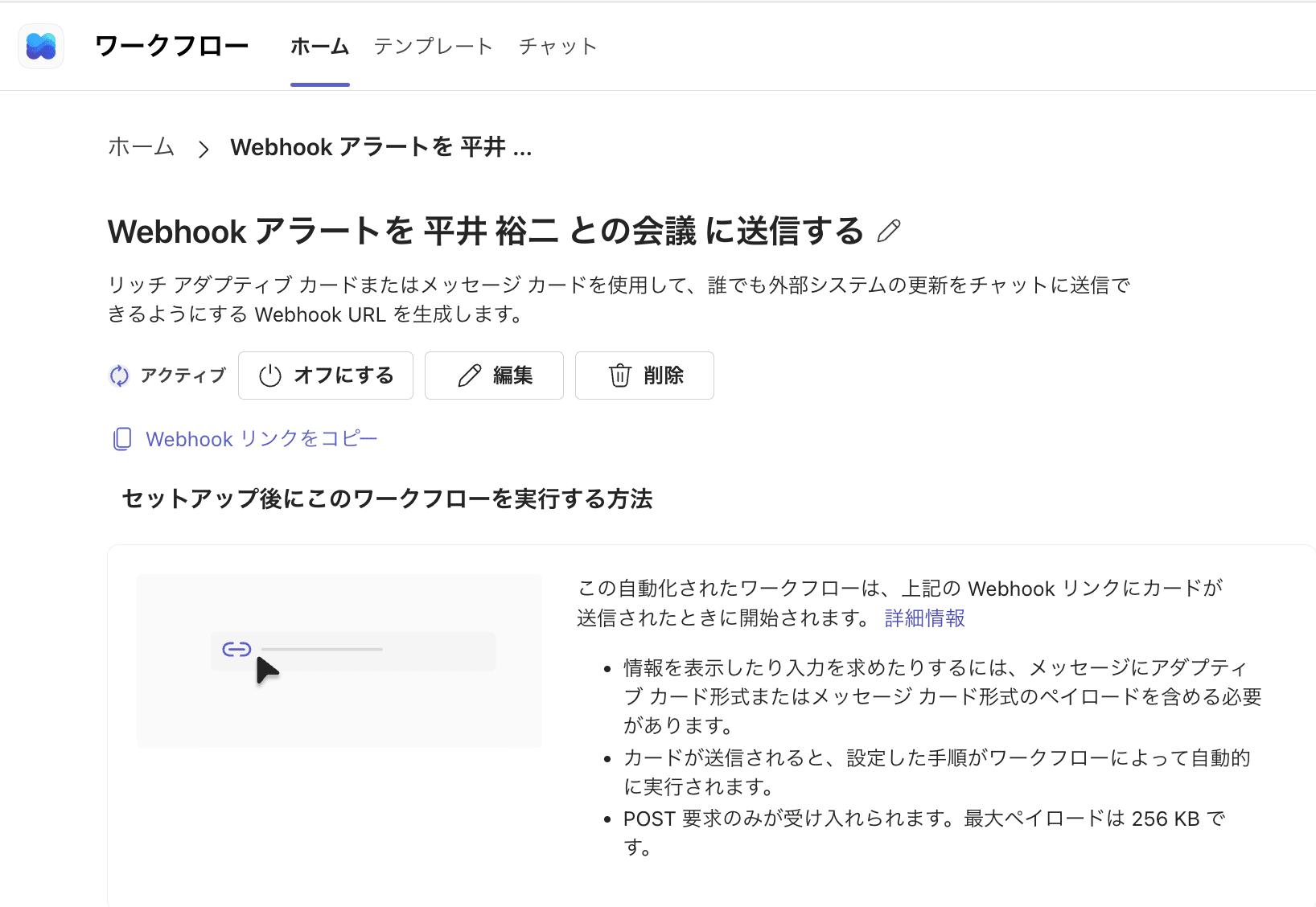
Copying the Webhook link from the workflow edit screen
The URL issued this time was in the following format.
https://default<environment-id>.d1.environment.api.powerplatform.com:443/powerautomate/automations/direct/cu/08/workflows/<workflow-id>/triggers/manual/paths/invoke?api-version=1&sp=%2Ftriggers%2Fmanual%2Frun&sv=1.0&sig=<signature>
The values for default<environment-id>, <workflow-id>, sig, and others vary by environment. When configuring Step Functions, use the URL obtained from [Copy webhook link].
Differences Between Old and New URLs
The main differences between the old URL and new URL confirmed this time are as follows.
| Item | Old URL | New URL |
|---|---|---|
| Domain | logic.azure.com |
environment.api.powerplatform.com |
| URL path | /workflows/... |
/powerautomate/automations/direct/.../workflows/... |
api-version |
2016-06-01 |
1 |
sp |
/triggers/manual/run |
/triggers/manual/run |
sv |
1.0 |
1.0 |
sig |
Value issued with old URL | Value issued with new URL |
The old URL is in the following format.
https://prod-xx.japaneast.logic.azure.com:443/workflows/<old-workflow-id>/triggers/manual/paths/invoke?api-version=2016-06-01&sp=%2Ftriggers%2Fmanual%2Frun&sv=1.0&sig=<old-signature>
The new URL is in the following format.
https://default<environment-id>.d1.environment.api.powerplatform.com:443/powerautomate/automations/direct/cu/08/workflows/<new-workflow-id>/triggers/manual/paths/invoke?api-version=1&sp=%2Ftriggers%2Fmanual%2Frun&sv=1.0&sig=<new-signature>
Changes to Step Functions
Using the state machine created in the previous article as-is, I changed the following settings in the HTTP task.
ApiEndpointQueryParameters
The following settings were not changed.
- HTTP method
- EventBridge connection
- Adaptive Card JSON
- Adaptive Card version
Content-Type
Changing ApiEndpoint
For ApiEndpoint, I set the value obtained by removing the following from the issued Webhook URL.
:443- Query string from
?onward
The old URL ApiEndpoint was as follows.
https://prod-xx.japaneast.logic.azure.com/workflows/<old-workflow-id>/triggers/manual/paths/invoke
The updated ApiEndpoint is as follows.
https://default<environment-id>.d1.environment.api.powerplatform.com/powerautomate/automations/direct/cu/08/workflows/<new-workflow-id>/triggers/manual/paths/invoke
In this environment, the following path was added to the new URL.
/powerautomate/automations/direct/cu/08
Rather than entering this path as a fixed value, use everything from https:// up to just before ? in the issued URL.
Changing QueryParameters
I set the portion after ? in the issued Webhook URL as the QueryParameters in the HTTP task.
Before the change:
{
  "api-version": "2016-06-01",
  "sp": "/triggers/manual/run",
  "sv": "1.0",
  "sig": "<old-signature>"
}
After the change:
{
  "api-version": "1",
  "sp": "/triggers/manual/run",
  "sv": "1.0",
  "sig": "<new-signature>"
}
The main change is that api-version changed from 2016-06-01 to 1.
Also, in the URL, the value of sp is URL-encoded as follows.
sp=%2Ftriggers%2Fmanual%2Frun
Set the URL-decoded value below in the Step Functions QueryParameters.
"sp": "/triggers/manual/run"
In the Step Functions HTTP task, values specified in QueryParameters are appended to the end of the API URL and automatically URL-encoded.
For query parameters including api-version and sig, do not reuse the previous configuration values; set the values included in the newly issued Webhook URL.
State Machine Configuration Example
The HTTP task configuration sections changed this time are as follows.
{
  "ApiEndpoint": "https://defaultxxxxxxxxxxxxxxxxxxxxxxxxxxxxxxxx.d1.environment.api.powerplatform.com/powerautomate/automations/direct/cu/08/workflows/xxxxxxxxxxxxxxxxxxxxxxxxxxxxxxxx/triggers/manual/paths/invoke",
  "Method": "POST",
  "InvocationConfig": {
    "ConnectionArn": "arn:aws:events:ap-northeast-1:111111111111:connection/teams/xxxxxxxx-xxxx-xxxx-xxxx-xxxxxxxxxxxx"
  },
  "QueryParameters": {
    "api-version": "1",
    "sp": "/triggers/manual/run",
    "sv": "1.0",
    "sig": "<signature>"
  }
}
RequestBody has not been changed from the Adaptive Card JSON used in the previous article.
The relevant portion of the Adaptive Card is as follows.
{
  "type": "message",
  "attachments": [
    {
      "contentType": "application/vnd.microsoft.card.adaptive",
      "content": {
        "type": "AdaptiveCard",
        "body": [
          {
            "type": "TextBlock",
            "text": "<at>平井 裕二</at>",
            "weight": "bolder",
            "size": "medium"
          },
          {
            "type": "TextBlock",
            "text": "アラート通知です",
            "size": "Large",
            "wrap": true,
            "weight": "Bolder"
          },
          {
            "type": "Table",
            "columns": [
              {
                "width": 1
              },
              {
                "width": 2
              }
            ],
            "rows": [
              {
                "type": "TableRow",
                "cells": [
                  {
                    "type": "TableCell",
                    "items": [
                      {
                        "type": "TextBlock",
                        "text": "項目",
                        "weight": "Bolder"
                      }
                    ]
                  },
                  {
                    "type": "TableCell",
                    "items": [
                      {
                        "type": "TextBlock",
                        "wrap": true,
                        "text": "内容"
                      }
                    ]
                  }
                ]
              },
              {
                "type": "TableRow",
                "cells": [
                  {
                    "type": "TableCell",
                    "items": [
                      {
                        "type": "TextBlock",
                        "text": "test",
                        "weight": "Bolder"
                      }
                    ]
                  },
                  {
                    "type": "TableCell",
                    "items": [
                      {
                        "type": "TextBlock",
                        "wrap": true,
                        "text": "hoge"
                      }
                    ]
                  }
                ]
              }
            ]
          }
        ],
        "$schema": "http://adaptivecards.io/schemas/adaptive-card.json",
        "version": "1.5",
        "msteams": {
          "width": "full",
          "entities": [
            {
              "type": "mention",
              "text": "<at>平井 裕二</at>",
              "mentioned": {
                "id": "example@example.com",
                "name": "平井 裕二"
              }
            }
          ]
        }
      }
    }
  ]
}
The Teams Workflows incoming Webhook supports both Adaptive Card and Message Card formats.
Therefore, in this verification, I sent to the new Webhook URL without changing the Adaptive Card JSON or version.
The following header set in the EventBridge connection was also not changed.
Content-Type: application/json
Verification
I executed the Step Functions state machine with the new Webhook URL configured.
Checking the Step Functions execution results, the HTTP task for Teams notification succeeded.
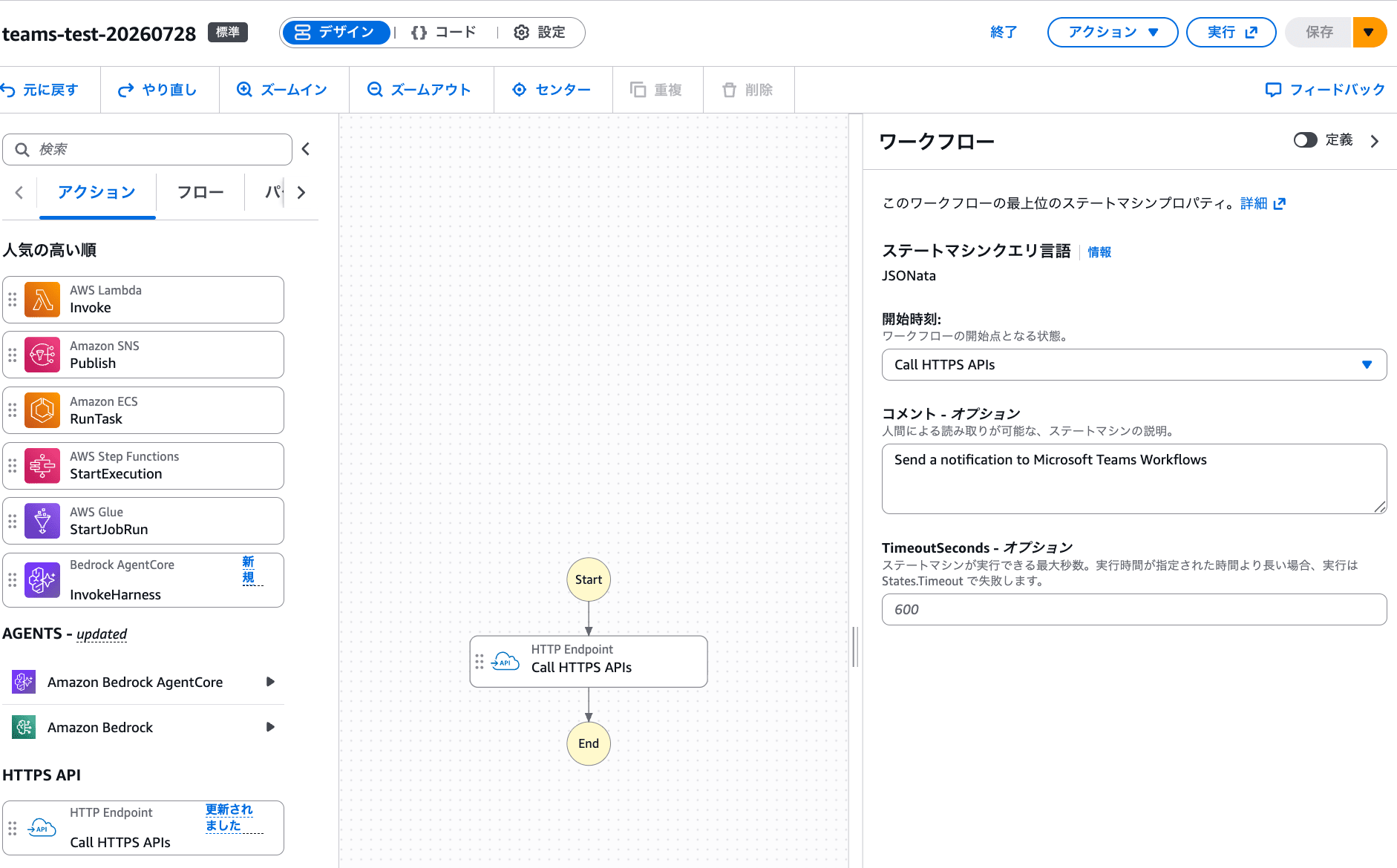
Step Functions state machine execution results using the new Webhook URL
Next, I checked the Teams destination channel.
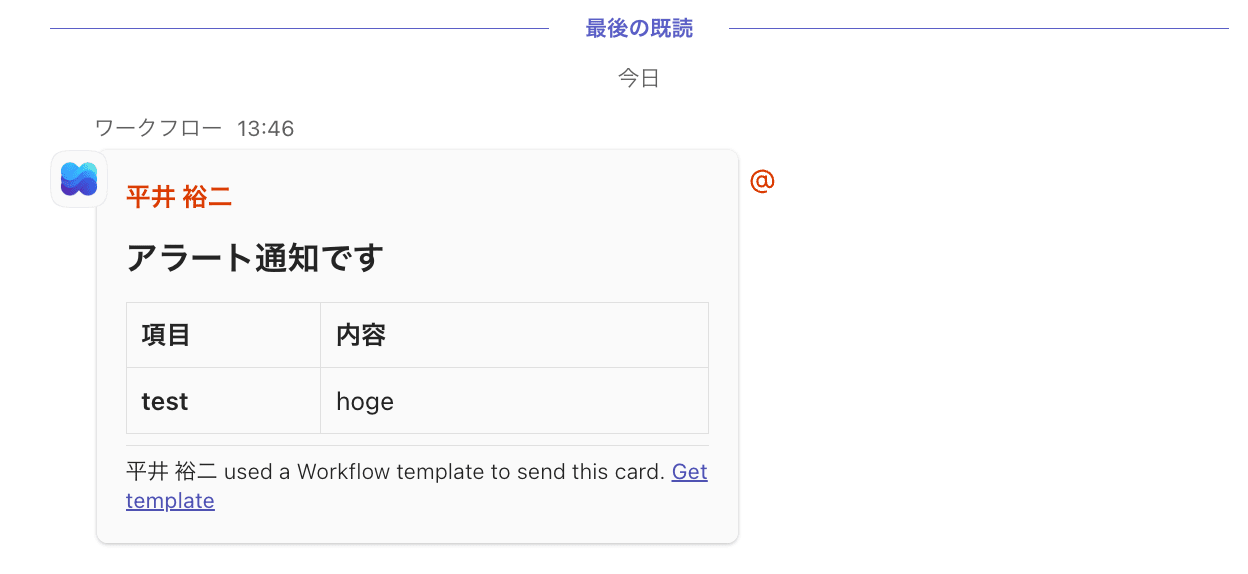
Result of successfully sending a Teams notification using the new Webhook URL
The notification was sent in the same Adaptive Card format as in the previous article. Mentions, tables, and card width were also maintained.
In this verification, the following settings did not need to be changed.
- Adaptive Card JSON
- Adaptive Card
version - Mention settings
- EventBridge connection
Content-Type - HTTP method
POST
The settings that were changed are as follows.
ApiEndpointapi-versioninQueryParameterssiginQueryParameters
sp and sv had the same values in both old and new URLs, but I also confirmed and set these from the newly issued URL.
From these results, I confirmed that in this configuration, by updating ApiEndpoint and QueryParameters to match the new Webhook URL, notifications can be sent without changing the existing Adaptive Card content.
Summary
Even when the Teams Workflows Webhook URL changes from a format containing logic.azure.com to one containing environment.api.powerplatform.com, notifications to Teams were possible by updating the Step Functions settings.
The main settings changed this time are as follows.
- Change
ApiEndpointto the new URL - Change
api-versionandsiginQueryParametersto the newly issued values
The Adaptive Card JSON, card version, and mention settings did not need to be changed in this verification.
Since the path and query parameters in the new Webhook URL may differ by environment, it is necessary to check the URL issued from Teams Workflows and configure it accordingly, rather than reusing fixed values.
