I tried using AWS Transform continuous modernization

This page has been translated by machine translation. View original
This is Suenaga from the Retail App Co-Creation Department.
Continuous modernization, which automates everything from technical debt detection to code fixes, has been added to AWS Transform. This time, I prepared a legacy application for testing and gave it a try.
A Quick Overview of the Flow
First, to get a sense of the big picture, I'll give a rough explanation of the process flow. Some unfamiliar terms will appear, but feel free to skim past them at this point. We'll walk through the actual operations step by step later.
Continuous modernization follows the flow of register code → discover issues → fix.
First, you register the location of your code in AWS Transform as a Source. When using GitHub, the Source is your Organization; when testing locally, it's the parent directory containing multiple Git repositories.
Next, you run Discovery to search for Git repositories within the Source. Found repositories are registered as Repositories and become available for analysis.
After selecting the target Repository, you investigate issues with Analysis. For example, "Technical Debt (Quick)" checks files like package.json and detects update candidates such as outdated Node.js or AWS SDKs. At this point, no code is changed.
Detected issues are registered one by one as Findings. A Finding is like an improvement ticket such as "AWS SDK v2 can be migrated to v3," where you can review the issue details, the target Repository, and the available fix methods.
When you select a Finding you want to fix and run Remediation, the code is changed according to Transformation, which is a predefined fix procedure, and builds and tests are also performed.
For GitHub, a fix branch and Pull Request are created; for local sources, a branch and commit are created. After reviewing and applying the changes, you can run Analysis again to verify that the issue has been resolved.
Register the code location
Source
↓
Search for and register Git repositories
Discovery → Repository
↓
Investigate issues
Analysis
↓
Review discovered improvement candidates
Finding
↓
Fix and verify the code
Remediation
↓
Review the Pull Request or local branch
Trying It Out
Opening the Web App
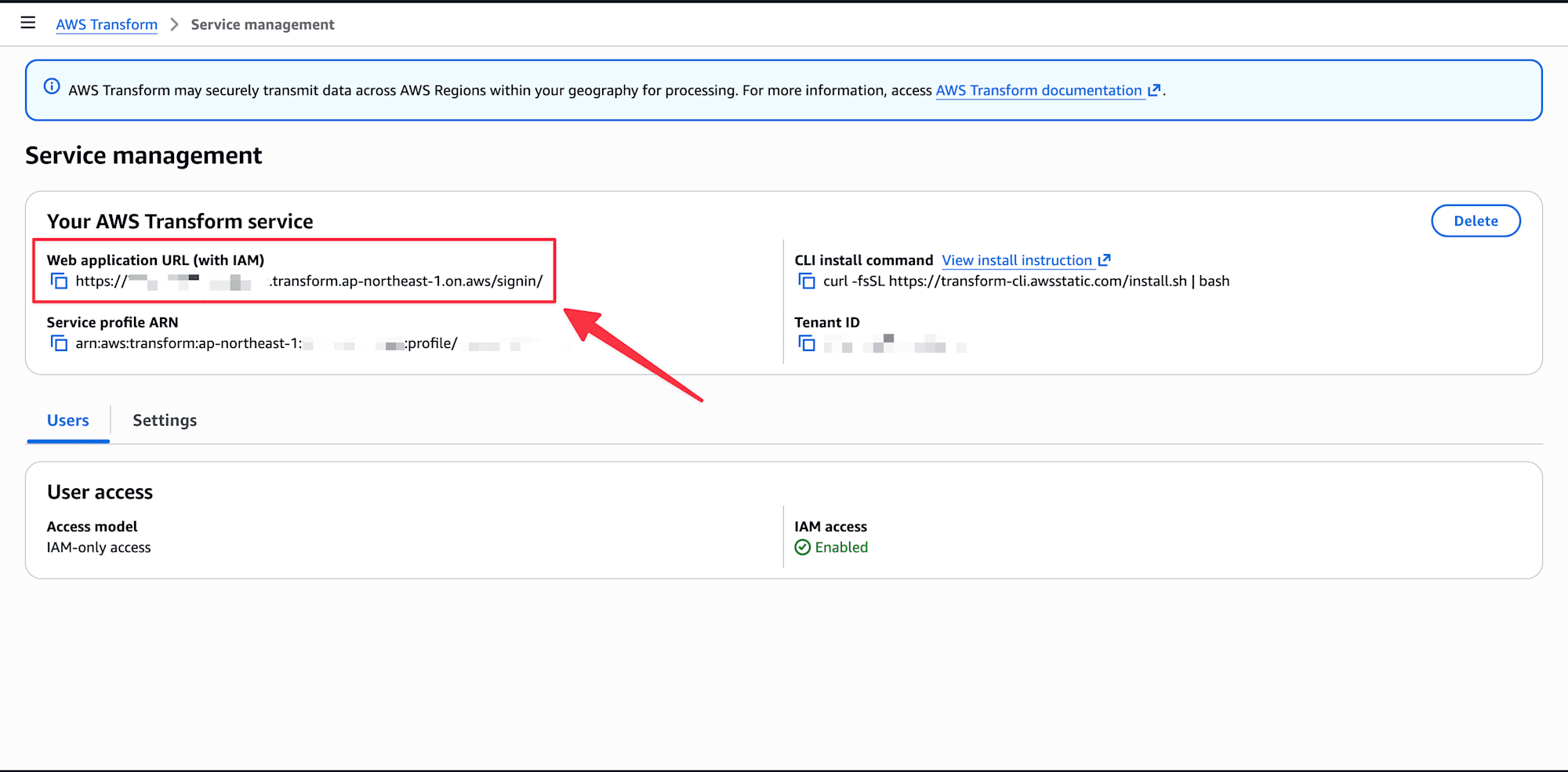
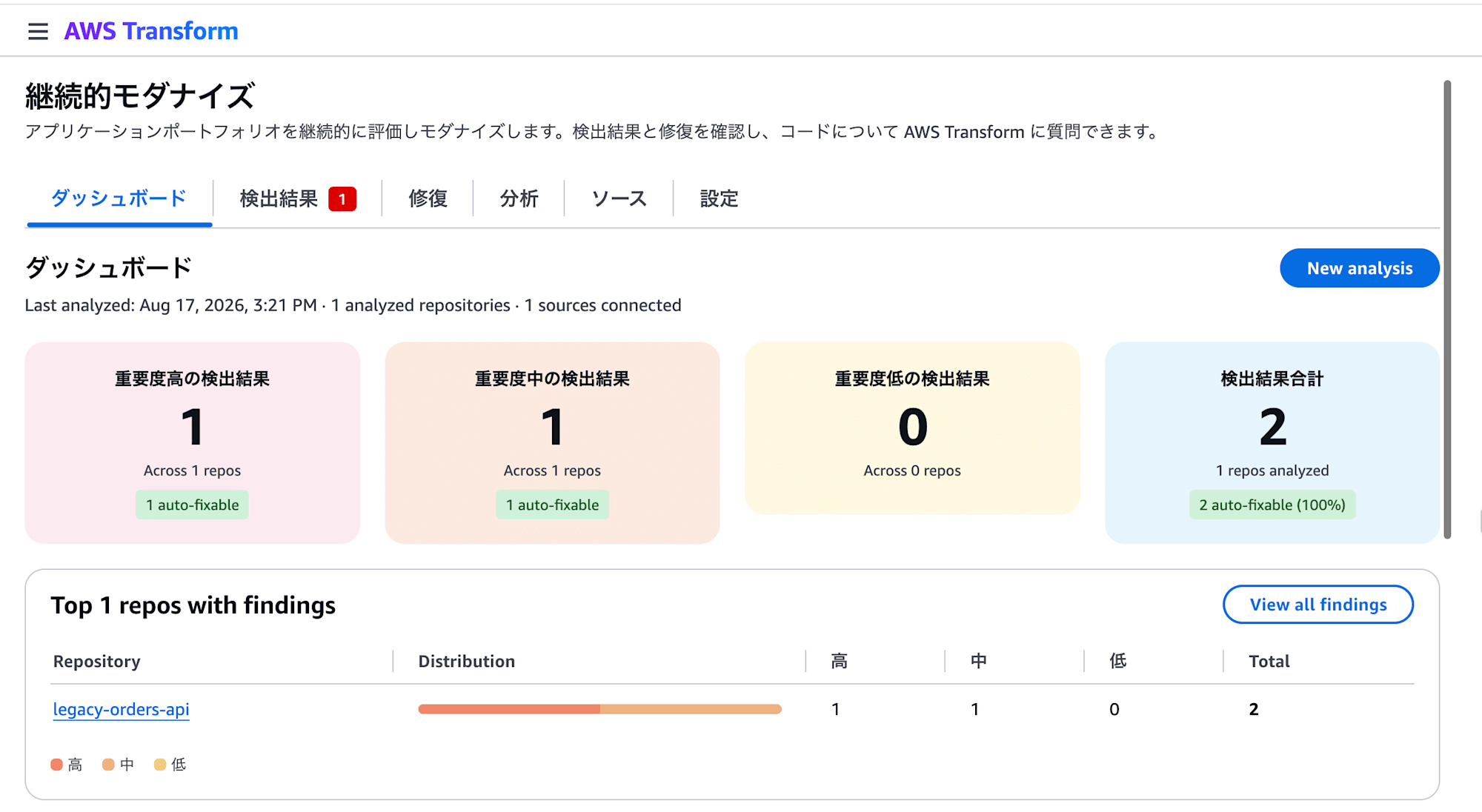
The continuous modernization web app can be accessed by enabling IAM authentication via "Access AWS Transform with IAM credentials" in the Settings of the AWS Transform console, then opening the "Web application URL (with IAM)" shown on the same screen. From the left navigation of the web app, selecting "Continuous Modernization" lets you open screens for the dashboard, Findings, Remediation, Analysis, Source, and Settings.
The current web app supports Source connections for GitHub, GitLab, and Bitbucket, running standard Analysis, reviewing Findings, Remediation, and configuring scheduled analysis. On the other hand, registering local Sources, custom Analysis, and fine-grained execution options require using the CLI.
The Legacy Application for Testing
For testing purposes, I prepared a small legacy application using Node.js 18, TypeScript 4.9, AWS CDK v1, and AWS SDK for JavaScript v2.
With a local Source, the target of Discovery is not the specified directory itself, but the Git repositories directly beneath it. Therefore, the directories were arranged as follows.
aws-transform-local-source/       ← Parent directory to register as Source
└── legacy-orders-api/            ← Repository with .git
Registering a Source
First, register the parent directory as a Source under the name legacy-local.
atx ct source add \
  --name legacy-local \
  --provider local \
  --path /path/to/aws-transform-local-source
You can verify the registration with the following command.
atx ct source list
Name                 Provider   Identifier
───────────────────────────────────────────────────────
legacy-local         local      legacy-local
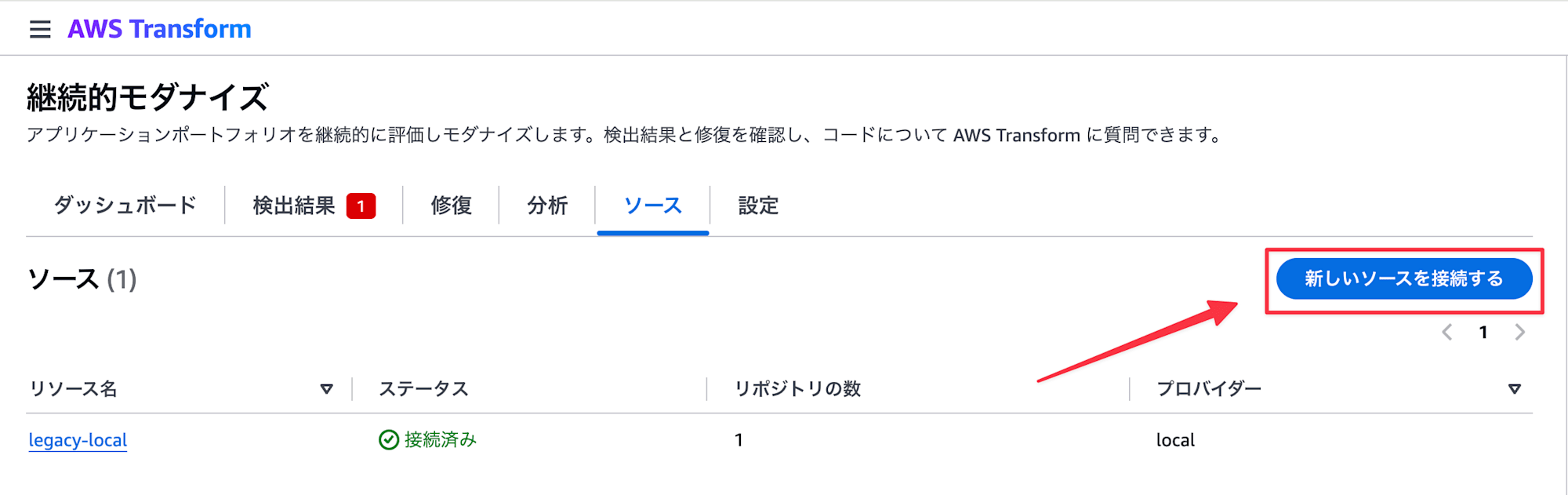
You can also add a Source from the Source tab in the web app by selecting "Connect a new source." Note that local Sources can only be registered via the CLI.
Discovering Repositories
Since registering a Source only registers the code location, you next run Discovery.
atx ct discovery scan --source legacy-local
This time, one repository was found as follows.
Found 1 repos
  legacy-local/legacy-orders-api
Discovered Repositories can be verified with the following command.
atx ct repository list --source legacy-local
The name that uniquely identifies a Repository within AWS Transform is legacy-local::legacy-orders-api, formed by concatenating the Source name and Repository name with ::. This name is used in subsequent steps.
Running a Quick Analysis
Continuous modernization offers a quick technical debt analysis that checks dependencies in a short time, a comprehensive analysis that reads the source code, security analysis, agent readiness, modernization readiness, and custom analysis using your own Transformation Definition.
This time, I ran the quick technical debt analysis, which detects outdated runtimes and dependencies from manifests like package.json. In the web app it appears as "Technical Debt (Quick)," and in the CLI you specify rapid-techdebt-analysis.
atx ct analysis run \
  --type rapid-techdebt-analysis \
  --source legacy-local \
  --repo legacy-local::legacy-orders-api
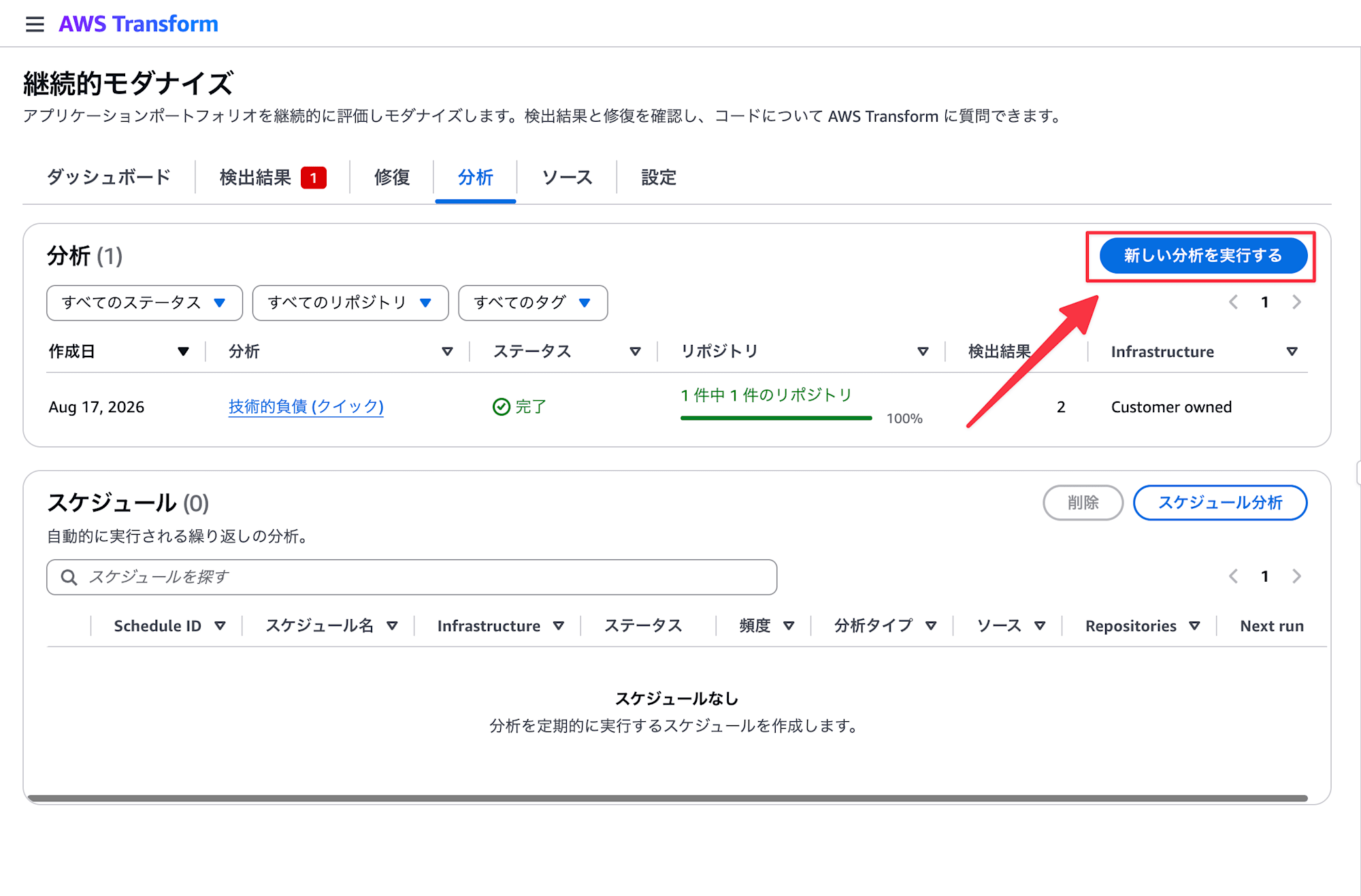
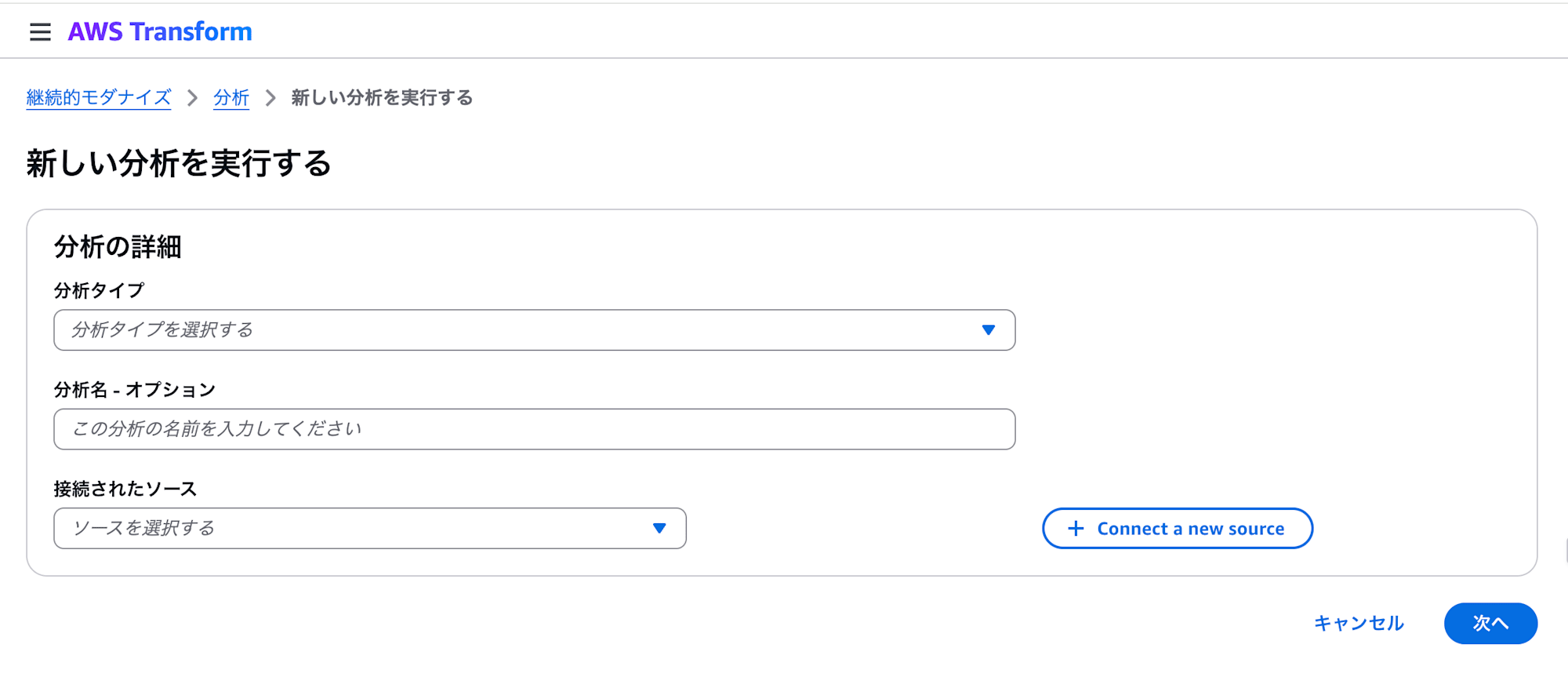
To run from the web app, select "Run new analysis" in the Analysis tab, then specify the analysis type, Source, and Repository in order.
You can check the execution status with the following command.
atx ct analysis list
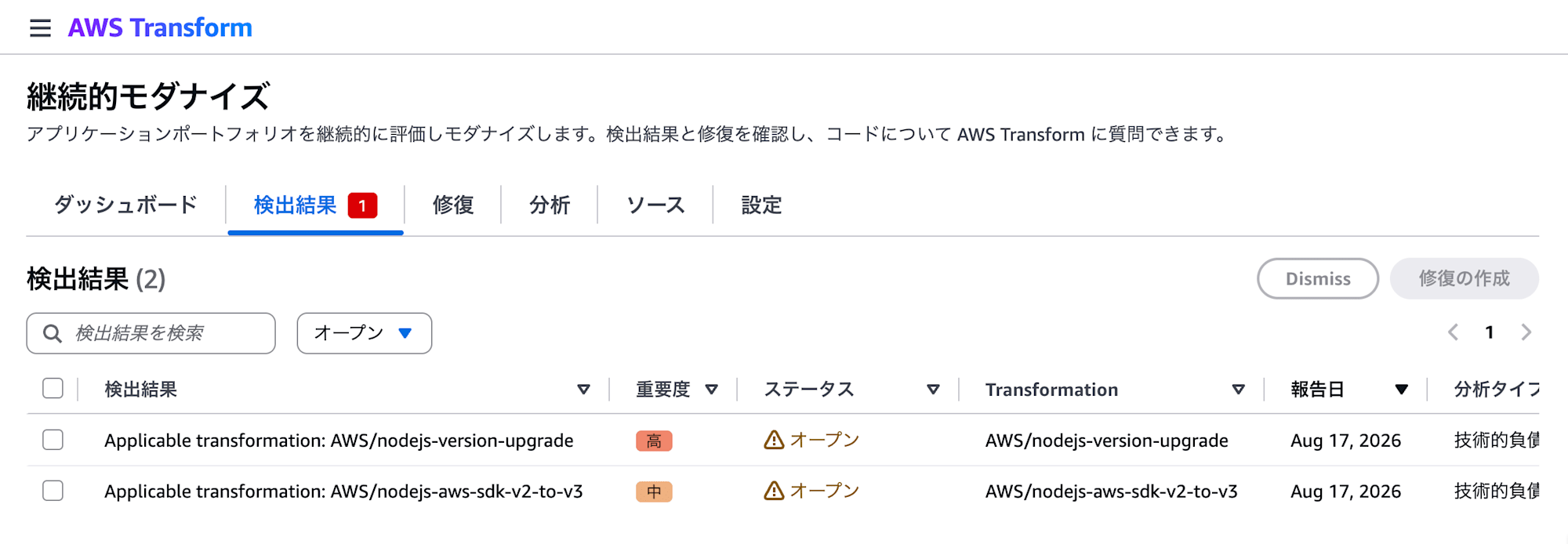
This quick analysis created two Findings.
| Severity | Finding | Transformation Used for Remediation |
|---|---|---|
| High | Node.js version upgrade | AWS/nodejs-version-upgrade |
| Medium | Migration from AWS SDK for JavaScript v2 to v3 | AWS/nodejs-aws-sdk-v2-to-v3 |
Findings can be reviewed in both the CLI and the web app.
atx ct findings list --json
atx ct findings get --id <Finding ID>
Running Remediation for AWS SDK v2 to v3
Of the two Findings, I ran the Remediation for migrating from AWS SDK for JavaScript v2 to v3.
atx ct remediation create \
  --ids 01KZ69KBB3VYV6MK6VB2GMC3M0 \
  --name sdk-v3-local-test \
  --local
You can check the execution status by specifying the Remediation ID.
atx ct remediation status \
  --id 01KZ69M66E4TPGAKWHF7P8QM6Y \
  --json
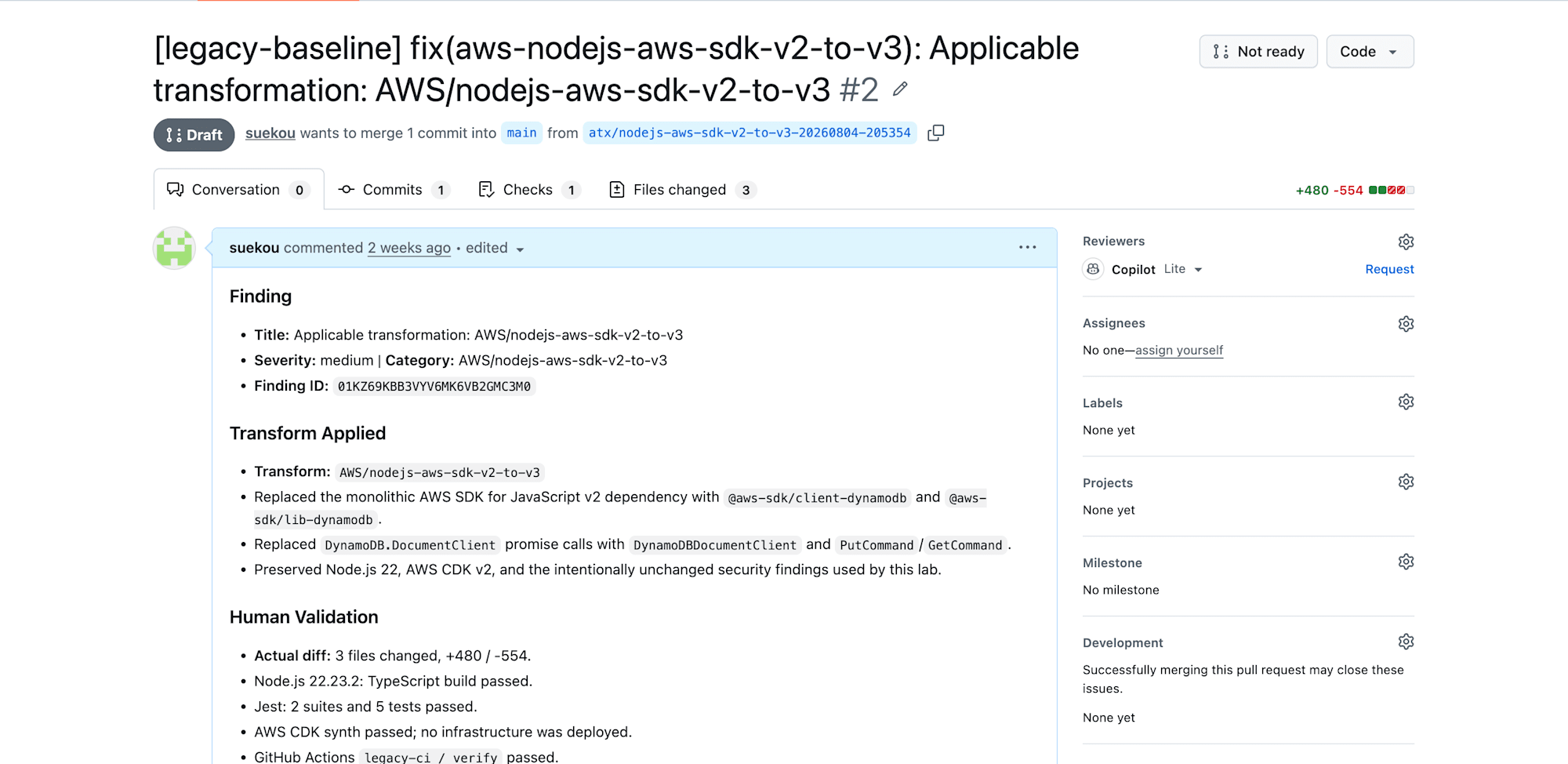
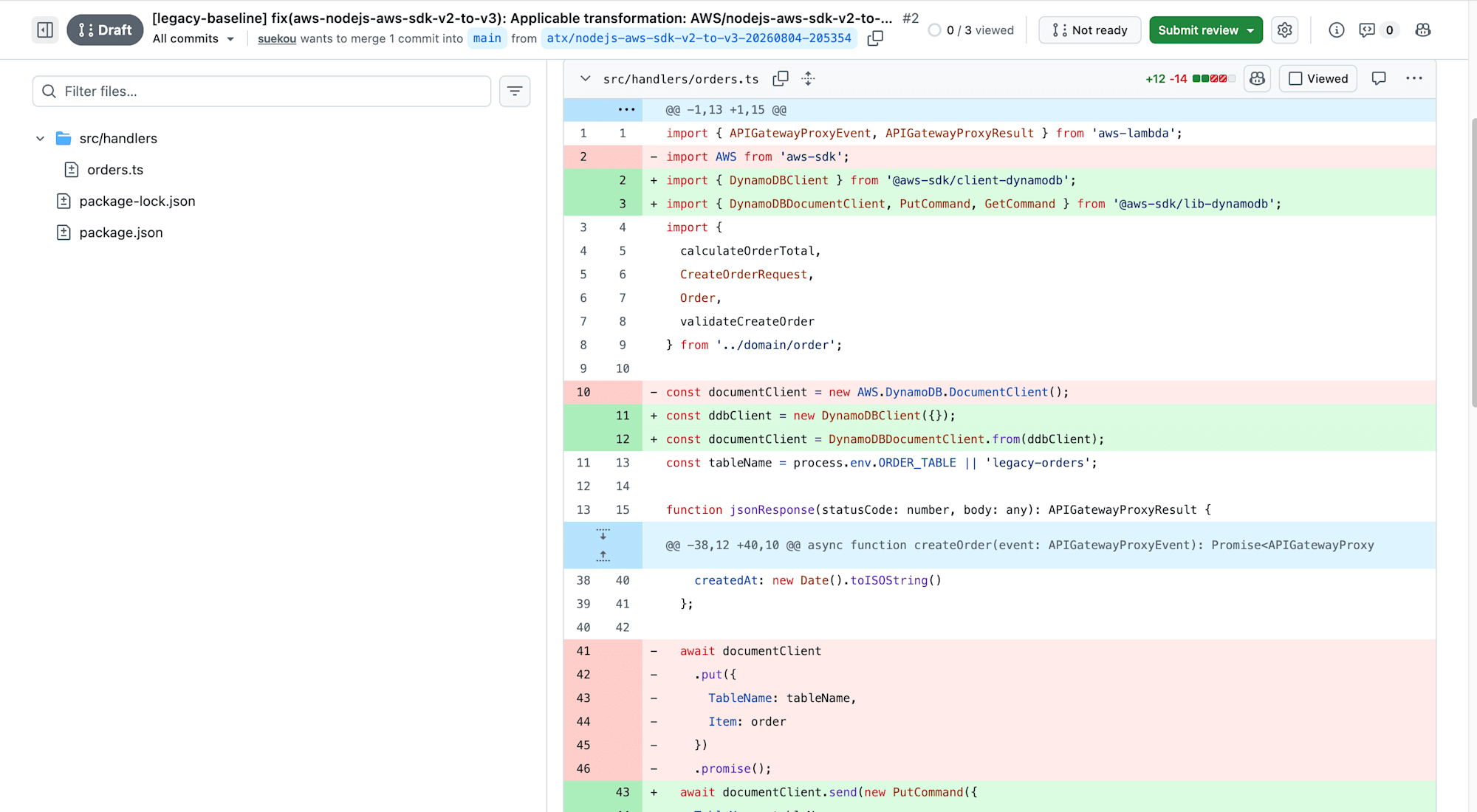
When processing completed, a local branch named atx/nodejs-aws-sdk-v2-to-v3-20260804-205354 and a commit were created. The AWS SDK v2 dependency packages were updated to v3, and the code operating DynamoDB was also rewritten to conform to the v3 specifications. Rather than just updating version numbers, the implementation using the SDK was migrated as well.
After the changes, the TypeScript build succeeded and all 5 existing Jest tests passed. On the other hand, Node.js 18 and AWS CDK v1, which were not selected this time, were left unchanged.
Since I used a local Source this time, AWS Transform did not automatically create a Pull Request on GitHub. If you configure a GitHub Source with a writable token and run Remediation, the generated branch and Pull Request are created automatically. If you want to publish the local execution results as a Pull Request, you push the generated branch to GitHub yourself and create the Pull Request.
Actual Cost Incurred
This Remediation recorded 44.3499 Agent minutes. The pricing at the time of testing is 0.035 USD per Agent minute, so approximately 1.55 USD.
44.3499 Agent minutes × 0.035 USD = approx. 1.55 USD
Agent minutes represent the time the agent spent planning, reasoning, analyzing, and making code changes on the server side. Time spent waiting for local builds or tests is not included. If multiple agents ran simultaneously, their times are summed, so the total does not necessarily match the actual elapsed time.
About the Execution Region
This time, I used AWS Transform in the Tokyo region (ap-northeast-1). While the job's region is Tokyo, cross-region inference, which distributes requests across multiple regions, is used for generative AI inference. Inference requests sent from Tokyo are processed in either the Tokyo or Osaka region (ap-northeast-3). Note that in this --local execution, repository operations, builds, and tests are performed on the local machine.
Osaka is only used for inference processing, and the data storage location remains in Tokyo. For more details, see Cross-Region processing in AWS Transform.
Closing Thoughts
When operating applications, you're constantly chasing version updates for runtimes, SDKs, frameworks, and more. Dependabot is convenient and can often handle minor updates as-is, but with major updates, API and configuration changes become necessary, requiring manual intervention in the created Pull Requests. It's not uncommon to end up with a backlog of update Pull Requests as you keep putting off the work.
With continuous modernization, it goes beyond just updating dependency packages — it also makes the corresponding code changes, runs tests, and advances all the way to creating a Pull Request. Of course, a final review is still necessary, but it's quite convenient to have version updates, which tend to require manual effort, automatically progressed to a reviewable state.
If similar updates are pending across multiple Repositories, this should make things considerably easier than fixing them one by one by hand.
See you 👋