I Tried Out Targeted Bot Control in the Protection Pack Settings for CloudFront with AWS WAF

This page has been translated by machine translation. View original
Introduction
On November 17, 2026, a Targeted bot control setting was added to AWS WAF. With a protection pack for CloudFront, you can enable the Targeted level of Bot Control with the recommended settings.
In this article, I actually created a new protection pack and checked the web ACL that was created and the content delivered by the associated CloudFront distribution.
Prerequisites
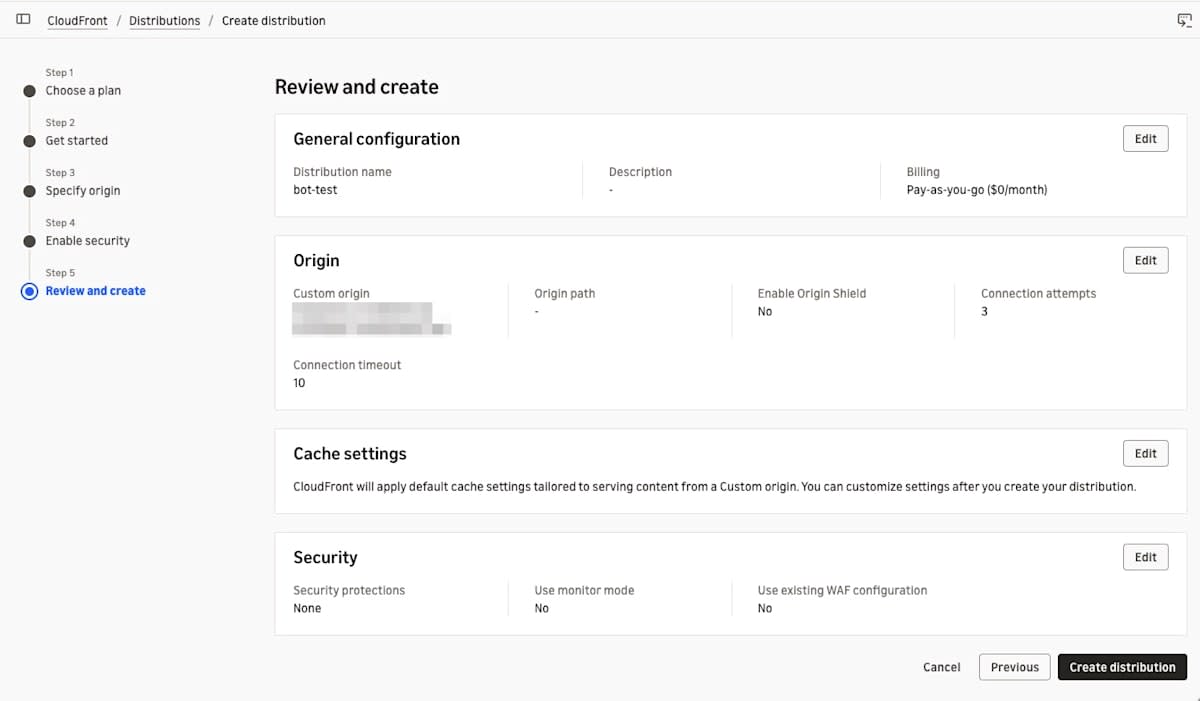
For this verification, I used a CloudFront distribution on a pay-as-you-go plan that supports the Targeted level. I skipped the WAF settings when creating the distribution.
Creating the protection pack
App information and protected resources
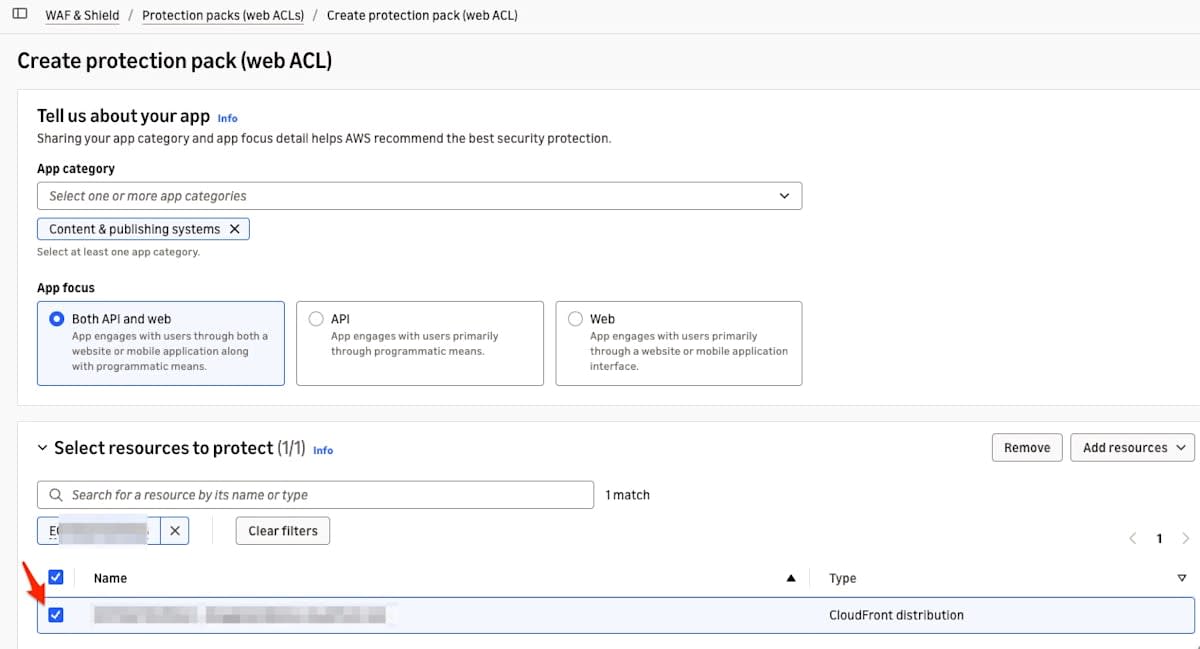
On the protection pack creation screen in the WAF console, I chose Content & publishing systems for App category and Both API and web for App focus. For the resource to protect, I selected one CloudFront distribution.
Targeted bot control settings
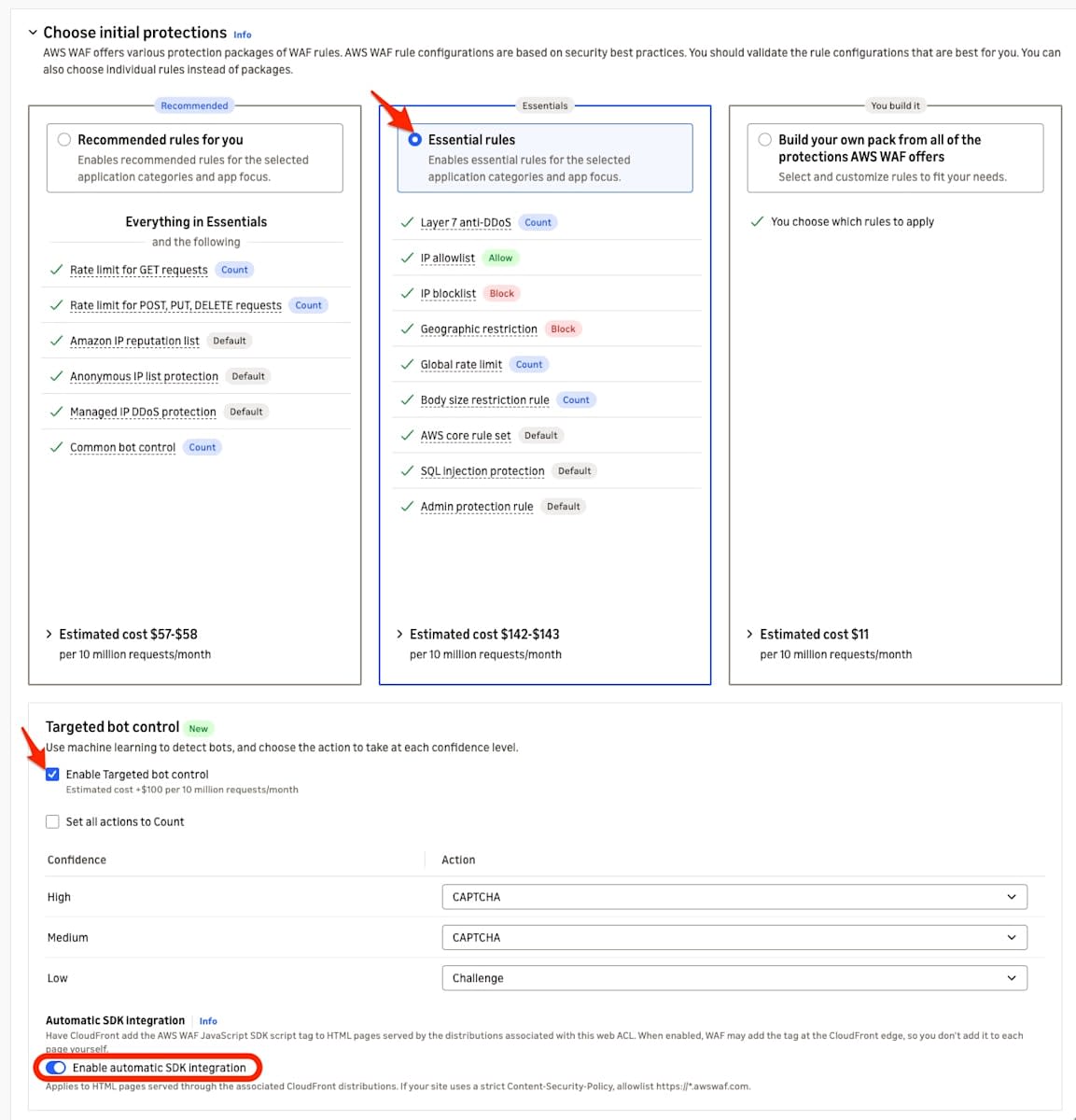
When I selected Essential rules on the Choose initial protections screen, a Targeted bot control section was displayed. After checking it, the actions per confidence level were CAPTCHA for High and Medium, and Challenge for Low. Enable automatic SDK integration was on by default.
Checking the created settings
After creation, I looked up the web ACL ID with list-web-acls and retrieved its contents with get-web-acl.
aws wafv2 list-web-acls --scope CLOUDFRONT --region us-east-1
aws wafv2 get-web-acl --scope CLOUDFRONT --region us-east-1 --name <WEB_ACL_NAME> --id <WEB_ACL_ID>
Bot Control rule group
The Bot Control rule in the output of get-web-acl is as follows.
{
    "Name": "AWS-AWSManagedRulesBotControlRuleSet",
    "Priority": 11,
    "Statement": {
        "ManagedRuleGroupStatement": {
            "VendorName": "AWS",
            "Name": "AWSManagedRulesBotControlRuleSet",
            "Version": "LATEST",
            "ManagedRuleGroupConfigs": [
                {
                    "AWSManagedRulesBotControlRuleSet": {
                        "InspectionLevel": "TARGETED",
                        "EnableMachineLearning": true
                    }
                }
            ],
            "RuleActionOverrides": [
                {
                    "Name": "TGT_SignalBotHigh",
                    "ActionToUse": {
                        "Captcha": {}
                    }
                },
                {
                    "Name": "TGT_SignalBotMedium",
                    "ActionToUse": {
                        "Captcha": {}
                    }
                },
                {
                    "Name": "TGT_SignalBotLow",
                    "ActionToUse": {
                        "Challenge": {}
                    }
                }
            ]
        }
    },
    "OverrideAction": {
        "None": {}
    },
    "VisibilityConfig": {
        "SampledRequestsEnabled": true,
        "CloudWatchMetricsEnabled": true,
        "MetricName": "AWS-AWSManagedRulesBotControlRuleSet"
    }
}
When Targeted bot control is enabled, InspectionLevel in ManagedRuleGroupConfigs becomes TARGETED and EnableMachineLearning becomes true. The actions per confidence level are set as RuleActionOverrides, and the values are the same as the defaults on the screen.
This web ACL has 12 rules, and Bot Control is placed last (priority 11). Priorities 0 through 10 contain the Essential rules. The types are Layer 7 anti-DDoS, IP address allow/deny, geographic restrictions, rate limiting, request body size restrictions, the core rule set, SQL injection protection, and admin protection.
Automatic SDK integration
Automatic SDK integration is a feature released in October 2026. A script tag for the AWS WAF JavaScript SDK is inserted into the HTML delivered by CloudFront, which allows rule groups such as Bot Control (Targeted) to use client-side signals to determine the source of a request.
In the web ACL, CLOUDFRONT was set in ChallengeJavascriptSdkInjection under AssociationConfig.
"AssociationConfig": {
    "ChallengeJavascriptSdkInjection": {
        "CLOUDFRONT": {}
    }
},
ApplicationIntegrationURL is also included at the end of the get-web-acl response. The ID portions are masked.
"ApplicationIntegrationURL": "https://<ID_A>.edge.sdk.awswaf.com/<ID_A>/<ID_B>/"
Association with the distribution
After the protection pack was created, the web ACL's ARN was set in the distribution's WebACLId.
aws cloudfront get-distribution --id <DISTRIBUTION_ID> --query '{Id:Distribution.Id,Status:Distribution.Status,WebACLId:Distribution.DistributionConfig.WebACLId}' --output json
{
    "Id": "<DISTRIBUTION_ID>",
    "Status": "Deployed",
    "WebACLId": "arn:aws:wafv2:us-east-1:<ACCOUNT_ID>:global/webacl/bot202611/<WEB_ACL_ID>"
}
Delivered HTML
The script tag for automatic SDK integration is inserted immediately after the head start tag when the HTML has a head element near the beginning of the response. For that reason, the HTML used for verification places the head element near the top.
With curl's default User-Agent, the CategoryHttpLibrary rule of Bot Control blocked the request, so I specified a browser User-Agent with -A.
curl -sS -i -m 60 -A 'Mozilla/5.0 (Macintosh; Intel Mac OS X 10_15_7) AppleWebKit/537.36 (KHTML, like Gecko) Chrome/130.0.0.0 Safari/537.36' https://d111111abcdef8.cloudfront.net/test-head.html
HTTP/2 200

<!DOCTYPE html>
<html lang="ja">
<head><script type="text/javascript" src="https://<ID_A>.edge.sdk.awswaf.com/<ID_A>/<ID_B>/challenge.js" defer></script>
<meta charset="utf-8">
<title>WAF Targeted bot control test</title>
</head>
<body>
<h1>WAF Targeted bot control test</h1>
<p>This page has a head element near the top of the document.</p>
</body>
</html>
The src of the script tag is the ApplicationIntegrationURL from get-web-acl with challenge.js appended to the end.
Summary
When I enabled Targeted bot control on the new protection pack creation screen for CloudFront, Bot Control was added to the web ACL. The inspection level was Targeted (machine learning enabled), and the version was LATEST.
Automatic SDK integration was configured, and the HTML returned by the associated distribution had a script tag that loads the SDK inserted immediately after the head start tag. I was able to confirm that the configuration lets Targeted Bot Control use client-side signals.
With the Targeted bot control checkbox in the protection pack, you can now quickly start protecting CloudFront with Bot Control. When a Bot Control rule detects a bot, it performs a Challenge or CAPTCHA action. These are actions that a human browsing with a browser can pass by interacting. However, I recommend running in Count mode for a certain period, confirming through logs and sampling that there are no false positives, and then enabling the Challenge, CAPTCHA, and Block protections.