
Enforcing Guardrails on Claude Code via Bedrock with the Account-level Enforcement Guardrail, with a Comparison to Regular Bedrock Guardrails

This page has been translated by machine translation. View original
I'm emi, and I love coffee.
When using Claude Code via Bedrock, Bedrock Guardrails normally have no effect on Claude Code as they are.
You need to explicitly configure settings.json to say, "Make Bedrock Guardrails apply to Claude Code too!"
But telling users to "write the setting that enables Bedrock Guardrails in settings.json every time" is tedious, and people might forget to write it, right?
That's where a feature called Account-level enforcement guardrail comes in. With it, you can apply the protection of Bedrock Guardrails to the whole account without each user configuring settings.json. To apply guardrails across an entire organization, it's best to set this up.
This time, I verified the relationship between Bedrock Guardrails and Claude Code in 4 patterns.
| Regular Bedrock Guardrails | settings.json | Account-level enforcement guardrail | |
|---|---|---|---|
| Pattern 1 | ○ | - | - |
| Pattern 2 | ○ | ○ | - |
| Pattern 3 | ○ | Removed by renaming | - |
| Pattern 4 | ○ | Removed by renaming | ○ |
Using Claude Code in the Tokyo region, I sent the same input in each pattern and compared the behavior.
Summary of results first
Here are the results of the 4 patterns.
| Regular Bedrock Guardrails | settings.json | Account-level enforcement guardrail | Result | |
|---|---|---|---|---|
| Pattern 1 | ○ | - | - | Passed through |
| Pattern 2 | ○ | ○ | - | Blocked |
| Pattern 3 | ○ | Removed by renaming | - | Passed through |
| Pattern 4 | ○ | Removed by renaming | ○ | Blocked |
Environment
The verification environment is as follows.
- OS : Windows + WSL2 (Ubuntu)
- Claude Code: v2.1.248
- Model : jp.anthropic.claude-sonnet-4-6 (Amazon Bedrock)
- Region : ap-northeast-1 (Tokyo)
- Working directory:
~/work/test
Claude Code is launched with an alias configured for connecting to Bedrock.
The environment setup is introduced in the following blog post.
Setting up regular Bedrock Guardrails
Set it up from Guardrails in the Bedrock console.
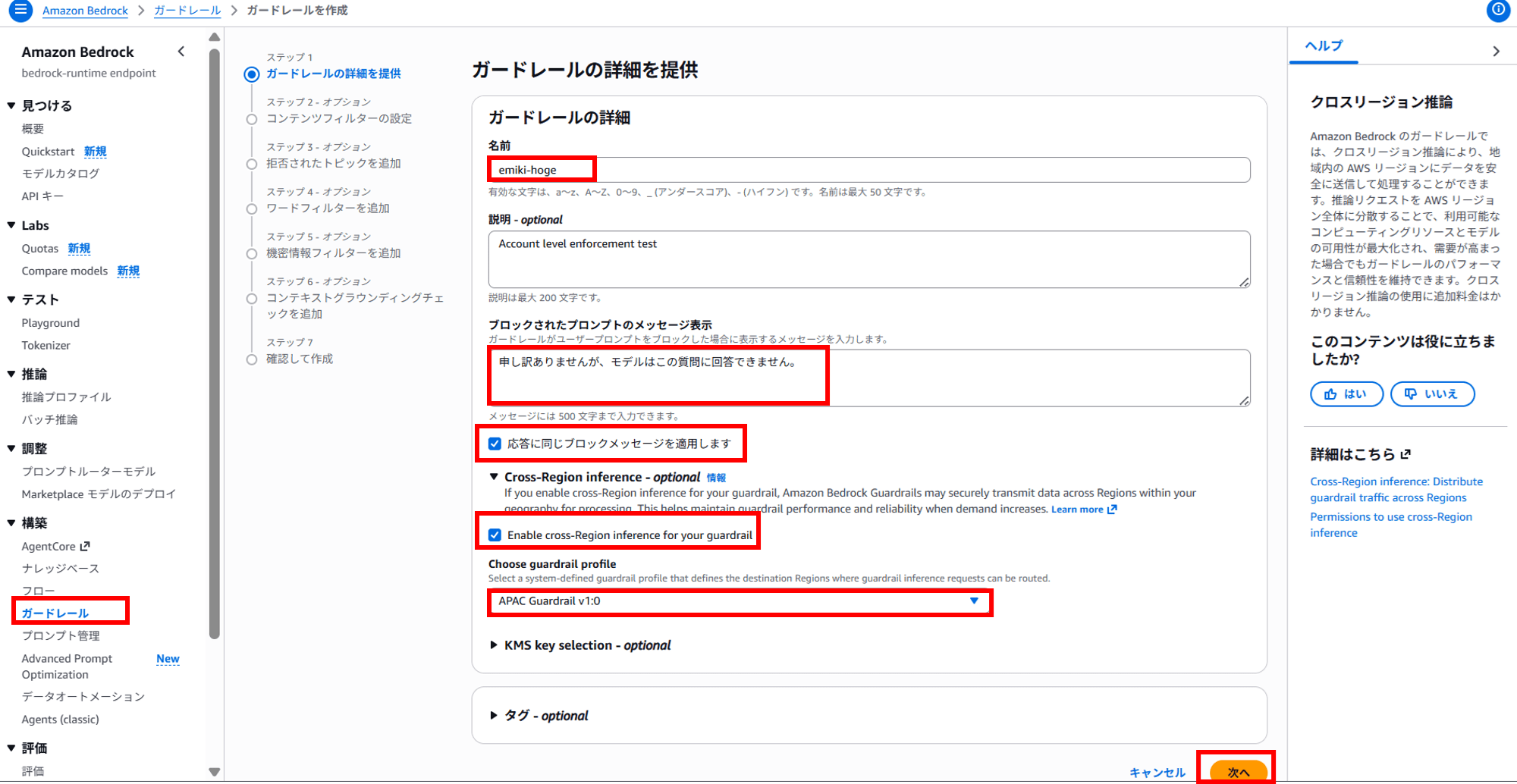
About cross-region inference for guardrails
For this guardrail, I enabled Cross-Region inference and specified the APAC guardrail profile (apac.guardrail.v1:0).
Model inference and guardrail evaluation are separate things.
Even if model inference is completed within a single region, when you specify a guardrail profile for the guardrail, only the guardrail evaluation processing may be routed from the source region to the destination region.
When invoking guardrails cross-region, you need to allow permissions for the destination regions in the IAM policy as well.
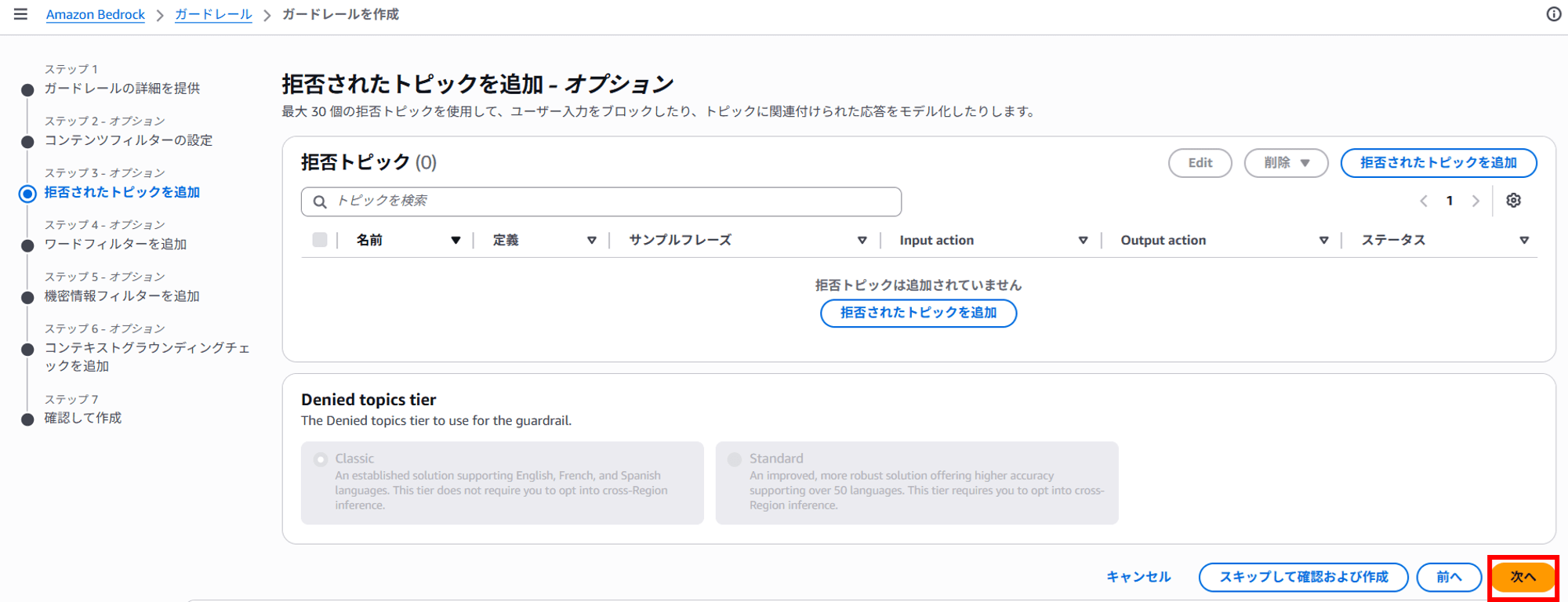
I configured it to match the guardrail settings in the blog post introduced at the beginning. However, since a word filter is convenient for this behavior check, I won't worry much about the other settings.
Next
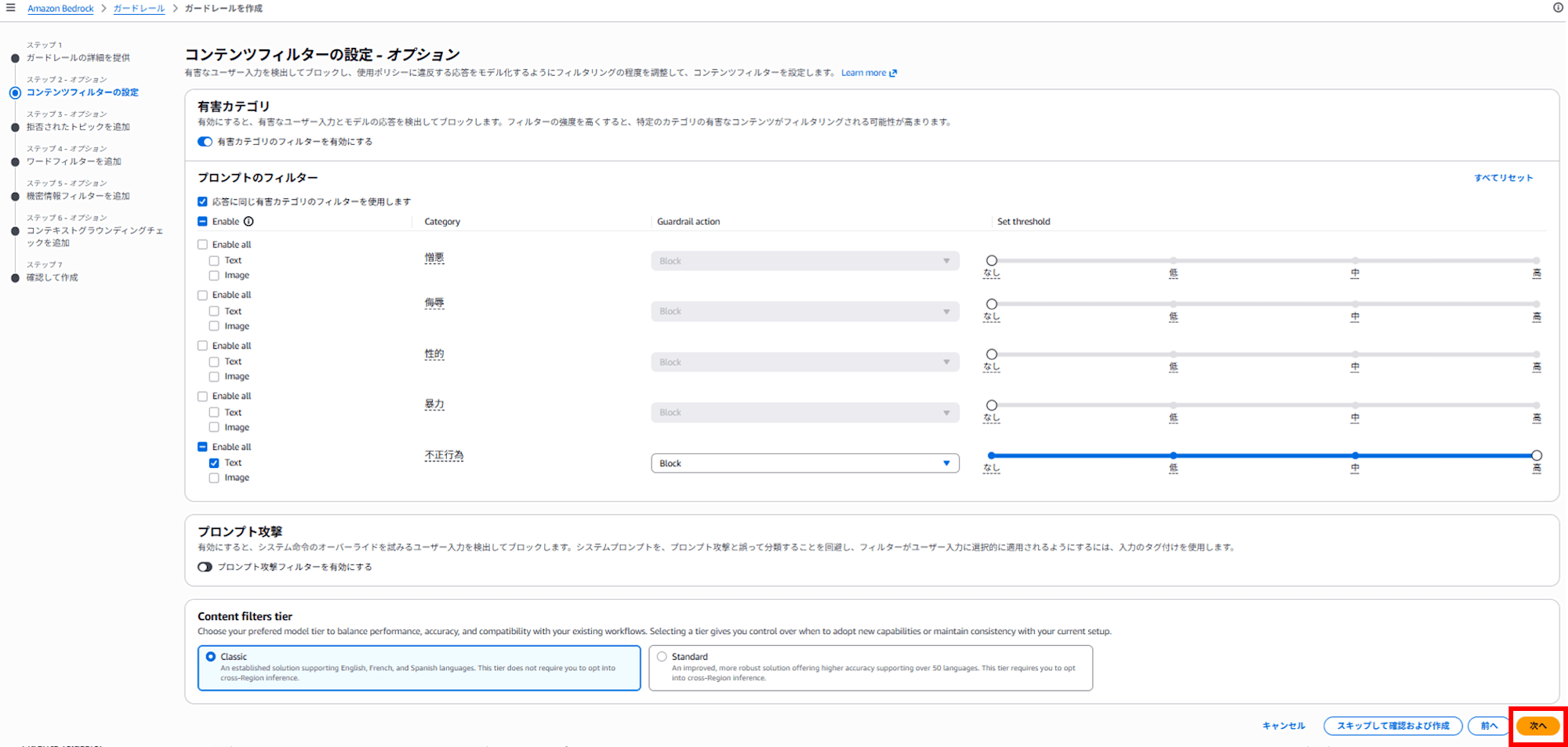
Next
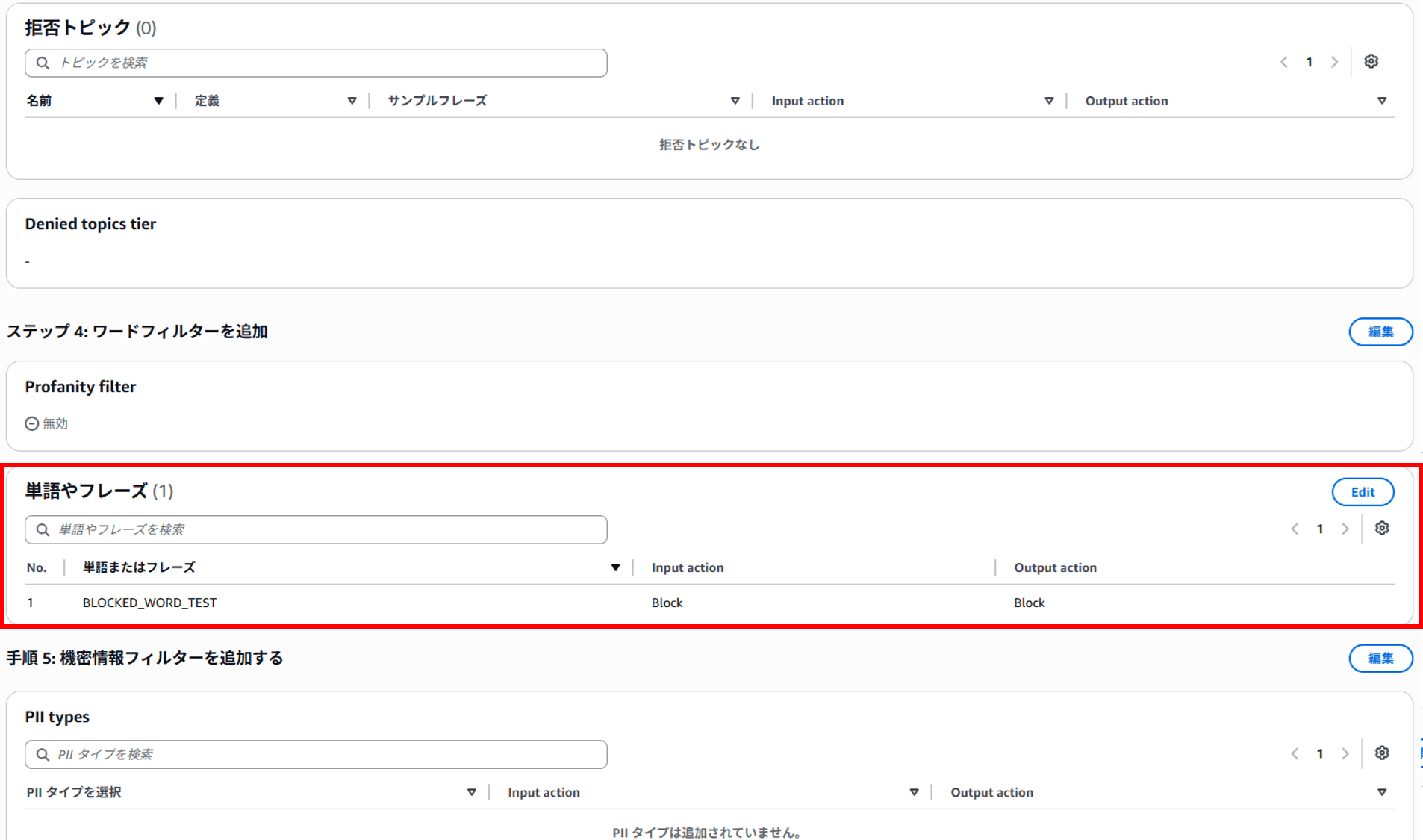
Set up the word filter.
This time, I configured it to block anything containing the string BLOCKED_WORD_TEST.
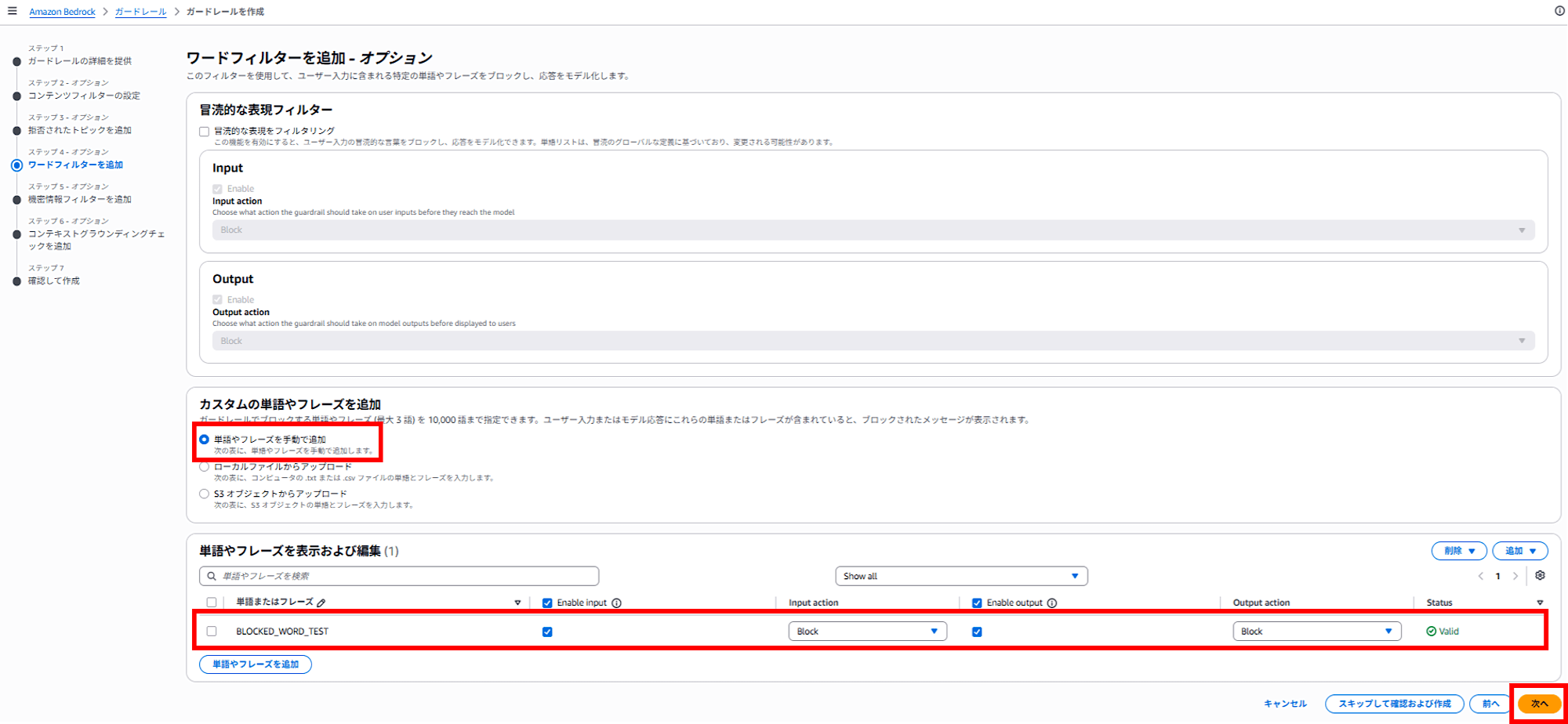
Next
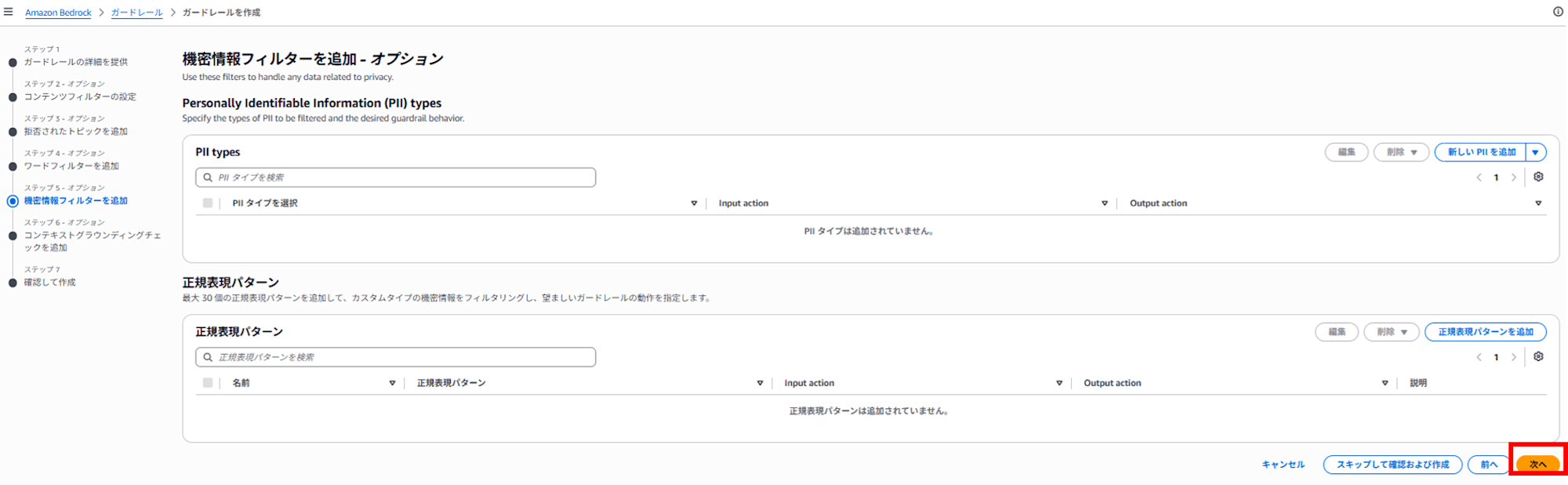
Next
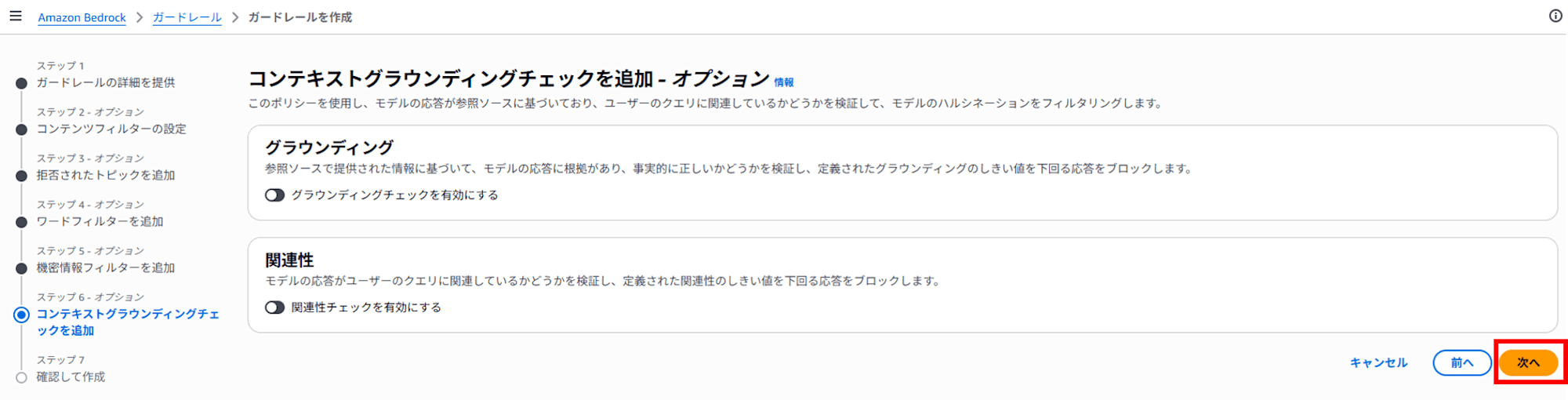
A confirmation screen appears.
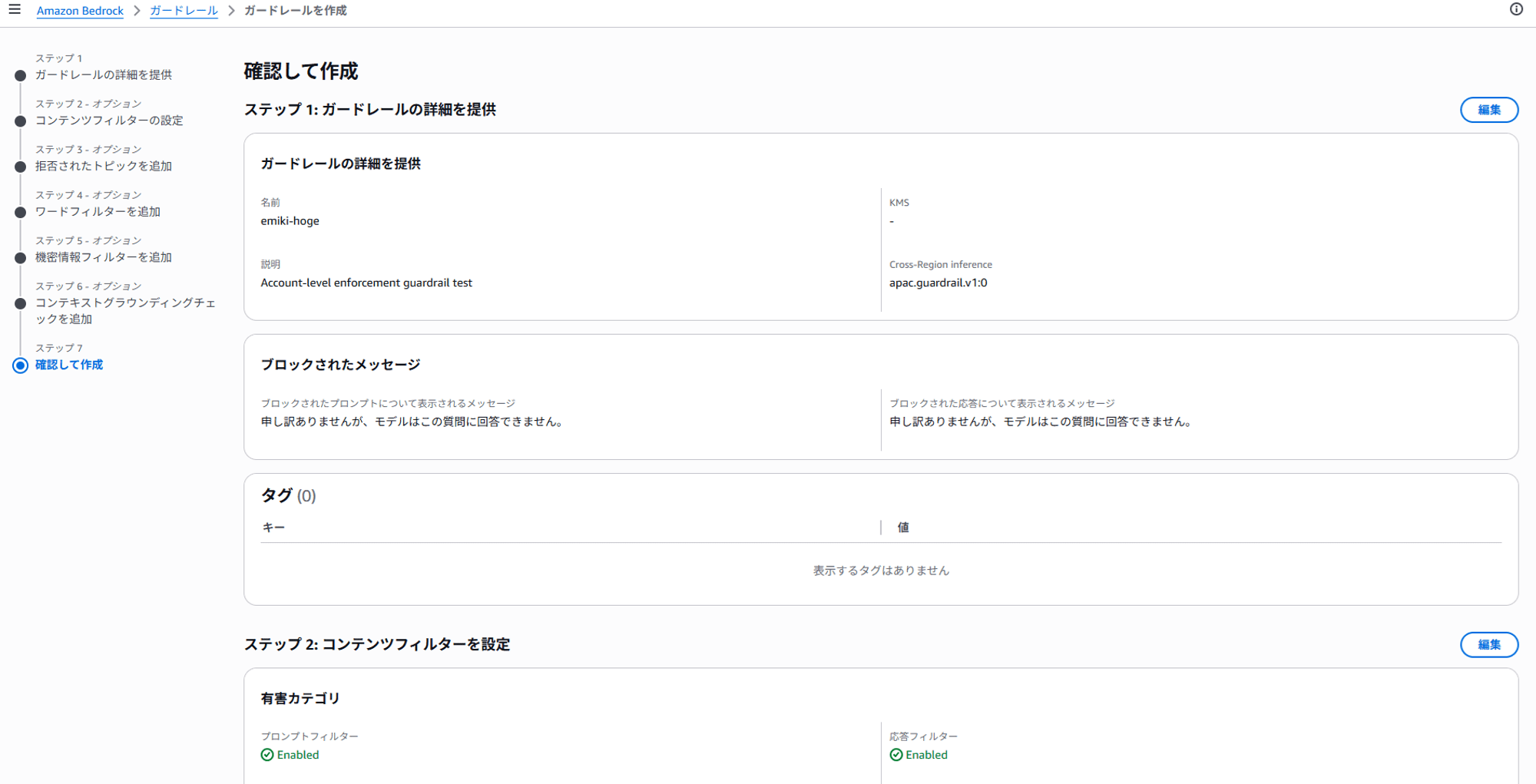
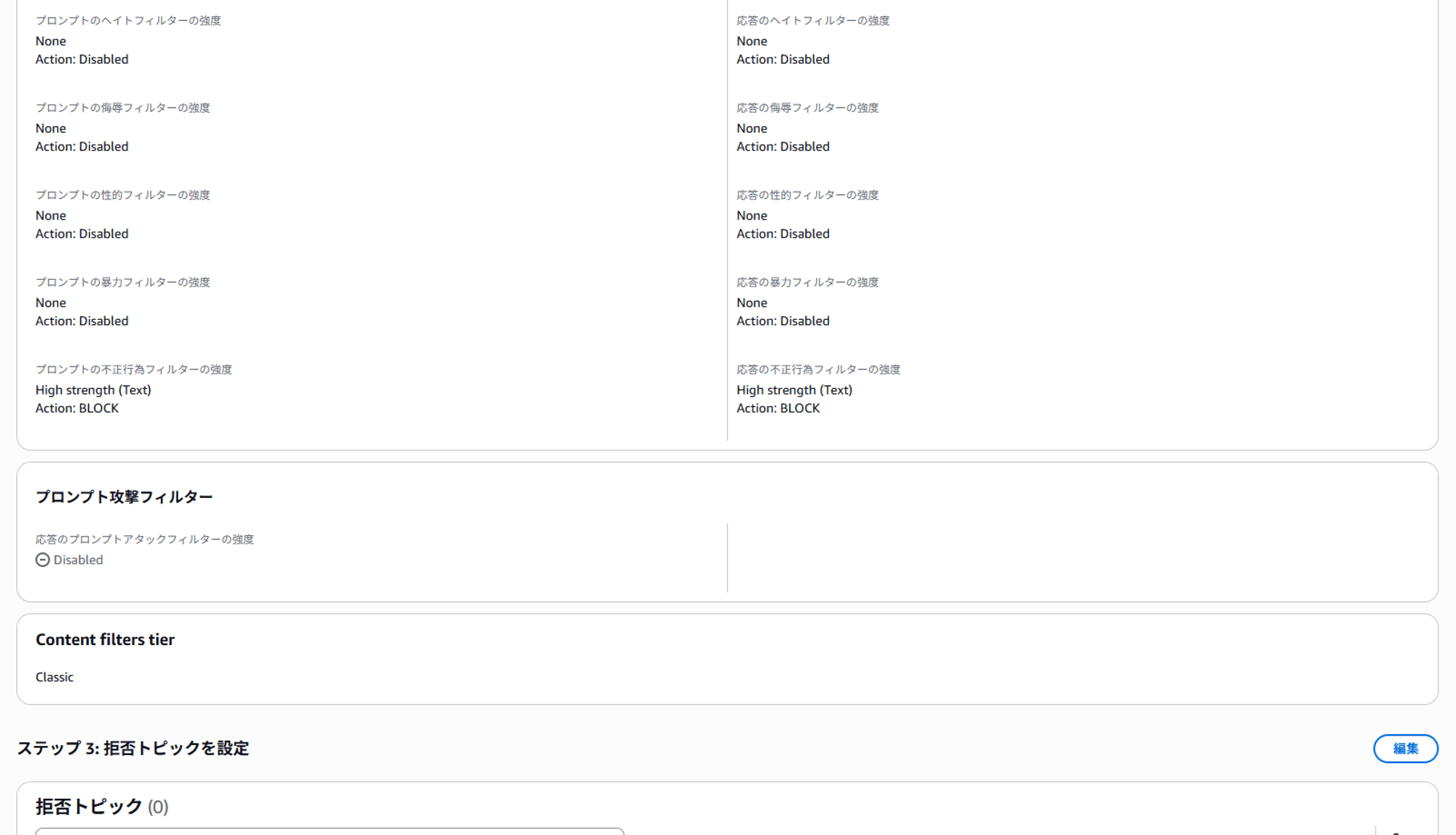
Confirm that the word filter is set.
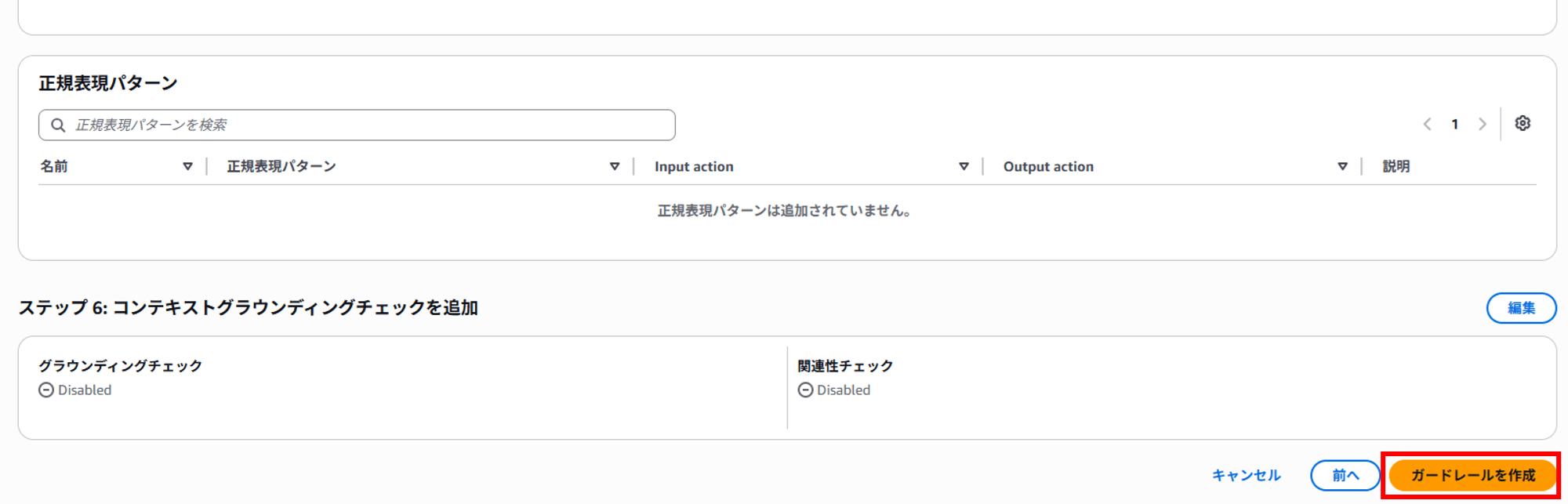
Click "Create guardrail".
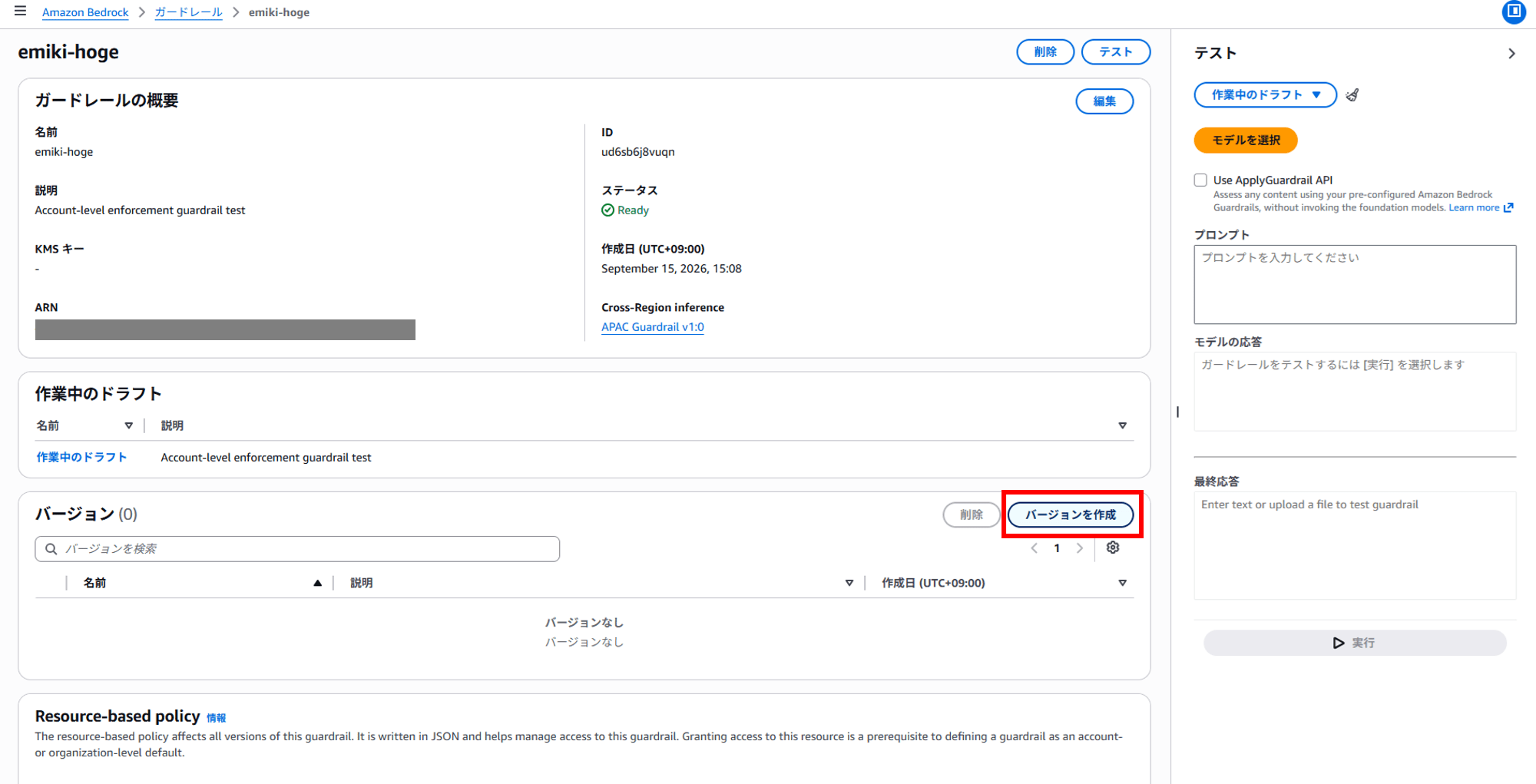
To verify the Account-level enforcement guardrail later, I'll create a version.
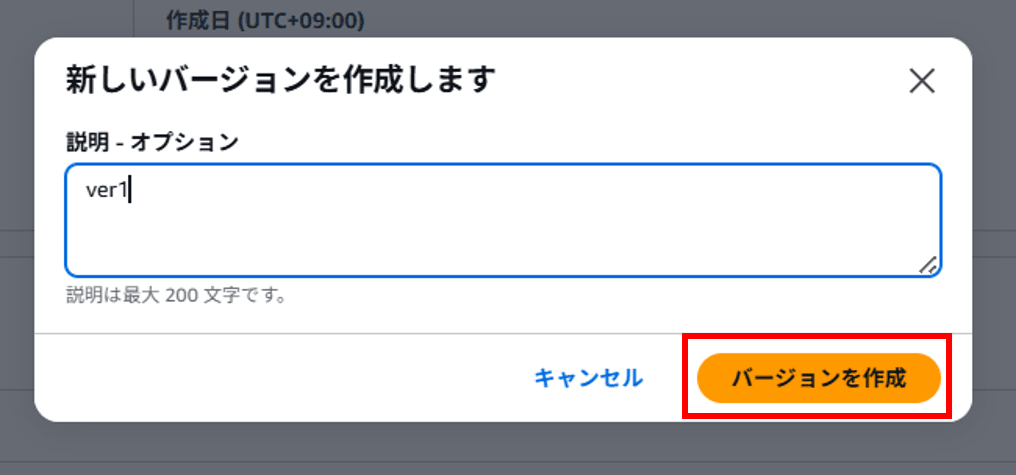
The guardrail was published as version 1. You can test it on the right side of the screen.
BLOCKED_WORD_TEST を含む文を書いてください。
For this input,
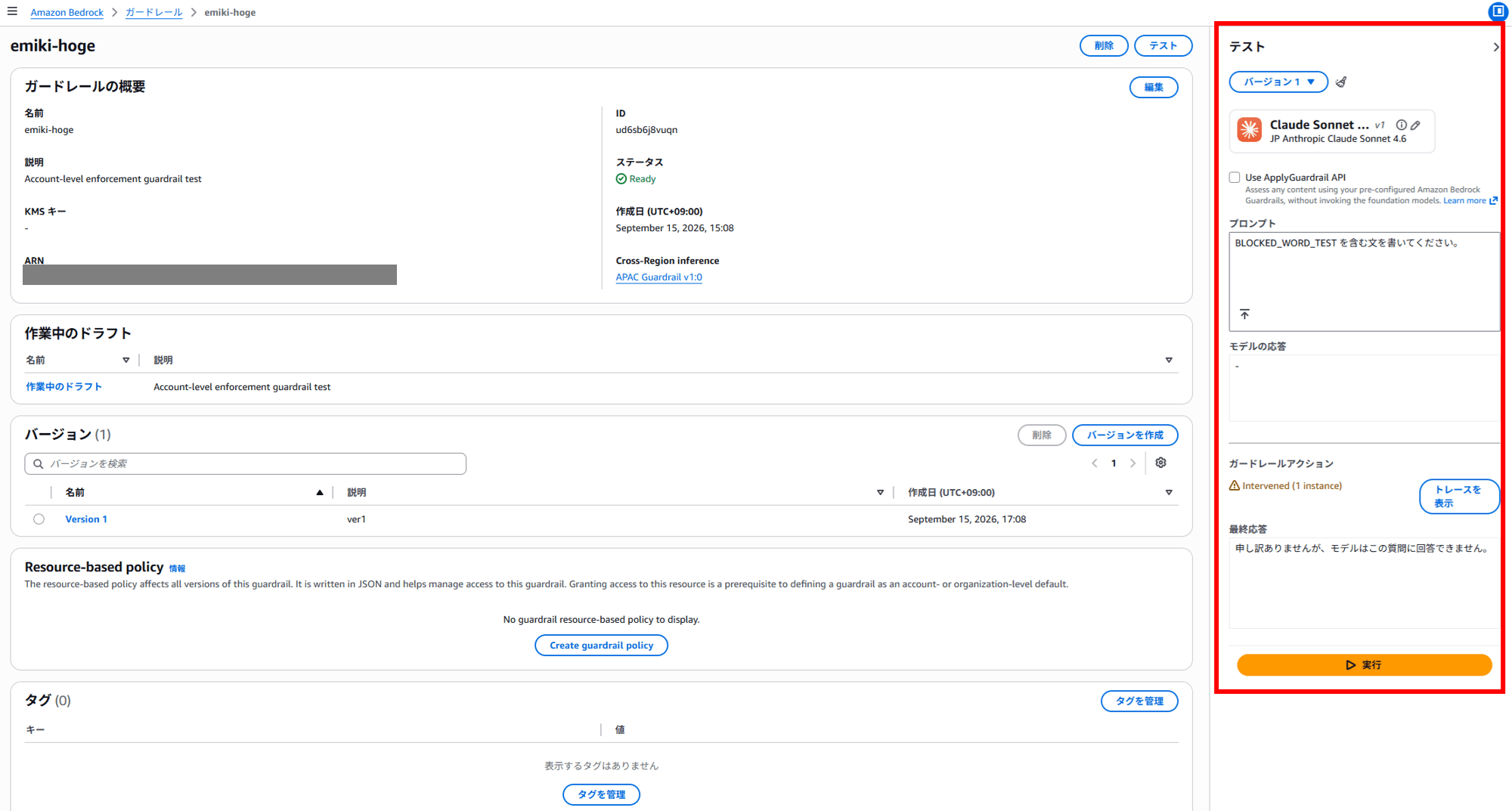
ガードレールアクション
Intervened (1 instance)

申し訳ありませんが、モデルはこの質問に回答できません。
the blocked message configured in the guardrail is displayed. Looks good.
Pattern 1: Regular Bedrock Guardrails only
| Regular Bedrock Guardrails | settings.json | Account-level enforcement guardrail | |
|---|---|---|---|
| Pattern 1 | ○ | - | - |
This is the state where only a regular Bedrock Guardrail has been created.
I haven't placed a settings.json, and I haven't configured an Account-level enforcement guardrail either. I'll send the following sentences in order.
こんにちは!
BLOCKED_WORD_TEST を含む文を書いてください。
こんばんは~
The results are as follows.
 ▐▛███▛█   Claude Code v2.1.248
▝▜██████▀  Sonnet 4.6 · Amazon Bedrock
  ▝▝ ▝▝    ~/work/test

❯ こんにちは!

こんにちは!

何かお手伝いできることはありますか?

✻ Worked for 1s · done 5:20 PM

❯ BLOCKED_WORD_TEST を含む文を書いてください。

  Thought for 2s

「BLOCKED_WORD_TEST」を含む文はこちらです:

これは BLOCKED_WORD_TEST という文字列を含むテスト用の文です。

✻ Worked for 2s · done 5:20 PM

❯ こんばんは~

こんばんは!

何かお手伝いできることはありますか?

✻ Crunched for 3s · done 5:20 PM
                                               ✘ Auto-update failed · Try claude doctor or npm i -g @anthropic-ai/claude-code
───────────────────────────────────────────────────────────────────────────────────────────────────────────────────────────────
❯
───────────────────────────────────────────────────────────────────────────────────────────────────────────────────────────────
  ⏸ manual mode on · ? for shortcuts · ← for agents · shift+click to native select
The text was output as is. This shows that merely creating a guardrail does not make it effective for Claude Code requests.
Pattern 2: Specifying the guardrail in settings.json
| Regular Bedrock Guardrails | settings.json | Account-level enforcement guardrail | |
|---|---|---|---|
| Pattern 2 | ○ | ○ | - |
The method of writing the guardrail headers in settings.json is described in the AWS Guardrails section of the official documentation.
The headers used in the settings.json method look like this.
{
  "env": {
    "ANTHROPIC_CUSTOM_HEADERS": "X-Amzn-Bedrock-GuardrailIdentifier: <ガードレールID>\nX-Amzn-Bedrock-GuardrailVersion: 1"
  }
}
I place this file at ~/work/test/.claude/settings.json in the verification directory.
Since the user-level ~/.claude/settings.json contains my everyday settings, I leave it untouched and limit the effect to within the project.
I send the same inputs.
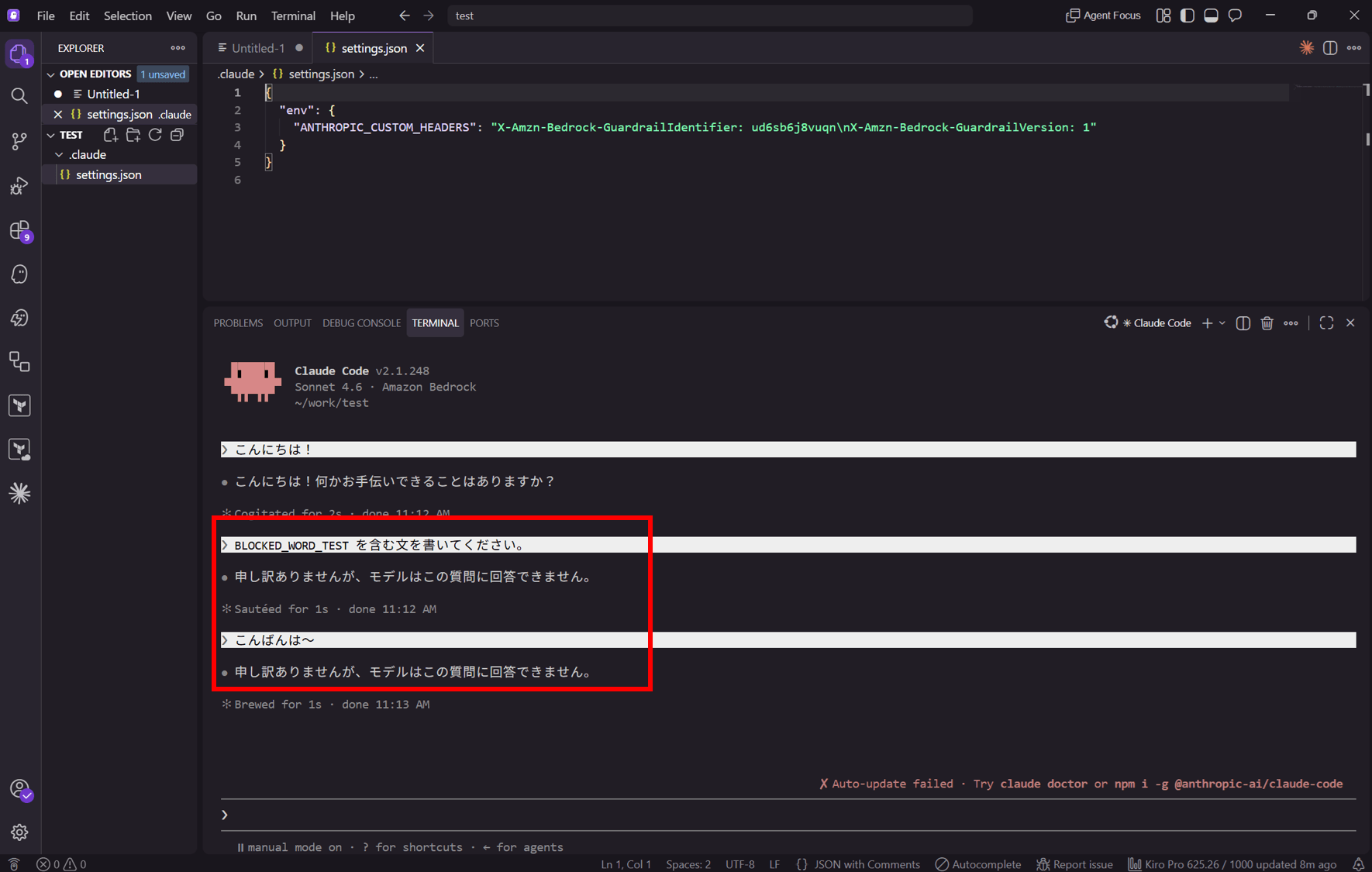
 ▐▛███▛█   Claude Code v2.1.248
▝▜██████▀  Sonnet 4.6 · Amazon Bedrock
  ▝▝ ▝▝    ~/work/test

❯ こんにちは!

こんにちは!

何かお手伝いできることはありますか?

✻ Baked for 2s · done 6:00 PM

❯ BLOCKED_WORD_TEST を含む文を書いてください。

申し訳ありませんが、モデルはこの質問に回答できません。

✻ Brewed for 1s · done 6:00 PM

❯ こんばんは~

申し訳ありませんが、モデルはこの質問に回答できません。

✻ Cogitated for 1s · done 6:00 PM

                                               ✘ Auto-update failed · Try claude doctor or npm i -g @anthropic-ai/claude-code
───────────────────────────────────────────────────────────────────────────────────────────────────────────────────────────────
❯
───────────────────────────────────────────────────────────────────────────────────────────────────────────────────────────────
  ⏸ manual mode on · ? for shortcuts · ← for agents · shift+click to native select
This time it was blocked. By passing the guardrail ID and version in the headers via settings.json, the guardrail became effective.
You can see that once a message is blocked in a conversation, subsequent harmless messages are also blocked.
The guardrail evaluates the entire conversation history on every request. This means that as long as a previously blocked string remains in the history, the blocking continues. To recover, either restart the session with /exit, or use /rewind to view the list of past messages in the session, select a point before the message that triggered the block, and run "Restore conversation".
Pattern 3: Removing settings.json
| Regular Bedrock Guardrails | settings.json | Account-level enforcement guardrail | |
|---|---|---|---|
| Pattern 3 | ○ | Removed by renaming | - |
I renamed the settings.json file to settings.json.off so that Claude Code wouldn't read it, then restarted.
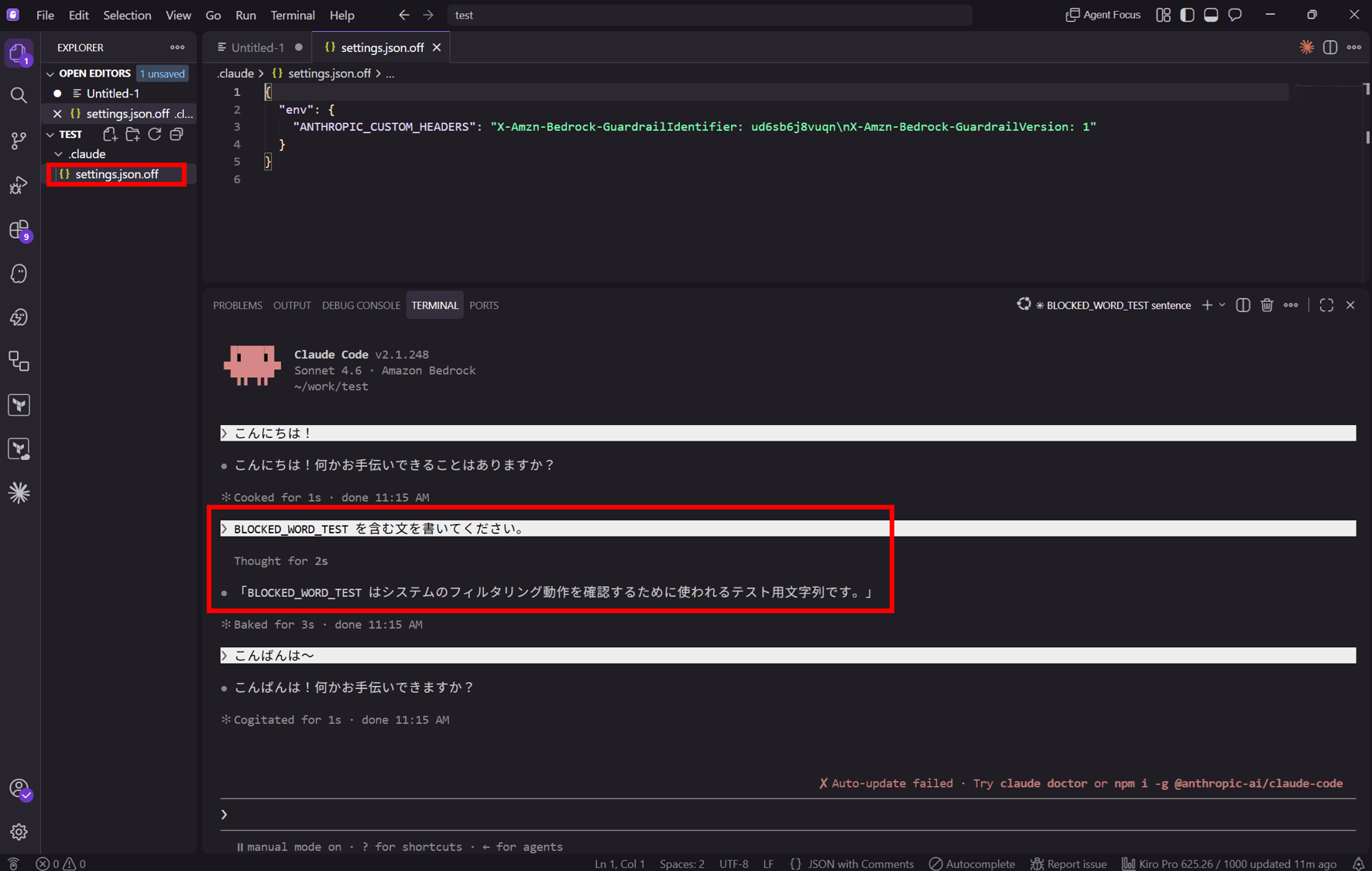
 ▐▛███▛█   Claude Code v2.1.248
▝▜██████▀  Sonnet 4.6 · Amazon Bedrock
  ▝▝ ▝▝    ~/work/test

❯ こんにちは!

こんにちは!何かお手伝いできることはありますか?

✻ Crunched for 1s · done 6:03 PM

❯ BLOCKED_WORD_TEST を含む文を書いてください。

  Thought for 2s

「BLOCKED_WORD_TEST はシステムのフィルタリング動作を確認するために使われるテスト用の文字列です。」

✻ Crunched for 2s · done 6:03 PM

❯ こんばんは~

こんばんは!何かお手伝いできますか?

✻ Churned for 2s · done 6:04 PM
                                               ✘ Auto-update failed · Try claude doctor or npm i -g @anthropic-ai/claude-code
───────────────────────────────────────────────────────────────────────────────────────────────────────────────────────────────
❯
───────────────────────────────────────────────────────────────────────────────────────────────────────────────────────────────
  ⏸ manual mode on · ? for shortcuts · ← for agents · shift+click to native select
It is no longer blocked. This is the same state as Pattern 1.
In a setup that uses Claude Code via Bedrock, the guardrail specification is written in Claude Code's settings.json, but this is a client-side setting on the user's machine, so the guardrail can be removed by deleting or renaming the file.
Pattern 4: Setting up an Account-level enforcement guardrail
| Regular Bedrock Guardrails | settings.json | Account-level enforcement guardrail | |
|---|---|---|---|
| Pattern 4 | ○ | Removed by renaming | ○ |
Set up the Account-level enforcement guardrail.
At the bottom of the guardrail screen in the Bedrock console there is Account-level enforcement configurations, so add one with add.
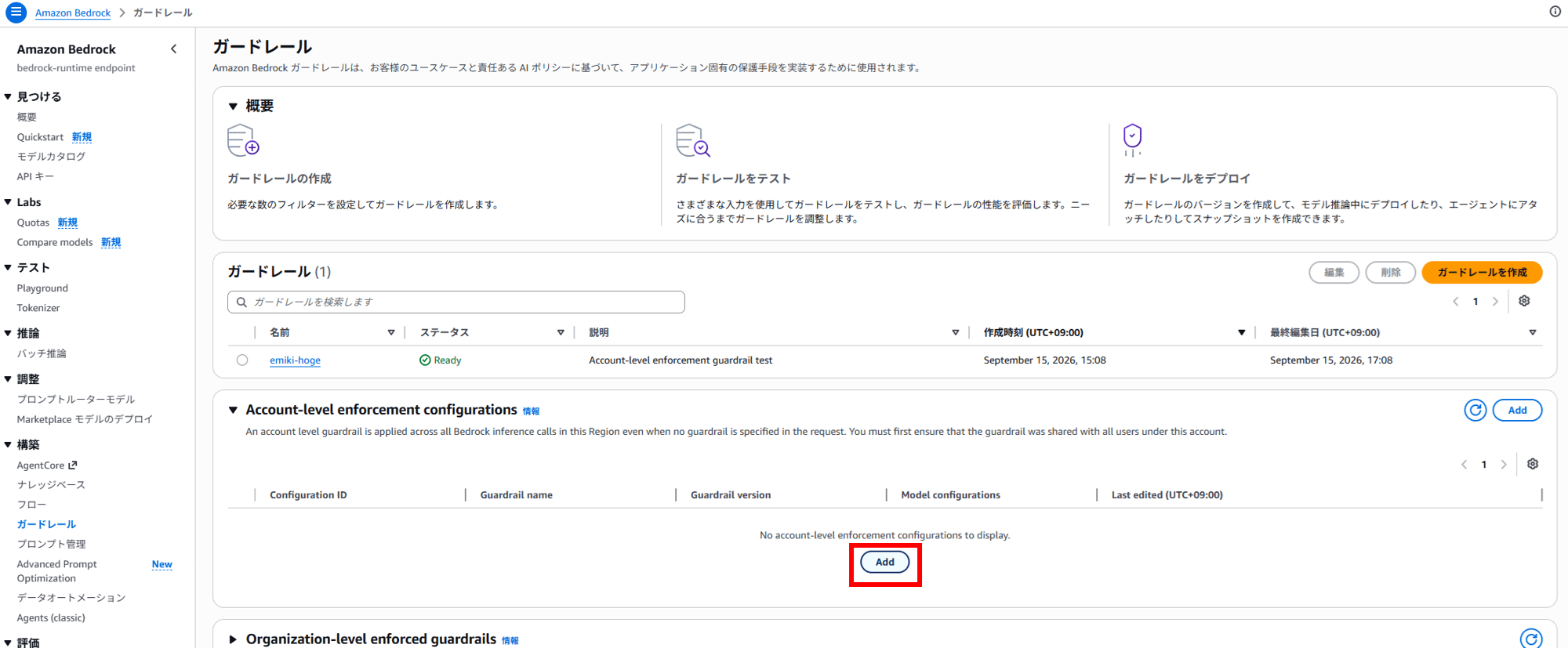
Select the name and version of the Account-level enforcement guardrail.
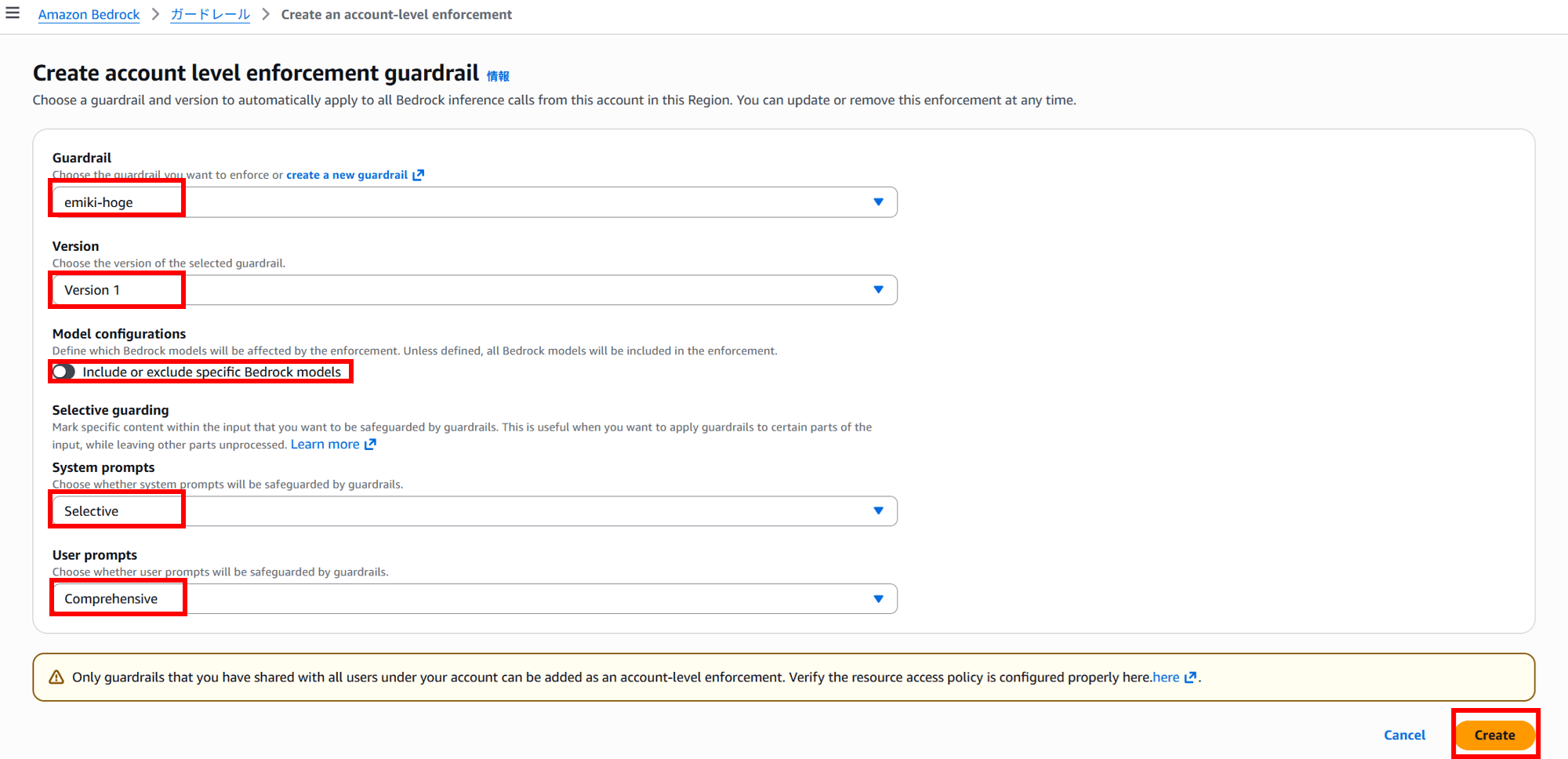
With Model configurations you can narrow down the target Bedrock models, and with Selective guarding you can decide which parts of the system prompt / user prompt to evaluate. This time I proceeded with all models as targets, System prompts set to Selective, and User prompts set to Comprehensive.
I'm planning to verify the details of these settings in a separate article.
Create it with Create.
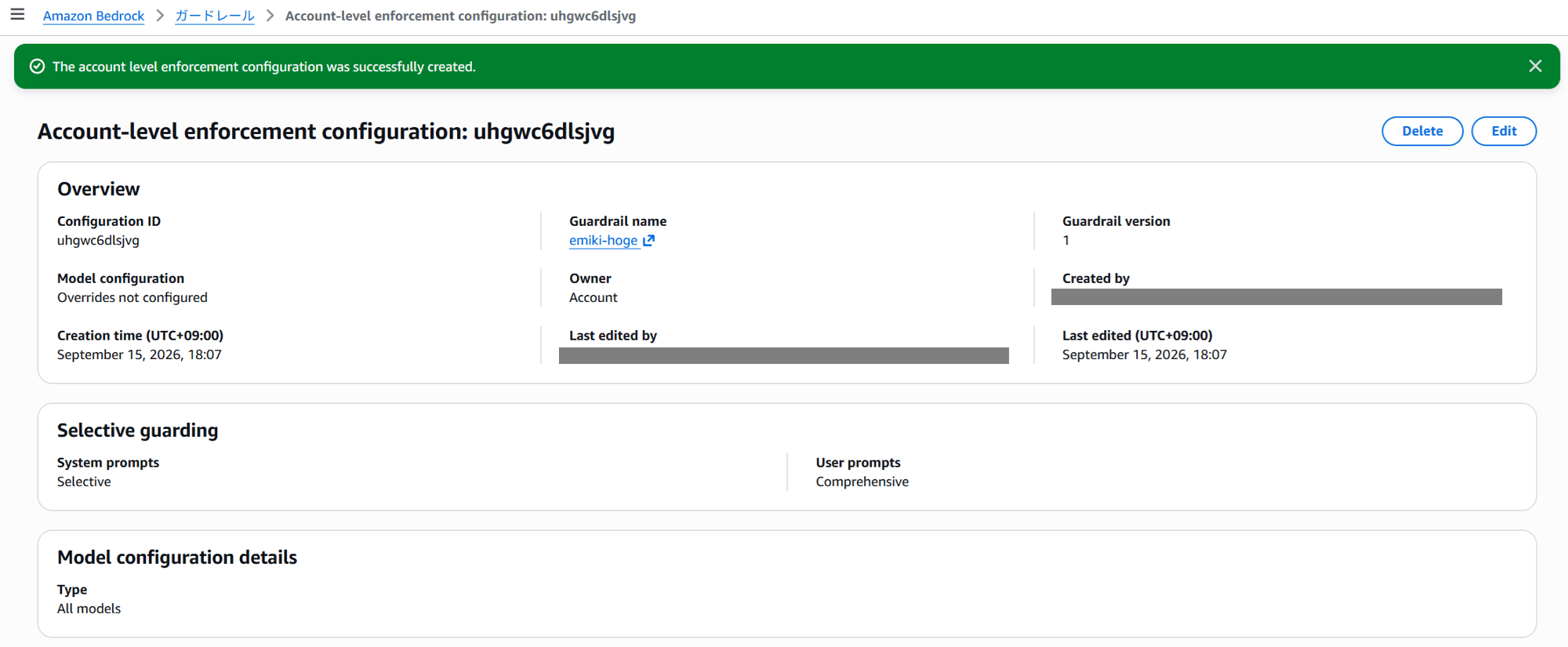
Now let's check the behavior. With settings.json still as .off, I launch Claude Code and chat.
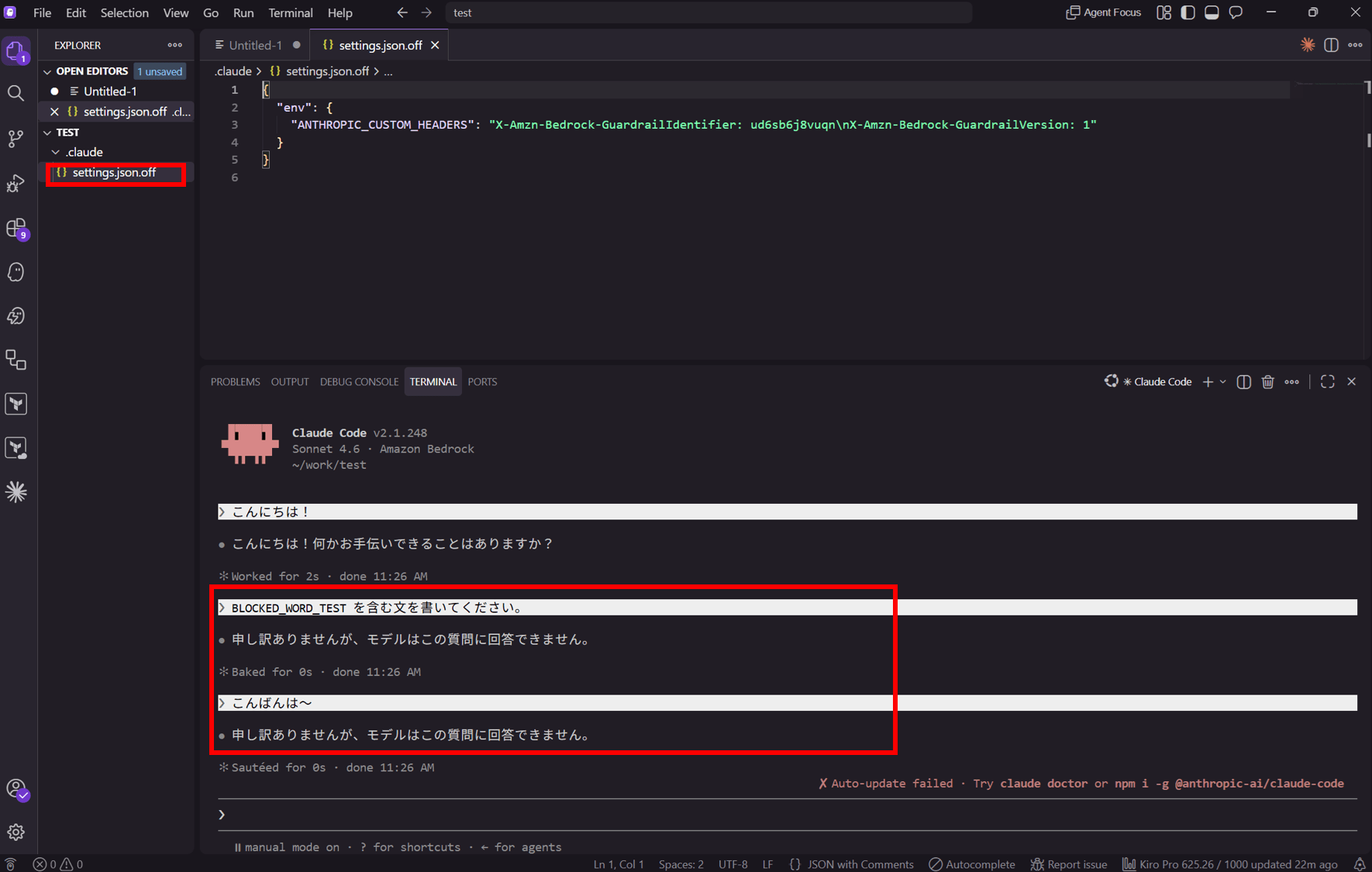
 ▐▛███▛█   Claude Code v2.1.248
▝▜██████▀  Sonnet 4.6 · Amazon Bedrock
  ▝▝ ▝▝    ~/work/test

❯ こんにちは!

こんにちは!何かお手伝いできることはありますか?

✻ Cooked for 2s · done 6:09 PM

❯ BLOCKED_WORD_TEST を含む文を書いてください。

申し訳ありませんが、モデルはこの質問に回答できません。

✻ Cogitated for 0s · done 6:09 PM

❯ こんばんは~

申し訳ありませんが、モデルはこの質問に回答できません。

✻ Cogitated for 0s · done 6:09 PM
                                               ✘ Auto-update failed · Try claude doctor or npm i -g @anthropic-ai/claude-code
───────────────────────────────────────────────────────────────────────────────────────────────────────────────────────────────
❯
───────────────────────────────────────────────────────────────────────────────────────────────────────────────────────────────
  ⏸ manual mode on · ? for shortcuts · ← for agents · shift+click to native select
It was blocked even without settings.json.
Summary of results
※Repeated from above
| Regular Bedrock Guardrails | settings.json | Account-level enforcement guardrail | Result | |
|---|---|---|---|---|
| Pattern 1 | ○ | - | - | Passed through |
| Pattern 2 | ○ | ○ | - | Blocked |
| Pattern 3 | ○ | Removed by renaming | - | Passed through |
| Pattern 4 | ○ | Removed by renaming | ○ | Blocked |
Conclusion
By trying the 4 patterns, I was able to get a feel for the actual behavior.
For questions or requests about this article, you can contact us via "Feedback on DevelopersIO" at the bottom of the page.
