Bedrock Knowledge Bases Retrieve API Does Not Work with OpenSearch Serverless NextGen — Cause and Workaround

This page has been translated by machine translation. View original
Introduction
While exploring cost reduction through the scale-to-zero feature of OpenSearch Serverless NextGen, I stumbled into an unexpected pitfall.
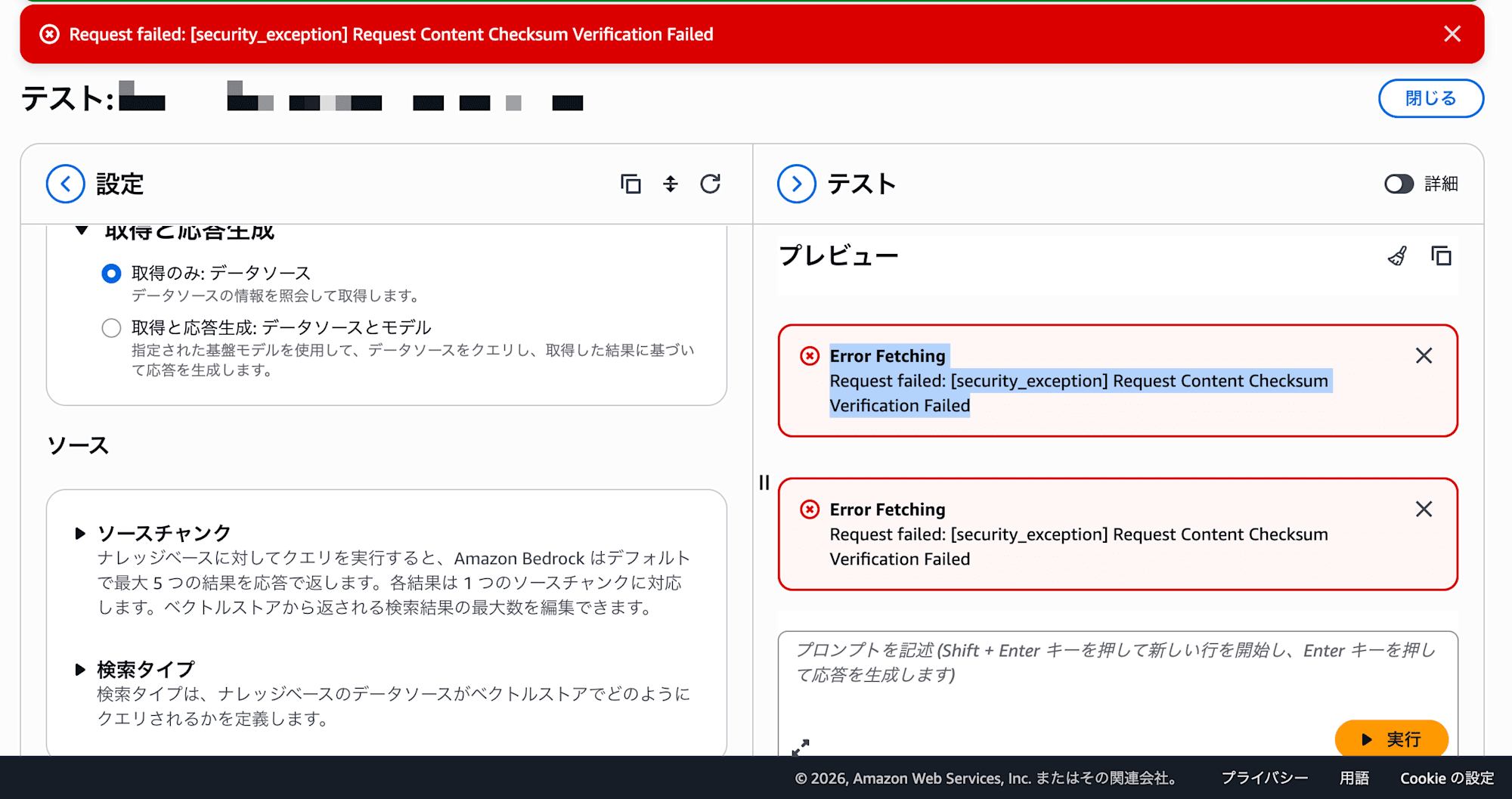
The issue was: "Creating a NextGen collection with Bedrock Knowledge Bases and syncing (ingesting) data succeeds, but calling the Retrieve API (search) returns a 403 error."
To cut to the chase: Bedrock KB's Retrieve API is not compatible with OpenSearch Serverless NextGen. It was a particularly hard-to-notice problem where ingestion works but only retrieval is broken.
This article shares how I discovered this problem, my investigation into the cause, and the workaround I ultimately adopted (direct querying via opensearch-py).
Setup Flow — How Far Things Work
Here is an overview of the steps to use a NextGen collection as a vector store for Bedrock KB. Since everything proceeds smoothly up to a point, the problem is even harder to notice.
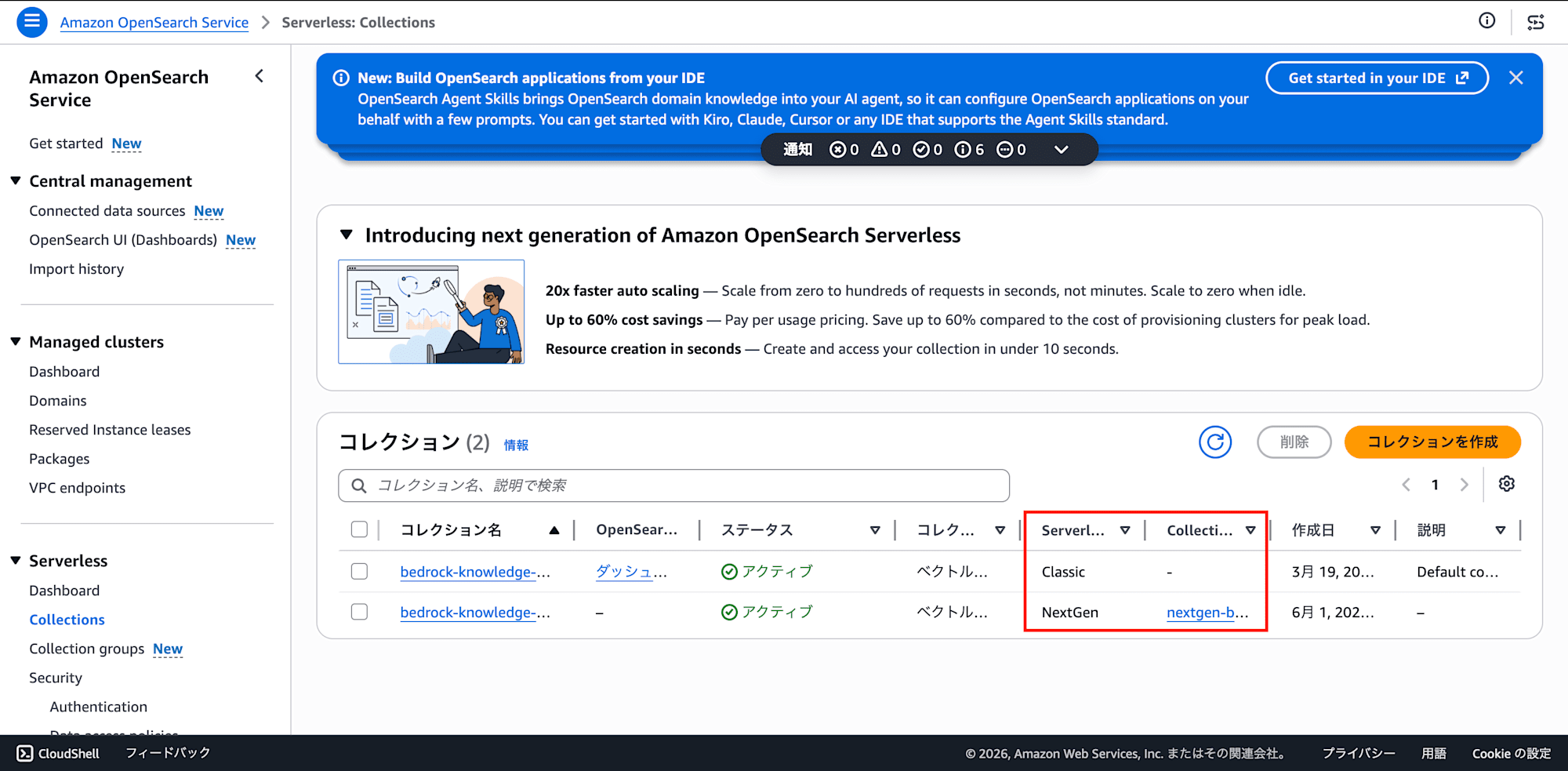
1. Creating an OpenSearch Serverless NextGen Collection
In the OpenSearch Serverless console, create a collection group.
- Collection type: Vector search
- Collection creation method: Express create
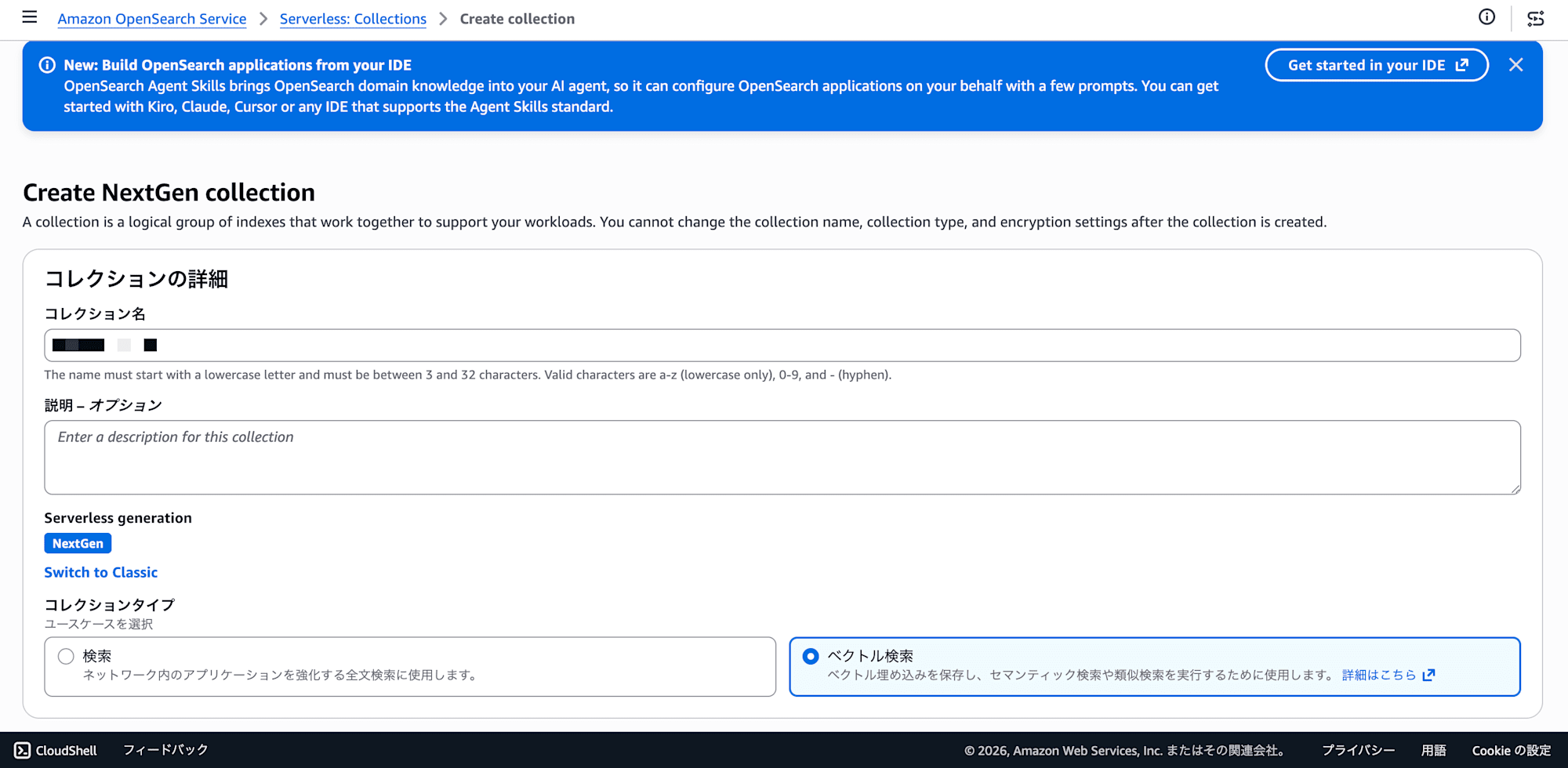
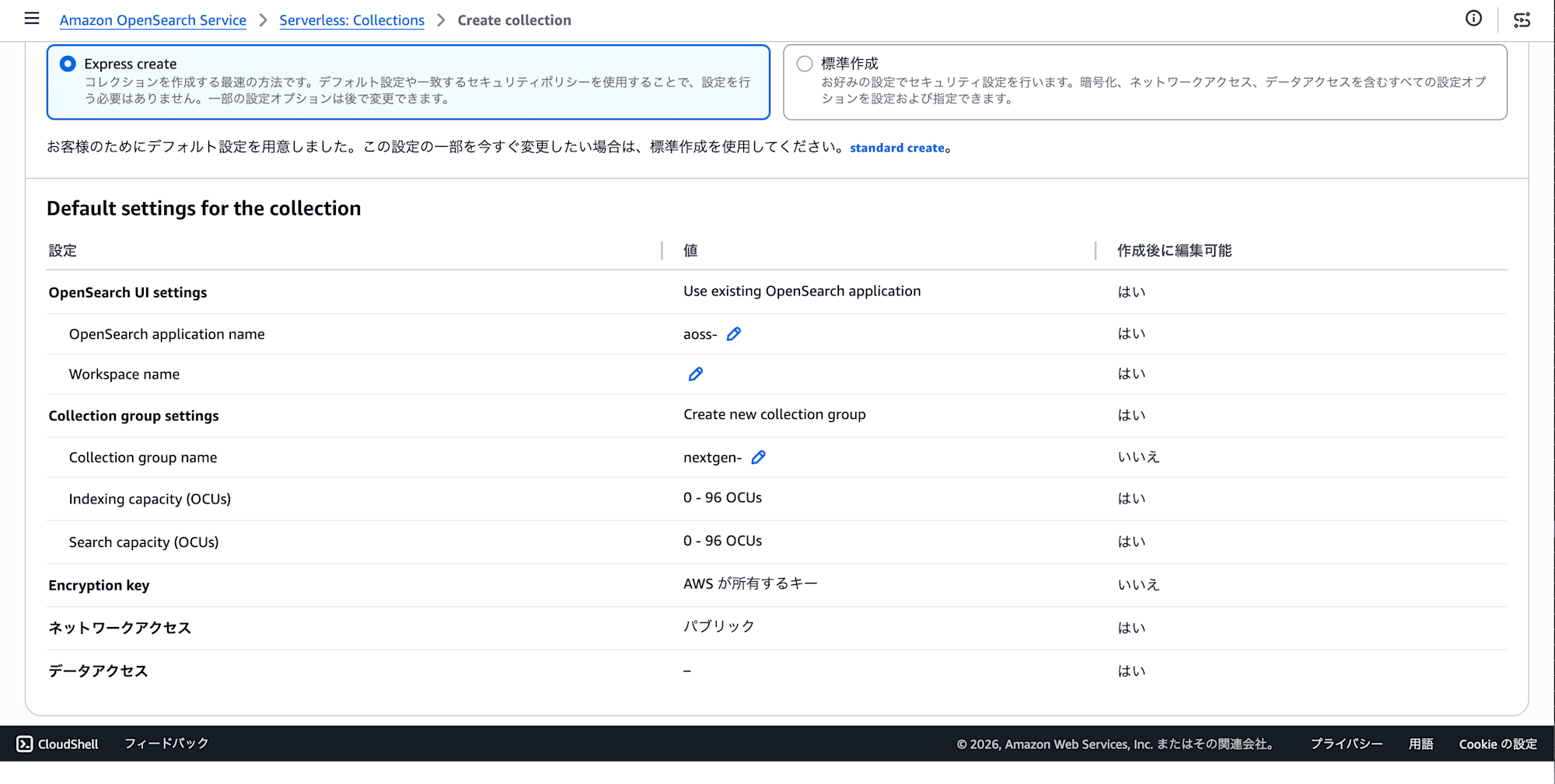
Create a collection inside the collection group. In NextGen, collections are placed under a "collection group" — this differs from Classic.
2. Manually Creating a Vector Index
Once the NextGen collection is created, go to the collection's detail screen and select Indexes > Create index.
Switch to JSON mode and paste the following:
{
  "settings": {
    "index": {
      "knn": true
    }
  },
  "mappings": {
    "properties": {
      "bedrock-knowledge-base-default-vector": {
        "type": "knn_vector",
        "dimension": 1024,
        "method": {
          "name": "hnsw"
        }
      },
      "AMAZON_BEDROCK_METADATA": {
        "type": "text",
        "index": false
      },
      "AMAZON_BEDROCK_TEXT_CHUNK": {
        "type": "text",
        "index": true
      }
    }
  }
}
The index name is arbitrary, but note it down since you'll need to specify it in Bedrock KB later (e.g., bedrock-kb-index).
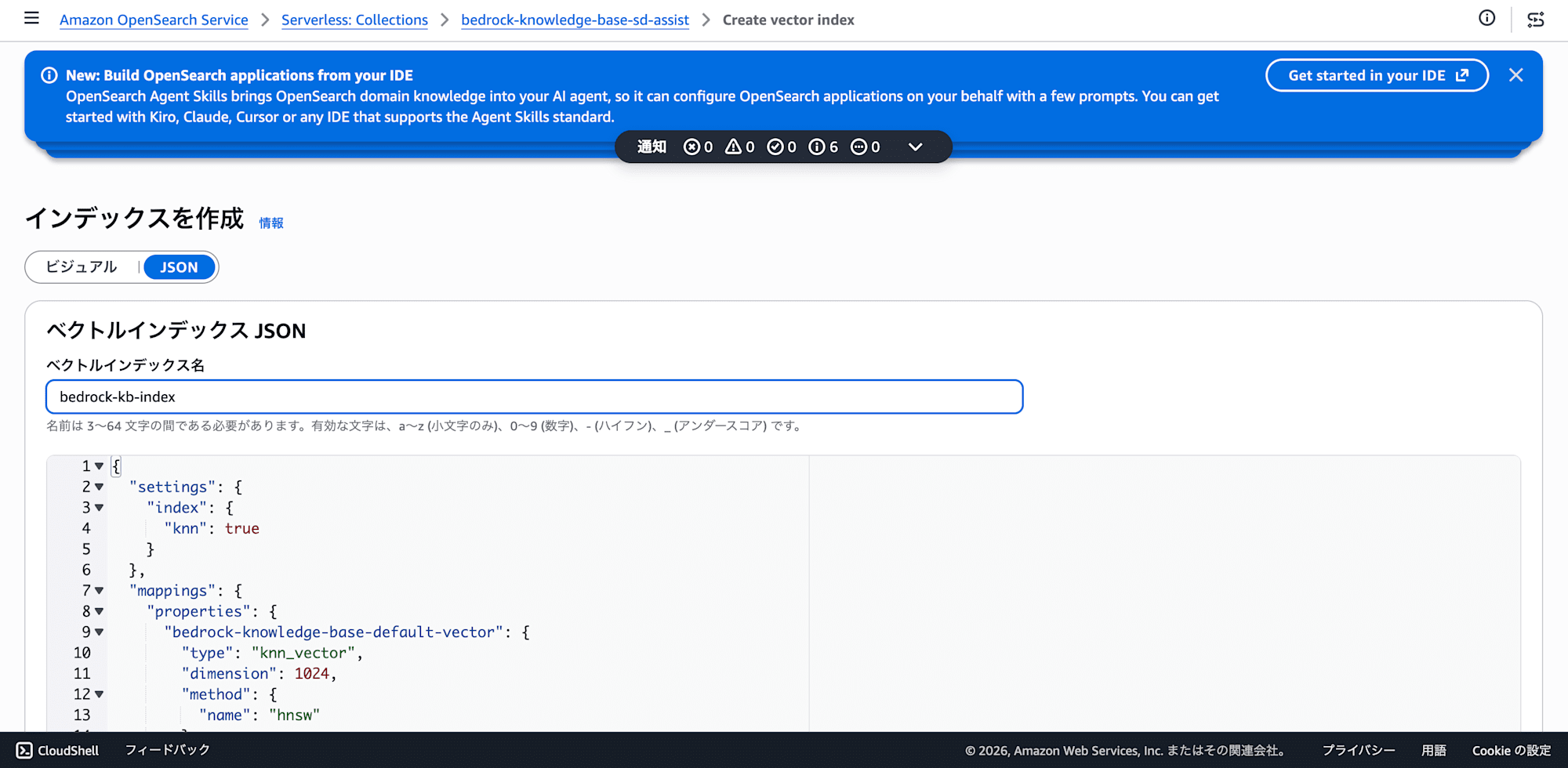
Note: Adjust dimension to match the embedding model you use (1024 for Titan Embeddings V2). Also, specifying the engine parameter in method on OpenSearch Serverless will result in an error. "name": "hnsw" alone is sufficient.
3. Connecting from Bedrock Knowledge Base Using "Use Existing OpenSearch Collection"
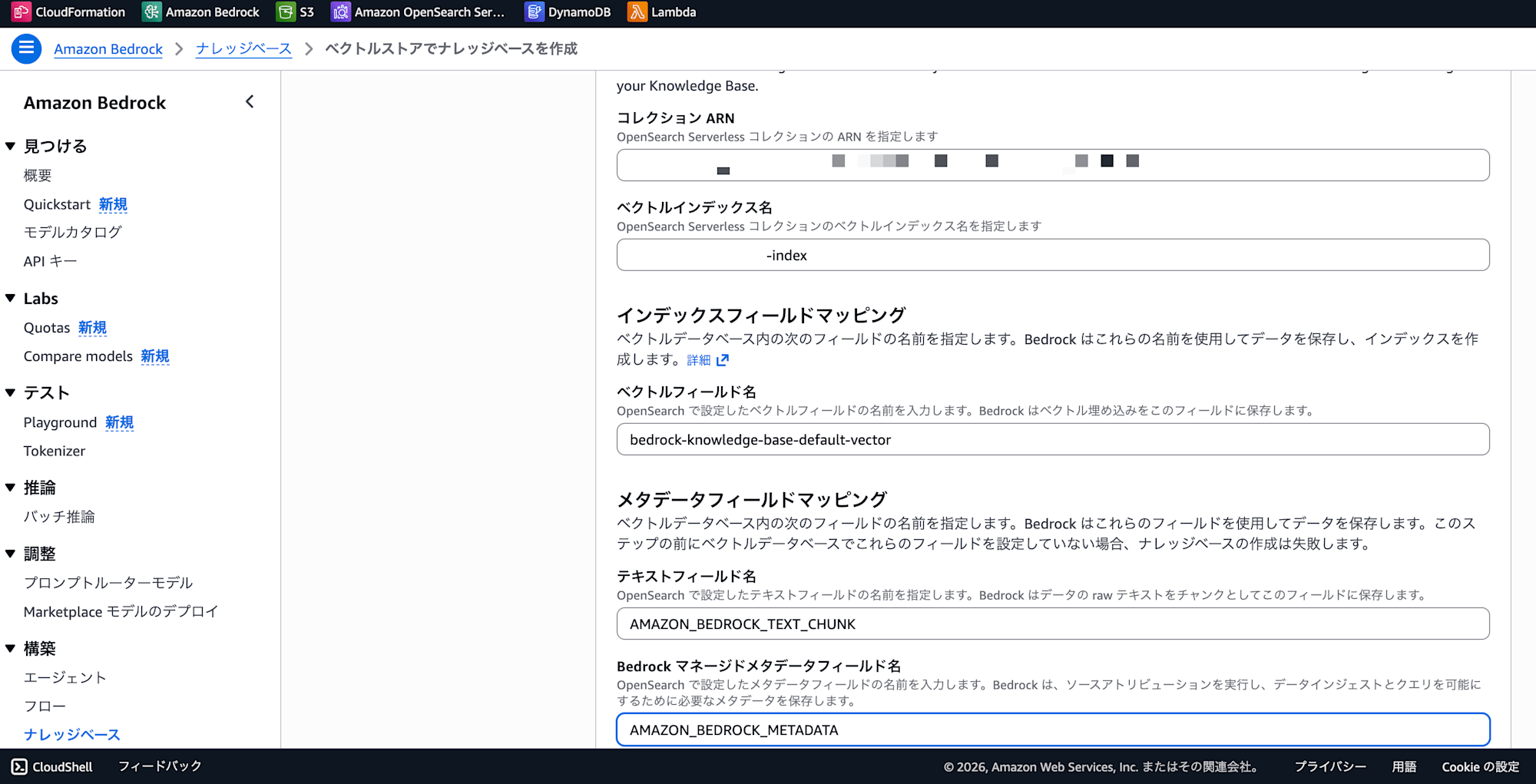
When creating a knowledge base in the Bedrock KB console, on the vector store selection screen choose "Use existing OpenSearch Serverless collection", then specify the ARN of the NextGen collection created earlier and the index name created in Step 2. For field mapping, specify the field names used when creating the index.
- Configure a data source (S3 bucket, etc.)
- Embedding model and vector store
- Embedding model: Select the same one as the existing KB
- Vector store: "Use existing vector store"
- Select OpenSearch Serverless and enter the following:
- Collection ARN: The one noted in Step 1
- Vector index name:
new-rag-index(the name created in Step 3) - Vector field name:
bedrock-knowledge-base-default-vector - Text field name:
AMAZON_BEDROCK_TEXT_CHUNK - Metadata field name:
AMAZON_BEDROCK_METADATA
- Review and create
4. Data Source Sync (Ingest) — This Succeeds
Add the S3 data source and run a sync. Chunking, vectorization, and index registration all complete successfully.
Checking the index from the OpenSearch dashboard, you can confirm that documents are actually registered under a name like bedrock-kb-*-index. The fields include Bedrock KB standard fields such as AMAZON_BEDROCK_TEXT_CHUNK and bedrock-knowledge-base-default-vector.
5. Retrieve API (Search) — This Fails
Since everything had gone smoothly so far, I assumed search would work too — but calling the Bedrock KB Retrieve API returns the following error:
Request failed: [security_exception] Request Content Checksum Verification Failed
The same error occurs in the Bedrock KB Playground (test search feature). The data is definitely there, but only search doesn't work.
Cause: SigV4 Signature Content Checksum Mismatch
Investigation revealed that the cause was a mismatch between the SigV4 signature performed by Bedrock KB's internal client and the signature expected by OpenSearch Serverless NextGen.
Specifically, there is a discrepancy in how the x-amz-content-sha256 header (SHA256 hash of the request body) is calculated during POST requests, and the NextGen side rejects the request at checksum verification.
Relevant reference article:
- Next-generation Amazon OpenSearch Serverless becomes generally available with zero standby costs — trying out vector search — Investigation into the combination of Bedrock KB and OpenSearch Serverless
Why Does Ingestion Work?
This is speculation, but ingestion processing goes through a different internal path on the Bedrock KB side (likely a separate client for batch processing), where SigV4 signing is performed correctly. On the other hand, the Retrieve API accesses OpenSearch via a different client for real-time search, and the SigV4 signing implementation of that client does not match NextGen's verification.
Since this problem originates from AWS's internal implementation, it may be resolved in a future AWS update.
Workaround: Directly Querying Only the Retrieve Part via opensearch-py
If the Bedrock KB Retrieve API can't be used, just query OpenSearch directly for the search portion yourself — that was the workaround taken here.
The important point is that ingestion (data sync) continues to use Bedrock KB as-is. Since only the Retrieve API is broken, only the retrieve portion needs to be changed. No re-ingestion of documents is required; you can search the data that Bedrock KB already put into the NextGen collection as-is.
Architecture Change
Ingestion (no change):
  S3 → Bedrock KB Ingest → OpenSearch NextGen  ← This keeps working

Retrieve (only this changes):
  Before: App → Bedrock KB Retrieve API → OpenSearch NextGen  ← ❌ Broken
  After:  App → [Embed query] → opensearch-py → OpenSearch NextGen  ← ✅
               (Titan V2)       (SigV4 / aoss)
We recreate on the application side what Bedrock KB's Retrieve API was doing internally (embed the query → KNN search → return results). There's no need to re-embed all documents or recreate the index — just vectorize each search query once with Titan V2.
Implementation Key Points
1. Embedding the Search Query
Call the same model that Bedrock KB was using internally (Amazon Titan Embeddings V2, 1024 dimensions) directly via the bedrock-runtime Invoke Model API. Vectorize the query text on each search (one API call, a few tens of milliseconds).
import boto3, json

client = boto3.client("bedrock-runtime", region_name="ap-northeast-1")

def embed_text(text: str) -> list[float]:
    response = client.invoke_model(
        modelId="amazon.titan-embed-text-v2:0",
        body=json.dumps({
            "inputText": text,
            "dimensions": 1024,
            "normalize": True,
        }),
    )
    return json.loads(response["body"].read())["embedding"]
2. OpenSearch Connection (SigV4 Authentication)
Use opensearch-py's AWSV4SignerAuth and sign with the service name aoss.
from opensearchpy import OpenSearch, RequestsHttpConnection, AWSV4SignerAuth

credentials = boto3.Session().get_credentials()
auth = AWSV4SignerAuth(credentials, "ap-northeast-1", "aoss")

client = OpenSearch(
    hosts=[{"host": "<collection-id>.aoss.ap-northeast-1.on.aws", "port": 443}],
    http_auth=auth,
    use_ssl=True,
    verify_certs=True,
    connection_class=RequestsHttpConnection,
)
The important point here is that opensearch-py's SigV4 signing works correctly with NextGen. Only Bedrock KB's internal client signing is broken, so signing correctly with SigV4 yourself solves the problem.
3. KNN Search (Using the Existing Index Field Names As-Is)
The index created by Bedrock KB during ingestion uses Bedrock KB's own field names. When querying directly, specify these field names as-is.
search_body = {
    "size": 5,
    "_source": [
        "AMAZON_BEDROCK_TEXT_CHUNK",
        "AMAZON_BEDROCK_METADATA",
        "x-amz-bedrock-kb-source-uri",
    ],
    "query": {
        "knn": {
            "bedrock-knowledge-base-default-vector": {
                "vector": query_embedding,
                "k": 5,
            }
        }
    },
}

response = client.search(index="bedrock-kb-<your>-index", body=search_body)
| Bedrock KB Field Name | Purpose |
|---|---|
bedrock-knowledge-base-default-vector |
Vector embedding (KNN search target) |
AMAZON_BEDROCK_TEXT_CHUNK |
Chunk text content |
AMAZON_BEDROCK_METADATA |
Metadata |
x-amz-bedrock-kb-source-uri |
Source file S3 URI |
Pitfall: OpenSearch Serverless Two-Layer Authentication
After implementing direct querying, the first test returned a 403 Forbidden. Since I had already added the EC2 role to the OpenSearch data access policy, I was confused about why a 403 was occurring.
The cause was that OpenSearch Serverless requires two layers of authentication. Without configuring both, you get a 403.
| Layer | Where to Configure | Required Permissions |
|---|---|---|
| IAM Policy | Attached to IAM role (EC2, etc.) | aoss:APIAccessAll |
| Data Access Policy | OpenSearch Serverless console | aoss:ReadDocument, aoss:DescribeIndex, etc. |
Layer 1: IAM Policy
Attach the following inline policy to the EC2 instance role (or the IAM role used by the application).
{
  "Version": "2012-10-17",
  "Statement": [
    {
      "Effect": "Allow",
      "Action": "aoss:APIAccessAll",
      "Resource": "arn:aws:aoss:ap-northeast-1:<account-id>:collection/*"
    }
  ]
}
Layer 2: Data Access Policy
In the OpenSearch Serverless console, configure the data access policy for the collection.
[
  {
    "Rules": [
      {
        "ResourceType": "index",
        "Resource": ["index/<collection-name>/*"],
        "Permission": [
          "aoss:ReadDocument",
          "aoss:DescribeIndex"
        ]
      }
    ],
    "Principal": [
      "arn:aws:iam::<account-id>:role/<your-ec2-role>"
    ]
  }
]
Note: When creating a knowledge base with Bedrock KB, a data access policy for Bedrock is automatically configured, but that is for the Bedrock KB service role. When querying directly from an application, you need to separately add your application's IAM role as a Principal.
Debugging Tips
If a 403 is returned, you can retrieve details from the opensearch-py error object.
try:
    client.search(index=index_name, body=search_body)
except Exception as e:
    detail = getattr(e, "info", None) or getattr(e, "body", None)
    logger.error("OpenSearch failed: %s | detail=%s", e, detail)
This lets you get details like {'status': 403, 'error': {'reason': '403 Forbidden', 'type': 'Forbidden'}}. Unfortunately, OpenSearch Serverless 403 errors don't distinguish between IAM-side issues and data access policy issues, so check both.
Summary
| Item | Status |
|---|---|
| Bedrock KB → NextGen ingestion | ✅ Works |
| Bedrock KB → NextGen retrieval | ❌ Fails with SigV4 checksum error |
| opensearch-py → NextGen direct query | ✅ Works |
The Bedrock Knowledge Bases Retrieve API does not currently work with OpenSearch Serverless NextGen. Since data sync (ingestion) works normally, you end up in the confusing state of "data was ingested but search doesn't work."
The key point of the workaround is that only the retrieve portion needs to be changed.
- Ingestion: Keep using Bedrock KB as-is (works normally even with NextGen)
- Retrieval: Vectorize the search query with Titan V2 via opensearch-py → KNN search
Since the index and field names created by Bedrock KB are used as-is, re-ingestion of data is not required. You only need to add query vectorization (a few tens of milliseconds per query) to leverage the existing data as-is.
Note that when querying directly from opensearch-py, OpenSearch Serverless two-layer authentication (IAM policy + data access policy) must be configured. Configuring only one of them will result in a 403, so be careful.
This issue may be resolved by an AWS update in the future, but as of now (June 1, 2026), direct querying for retrieval is required when using Bedrock KB with NextGen.
