![[Session Report] Connecting Perforce P4 and AI—AI Integration Features for Both Engineers and Designers, Now and in the Future— #CEDEC2026](https://images.ctfassets.net/ct0aopd36mqt/5L0LdMnL6vvm3iyLUBor5I/23a209b62a40af938e8edddf48d73233/cedec2026.png?w=3840&fm=webp)
[Session Report] Connecting Perforce P4 and AI—AI Integration Features for Both Engineers and Designers, Now and in the Future— #CEDEC2026

This page has been translated by machine translation. View original
Introduction
This is a report on a session I attended at CEDEC2026, themed around Perforce P4 and AI integration features.
As AI tool-based development becomes the norm, connecting version control with AI has emerged as a challenge. Or, for artists and designers, there is the frustration of being unable to find the right file among a vast number of assets. In this session, the latest features of the P4 product lineup that address these challenges were explained through four themes.
The session overview is as follows.
- Title: Connecting Perforce P4 and AI—AI Integration Features for Engineers and Designers, Now and in the Future—
- Speaker: Tomoki Ima (Toyo Corporation, Software Solutions Division)
- Date and time: July 22, 2026, 13:40–14:40
- Venue: Room 12
Basic Features of Perforce P4
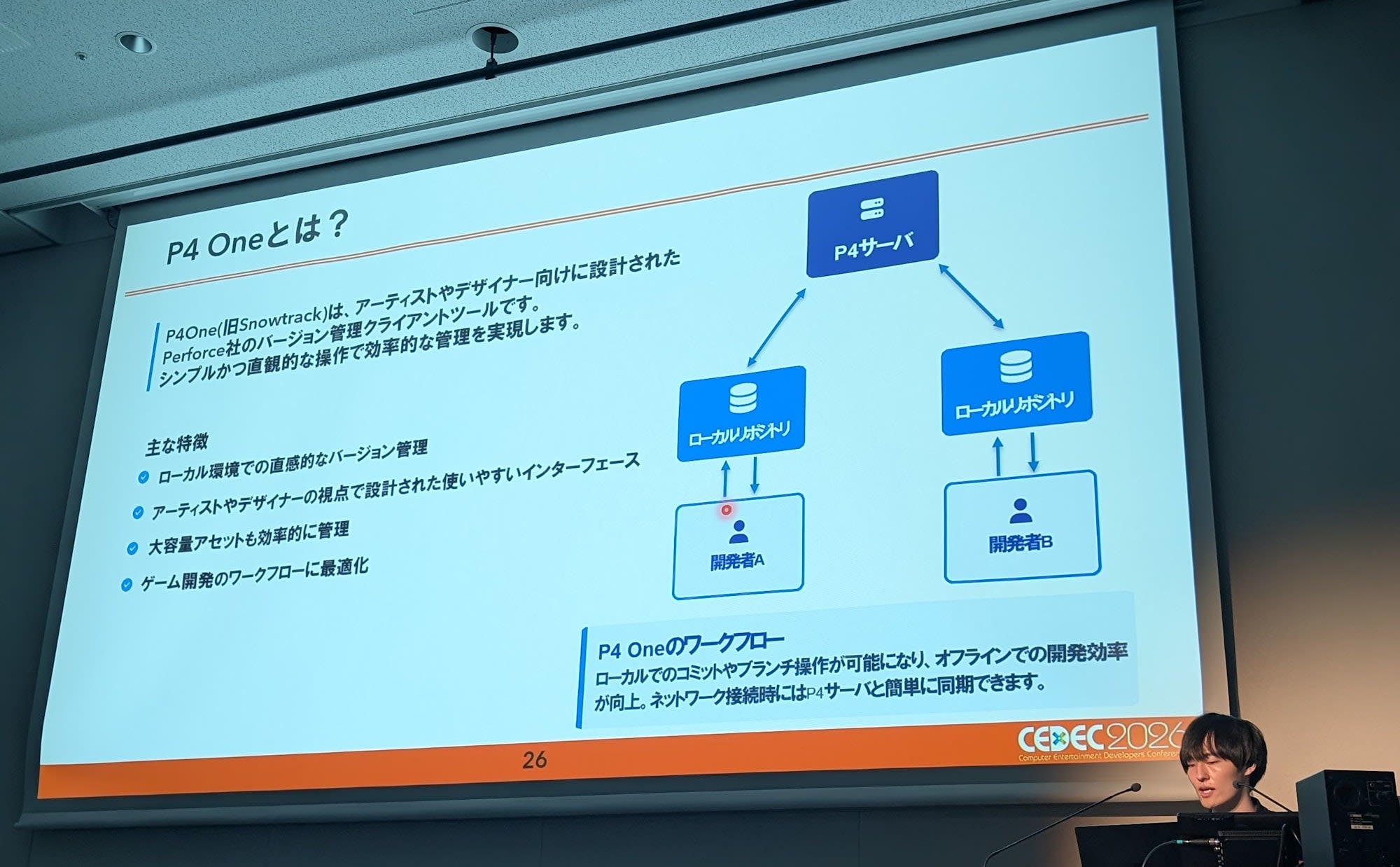
Perforce P4 is a version control system capable of centrally managing not only source code but also large binary files such as 3D models, textures, and audio. With a centralized architecture, the latest files are consolidated in a single repository. It can handle large-scale repositories ranging from hundreds of gigabytes to thousands of terabytes, and is designed to be scalable enough to support concurrent access by thousands of users.
Data transfer is accelerated through multi-threaded parallel processing, which is especially effective over long-distance or narrow-bandwidth networks. For large binary files, delta transfer—sending only the changed differences—was also introduced. Branch management uses a feature called streams, which hierarchizes parent-child relationships to indicate safe merge order. It was noted that this can also be used to avoid knowledge silos.
Client tools are divided by role. In addition to P4V for general operations, P4 One for artists and designers provides a Git-like experience by keeping a local repository. There is also an extension for Visual Studio Code, allowing basic operations such as Sync and Submit without switching GUIs.
Three Features Connecting Perforce P4 and AI
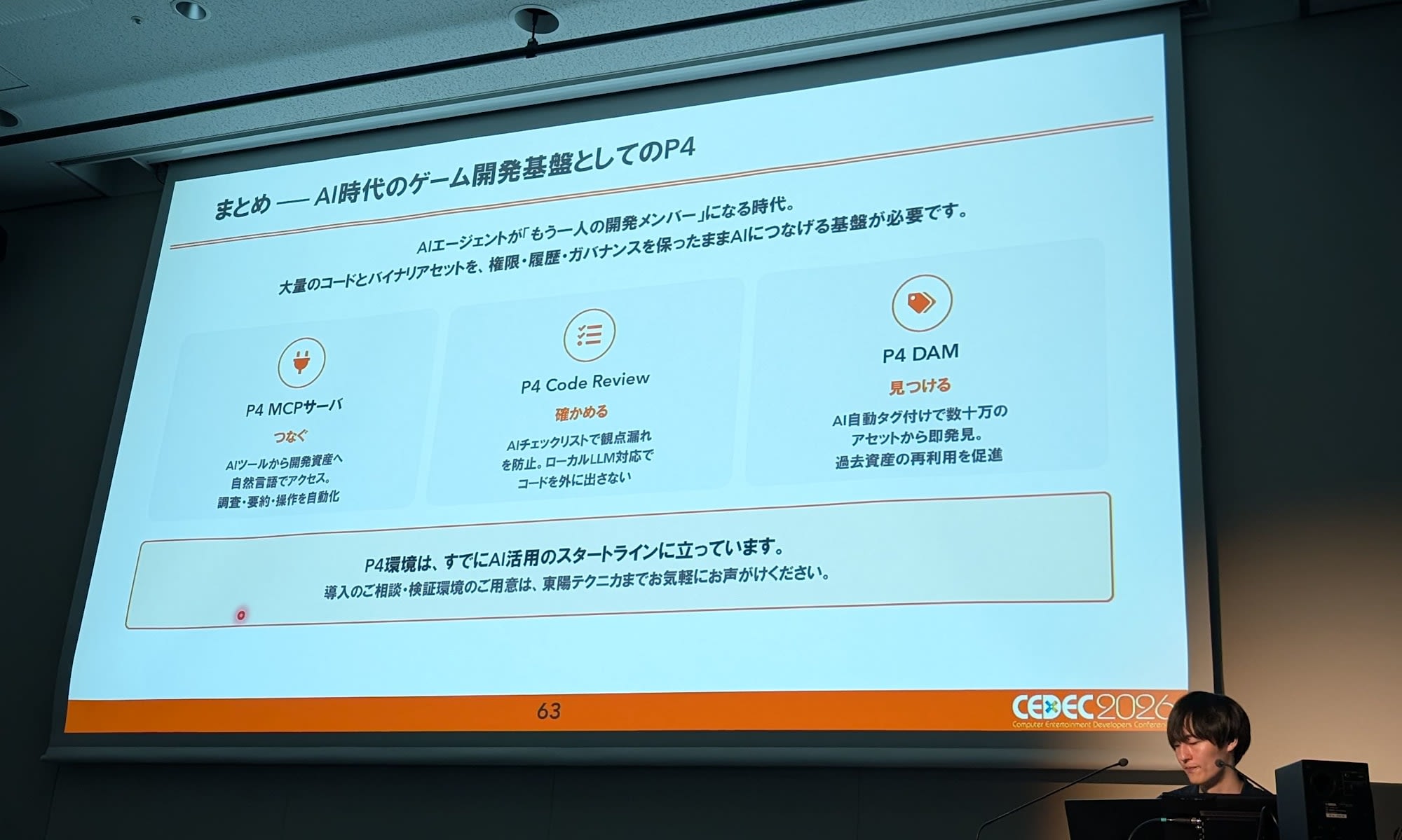
Generative AI is rapidly permeating the game development workplace. The session also presented data from a survey of domestic game development companies showing that 77% of respondents use generative AI. In workplaces where AI is used on a daily basis, the challenge becomes how to safely connect AI with development assets such as source code and assets. P4 addresses this challenge with three features.
The first is P4 MCP Server. This is a server supporting MCP (Model Context Protocol), which allows AI agents to directly access P4 development assets using natural language. You can ask the AI who changed what and when without opening P4V, or have the AI guide you through resolving merge conflicts. It comes standard with read-only mode and permission middleware, inheriting the P4 permissions already established by your team as-is.
The second is P4 Code Review. It features a pre-commit model that allows you to request a review before committing source code to the P4 server, and can block commits before approval. Combining this with AI, the AI checks each item on a checklist defined by the team based on the changes and diffs. It automatically inspects points such as whether naming conventions are followed and whether exception handling is present, allowing reviewers to focus on areas that require judgment. The AI model used can be chosen from Claude, Gemini, and OpenAI, as well as local LLMs or in-house models. The AI feature is disabled by default, so even in security environments where source code cannot be sent externally, AI review can be achieved using an on-premises model.
The third is P4 DAM. DAM stands for Digital Asset Management, and allows centralized management of assets while previewing them in a browser. Combining this with AI, simply uploading an asset causes the AI to analyze its contents and automatically generate tags. This enables content-based searches—such as "white armor" or "forest background"—without relying on naming conventions. Since costumes and weapons from past titles can be found instantly, it is also useful for reusing assets in sequels and remasters.
Latest Features of Perforce P4
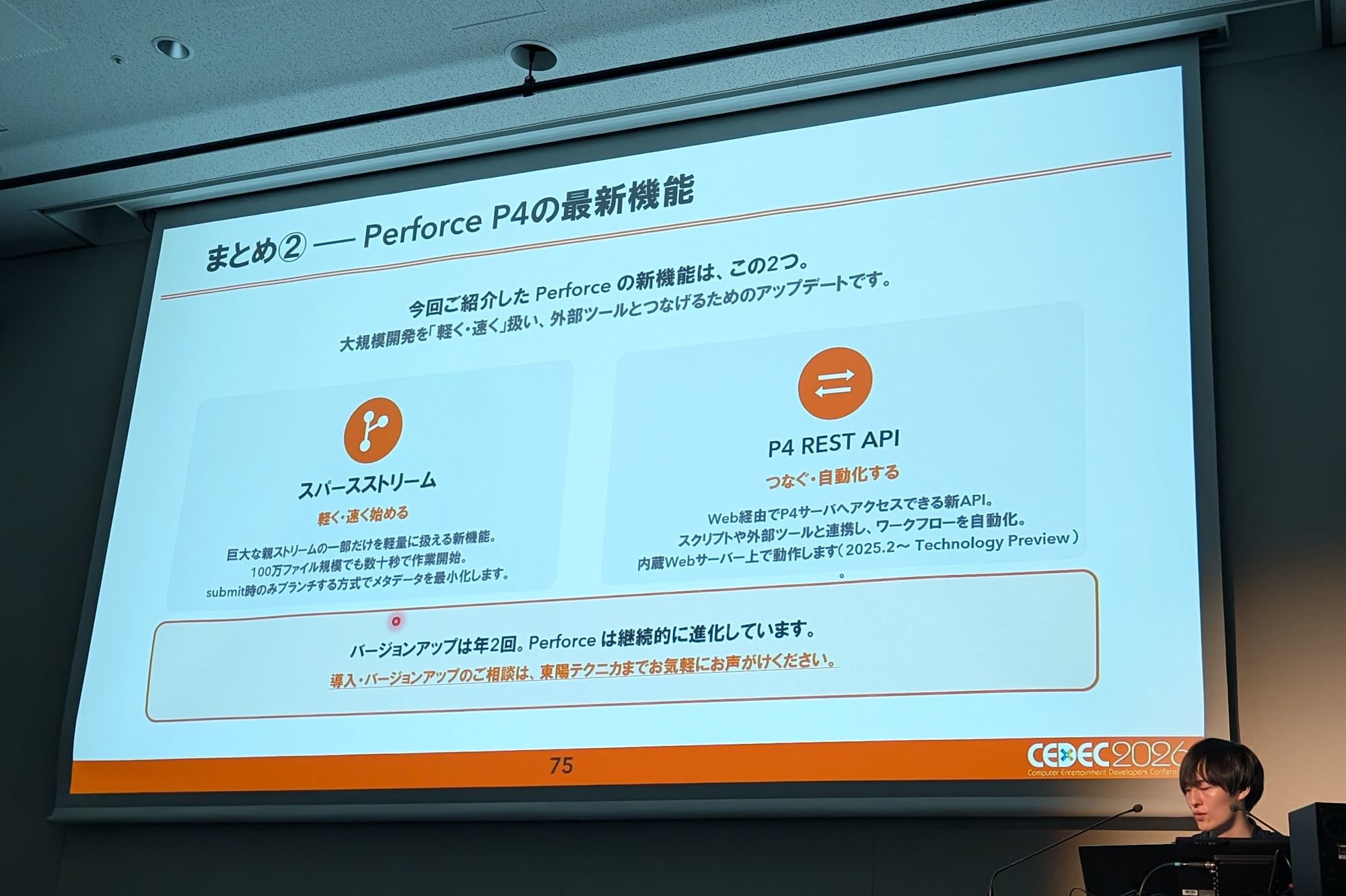
In the second half of the session, two new features were introduced for handling large-scale development more easily and connecting with external tools.
The first is sparse streams. P4 streams are a feature for visually managing parent-child relationships between branches, but with huge streams, metadata equal to the number of files is created each time a branch is made. Sparse streams work by replicating only the database at creation time, with actual files materialized upon submission. This allows a branch to be created in under one minute even for Unreal projects with millions of files. Emergency fixes for released titles and fine-grained per-feature branch workflows can be practiced without worrying about cost.
The second is P4 REST API. This is a new API for operating the P4 server over the web, running on a built-in web server. Since it can be called via HTTP regardless of language or OS, it can be applied to integration with CI/CD pipelines, building internal dashboards, querying changelists from chatbots, and more. However, it should be noted that this was introduced as a Technology Preview in the 2025.2 release, and its behavior may change in the future.
Impressions
Throughout the session, I felt that AI agents are becoming another member of the development team. I believe there is a growing need for infrastructure that connects AI with large volumes of code and binary assets while preserving permissions, history, and governance.