
I tried hiding the commit/pull request attribution display in Claude Code

This page has been translated by machine translation. View original
Hello, I'm Tsukuboshi (tsukuboshi0755)!
When you let Claude Code handle commits, trailers such as Co-Authored-By are automatically added to the end of commit messages.
Some of you may want to remove this attribution in order to comply with your repository's commit message conventions.
This attribution is not controlled by a single key — commit trailers, pull request attribution text, and session URLs are three separate types, each managed by its own key.
As a result, if you only configure some of the keys, the attribution you intended to remove tends to remain.
In this article, I'll introduce the attribution setting, which controls the attribution that Claude Code adds to commits and pull requests!
What is attribution?
attribution is a configuration key that customizes the attribution added to commits and pull requests created by Claude Code.
It is added to commits as git trailers, and to pull request descriptions as plain text.
The content added can be individually controlled using three sub-keys: commit, pr, and sessionUrl.
The main specifications are as follows.
| Item | Details |
|---|---|
| Configuration key | attribution (sub-keys are commit, pr, and sessionUrl) |
| Default value | Not set (standard attribution is added for each sub-key) |
| Configurable values | commit and pr accept strings; sessionUrl accepts a boolean |
| Configuration scope | All configuration files (user, project, local, administrator) |
The targets controlled by each sub-key are as follows.
| Sub-key | Target | Default content added |
|---|---|---|
attribution.commit |
Attribution added to commits | Co-Authored-By: <model name> <noreply@anthropic.com> |
attribution.pr |
Attribution in pull request descriptions | 🤖 Generated with [Claude Code](https://claude.com/claude-code) |
attribution.sessionUrl |
Whether to include a claude.ai session link | true (link is added) |
Setting commit or pr to an empty string removes that attribution, and setting sessionUrl to false prevents the session link from being added.
The configuration specifications are based on the official documentation as of September 21, 2026.
How to configure
Add attribution to your user settings file ~/.claude/settings.json and specify the sub-keys for the targets you want to control.
Change commit attribution (attribution.commit)
For commit, specify the attribution to add to commits as a string.
Since you can specify the string including trailers directly, you can replace it with a combination of your own wording and a custom Co-Authored-By trailer, as shown below.
{
  "attribution": {
    "commit": "Generated with AI\n\nCo-Authored-By: AI <ai@example.com>"
  }
}
If left unconfigured, the <model name> portion changes depending on the model in use during the session.
If the version can be identified, that model name is used; if Claude can be identified as the model but the version cannot be determined, it reads Claude; and if it cannot even be determined to be a Claude model, it reads Claude Code.
The last case applies when, for example, ANTHROPIC_BASE_URL is pointed to a custom endpoint and a non-Claude model is being used.
To remove the commit attribution entirely, specify an empty string.
{
  "attribution": {
    "commit": ""
  }
}
Change pull request attribution (attribution.pr)
For pr, specify the attribution to add to pull request descriptions as a string.
Just like commit, you can hide it by specifying an empty string.
{
  "attribution": {
    "pr": ""
  }
}
Stop adding the session URL (attribution.sessionUrl)
sessionUrl alone takes a boolean value, and setting it to false prevents the session link from being added.
This link is added to commits as a Claude-Session trailer, and to pull requests as a link in the description.
{
  "attribution": {
    "sessionUrl": false
  }
}
Remove all attribution
The combination of specifying all three sub-keys together is presented in the official documentation as the way to hide all attribution.
{
  "attribution": {
    "commit": "",
    "pr": "",
    "sessionUrl": false
  }
}
Software version
Verification was performed in the following environment.
| Item | Version |
|---|---|
| Claude Code | 2.1.267 |
Verification
I prepared a repository for testing and created both commits and pull requests before and after applying the configuration, then compared the display on GitHub.
Comparing commit attribution
While in the commit message itself only the trailer lines increase or decrease, the visual difference is a bit more noticeable on GitHub's commit detail page.
When commit is not configured, in my environment the Co-Authored-By trailer was added as follows.
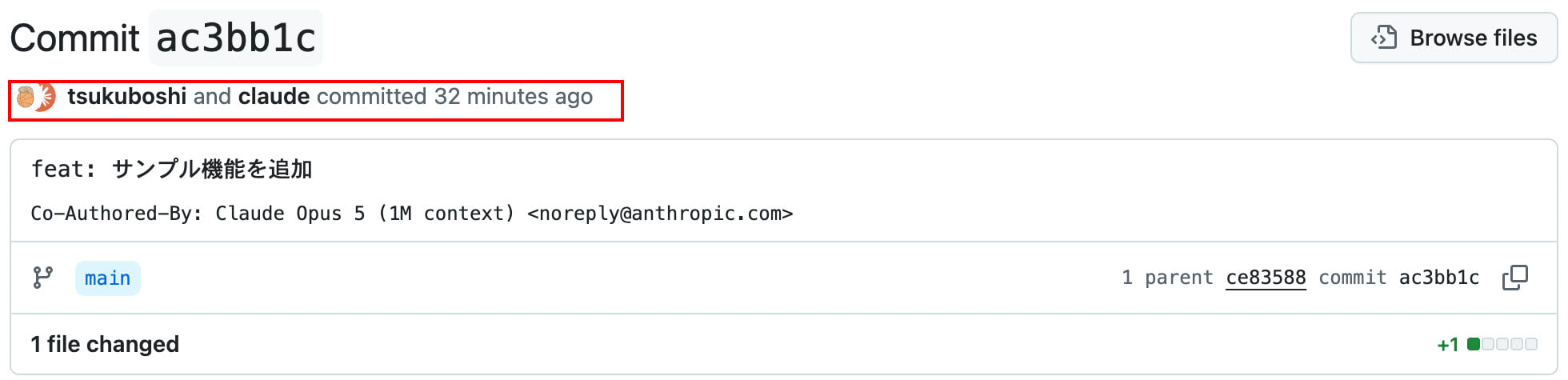
What I want to draw attention to is not the content of the commit message itself, but the author line above it.
It shows tsukuboshi and claude committed with two icons side by side.
Since GitHub treats Co-Authored-By as a co-author designation, the account written in the trailer is treated as one of the commit's authors.
On the other hand, when commit is set to an empty string, the display looks like this.
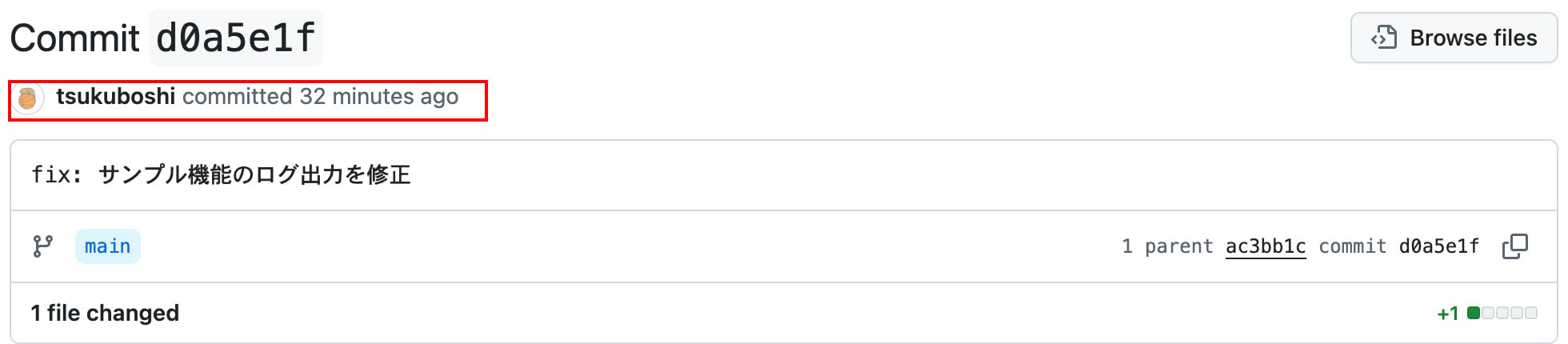
The trailer disappears, the author line becomes just tsukuboshi committed, and the co-author icon is no longer displayed.
Comparing pull request attribution
Since pull request attribution is plain text rather than a git trailer, the only change is within the description.
When pr is not configured, in my environment the following single line was added to the end of the description.
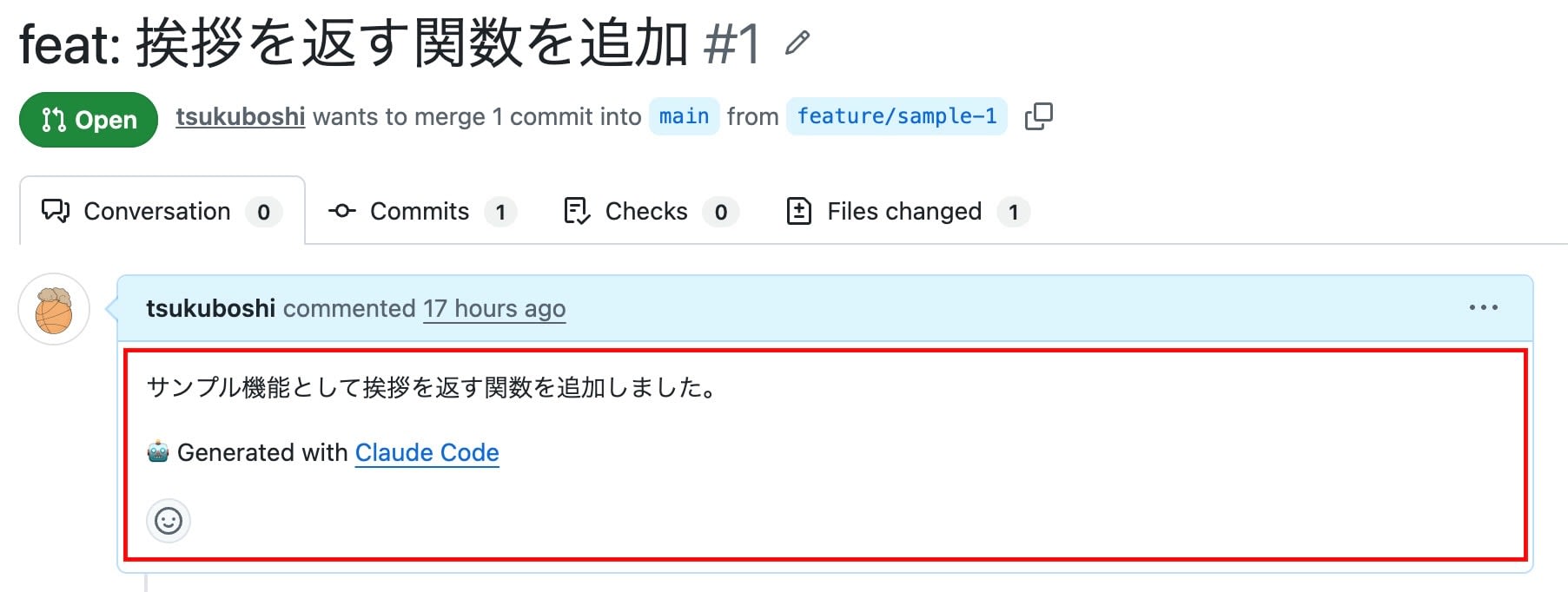
Looking at the description highlighted by the red box, 🤖 Generated with Claude Code appears separated by one blank line from the body I wrote myself.
On the other hand, when pr is set to an empty string, the description looks like this.
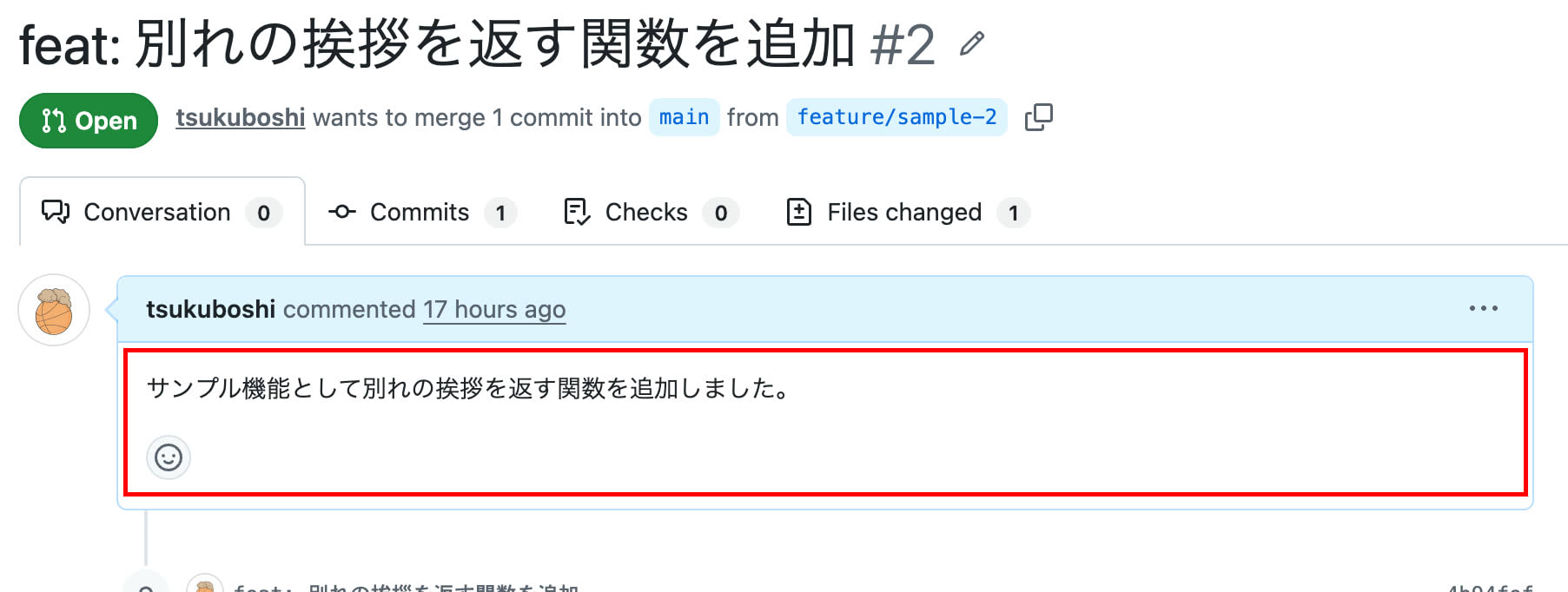
Inside the red box, only the body I wrote myself remains, and the attribution line has disappeared!
Unlike commits, the author display does not change, so what pr removes is limited to this single line in the description.
Notes
Attribution remains for keys that are not configured
The three sub-keys are independent of each other, so attribution for any key not specified will remain as-is.
For example, if you only set pr to an empty string intending to remove pull request attribution, the Co-Authored-By trailer will still be attached to commits.
Even if you set both commit and pr to empty strings, the session URL falls under a separate key called sessionUrl, so it will remain for cloud and Remote Control sessions, described below.
If attribution is still appearing, check whether you have specified false for sessionUrl.
Session links are only added for cloud and Remote Control sessions
According to the official documentation, what sessionUrl controls is the link added when commits and pull requests are created from a cloud (Claude Code in a browser) or Remote Control session.
Commits from sessions that run entirely in a terminal CLI do not have this trailer attached in the first place.
If you don't see any change after configuring this, it's a good idea to first check which execution environment you are committing from.
Instructions in CLAUDE.md take priority
According to the official documentation, instructions related to attribution written in CLAUDE.md or memory take priority over the commit and pr content in attribution, unless specified in administrator settings.
If the attribution does not reflect your intentions after applying the settings, check whether any relevant descriptions remain in CLAUDE.md.
includeCoAuthoredBy is deprecated
Previously, the known approach was to set includeCoAuthoredBy to false, but it was replaced by attribution in v2.0.62 and is now deprecated.
Note that the default value of includeCoAuthoredBy is true, so leaving it unconfigured will result in both the trailer and attribution text being added.
For compatibility, includeCoAuthoredBy: false written in existing configuration files will continue to be read.
However, once attribution.commit or attribution.pr is set, includeCoAuthoredBy is ignored, so it is advisable to migrate to attribution when writing new configurations.
References
Closing
In this article, I introduced the attribution setting, which controls the attribution that Claude Code adds to commits and pull requests.
Since three keys are involved in a single attribution display, understanding which key is responsible for which display is the key point when configuring this.
In particular, I felt that the difference between commit and pr accepting strings while sessionUrl alone accepts a boolean is something that can easily cause confusion when writing the configuration.
If you want to keep a record in your history that a commit was AI-generated, leaving the defaults as-is is appropriate; if you want to maintain a consistent commit message format, removing it is also an option.
If you've been wondering about the attribution added to Claude Code commits, I encourage you to take another look at the attribution settings!
That's all from Tsukuboshi (tsukuboshi0755)!
