I solved the problem where the "Purchase Credits" button couldn't be clicked in Claude Console

This page has been translated by machine translation. View original
The Foundation Models Framework's LanguageModel protocol, added in iOS 27 Beta, makes it possible to call cloud-based large language models such as Gemini and Claude from iOS apps. For Claude, Anthropic has published a Swift package called ClaudeForFoundationModels.
I wanted to actually try this out, but to do so I needed to create an API key. The steps are summarized in the following documentation.
Following the steps and logging into the Claude Console went smoothly. However, I ran into a roadblock at the "purchasing credits" step, which is required to use the API. In this article, I'll introduce the cause and solution for the "purchase button can't be clicked" problem I encountered at that point.
Test Environment
- MacBook Pro (16-inch, 2023), Apple M2 Pro
- macOS Tahoe 26.5.2
- Google Chrome 150.0.7871.184 (Official Build) (arm64)
- Claude Console (language setting: Japanese)
Problem: The "Purchase Credits" Button Could Not Be Clicked
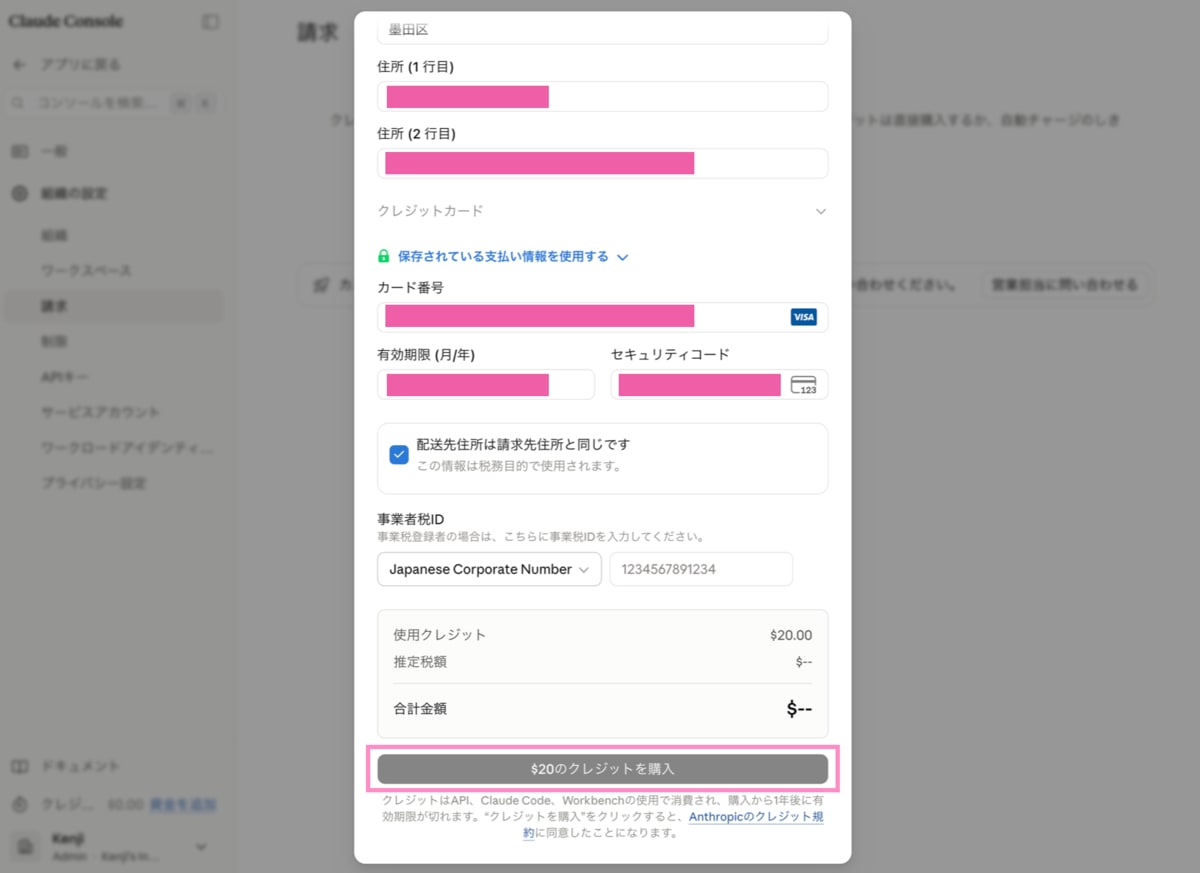
On the credit purchase screen, even after entering an amount, address, and credit card information, the "Purchase Credits" button remained unclickable (inactive).
At first I thought the input content might be wrong, so I tried:
- Re-entering the address
- Re-entering the credit card information
- Reloading the page
I repeated this trial and error several times, but the situation didn't change.
Solution: The Cause Was an Empty Prefecture Field
The cause was simple.
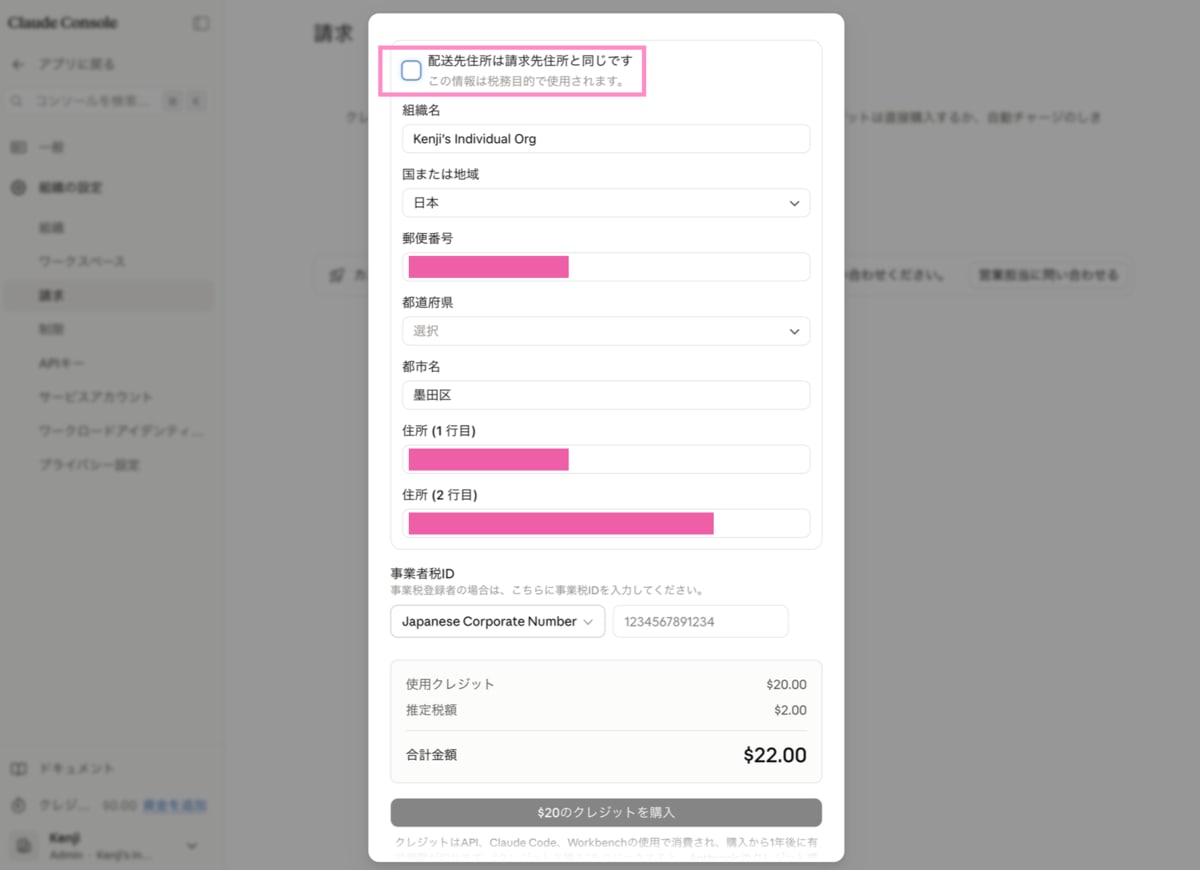
The purchase form has a checkbox that says "Shipping address is the same as billing address," which is checked by default. When I unchecked it, the details of the actually registered shipping address were displayed, and I noticed that only the prefecture field was empty.
Since the billing address input fields appeared to be filled in visually, I didn't suspect this was the cause and didn't notice it for a while.
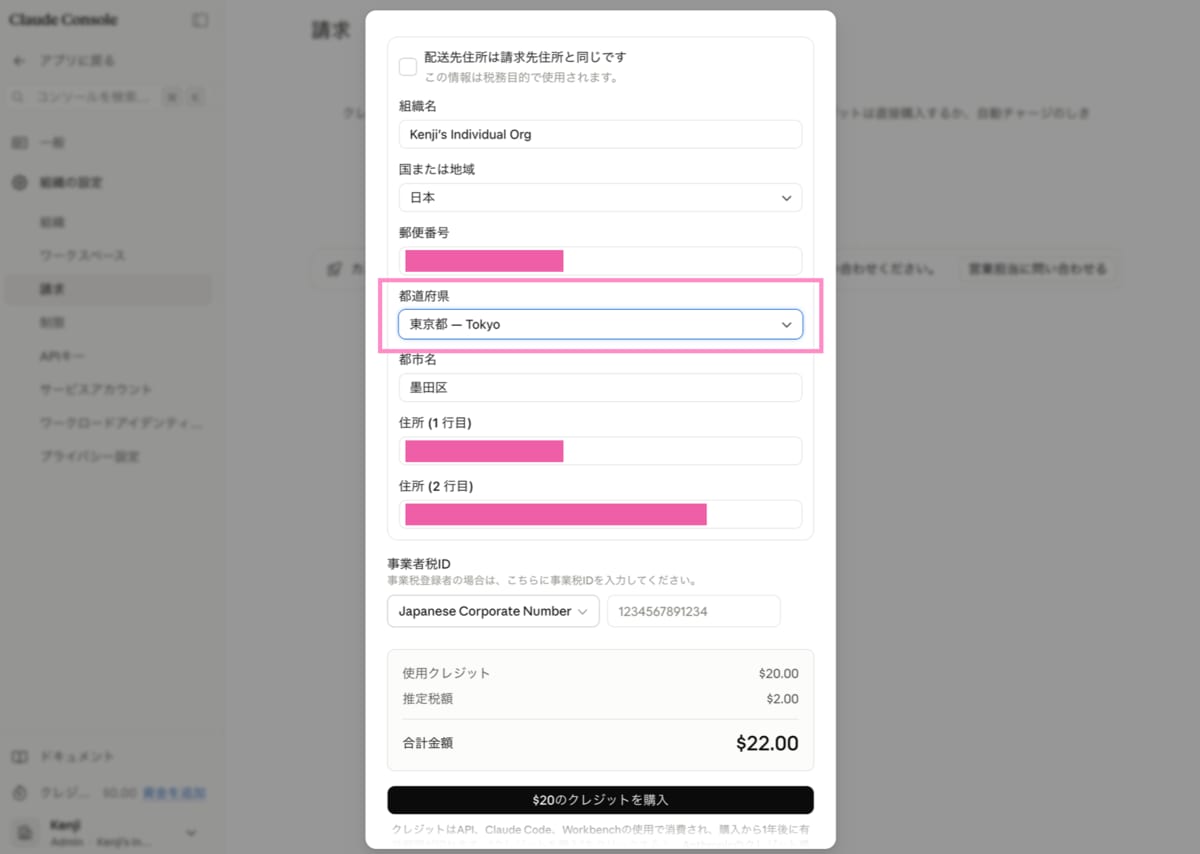
When I selected the appropriate prefecture in the prefecture field, such as "東京都 - Tokyo," the "Purchase $20 of Credits" button, which had been grayed out until then, became active and I was finally able to complete the purchase.
Summary
If the credit purchase button can't be clicked in the Claude Console, please check whether the shipping address (especially the prefecture field) has been correctly entered. Even if "Same as billing address" is checked, don't let your guard down — try unchecking it once and looking at the contents, as you may notice unintended missing input.
Since there were no clear clues such as error messages, it took a great deal of effort to identify the cause. In the end, finding out it was simply a missed field left me feeling a bit deflated. I hope this proves helpful for anyone else struggling with the same issue.
