
Launch Claude Cowork quickly from the working directory

This page has been translated by machine translation. View original
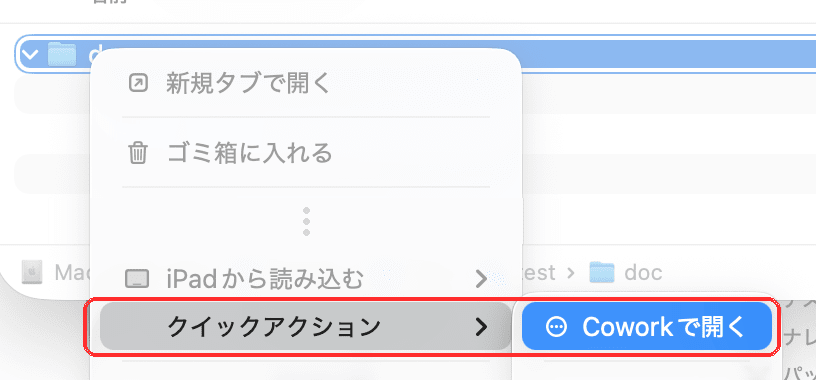
This article introduces how Mac users can launch Cowork from the current directory when working in a terminal or file manager.
Claude Desktop can launch Cowork from a link
Just like https:// used on web pages, Claude Desktop can handle custom URLs starting with claude://.
The URL format to open a new Cowork is as follows.
claude://cowork/new
By adding a folder parameter, you can attach a specified folder to Cowork.
claude://cowork/new?folder=%2FUsers%2Fme%2Fdocs

claude://cowork/new?q=Draft%20the%20Q2%20update&folder=%2FUsers%2Fme%2Fdocs&file=%2FUsers%2Fme%2Fdocs%2Fnotes.md
Try copying and pasting these URLs from your browser to see how they actually work.
Using this mechanism, let's try launching Cowork on macOS from both the terminal and Finder.
Launching Cowork from the terminal
Simply register a cowork function in your .zshrc or similar file.
cowork() {
  local dir=${1:-.}

  [[ -d $dir ]] || {
    print -u2 -- "cowork: not a directory: $dir"
    return 1
  }

  dir=${dir:a}
  local encoded=$(/usr/bin/osascript -l JavaScript -e \
    'function run(a){return encodeURIComponent(a[0])}' "$dir") \
    || return 1

  /usr/bin/open "claude://cowork/new?folder=$encoded"
}
From the terminal, enter $ type -f cowork to verify that the function has been registered correctly.
After confirming, call Cowork with $ cowork.
The working directory will be the current directory if no argument is provided, or the specified directory if a folder is given.
$ cowork

$ cowork doc-dir
Creating an Automator Quick Action
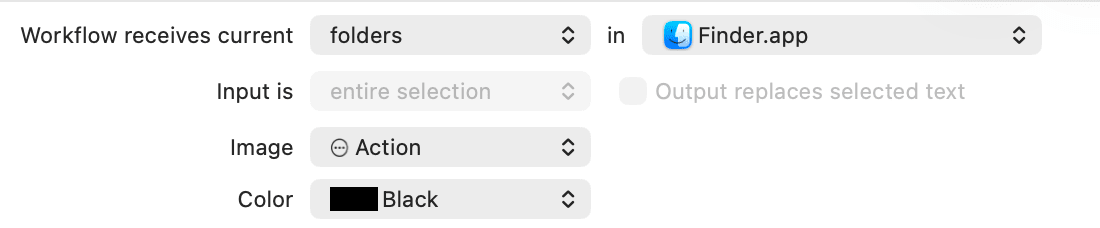
Launch Automator and select "Quick Action."
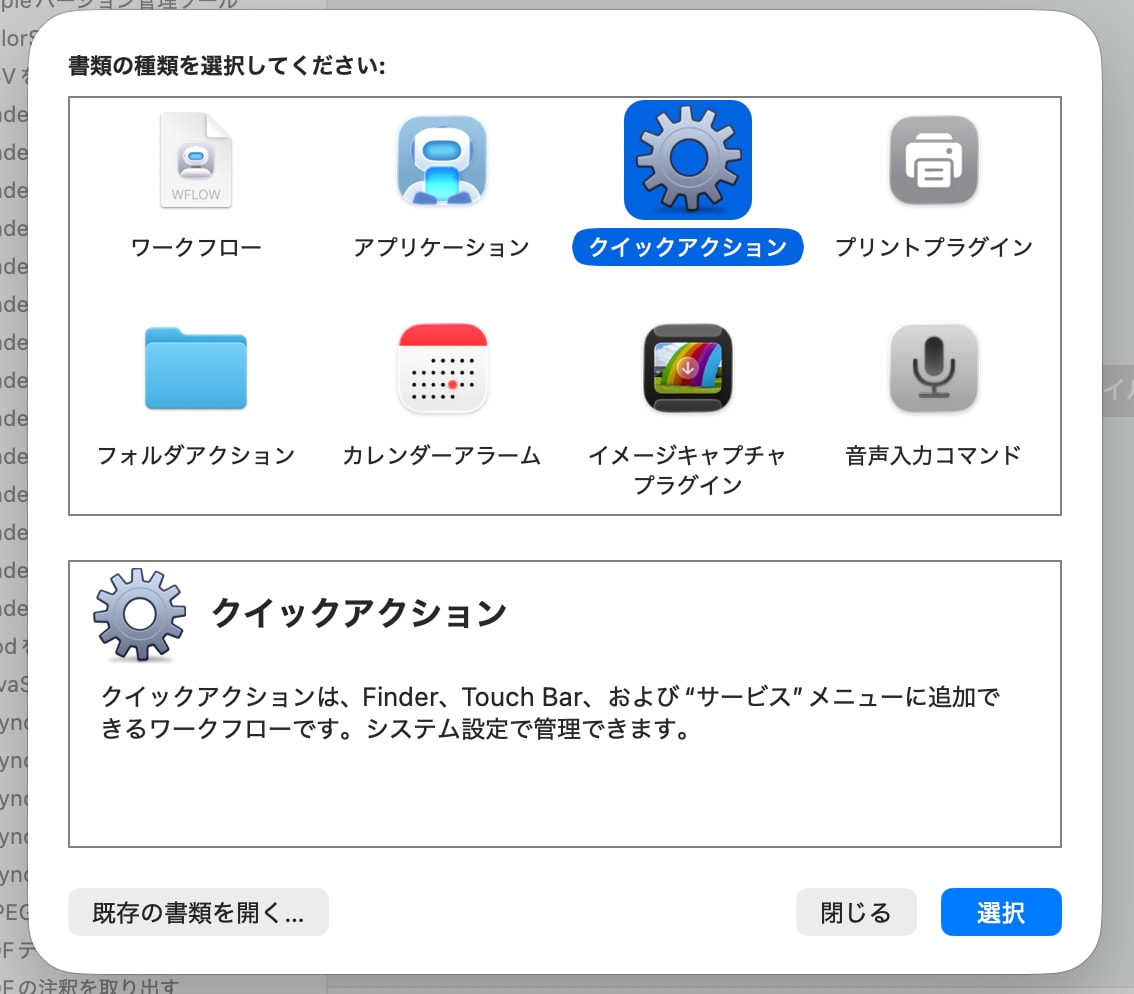
In the Quick Action settings screen, configure the items highlighted in red below.
- "Workflow receives current":
Folders - "in":
Finder
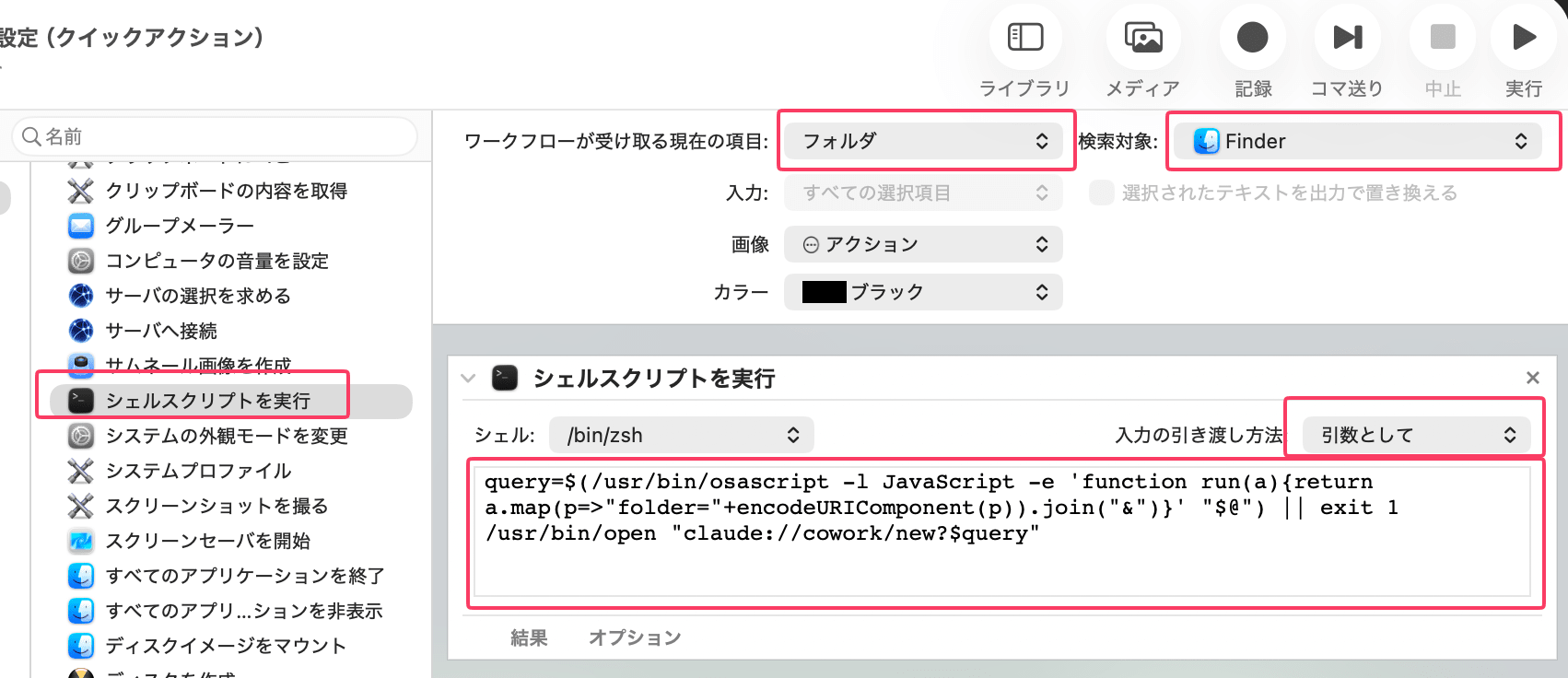
Next, add "Run Shell Script" from the action list in the "Library," and configure it as follows.
- Shell:
/bin/zsh - Pass input:
as arguments
Enter the following in the script field.
query=$(/usr/bin/osascript -l JavaScript -e 'function run(a){return a.map(p=>"folder="+encodeURIComponent(p)).join("&")}' "$@") || exit 1
/usr/bin/open "claude://cowork/new?$query"
Finally, save it with the name "Open in Cowork."
What the scripts are doing
Both scripts do only the following two things.
- URL-encode the folder path
- Construct a
claude://URL and pass it toopen
The encoding is delegated to macOS's built-in osascript, and opening the URL is delegated to macOS's Launch Services.
The difference is in how the path is received. The zsh version receives a single argument and needs to convert it to an absolute path, while the Automator version receives multiple absolute paths from Finder.
URL encoding process using osascript
Folders and files used by Claude Cowork need to be specified as full paths and URL-encoded.
For example, / is converted to %2F and a space to %20. The osascript -l JavaScript option executes the script as JXA (JavaScript for Automation).
$ /usr/bin/osascript -l JavaScript \
  -e 'encodeURIComponent("/foo/bar hoge")'
%2Ffoo%2Fbar%20hoge
The encoding itself can also be written using Python (urllib.parse.quote(s, safe='')) or jq, so please use whichever suits your environment.
