
Claude Platform on AWS Is Now GA: Trying Out the Setup and API Calls

This page has been translated by machine translation. View original
Claude Platform on AWS became generally available (GA) on 2026/5/11.
This article summarizes the results of hands-on verification, covering setup from the AWS console, Workspace creation, calling the Messages API with API key authentication and SigV4 authentication, and checking the behavior of inference_geo. You can use the Anthropic Messages API as is, rather than going through Bedrock.
The previous article (a summary of information from the preview stage) is here:
Key Specs of the GA Version
These are the answers to the items that the previous article said should be "checked at GA."
| Item | Details | How verified |
|---|---|---|
| Base URL | aws-external-anthropic.{region}.api.aws |
Hands-on verification |
| Authentication | Two methods: API key / SigV4 | Hands-on verification |
| Inference region | Separate from the AWS region of the endpoint. Controlled with inference_geo (global / us) |
Hands-on verification |
| Billing | As of writing, the same unit price as the Claude API direct. Consolidated into the AWS bill via CCU ($0.01/CCU) | Official documentation |
| EDP drawdown | Possibly eligible for EDP depending on contract terms. Check your own AWS contract terms | Official documentation |
| Quota | Fixed at Tier 1 (no automatic promotion). Contact your Anthropic representative for increases | Official documentation |
| request ID | Both AWS and Anthropic IDs are confirmed in the response headers | Hands-on verification |
| PrivateLink | Described in the official documentation (not verified in this article) | Official documentation |
| Limitations | No HIPAA support / No Fast mode support / One Workspace per region / ZDR opt-in | Official documentation |
Main features not available in Bedrock (see the previous article for details):
| Feature | Overview |
|---|---|
| Claude Managed Agents | Agent deployment and session management |
| Agent Skills | PowerPoint/Excel/Word/PDF generation |
| Code Execution | Anthropic-managed sandbox |
| Web Search / Web Fetch | Server-side web search and fetching |
| Files API / MCP Connector | File management and remote MCP server connection |
| anthropic-beta header | Same-day access to beta features |
Setup
Estimated time required: About 15 to 20 minutes
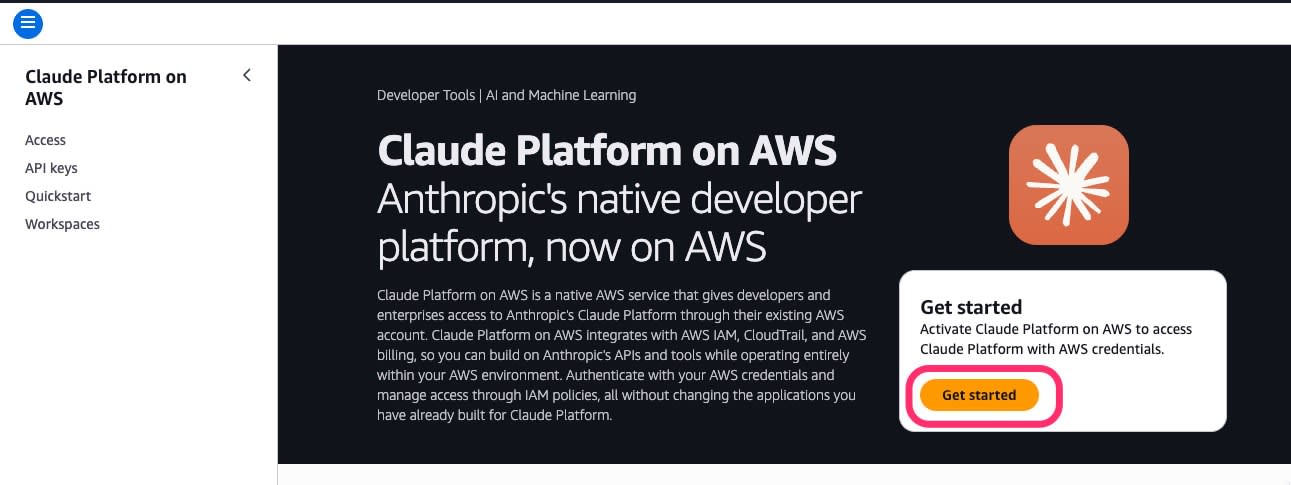
Get started
Open the "Claude Platform on AWS" service page in the AWS console and click "Get started."
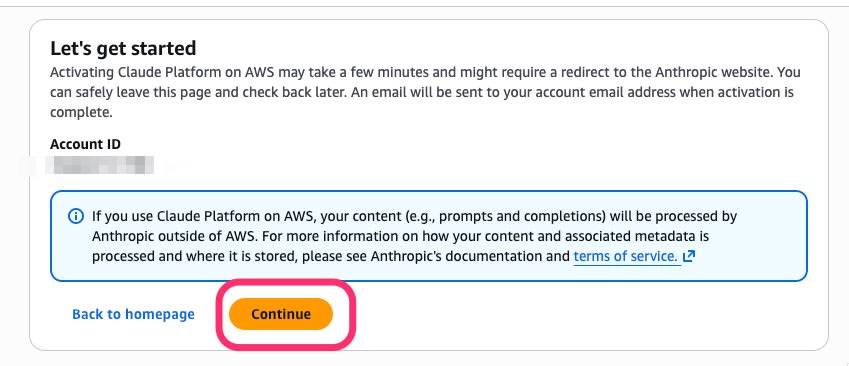
Confirm the terms of use
Confirm the notice that "data is processed outside AWS by Anthropic," and click "Continue."
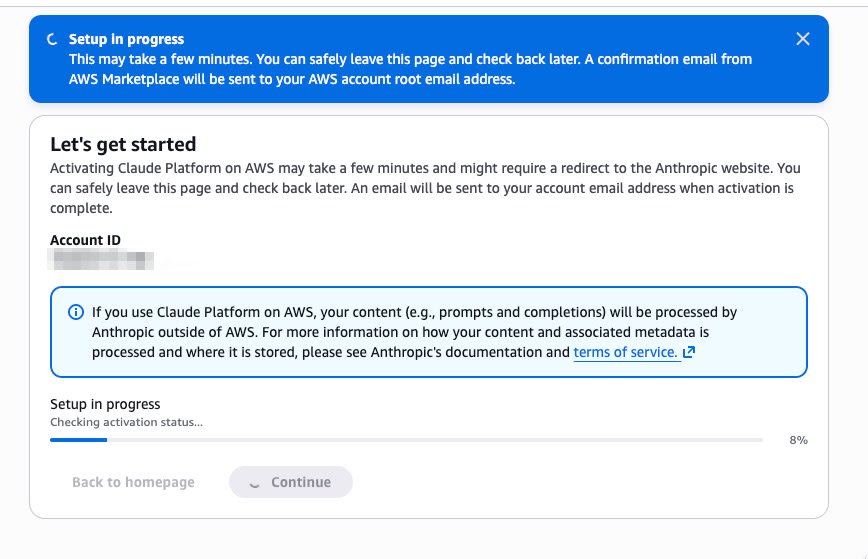
Wait for provisioning
Provisioning of the AWS Marketplace subscription runs. It takes a few minutes.
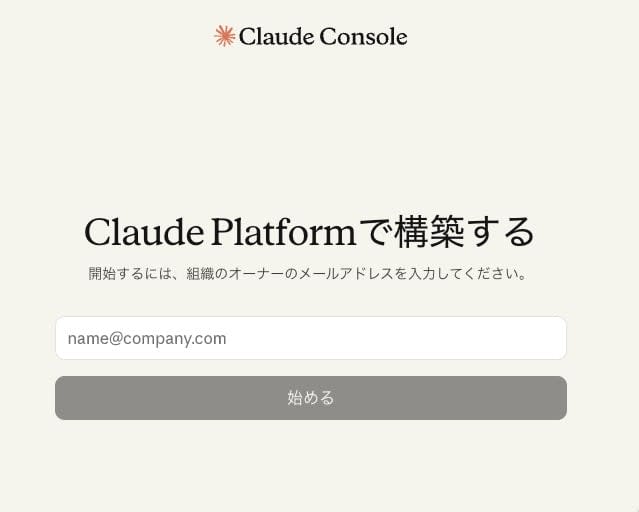
Enter the organization owner's email address
When it completes, you are redirected to the Claude Console. Enter your email address and click "Get started."
Confirmation email
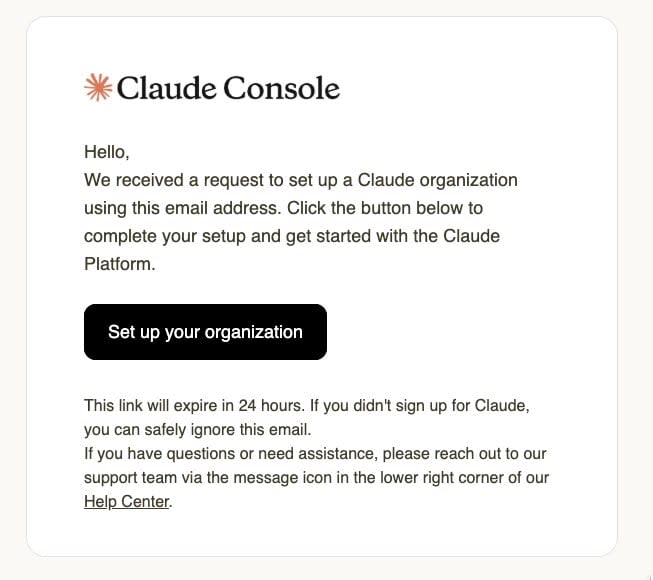
You will receive a "Set up your organization" email from Anthropic (valid for 24 hours). Click the link.
Enter organization details
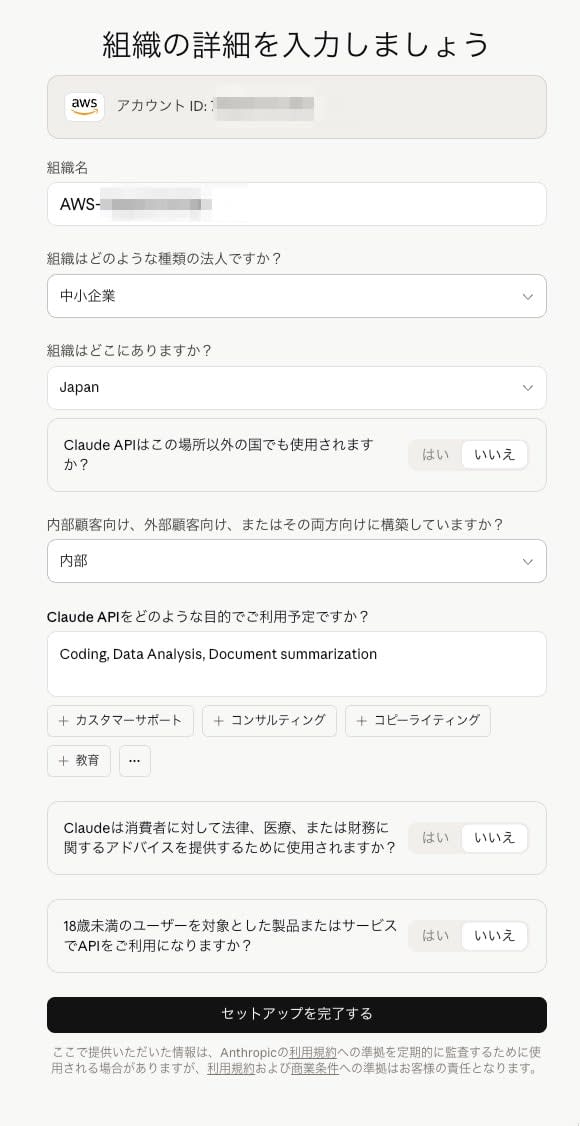
With the AWS account ID automatically linked, enter the organization name, entity type, location, and intended use. When you agree to the Anthropic Commercial Terms of Service and Usage Policy with "Complete setup," a "You're all set" banner appears in the AWS console.
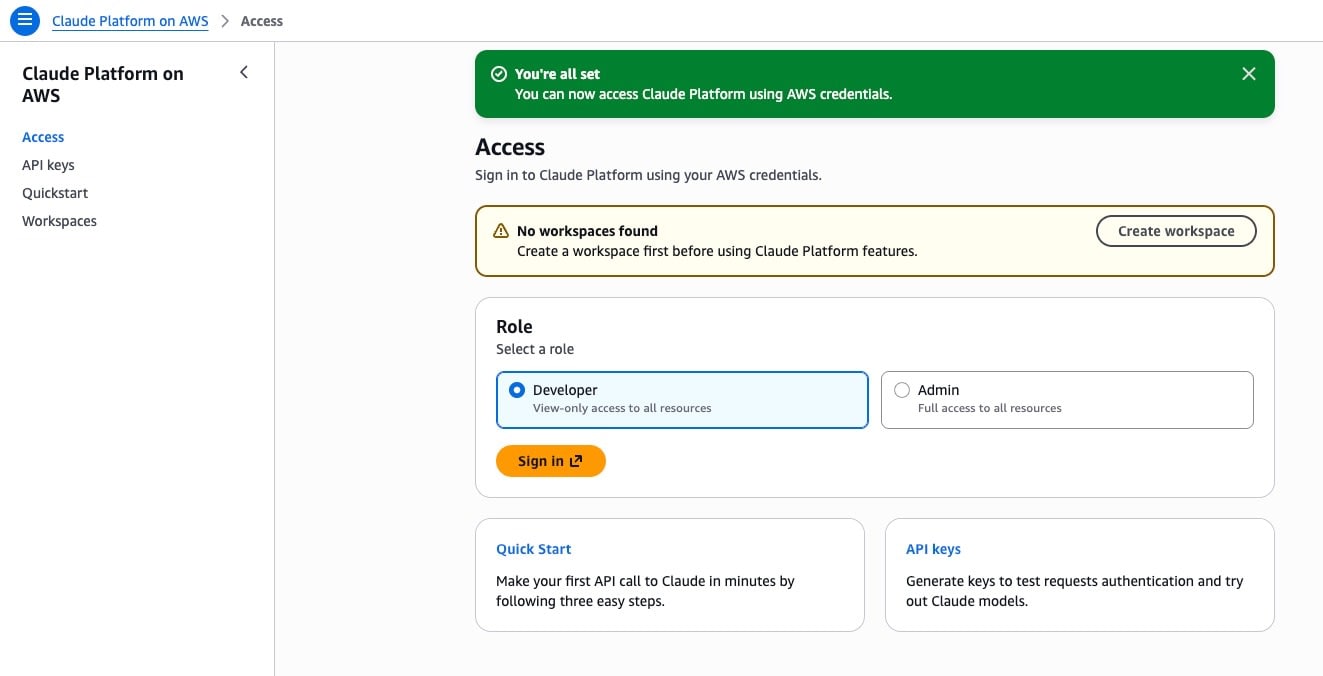
After you agree, you return to the AWS console and the completion banner is displayed.
Workspace Creation and Sign-in
Create a Workspace
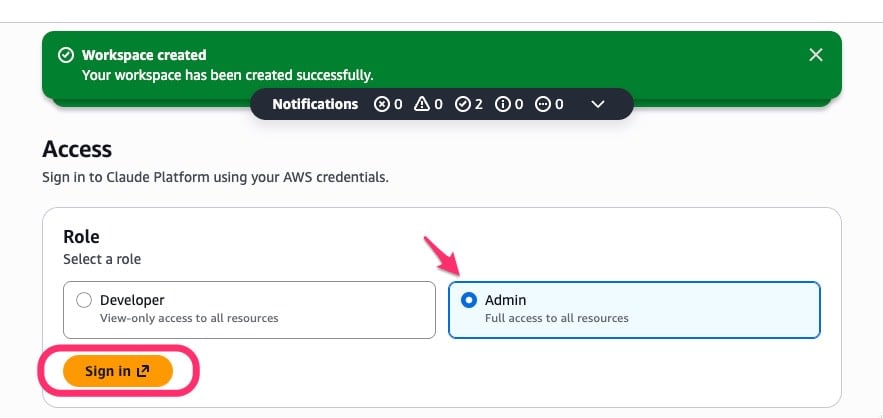
Click "Create workspace." One is created per region (ap-northeast-1 this time).
For Role selection, you can choose Admin (read/write on all pages) or Developer (read-only). I chose Admin for verification.
Sign in to the Claude Console
Click "Sign in" to sign in to the Claude Console via federation. The first time, it may take from several tens of seconds to a few minutes.

After signing in, "Account managed by AWS" is displayed at the bottom left.
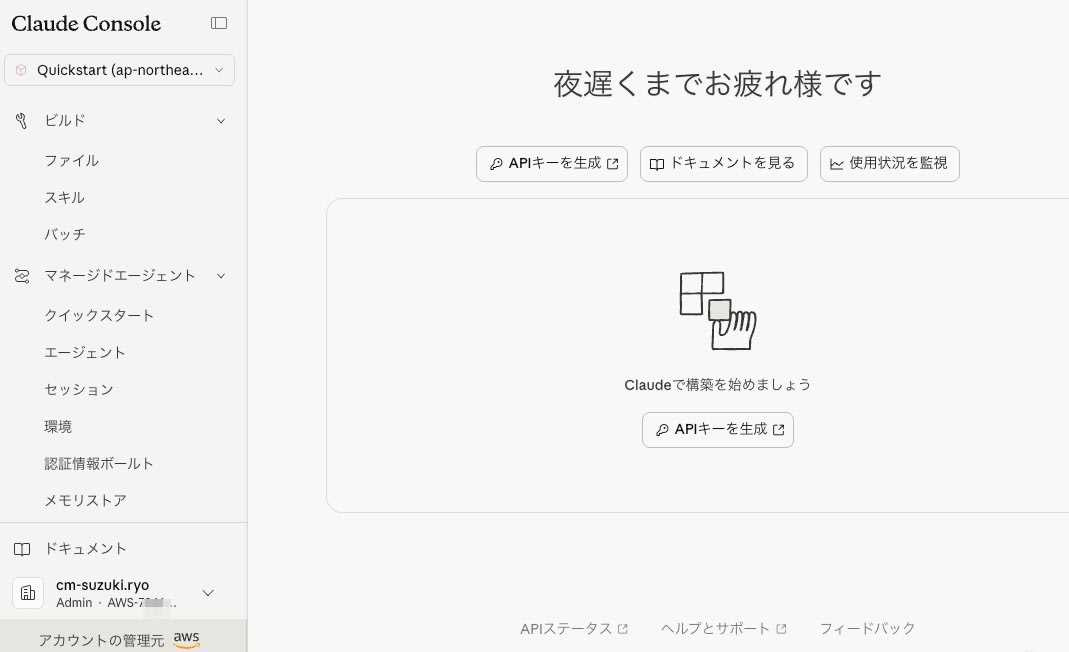
Generating an API Key
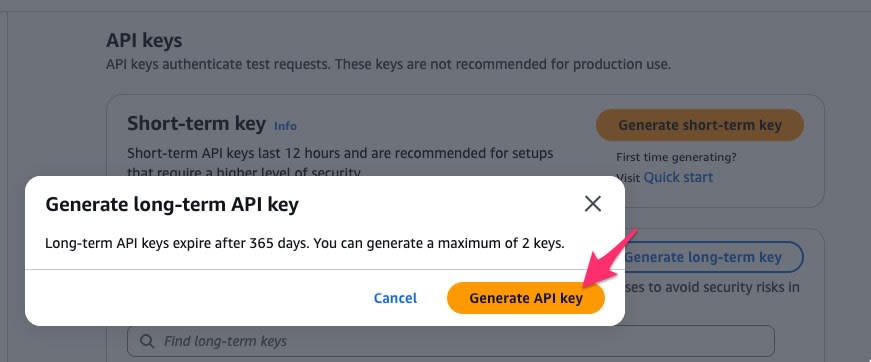
API keys are generated on the "API keys" page in the AWS console (not in the Claude Console). There are two types: Short-term keys (12 hours) and Long-term keys (365 days, up to 2).
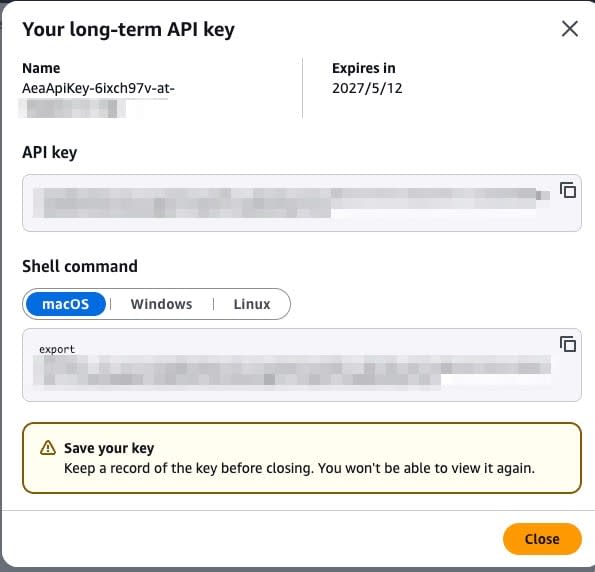
The key value is displayed only once after generation. Be sure to save it.
API Call Test
API calls from here on incur usage charges. Short requests like those in this article cost only a small amount, but please check the latest pricing.
Preparation
export AWS_REGION="ap-northeast-1"
export ANTHROPIC_WORKSPACE_ID="your-workspace-id"
export CLAUDE_AWS_BASE_URL="https://aws-external-anthropic.${AWS_REGION}.api.aws"
export ANTHROPIC_AWS_API_KEY="your-api-key-here"
API key authentication
curl -X POST "${CLAUDE_AWS_BASE_URL}/v1/messages" \
  -H "x-api-key: ${ANTHROPIC_AWS_API_KEY}" \
  -H "anthropic-version: 2023-06-01" \
  -H "anthropic-workspace-id: ${ANTHROPIC_WORKSPACE_ID}" \
  -H "content-type: application/json" \
  -d '{
    "model": "claude-sonnet-4-6",
    "max_tokens": 256,
    "messages": [{"role": "user", "content": "Hello from Claude Platform on AWS!"}]
  }'
Example response (excerpt):
{
  "model": "claude-sonnet-4-6",
  "id": "msg_xxx",
  "content": [{"type": "text", "text": "Hello! Great to connect with you..."}],
  "stop_reason": "end_turn",
  "usage": {
    "input_tokens": 19,
    "output_tokens": 34,
    "service_tier": "standard",
    "inference_geo": "global"
  }
}
The Anthropic Messages API (/v1/messages) responds as is. The model ID is claude-sonnet-4-6 (without the Bedrock-style anthropic. prefix). Simply changing model to claude-opus-4-7 also let me use Opus 4.7.
SigV4 authentication
This is a way to call the API with only AWS credentials, without an API key. Because you can control access finely with IAM policies and don't need to store an API key for a long time, we recommend this for production use.
Prerequisites:
- curl 7.75 or later (check with
curl --help all | grep aws-sigv4) aws sts get-caller-identitysucceeds
# When using SSO, export the credentials beforehand
export AWS_PROFILE="your-sso-profile"
aws sso login --profile "${AWS_PROFILE}"
eval "$(aws configure export-credentials --profile "${AWS_PROFILE}" --format env)"
# ※ Available in AWS CLI v2.11 and later
The following is an example assuming temporary credentials:
--useris not the API key but the AWS IAM access key ID/secret access key (curl generates the SigV4 signature)- When using long-term IAM user keys, omit the
x-amz-security-tokenheader
curl -X POST "${CLAUDE_AWS_BASE_URL}/v1/messages" \
  --aws-sigv4 "aws:amz:${AWS_REGION}:aws-external-anthropic" \
  --user "${AWS_ACCESS_KEY_ID}:${AWS_SECRET_ACCESS_KEY}" \
  -H "x-amz-security-token: ${AWS_SESSION_TOKEN}" \
  -H "anthropic-version: 2023-06-01" \
  -H "anthropic-workspace-id: ${ANTHROPIC_WORKSPACE_ID}" \
  -H "content-type: application/json" \
  -d '{
    "model": "claude-sonnet-4-6",
    "max_tokens": 256,
    "messages": [{"role": "user", "content": "Hello from SigV4!"}]
  }'
The service name for --aws-sigv4 is aws-external-anthropic.
I verified with curl this time, but Anthropic's official Python/TypeScript SDKs also support Claude Platform on AWS (including SigV4 authentication). We recommend using the SDK for production implementations.
Response headers (request ID)
curl -s -D - -o /dev/null -X POST "${CLAUDE_AWS_BASE_URL}/v1/messages" \
  -H "x-api-key: ${ANTHROPIC_AWS_API_KEY}" \
  -H "anthropic-version: 2023-06-01" \
  -H "anthropic-workspace-id: ${ANTHROPIC_WORKSPACE_ID}" \
  -H "content-type: application/json" \
  -d '{"model": "claude-sonnet-4-6", "max_tokens": 64, "messages": [{"role": "user", "content": "Hi"}]}'
The response headers include two request IDs:
x-amzn-requestid— AWS side (used when contacting AWS Support or checking CloudTrail)request-id— Anthropic side (used when contacting Anthropic Support)
inference_geo
You can control the geographic restriction of inference with the inference_geo parameter.
| Specified value | Result | Billing |
|---|---|---|
| Not specified (default) | "inference_geo": "global" |
Standard price |
"us" |
"inference_geo": "us" |
1.1x |
"jp" |
400 error | — |
Error when "jp" is specified:
{
  "type": "error",
  "error": {
    "type": "invalid_request_error",
    "message": "inference_geo: must be one of ['global', 'us']"
  }
}
If data processing within Japan is a requirement, consider using Bedrock (ap-northeast-1). The options for inference_geo may expand in the future, so keep an eye on official announcements.
Summary
With the GA version of Claude Platform on AWS, I verified everything from setup to API calls.
| Verification item | Result |
|---|---|
| Sonnet 4.6 / Opus 4.7 (API key authentication) | ✅ |
| SigV4 authentication (no API key) | ✅ |
| inference_geo: global / us | ✅ |
| inference_geo: jp | ⚠️ Not supported (400 as specified) |
| Two types of request IDs in response headers | ✅ |
- Setup takes about 15 to 20 minutes
- Sonnet 4.6 / Opus 4.7 can be used from the Anthropic Messages API endpoint (not Bedrock format)
- Two authentication methods, API key / SigV4, and billing is consolidated into the AWS invoice
inference_geocurrently has only two choices:global/us
Details on IAM/CloudTrail/Managed Agents and more will be covered in articles in due course. Next time, I plan to verify how to use it from Claude Code via Claude Platform on AWS.
Supplement: Outbound Web Identity Federation
The official documentation says it "needs to be enabled only once per AWS account." This time, from the CloudTrail logs, I confirmed that it was automatically enabled during setup in the console.
When setting up via CLI/IaC, manual enabling may be required.
# Check the enabled status
aws iam get-outbound-web-identity-federation-info
# → {"IssuerIdentifier": "https://xxx.tokens.sts.global.api.aws", "JwtVendingEnabled": true}

# If manual enabling is required
aws iam enable-outbound-web-identity-federation
