Trying Out Japanese-Language Search with Amazon Q in AWS CloudTrail

This page has been translated by machine translation. View original
Introduction
The September 15, 2026 update strengthened the integration between AWS CloudTrail and the Amazon Q Console, adding support for investigating logs using natural language, including Japanese.
Even in situations where use of Athena or CloudWatch Logs Insights is restricted, you still want to find out "who did what." To see how far this integration can be used in such cases, I entered four questions in Japanese and checked the answers.
How to Launch the Amazon Q Console
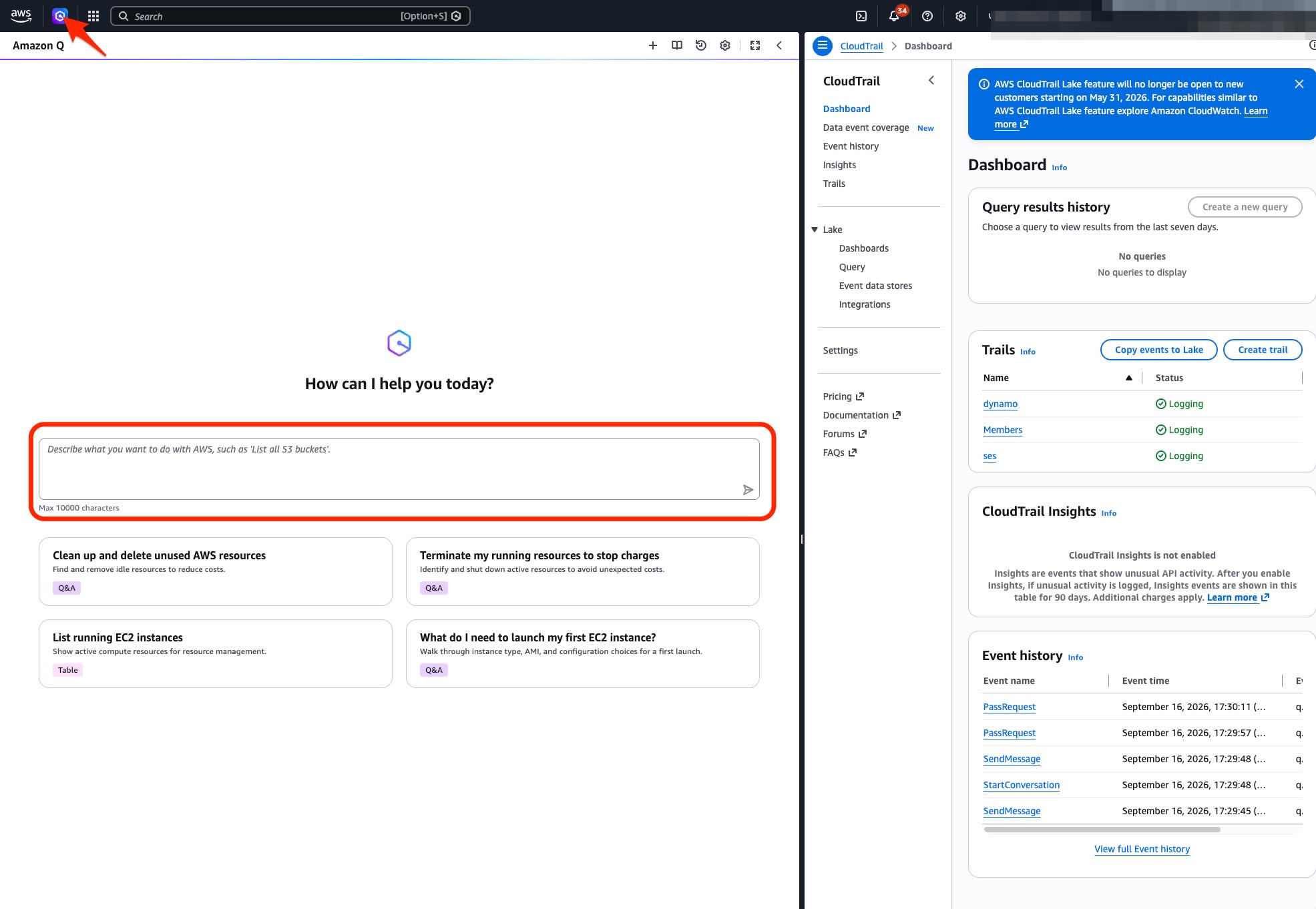
In this environment, no activation or setup was required (assuming you have permissions to use Q and to view CloudTrail). Clicking the Q icon at the top of the Management Console screen opens a panel on the right side. You can ask questions while keeping the CloudTrail dashboard displayed.
Trying It Out
Checking a User's Operation History
What operations did [username] perform in the past 24 hours?
Q searched a multi-region trail and returned the operation history in a table of User, Action, Resource, and Count.
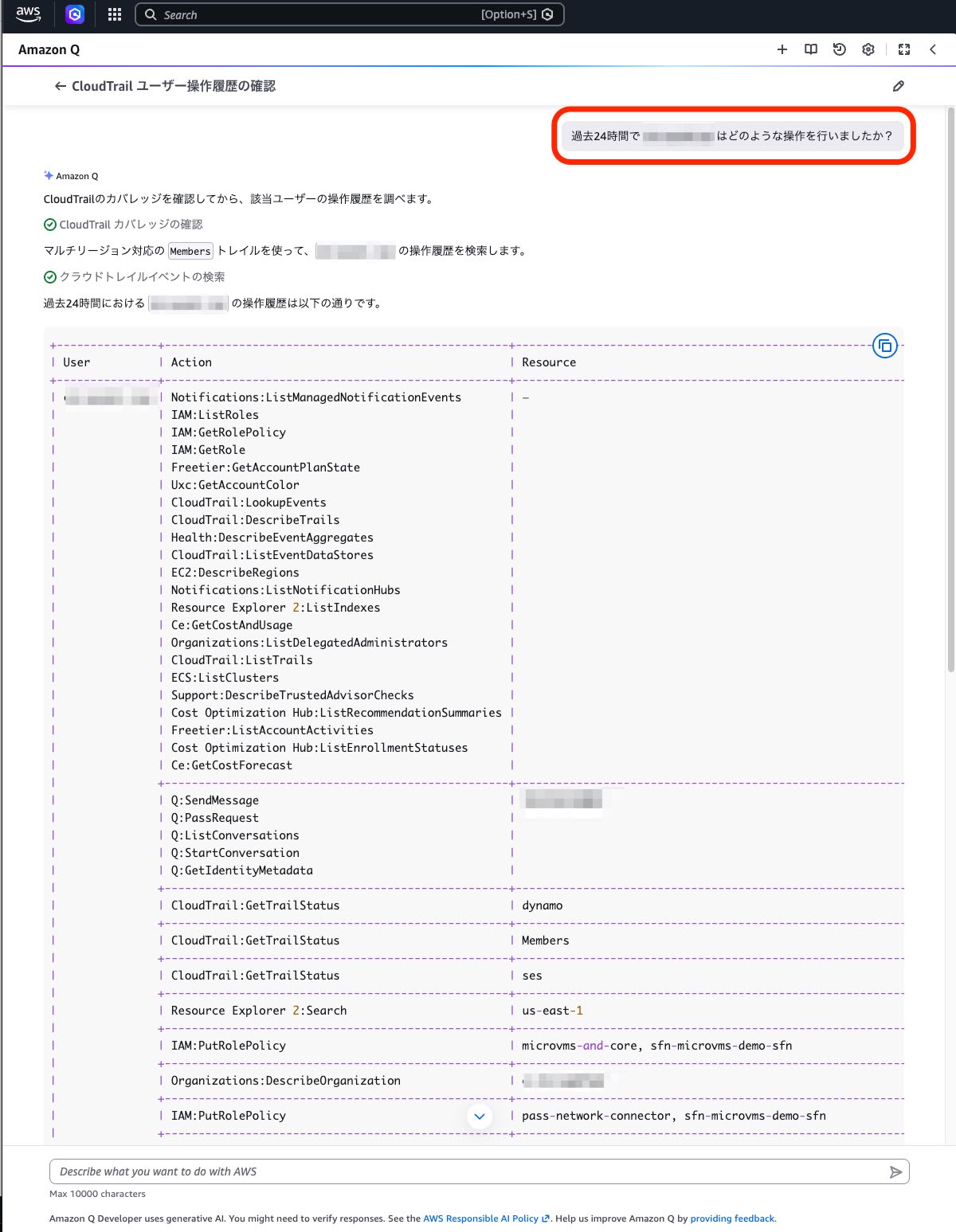
The answer also includes Q's own operations (such as Q:SendMessage). If you want to check only operations performed by people, you need to exclude the operations made by Q.
Finding Services with Many Resource Creations and Deletions
Next, I widened the period to one week and had it aggregate the data.
Which services had the most resource creations and deletions in the past week?
Q presented the number of creations and deletions by service in the following table.
| Service | Created | Deleted | Total |
|---|---|---|---|
| IAM | 119 | 91 | 210 |
| ECS | 23 | 29 | 52 |
| CloudFormation | 10 | 11 | 21 |
| EC2 | 9 | 9 | 18 |
| CloudWatch Logs | 3 | 0 | 3 |
| Lambda | 1 | 1 | 2 |
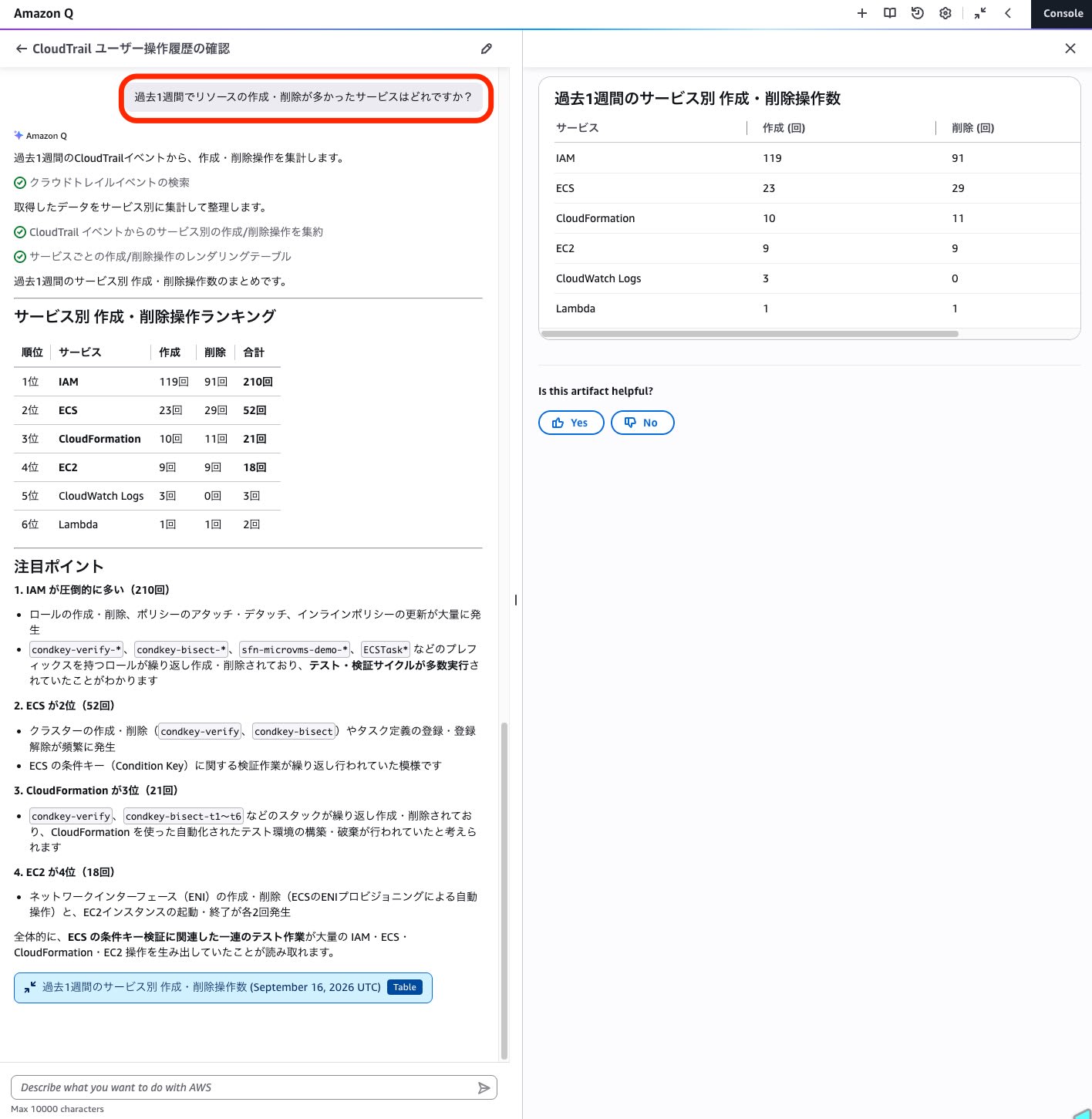
In addition to the aggregated results, Q also indicated trends in repeatedly executed operations. However, since this is an inference based on resource name patterns, individual events need to be checked in an audit.
Investigating API Calls That Resulted in Errors
I asked this question with the aim of identifying insufficient permissions and misconfigurations.
How many API calls failed (resulted in errors) in the past 24 hours?
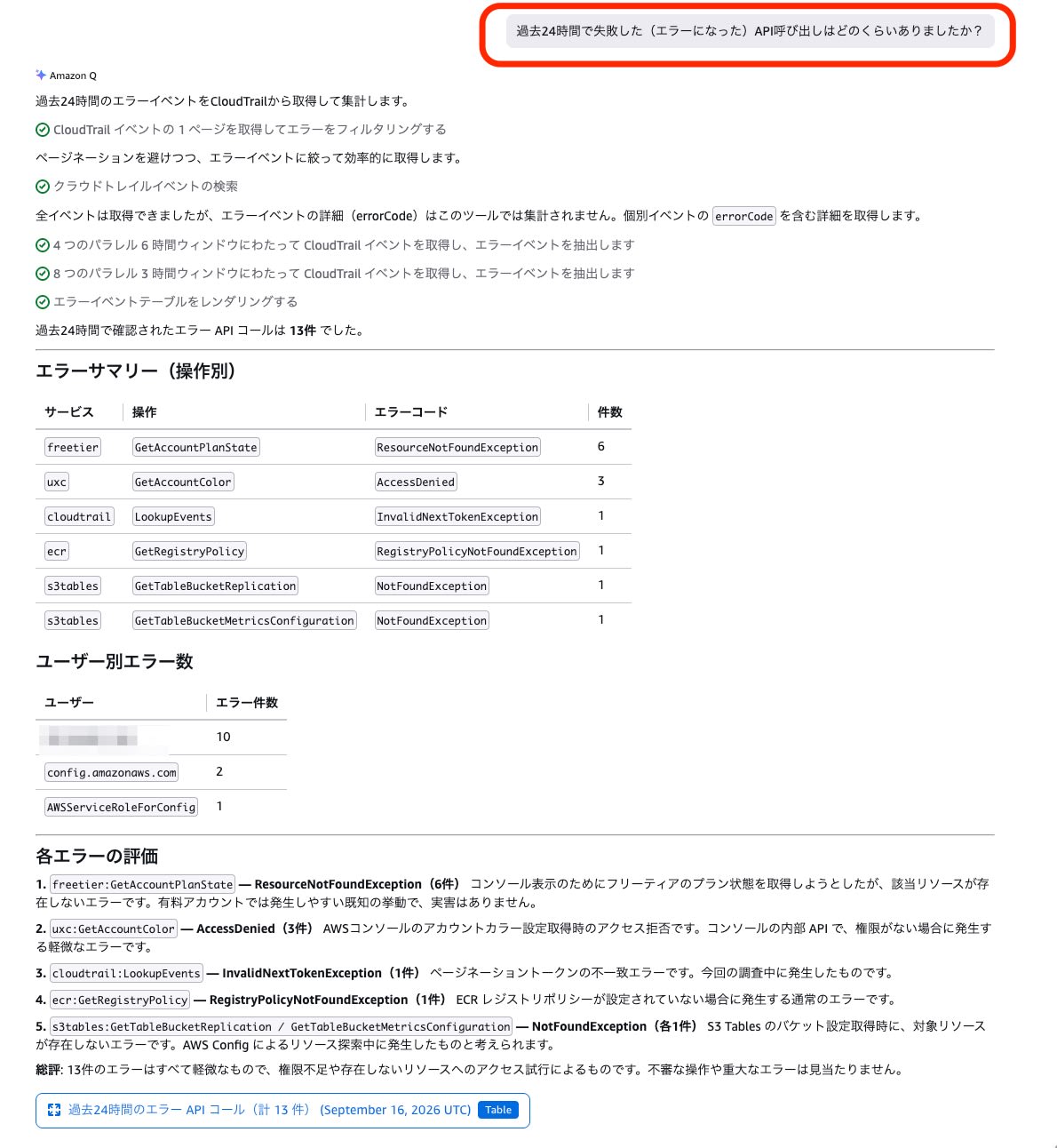
Q explained the cause for each error code, assessed the actual impact, and concluded, "All 13 cases are minor, and no suspicious operations were found."
Checking IAM Changes from the CLI or SDK
I entered a question that combined multiple conditions.
In the past week, were there any operations that changed IAM roles or policies from somewhere other than the console (CLI or SDK)?
Q identified the 10 matching events and returned a list of the date and time, the target role, and the CLI command that was executed. A single prompt was enough for the input, but Q switched its retrieval method several times internally before returning the result.
Summary
For all four prompts, answers were returned in Japanese, and I was able to check users' operation history, the status of resource creations and deletions, failed API calls, and IAM changes made from the CLI or SDK.
In CloudTrail's event history, you can investigate by specifying filter conditions, but you need to know which attributes to filter by. With the Amazon Q integration, you can now start an investigation from a question in Japanese.
For investigating large volumes of logs, Athena or Logs Insights may still be necessary, but please try Amazon Q as one easy way to investigate CloudTrail.
