
I tried Codex with Amazon Bedrock!

This page has been translated by machine translation. View original
This is Katagiri from the AI Business Division / Generative AI Integration Department / West Japan Development Team.
OpenAI's Codex is now available via Amazon Bedrock.
This article introduces the setup procedure.
For instructions on how to try GPT-5.5 and GPT-5.4 via the API, we recommend the following article.
About This Article
[Target Audience]
- Those who want to use Codex via Bedrock
- Those who want to consolidate Codex usage charges under AWS billing
Prerequisites
- Model access for GPT-5.5 and GPT-5.4 must be enabled in the target region
- The AWS IAM user must have Bedrock invocation permissions granted
- Codex CLI must be installed
- 1Password CLI must be installed ※Only when using 1Password
- AWS access keys must be saved in 1Password ※Only when using 1Password
If Codex CLI is not installed, please refer to the documentation to install it.
Regions and Models
The models available as of June 2, 2026 are as follows.
| Model | Supported Regions |
|---|---|
| GPT-5.5 | us-east-2 |
| GPT-5.4 | us-east-2, us-west-2 |
Please check the official documentation for the latest information.
About Authentication Methods
There are two authentication methods.
-
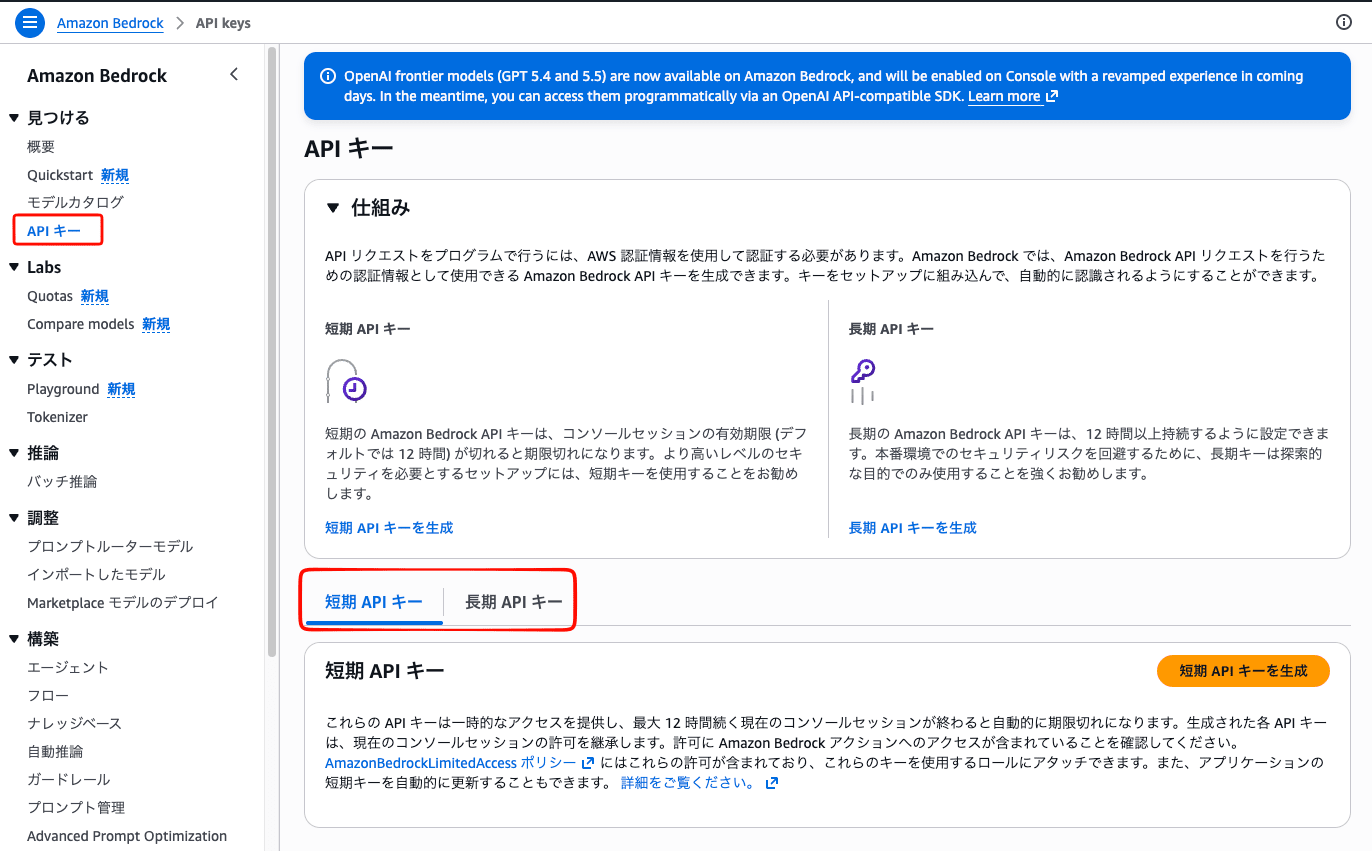
Bedrock API Key
This method issues an API key in Bedrock and loads it into Codex as an environment variable.
API keys come in short-term and long-term varieties, and short-term keys automatically expire after a maximum of 12 hours.
This short-term key method is recommended for those who prioritize operation verification and prevention of API key leaks.
-
AWS SDK Credentials
This method uses standard AWS credentials.
Generally, authentication is performed usingaws loginand similar commands, but it is also possible to automate this by integrating with external tools.
For more details on both of the above methods, please refer to the official documentation.
This time, I proceeded with the setup using a method that does not hold plaintext credentials in the local environment (e.g., .env), by combining the latter "AWS SDK Credentials" mechanism (credential_process) with the 1Password CLI.
Setup Procedure
Step 1. Configure config.toml
First, set the Codex model provider to Amazon Bedrock.
~/.codex/config.toml
model_provider = "amazon-bedrock"
model = "openai.gpt-5.4"
By specifying model = "openai.gpt-5.4" here, you can specify the model when Codex starts.
Since GPT-5.5 is more expensive, it is recommended to switch to it only when necessary.
Step 2. Configure .env
Next, set the environment variables that Codex will load.
~/.codex/.env
export AWS_PROFILE=codex-bedrock
export AWS_REGION=us-east-2
By specifying the region and the AWS profile to use here, you can fix the AWS-related settings at Codex startup and ensure stable execution.
Why `export` is needed
Desktop apps and IDE extensions do not inherit the shell's environment variables, so without export, values will not be passed to Codex.
Step 3. Create a script for credential_process
Create a script to retrieve AWS credentials from 1Password.
If you don't know the item name, you can check it with the following command.
op item list
~/.local/bin/op-aws-bedrock-credentials.sh
#!/bin/bash
set -euo pipefail

ACCESS_KEY=$(op item get "<1Password item name>" --fields "access key id" 2>/dev/null)
SECRET_KEY=$(op item get "<1Password item name>" --fields "secret access key" --reveal 2>/dev/null)

printf '{"Version":1,"AccessKeyId":"%s","SecretAccessKey":"%s"}\n' "$ACCESS_KEY" "$SECRET_KEY"
After creating the script, grant execution permissions.
chmod +x ~/.local/bin/op-aws-bedrock-credentials.sh
Step 4. Configure ~/.aws/config
credential_process is a mechanism that calls an external command whenever the AWS CLI needs credentials. By using this, you can dynamically retrieve credentials via 1Password without writing them directly to a file.
Finally, set credential_process in the AWS profile.
~/.aws/config
[profile codex-bedrock]
region = us-east-2
credential_process = ~/.local/bin/op-aws-bedrock-credentials.sh
This allows credentials for the specified AWS profile to be retrieved via 1Password when Codex starts.
Step 5. Verify Operation
# Verify the script on its own
~/.local/bin/op-aws-bedrock-credentials.sh

# Verify AWS authentication
AWS_PROFILE=codex-bedrock aws sts get-caller-identity
At this point, confirm that the AWS credentials specified for Codex are displayed.
If there are no issues, start Codex, run /status, and confirm that the Model provider is Amazon Bedrock.
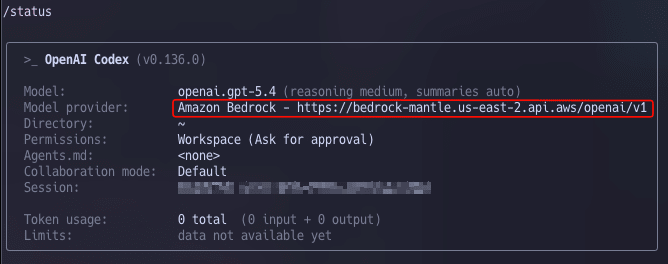
Result of /status
Finally, if you use Codex and receive a normal response, the setup is complete.
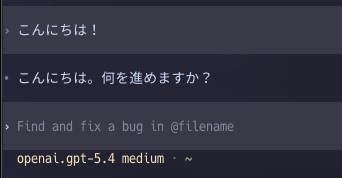
Response is returned normally
Notes and Countermeasures
1. When failed to load AWS credentials appears
Please check the following points in order.
- Verify that the
exportkeyword is present in~/.codex/.env - Verify that running
~/.local/bin/op-aws-bedrock-credentials.shdirectly outputs JSON - Verify that
opis signed in:op account list
2. Why op plugin run cannot be used in non-interactive environments
credential_process is called non-interactively from Codex. op plugin run prompts for an interactive selection of which AWS account to use on each execution, so it fails with an interactive IO not available error in non-interactive environments. This can be avoided by directly specifying the item with op item get.
Codex App
Once the configuration is complete via Codex CLI, you can also access it from the Codex app.
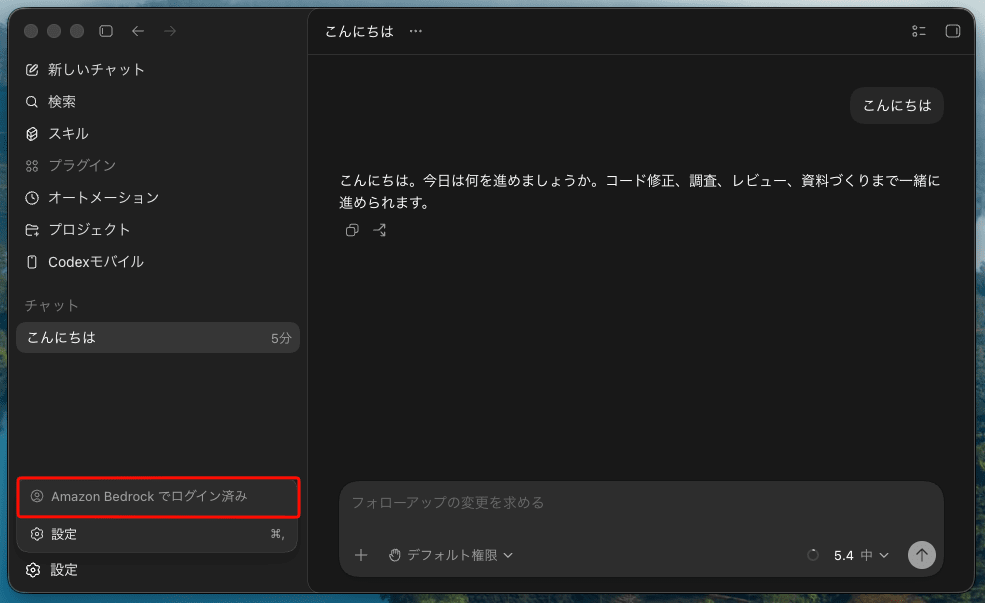
Codex app in action
Closing
This time, we introduced the procedure for setting up Codex via Amazon Bedrock.
By combining it with 1Password's credential_process, you can achieve a secure configuration that does not hold plaintext credentials in the local environment.
Using it via Bedrock allows you to consolidate billing under AWS, which is especially recommended for those already using AWS.

