
GitHub Copilot CLI 1.0.62 improved the /diff view for better readability: organizing the three key points of file tree, inline comments, and search

This page has been translated by machine translation. View original
Hey there! I'm Yuji Nishimura from the Operations Team!
GitHub Copilot CLI v1.0.62 was released on June 13, 2026.
This release includes several new features added to the /diff view.
In this article, I'll summarize the additions based on the release notes and share my impressions from actually trying them out.
What Changed This Time
- Target version: v1.0.62 (official release published on 2026-06-13). The changes were introduced in two stages: v1.0.62-1 (2026-06-12 pre-release) and v1.0.62-2 (2026-06-13 pre-release), and all 3 features are available in v1.0.62 and later
- Key changes: A file tree sidebar, inline comment editor, and in-diff search were added to the view opened by the
/diffcommand - Official link: v1.0.62 Release Notes
Trying Out /diff
1. File Tree Sidebar
When opening /diff, a sidebar displaying a list of changed files is now shown.
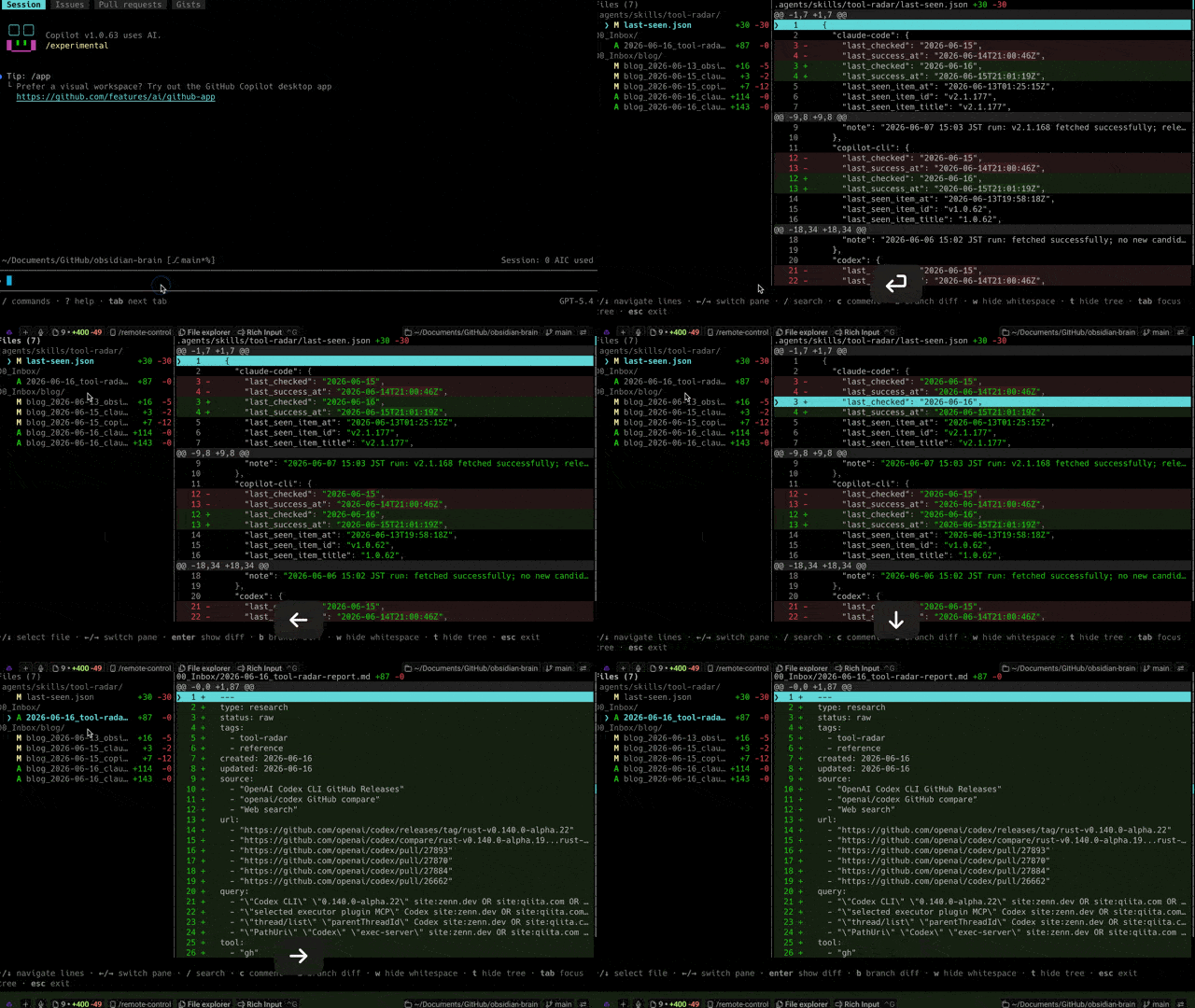
Even when there are many changed files, you no longer need to scroll through the entire diff to find the file you're looking for — you can jump to files individually, making it easier to locate the specific changes you want to review.
2. Inline Comment Editor
An editor for writing inline comments directly within the diff view has been added. You can start entering a comment with the c key.
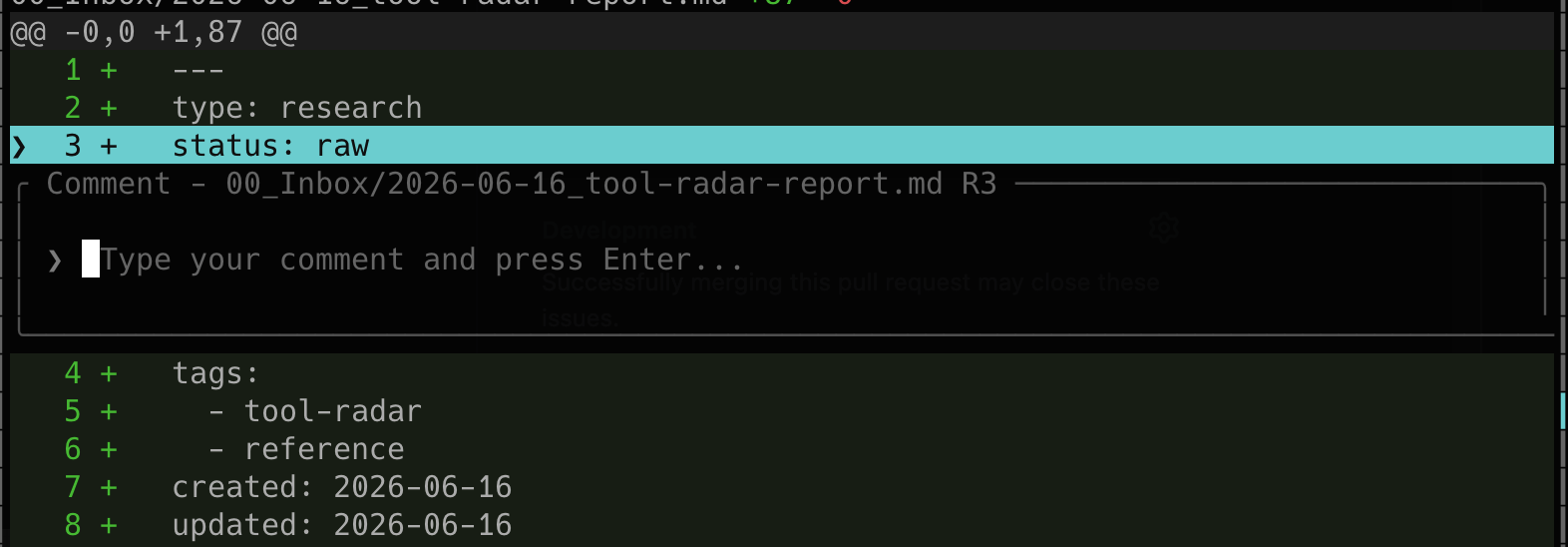
Previously, after reviewing a diff, comments had to be entered either from the chat field or written in the GitHub Web UI. With the addition of the inline comment editor, the entire process from diff review to posting a comment can now be completed within the CLI.
3. Content Search, Highlighting, and n/N Navigation
You can now search for strings within the diff view and highlight matched locations. Enter search mode with /, move to the next match with n, and move to the previous match with N.
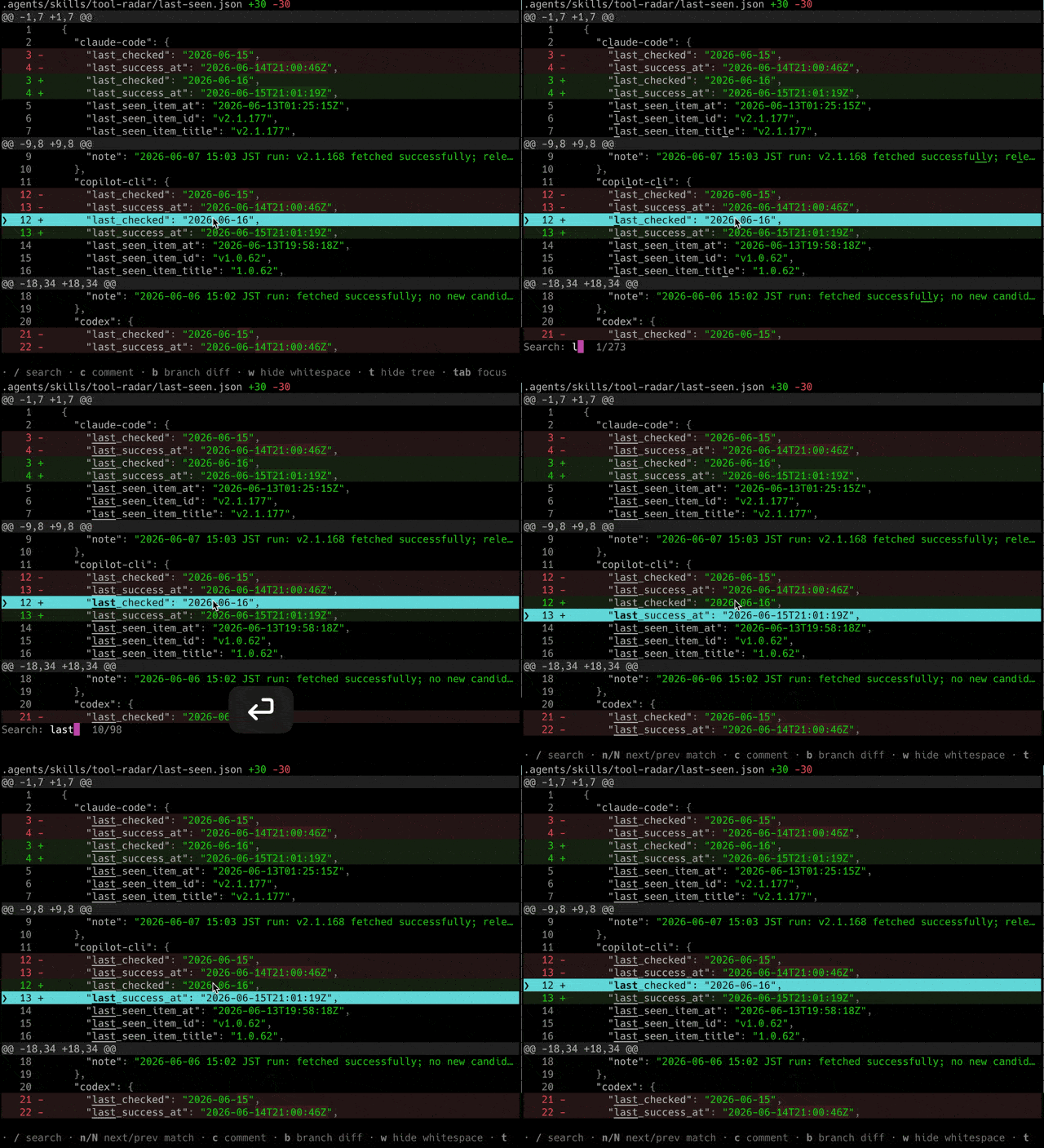
When you want to track down a specific variable name, function name, or error message in a large diff, you can jump directly to it without scrolling. The vim-like controls should feel natural to anyone accustomed to working in the terminal.
Summary
The /diff view in Copilot CLI v1.0.62 has become considerably more convenient.
Everything from reviewing changed files, to posting comments, to searching within a diff can now be done entirely within the TUI.
Personally, I found the diff visibility and operability to be excellent, and it feels like quite a good update.
If you want to handle diff review entirely from the CLI, it seems well worth trying out.
I hope this is helpful to someone.
Reference links: