
I tried turning my homemade Claude Code Skill into a Plugin

This page has been translated by machine translation. View original
Introduction
Previously, I wrote an article about adding AWS icon style specifications to the official draw.io Skill for Claude Code to draw AWS architecture diagrams.
I have been using this Skill across multiple projects since then, but since Skills are placed in .claude/skills/, I had been copying the folder for each new project. Feeling that copying it everywhere was inefficient, I packaged it as a Claude Code Plugin and made it installable from a GitHub repository.
Here is the repository I created: https://github.com/cm-obuchi-hugo/drawio-for-sa
Verification Environment
- macOS Tahoe 26.6.2
- Claude Code 2.1.281 (model: Opus 5.5)
- draw.io Desktop 31.4.5 (for reviewing
.drawiosystem architecture diagrams)
Steps
I proceeded with reference to the official documentation's Convert existing configurations to plugins.
Prepare the Files
First, create a dedicated folder for the Plugin. Then, place the Skills, Agents, Commands, and other items you want to distribute under that folder.
When including all Skills, Agents, Commands, and Hooks, the folder structure looks like this (an example based on the official documentation structure, not the structure of this Plugin).
my-plugin/
├── .claude-plugin/
│   ├── marketplace.json    # marketplace catalog (used by /plugin marketplace add)
│   └── plugin.json         # plugin metadata
├── skills/
│   └── code-review/
│       └── SKILL.md
├── agents/
│   └── reviewer.md
├── commands/
│   └── deploy.md
└── hooks/
    └── hooks.json
One important note: only plugin.json (and marketplace.json) go inside .claude-plugin/. Items like skills/ and agents/ are placed directly under the Plugin root, not inside .claude-plugin/.
Since this Plugin has only one Skill, I simply copied .claude/skills/drawio/ to skills/drawio/. The contents of SKILL.md were not changed.
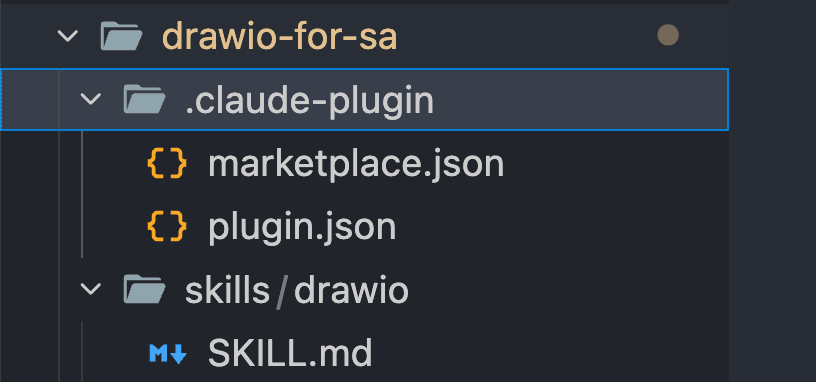
I will explain marketplace.json and plugin.json next.
Creating the marketplace.json File
A Marketplace is like a catalog of Plugins. Users register a Marketplace with /plugin marketplace add and then install Plugins from it.
To allow installation via the /plugin command from a GitHub repository, you need to place .claude-plugin/marketplace.json in the repository. In this case, I made the repository itself a "Marketplace containing a single Plugin."
Here is the marketplace.json I used (author information has been generalized).
{
  "$schema": "https://json.schemastore.org/claude-code-plugin-marketplace.json",
  "name": "drawio-for-sa",
  "owner": { "name": "<your-name>" },
  "description": "draw.io diagram generation skill tuned for AWS solution-architecture diagrams",
  "plugins": [
    {
      "name": "drawio-for-sa",
      "source": "./",
      "description": "draw.io diagram generation skill tuned for AWS solution-architecture diagrams",
      "license": "Apache-2.0"
    }
  ]
}
name: The name of the Marketplace. This becomes the part after@inplugin-name@marketplace-nameduring installationowner: The administrator of the Marketplaceplugins: The list of Plugins included in this Marketplacename: The name of the Plugin. This is the part before@during installation. Keep it aligned with thenameinplugin.jsonsource: The location of the Plugin. Written as a relative path from the Marketplace root (the folder containing.claude-plugin/). Since the repository root is the Plugin itself this time, it is set to"./"
According to the official documentation, the required fields are name, owner, plugins, and each Plugin's name and source.
Since both the Marketplace name and Plugin name are drawio-for-sa this time, the installation ID becomes drawio-for-sa@drawio-for-sa. This is slightly redundant, but it works fine.
Creating the plugin.json File
plugin.json is a file that describes the Plugin itself. Here is the content I used (author information and URLs have been generalized).
{
  "$schema": "https://json.schemastore.org/claude-code-plugin-manifest.json",
  "name": "drawio-for-sa",
  "version": "0.1.0",
  "description": "draw.io diagram generation skill tuned for AWS solution-architecture diagrams",
  "author": { "name": "<your-name>" },
  "homepage": "https://github.com/<owner>/<repo>",
  "repository": "https://github.com/<owner>/<repo>",
  "license": "Apache-2.0",
  "keywords": ["drawio", "diagram", "aws", "architecture", "solution-architecture", "skill"]
}
name: The Plugin identifier and the only required field. Skills are namespaced with this name, and this Skill is invoked with/drawio-for-sa:drawioversion: Optional. However, if set, users will only receive updates when this value is incremented. You need to bumpversionwhenever the content changes- Everything else (
description,author,homepage, etc.) is optional
Details on each field can be found in the Plugins reference.
README, LICENSE, NOTICE (Optional)
README.md, LICENSE, and NOTICE are not required for the Plugin to function.
This time, I wrote the installation steps and usage instructions in README.md. Also, since the original Skill is a fork of skill-cli from jgraph/drawio-mcp (Apache-2.0), I also included LICENSE and a NOTICE with a link to the original Skill and a description of the changes.
Validate and Push to GitHub
Before pushing, I checked the manifest with claude plugin validate.
claude plugin validate .

Since there were no issues, I committed and pushed to the GitHub repository.
For others to install it, they need access to the repository. I made it a public repository this time.
Installing and Trying It Out
The installation steps are also written in the repository's README.md. I tested it by opening a new Claude Code session in a different folder.
1) Register the Marketplace
/plugin marketplace add cm-obuchi-hugo/drawio-for-sa
Successfully added marketplace: drawio-for-sa
I got stuck here once. Simply registering the Marketplace does not install the Plugin. Even running /reload-plugins at this point shows 0 Plugins.
❯ /reload-plugins
  ⎿  Reloaded: 0 plugins · 0 skills · 6 agents · 0 hooks · 0 plugin MCP servers · 0 plugin LSP servers
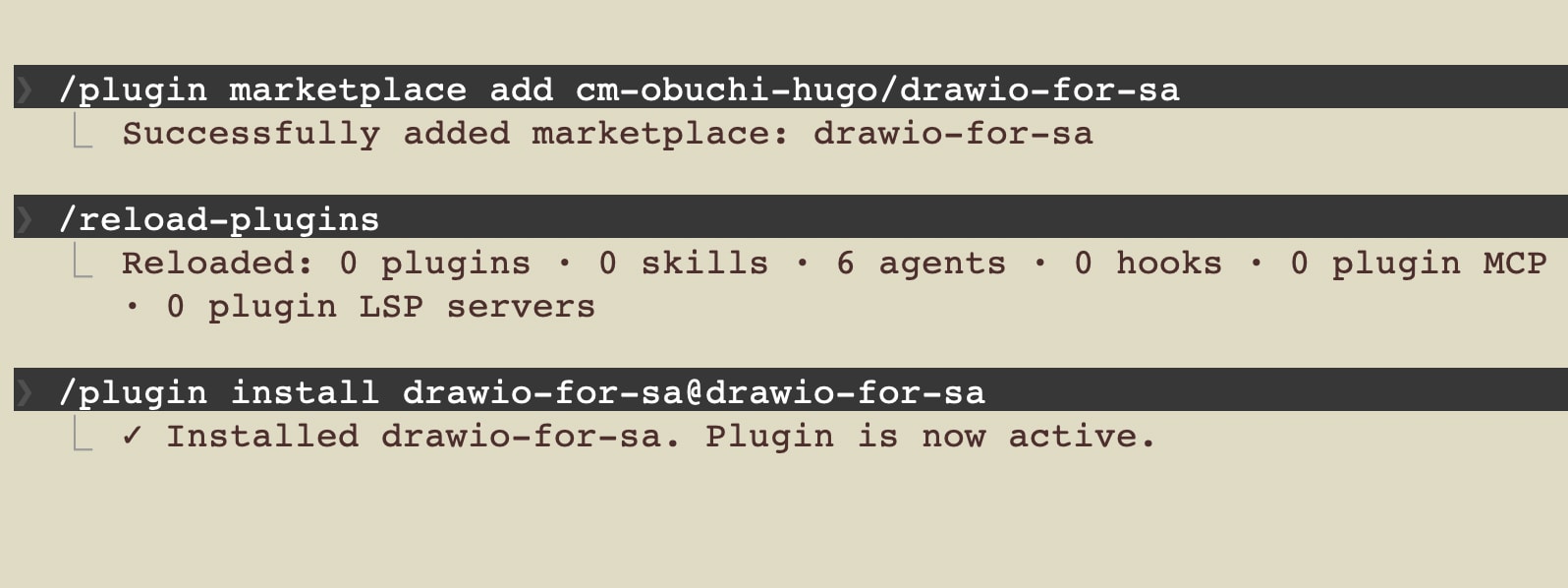
2) Install the Plugin
/plugin install drawio-for-sa@drawio-for-sa
During installation, you select a scope.
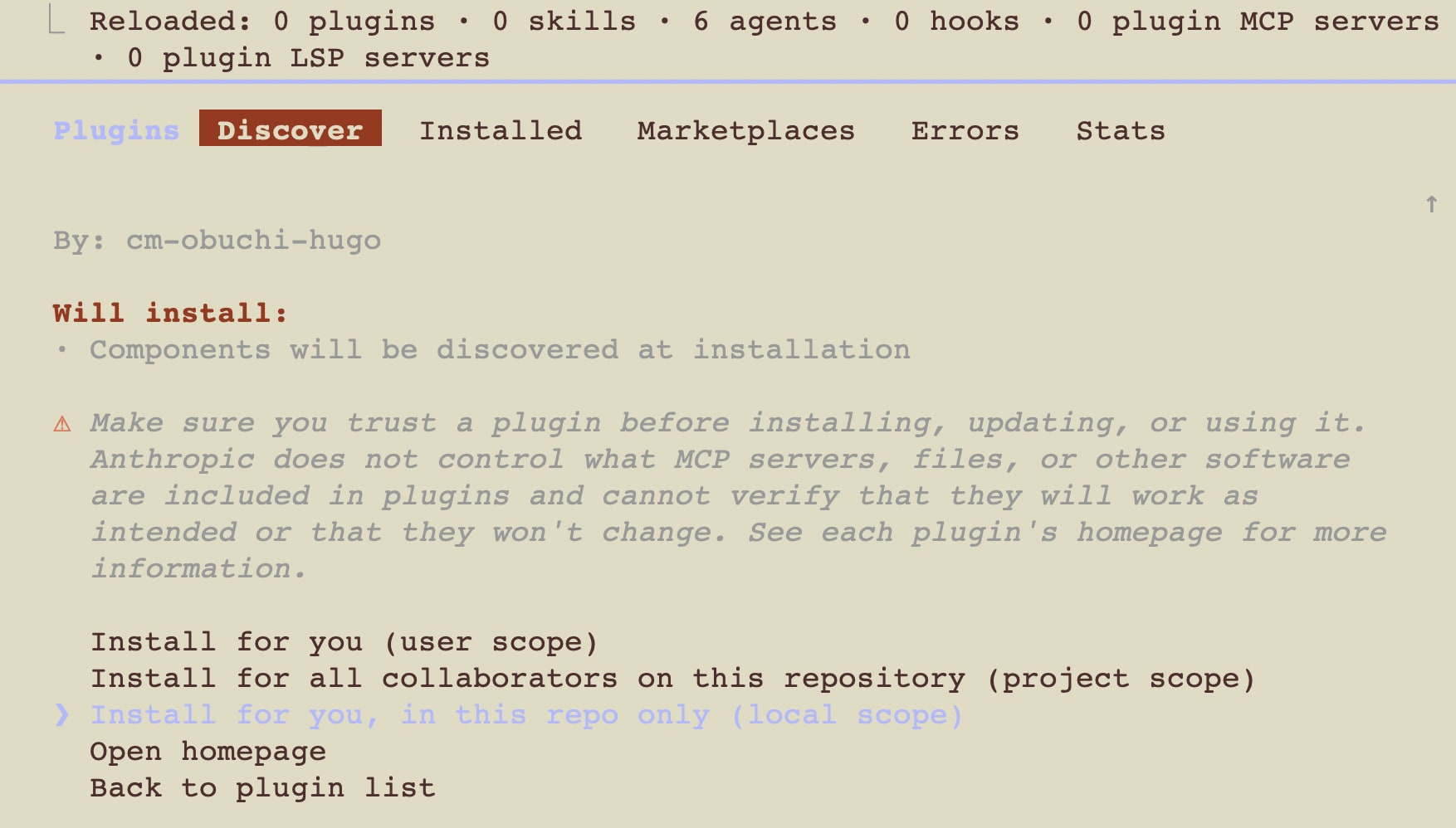
I installed it with Local scope this time. After installation, the only thing created on the project side was .claude/settings.local.json, and its contents were just a single line enabling the flag.
{
  "enabledPlugins": {
    "drawio-for-sa@drawio-for-sa": true
  }
}
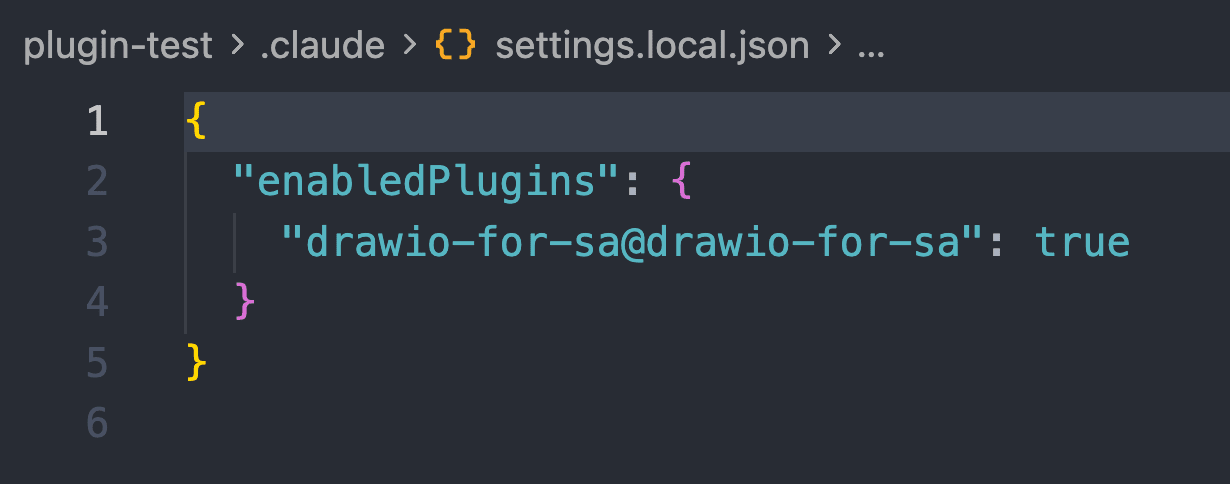
The actual files such as SKILL.md are not copied to the project. The Plugin itself is placed under ~/.claude/plugins/ (on macOS).
3) Use the Skill
You can invoke it with /drawio-for-sa:drawio, or simply ask for an AWS architecture diagram and the Skill will be used.
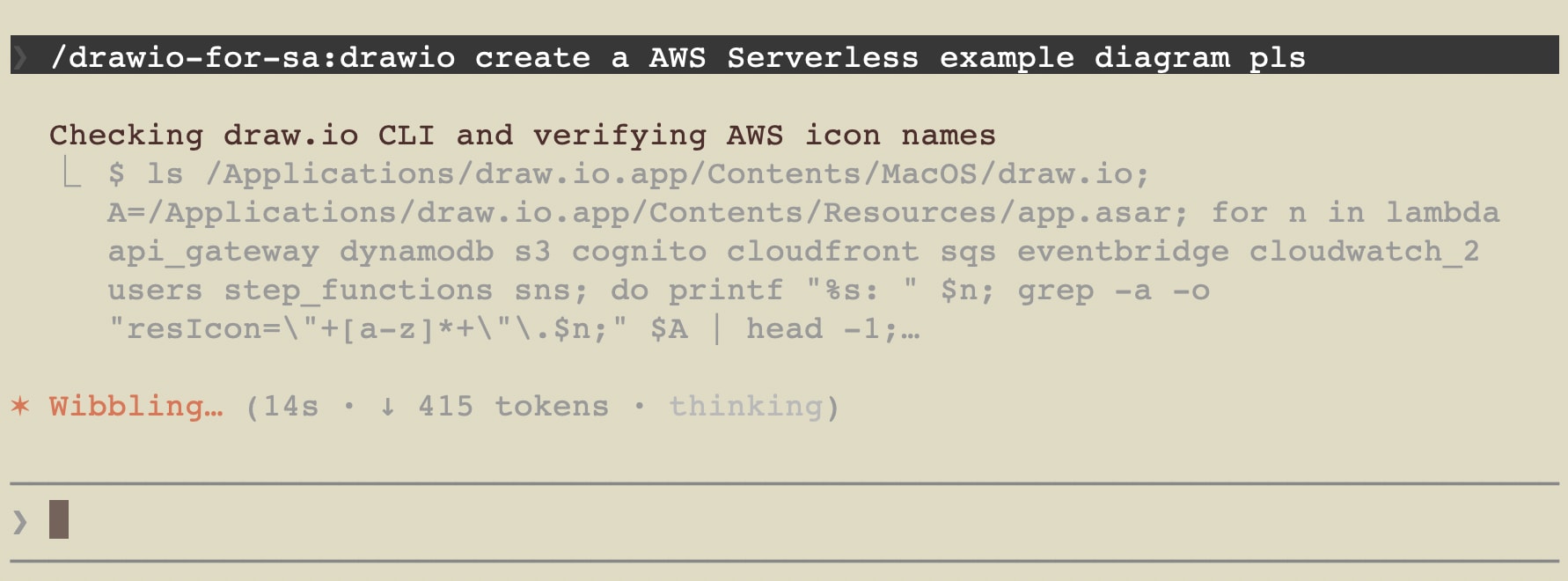
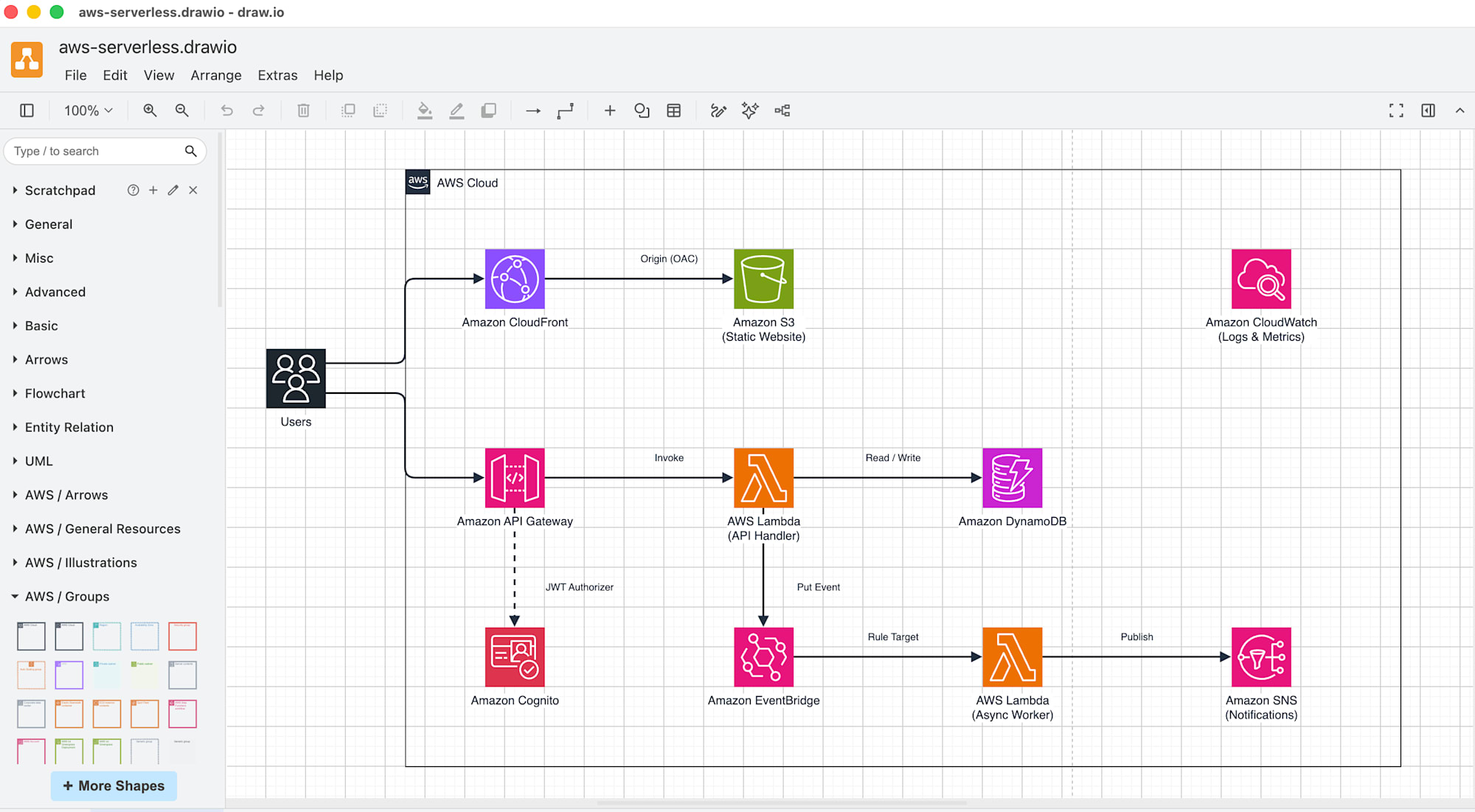
Here is the generated system architecture diagram.
Conclusion
The work of converting to a Plugin was simply a matter of writing plugin.json and marketplace.json and copying the Skill folder.
Since registering the Marketplace and installing the Plugin are separate steps, I made sure to clearly state in the README that there are two steps.
Packaging a Skill as a Plugin makes it much easier to use in future projects and convenient to share with team members. By updating it little by little, you can have your own setup available anywhere, and it also looks like it will make managing team setups easier. Please give it a try.
