Building RAG with Azure AI Search (Foundry IQ) and Microsoft Foundry

This page has been translated by machine translation. View original
I Want to Leverage My Past Documents as Knowledge!
I'm Asano from the Manufacturing Business Technology Department.
Actually, alongside my work as an engineer, I also work as a tanka poet who composes and writes about tanka poetry.
Over more than a decade of activity, I've written about tanka in various places, but one thing I surprisingly struggle with is how to make use of those articles after publication.
It's already wonderful just having someone read them after publication, but since I worked hard to write them, I'd love to make better use of them!
So this time, I'll create a Retrieval-augmented generation (RAG) centered around Azure AI Search (Foundry IQ) and Microsoft Foundry, making it possible for AI to answer questions based on the texts I've written.
If it works well, I might even be able to have the AI find and utilize texts I've completely forgotten about!
What is Azure AI Search (Foundry IQ)?
Azure AI Search is a search service for leveraging data with AI.
It features two engines — classic search and agentic search — and supports full-text, vector, hybrid, and multimodal search.
Meanwhile, Foundry IQ is a managed knowledge layer built on top of Azure AI Search.
It provides a mechanism for AI agents to efficiently utilize knowledge.
What is Microsoft Foundry?
Microsoft Foundry is an AI platform for building and managing AI apps and agents.
It brings together features for developing and operating AI-powered apps and agents, including models, agent frameworks, knowledge, and tools.
The service previously known as Azure AI Studio / Azure AI Foundry is now offered in a more integrated form.
Let's Try It
Prerequisites and Notes
- In this article,
(Europe) Sweden Centralis specified as the region for resources. At the time I tried this and within the scope of my usage plan, the regions where certain models could be used in Microsoft Foundry were limited, and I chose this region because I wanted to place resources in the same region as much as possible.- If you prefer to operate in a specific region, please check the latest information for each service in advance before configuring your settings.
- The UI for Azure and Microsoft Foundry is subject to change.
- Microsoft Foundry in particular is a service with significant changes due to improvements, with its announcement in November 2025 and a new portal going GA in March 2026. Please be aware of changes in navigation flows.
- Using Azure as described in this article may incur a small cost.
- However, Azure has a free tier. You are unlikely to incur much cost within the scope of this article, but if you're concerned, please delete the resources you created after finishing your work.
Preparing a Resource Group
First, let's create a resource group so we can manage all the resources we create together.
Open "Resource groups" from the left pane of Azure or elsewhere.
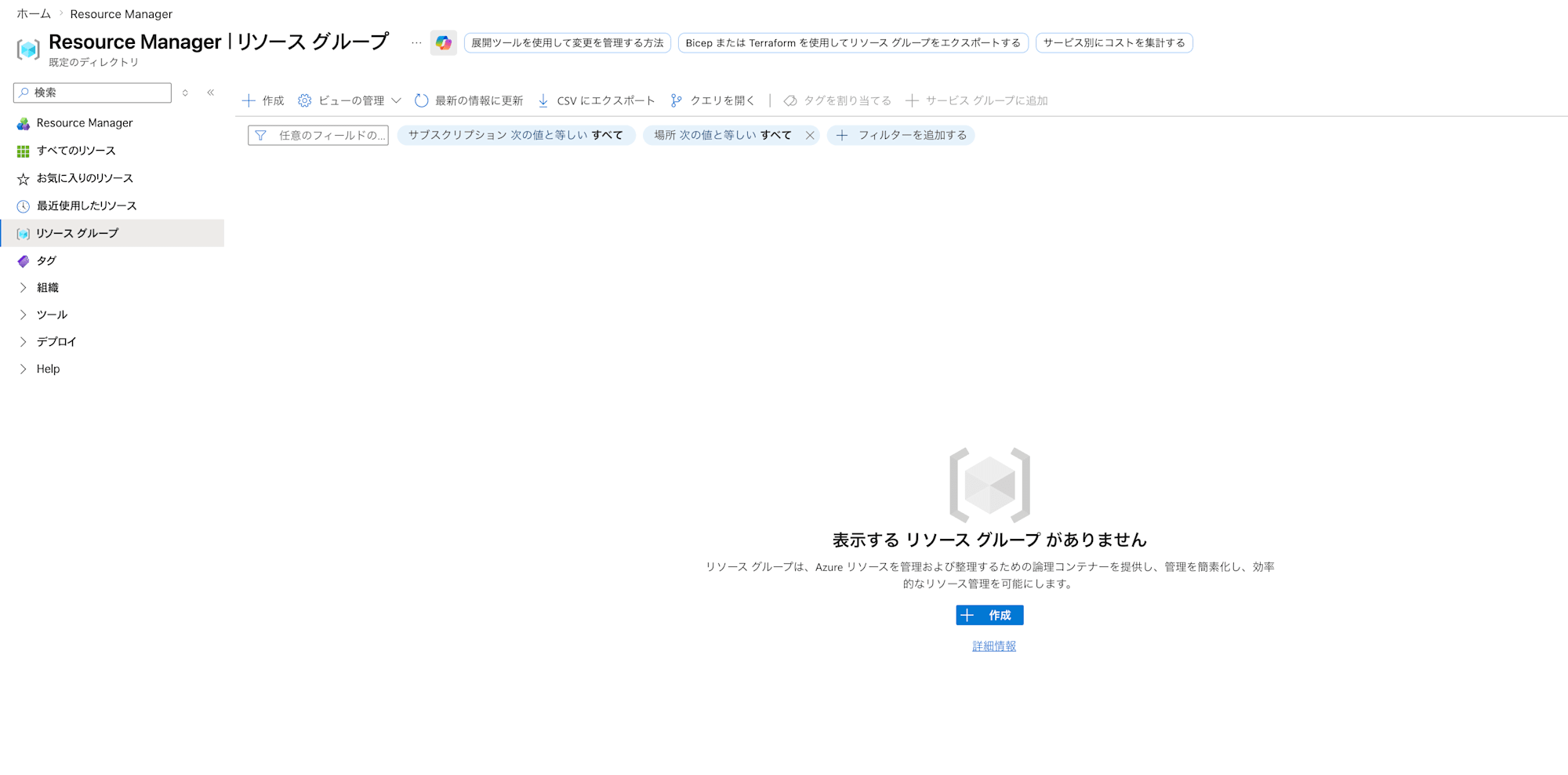
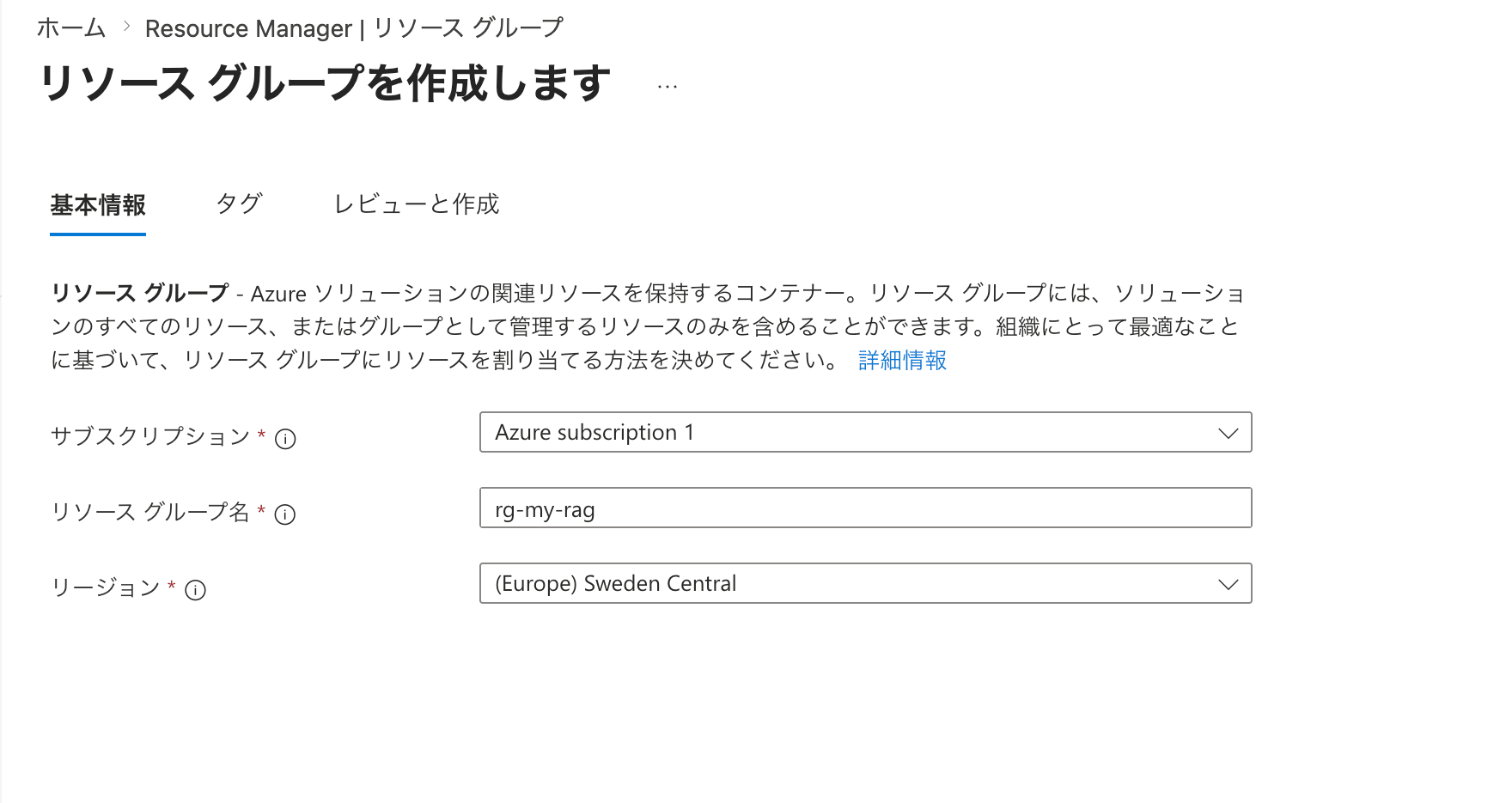
From "Create" in Resource groups, navigate to the resource group creation screen and enter the information.
Here I filled it in as follows. For all other values, leave them at their default values and create using "Review + create".
| Field Name | Value |
|---|---|
| Subscription | Your subscription |
| Resource group name | rg-my-rag |
| Region | (Europe) Sweden Central |
Preparing a Storage Account and Blob Storage Container
Next, create a storage account to store the documents that will be the search target for RAG.
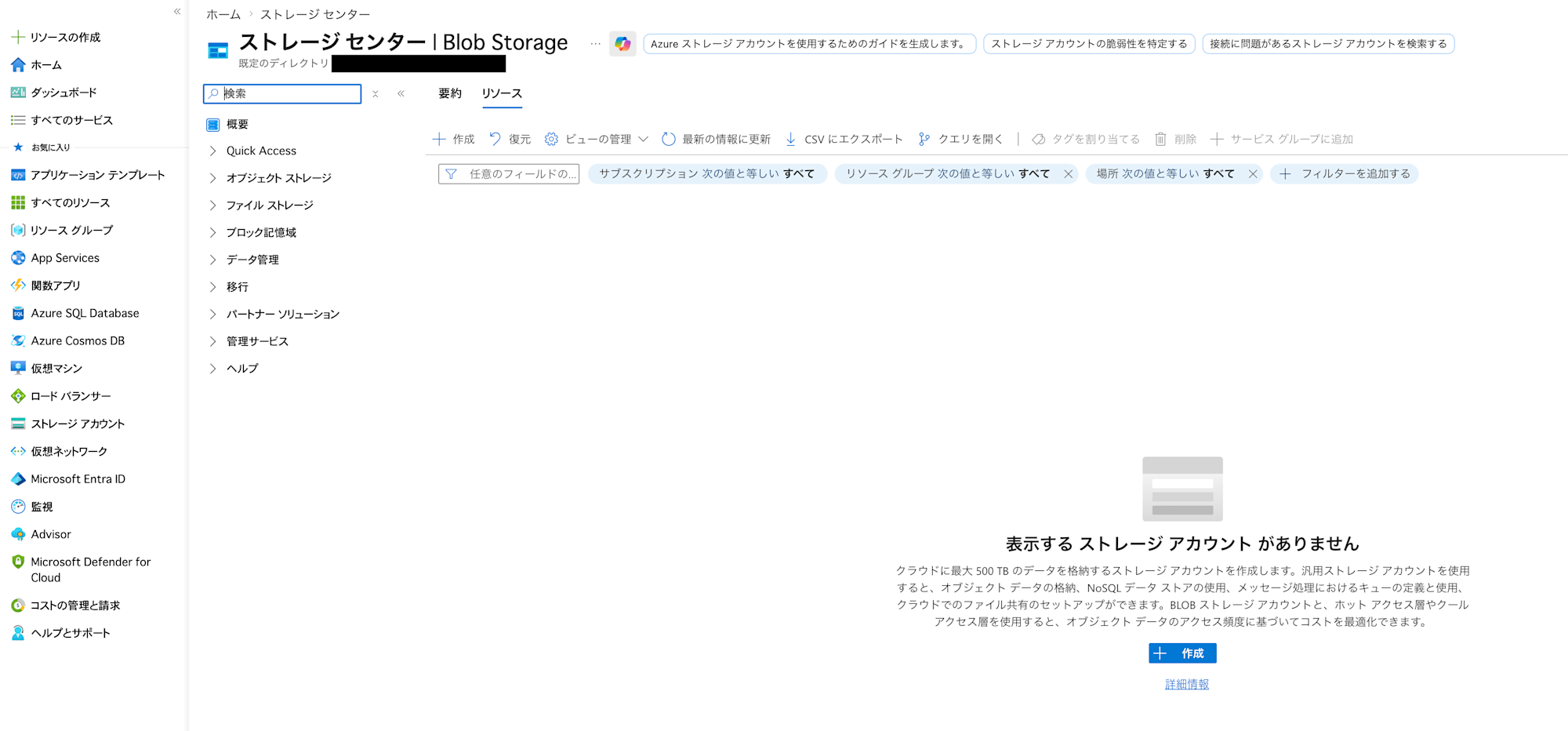
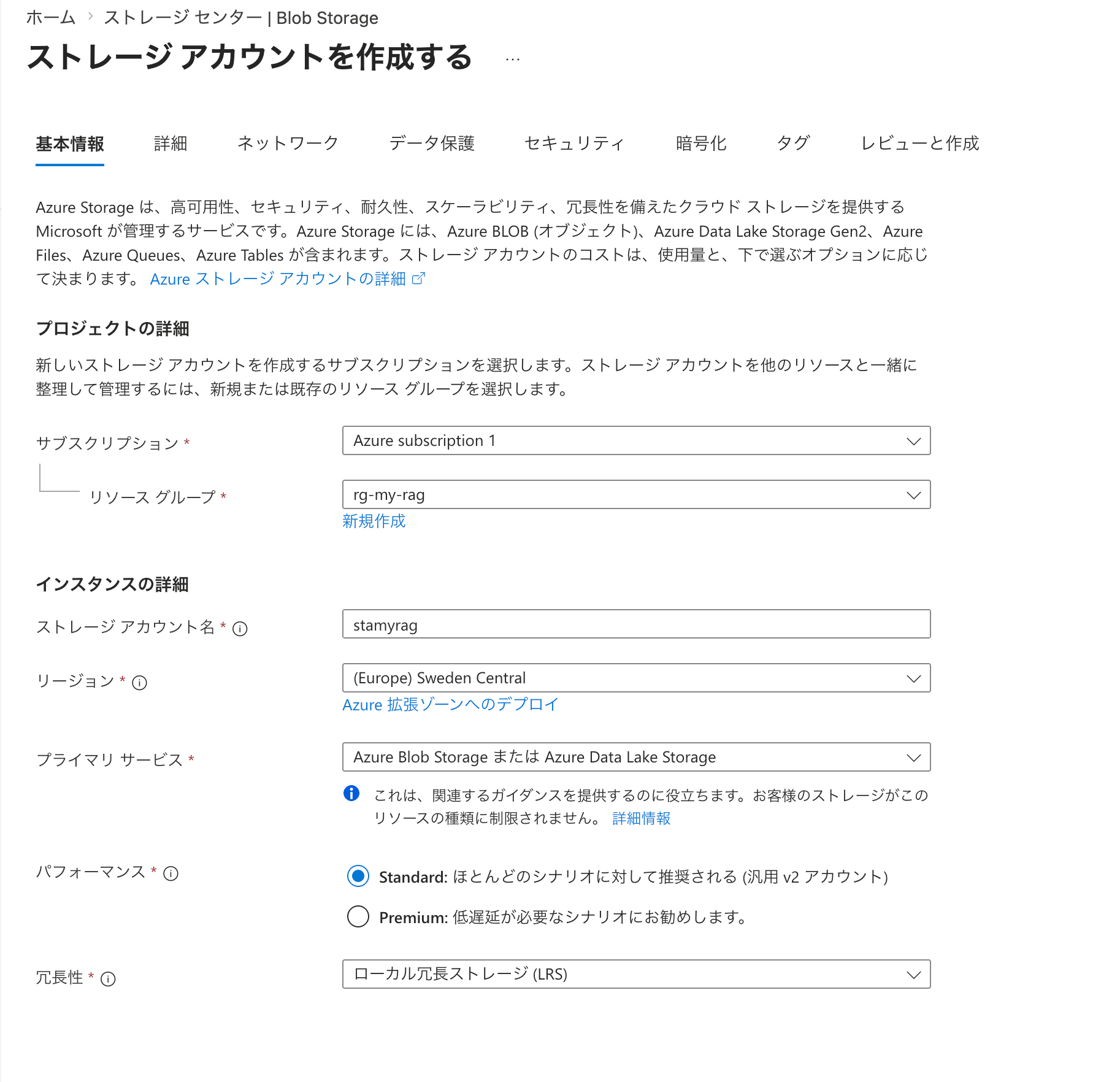
Select "Storage accounts" from the left pane, and click "Create" on the "Storage center" screen that opens.
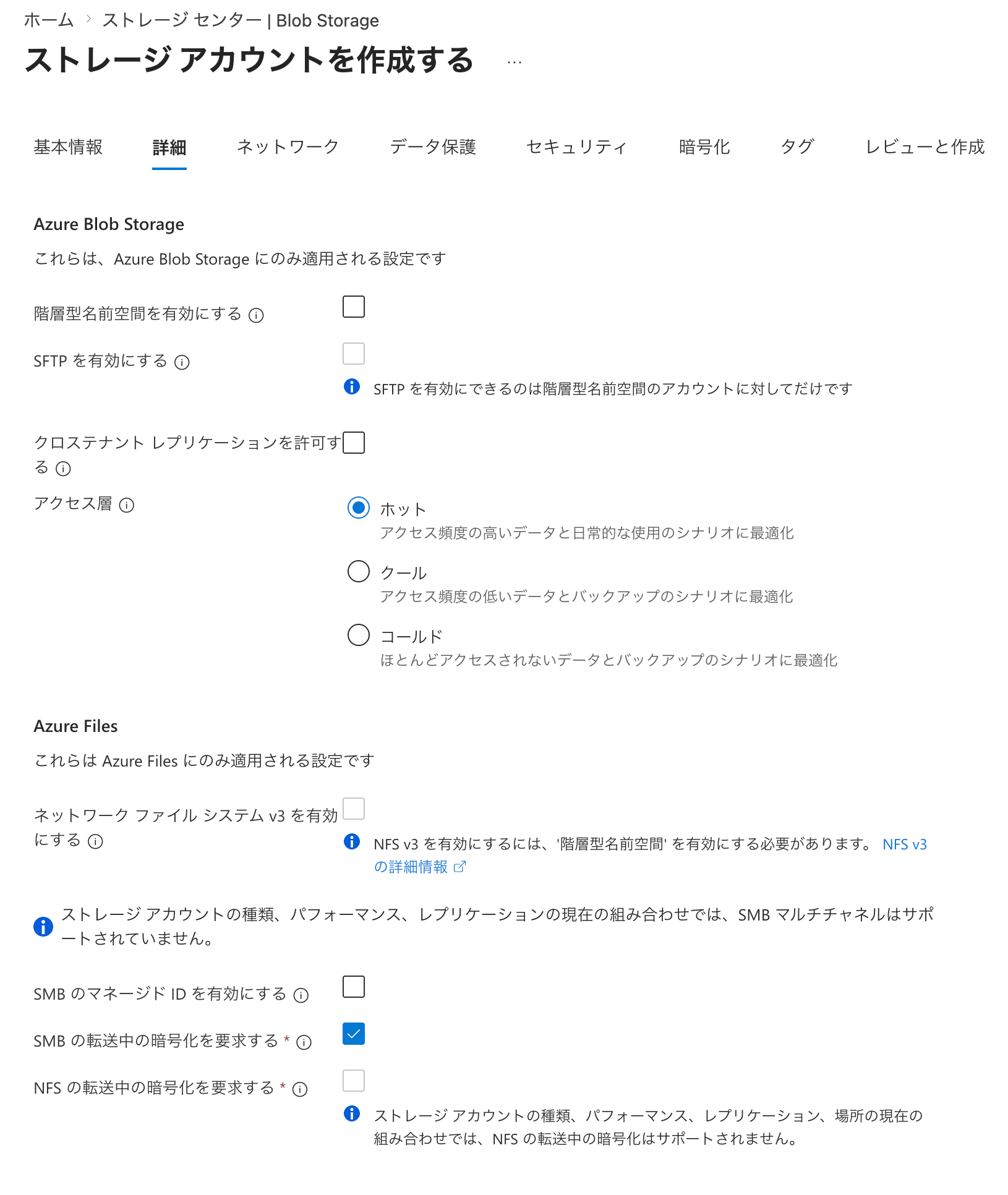
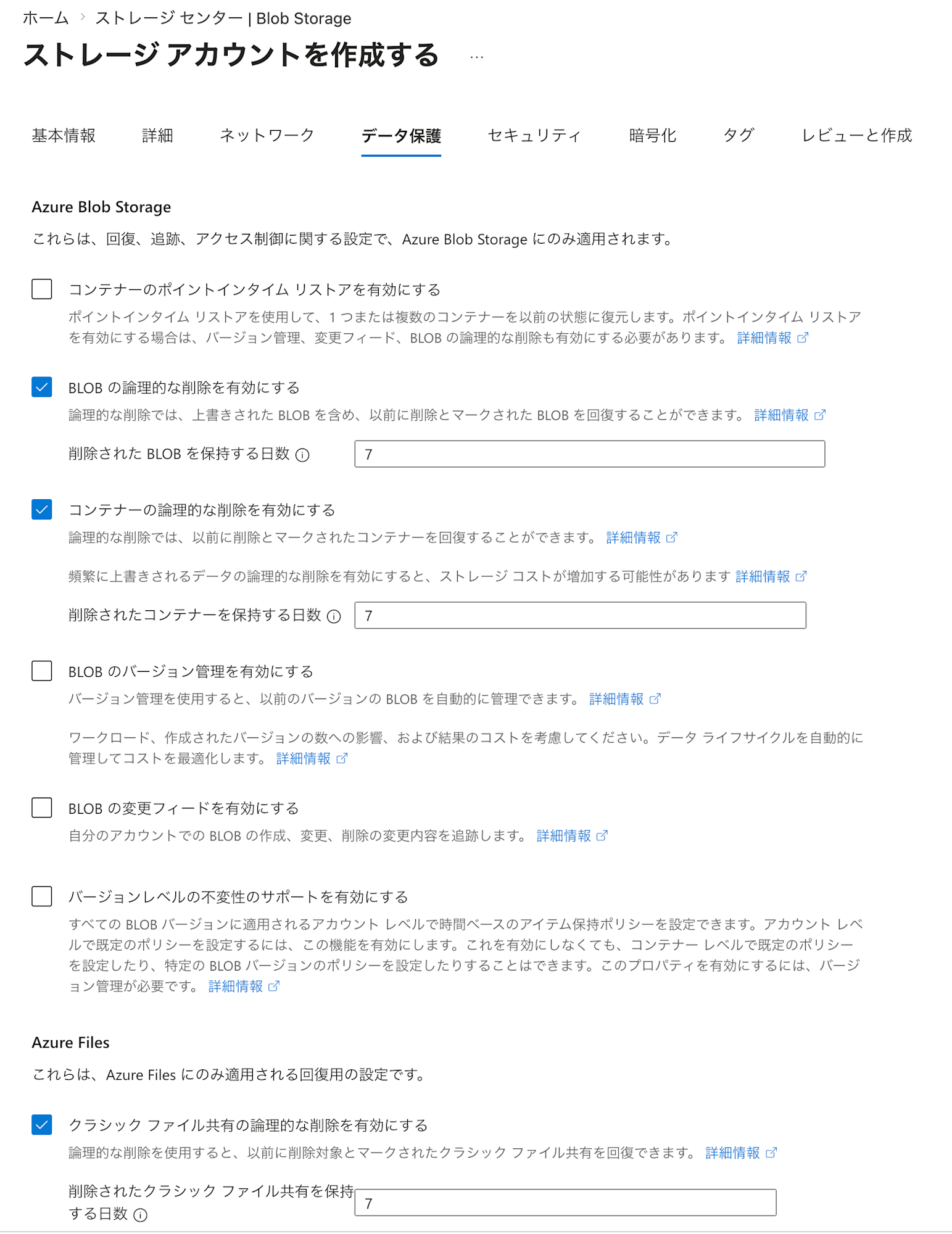
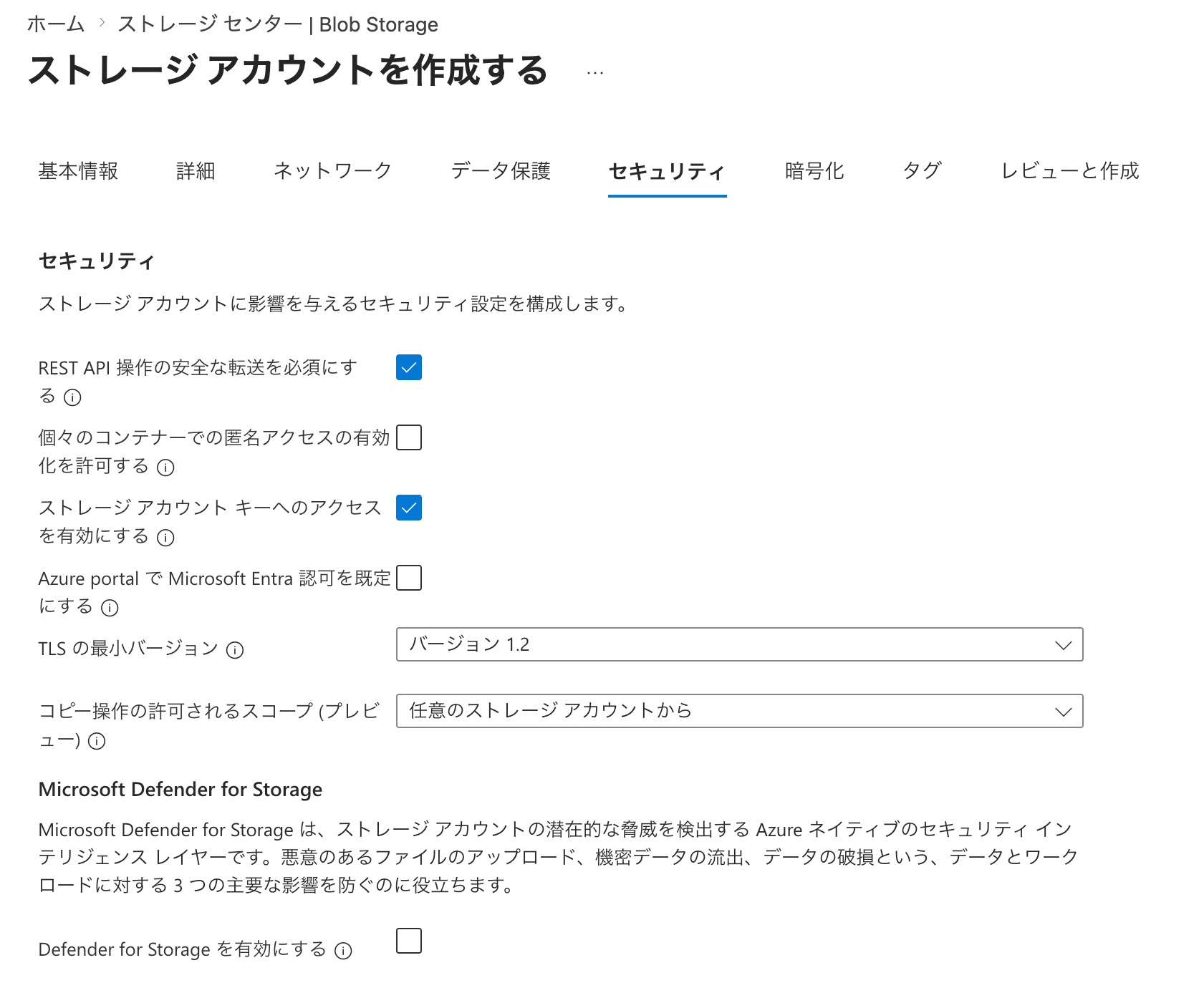
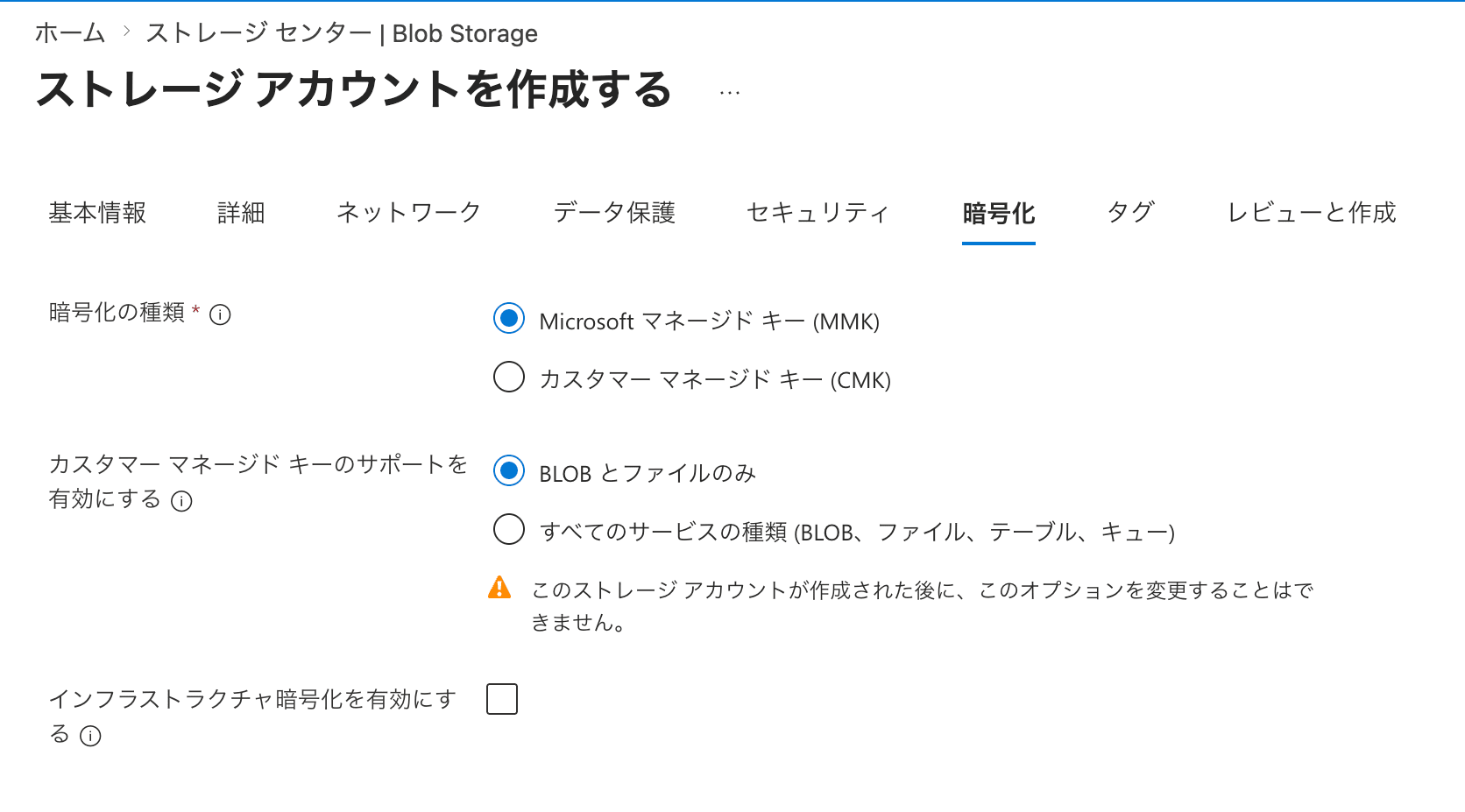
On the creation screen, I configured the following settings. Items not listed here are left at their default values.
| Field Name | Value | Notes |
|---|---|---|
| Resource group | rg-my-rag |
|
| Storage account name | stamyrag |
|
| Region | (Europe) Sweden Central |
|
| Primary service | Azure Blob Storage or Azure Data Lake Storage |
|
| Redundancy | Locally redundant storage (LRS) |
Replicates three copies of data within a single physical datacenter. Protects against drive, server, and rack failures, but if the entire datacenter fails (e.g., fire or flood), all replicas may be lost. Selected for this validation because it has the lowest cost. |
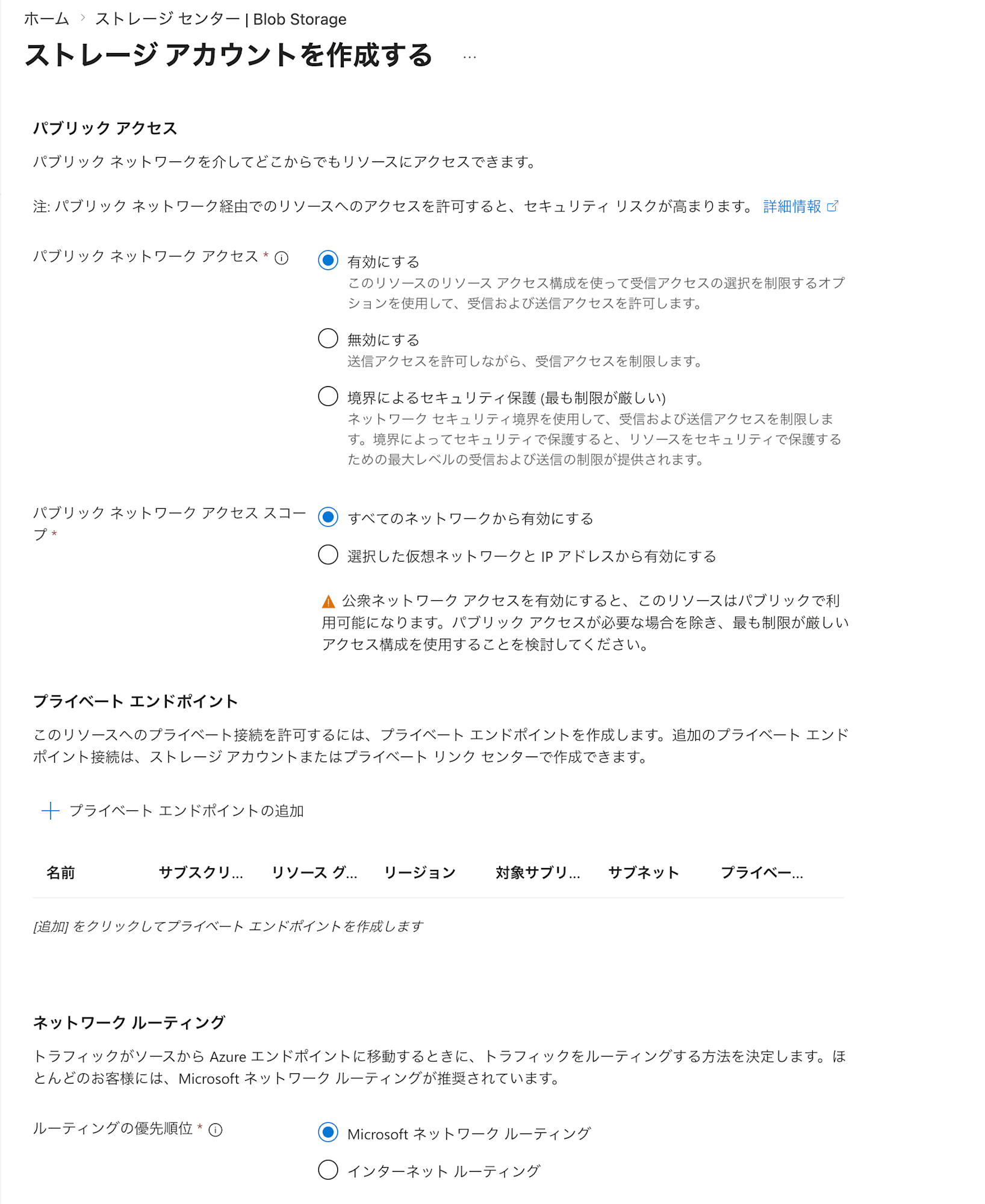
| Public network access | Enabled |
It's enabled by default, which may cause some concern, but what's being configured here is only "whether access is possible." As long as you don't check Allow enabling anonymous access on individual containers under Security, authentication is required to view the contents. |
| Public network access scope | Enable from all networks |
This is the default value. |
Once the storage account is created, next we'll create a Blob Storage container to serve as the storage location for documents.
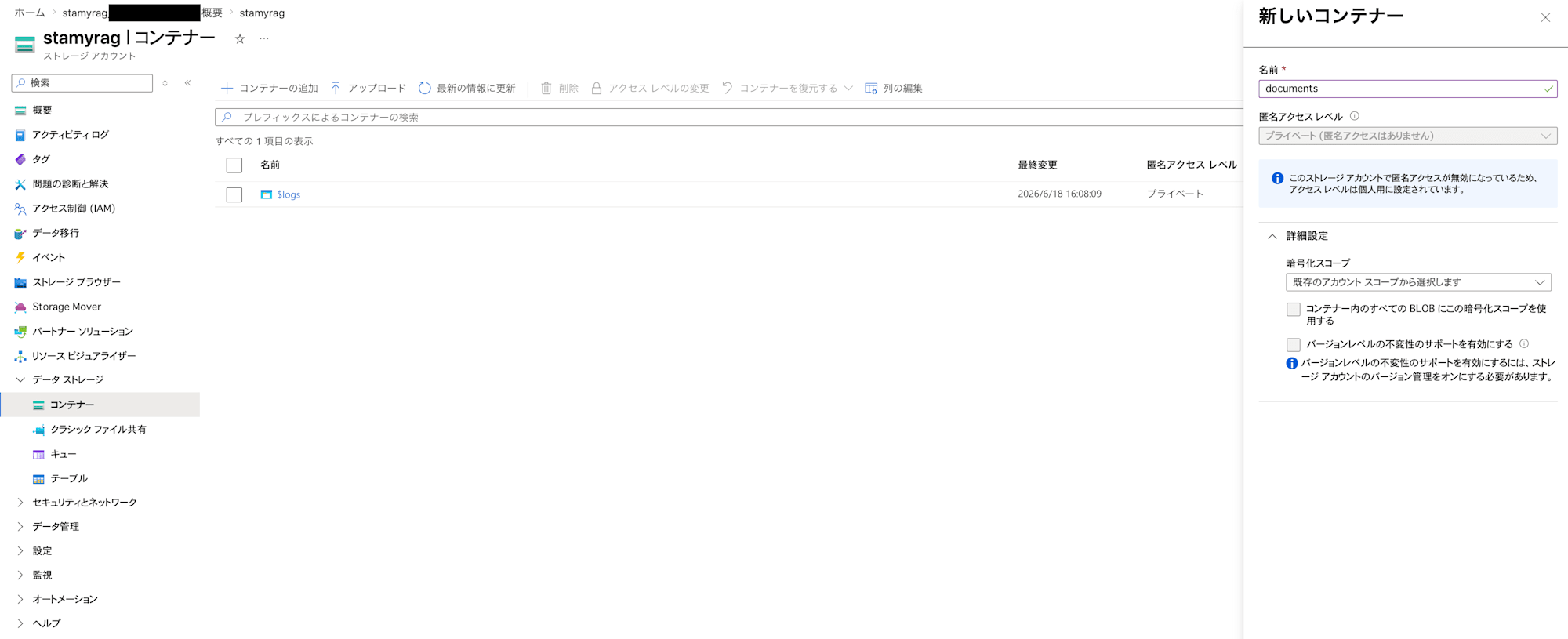
From the pane within the storage account, open "Data storage" > "Containers" and click "Add container". The "New container" UI will appear; enter documents as the container name and create it.
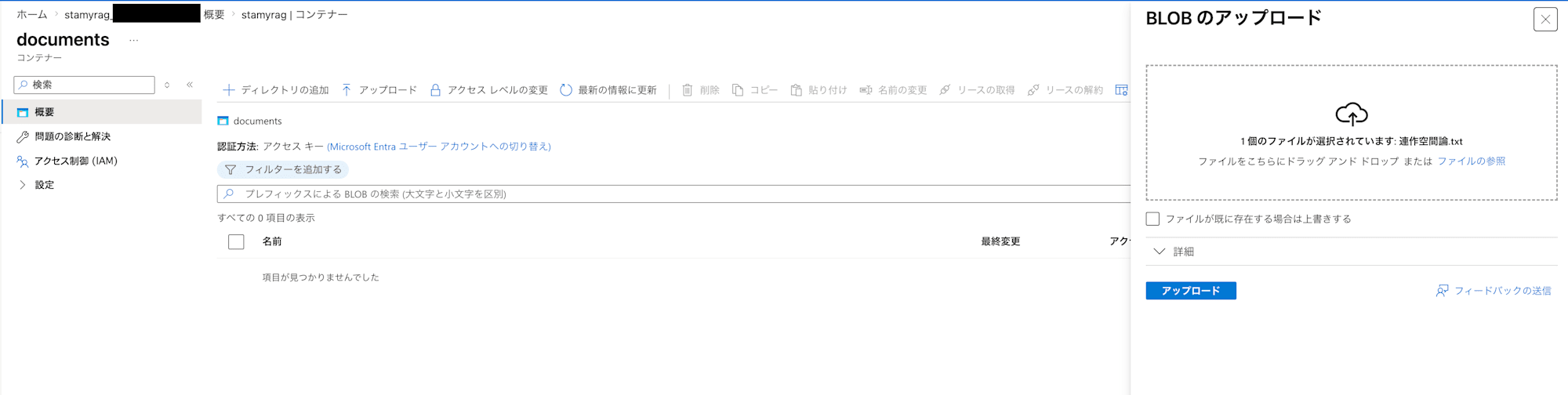
Place the documents you want to use as the RAG information source into the created container.
Here, I placed a text file of a critical essay about tanka that I wrote in the past. The file size is about 100KB and the character count is around 30,000 characters. There is a format called "rensakku" (a series of tanka poems), and the content of the essay is about handling that format with ideas from linear algebra. Although the essay has been published, it is not publicly available on the internet, so it cannot be found through simple web searches, and there are not many other examples making similar arguments, which made it a good fit for validating RAG.
Preparing Azure AI Search (Foundry IQ)
Let's prepare Azure AI Search (Foundry IQ) for searching through the data.
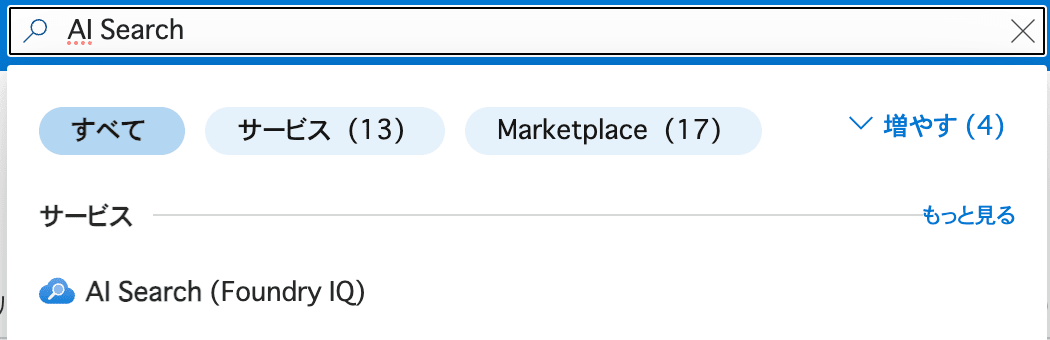
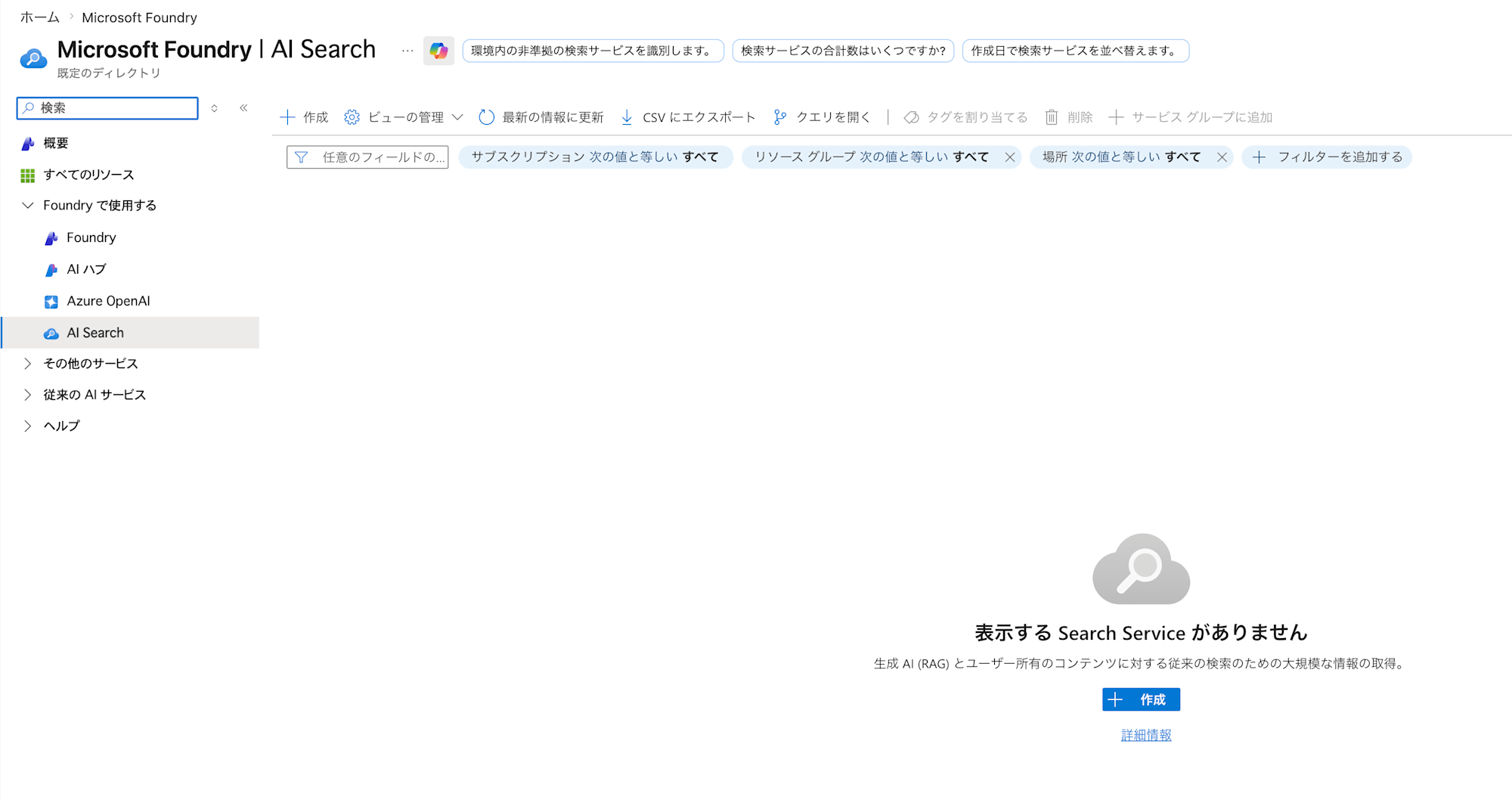
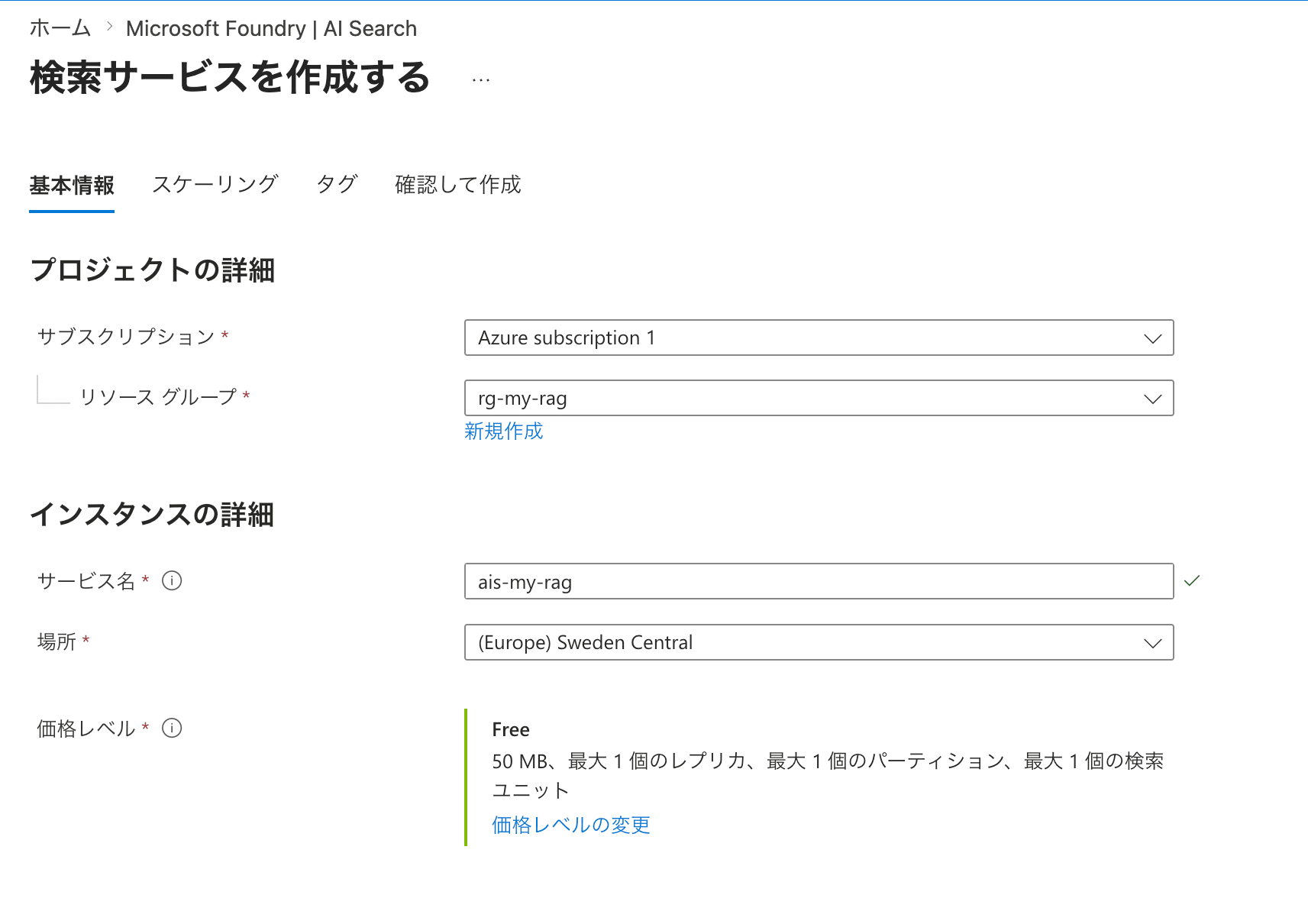
Search for AI Search or similar in the search bar to display AI Search (Foundry IQ). Once the AI Search screen is open, create an AI Search from "Create". The settings are as follows (all others are default values).
| Field Name | Value | Notes |
|---|---|---|
| Resource group | rg-my-rag |
|
| Service name | ais-my-rag |
|
| Location | (Europe) Sweden Central |
|
| Pricing tier | Free |
Selected to keep costs down since this is a validation. |
Granting AI Search Permission to Access the Storage Account
Let's allow the AI Search we created to access the data in the storage account.
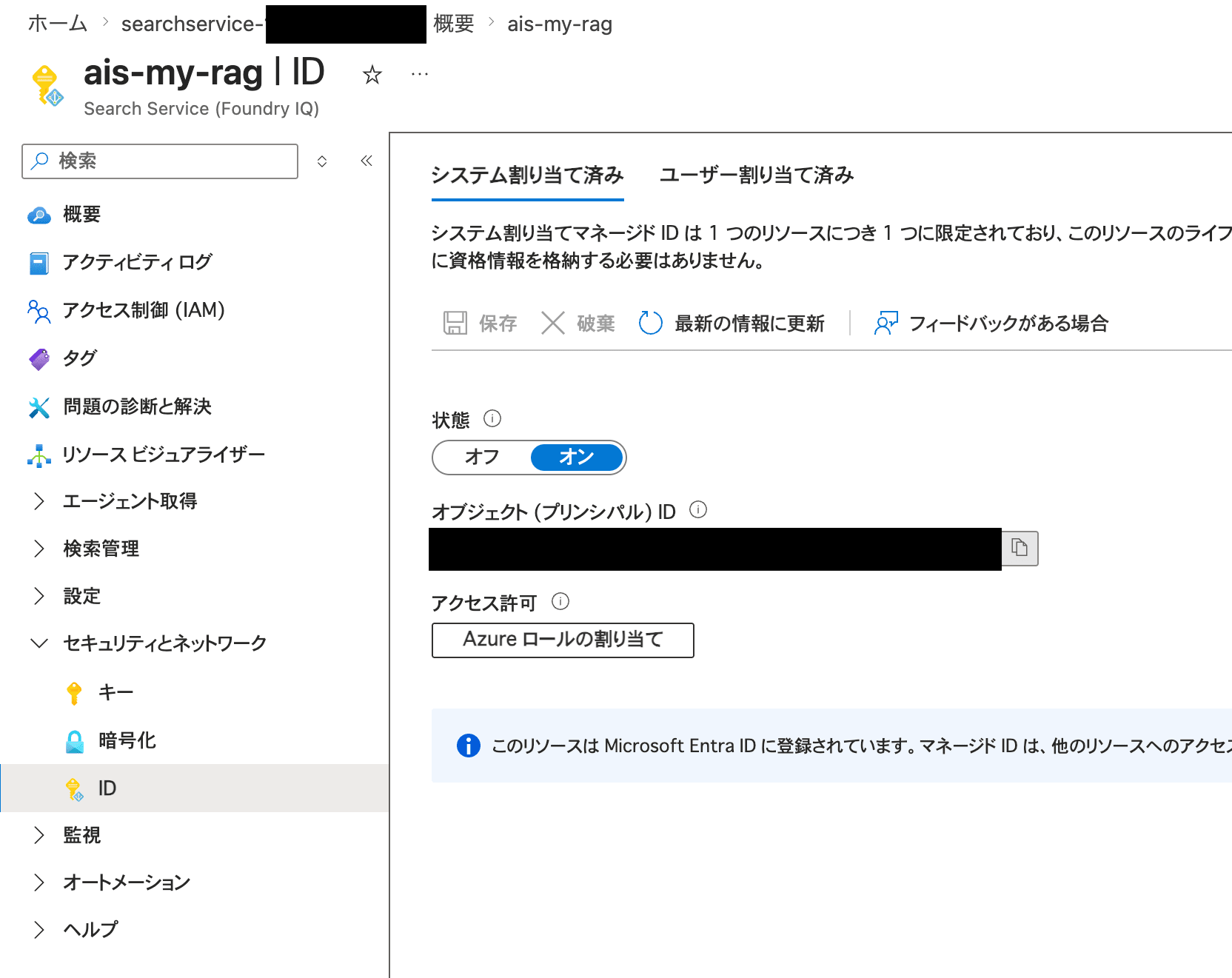
First, from the left pane on the AI Search side, go to "Security and networking" > "Identity". In the "System assigned" tab, toggle the status to "On" and save. This creates a system-assigned managed identity — an identity for AI Search.
Grant permissions to the managed identity you prepared, from the storage account side.
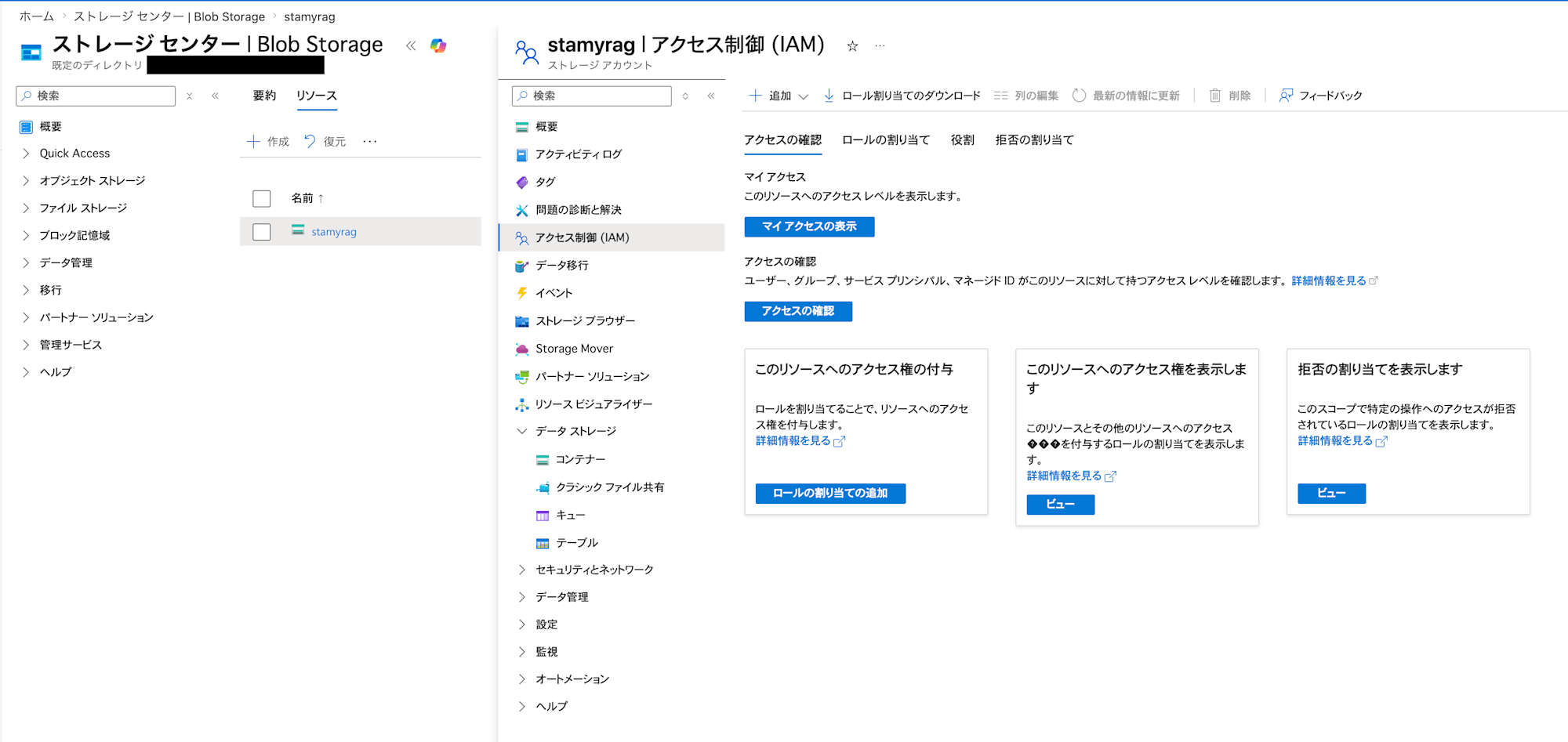
Open the storage account again, and from "Access control" on the storage account, go to "Add" > "Add role assignment".
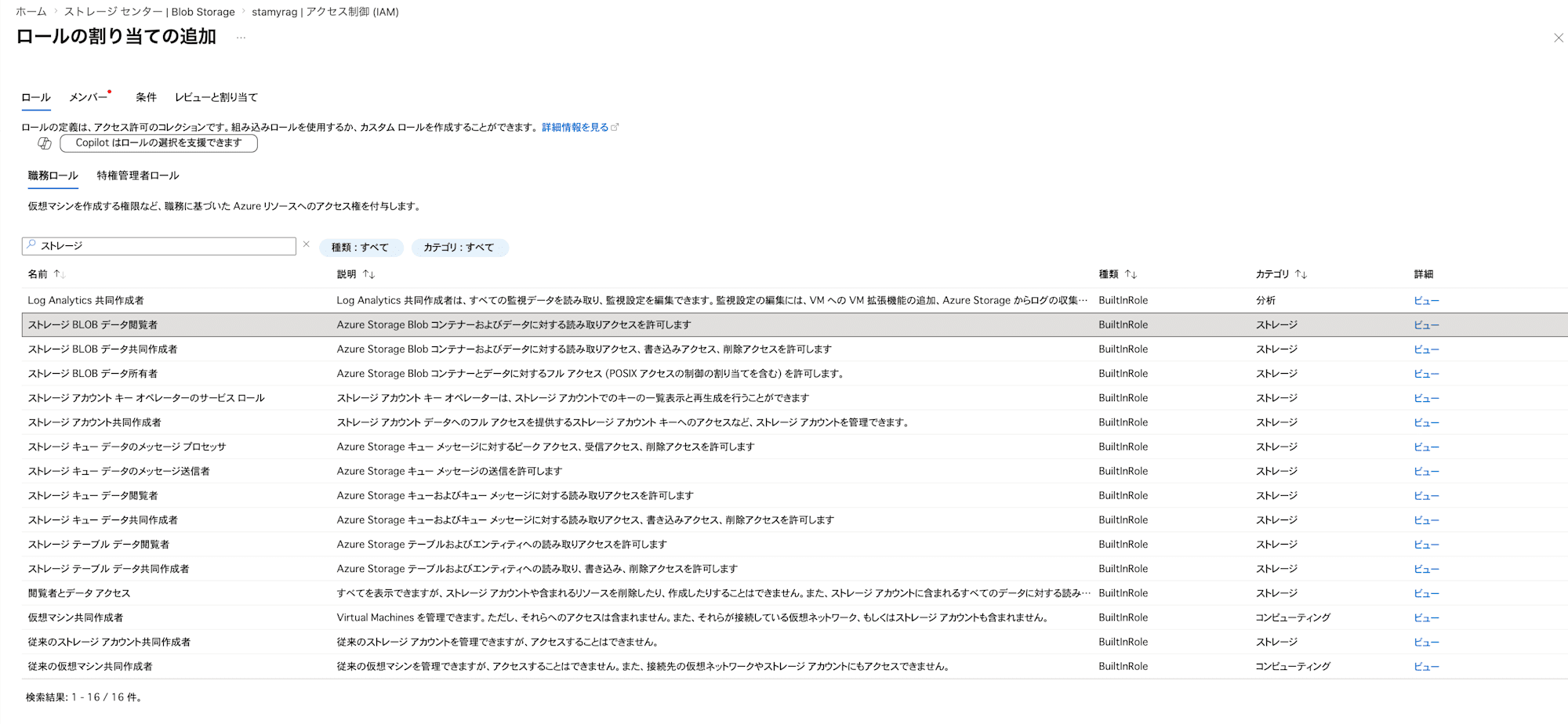
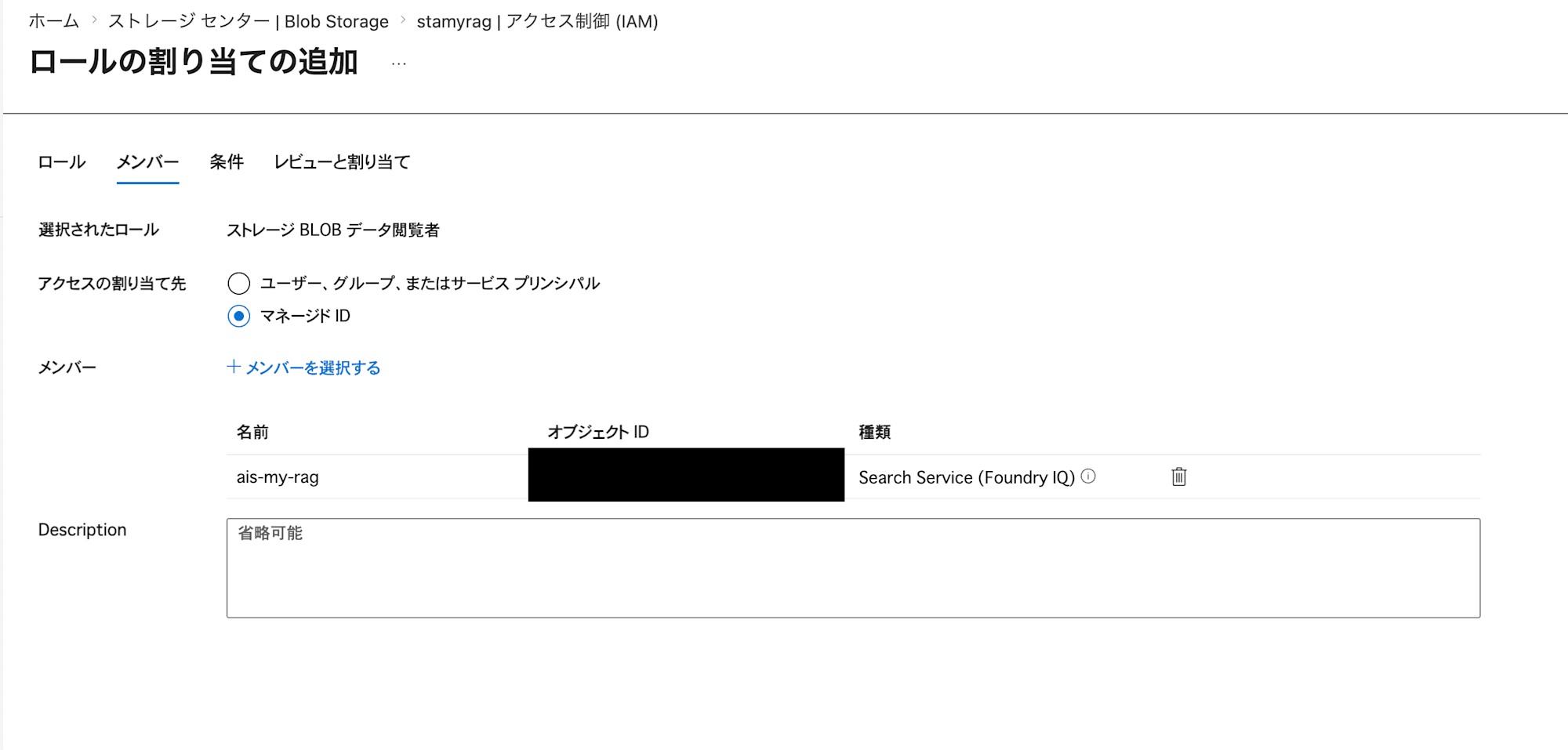
In "Add role assignment", grant the Storage Blob Data Reader permission to the managed identity of the AI Search you just created.
Preparing a Project in Microsoft Foundry
There are still things to set up in AI Search, but first there are resources we need to prepare in Microsoft Foundry.
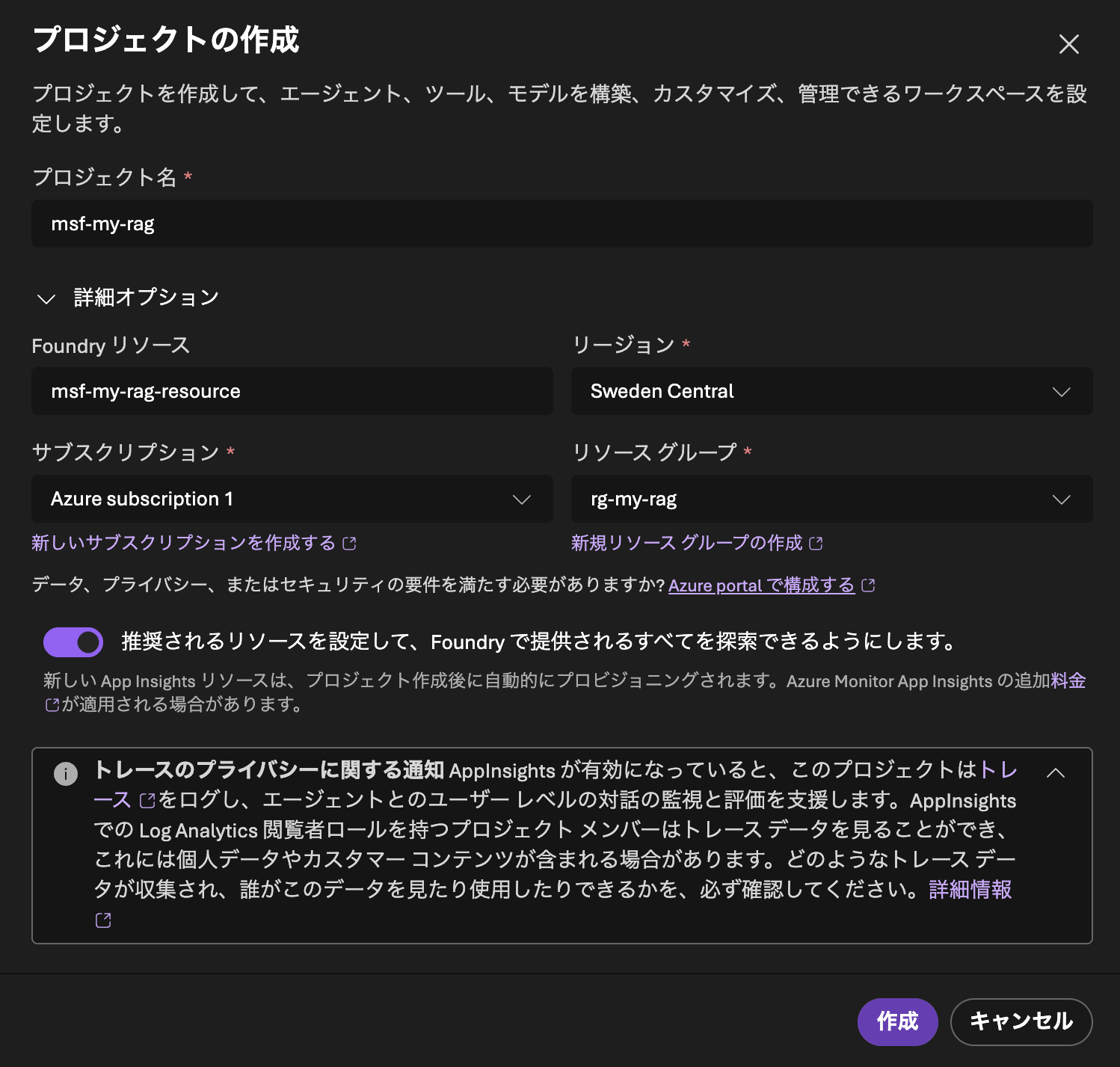
First, sign in to Microsoft Foundry and create a project. The settings are as follows.
| Field Name | Value |
|---|---|
| Project name | msf-my-rag |
| Foundry resource | msf-my-rag-resource |
| Subscription | Your subscription |
| Region | Sweden Central |
| Resource group | rg-my-rag |
After a short wait, the project creation should be complete.
Preparing Models in Foundry
In Foundry, first prepare the following two models.
- Embedding model:
text-embedding-3-small- Used to embed (vectorize) text.
- Answer generation model:
gpt-5-mini- Used to generate responses in natural language as RAG.
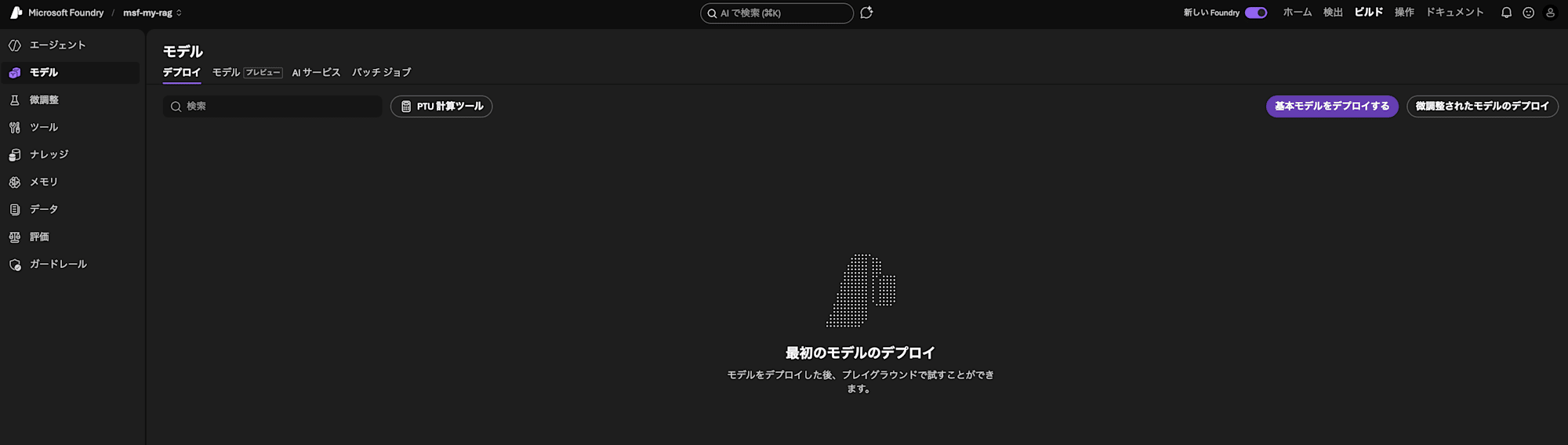
Let's start by preparing the Embedding model. From the project screen, go to "Build" > "Models" in the upper right of the screen. Then proceed to "Deploy a base model".
The available models are displayed. You can choose from a very wide variety of models. Search for text-embedding-3-small in the model search and open it.
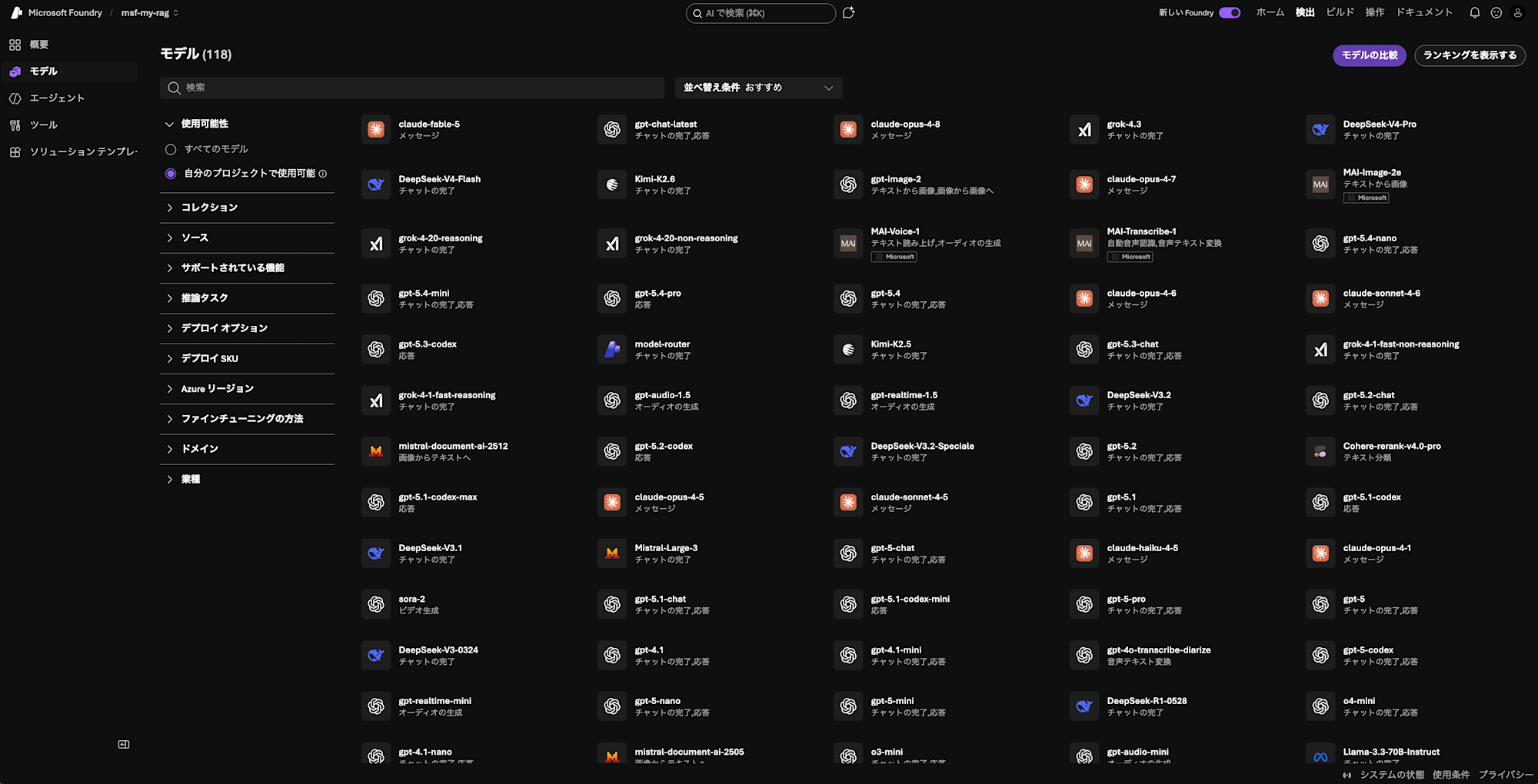
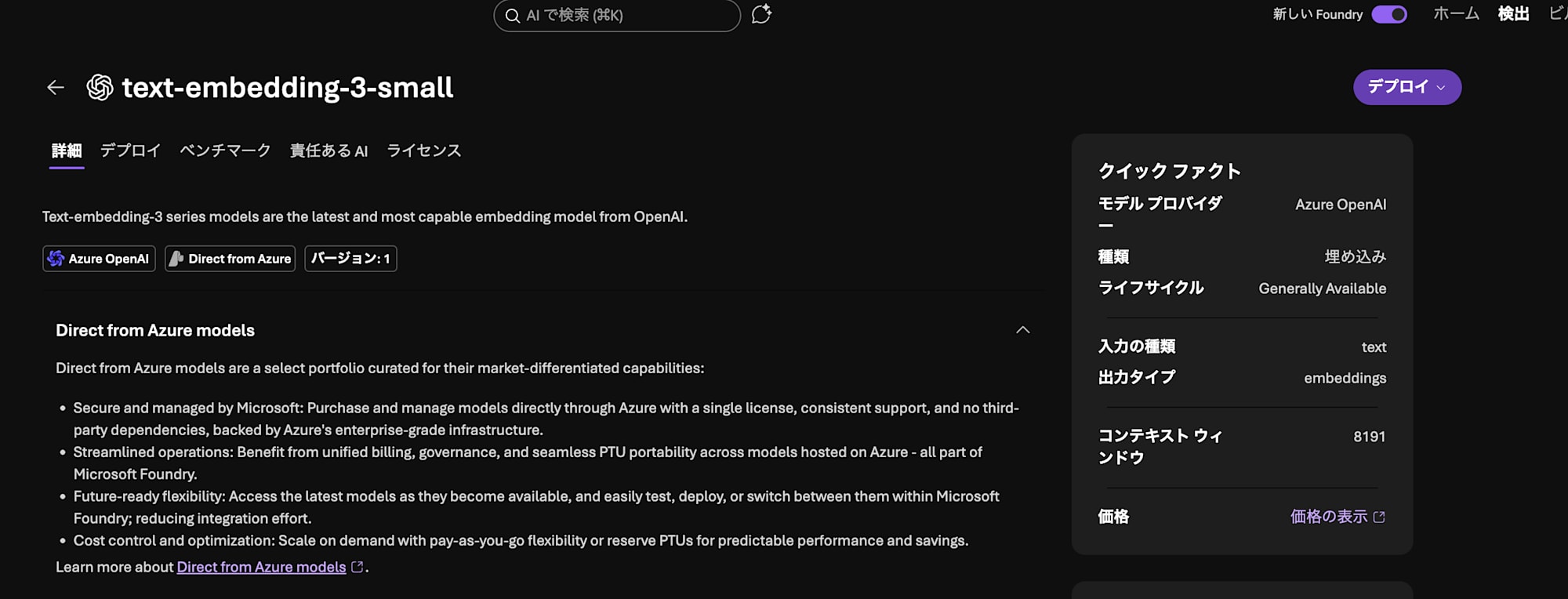
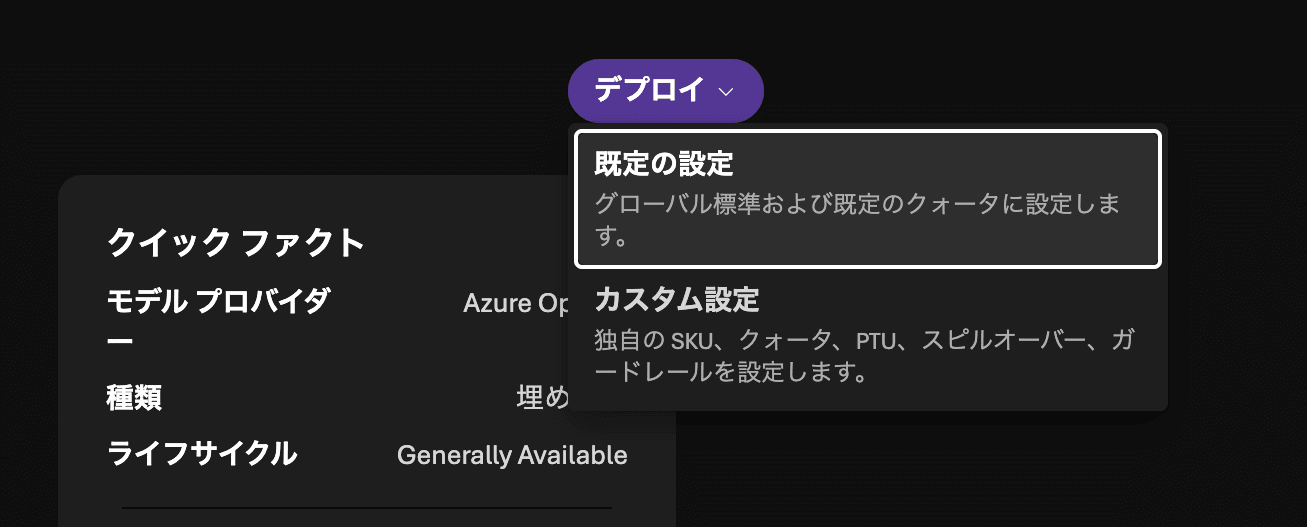
From the model's "Deploy", click "Default settings" to deploy.
Follow the same steps to deploy gpt-5-mini as well.
Importing Data in AI Search
Go back to the AI Search screen. Here, we'll import the Blob Storage data into AI Search while utilizing the Foundry model we created.
First, click "Import data" on the AI Search screen. Then select Azure Blob Storage as the data source, and choose RAG.

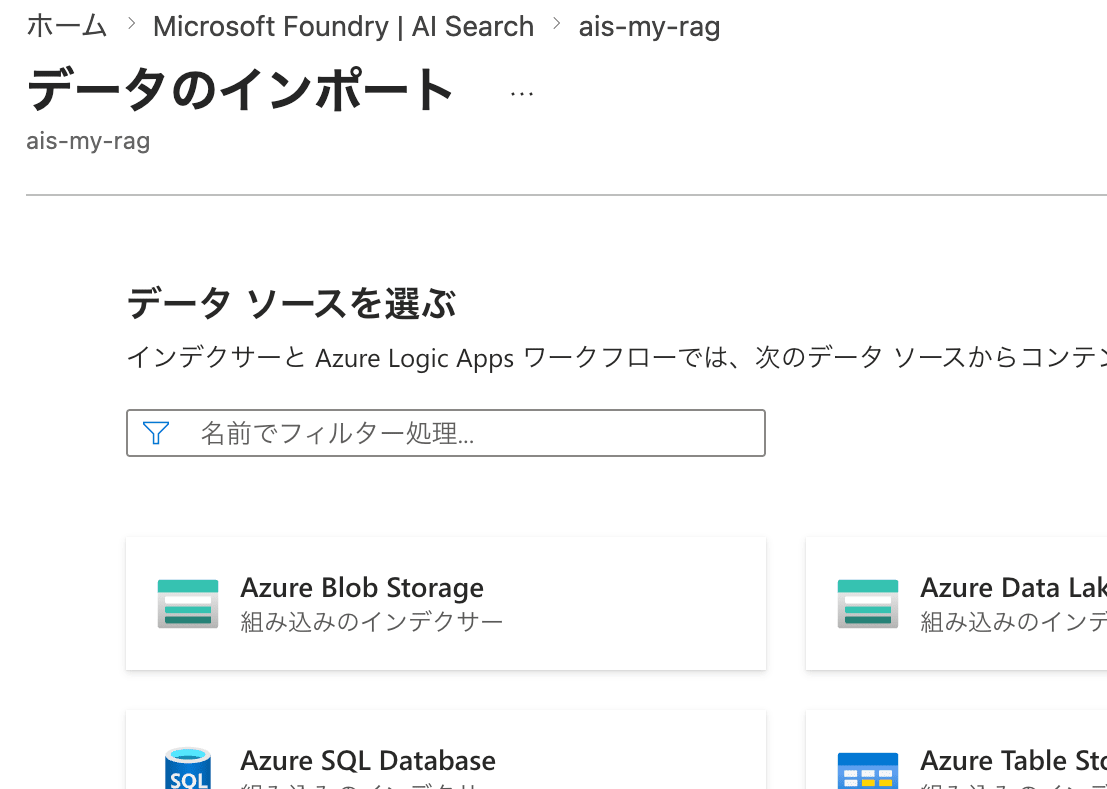
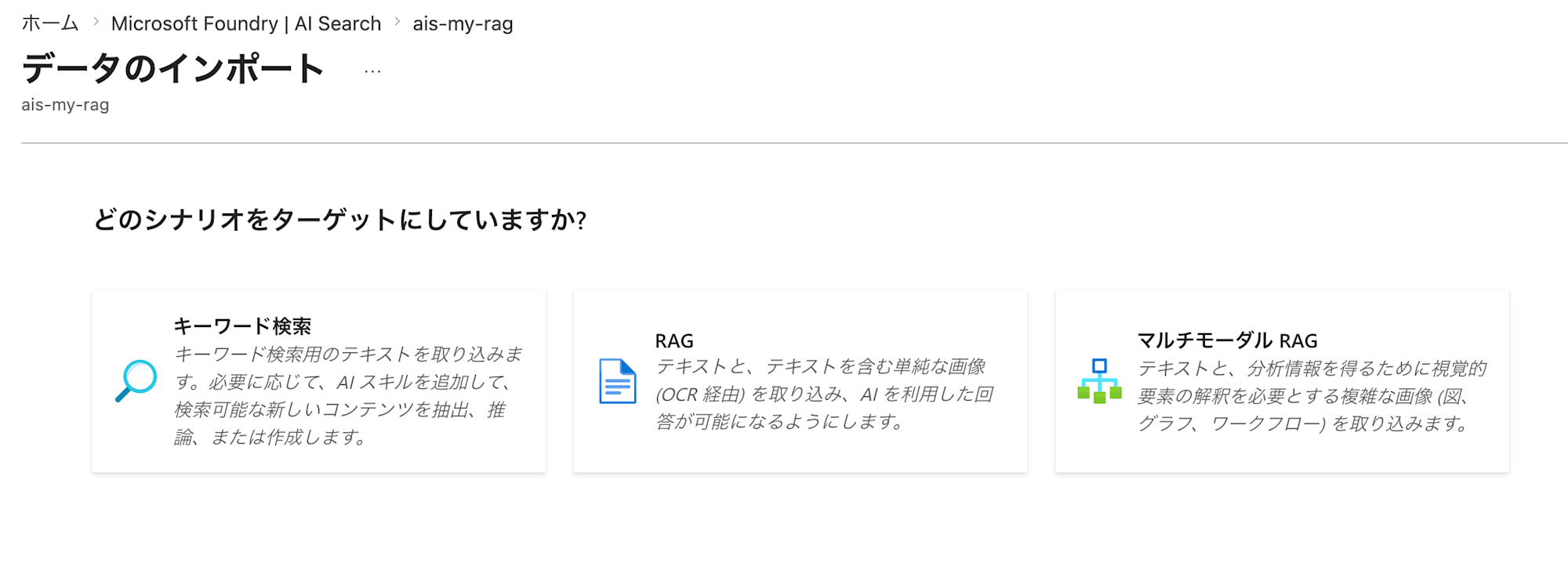
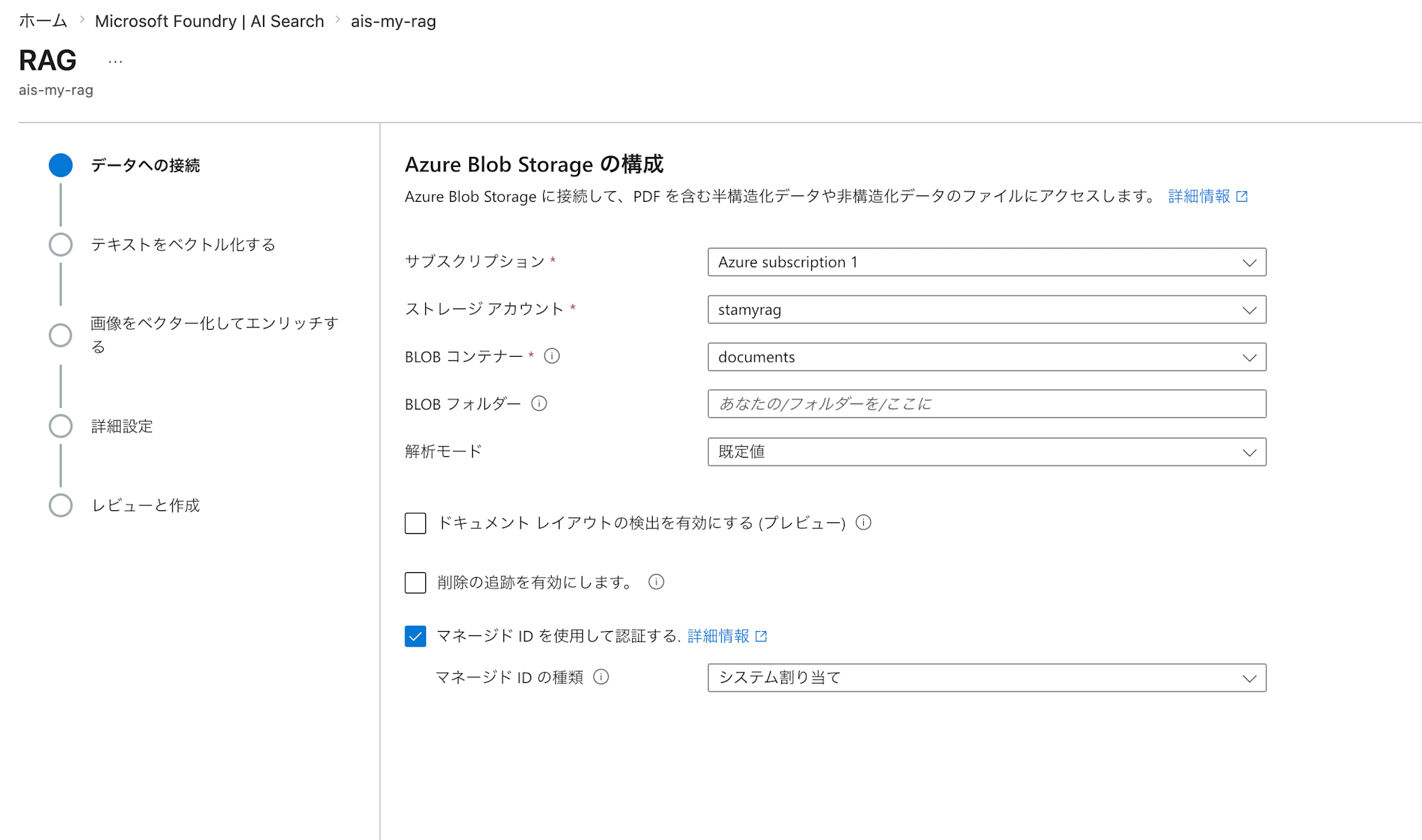
First, specify the Azure Blob Storage to import from.
| Field Name | Value | Notes |
|---|---|---|
| Subscription name | Your subscription | |
| Storage account | stamyrag |
|
| Blob container | documents |
|
| Enable deletion tracking | Unchecked (default) | By checking this, you can configure the search index to delete data in sync with data deletions from Blob Storage. |
| Authenticate using managed identity | Checked | |
| Managed identity type | System-assigned |
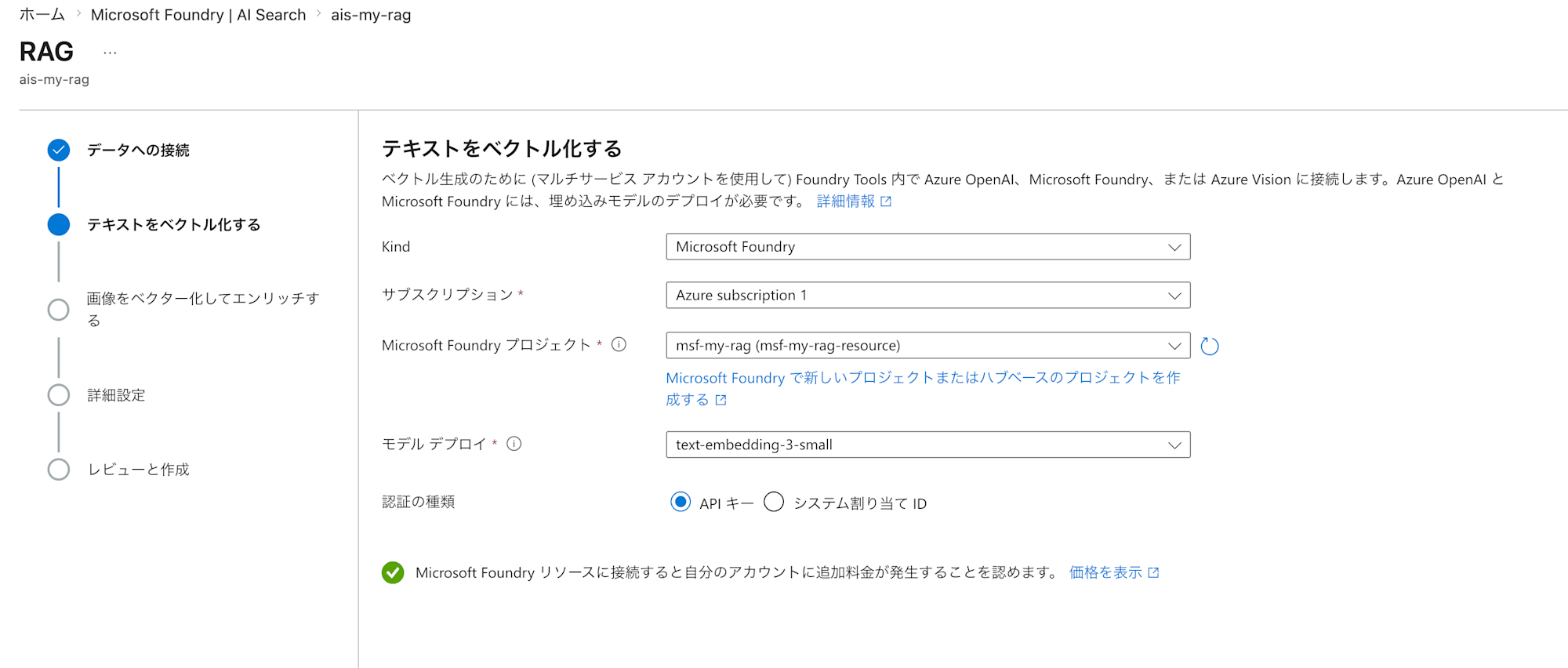
Next, configure the settings for vectorizing the text. Here we use the Foundry Embedding model we created earlier.
| Field Name | Value |
|---|---|
| Kind | Microsoft Foundry |
| Subscription | Your subscription |
| Microsoft Foundry project | msf-my-rag |
| Model deployment | text-embedding-3-small |
| Authentication type | API key |
| Acknowledgment that additional charges will apply | Check |
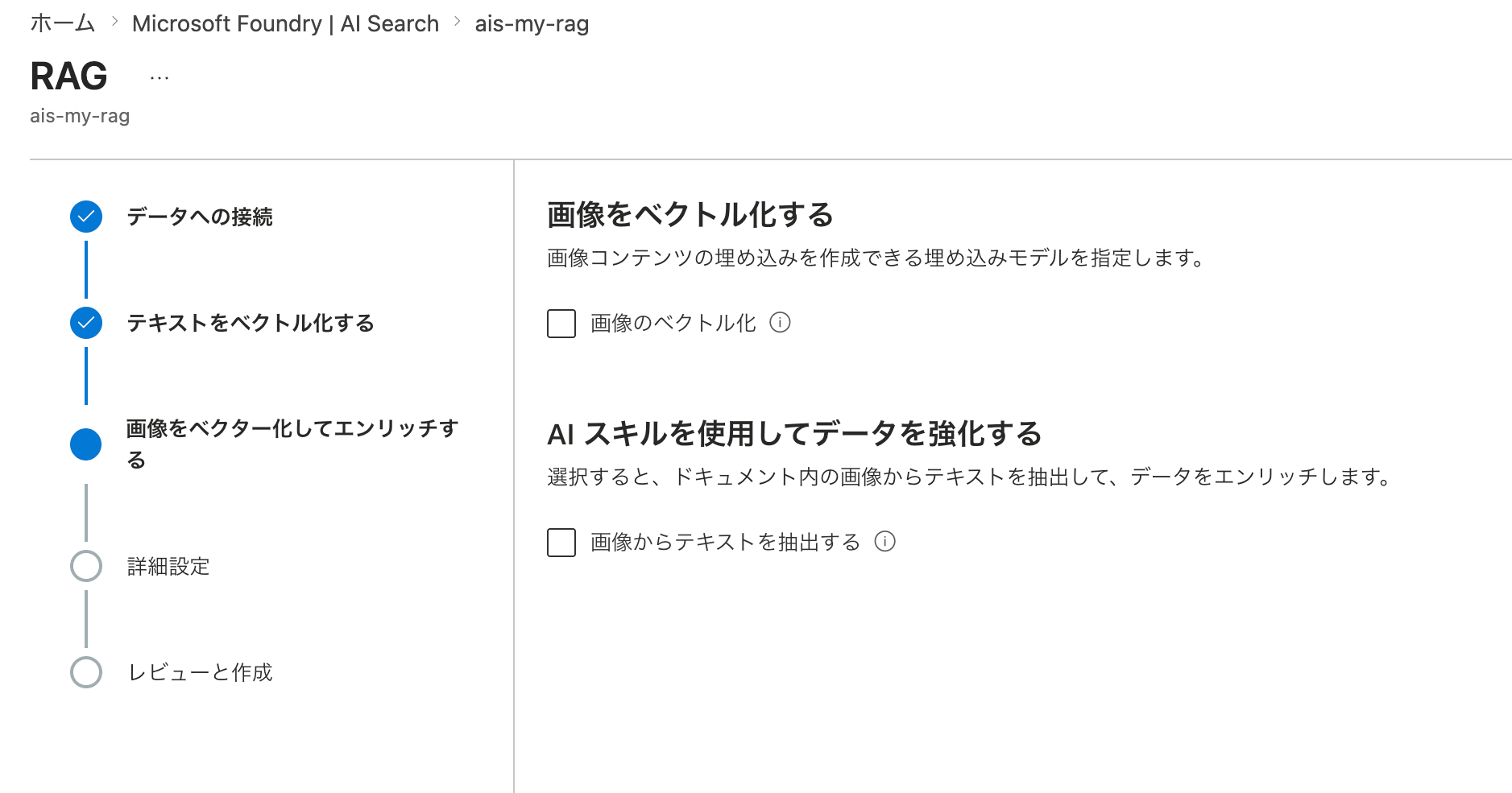
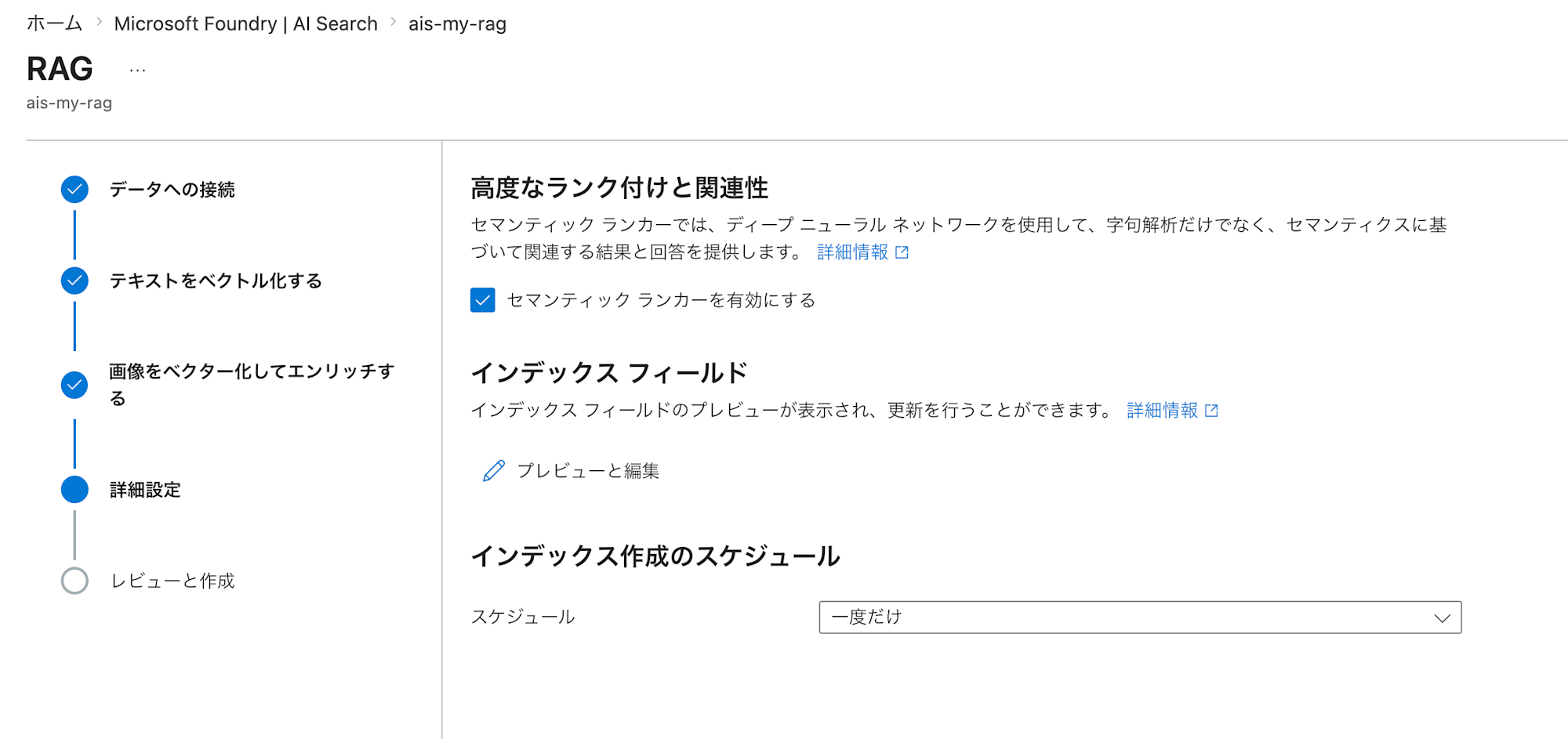
The process continues with image vectorization and advanced settings, but since we only have text data this time, we proceed with the defaults. The "Schedule" on the details screen is set to "Once", but you can change it as you prefer to automatically update the index.
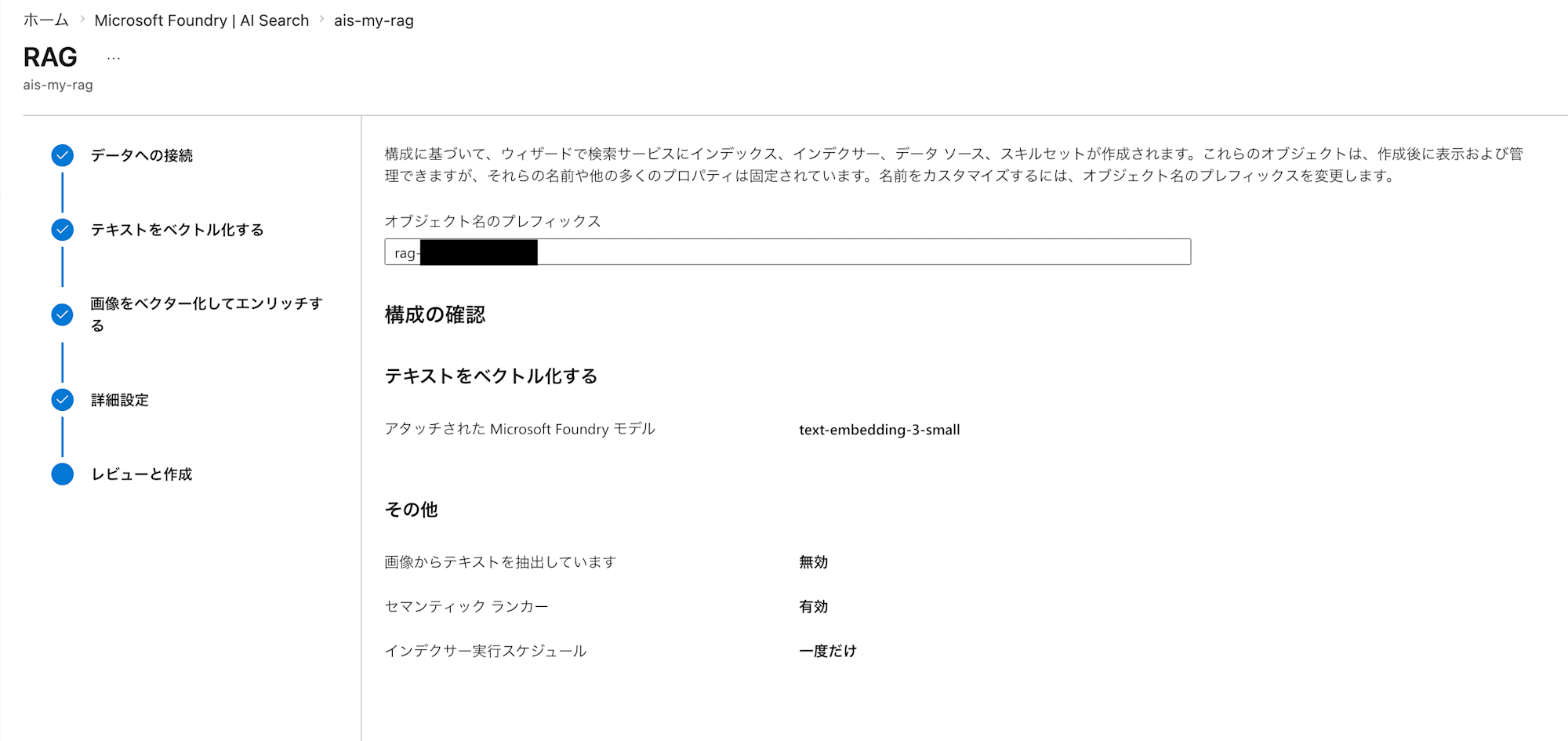
After review and creation, several resources are created upon completion. The role of each resource is as follows.
- Data source: Specifies where to load data from
- Index: Database for search
- Indexer: Specifies the job that reads and processes data
- Skillset: Specifies AI-based preprocessing
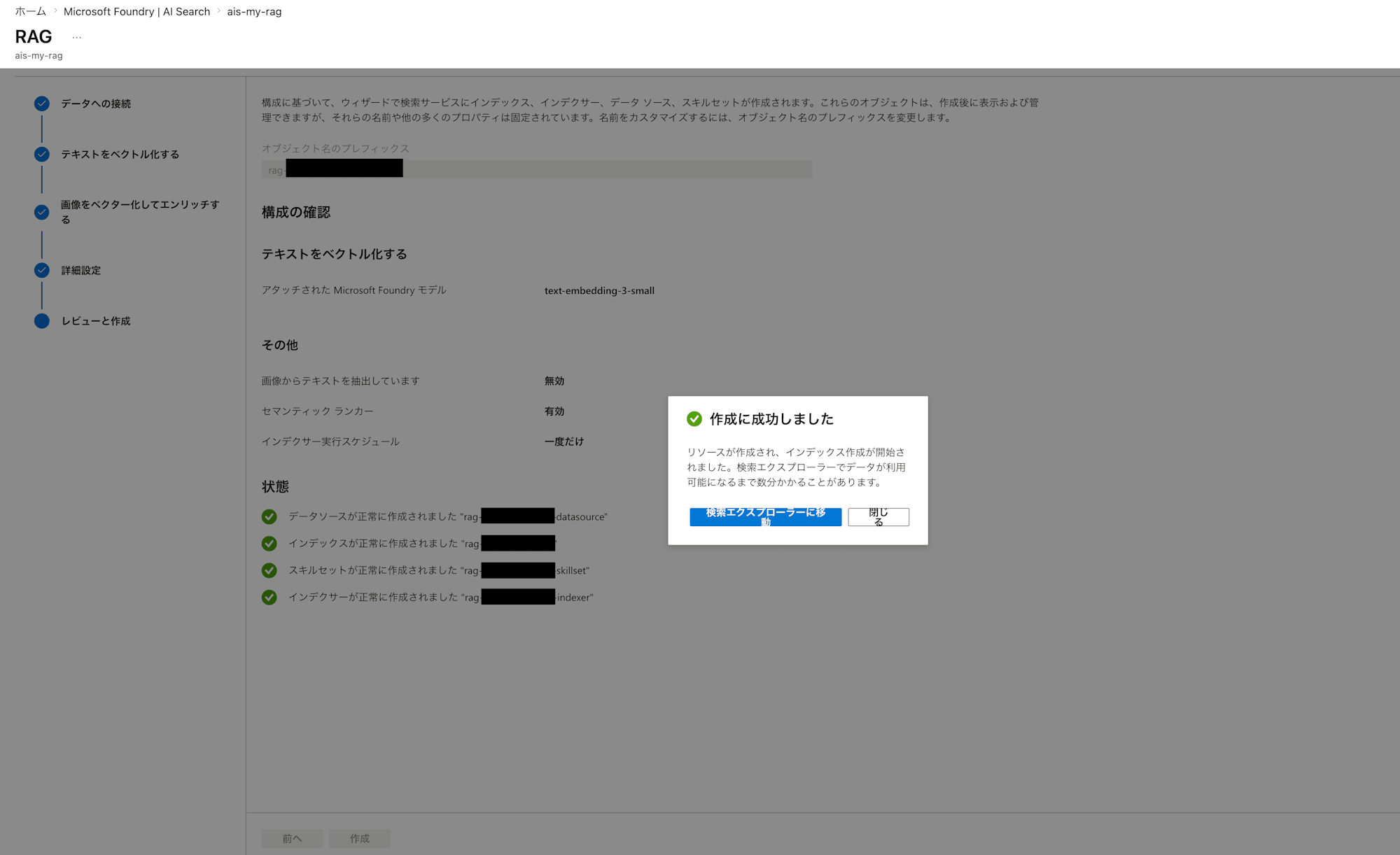
At this point, you should be able to search the documents you prepared. Let's navigate to the Search explorer and test it.
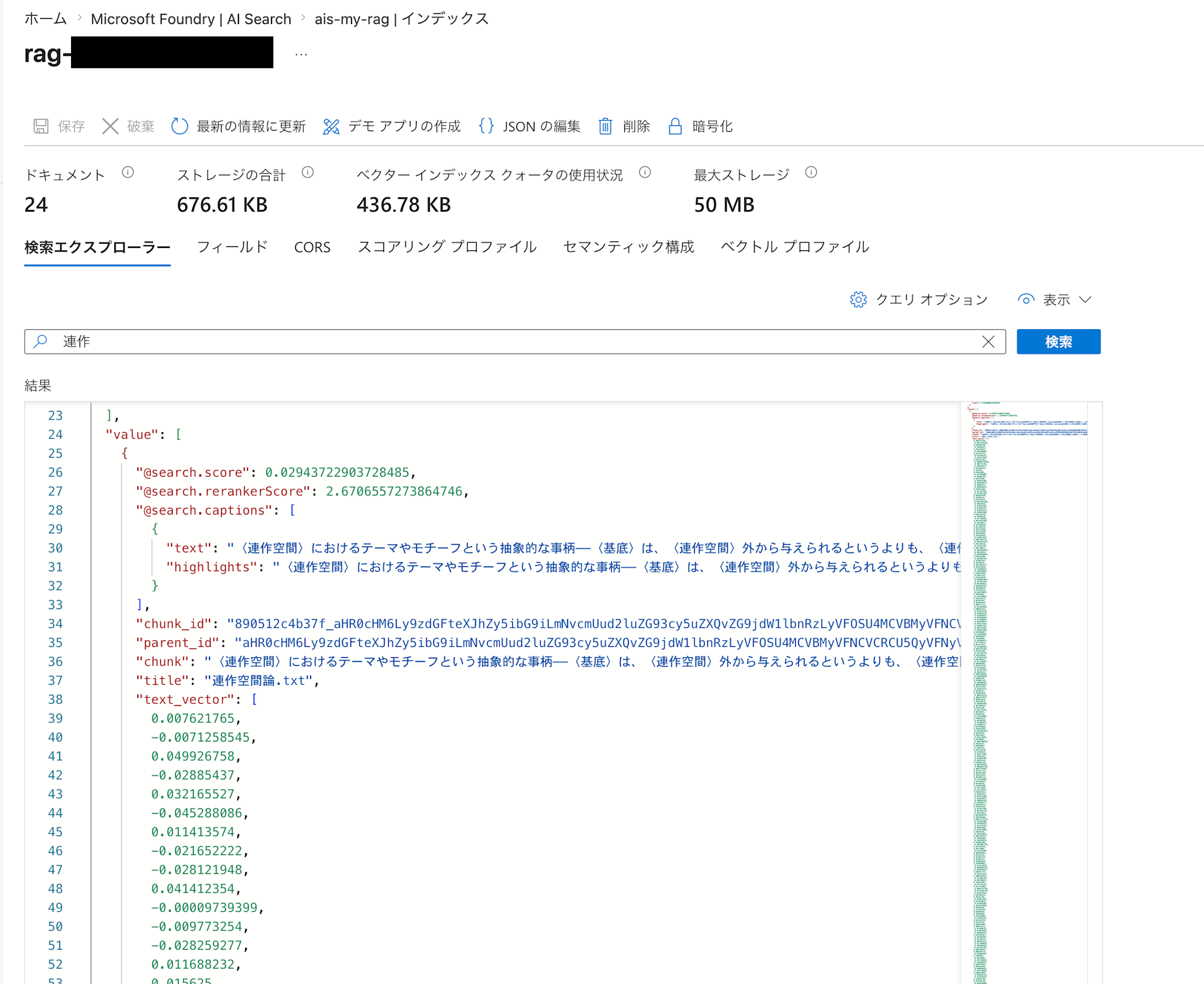
It looks like the text content has been properly ingested as vectors!
Preparing Knowledge and a Knowledge Base in Foundry
We're getting close to the end of the RAG setup.
Go back to Foundry and create the knowledge and knowledge base.
Start by creating the knowledge. The two have similar names and can be confusing, but "knowledge" refers to the specification of the underlying AI Search.
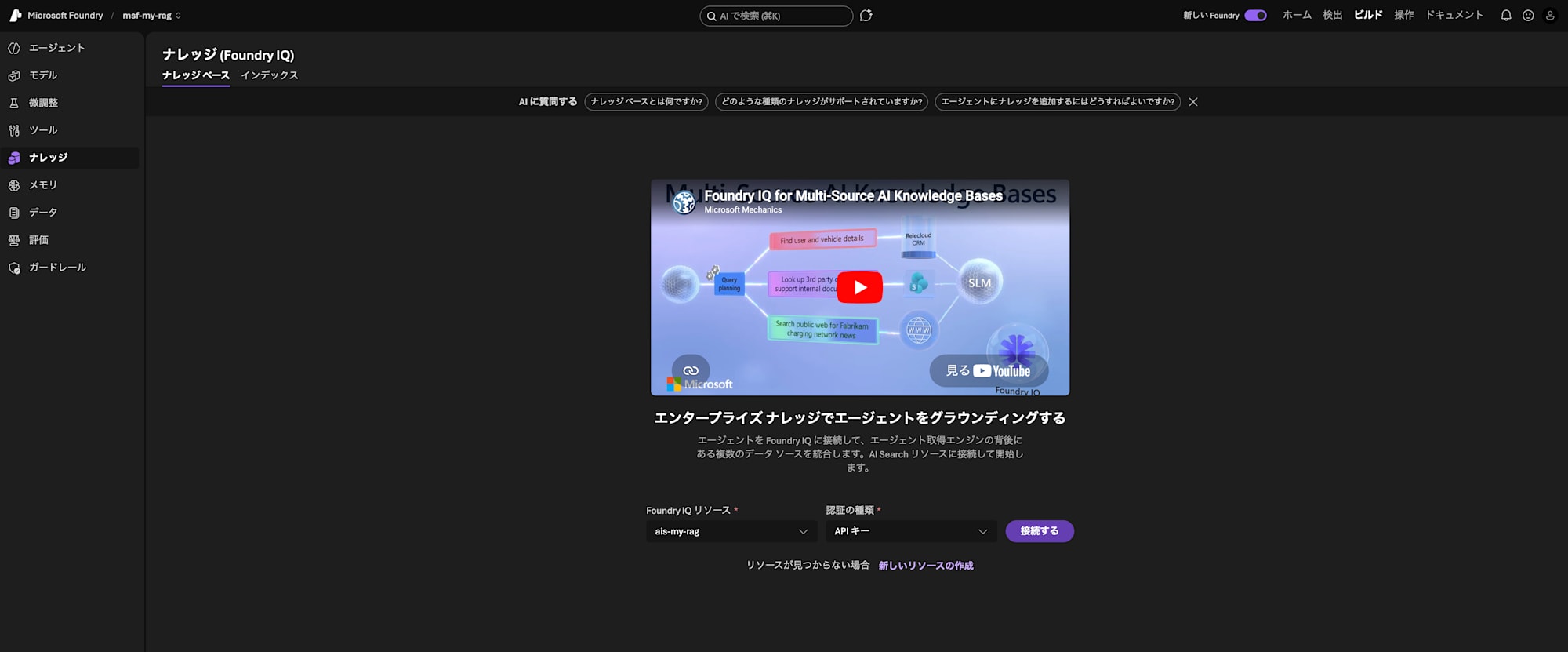
Once you create the knowledge, you'll be able to create a knowledge base on top of it. This is a resource that bundles multiple knowledge sources together so they can be used by an agent.
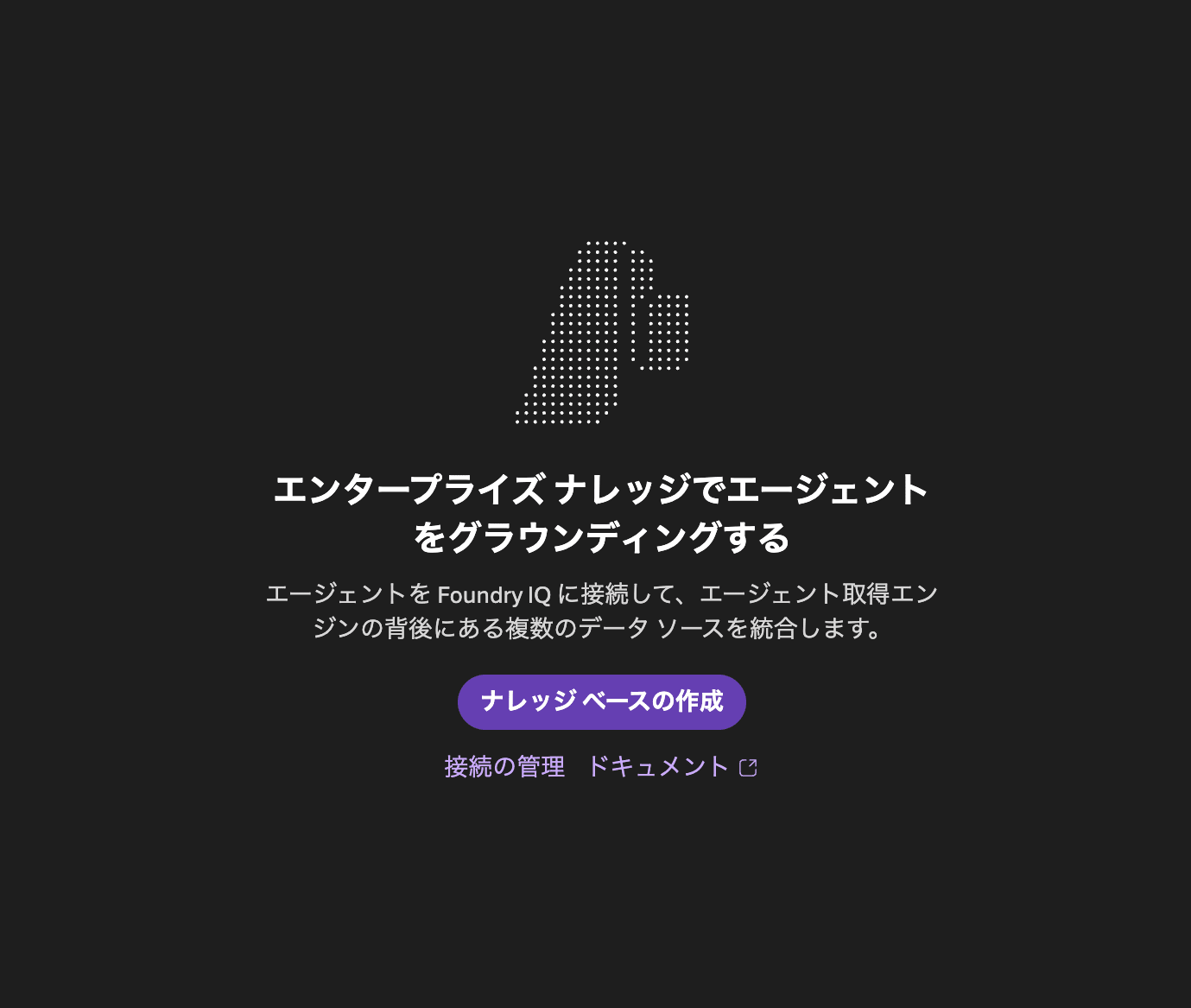
Proceed from "Create knowledge base".
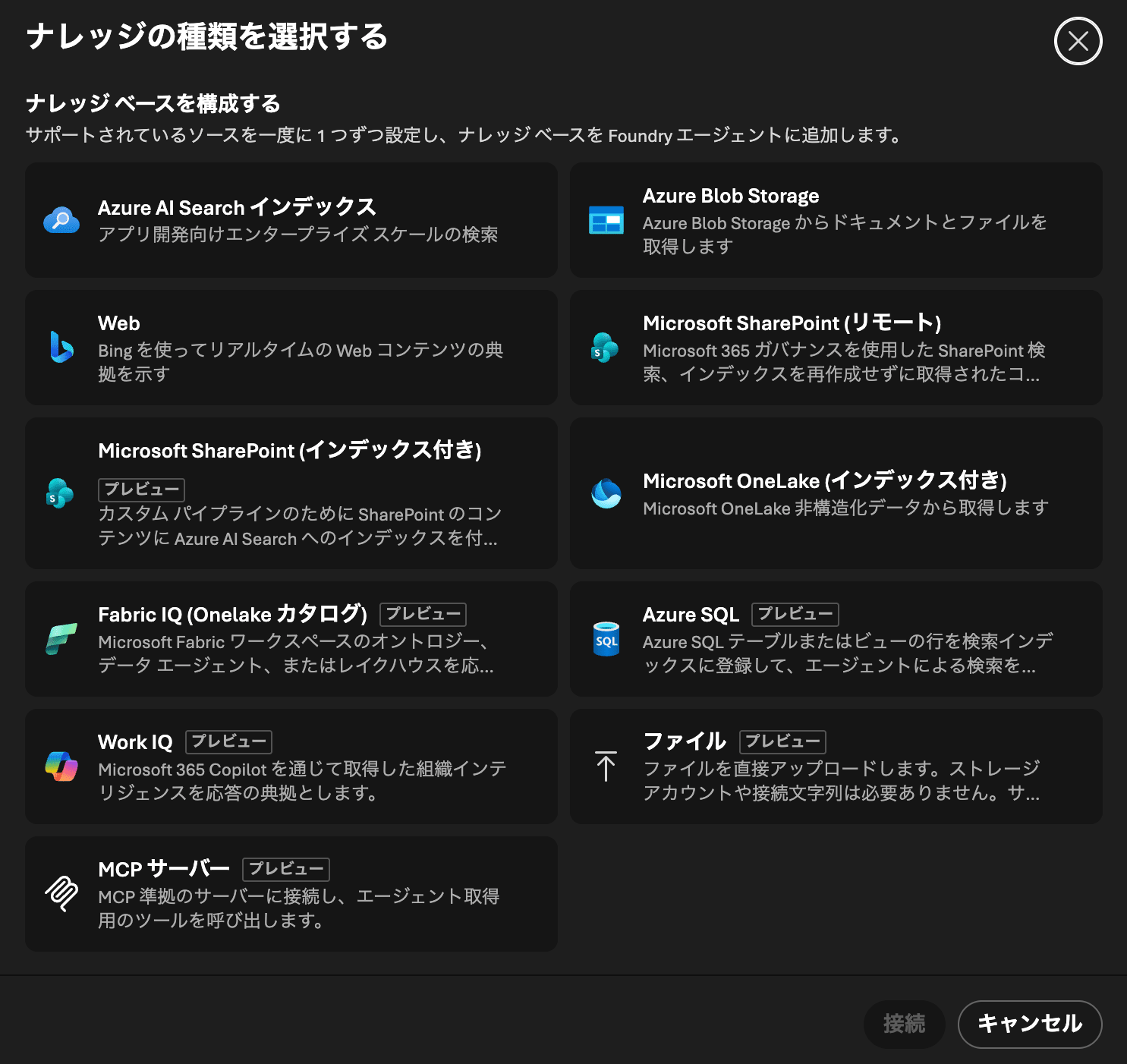
To configure the knowledge base, select the sources to include. Here, select Azure AI Search index. The source will also be created at the same time.
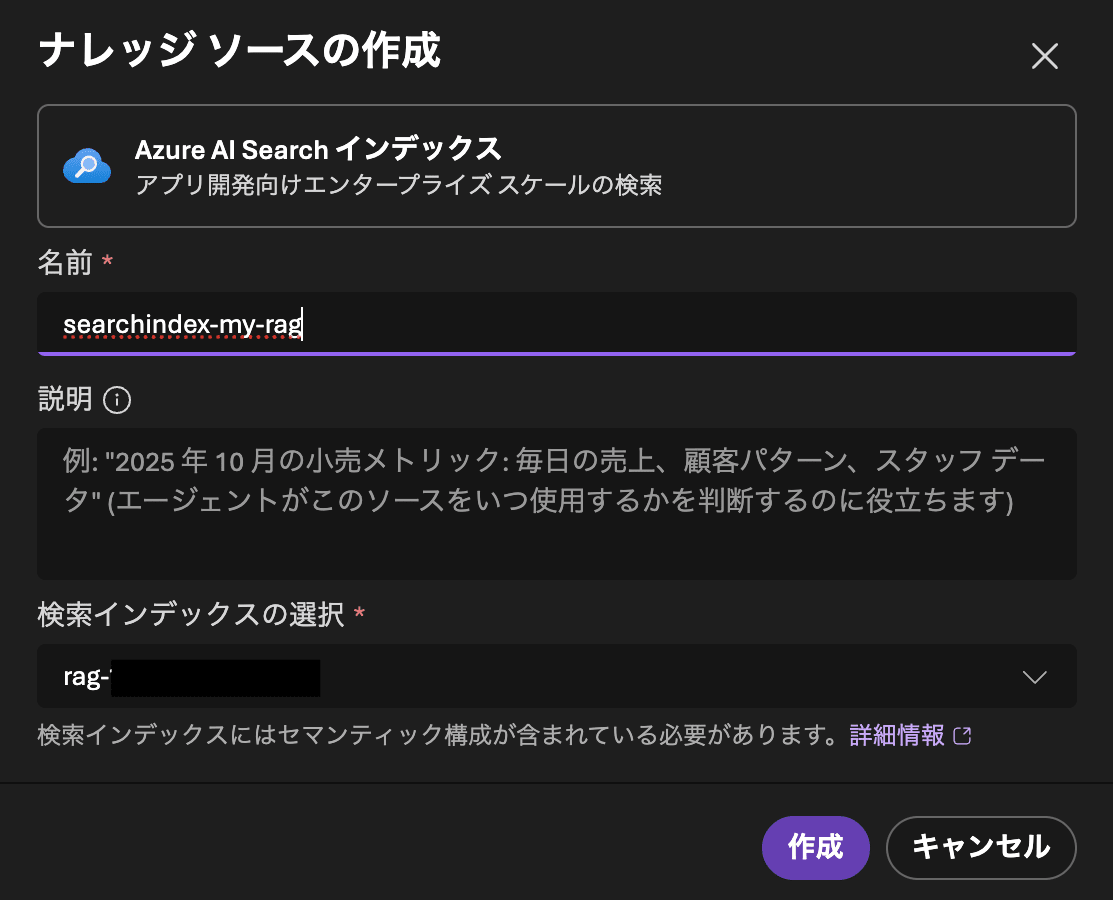
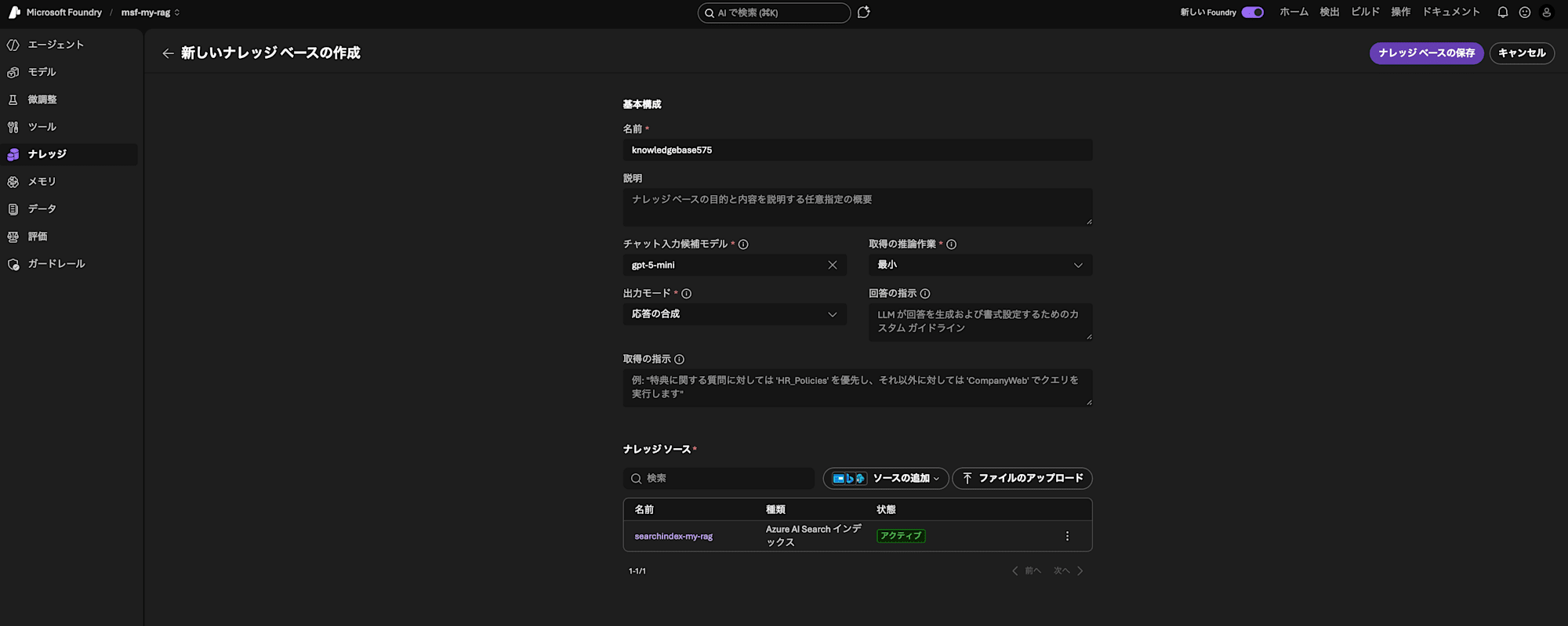
The "Create new knowledge base" screen is open, so change the following settings and click "Save knowledge base".
| Field Name | Value |
|---|---|
| Chat suggestion model | gpt-5-mini |
| Output mode | Synthesize response |
Creating an Agent in Foundry and Adding Knowledge
Last step! Let's create an agent and enable it to use the knowledge.
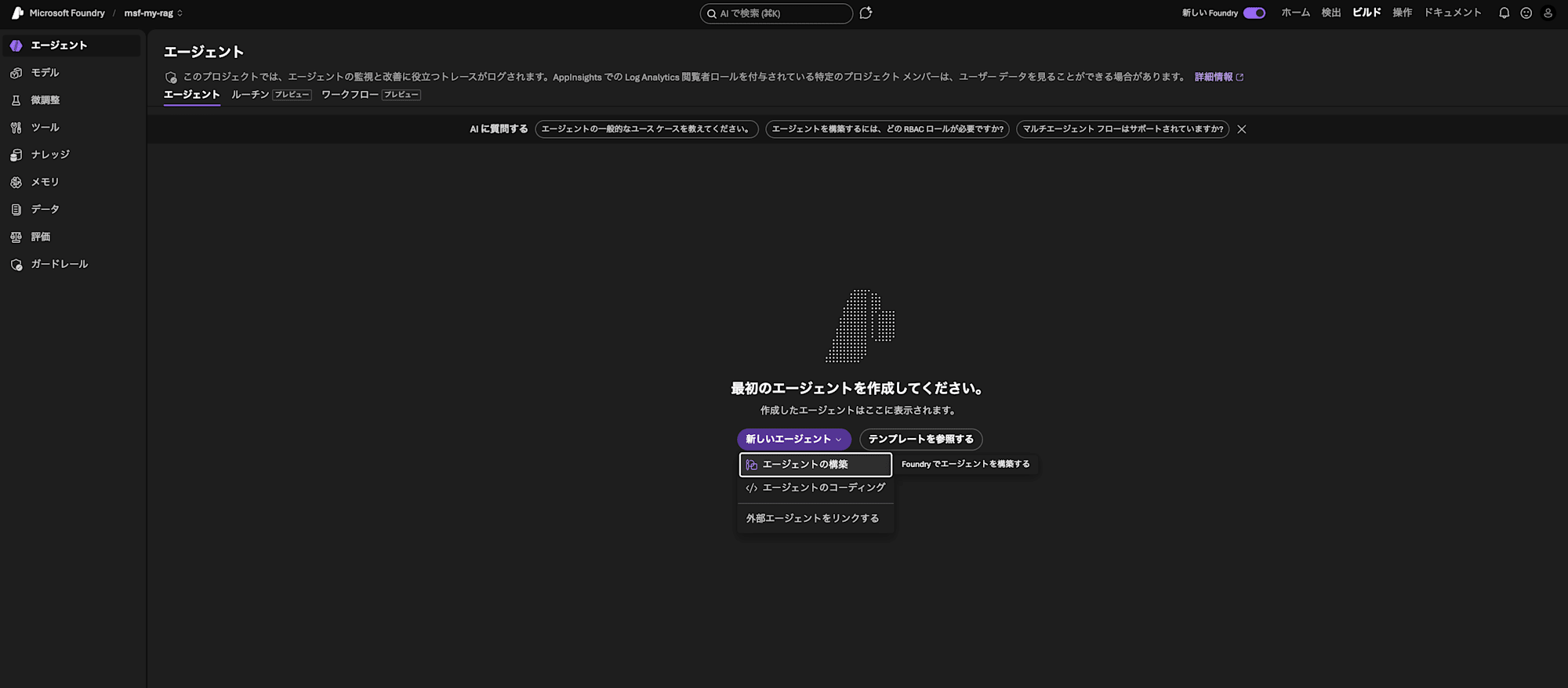
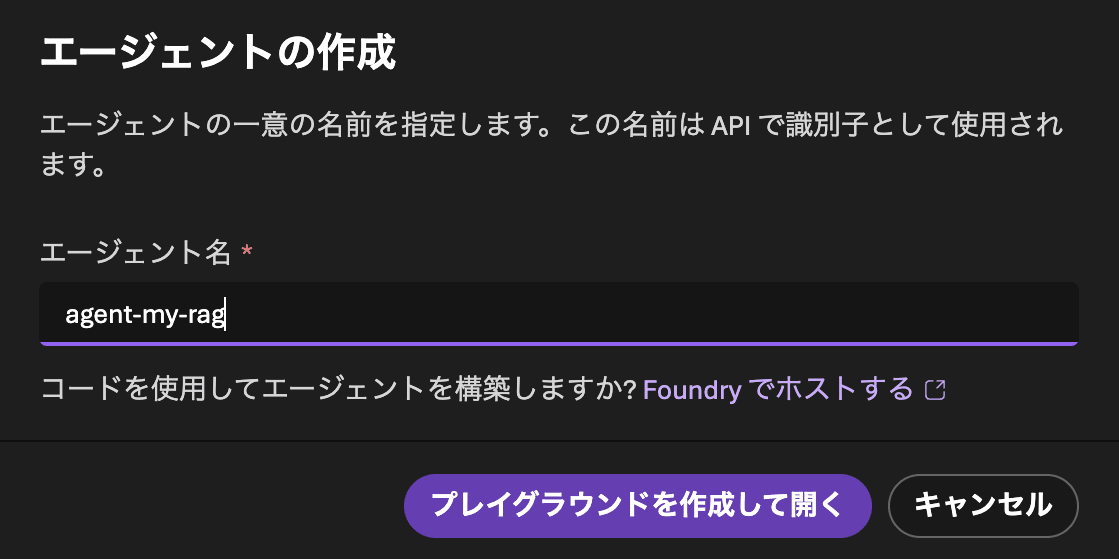
From "Build" > "Agents", proceed to create an agent. Give it a recognizable name and click "Create and open playground".
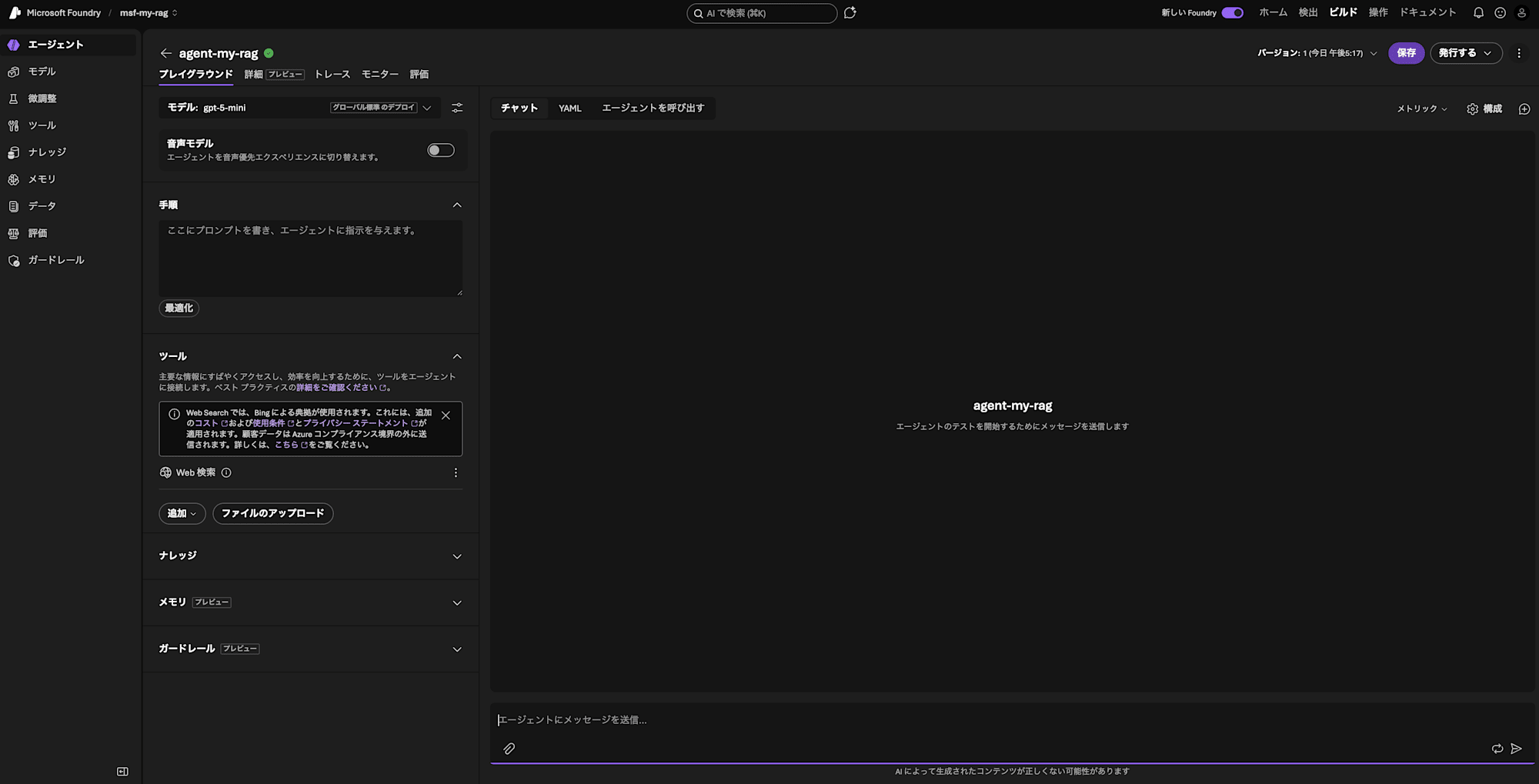
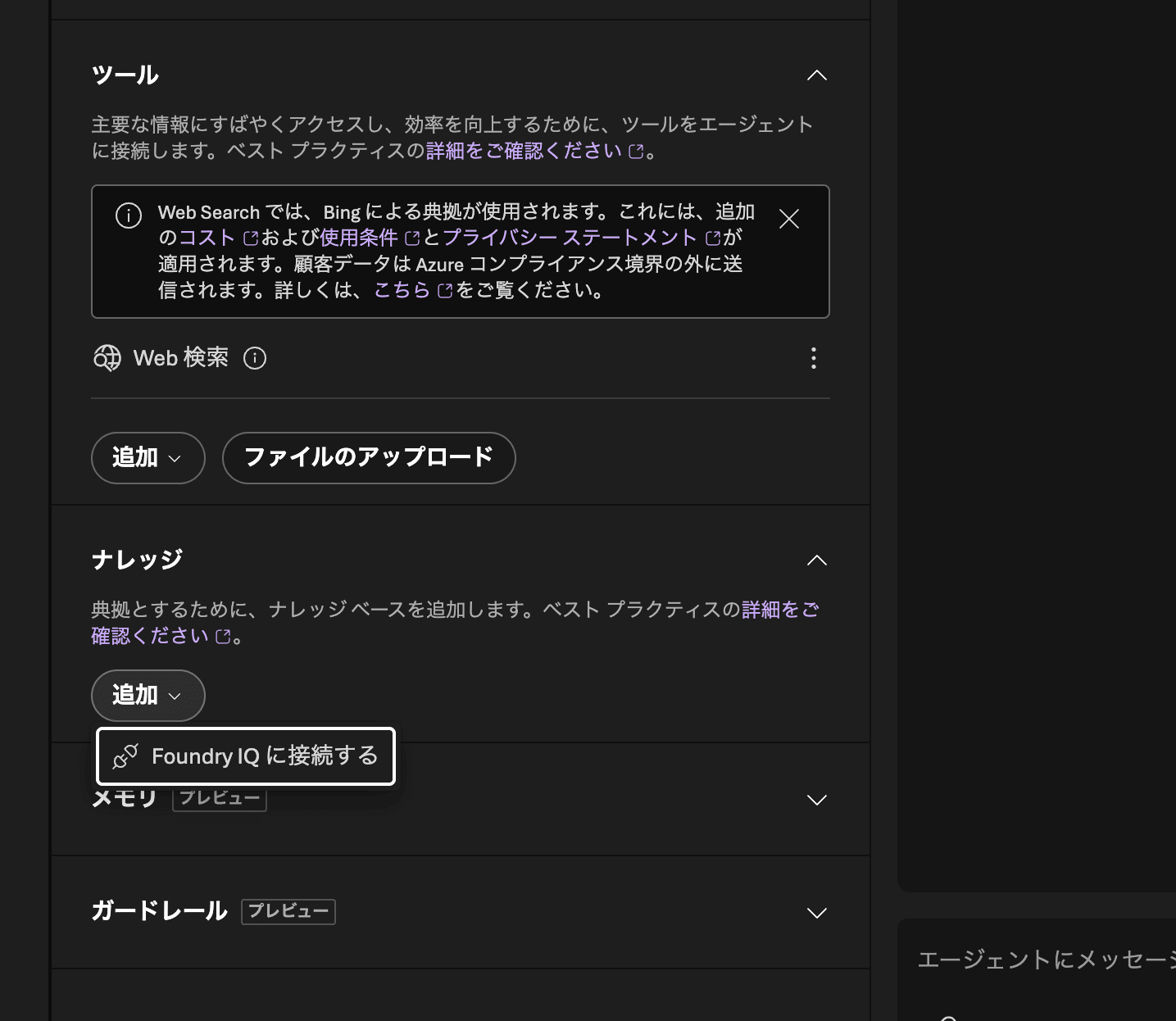
Add the knowledge. Specify the AI Search you prepared (ais-my-rag) in "Connection", and the knowledge base you just created in "Knowledge base".
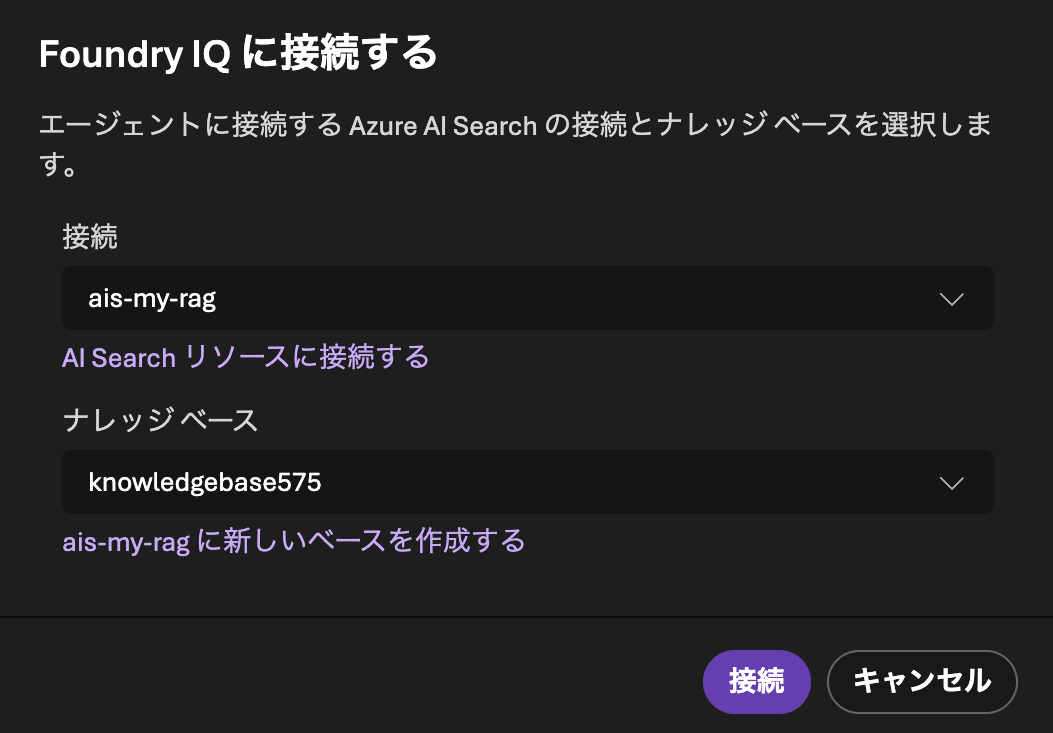
Great work! The RAG setup is now complete!
Testing
Let's finally run the RAG. I'll make sure to emphasize that it should retrieve information from the knowledge, then ask a question.
Search the knowledge for what Asano has been saying about tanka rensakku (series of tanka poems)
And the result is...?
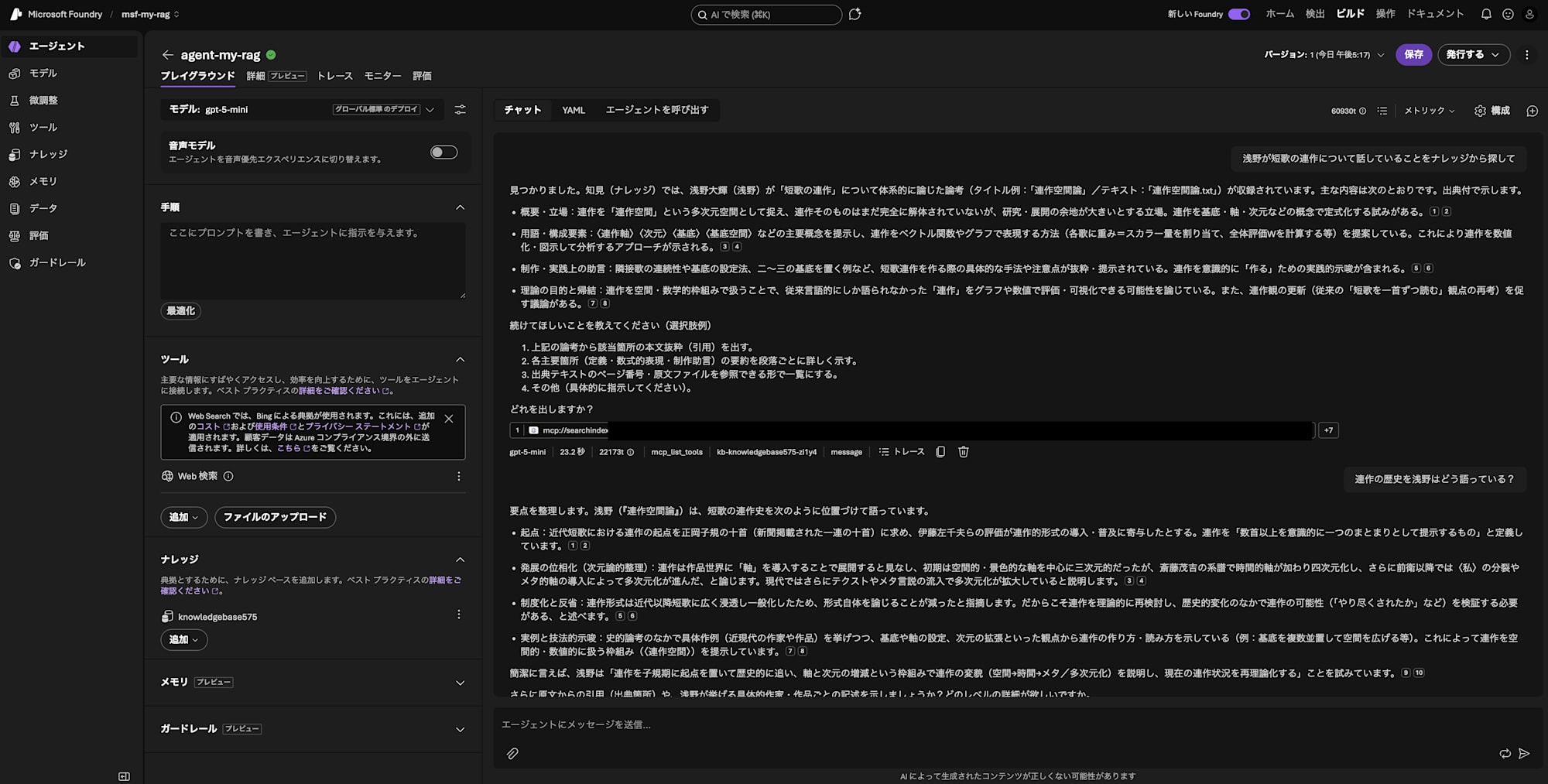
Found it. In the knowledge base, a critical essay by Asano Daiki (Asano) systematically discussing "tanka rensakku (series of tanka poems)" (example title: "Rensakku Space Theory" / text: "rensakku_space_theory.txt") is included. The main content is as follows, shown with citations.

- Overview and stance: A position that views rensakku as a multidimensional space called "rensakku space," arguing that rensakku itself has not yet been fully deconstructed but has significant room for research and development. There is an attempt to formalize rensakku using concepts such as basis, axes, and dimensions. 12
- Terminology and components: Presents key concepts such as 〈rensakku axis〉, 〈dimension〉, 〈basis〉, and 〈basis space〉, and proposes methods for representing rensakku as vector functions and graphs (e.g., assigning a weight = scalar quantity to each tanka and calculating an overall evaluation W). This demonstrates an approach for numerically quantifying and visualizing rensakku for analysis. 34
- Production and practical advice: Excerpts and presents specific methods and notes for creating tanka series, such as the continuity of adjacent tanka, how to set the basis, and examples of placing two or three bases. Includes practical suggestions for consciously "creating" rensakku. 56
- Purpose and conclusions of the theory: Discusses the possibility of evaluating and visualizing "rensakku," which was previously only discussed in linguistic terms, through graphs and numerical values by handling it with a spatial/mathematical framework. There is also a discussion encouraging a renewal of views on rensakku (reconsideration of the conventional perspective of "reading tanka one poem at a time"). 78

Please let me know what you'd like me to do next (example options):

1. Provide the actual text excerpt (quote) from the relevant section of the above essay.
2. Show a detailed paragraph-by-paragraph summary of each key section (definitions, mathematical expressions, production advice).
3. List the source text page numbers and original file references in a viewable format.
4. Other (please specify).
It's a success! It's responding based on the text I uploaded to Blob Storage!
Cleanup
If you no longer need the resources, it's safer to delete them to avoid incurring unnecessary charges.
In that case, delete each resource accordingly. If you followed this article, all resources should be grouped in one resource group, so deleting the resource group will delete everything.
Summary
I created a Retrieval-augmented generation (RAG) centered around Azure AI Search (Foundry IQ) and Microsoft Foundry, making it possible for AI to answer questions based on the texts I've written.
While the number of configuration items may seem large, once you actually get your hands on it, I think you'll find it goes together more smoothly than expected.
Also, although not covered this time, by adding more files to Blob Storage and updating the index, you can make even more information available through the RAG system.
Are there any dormant documents around you?
If so, I hope you'll use this article as a reference and give building a RAG a try!

