
I tried the Datadog Claude Code plugin

This page has been translated by machine translation. View original
Introduction
Hello. I'm Shiina from the Operations Department.
By configuring the Datadog MCP server from Claude Code, you can query Datadog data using natural language.
However, setting up the MCP server required directly editing a .json file, which could be time-consuming for initial configuration.
An official Datadog Claude Code plugin has now been released.
By using the plugin, you can relatively easily access Datadog data from Claude Code through an interactive setup alone.
I actually set up the Datadog Claude Code plugin and verified its operation, so I've summarized the plugin overview and setup procedure.
What is the Datadog Claude Code Plugin?
It is a tool that allows you to directly query Datadog logs, metrics, traces, monitors, and more from Claude Code using natural language.
Installation is completed with a single command (/plugin install datadog@claude-plugins-official).
Since setup can be done interactively using the skills described below, the biggest advantage is that you don't need to directly edit a .json file to configure the Datadog MCP server.
It also supports OAuth authentication, allowing for secure authentication in the browser.
After setup, you can call Datadog data from Claude Code using natural language such as "Show me error logs from the past hour" or "Find traces with latency over 500ms."
List of Skills
| Command | Description |
|---|---|
/ddsetup |
For initial setup. Selects the Datadog MCP domain and configures the connection |
/ddconfig |
Changes the Datadog site or switches organizations. Also used for diagnosing connection issues |
/ddtoolsets |
Enables or disables groups of tools to use |
Trying It Out
Prerequisites
- The plugin will be used from the Claude Code CLI.
Plugin Setup
-
Launch Claude and run the following command.
/plugin install datadog@claude-plugins-official -
Select the installation scope for the plugin.
❯ /plugin install datadog@claude-plugins-official

───────────────────────────────────────────────────────────────────────────────────────────────────────────────────────────
  Plugins  Discover   Installed   Marketplaces   Errors

  Plugin Details

  datadog
  Last updated: May 15, 2026

  Use Datadog directly in Claude Code through a preconfigured Datadog MCP server. Query logs, metrics, traces,
  dashboards, and more through natural conversation. This plugin is in preview.

  By: Datadog

  Will install:
  · Skills: ddtoolsets, ddconfig, ddsetup
  · MCP Servers: mcp

  Context cost:
  · Every turn: ~370 tokens
  · When invoked: ~4.9k tokens

  ⚠Make sure you trust a plugin before installing, updating, or using it. Anthropic does not control what MCP servers,
   files, or other software are included in plugins and cannot verify that they will work as intended or that they won't
   change. See each plugin's homepage for more information.

  > Install for you (user scope)
    Install for all collaborators on this repository (project scope)
    Install for you, in this repo only (local scope)
    Open homepage
    Back to plugin list
- Once installation is complete, you will be prompted to reload the plugin.
 /plugin install datadog@claude-plugins-official
  ⎿  ✓ Installed datadog. Run /reload-plugins to apply.
-
Run the command to reload the plugin.
/reload-plugins -
Run the following skill command for setup.
/ddsetup
The required configuration information will be confirmed interactively.
Specify the Datadog site you want to use and select "1. Submit answers."
 The Datadog MCP server needs to be set up. Please tell me which Datadog site you want to use.
───────────────────────────────────────────────────────────────────────────────────────────────────────────────────────────
←  ☐ Datadog site  ☐ Other site  ✔ Submit  →

Which Datadog site do you want to use?

❯ 1. us1 (mcp.datadoghq.com)
     US Region 1. If your URL is app.datadoghq.com
  2. us3 (mcp.us3.datadoghq.com)
     US Region 3. If your URL is us3.datadoghq.com
  3. us5 (mcp.us5.datadoghq.com)
     US Region 5. If your URL is us5.datadoghq.com
  4. eu (mcp.datadoghq.eu)
     EU Region. If your URL is app.datadoghq.eu
  5. Type something.
───────────────────────────────────────────────────────────────────────────────────────────────────────────────────────────
  6. Chat about this

←  ☒ Datadog site  ☐ Other site  ✔ Submit  →

Review your answers

⚠ You have not answered all questions

 ● Which Datadog site do you want to use?
   → us1 (mcp.datadoghq.com)

Ready to submit your answers?

❯ 1. Submit answers
  2. Cancel
You will be prompted to confirm the update to the json file.
After reviewing, select "Yes."
 Edit file
 ../../.claude/plugins/cache/claude-plugins-official/datadog/0.7.10/.mcp.json
╌╌╌╌╌╌╌╌╌╌╌╌╌╌╌╌╌╌╌╌╌╌╌╌╌╌╌╌╌╌╌╌╌╌╌╌╌╌╌╌╌╌╌╌╌╌╌╌╌╌╌╌╌╌╌╌╌╌╌╌╌╌╌╌╌╌╌╌╌╌╌╌╌╌╌╌╌╌╌╌╌╌╌╌╌╌╌╌╌╌╌╌╌╌╌╌╌╌╌╌╌╌╌╌╌╌╌╌╌╌╌╌╌╌╌╌╌╌╌╌╌╌╌╌╌
 2    "mcpServers": {
 3      "mcp": {
 4        "type": "http",
 5 -      "url": "https://${DD_MCP_DOMAIN:-not-setup}/api/unstable/mcp-server/mcp?referrer_ide=claude-code-plugin&plugin_vers
   -ion=0.7.10&toolsets=${DD_MCP_TOOLSETS:-}",
 5 +      "url": "https://${DD_MCP_DOMAIN:-mcp.datadoghq.com}/api/unstable/mcp-server/mcp?referrer_ide=claude-code-plugin&plu
   +gin_version=0.7.10&toolsets=${DD_MCP_TOOLSETS:-}",
 6        "headers": {
 7          "DD_API_KEY": "${DD_API_KEY}",
 8          "DD_APPLICATION_KEY": "${DD_APPLICATION_KEY}"
╌╌╌╌╌╌╌╌╌╌╌╌╌╌╌╌╌╌╌╌╌╌╌╌╌╌╌╌╌╌╌╌╌╌╌╌╌╌╌╌╌╌╌╌╌╌╌╌╌╌╌╌╌╌╌╌╌╌╌╌╌╌╌╌╌╌╌╌╌╌╌╌╌╌╌╌╌╌╌╌╌╌╌╌╌╌╌╌╌╌╌╌╌╌╌╌╌╌╌╌╌╌╌╌╌╌╌╌╌╌╌╌╌╌╌╌╌╌╌╌╌╌╌╌╌
 Do you want to make this edit to .mcp.json?
 ❯ 1. Yes
   2. Yes, and allow Claude to edit its own settings for this session
   3. No
Setup is now complete.
Following the instructions shown, run the /reload-plugins command again and proceed to the Datadog connection steps.
⏺ The initial configuration of the Datadog MCP server is complete. Please follow these steps:

  1. Run the /reload-plugins command
  2. Run the /mcp command and select the plugin:datadog:mcp server
  3. Select an authentication option
Datadog Connection Steps
- Run the
/mcpcommand.
  Manage MCP servers

    Built-in MCPs (always available)
  ❯ plugin:datadog:mcp · △ needs authentication
- Select plugin:datadog:mcp and run "1.Authenticate."
──────────────────────────────────────────────────────────────────────────────────────────────────────────────────────────────────
  Plugin:datadog:mcp MCP Server

  Status:           △ needs authentication
  Auth:             ✘ not authenticated
  URL:              https://mcp.datadoghq.com/api/unstable/mcp-server/mcp?referrer_ide=claude-code-plugin&plugin_version=0.7.10&too
  Config location:  Dynamically configured

  ❯ 1. Authenticate
    2. Disable
-
A browser window will open.
-
Review and grant access permission.
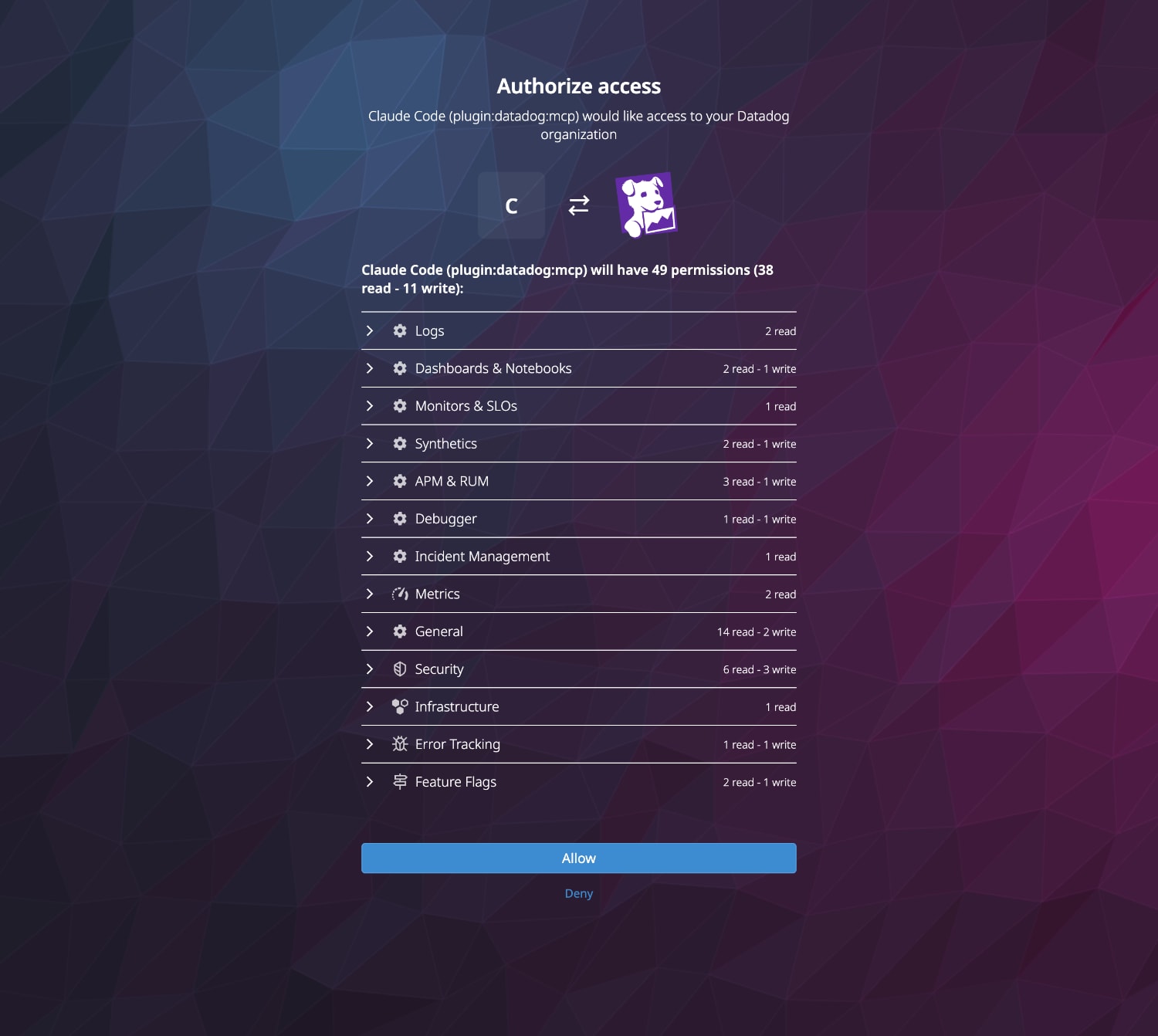
-
Select the Datadog Organization.

- Review the access permissions and authorize.
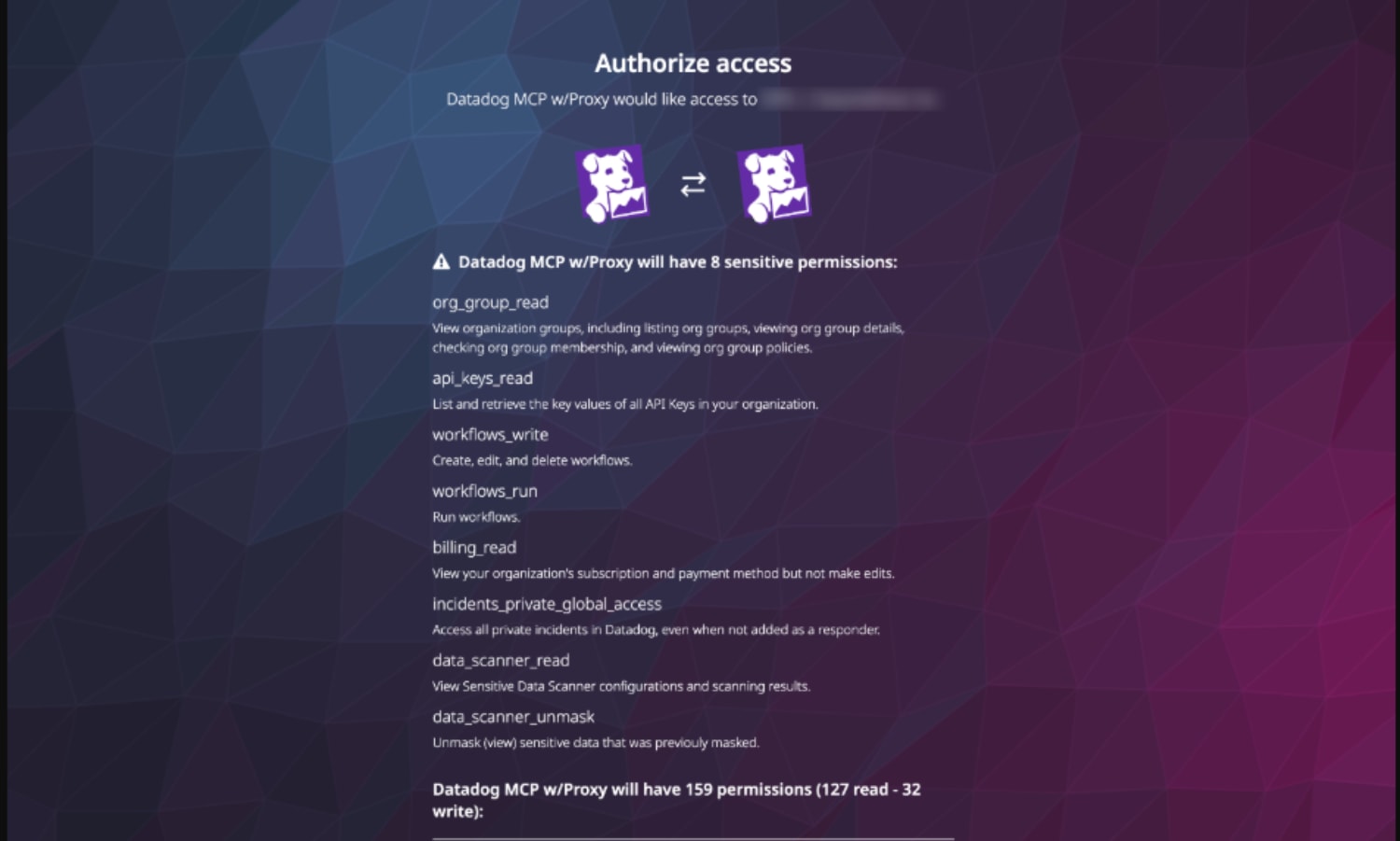
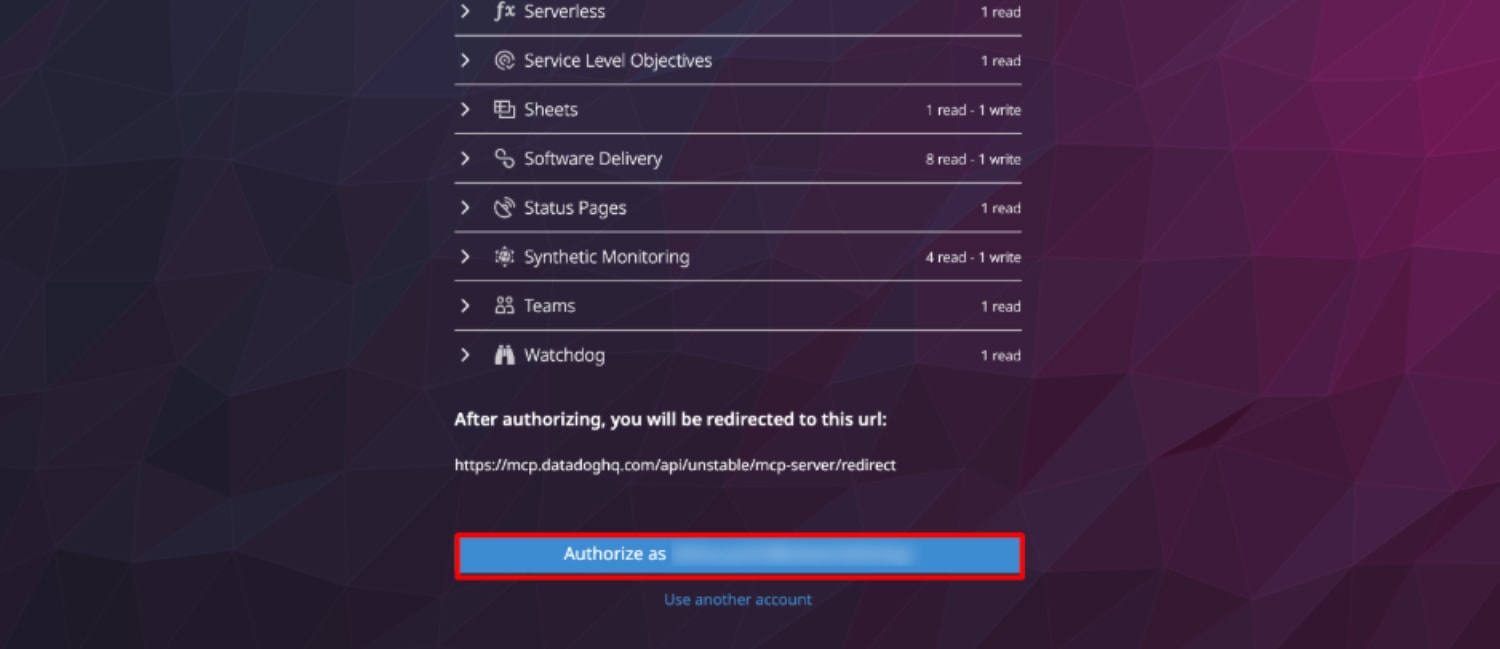
-
Upon success, "Authentication Successful" will be displayed.

-
Returning to the terminal, a message indicating successful login will be displayed.
⎿ Authentication successful. Connected to plugin:datadog:mcp.
You are now ready to go.
Trying It Out
Let's query Datadog data from Claude Code using natural language.
List the monitor statuses
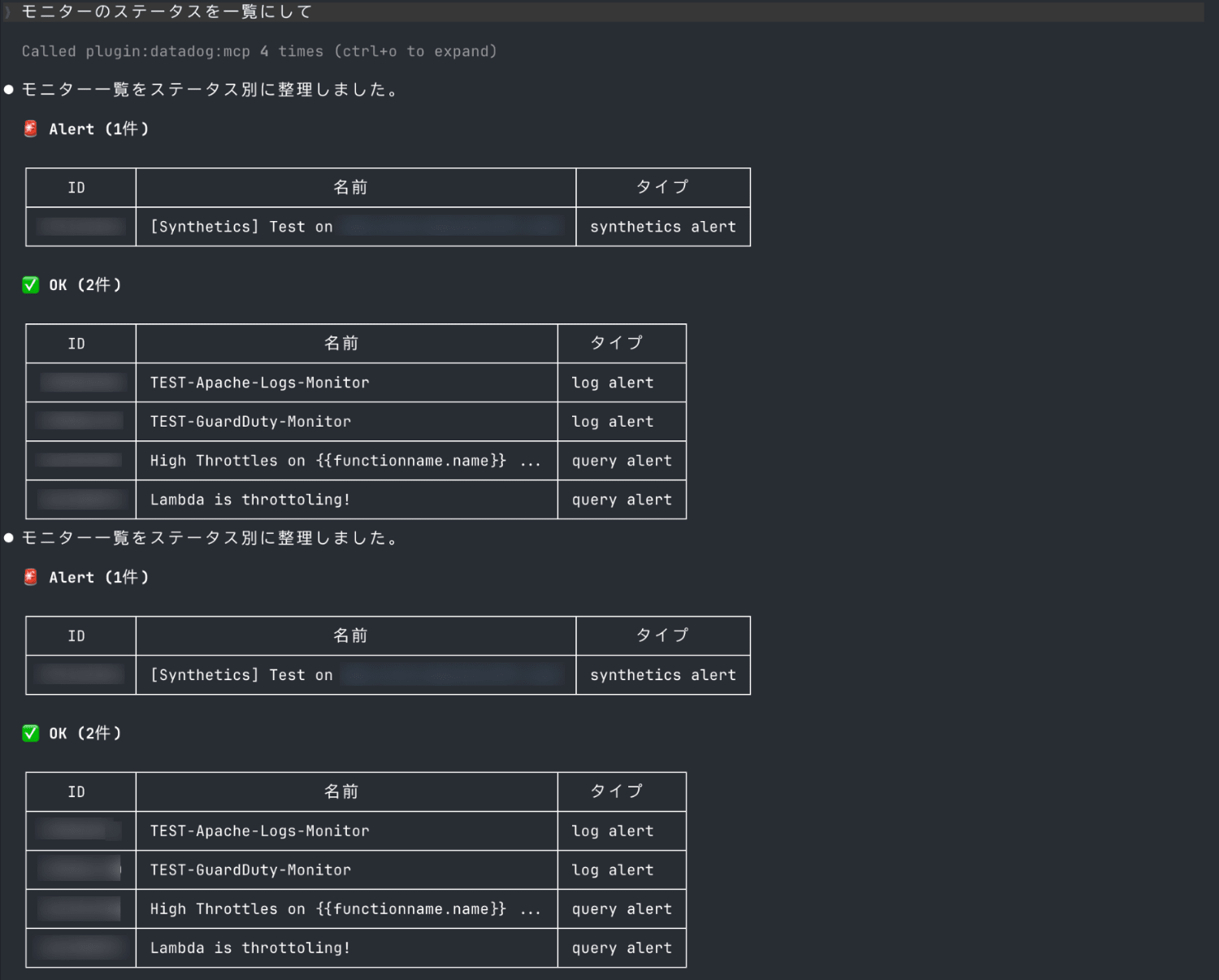
A list of monitor IDs, monitor names, and types organized by status was returned.
It was confirmed that Datadog data can be retrieved using natural language alone, without any commands or screen operations.
Summary
By installing the plugin from the official marketplace, you can easily query Datadog data directly from Claude Code.
Since setup can be done interactively, it is convenient that you can use the Datadog MCP server without directly editing a .json file.
This is a recommended plugin for those who want to query Datadog data using natural language through Claude Code.
I hope this article is helpful.
References
