![[Report] Optimizing Runs with dbt State ~ Reducing Compute, Improving Data Freshness, and Achieving Faster Iteration ~ #dbtWTTokyo](https://devio2024-media.developers.io/image/upload/f_auto,q_auto,w_3840/f_auto,q_auto/v1792569036/eyecatch/y58gpgivicaucrhras9s.png)
[Report] Optimizing Runs with dbt State ~ Reducing Compute, Improving Data Freshness, and Achieving Faster Iteration ~ #dbtWTTokyo

This page has been translated by machine translation. View original
This is Kawabata.
On October 20, 2026, "dbt World Tour Tokyo 2026" was held at Andaz Tokyo.
This article is a report blog for the session "Optimizing runs with dbt State." It was a session that explained the mechanisms and configuration of dbt State, which became GA in September as introduced in the keynote, along with a live demo.
Please see the following for details.
※This article is a summary based on the author's notes.
※dbt State became GA on September 16, 2026, and has a 30-day trial. Setting names follow the notation in the official documentation.
Speaker
- Yuki Misumi
- dbt Labs Partner Solutions Architect

Agenda
Model Rebuilds and Job Complexity
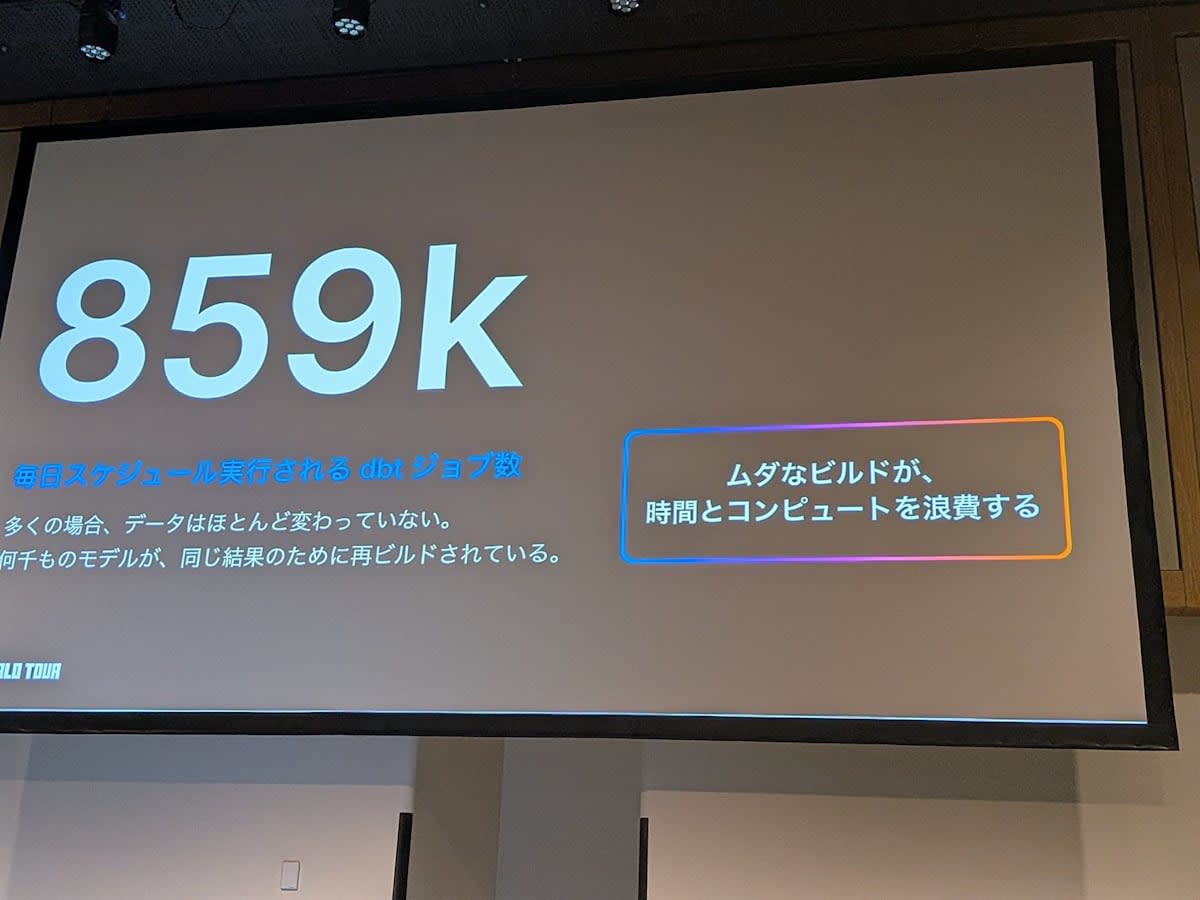
- In reality, many models without changes are rebuilt every time, resulting in wasted compute costs and time
- The previous approach was to make jobs more complex
- Creating jobs for each model with different freshness requirements, such as hourly, daily, and weekly
- Making execution selectors complex to achieve optimal model runs
- Managing manifest files for defer
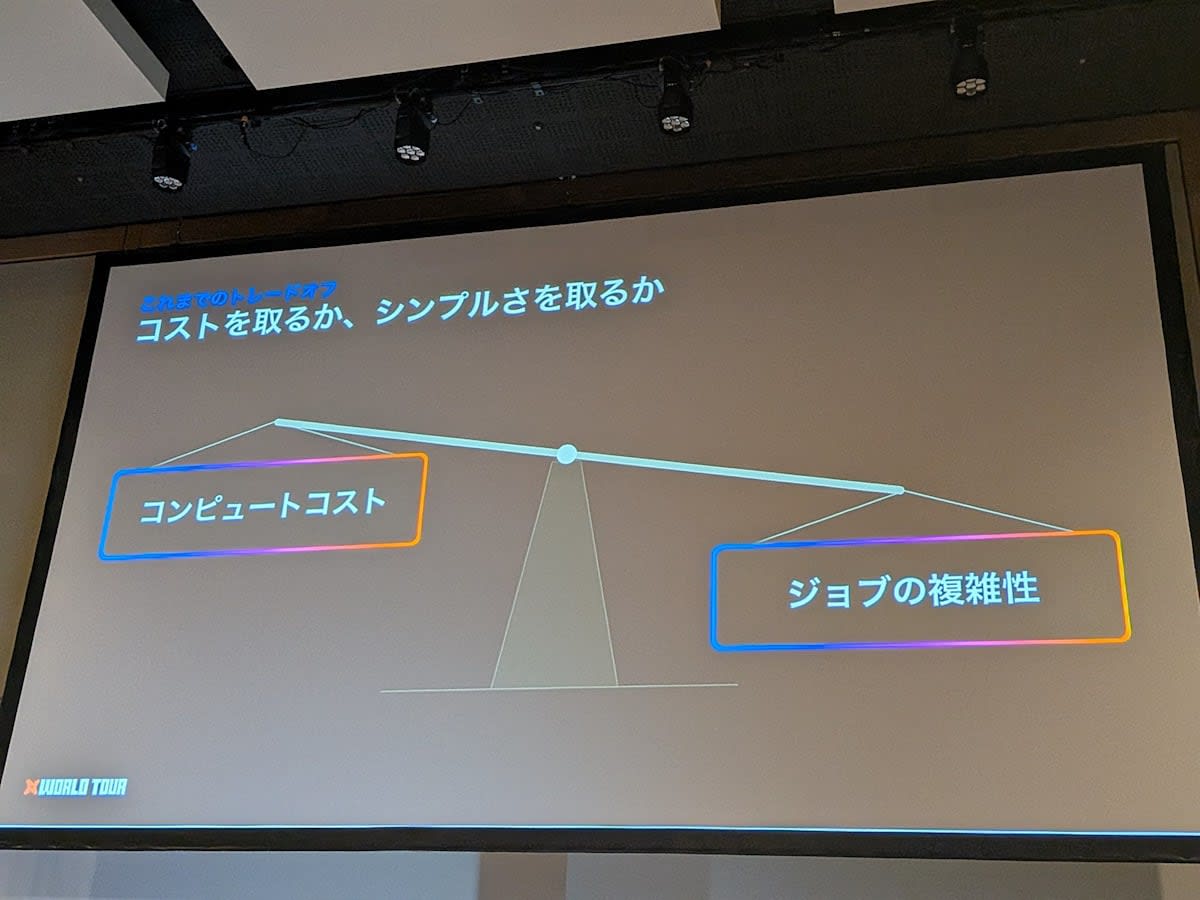
- It has been difficult to reduce both job complexity and compute costs at the same time
- dbt State is what resolves this tradeoff
What is dbt State
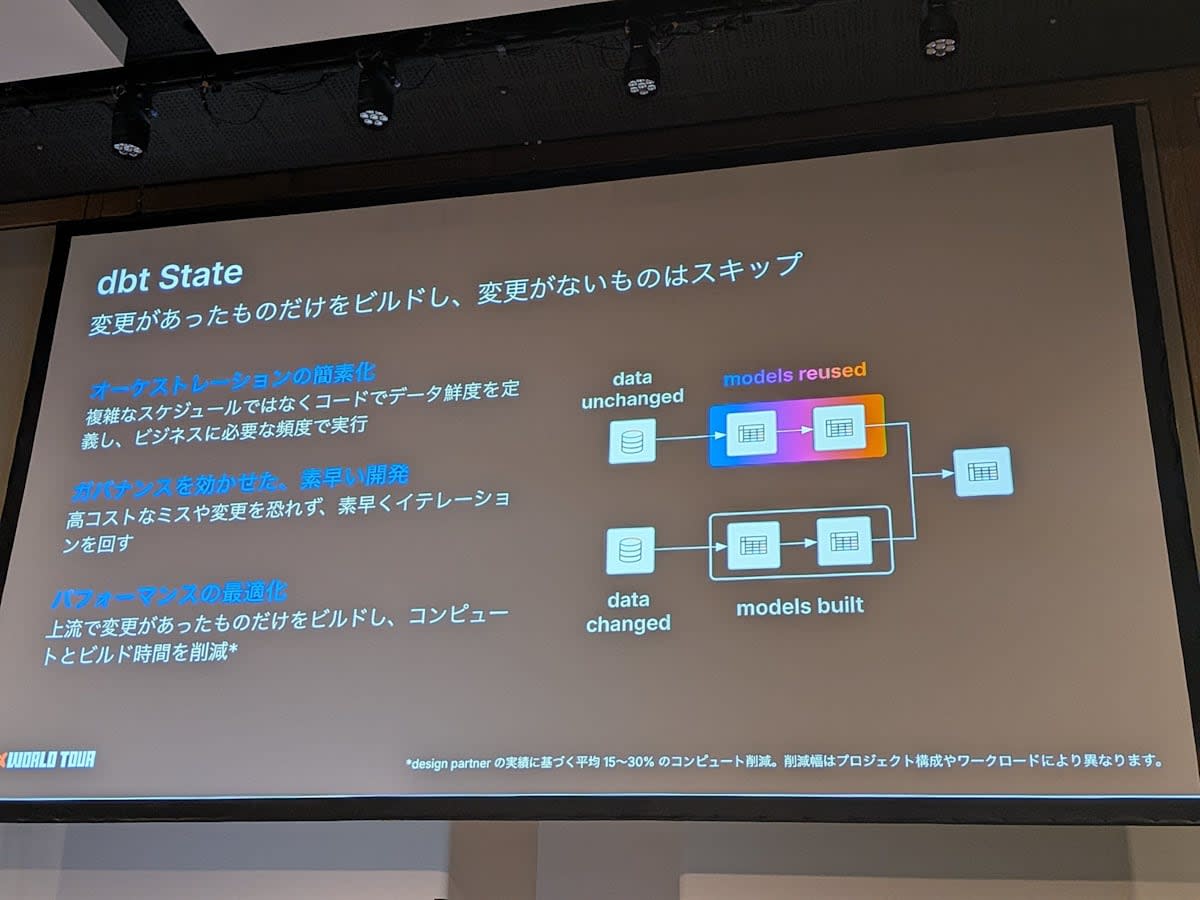
- A service that automatically detects model changes and skips building models that have not changed
- Optimal model execution is possible with just
dbt build. Complex job design and manifest management are no longer needed - In addition to reducing compute costs and execution time, I want to emphasize that it enables simplification of orchestration and rapid development environment construction with proper governance
Simplification of Orchestration
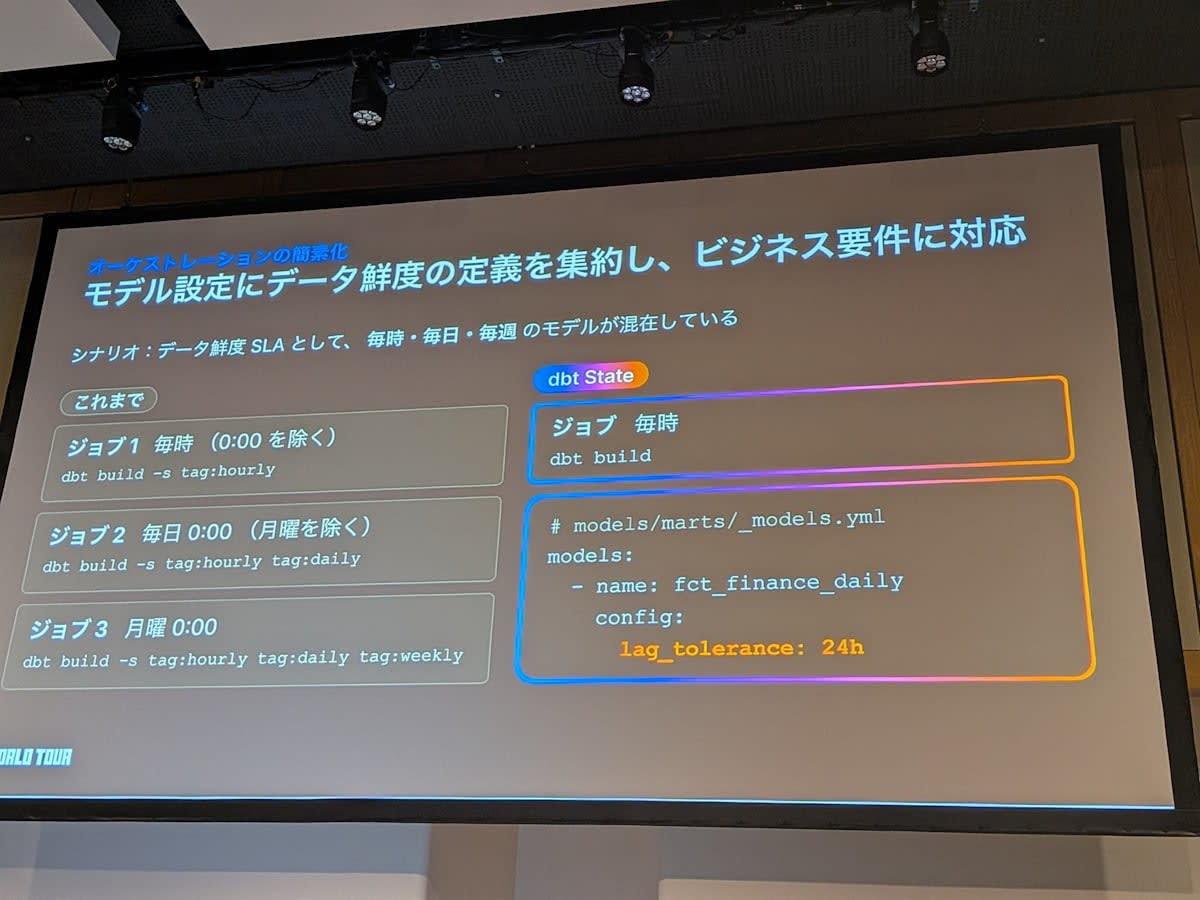
- With dbt State, data freshness definitions are consolidated in model configurations, allowing you to declaratively meet business requirements
- Scenario: Models with mixed freshness requirements of hourly, daily, and weekly
- Traditionally, jobs were defined for each freshness requirement — Job 1 runs hourly, Job 2 runs daily, and so on
- This sounds simple when stated, but there are pitfalls in implementation. For example, you need to offset execution times to prevent hourly and daily jobs from running at the same time
- With dbt State, you only need one job. Just run
dbt buildevery hour - Instead, define freshness in the model's YAML config
- Example: Set
lag_toleranceto 24 hours for thefct_finance_dailymodel - For 24 hours after the last build, the model will not be rebuilt even if upstream data changes
- If more than 24 hours have passed and upstream data has changed, it will be rebuilt
- Example: Set
- Job complexity can be reduced while keeping compute costs to the minimum required for freshness requirements
Rapid Development Environment with Governance
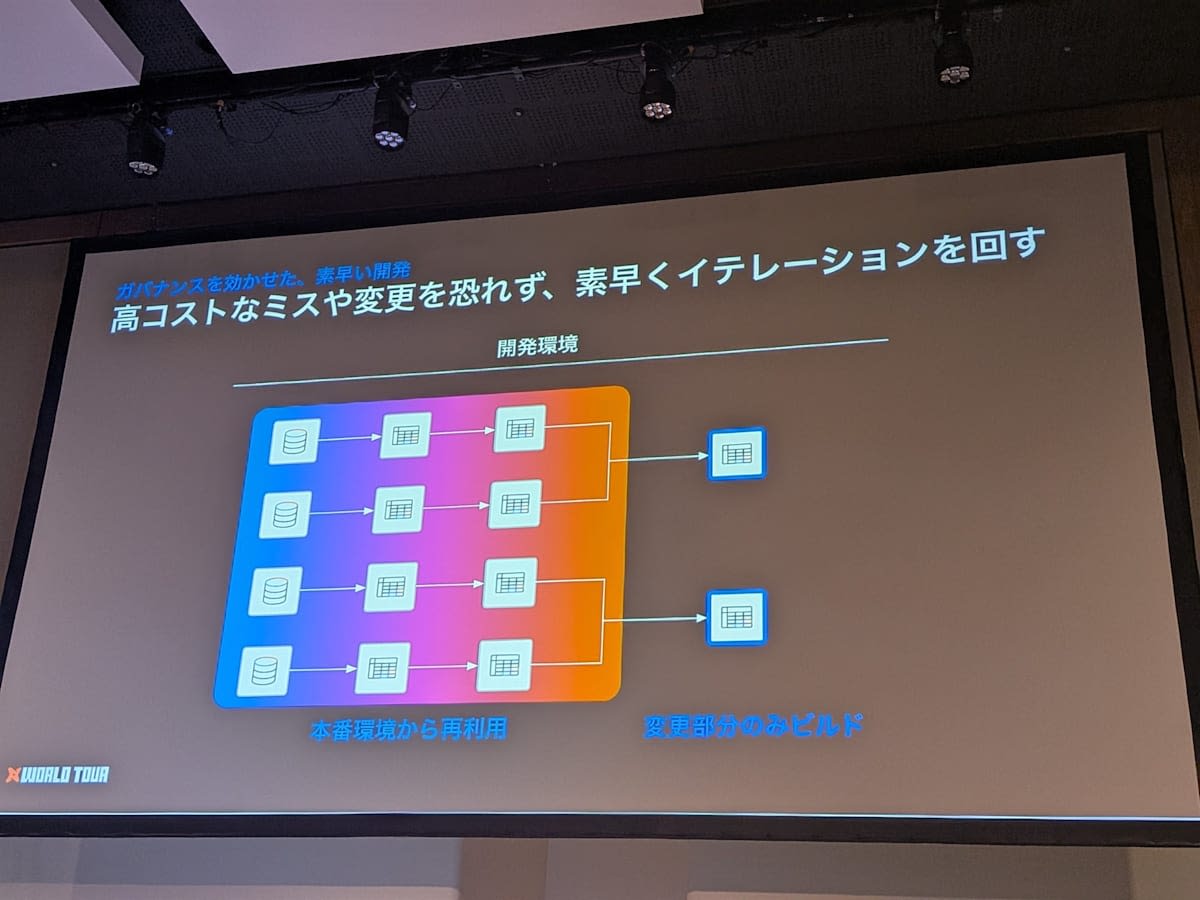
- dbt State not only skips models, but can also clone data from other environments
- Example: When two new models are created in the development environment
- Previously, you had to either build all upstream models, clone manually, or manage the manifest and use defer
- With dbt State, upstream models are automatically cloned by referencing production data without any special configuration
- This allows anyone to build a cost-effective development environment with proper governance
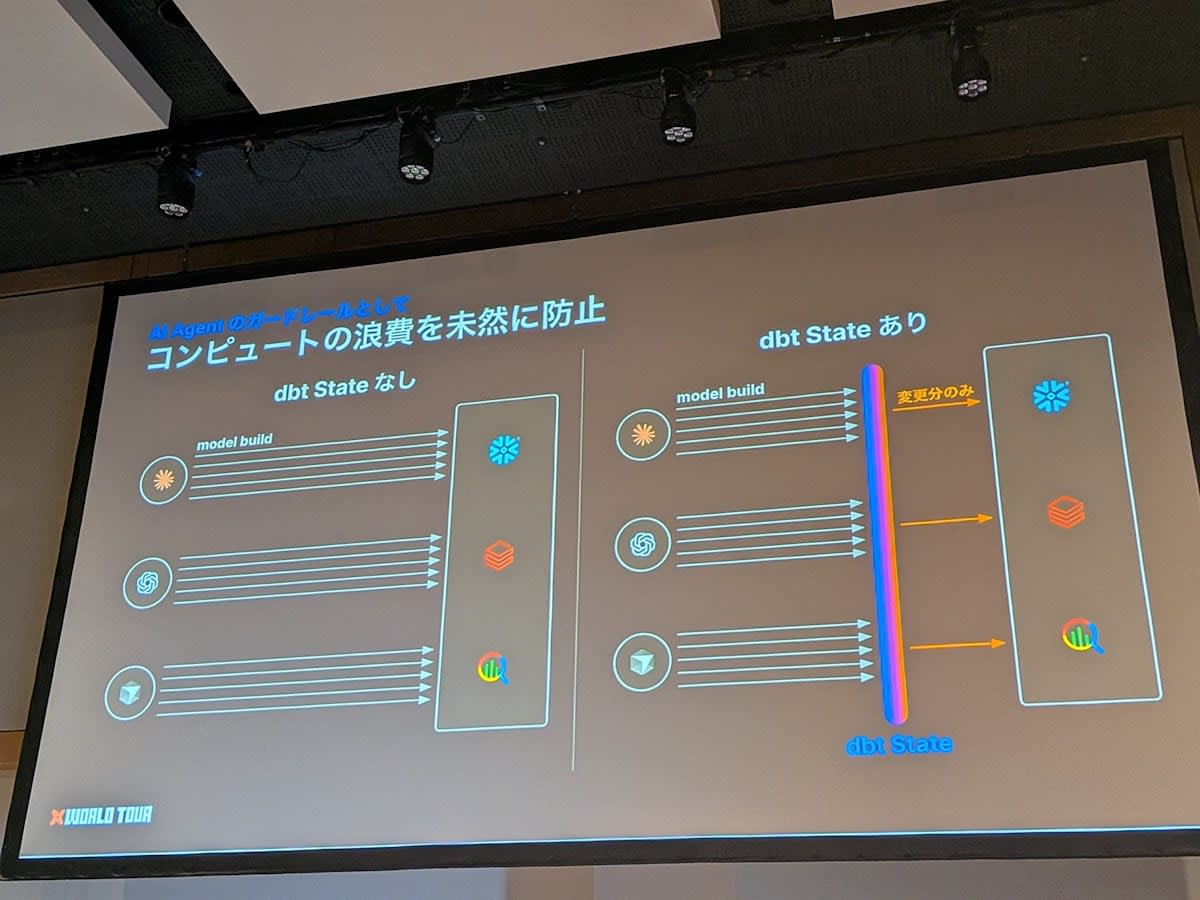
- "Anyone" includes AI agents as well. dbt State is also important as a guardrail for AI agents
- Without dbt State, a large number of models can end up being built during the probabilistic behavior of agents
- With dbt State configured, even if an agent attempts a large-scale build, only the changed parts are sent to the warehouse
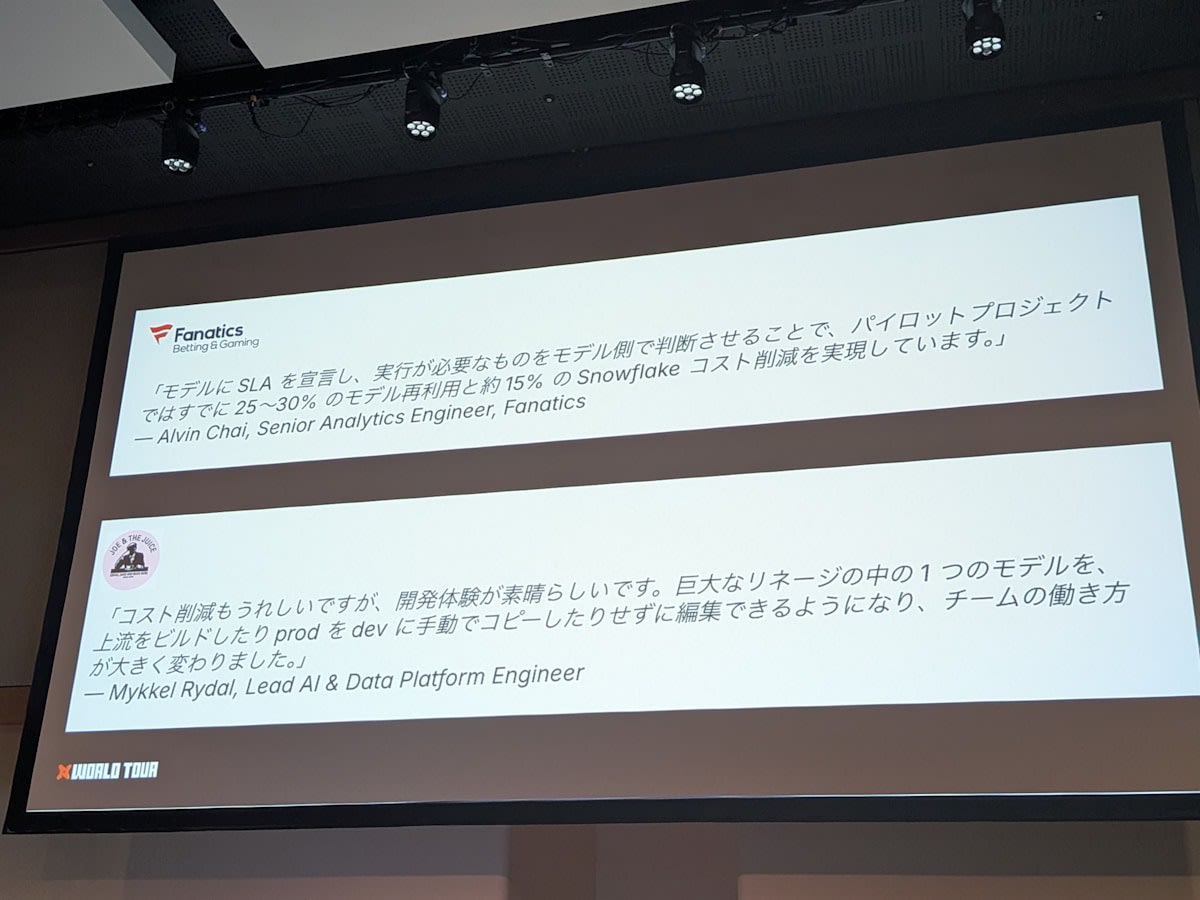
Case Studies
Demo
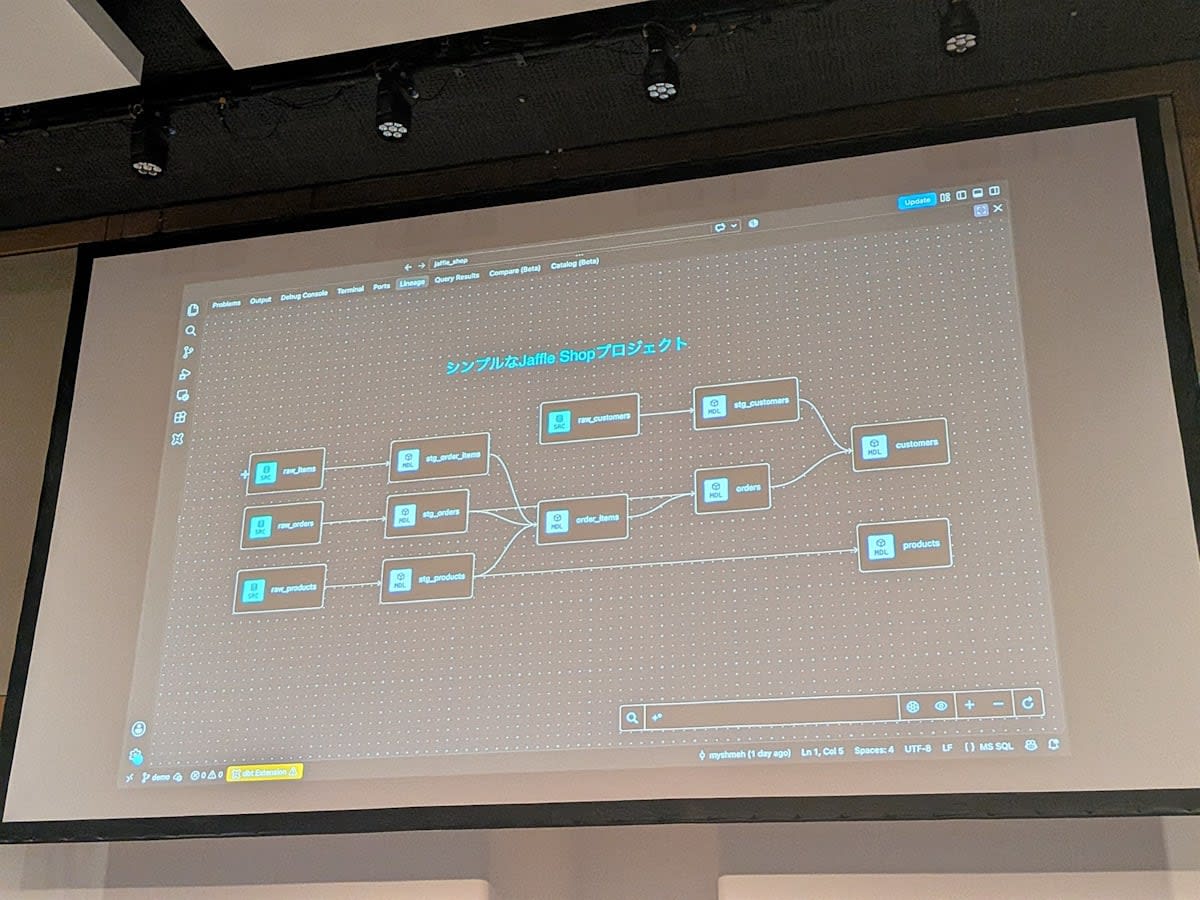
The demo ran the jaffle_shop project with dbt v2, starting from a state where neither the production schema nor the development schema had any data.
Build and Reuse
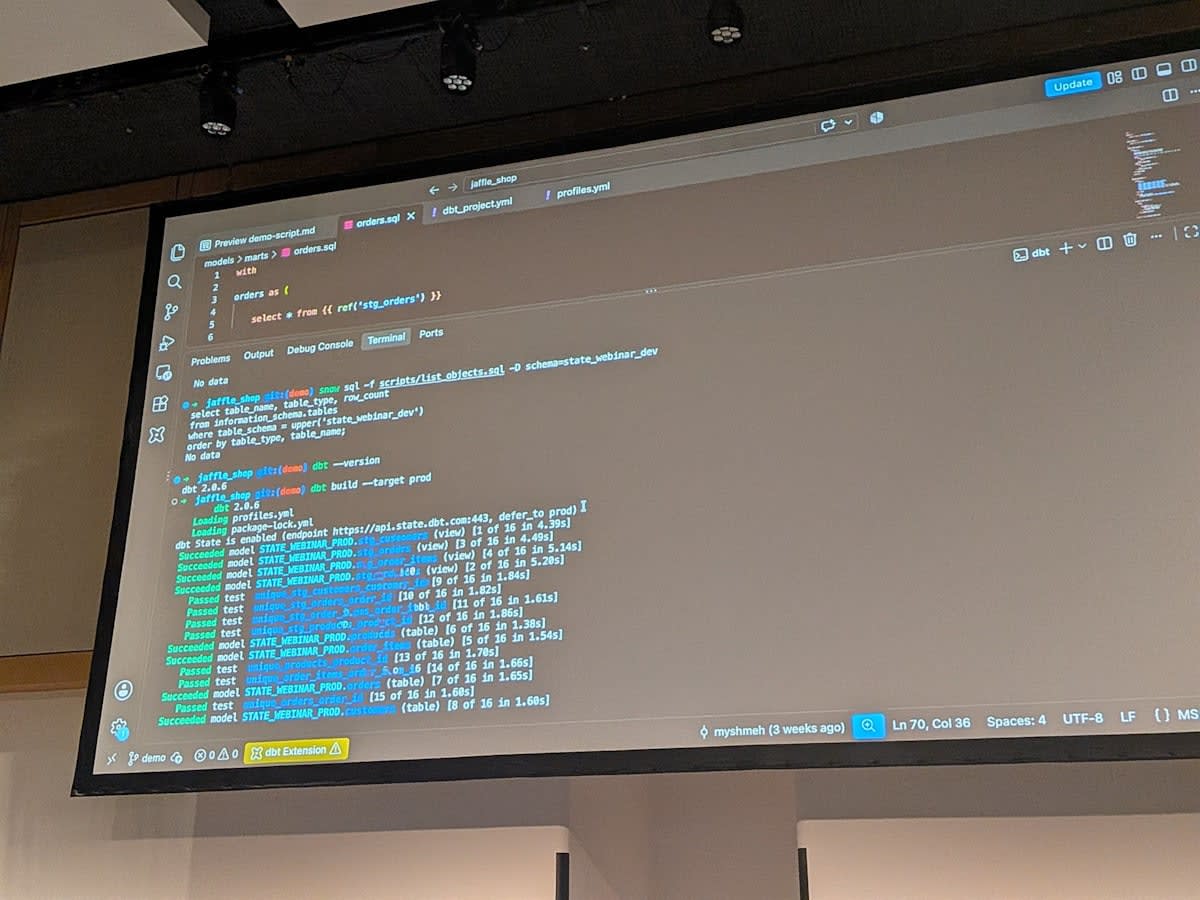
- Running
dbt buildagainst production naturally builds all models since there is no data - When dbt State is enabled, the judgment results from dbt State are displayed in the logs
- Running the same command again results in all models being reused, since neither the code nor the data has changed
- A notable point is that test execution is also skipped. Even with a large number of tests defined, builds can be done efficiently
Changes That Don't Affect Results vs. Changes That Do
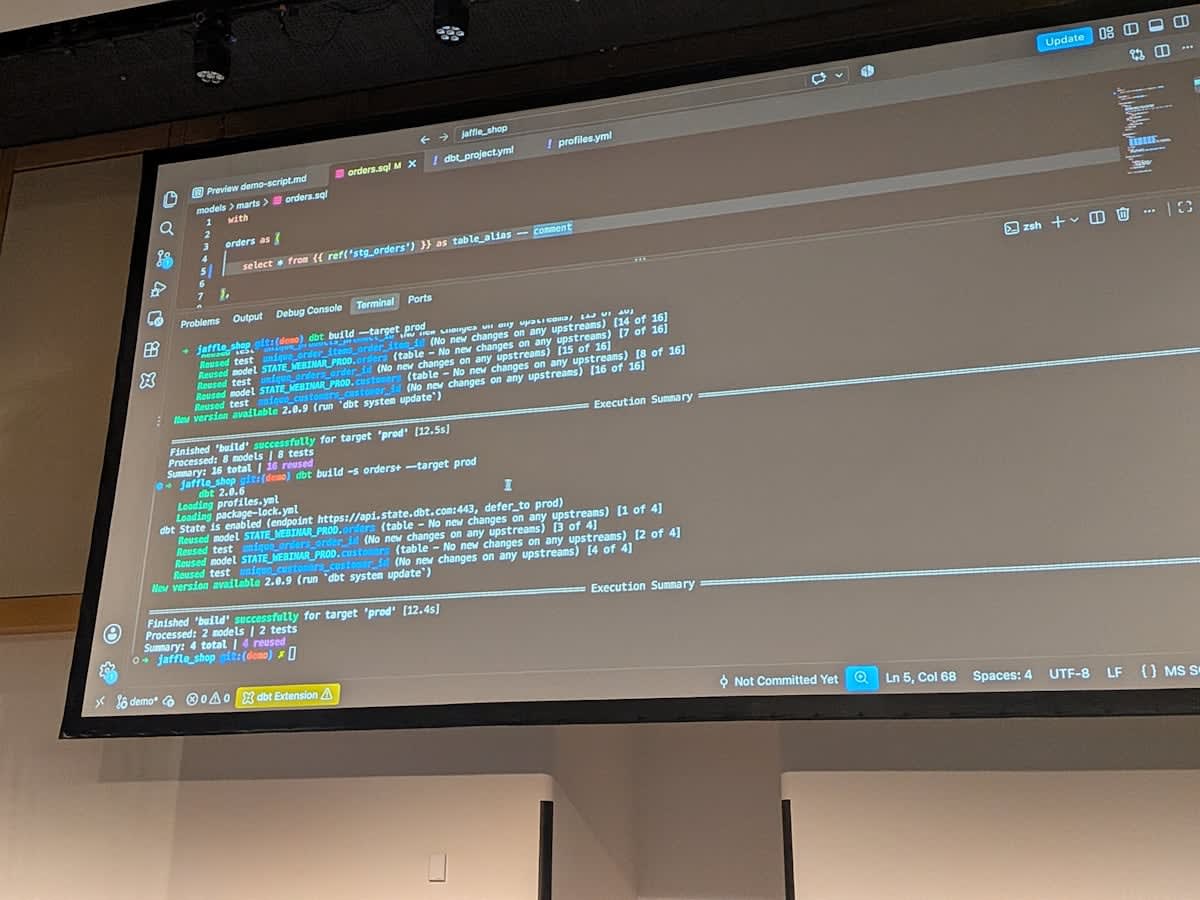
- Added a table alias and comment to the
ordersmodel code, then randbt build - The code changed, but the result remained reused. Since aliases and comments don't affect the result data, dbt State does not consider them as changes
- Next, when the
is_large_ordercolumn was added and run, the result data changed, soorderswas rebuilt, and downstream models were also rebuilt
Behavior of lag_tolerance
- Added one record to the source table
raw_products, then randbt buildagainst production - Simply thinking, since the data changed, it seems like
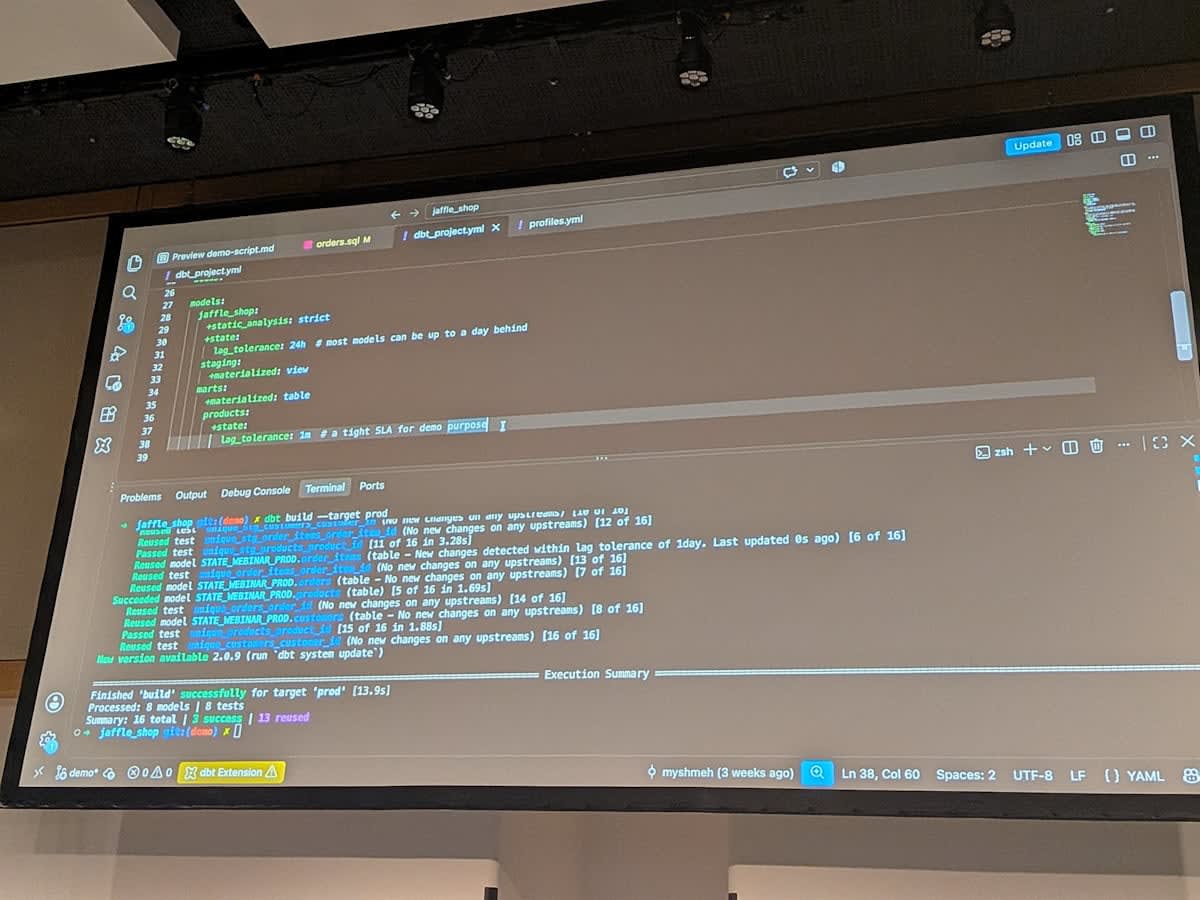
stg_products,products,order_items, etc. would be rebuilt - In reality, most were reused, and only
productswas rebuilt - The reason lies in the dbt_project.yml settings
- A
lag_toleranceof 24 hours is set for allmodels. Since 24 hours had not passed since the last build, they were skipped productshas an individuallag_toleranceof 1 minute. Since more than 1 minute had passed since the last run, it was rebuilt
- A
- Freshness can be declared per model, and you only need to keep running jobs at a consistent rhythm
dbt state explain
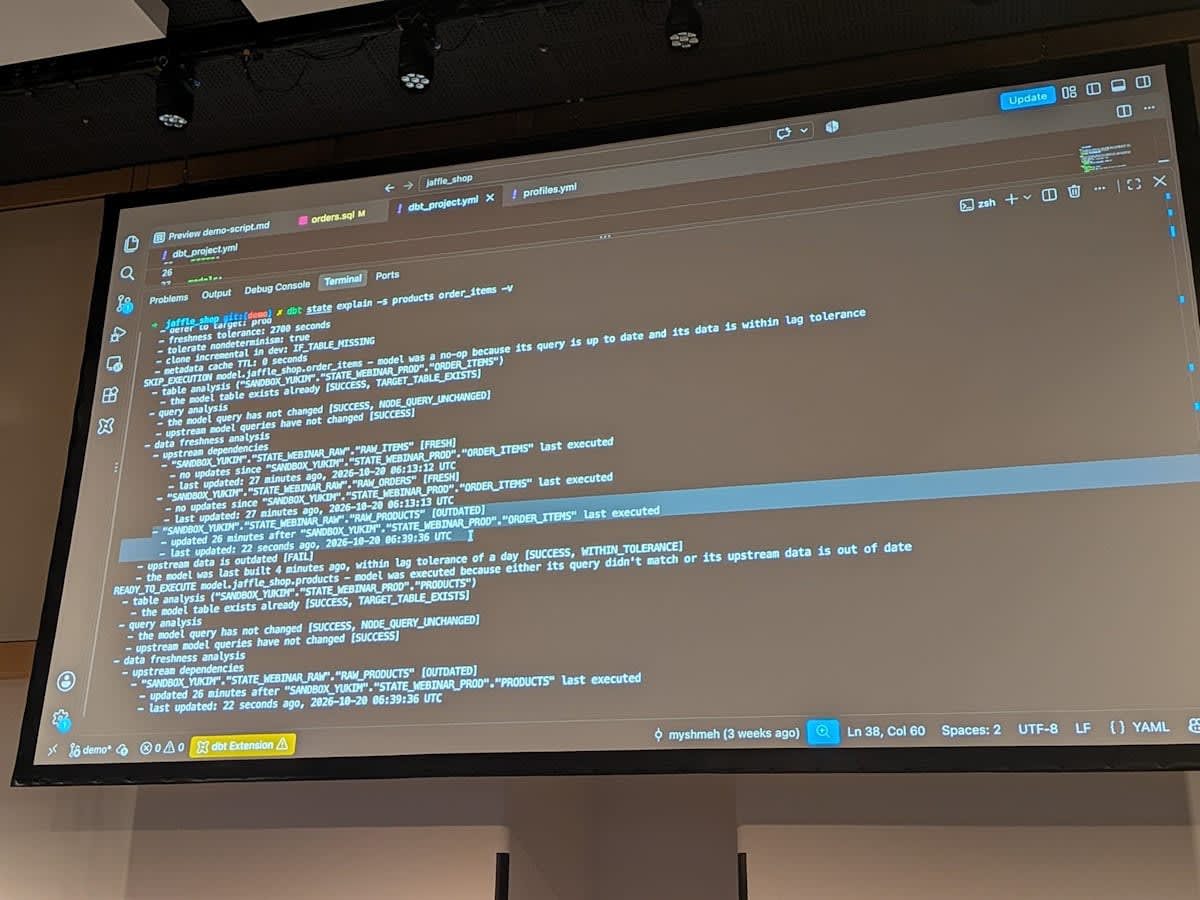
- Whether dbt State truly made its judgment for that reason can be verified with
dbt state explain - For each model, it shows why it was rebuilt or why it was skipped
- Example of
order_items- Judgment result: skip
- dbt State performs three analyses: Table analysis, Query analysis, and Data freshness analysis
- In Data freshness analysis,
raw_productsis shown as out of date. The data change is detected - However, it states that the model was skipped because the
lag_toleranceof 24 hours since the last build had not elapsed
- Example of
products- Judgment result: rebuild
- There is no description of "within lag_tolerance" in the Data freshness analysis
- Because more than 1 minute had passed since the last run against the 1-minute setting
- The basis for dbt State's decisions can be verified after the fact
Setting Up the Development Environment
- Up to this point, execution had been against the production environment, so the development schema had no data, while production had tables for all models
- In this state,
dbt buildis run against the development schema - Instead of recreating all models in the development environment, all models were cloned from the production environment
- Reused logs appear for models and tests, indicating that tables were cloned from another environment
- The staging layer uses views, so they are reused rather than cloned. Views do not hold data and are objects with only the construction code registered
- Looking at the
customersmodel withdbt state explain, the Table analysis shows that it was cloned from production - dbt State not only reduces compute, but also enables declarative freshness definitions and the construction of a safe and efficient development environment
dbt State Screen on the dbt Platform
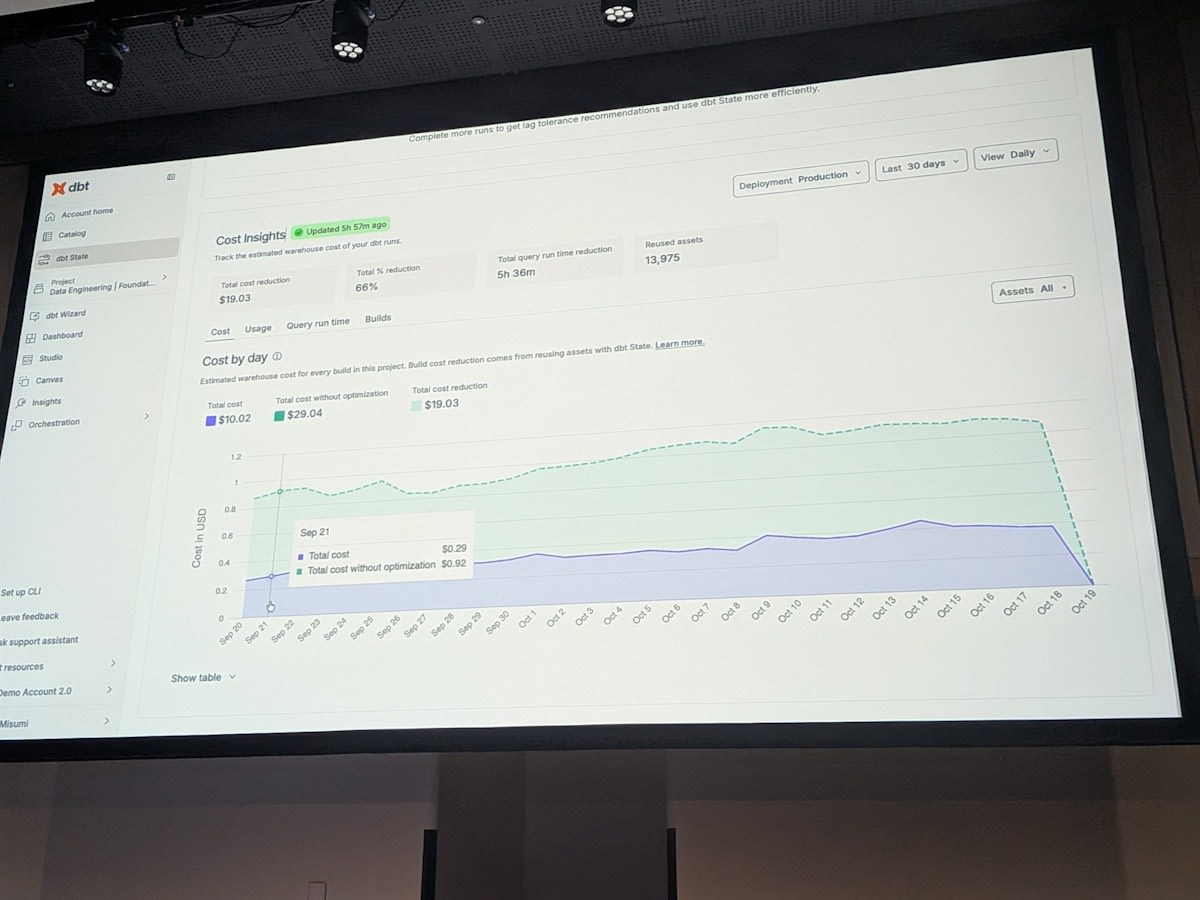
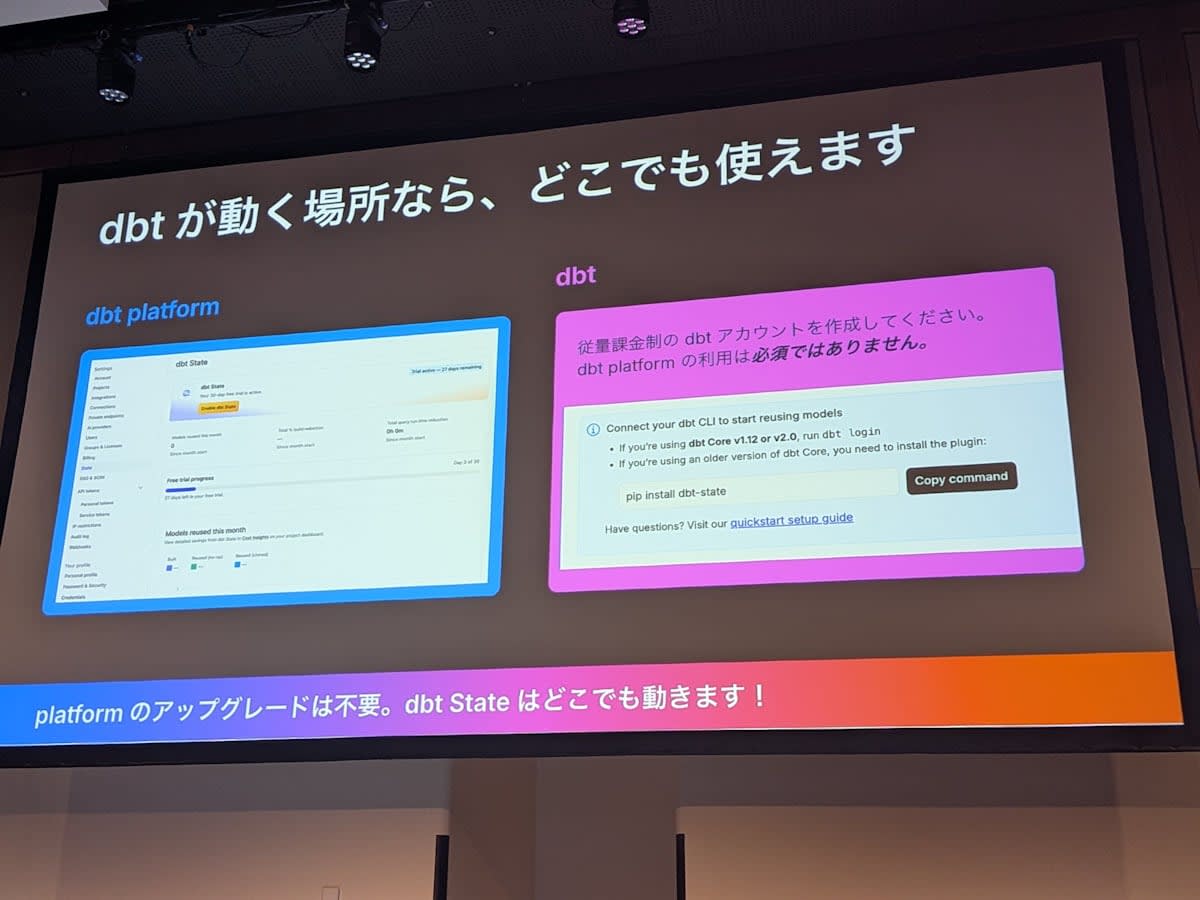
- A dbt State tab was recently added to the dbt platform, where you can view cost insights
- It displays a graph showing how much was consumed by dbt State per day and how much it would have cost without dbt State
- It can be used for daily monitoring as well as a basis for deciding whether to fully adopt dbt State
According to the official documentation, this screen is in the State tab under Account settings > Billing & Usage > Usage-based features. You can check the number of reused models, build reduction rate, and reduction in query execution time.
How dbt State Works
Architecture
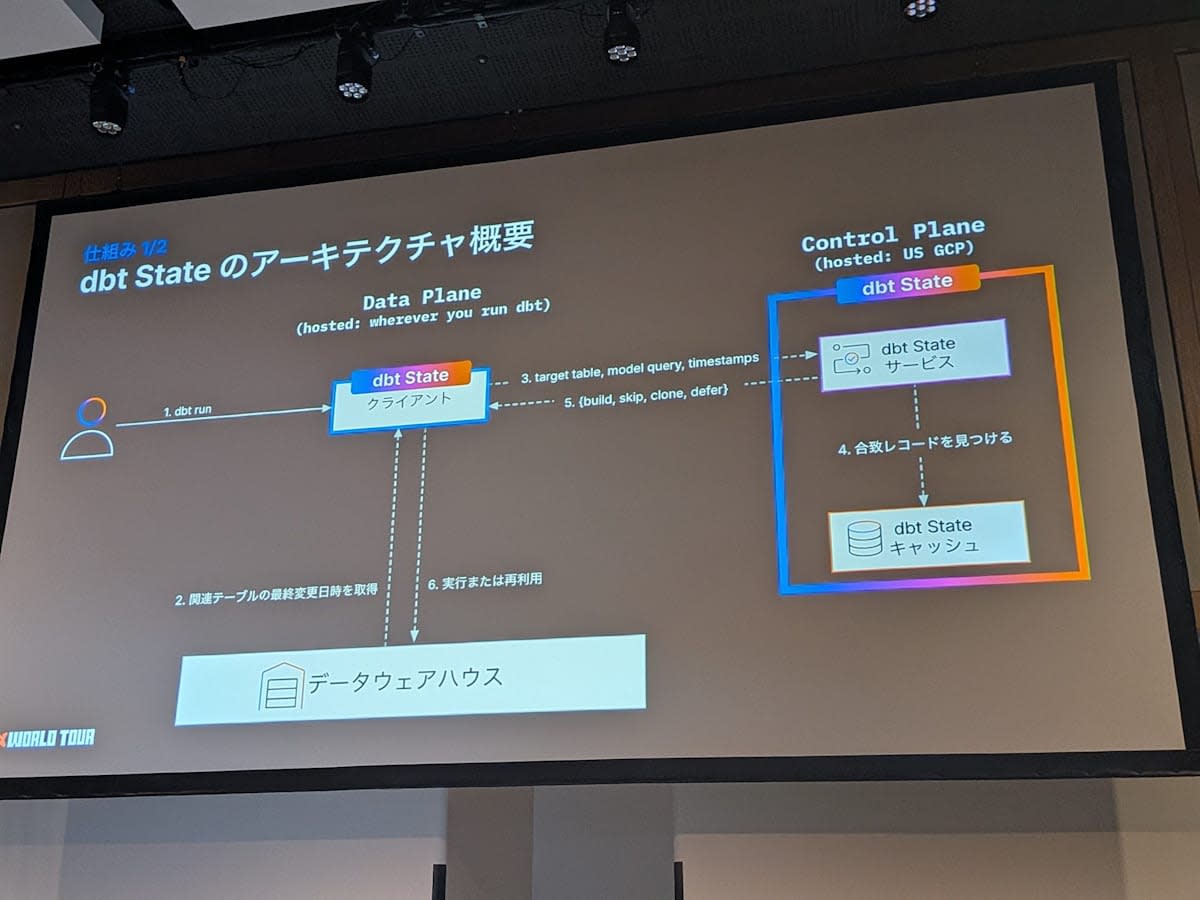
- dbt State has a dbt State server external to the normal dbt program
- Currently running on a GCP instance in the US, it determines whether a model should be skipped or rebuilt
- Flow
- The user runs
dbt runordbt build - dbt retrieves the last updated timestamps of the relevant tables from the data warehouse
- The table names and query information for the target tables are sent to the dbt State service
- The service compares against past execution history and returns to the dbt client whether to rebuild or skip
- The user runs
Judgment Logic
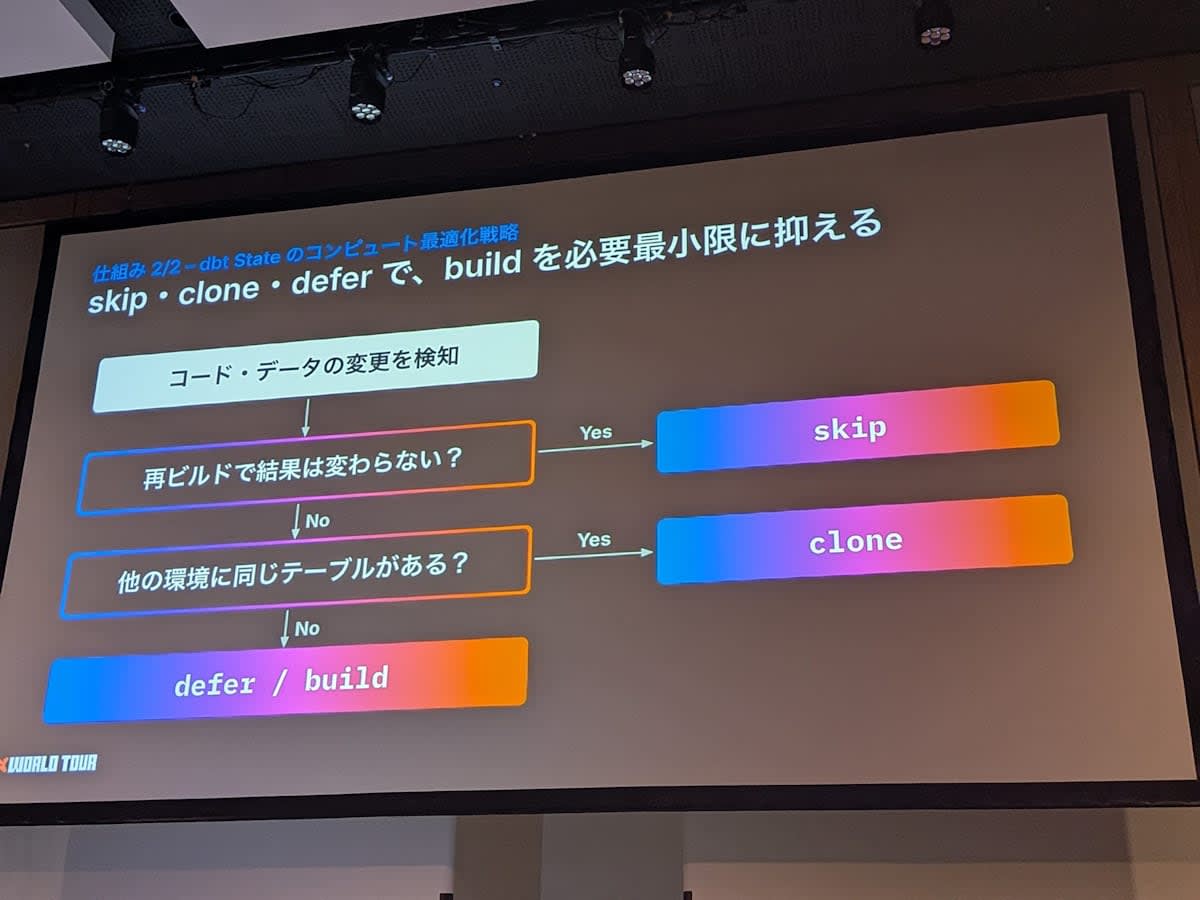
- First, it checks whether there are changes to the model code and upstream data
- If neither the code nor the data has changed, or if the code has not changed and the data change is within the
lag_tolerance, it skips - If the code has changed or new data has arrived, it checks whether the same table exists in an up-to-date state in another environment
- In the demo, since it existed in the production environment, it was cloned to the development environment
- If it does not exist in another environment either, it checks whether upstream tables can be deferred from another environment
- If that is also not possible, a normal build is performed
- In this way, builds are optimized based on multiple strategies
Key Settings
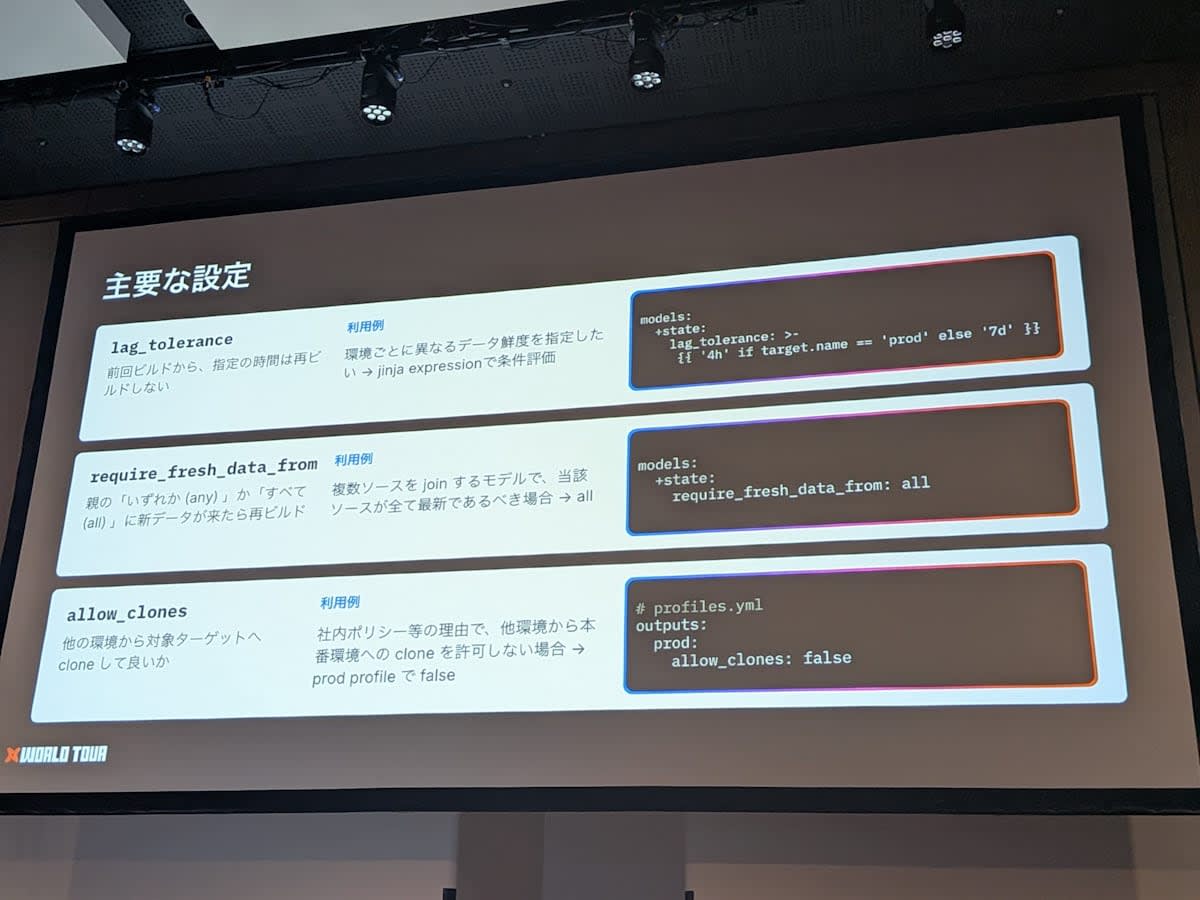
| Setting | Description |
|---|---|
lag_tolerance |
For the specified time after the last build, the model will not be rebuilt even if upstream data changes. Jinja can be used just like other properties, allowing behavior such as 24 hours for production and a different value for other environments |
require_fresh_data_from |
Whether to rebuild when new data arrives from any (any) or all (all) upstream models. For a model that joins multiple upstream sources and requires both to be up to date, choose all |
allow_clones |
Whether cloning from other environments to the target is allowed. Configured per target in profiles.yml |
- Usage example of
allow_clones- By default, not only cloning from production to development but also from development to production is possible
- If internal policy prohibits bringing data from other environments into production, set
allow_clones: falseon the production target - No environment will be able to clone into production
A list of settings is available in the official documentation.
Future Outlook
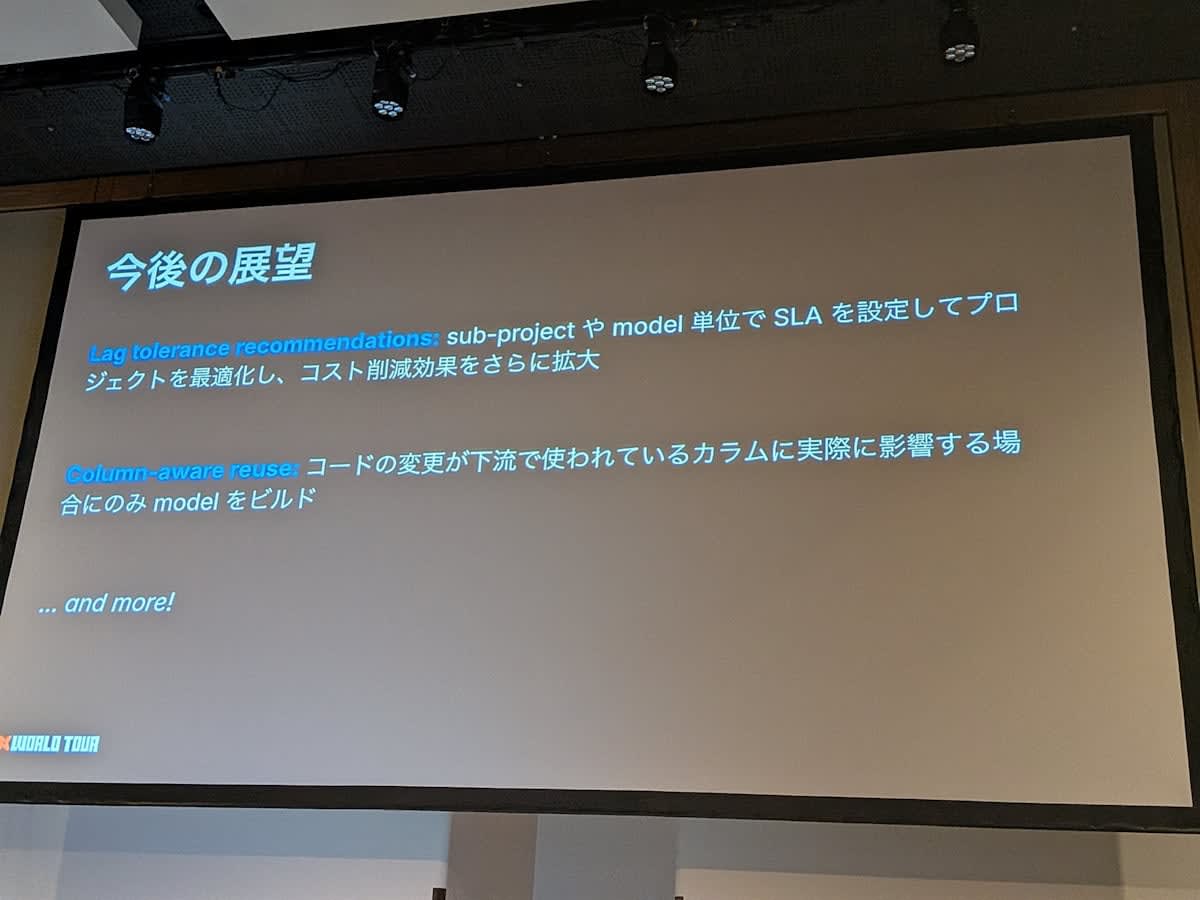
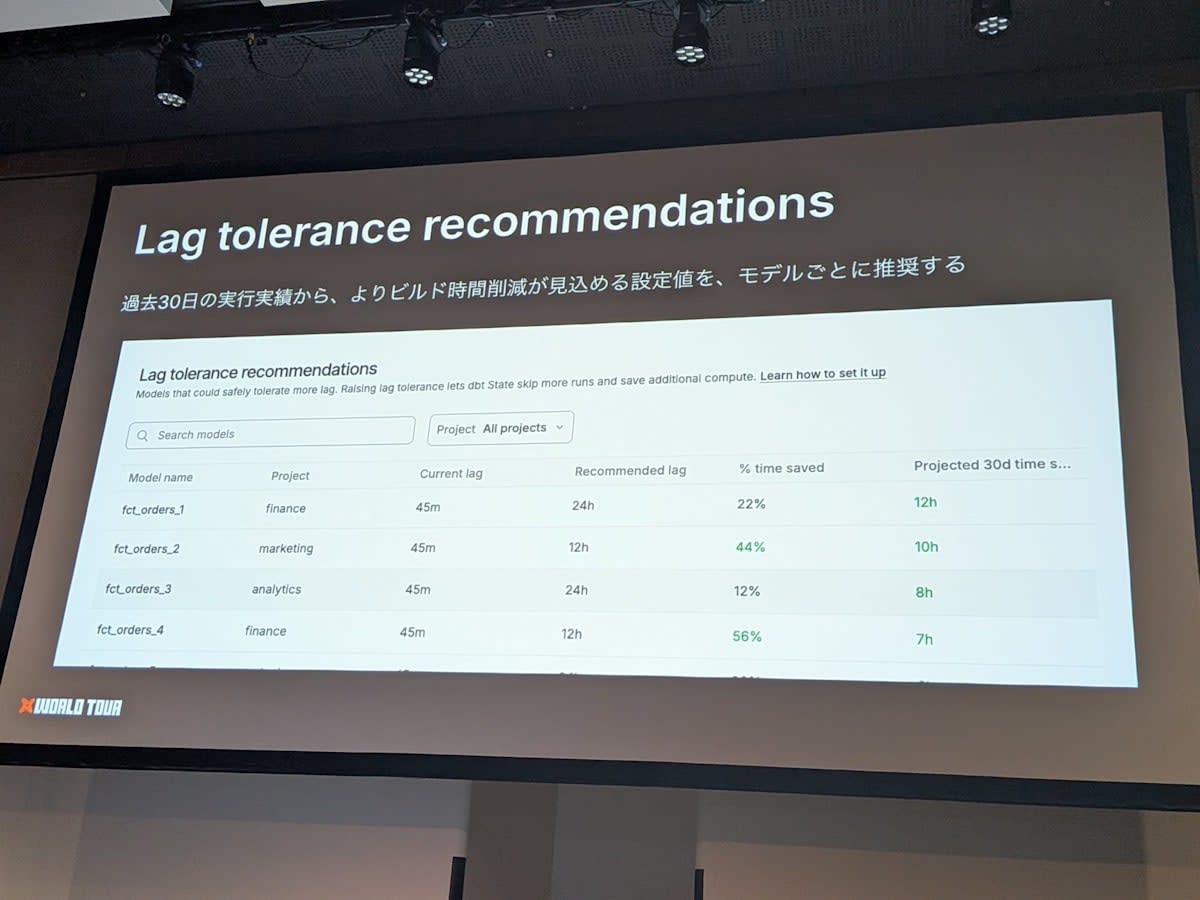
- Lag tolerance recommendations
- A feature that recommends
lag_tolerancevalues per model based on the past 30 days of execution history, where a reduction in build time is expected - Already available. After using dbt State for about 30 days, you can check it on the dbt State screen in the dbt platform
- Example: The
ordersmodel is set to 45 minutes, but based on actual results, it can return the latest data even with a 24-hour lag - It presents that changing the setting could reduce execution time by approximately 12 hours per month
- A feature that recommends
- Column-aware reuse (under consideration)
- Currently, a rebuild is triggered if either the code or data changes
- They are considering behavior where even if the code changes, if the modified column is not used downstream, the downstream build is skipped
30-Day Trial
- dbt State offers a 30-day trial
- Not only dbt platform users but also self-managed (dbt Core) users can try it
- Please verify how much it can contribute to reducing warehouse costs and simplifying pipelines over 30 days
Related Links
Impressions
I attended the session "Optimizing runs with dbt State" at dbt World Tour Tokyo 2026.
Personally, I found it appealing that data freshness can be declaratively defined as an SLA.
Also, the perspective that it functions as a guardrail for AI agents was something I had not considered before, so it was a great learning experience.
I hope this article is helpful in some way!