![[Report] dbt Wizard: AI Teammate in Data Development #dbtWTTokyo](https://devio2024-media.developers.io/image/upload/f_auto,q_auto,w_3840/f_auto,q_auto/v1792569036/eyecatch/y58gpgivicaucrhras9s.png)
[Report] dbt Wizard: AI Teammate in Data Development #dbtWTTokyo

This page has been translated by machine translation. View original
This is Kawabata.
On October 20, 2026, "dbt World Tour Tokyo 2026" was held at Andaz Tokyo.
This article is a report blog for the session "dbt Wizard: AI Teammate in Data Development." It was a session introducing the dbt-dedicated AI agent dbt Wizard, covering three usage patterns and a recorded demo of Wizard Desktop.
※This article is a summary based on the author's notes.
※Availability status is based on the content at the time of the presentation and the dbt Summit 2026 official blog published on September 16, 2026.
Speaker
- Toshihiro Ito
- dbt Labs
- Staff Solutions Architect

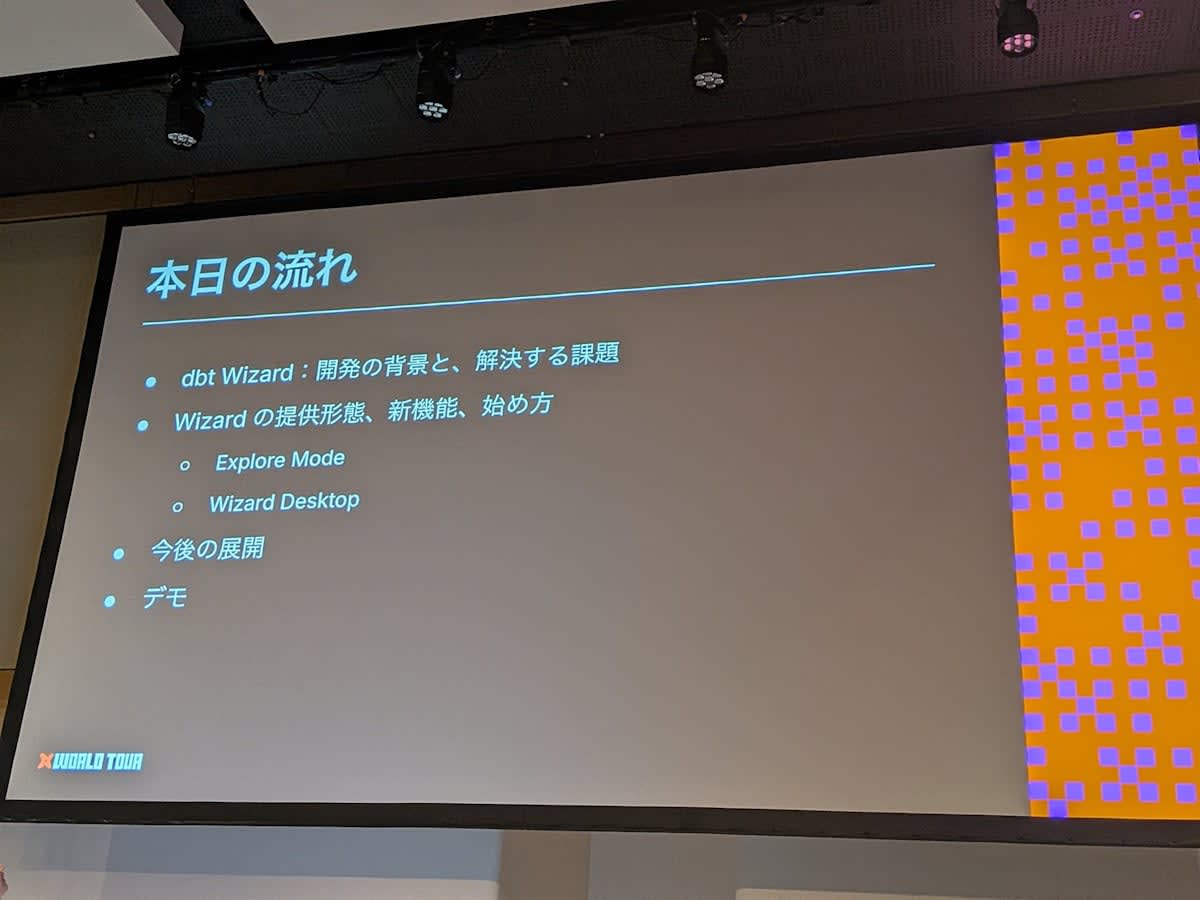
Agenda
AI Can Write Code, but Validation and Context Remain Challenges
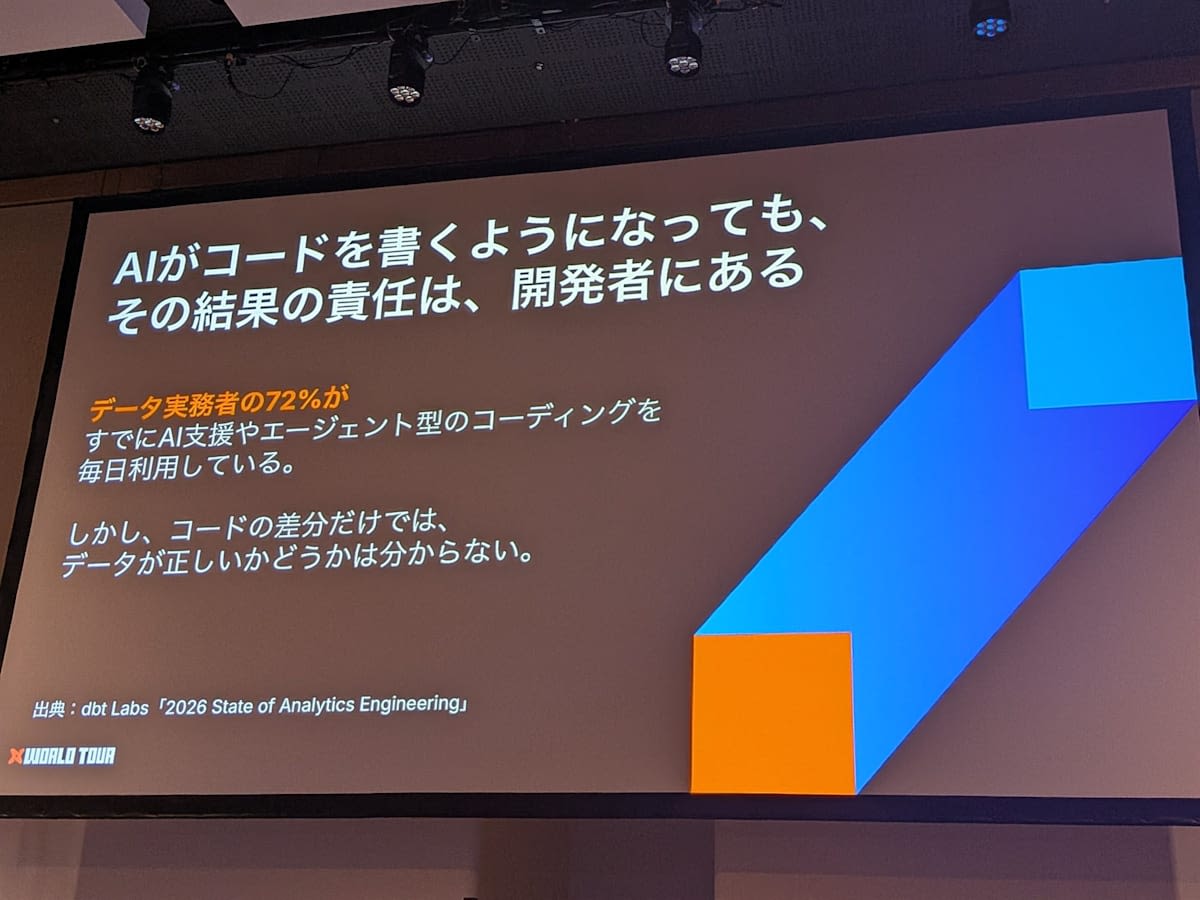
- A show of hands at the venue revealed that most attendees were using AI. The slide survey also showed 72% usage.
- AI can increasingly write code, but whether that code is truly correct remains a challenge
- Even if you introduce unit tests for validation, it's difficult to know whether the unit tests themselves are correct, or what the standard for "good enough" is
- Even for code written by AI, the responsibility lies with the human who owns the pull request
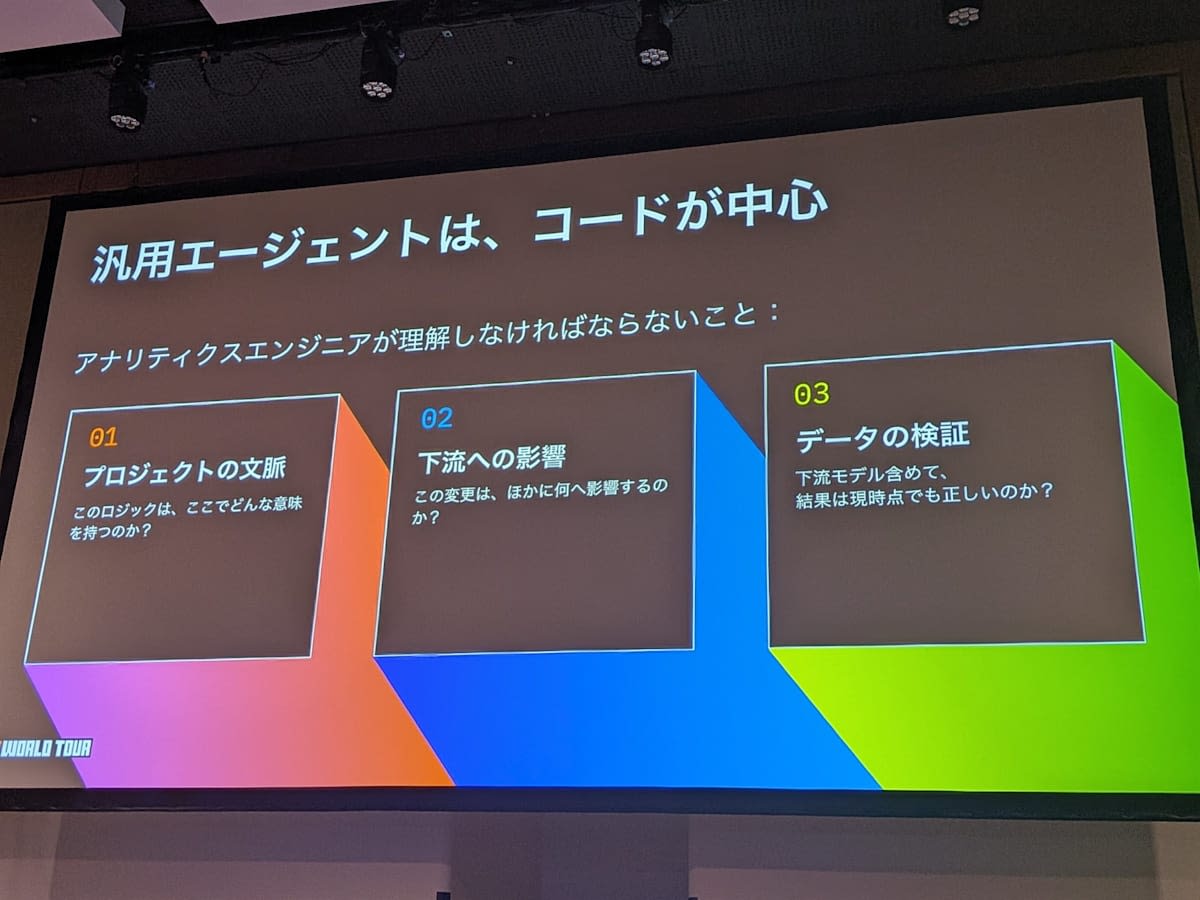
- General-purpose AI agents inevitably focus on code. Analytics engineers need to additionally provide context
- Project context: what meaning do dbt model transformations carry
- Scope of impact: when a model is modified, how does it affect downstream models
- Data validation: whether the parts of the result data that changed due to code modifications are truly correct
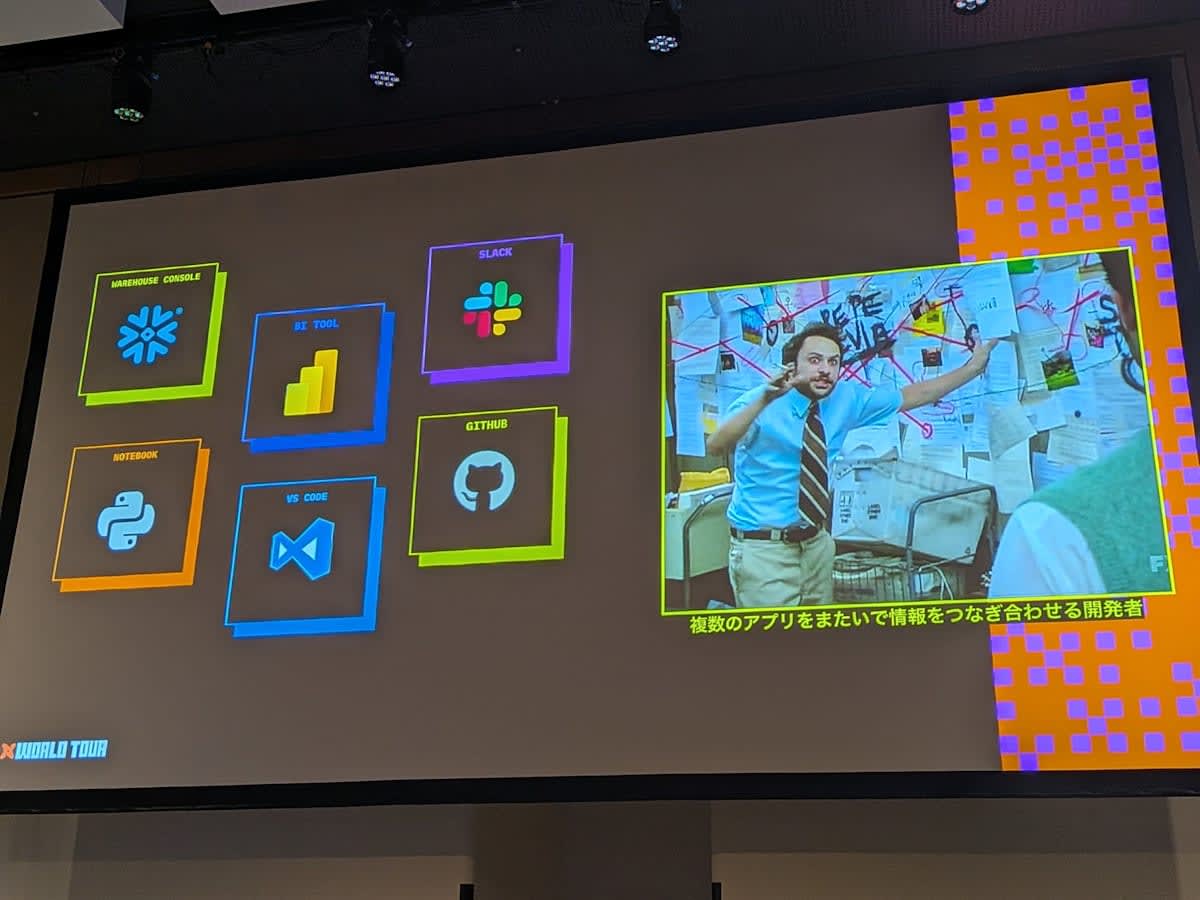
- In the end, humans end up having to fetch various tools and context themselves, and the current reality is that AI alone cannot complete the work
What is dbt Wizard
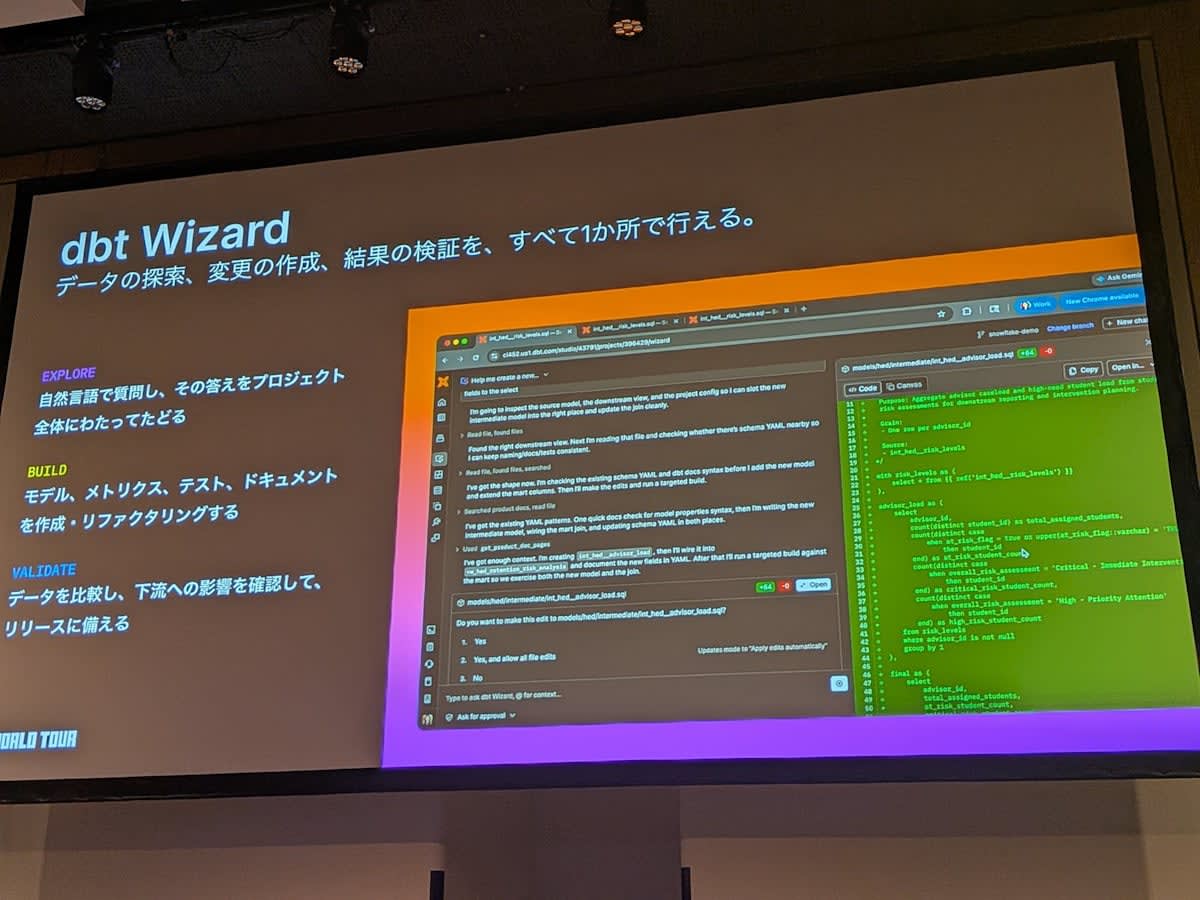
- A dbt-dedicated AI agent. It can create code in natural language and develop models
- AI handles dbt-related activities such as model creation, semantic layer definition, and test creation
- It not only auto-generates tests but also compares data to confirm what impact there is before taking things all the way to release. This entire flow is what matters
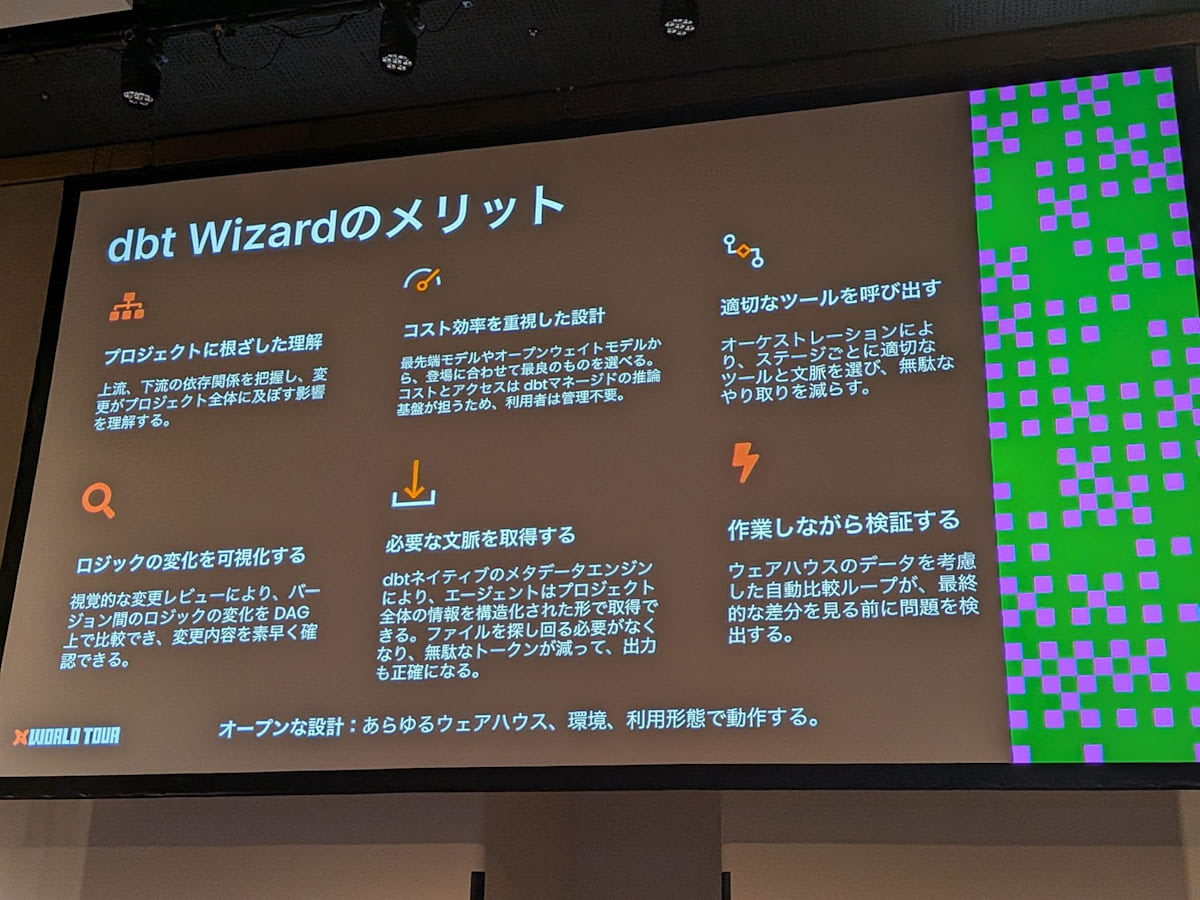
- Benefits of dbt Wizard
- dbt project-dedicated. Understands dependencies between models and how changes affect them
- LLM selection. Using dbt managed models, open-weight models and major vendor models are provided by the dbt side. No need to manage hosting
- Tool invocation. Appropriately calls the necessary tools at each stage, such as test generation and execution, and pull request creation
- Logic visualization. Since humans ultimately review, it presents not just source code diffs but also lineage images to make judgment easier
- Efficient context. To keep token costs down, it doesn't pass all files every time, but efficiently passes only the necessary parts
- Validation while working. Presents data comparisons while looking at actual warehouse data, enabling safe deployment to production
- The value lies not in individual benefits but in the ability to strengthen dbt development as an end-to-end flow
3 Usage Patterns
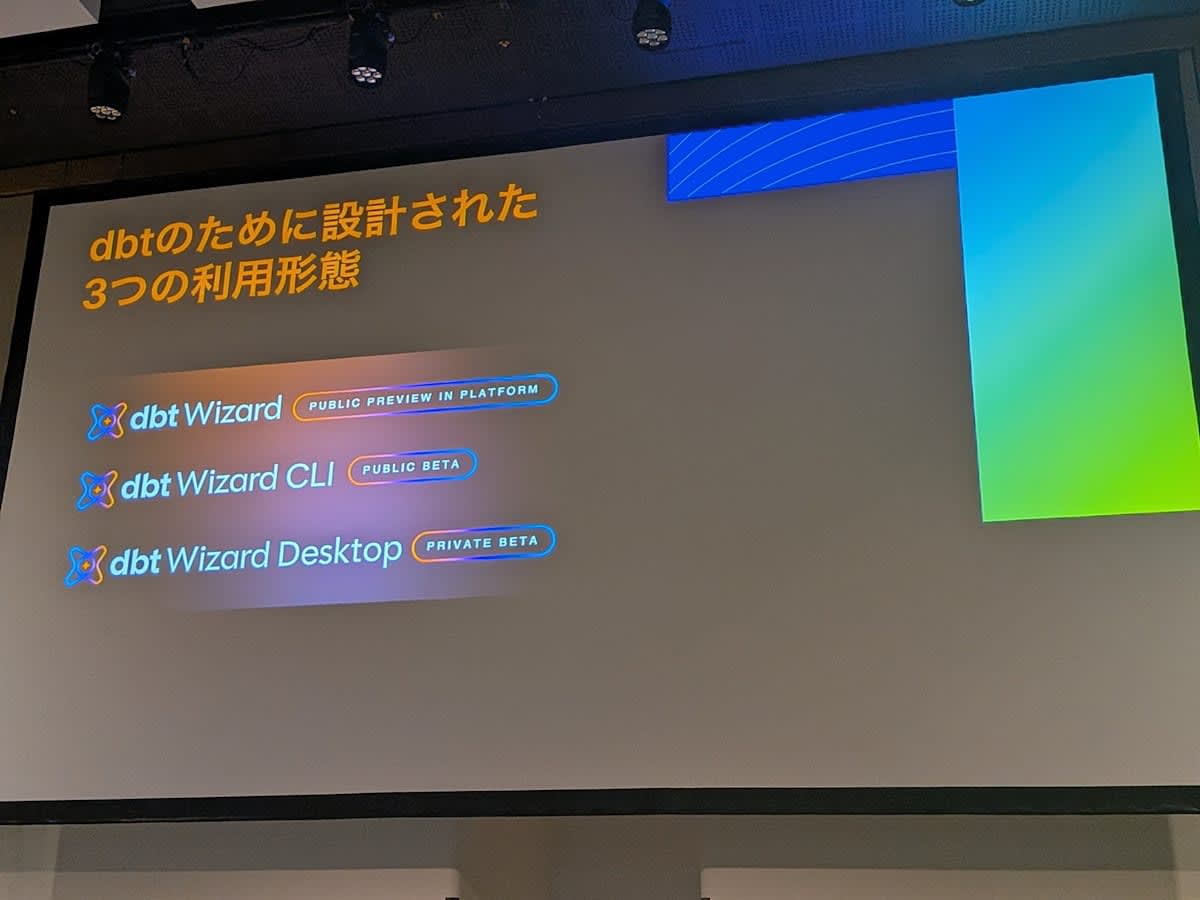
| Usage Pattern | Availability Status | Overview |
|---|---|---|
| dbt Wizard on dbt platform | Public Preview | Fully web-based. Available immediately to dbt platform users |
| Wizard CLI | Public Beta | Announced in June 2026. Used from terminal or IDE. Also works with local dbt v1 projects |
| Wizard Desktop | Private Beta | Dedicated desktop app. Supports complex tasks and the entire development cycle |
dbt Wizard on dbt platform
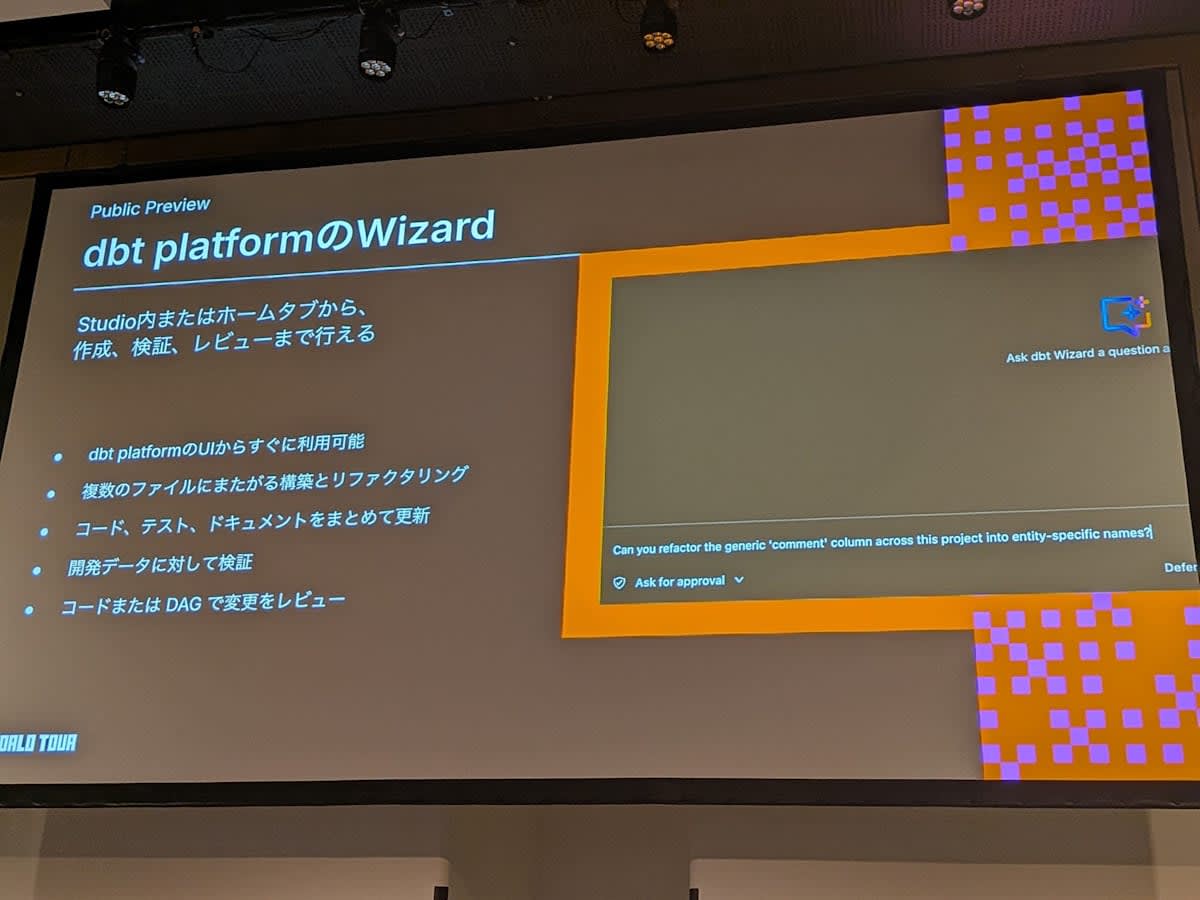
- Integrated as a tab in the dbt platform Studio, usable via chat
- Like other usage patterns, it can reference files and run builds
- Lineage and image visualization are also available. Unlike the CLI, you can immediately see how what you've built looks
- The biggest advantage is that it works entirely in the web without needing other tools
- There is also a tab dedicated to business users, which can be used by those who don't do development but want to view data
Explore Mode
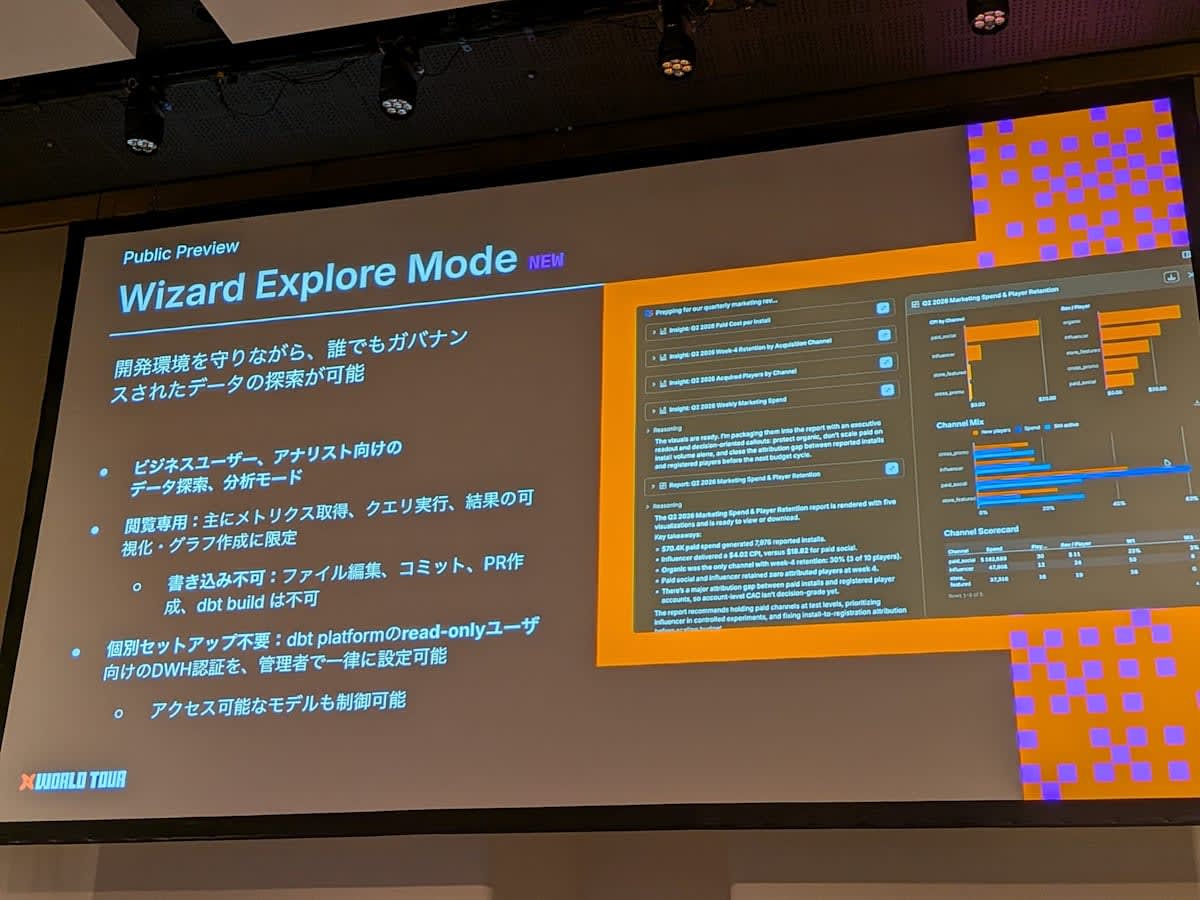
- A new mode for dbt Wizard on the dbt platform. Used for data exploration and chart creation for business users and analysts
- Read-only; does not write data to development or production environment schemas. Can be used in place of a BI tool
- Available to users with read-only license types
- Warehouse credentials only need to be set up once by a developer
- Business users unfamiliar with dbt platform can start using the chat simply by creating an account
Wizard CLI
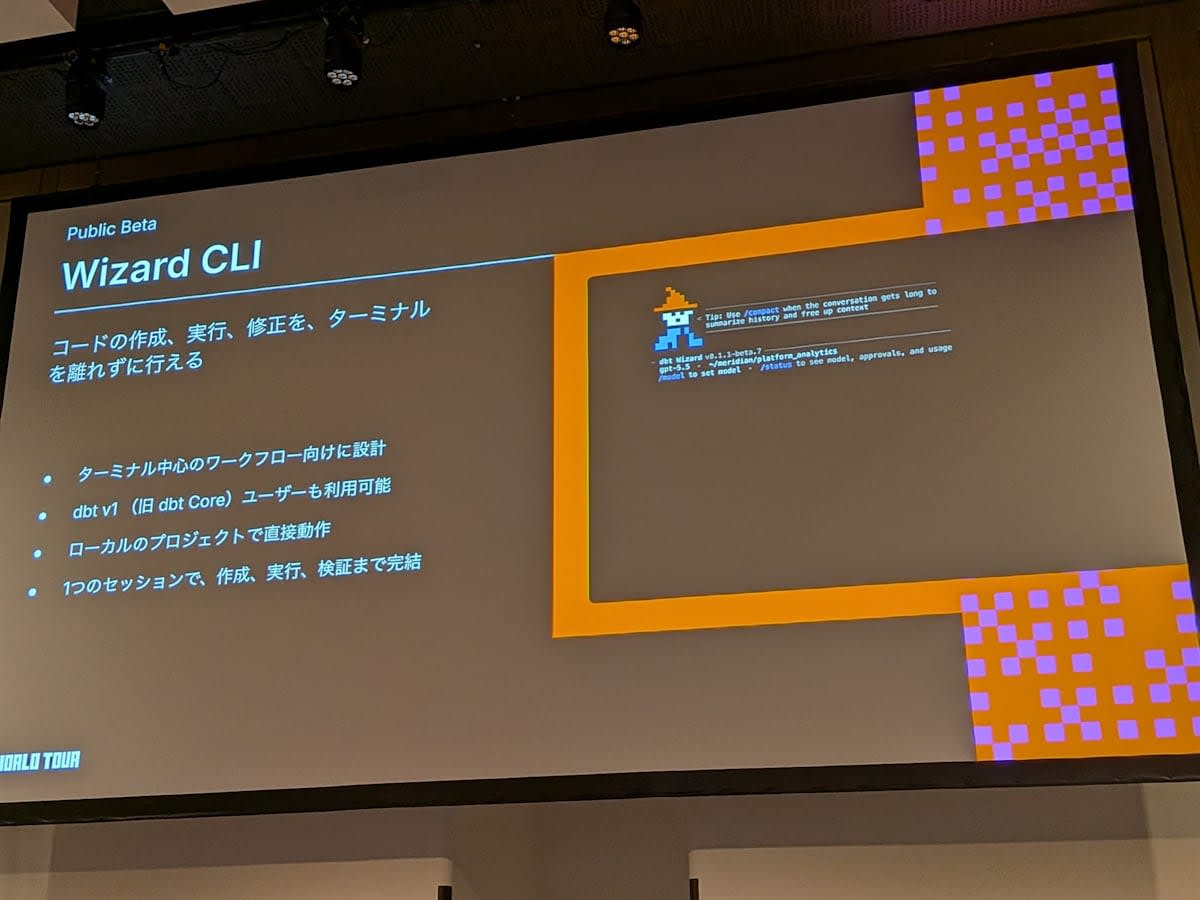
- Immediately available for users who use the terminal or want to use dbt Wizard from the IDE terminal
- Also works with dbt v1. Ideal for those using self-managed dbt v1, as it works with local projects
Wizard Desktop
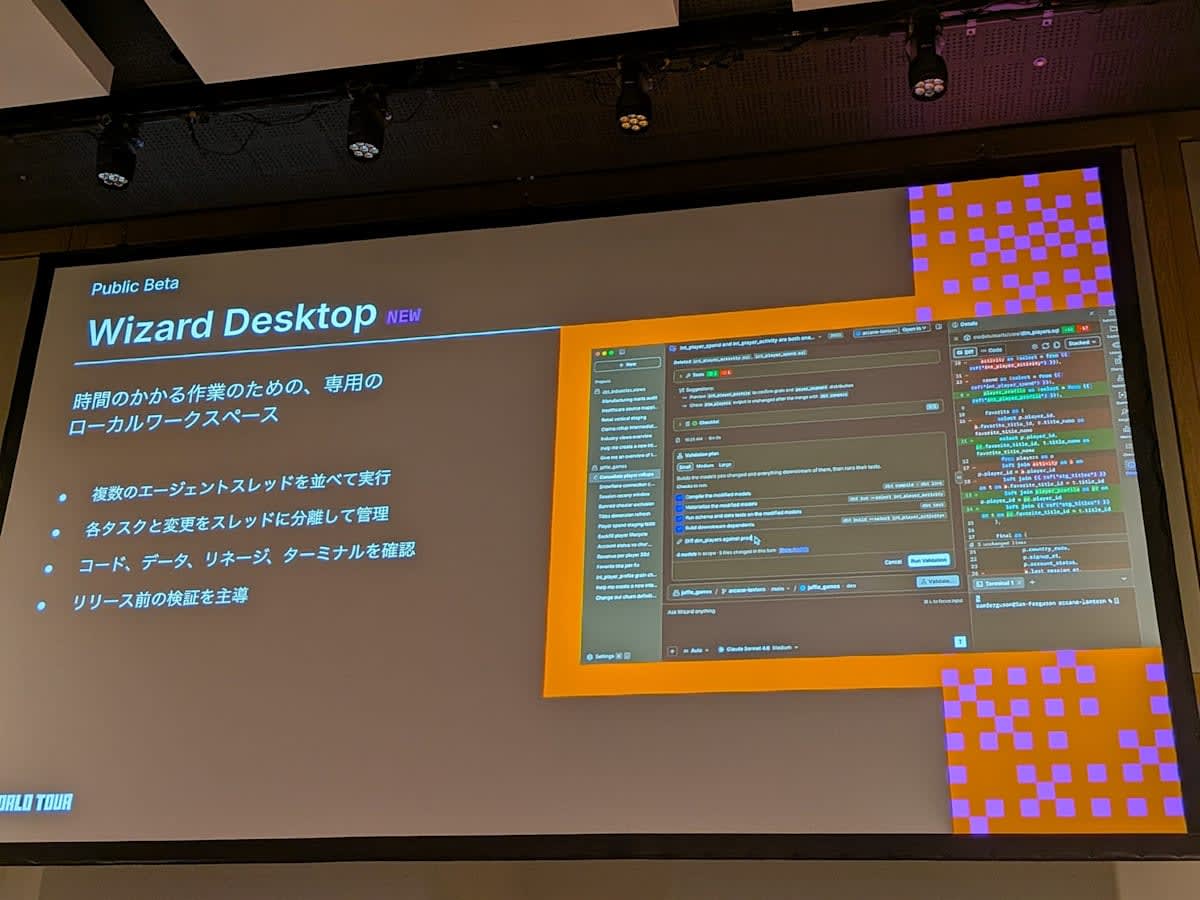
- A dedicated app designed to support more complex tasks and the entire development cycle
- Multiple threads can be progressed in parallel. Since each thread runs in an isolated environment, they don't interfere with each other
- Provides consistent support through execution, validation, testing, data validation, and pull request creation
Roadmap
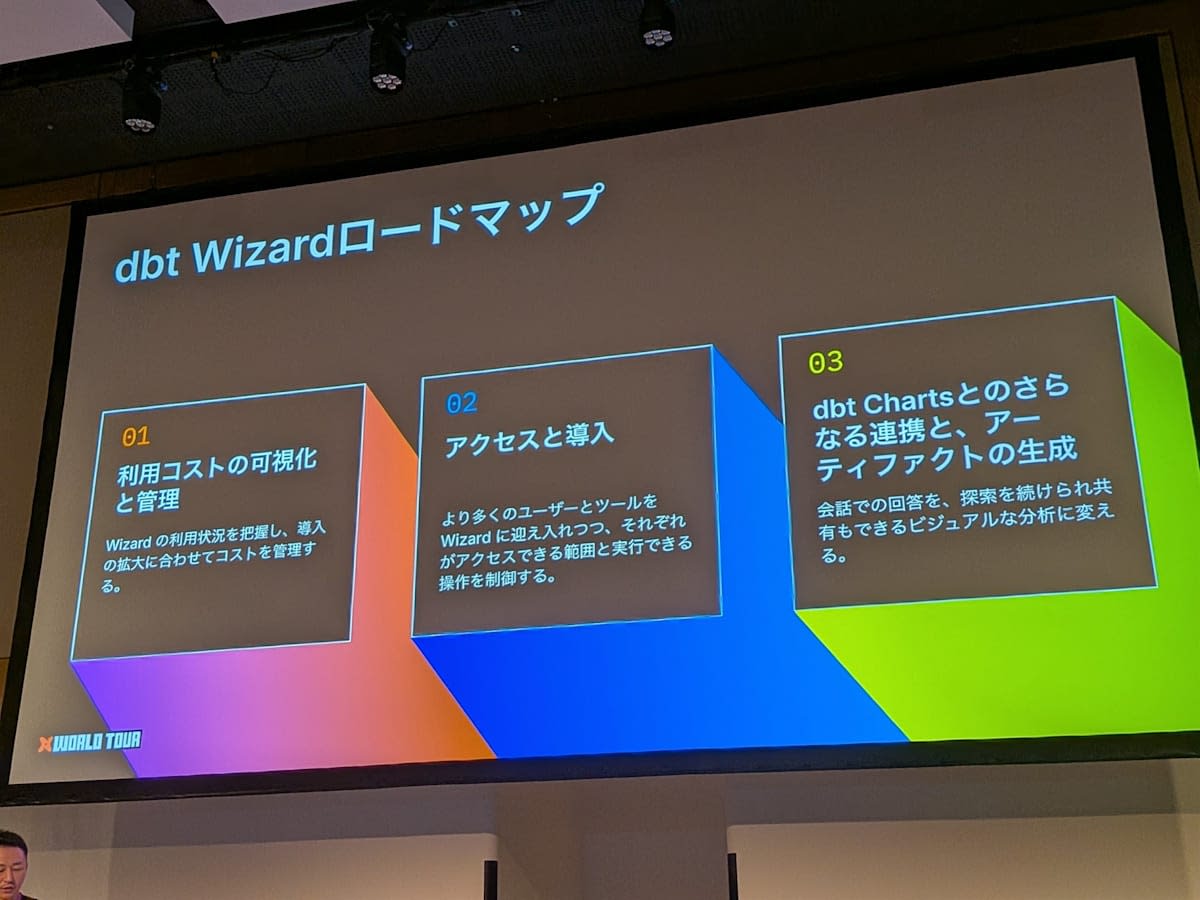
- Usage cost visibility and management. The current features for AI token costs are simple, so they will be enhanced
- Access and onboarding. More granular permission settings for which users can use what
- Integration with dbt Charts
- dbt codifies all transformation logic; the semantic layer codifies metrics
- dbt Charts codifies the charts displayed by BI tools and AI agents. The same chart appears regardless of which tool or AI displays it
- Released in September 2026. Closer integration with dbt Wizard is being considered
AI-Assisted Model Development Flow and Bottlenecks
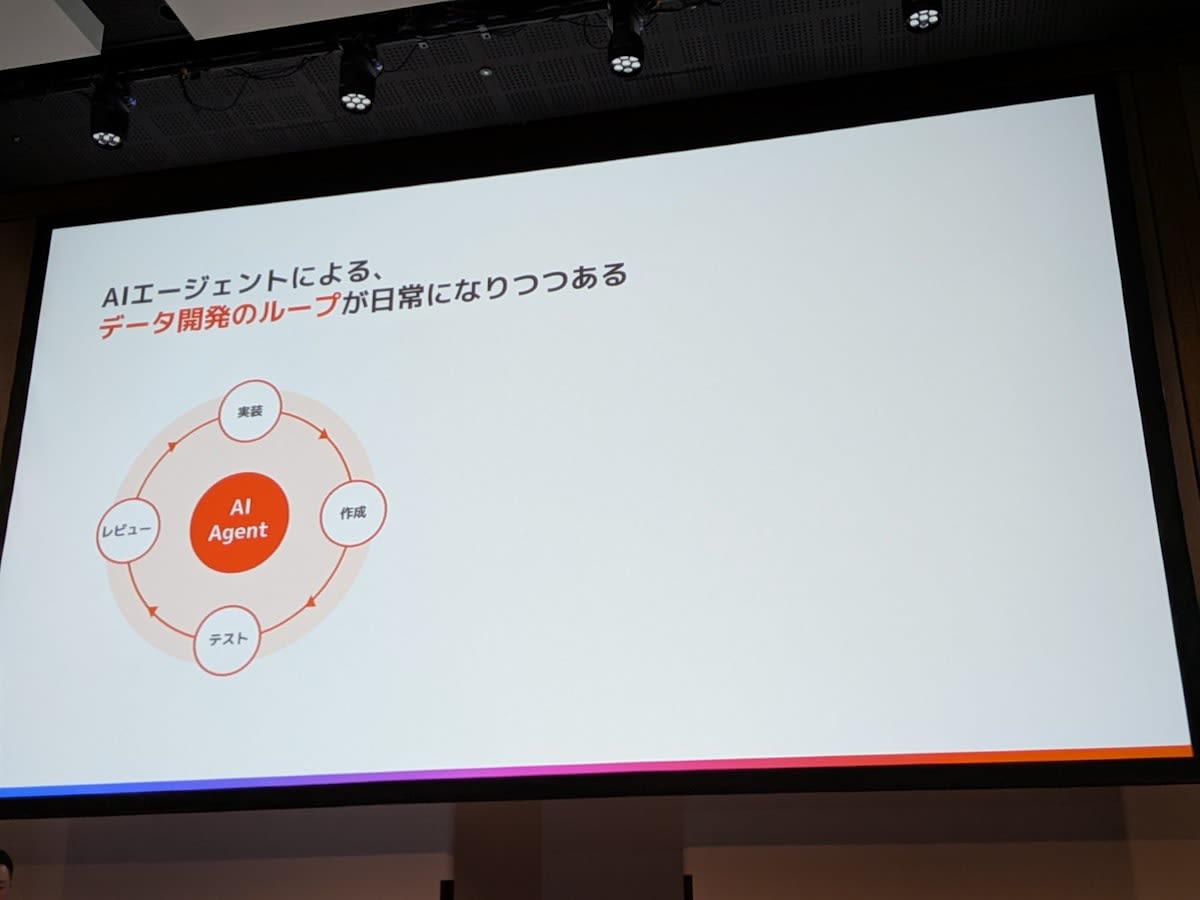
- Model development is a cycle of implementation, creation (build), testing, and review
- Previously, humans would spend days to weeks completing one cycle. Using an agent, it can finish in minutes without human intervention midway
- There is not just one loop; multiple threads run simultaneously. dbt is thinking about how to support that
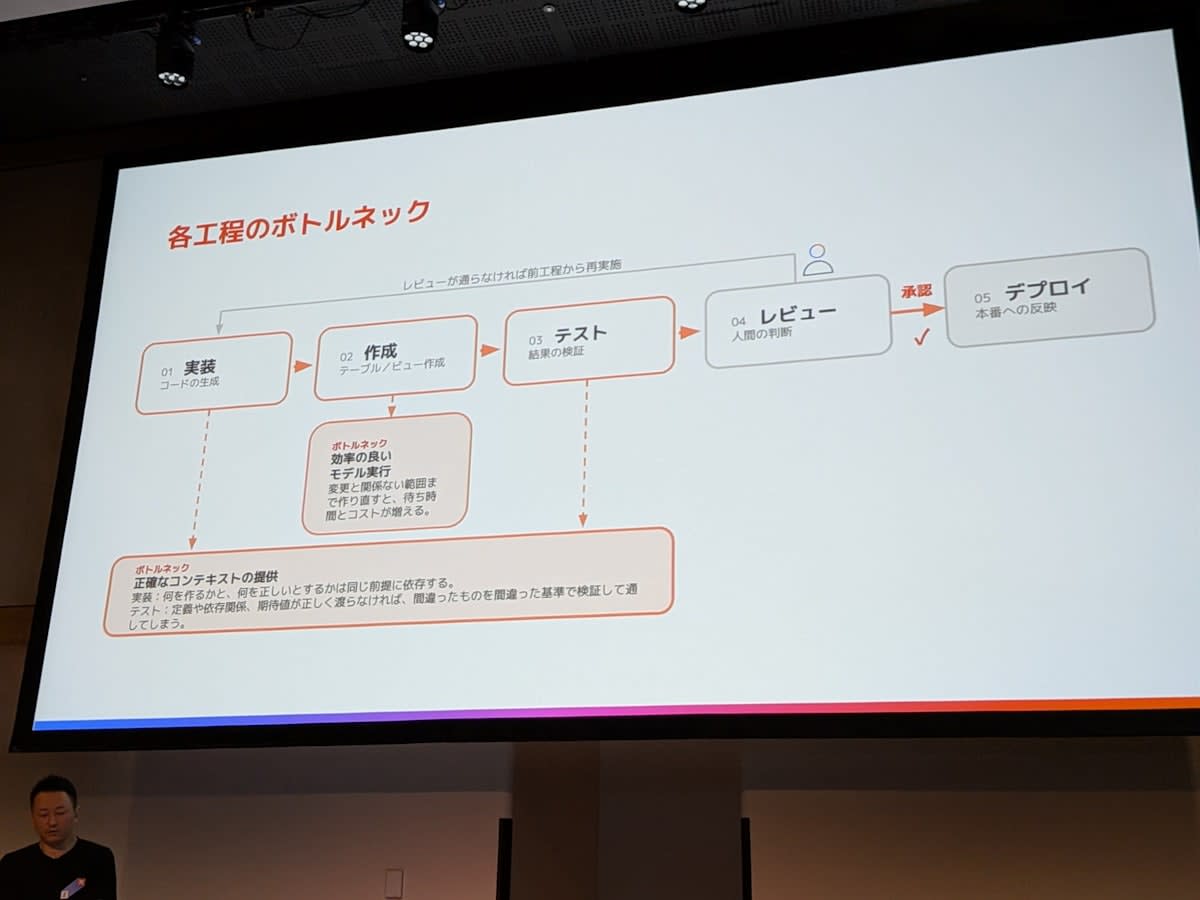
- Bottlenecks and countermeasures for each stage
- Implementation. dbt Wizard brings more accurate context from the dbt project and history to create accurate implementations and tests
- Build and test. dbt State can make running the same model faster
- Human involvement. Few organizations can run everything without humans. The biggest point is how AI and dbt present information for humans to make decisions
Demo
There was an explanation of the Wizard Desktop screen layout.
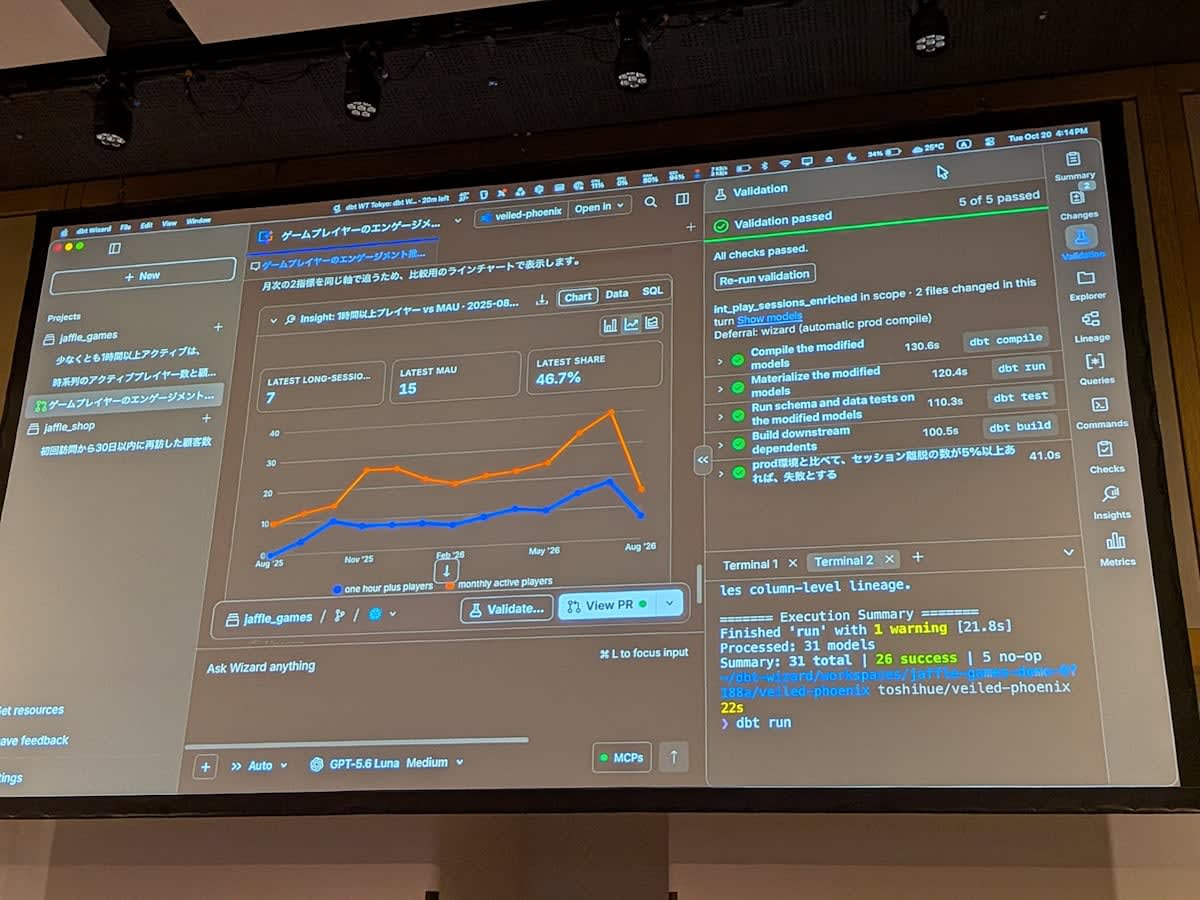
- Chat (thread) list on the left, chat in the center, panel with information needed for development on the right
- Set up per project; works with both local projects and dbt platform projects. Connection settings are also configured here
- The right panel displays skills, lineage, images, metrics, and more
- Since it's cumbersome to query desired information each time in natural language, frequently used information is available as tabs
Demo Project
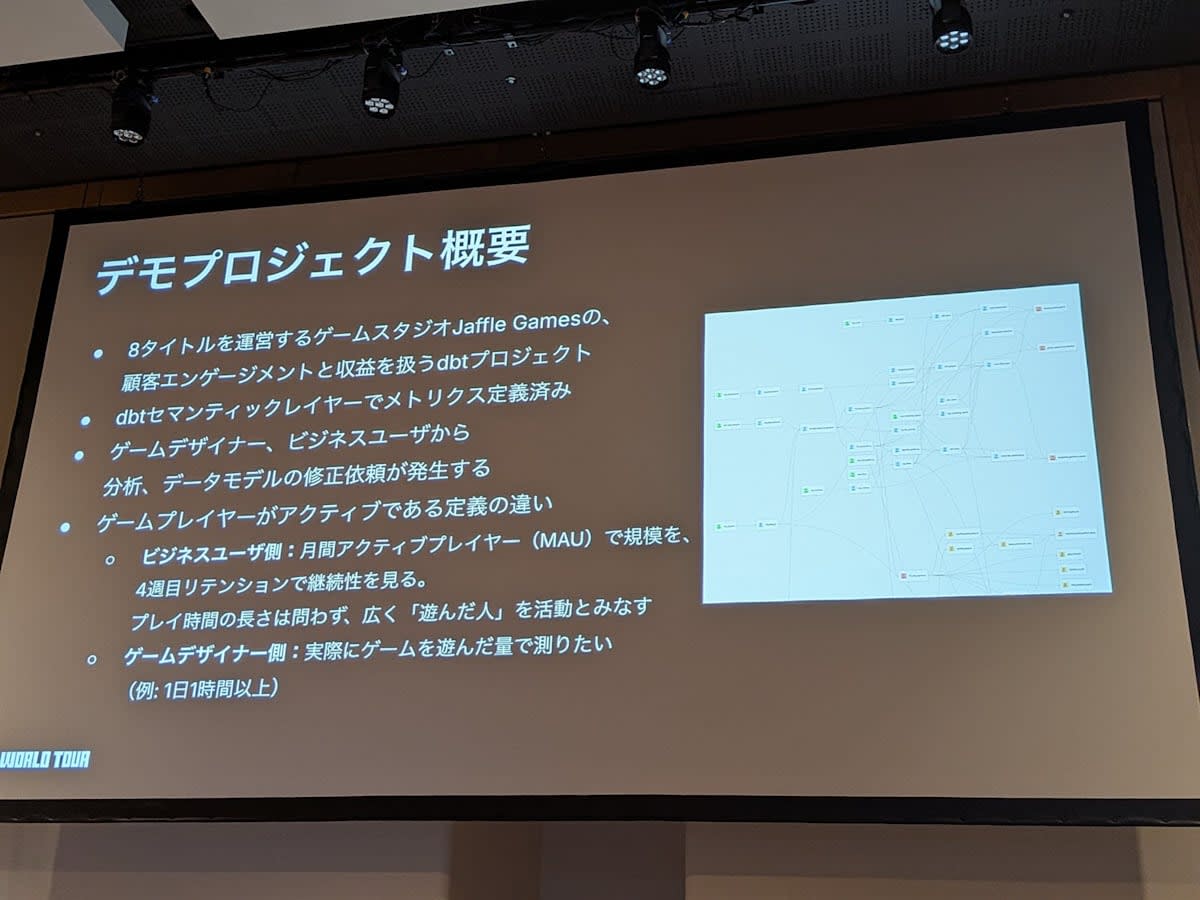
- A gaming company version of jaffle_shop called "Jaffle Games." A dbt project for analyzing customer engagement
- Metrics are defined in the semantic layer
- Stakeholders include not only analytics engineers and data engineers, but also game designers and business users
- The definition of "active player" differs by role
- Business users want to see the monthly player count. They don't care much about play time
- Game designers want to analyze how many hours players actually played
Understanding the Current State and Forking for Interrupt Requests
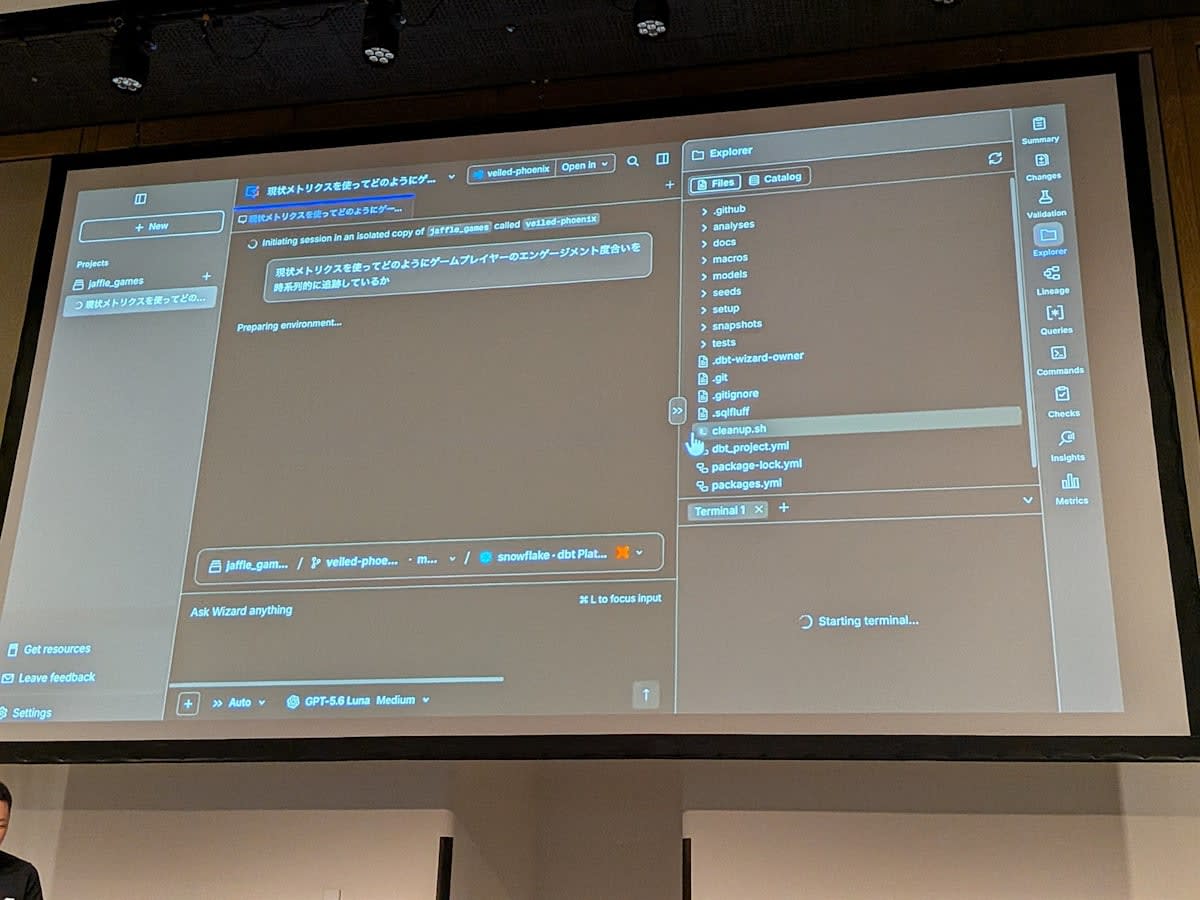
- First, understand which metrics are currently being used to measure player engagement
- Querying with skills returns a list of metrics defined in dbt
- Since humans want to see the context around metrics, the full picture including lineage is displayed
- The Metrics tab on the right has measures and labels; the labels are in Japanese. Clicking allows you to check the underlying data
- Comments such as "it dipped a bit in August" are also added
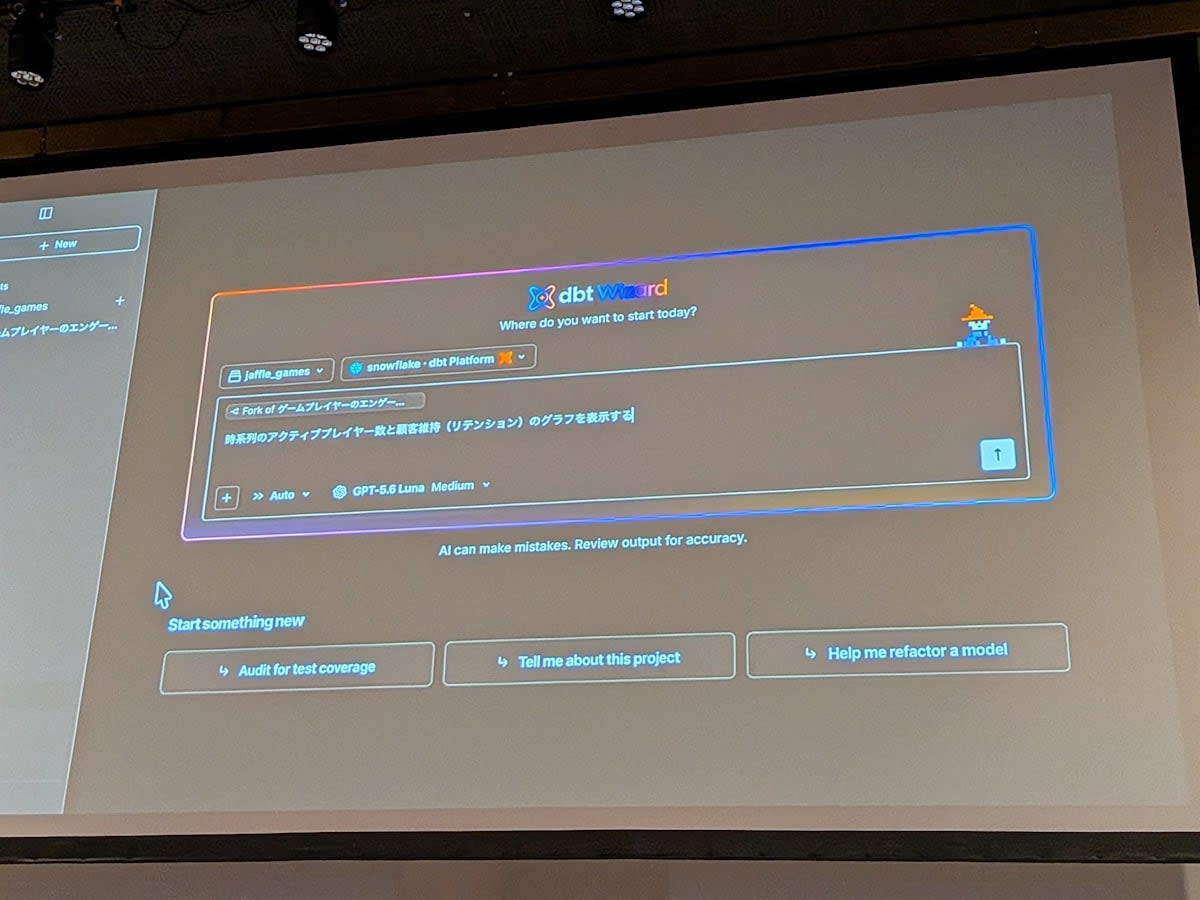
- At this point, an interrupt request comes in from a business user. They want to see the relationship between active players and retention
- Fork the first chat while preserving its context, creating a separate chat
- The original chat continues development for the game designer, so it won't be disrupted
- If edits occur in the forked chat, both the branch and the dbt development schema are separated. Development can proceed independently from the first chat
- In this case, no development occurs, and the correlation is understood from two graphs, so the results are sent
- The right-side panel allows reviewing all the charts produced so far
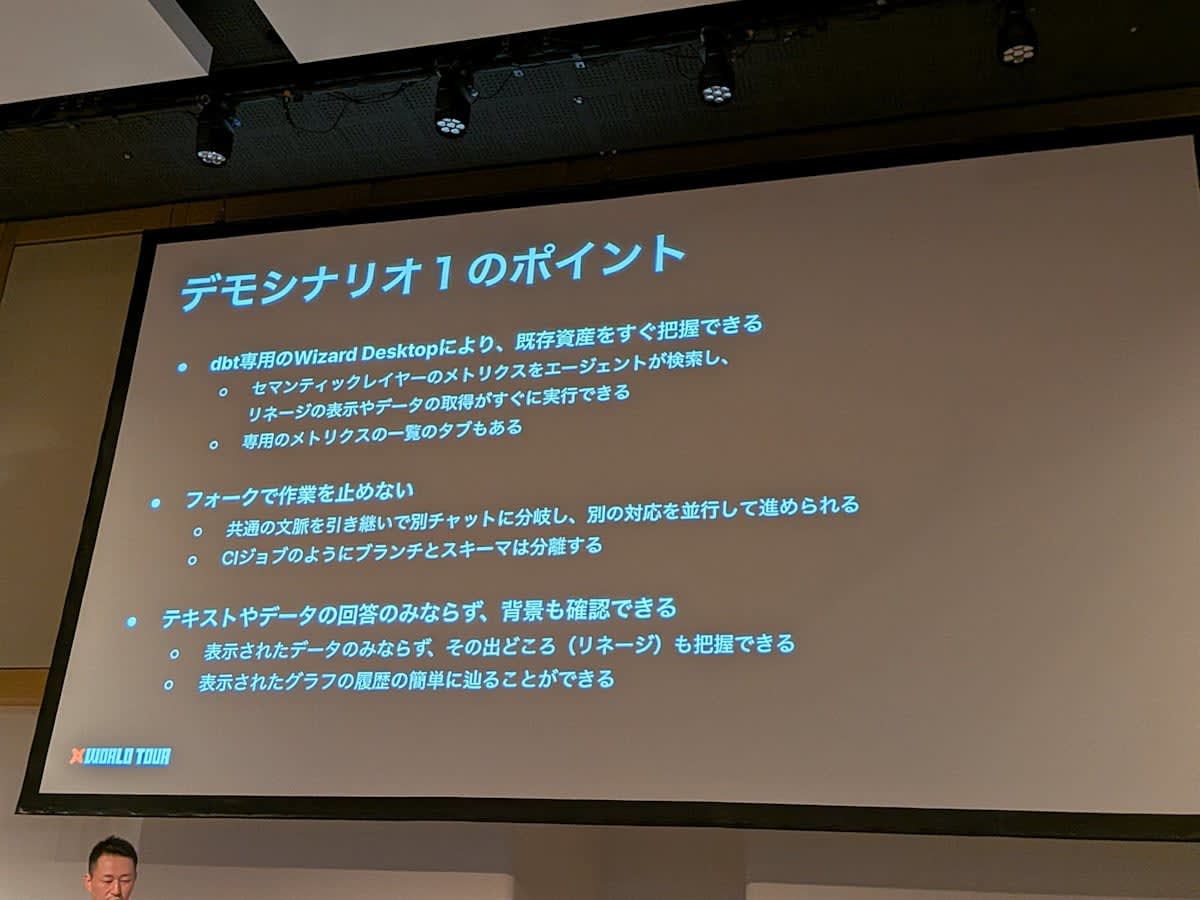
- Key points
- Being dbt-dedicated means existing assets can be grasped immediately. Referencing the semantic layer is also easy
- Forking is an important concept. When you want to do something different, you can carry over the context and proceed in a separate environment
- The response isn't just text; lineage and charts are shown as well
From Adding Metrics to Validation and Pull Request
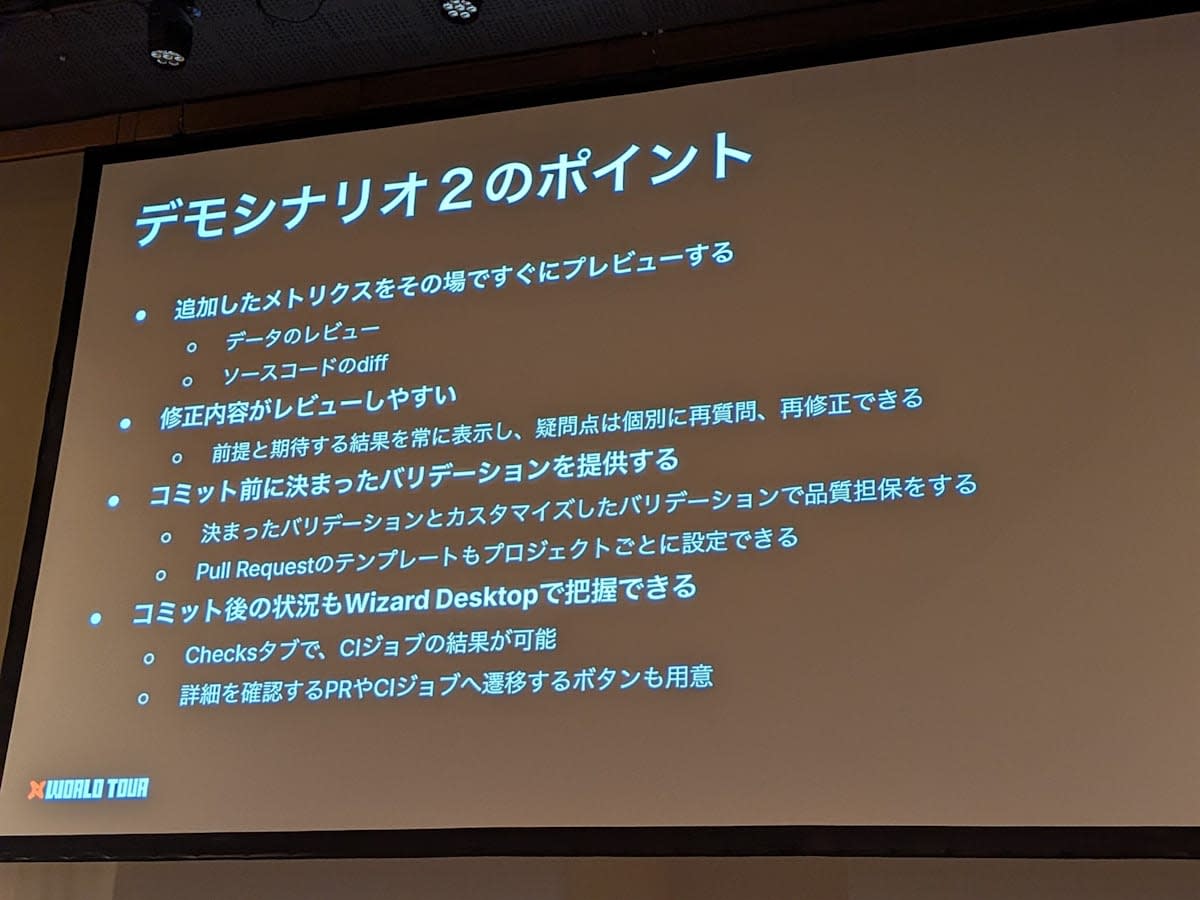
- Return to the previous chat and address the game designer's modification request. They want to add players who played for more than 1 hour as a metric
- dbt Wizard checks current metadata and proposes how to create this metric
- It presents not only the implementation result, but also the assumptions and expected outcomes. The lineage diff appears on the right
- Midway through, there was an area where the judgment was unclear, so a comment was added to that part and an additional chat was sent
- As a result, it was found that an existing crash flag was not being used, and the model's SQL was modified to use the flag
- Clicking the Validate button runs validation
- In addition to normal build and tests, a special requirement is added: if there is more than a 5% difference in flag usage compared to production, it fails
- Everything passed, confirming that this change does not cause a significant difference in results. The executed commands are also displayed
- Clicking the Create pull request button handles the push and pull request creation
- CI status and other information can be checked in Desktop without going to GitHub
- The pull request template is configured in Desktop. It's important because it ensures every review follows the same format
- In CI, only the changed models are partially executed, and you can also see at which point each model was run
- Key points
- Reviews can be done immediately. Review content includes assumptions and expected outcomes
- Validation can be customized
- Commit and CI job status can also be seen in Desktop
Ito's Summary
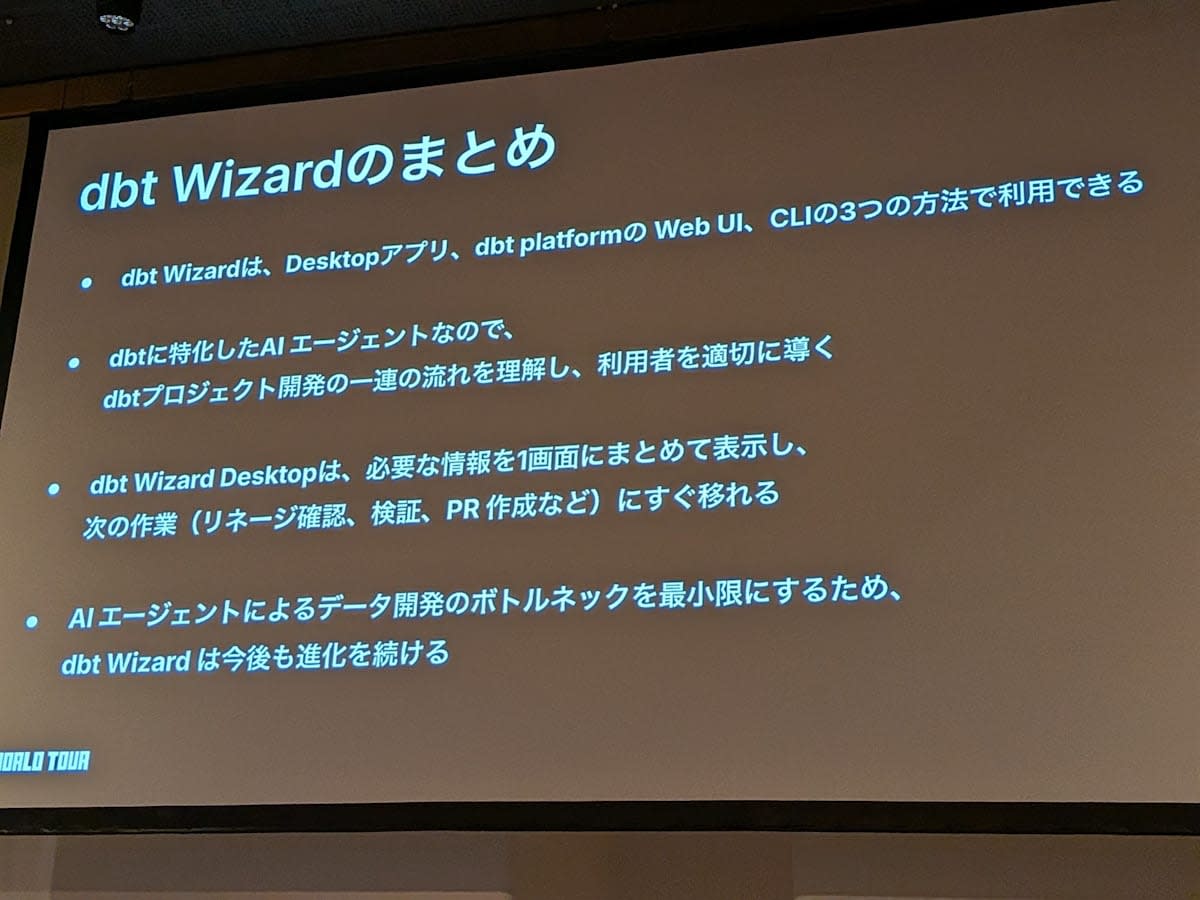
- dbt Wizard can be used in 3 ways
- Being dbt-dedicated means it doesn't just generate code, but understands the entire flow of dbt project development
- Necessary information is not only displayed in chat, but also available as tabs for ease of use
- An onboarding guide is also being created to help users get started
Related Links
Impressions
I attended the session "dbt Wizard: AI Teammate in Data Development" at dbt World Tour Tokyo 2026.
Personally, I felt that the Wizard Desktop development experience looked great, so I'd love to try it.
Since Explore Mode allows business users to use it as well, my expectations are high!
I hope this article is helpful to someone!