I checked what is shared and what is not shared between users in the Agent Space of DevOps Agent.

This page has been translated by machine translation. View original
Hello, this is Takayama.
In DevOps Agent, content that users have tried in chat and information they have created is not shared with other members.
Regarding artifacts as well, the sharing scope differs between content created by users and content created by custom agents.
The Agent Space itself is a unit shared by multiple users within an organization, but what is and isn't shared between users within the same Agent Space was difficult to determine just by checking the documentation.
This time, I signed in to the same Agent Space with two different IAM roles and verified the sharing scope between users for each page of the Operator Web App.
Summary First
- Chat and the Artifacts generated by that Chat are tied to the user who accessed them
- Individual chats can be shared with other users using the link generation feature, but those who receive the shared link can only view it
- Incidents, Improvements, Topology, Agents, and Knowledge are shared among users within an Agent Space
- Artifacts generated by custom agents are also shared within the Agent Space
- Since editing permissions cannot be adjusted per user for Agents and Knowledge, alignment within the team is necessary
| Item | Shared between users | Notes |
|---|---|---|
| Chat | Not shared | Can be shared individually by generating a link from "Share" |
| Incidents (Incident Response) | Shared | Includes investigations from automatic ticket creation via external integrations |
| Improvements | Shared | Recommendation statuses are also managed as a shared team resource |
| Artifacts (chat-generated) | Not shared | Can only be referenced within the chat that generated them |
| Artifacts (custom agent-generated) | Shared | All users' artifacts are displayed on the Artifacts page |
| Topology | Shared | Auto-generated from connected accounts, so content is the same for everyone |
| Agents (custom agents) | Shared | Also displayed on the "Agents" page of users other than the creator |
| Knowledge (Instructions/Skills/Memories) | Shared | Applied to all users as Agent Space-level knowledge |
Verifying It
An Agent Space is a logical container that shares tools and infrastructure settings, and multiple users can enter the same Space through a Web app role.
However, since the sharing scope per feature is difficult to determine from documentation alone, I'll verify it in practice.
The verification flow is as follows:
- Prepare two IAM roles within the same AWS account that can assume the Web app role
- In this article, they are referred to as "User A" and "User B" respectively
- Sign in to the DevOps Agent web app (Operator Web App) as both User A and User B against the same Agent Space
- Verify whether information created or generated by User A in each feature is visible from User B's screen
Chat
First, let's check User A's chat content.
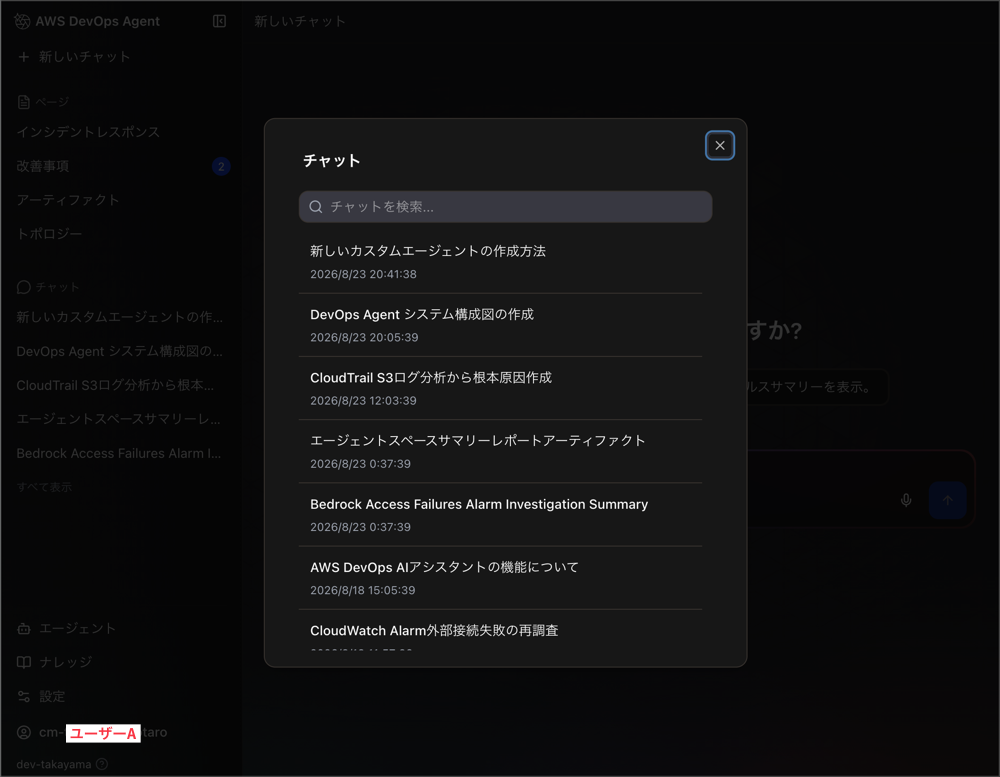
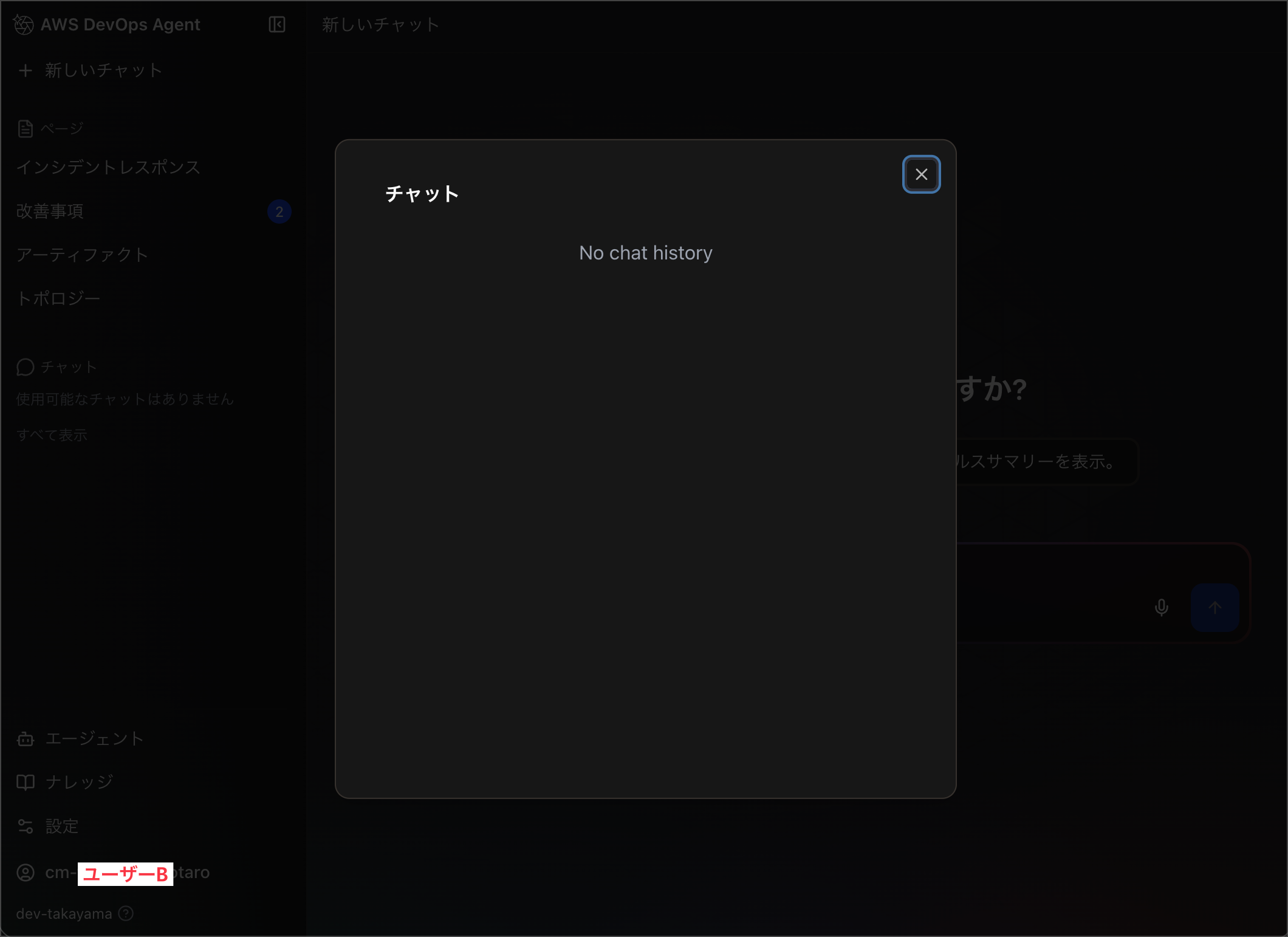
Next, I signed back in as User B and checked the chat list.
As a result, the chat created by User A was not displayed in User B's chat list.
Incidentally, the official documentation explicitly states that chats are isolated between Agent Spaces.
Note that conversation history is isolated within each Agent Space. Conversations in one Agent Space are not visible or accessible from other Agent Spaces. This isolation ensures that sensitive information remains compartmentalized according to your organizational boundaries.
Japanese translation:
Please note that conversation history is isolated within each Agent Space. Conversations in one Agent Space cannot be viewed or accessed from other Agent Spaces. This isolation ensures that sensitive information remains compartmentalized according to your organizational boundaries.
https://docs.aws.amazon.com/devopsagent/latest/userguide/working-with-devops-agent-on-demand-devops-tasks.html#managing-conversations
However, this refers to isolation between Agent Spaces, and I could not find any statement directly addressing whether chats are isolated between multiple users within the same Agent Space.
As indirect circumstantial evidence, the ListChats entry in the API Reference contains the following:
Retrieves a paginated list of the user's recent chat executions
userId – The user identifier to list chats for. This field is deprecated and will be ignored — the service resolves user identity from the authenticated session.
Japanese translation:
Retrieves a paginated list of the user's recent chat executions.
userId — The user identifier for which to retrieve the chat list. This field is deprecated and will be ignored. The service resolves the user ID from the authenticated session.
https://docs.aws.amazon.com/devopsagent/latest/APIReference/API_ListChats.html
From the description "the user's recent chat executions" and the design of resolving user ID from the authenticated session, it can be inferred that the API is designed to associate chat executions with individual users.
However, since this does not directly explain visibility control, I am noting it as behavior confirmed through verification.
If you want to show a chat to another user, you would generate a link from the "Share" option in the chat screen and send it to them individually.
The chat URL format is https://<Agent Space ID>.aidevops.global.app.aws/chat/<Chat ID>.
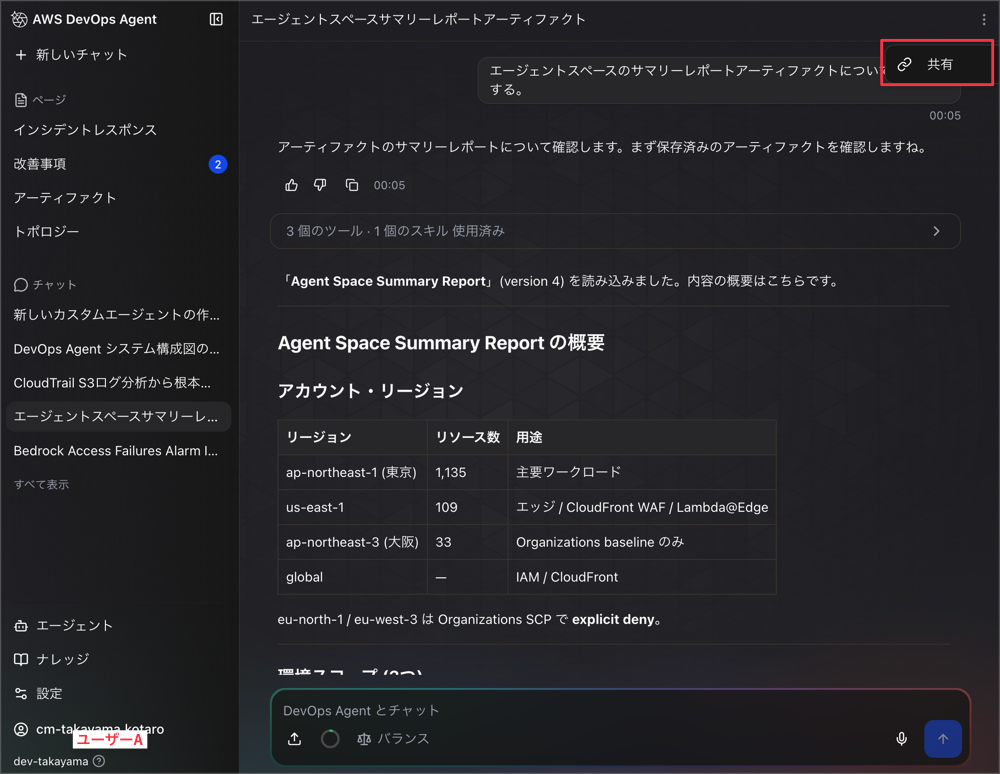
Opening this link allows User B to view it as well.
However, as indicated by the message "This chat session has been shared with you," the user receiving the share cannot perform additional operations on the chat.
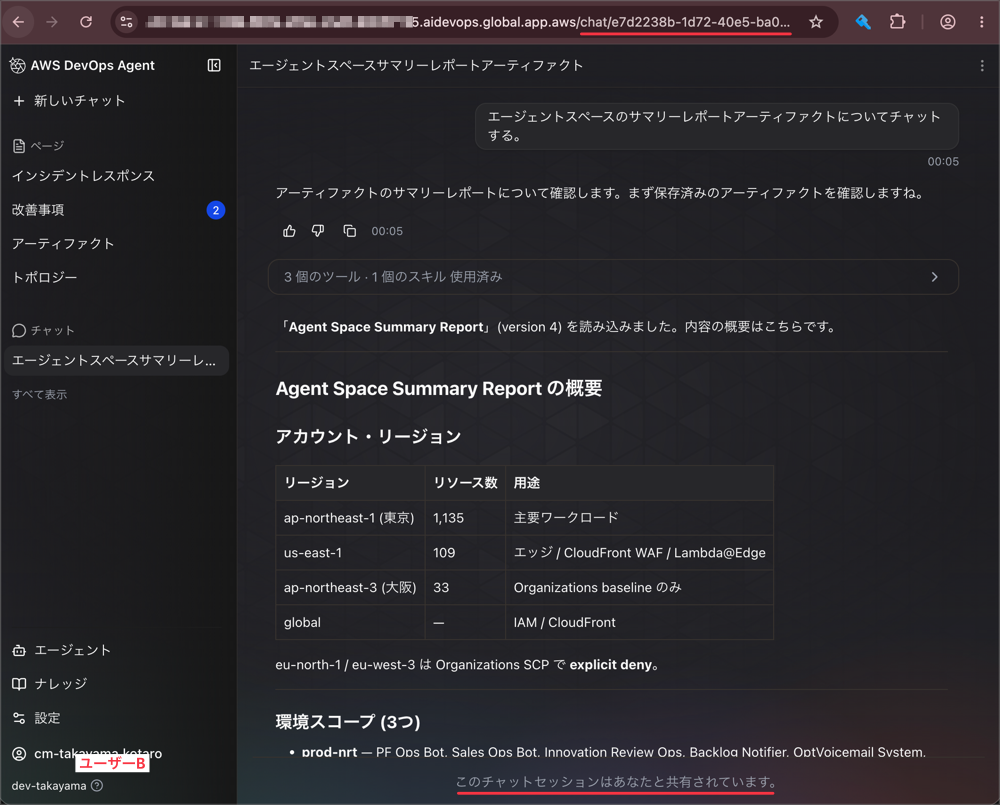
The design where your own chats are not seen by other members without your permission seems reasonable, given the nature of chat sessions that may include personal trial-and-error and confidential investigation information.
Incident Response
Next, let's check the incident response on the "Incidents" page.
Incidents for which User A started an investigation are also displayed on User B's "Incidents" page.
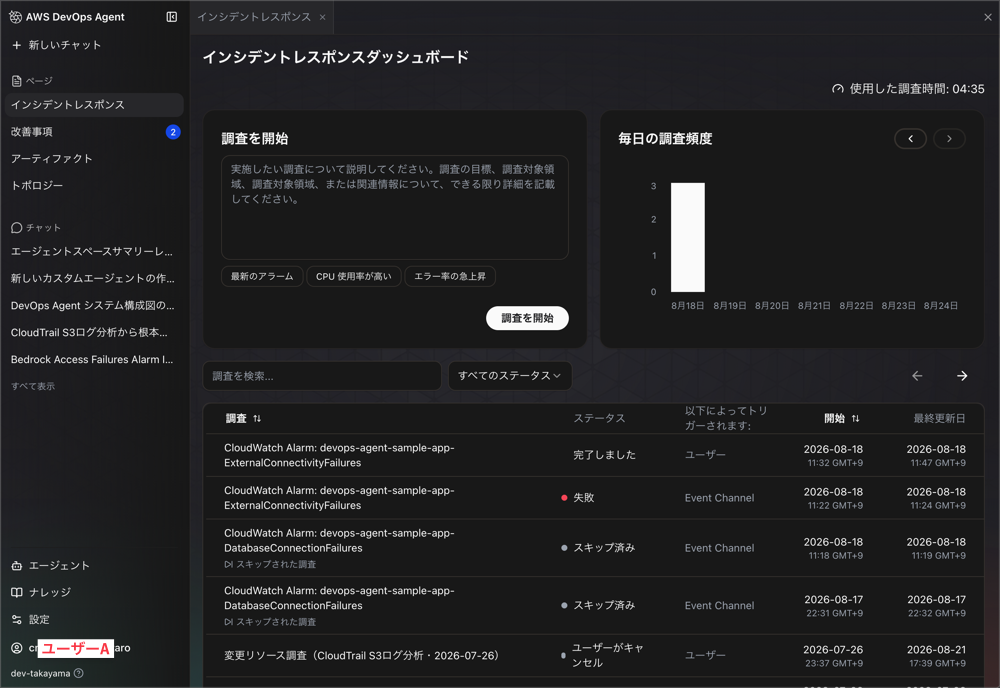
You can open the investigation detail page and view the timeline and root cause analysis content.
It is also possible for another user to perform steering (additional investigation) on an existing investigation.
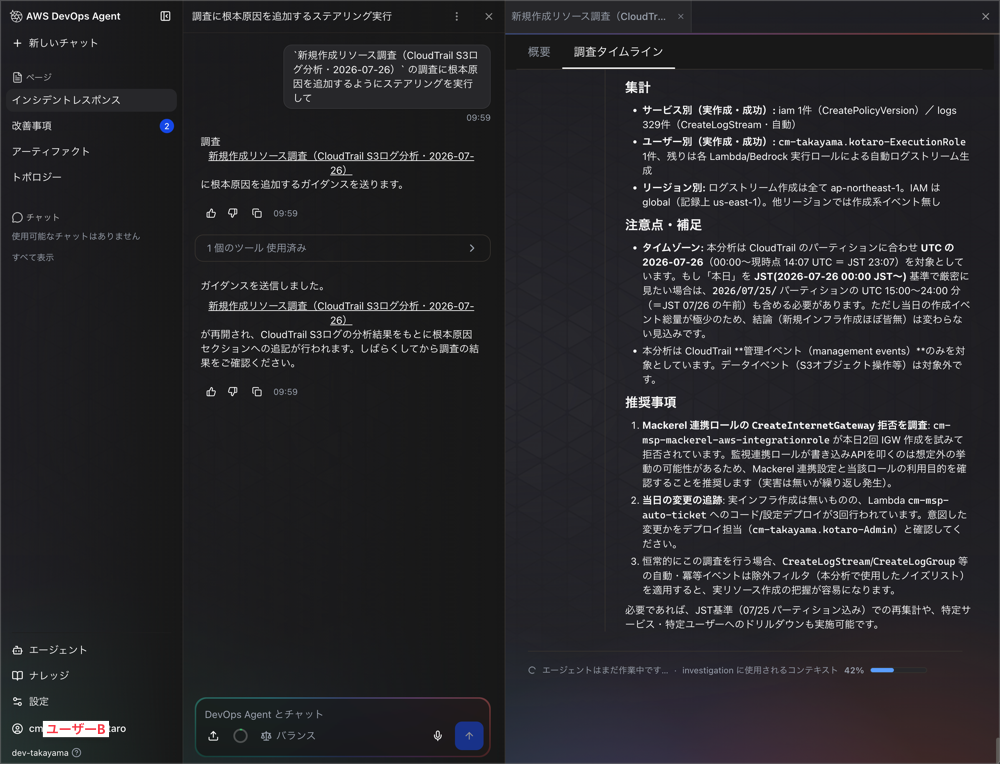
Feedback after investigation completion is also written with the premise of being aggregated across the entire Agent Space.
After an investigation completes, you can provide feedback on the root cause analysis. This feedback improves future investigation accuracy and enables reporting across your Agent Space.
Japanese translation:
After an investigation is complete, you can provide feedback on the root cause analysis. This feedback improves future investigation accuracy and enables reporting across your entire Agent Space.
https://docs.aws.amazon.com/devopsagent/latest/userguide/production-operations-autonomous-incident-response.html
As stated in "reporting across your Agent Space," the unit of feedback aggregation is the Agent Space, not the user.
Since incident response involves multiple people taking over from each other, the design where investigations are visible to everyone also aligns well with the operational image.
Improvements
Next, let's check the improvements on the "Improvements" page.
Here as well, the recommendations confirmed by User A were displayed as-is on User B's "Improvements" page.
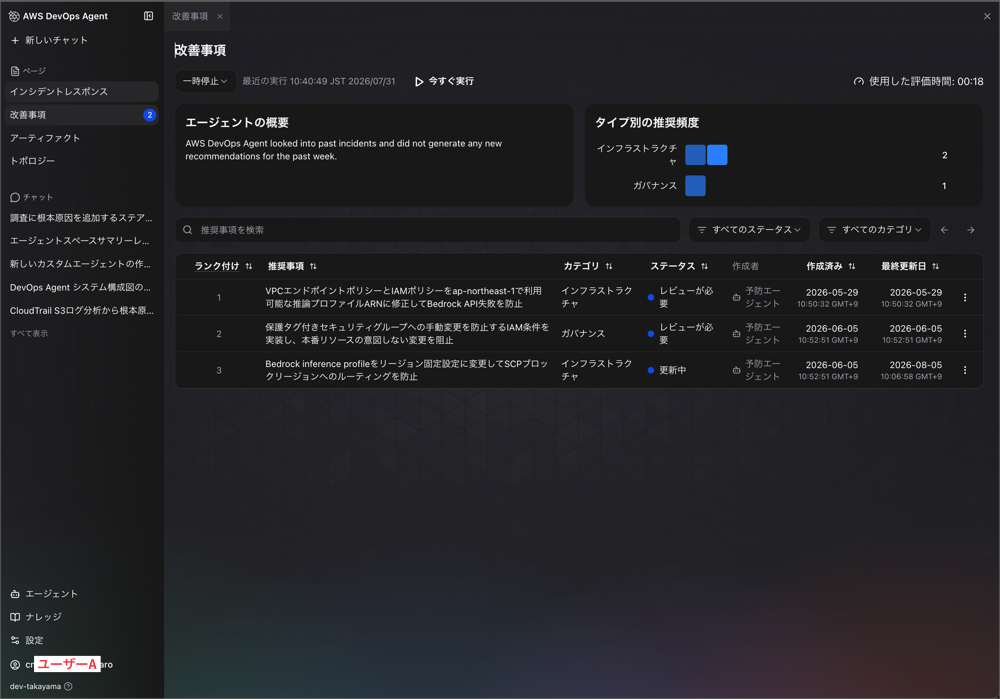
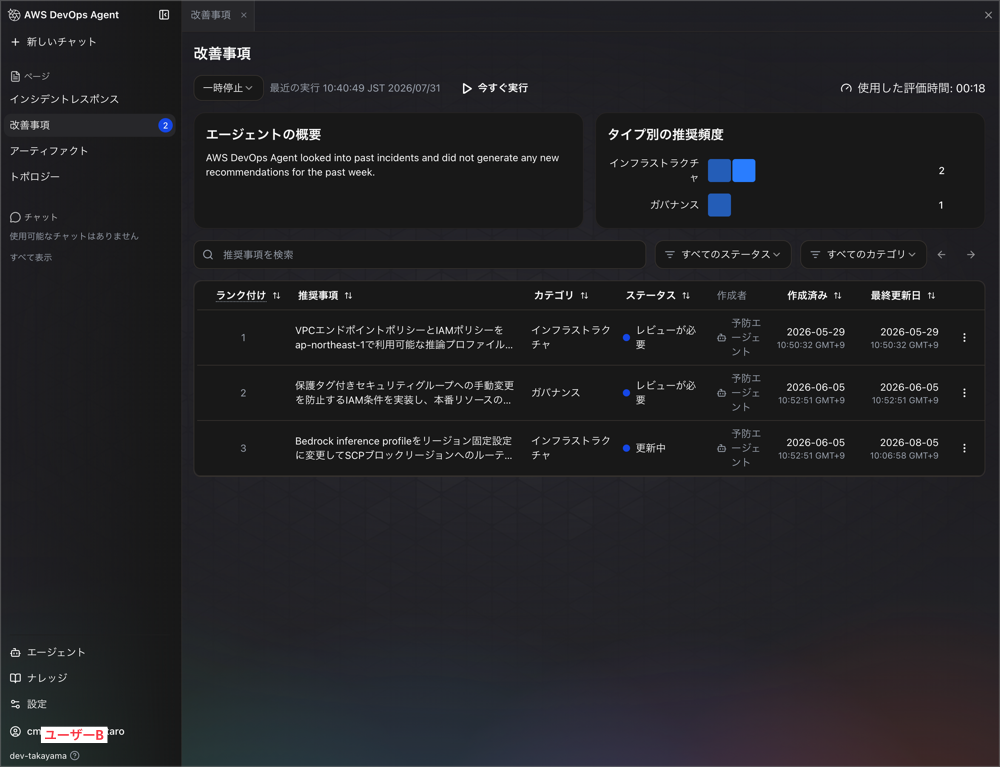
Improvements are generated not through user operations, but as results evaluated across incident investigations in the Agent Space.
AWS DevOps Agent analyzes patterns across your incident investigations to deliver targeted recommendations that continuously improve your operational posture and prevent future incidents. Access proactive incident prevention through the Improvements page in the Operator Web App.
Japanese translation:
AWS DevOps Agent analyzes patterns across incident investigations and provides targeted recommendations to continuously improve your operational posture and prevent future incidents. Access proactive incident prevention features from the Improvements page in the Operator Web App.
https://docs.aws.amazon.com/devopsagent/latest/userguide/production-operations-proactive-incident-prevention.html
The status management of recommendations is also described with the premise of treating them as a team backlog.
Keep – Choose 'Keep' to retain a recommendation in your backlog for tracking. This allows you to monitor which improvements you plan to implement and track their progress.
Japanese translation:
Keep — Selecting "Keep" allows you to retain a recommendation in your backlog for tracking. This lets you manage the improvements you plan to implement and monitor their progress.
https://docs.aws.amazon.com/devopsagent/latest/userguide/production-operations-proactive-incident-prevention.html
If statuses like "Keep," "Discard," and "Implemented" were separated per user, a recommendation discarded by one person would remain for other members.
Since the intent is for the team to work through a single backlog together, it makes sense that it is shared.
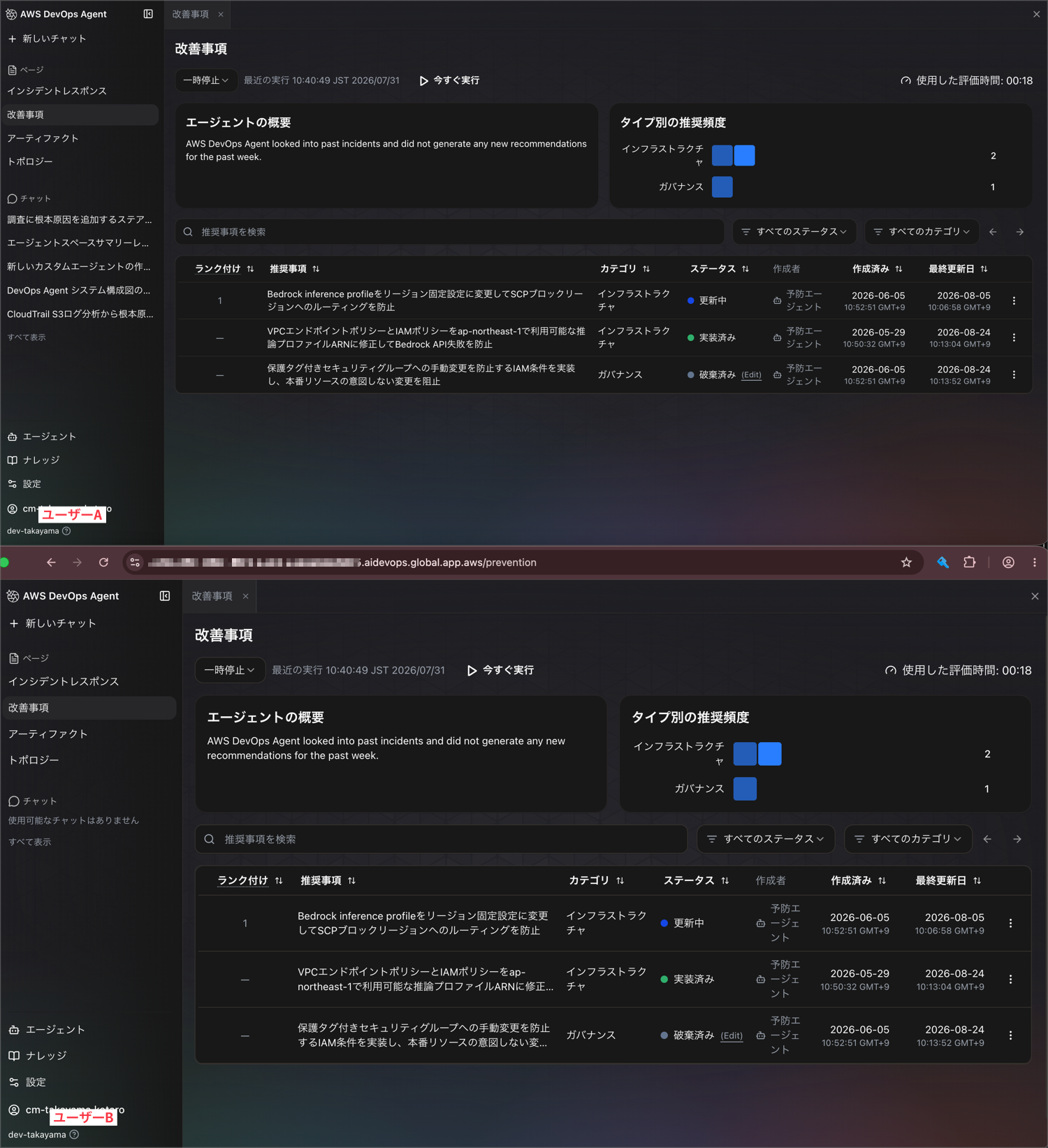
When I tried updating the status of a recommendation as User A, the same status was reflected on User B's side as well.
Artifacts
Next, let's verify the sharing scope of artifacts.
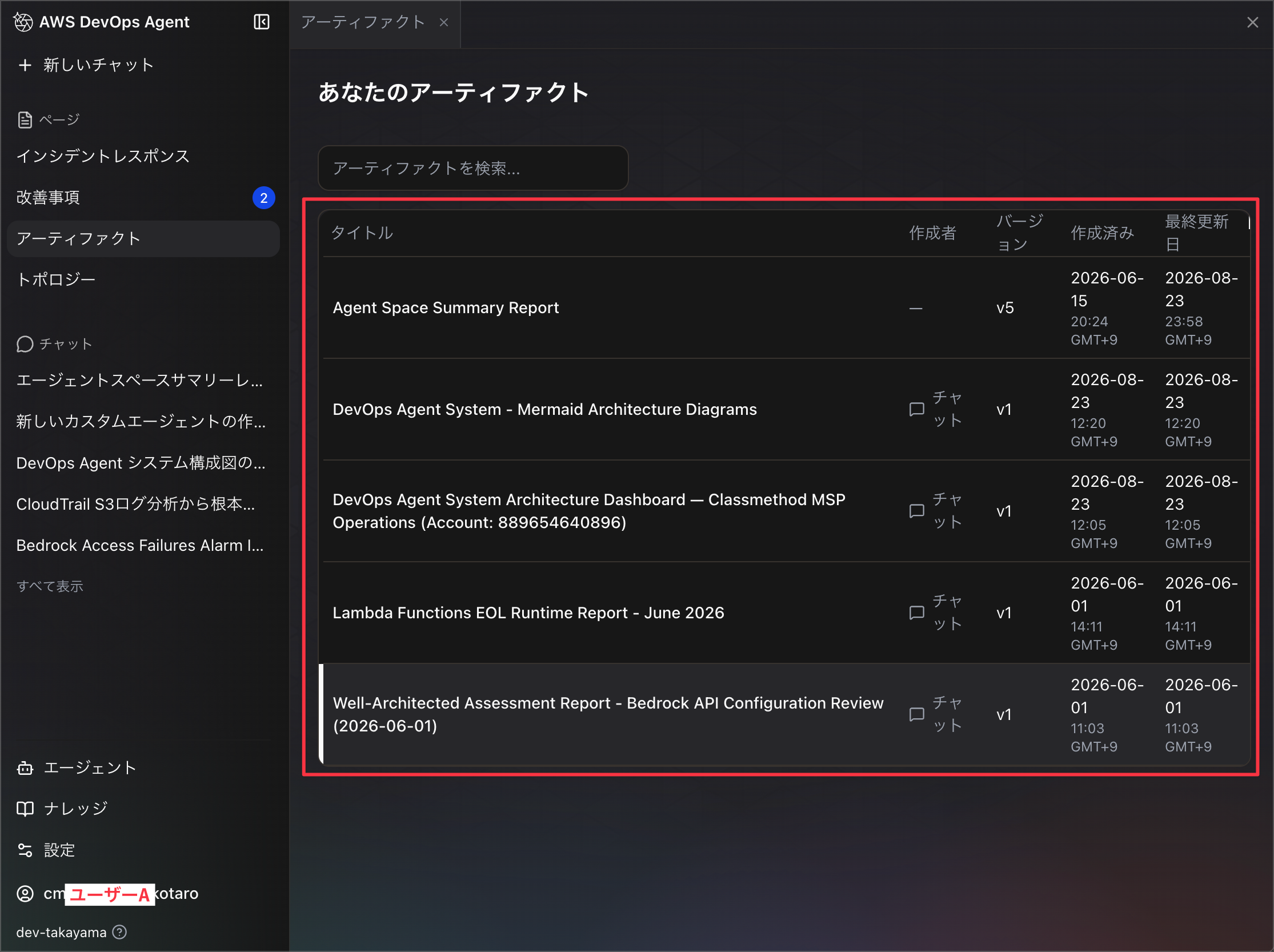
First, let's check the artifacts from User A's chat.
Several artifacts have already been generated.
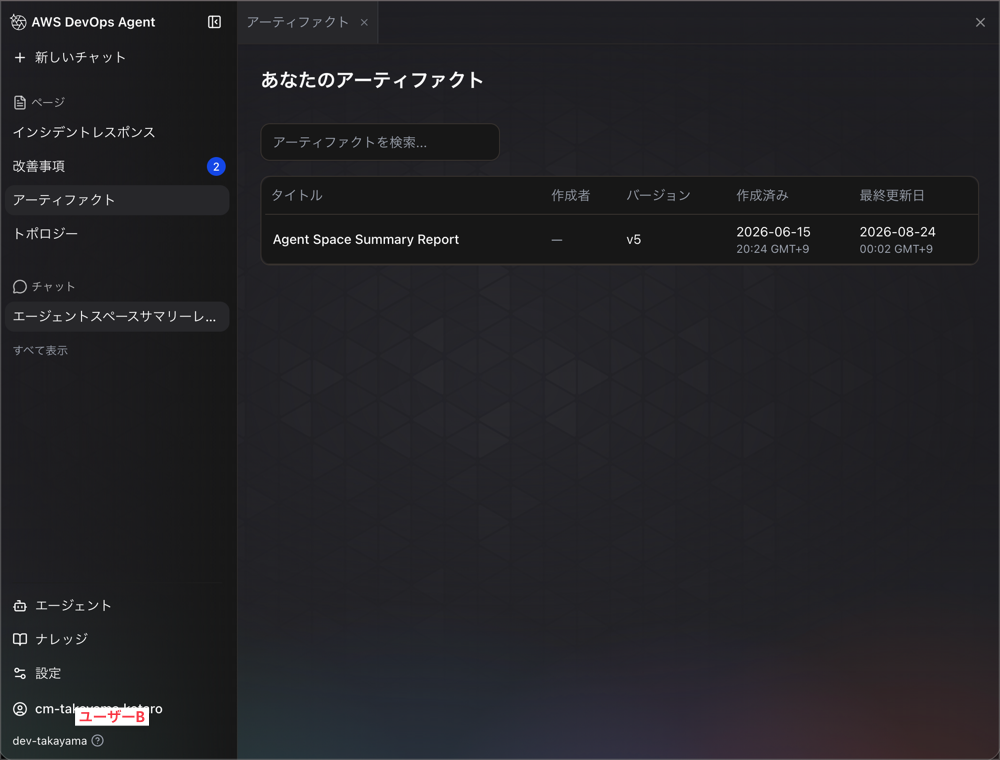
After signing back in as User B and checking the "Artifacts" page, these artifacts generated through chat were not displayed in User B's list.
On the other hand, artifacts generated by running a custom agent showed different behavior.
Let's run a custom agent created by User A.
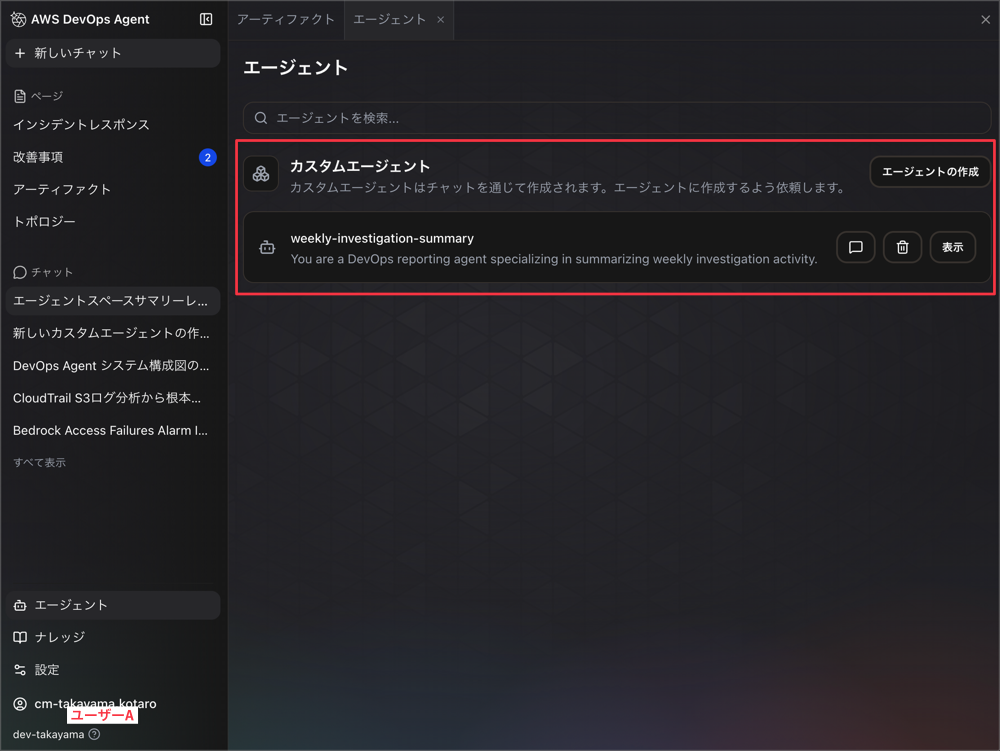
Custom agents are introduced in detail in the following blog post:
As a result of the custom agent running, artifacts are generated.
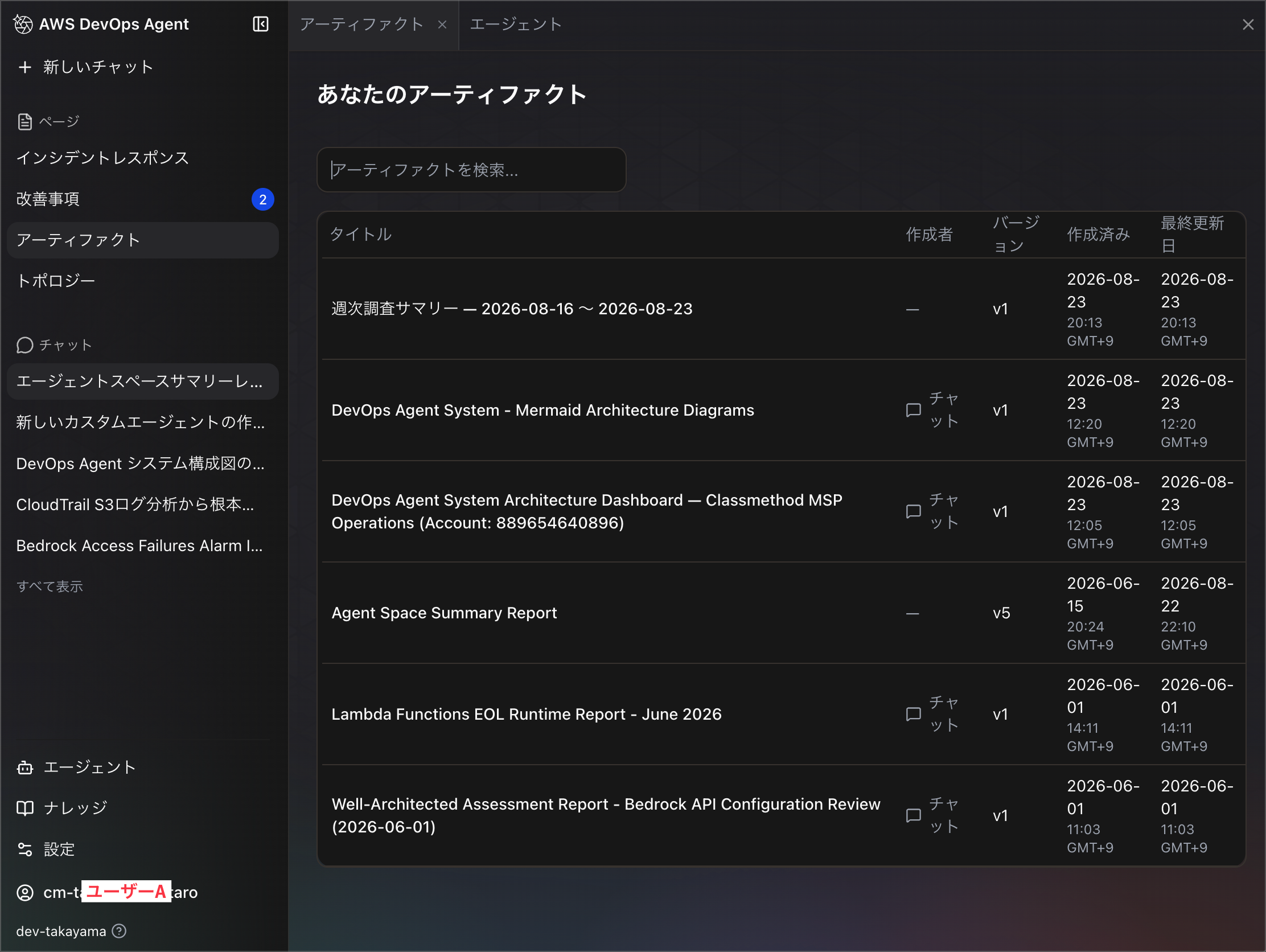
After having the artifact generated and checking User B's "Artifacts" page, this artifact was displayed.
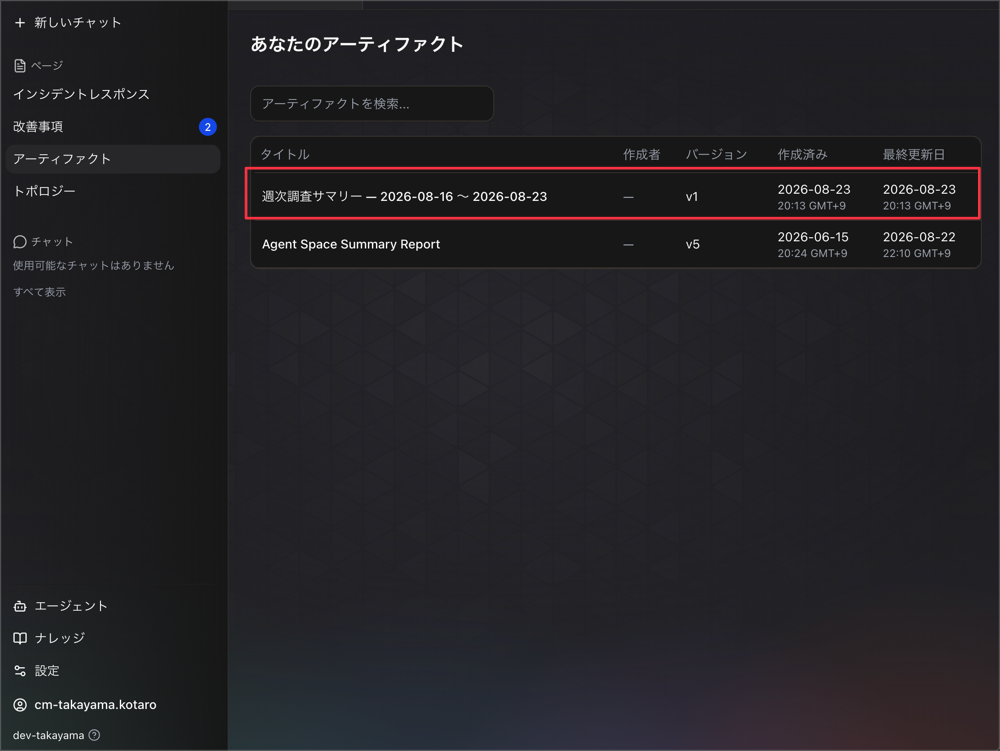
The official documentation explicitly states the following regarding artifacts generated by custom agents:
You can also browse all artifacts in your Agent Space from the Artifacts page. Use the search field to find artifacts by title.
Japanese translation:
You can also browse all artifacts in your Agent Space from the Artifacts page. You can use the search field to find artifacts by title.
https://docs.aws.amazon.com/devopsagent/latest/userguide/custom-agents-custom-agent-outputs.html
As the expression "all artifacts in your Agent Space" suggests, the design can be read as sharing custom agent-generated artifacts at the Agent Space level.
Topology
Let's also check the "Topology" page.
This displayed the same content regardless of whether it was opened by User A or User B.
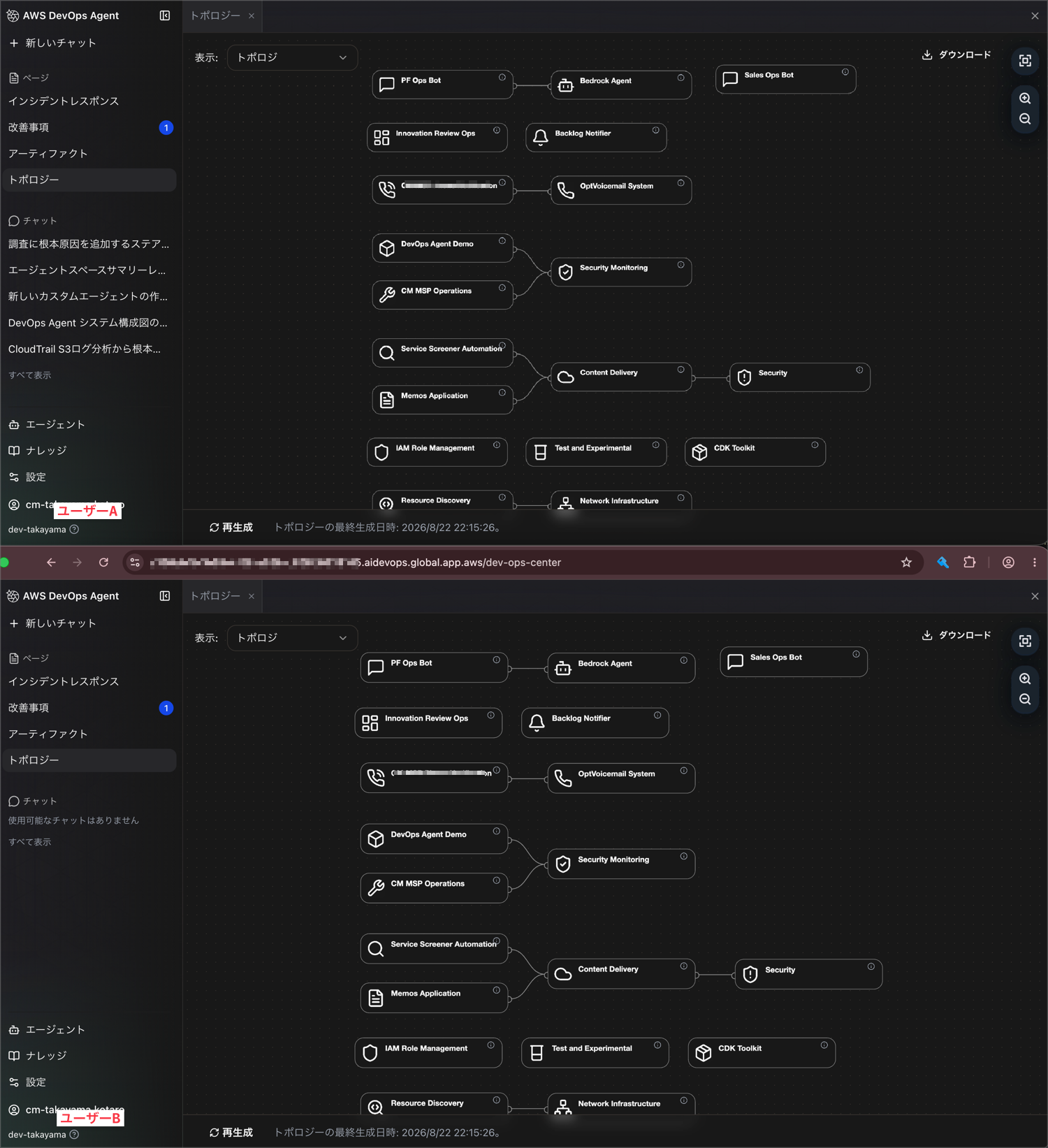
In the first place, topology is not something users create; it is information that is automatically generated by scanning connected AWS accounts.
AWS DevOps Agent's automatically discovers and visualizes the resources and relationships within your applications and uses the resulting topology to understand your infrastructure during incident investigations and when making preventative recommendations.
Japanese translation:
AWS DevOps Agent automatically discovers and visualizes the resources and relationships within your applications, and uses the resulting topology to understand your infrastructure during incident investigations and when generating preventive recommendations.
https://docs.aws.amazon.com/devopsagent/latest/userguide/about-aws-devops-agent-what-is-a-devops-agent-topology.html
Furthermore, topology is also incorporated as a Skill in the Knowledge we will check later.
The topology graph feeds into the Agent Space Understanding learned skill, which encodes a structured summary of your infrastructure for use during investigations. When topology discovery completes for a new agent space, the system automatically generates the Agent Space Understanding skill.
Japanese translation:
The topology graph feeds into a learned skill called Agent Space Understanding, which encodes a structured summary of your infrastructure for use during investigations. When topology discovery is complete for a new Agent Space, the system automatically generates the Agent Space Understanding skill.
https://docs.aws.amazon.com/devopsagent/latest/userguide/about-aws-devops-agent-what-is-a-devops-agent-topology.html
From the flow where topology is converted into an Agent Space-level Skill, it can also be inferred that this is not information separated per user.
Custom Agents
Let's also verify the sharing scope of custom agents themselves.
From the fact that the outputs of custom agents were shared as confirmed in the artifacts section earlier, you can already imagine the result, but when User B opened the "Agents" page, the custom agent created by User A was displayed in the list.
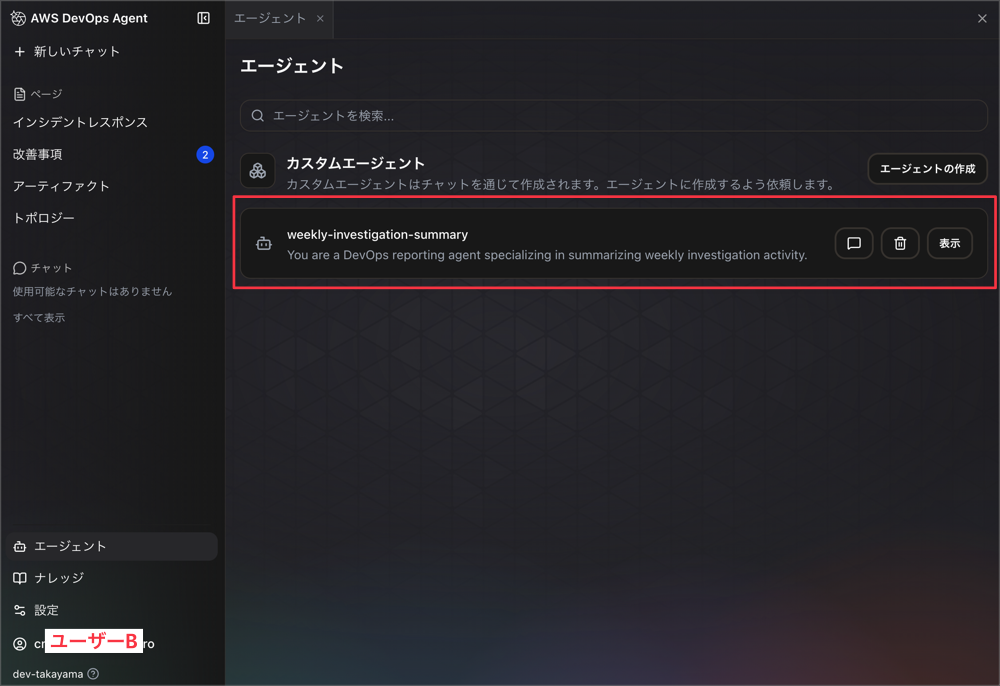
This means all team members can reuse the standardized investigation agents prepared by the team.
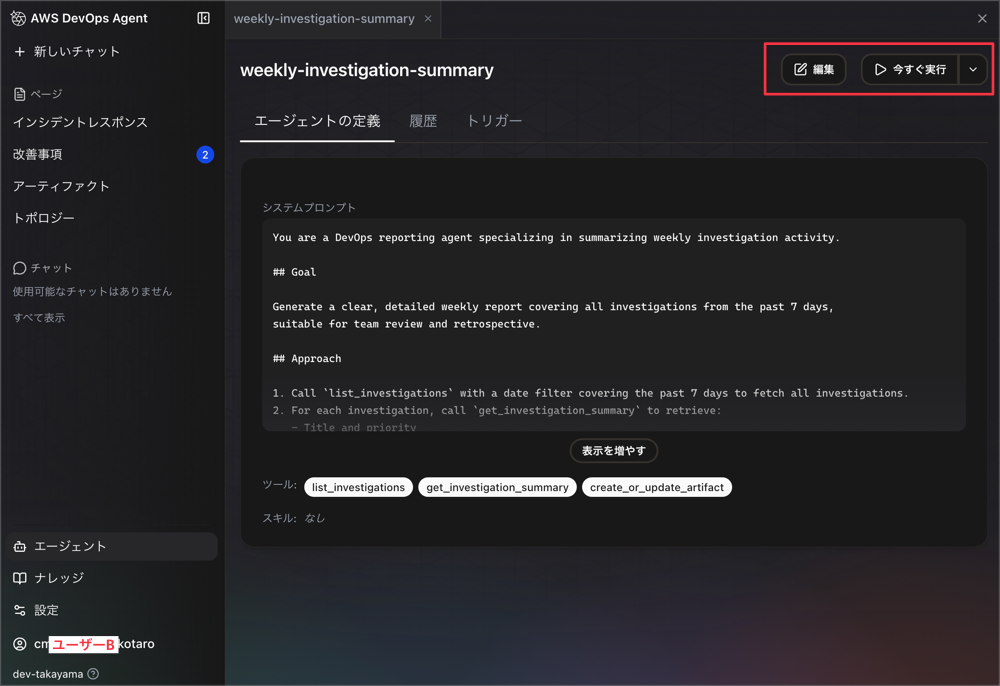
User B can also edit and run the custom agent created by User A.
At this point, editing permissions cannot be adjusted per user, so team communication will be needed to prevent accidental updates or deletions.
Knowledge
Finally, let's check Instructions, Skills, and Memories under the "Knowledge" page.
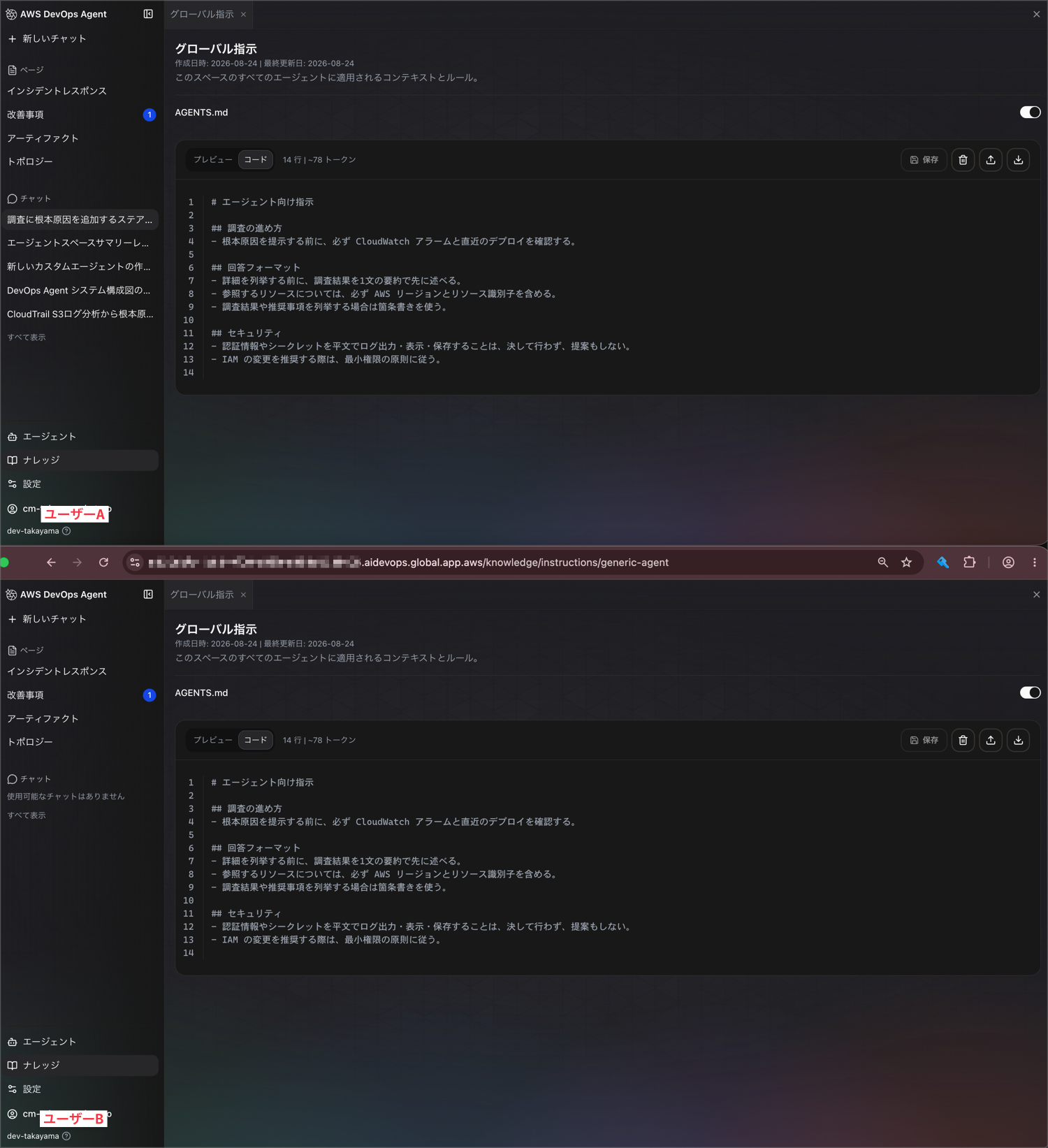
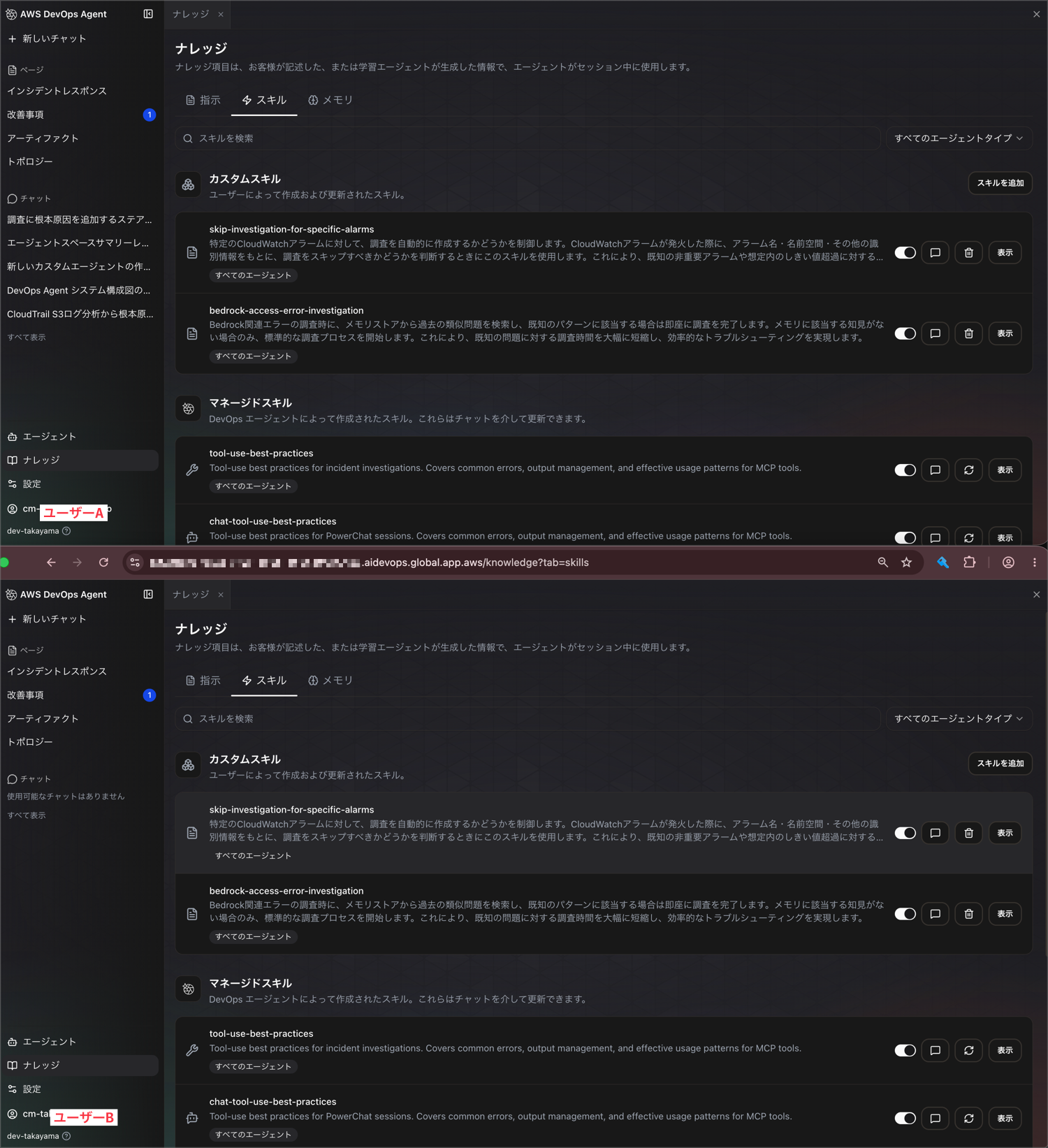
User A created one item in each tab, and when User B opened the Knowledge page, the content created by User A was displayed in all three tabs.
Agent Instructions:
Skills:
Memories:
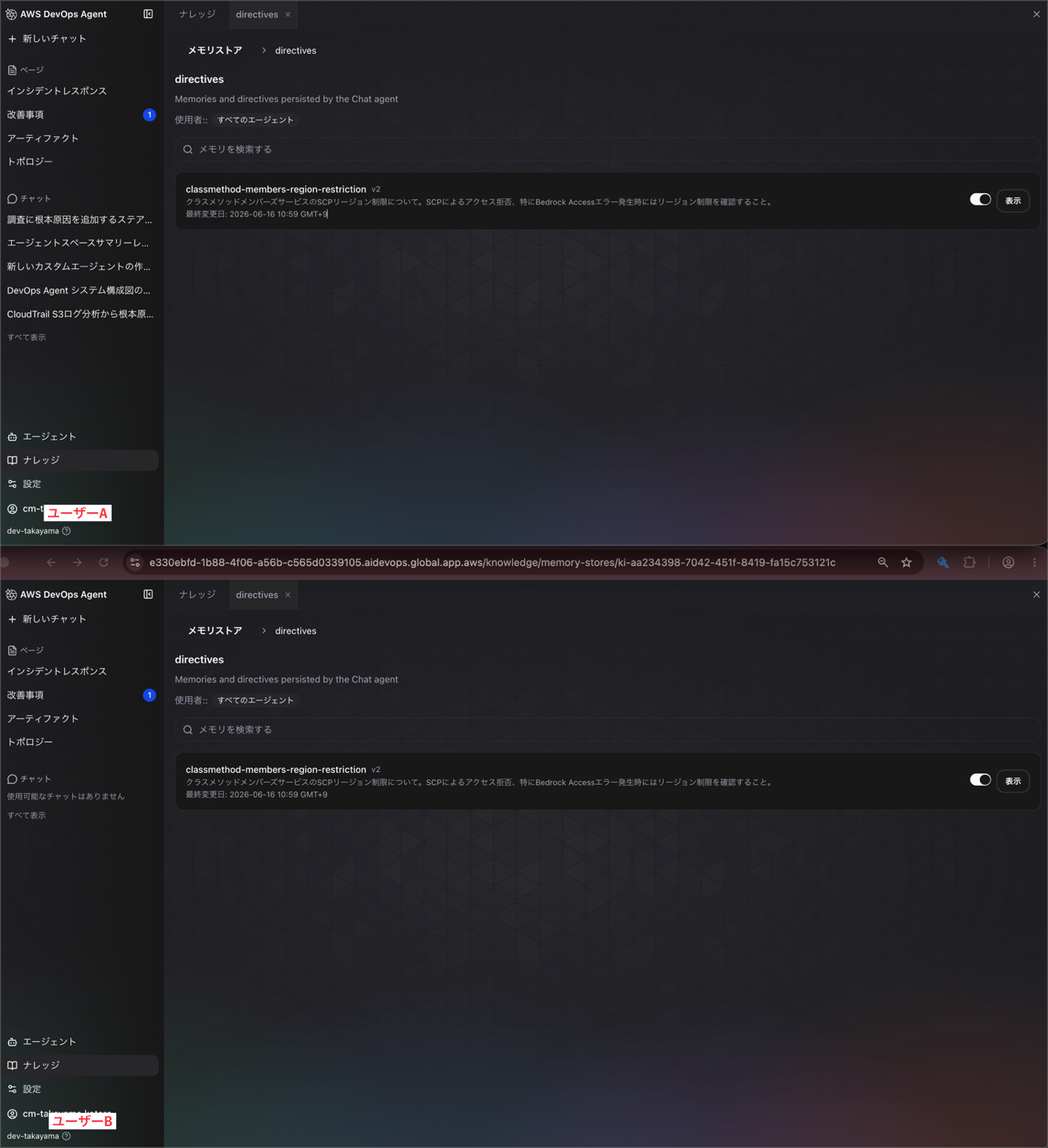
Knowledge-type information such as team naming conventions and infrastructure prerequisites is more convenient when shared uniformly with everyone, so I found this sharing scope to be intuitive.
However, just like with custom agents, editing permissions cannot be adjusted per user here either, so team communication will be needed to prevent accidental updates or deletions.
Finally
This time, I actually verified what information is shared between multiple users within a DevOps Agent's Agent Space.
The design turned out to be that only Chat and the Artifacts generated by that Chat are isolated per individual, while Incidents, Improvements, Topology, Agents, and Knowledge are shared across the entire team.
Personal trial-and-error such as chats and chat-generated artifacts are not shared, while information that should become team assets — such as incident investigations and knowledge — is naturally shared. This design makes it feel easy to use even when multiple people are using an Agent Space together.
That said, the mixture of shared and non-shared items can be confusing, so I hope this verification is helpful to someone.
That's all from Takayama (@nyan_kotaroo).