
I tried converting external data into Tickets using DevRev snap-in

This page has been translated by machine translation. View original
Introduction
When considering introducing DevRev, how it can connect with existing systems becomes a decision factor. It's important to be able to flow information to the DevRev side without significantly changing existing workflows.
DevRev provides a mechanism through snap-ins (extensions) to call external system APIs and create objects on the DevRev side. In this article, we'll create one snap-in using BigQuery public samples as an example of external data. We'll then execute our custom command and confirm the creation of a DevRev Ticket.
Testing Environment
- Windows 11
- Git Bash 2.47.1.windows.1
- DevRev CLI v0.4.13
- node v24.13.0
- npm 11.6.2
Target Audience
- Those considering DevRev implementation who want to quickly verify the feasibility of external integration via snap-ins
- Those who already have a DevRev dev org with Admin privileges
- Those comfortable with Node.js and TypeScript basics in a Windows + Git Bash environment
References
- DevRev CLI
- Getting started (snap-in development)
- Snap-in manifest
- Developer keyrings (developer keyring / snap-in secret)
- Commands
- Works: Create
Creating a snap-in
Prerequisites
- A DevRev dev org with Admin privileges (for draft installation of the snap-in)
- A GCP service account JSON file ready to be placed locally as
service-account.json - A Part already created with at least one owner (owned_by) assigned
Preparing the DevRev CLI
To create a snap-in, use the DevRev CLI. On Windows, extract the DevRev CLI zip and add the path to devrev.exe to your PATH.
devrev --version
Example output:
devrev version v0.4.13 fe3410c6efb59f249e3cc29ba113d382357e15ce 2025-11-10T17:15:52Z
gateway version d7a6c473fc2e1c1827f6bcbff51f33ecd57cfc02
Logging into DevRev
Log into your DevRev workspace with the following command. A browser will open for authentication.
devrev profiles authenticate -o <dev-org-slug> -u <your-email@example.com>
Initializing the TypeScript Template
Generate a snap-in TypeScript template.
devrev snap_in_version init
After execution, a devrev-snaps-typescript-template directory will be created.
Creating a snap-in package
Create a snap-in package. Make the slug globally unique.
devrev snap_in_package create-one --slug <globally-unique-slug>
Updating manifest.yaml
For this test, it's sufficient if we can call a function from a Discussions command. Define functions and commands in the manifest. Set the command's surfaces to discussions and object_types to part.
The namespace is used to distinguish commands with the same name. You don't need to input the namespace during normal execution.
Update devrev-snaps-typescript-template/manifest.yaml as follows. The command name is arbitrary. In this article, we'll use bqimport.
version: "2"

name: "External Ticket Import Demo"
description: "Demo: run a command and create tickets from an external system."

service_account:
  display_name: "External Import Bot"

developer_keyrings:
  - name: gcp_service_account_json
    description: "GCP service account JSON for external query"
    display_name: "GCP Service Account JSON"

functions:
  - name: bq_import
    description: "Command handler: query external system and create tickets"

commands:
  - name: bqimport
    namespace: demo
    description: "Create tickets from an external system."
    surfaces:
      - surface: discussions
        object_types:
          - part
    usage_hint: "[limit] (e.g. 10)"
    function: bq_import
developer_keyrings are secret information provided by developers. They are not visible to the snap-in installer.
Creating a developer keyring
In DevRev, secret information can be stored as keyrings. A developer keyring's snap-in secret can store plain text. Using the CLI, register your authentication information (e.g., service-account.json) with the devrev developer_keyring command.
cat service-account.json | devrev developer_keyring create snap-in-secret gcp_service_account_json
Adding a function
In the template, functions are registered in function-factory.ts. Add bq_import.
Update devrev-snaps-typescript-template/code/src/function-factory.ts:
import on_work_creation from './functions/on_work_creation';
import bq_import from './functions/bq_import';

export const functionFactory = {
  // Add your functions here
  on_work_creation,
  bq_import,
} as const;

export type FunctionFactoryType = keyof typeof functionFactory;
Next, create devrev-snaps-typescript-template/code/src/functions/bq_import/index.ts:
- Get the service account JSON from the keyring (in the example, refer to
event.input_data.keyrings.*) - Initialize the DevRev SDK with
service_account_token - Get the command's execution source from
event.payload.source_id - Create a Ticket with
works.create, always specifyingapplies_to_partandowned_by - For
owned_by, use the Part's owner retrieved withparts.get
devrev-snaps-typescript-template/code/src/functions/bq_import/index.ts full text
import { BigQuery } from "@google-cloud/bigquery";
import { client, publicSDK } from "@devrev/typescript-sdk";

const DEFAULT_LIMIT = 10;
const MAX_LIMIT = 200;

const SQL = (limit: number) => `
SELECT word, SUM(word_count) AS cnt
FROM \`bigquery-public-data.samples.shakespeare\`
GROUP BY word
ORDER BY cnt DESC
LIMIT ${limit};
`;

function parseLimit(event: any): number {
  const raw =
    event?.payload?.parameters ??
    event?.payload?.params ??
    event?.payload?.command_params ??
    "";

  const n = Number(String(raw).trim().split(/\s+/)[0] || DEFAULT_LIMIT);
  if (!Number.isFinite(n)) return DEFAULT_LIMIT;
  return Math.max(1, Math.min(MAX_LIMIT, Math.floor(n)));
}

async function getPartOwnerIds(partId: string, devrevSDK: any): Promise<string[]> {
  const resp = await devrevSDK.partsGet({ id: partId });
  const owned = resp?.data?.part?.owned_by ?? [];
  return owned.map((u: any) => u?.id).filter(Boolean);
}

export const run = async (events: any[]) => {
  // TS7030 workaround: always return even if events is empty
  if (!events || events.length === 0) {
    return { created: 0, reason: "no events" };
  }

  // Commands are usually single, so process just one
  const event = events[0];

  console.info("event.payload keys:", Object.keys(event?.payload ?? {}));

  const endpoint = event.execution_metadata.devrev_endpoint;
  const token = event.context.secrets.service_account_token;
  const devrevSDK = client.setup({ endpoint, token });

  // developer keyring
  const saJson = event.input_data.keyrings.gcp_service_account_json;
  if (!saJson) {
    throw new Error("Missing developer keyring: gcp_service_account_json");
  }

  const creds = JSON.parse(saJson);
  const bigquery = new BigQuery({
    projectId: creds.project_id,
    credentials: {
      client_email: creds.client_email,
      private_key: creds.private_key,
    },
  });

  const limit = parseLimit(event);

  const [rows] = await bigquery.query({
    query: SQL(limit),
    location: "US",
    // TS2769 workaround: maximumBytesBilled is string
    maximumBytesBilled: String(100 * 1024 * 1024),
    useLegacySql: false,
  });

  const partId = event.payload.source_id;
  if (!partId) {
    throw new Error("Missing payload.source_id (expected Part id).");
  }

  const ownedBy = await getPartOwnerIds(partId, devrevSDK);
  if (ownedBy.length === 0) {
    throw new Error("Part has no owners (owned_by). Please set an owner on the Part.");
  }

  let created = 0;
  for (const r of rows as any[]) {
    const word = String(r.word);
    const cnt = Number(r.cnt);

    await devrevSDK.worksCreate({
      type: publicSDK.WorkType.Ticket,
      title: `[BQ] shakespeare: ${word}`,
      body: `count=${cnt}`,
      applies_to_part: partId,
      owned_by: ownedBy,
    });
    created += 1;
  }

  return { created, part: partId, limit };
};

export default run;
Installing dependencies and building
Node.js is used to build and package the template.
npm install
npm install @google-cloud/bigquery
npm run build
npm run package
Creating a snap-in version and installing it as a draft
Return to the template root.
cd /path/to/devrev-snaps-typescript-template
Create a snap-in version.
devrev snap_in_version create-one --path .
Because the manifest contains developer_keyrings, the CLI will request keyring mapping. Here, select the developer keyring with the same name for gcp_service_account_json.
Then, install the snap-in as a draft. Admin privileges are required for draft installation.
devrev snap_in draft
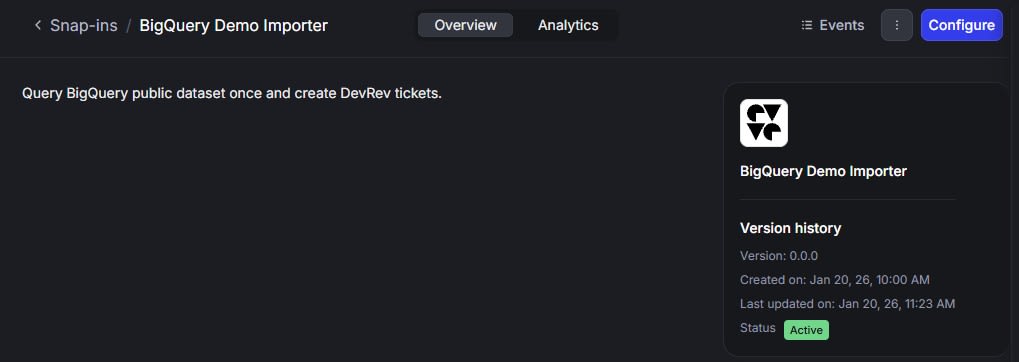
Confirm that the snap-in is active in the DevRev UI.
Testing
Since we specified surface: discussions and object_types: part in the manifest, we can execute the command in the Part's Discussions.
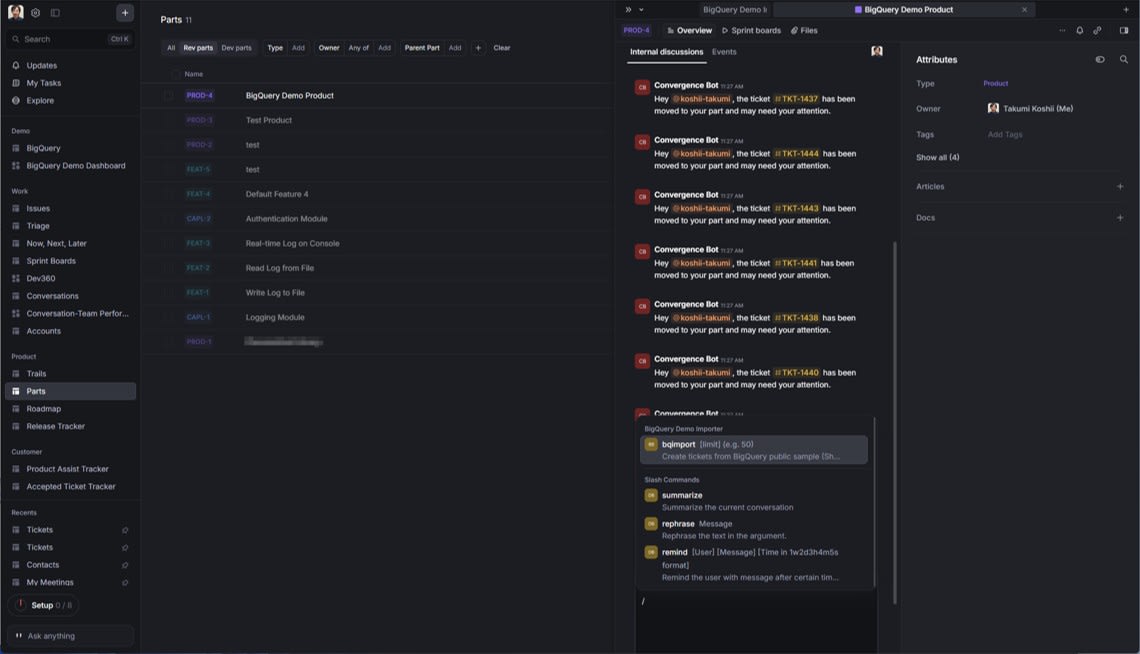
Let's try running this command:
/bqimport 10
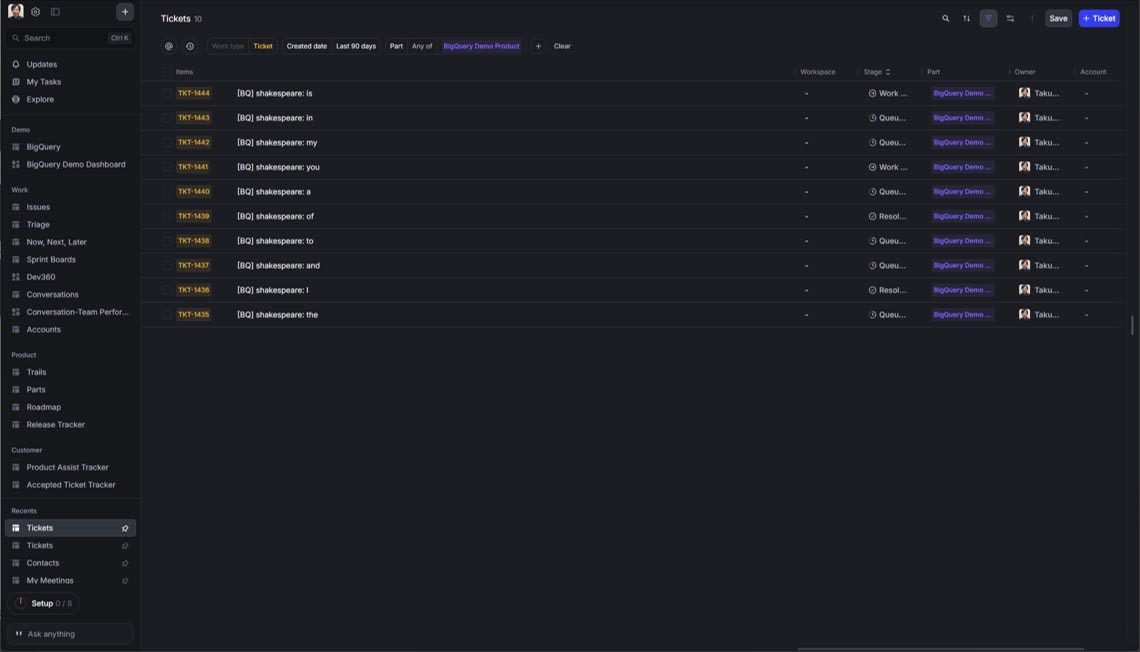
After execution, 10 Tickets linked to the Part were created.
Snap-in logs can be checked using the CLI.
devrev snap_in_package logs
Example output:
{
    "incomplete_results": false,
    "log_summary": {
        "total": {
            "relation": "eq",
            "value": 3
        }
    },
    "logs": [
        {
            "id": "****",
            "level": "info",
            "msg": "END RequestId: **** Execution time: 5255.87 ms",
            "process": "function",
            "snap_in_package": "don:integration:dvrv-us-1:devo/****:snap_in_package/****",
            "timestamp": "2026-01-25T08:48:01.45Z"
        },
        {
            "dev_org": "don:identity:dvrv-us-1:devo/****",
            "id": "****",
            "level": "info",
            "msg": "event.payload keys: [\n  'actor_id',\n  'command_id',\n  'dev_org',\n  'parameters',\n  'parent_id',\n  'request_id',\n  'source_id',\n  'surface'\n]",
            "process": "function",
            "snap_in_package": "don:integration:dvrv-us-1:devo/****:snap_in_package/****",
            "snap_in_version": "don:integration:dvrv-us-1:devo/****:snap_in_package/****:snap_in_version/****",
            "source_type": "command",
            "timestamp": "2026-01-25T08:47:58.091Z"
        },
        {
            "id": "****",
            "level": "info",
            "msg": "START RequestId: ****",
            "process": "function",
            "snap_in_package": "don:integration:dvrv-us-1:devo/****:snap_in_package/****",
            "timestamp": "2026-01-25T08:47:56.194Z"
        }
    ],
    "next_cursor": "****",
    "prev_cursor": "****"
}
Summary
Using snap-ins, you can trigger DevRev UI operations (Discussions commands), access external systems, and create Tickets on the DevRev side. While this article used BigQuery as an example, the structure of passing secret information through keyrings and calling external APIs and works.create within the function is common. I hope this provides useful material for evaluating the feasibility of existing system integration when considering DevRev implementation.