Got AccessDenied during validation? Then just instantly auto-fix it with IAM Policy Autopilot from CloudShell!

This page has been translated by machine translation. View original
Launch CloudShell and paste the error message with uvx iam-policy-autopilot fix-access-denied ""! That's it!
Hello, this is Usuda.
Are you all testing AWS? (greeting)
Don't you often get An error occurred (AccessDeniedException) during testing due to insufficient IAM permissions?
When that happens, just launch CloudShell and paste the error message with uvx iam-policy-autopilot fix-access-denied ""!
This will solve it right away. Let's register it as a snippet.
IAM Policy Autopilot Overview
At AWS re:Invent at the end of 2025, IAM Policy Autopilot was released, a tool that helps create and fix IAM Policies.
This is not an AWS feature, but a tool you can run quickly.
You can run it locally or call it via MCP.
It has two main features:
generate-policies: Reads source code and creates new IAM Policy documents, with an option to create the IAM Policy itselffix-access-denied: Identifies missing permissions from AccessDenied error messages, with an option to add an IAM Policy to the relevant IAM
Both are very useful features.
Use Case
IAM Policy Autopilot itself can be used in various ways, but the use case this time is like this.
Don't you sometimes run official AWS CloudFormation templates for a quick test, only to have them fail due to permission errors?
For code or IaC you wrote from scratch, you can use generate-policies while having it read that code, but it can be difficult to identify the specific code, and for IAM logic that isn't application code (such as permissions when executing from StepFunctions), you can't use generate-policies directly.
On the other hand, since error messages occur when an actual error happens, you can quickly check and fix them.
So, when you get an error while using the AWS Management Console, you can just quickly launch CloudShell and start fixing it. In other words...
Launch CloudShell and paste the error message with uvx iam-policy-autopilot fix-access-denied ""!
This time I was testing Triage support tickets using Amazon Bedrock AgentCore invokeHarness, but after setting up the environment, the StepFunctions execution stopped with an error, so I copied that error and
Launch CloudShell and paste the error message with uvx iam-policy-autopilot fix-access-denied ""!
I did that.
The error was like this, and normally you would read it, figure out that you need the bedrock-agentcore:ListEvents permission, and think about adding it.
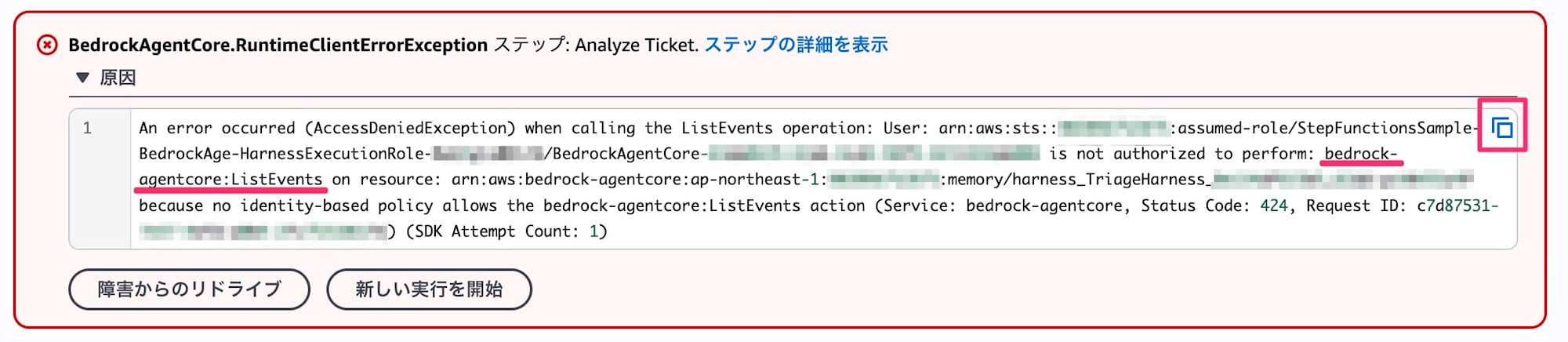
However, when you see AccessDenied, all you need to do is press the copy button and head to CloudShell.
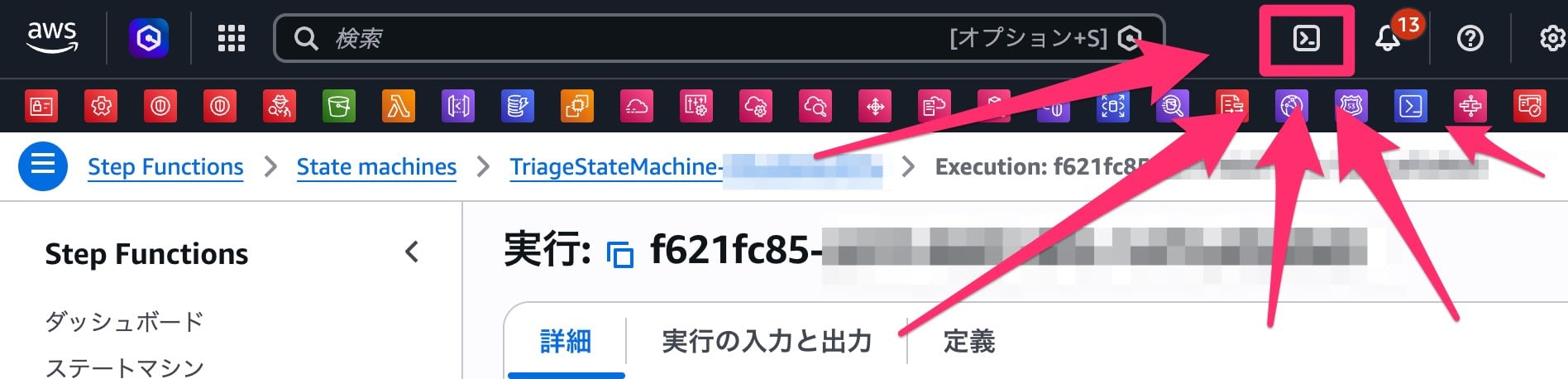
Launch CloudShell and paste the error message with uvx iam-policy-autopilot fix-access-denied ""!
After running it, this is what happened.
[cloudshell-user@ip-10-0-0-1 ~]$ uvx iam-policy-autopilot fix-access-denied "An error occurred (AccessDeniedException) when calling the ListEvents operation: User: arn:aws:sts::999999999999:assumed-role/StepFunctionsSample-BedrockAge-HarnessExecutionRole-XXXXXXXXXXXX/BedrockAgentCore-XXXXXXXX-XXXX-XXXX-XXXX-XXXXXXXXXXXX is not authorized to perform: bedrock-agentcore:ListEvents on resource: arn:aws:bedrock-agentcore:ap-northeast-1:999999999999:memory/harness_TriageHarness_XXXXXXXXXXXX_XXXX-XXXXXXXXXX because no identity-based policy allows the bedrock-agentcore:ListEvents action (Service: bedrock-agentcore, Status Code: 424, Request ID: XXXXXXXX-XXXX-XXXX-XXXX-XXXXXXXXXXXX) (SDK Attempt Count: 1)"
Installed 1 package in 1ms

IAM Policy Autopilot will collect telemetry data on command usage starting at version 0.2.0 (unless opted out)

        Overview: We do not collect customer content and we anonymize the
                  telemetry we do collect. See the attached link for more
                  information on what data is collected, why, and how to
                  opt-out. Telemetry will NOT be collected for any version
                  prior to 0.2.0 - regardless of opt-in/out.

        Opt-out:  Run `iam-policy-autopilot telemetry --disable`
                  or set DISABLE_IAM_POLICY_AUTOPILOT_TELEMETRY=true

        Details:  https://github.com/awslabs/iam-policy-autopilot/blob/main/TELEMETRY.md

IAM Policy Autopilot Plan
Principal: arn:aws:sts::999999999999:assumed-role/StepFunctionsSample-BedrockAge-HarnessExecutionRole-XXXXXXXXXXXX/BedrockAgentCore-XXXXXXXX-XXXX-XXXX-XXXX-XXXXXXXXXXXX
Action:    bedrock-agentcore:ListEvents
Resource:  arn:aws:bedrock-agentcore:ap-northeast-1:999999999999:memory/harness_TriageHarness_XXXXXXXXXXXX_XXXX-XXXXXXXXXX
Denial:    ImplicitIdentity

Proposed permissions:
  - bedrock-agentcore:ListEvents

Apply this fix now? [y/N] y
Applied inline policy 'IamPolicyAutopilot-StepFunctionsSample-BedrockAge-HarnessExecutionRole-XXXXXXXXXXXX' to Role/StepFunctionsSample-BedrockAge-HarnessExecutionRole-XXXXXXXXXXXX
After the fix, running it again resulted in another error due to a different missing permission. Check the code? No.
Launch CloudShell and paste the error message with uvx iam-policy-autopilot fix-access-denied ""!
[cloudshell-user@ip-10-0-0-1 ~]$ uvx iam-policy-autopilot fix-access-denied "An error occurred (AccessDeniedException) when calling the CreateEvent operation: User: arn:aws:sts::999999999999:assumed-role/StepFunctionsSample-BedrockAge-HarnessExecutionRole-XXXXXXXXXXXX/BedrockAgentCore-XXXXXXXX-XXXX-XXXX-XXXX-XXXXXXXXXXXX is not authorized to perform: bedrock-agentcore:CreateEvent on resource: arn:aws:bedrock-agentcore:ap-northeast-1:999999999999:memory/harness_TriageHarness_XXXXXXXXXXXX_XXXX-XXXXXXXXXX because no identity-based policy allows the bedrock-agentcore:CreateEvent action (Service: bedrock-agentcore, Status Code: 424, Request ID: XXXXXXXX-XXXX-XXXX-XXXX-XXXXXXXXXXXX) (SDK Attempt Count: 1)"

IAM Policy Autopilot will collect telemetry data on command usage starting at version 0.2.0 (unless opted out)

        Overview: We do not collect customer content and we anonymize the
                  telemetry we do collect. See the attached link for more
                  information on what data is collected, why, and how to
                  opt-out. Telemetry will NOT be collected for any version
                  prior to 0.2.0 - regardless of opt-in/out.

        Opt-out:  Run `iam-policy-autopilot telemetry --disable`
                  or set DISABLE_IAM_POLICY_AUTOPILOT_TELEMETRY=true

        Details:  https://github.com/awslabs/iam-policy-autopilot/blob/main/TELEMETRY.md

IAM Policy Autopilot Plan
Principal: arn:aws:sts::999999999999:assumed-role/StepFunctionsSample-BedrockAge-HarnessExecutionRole-XXXXXXXXXXXX/BedrockAgentCore-XXXXXXXX-XXXX-XXXX-XXXX-XXXXXXXXXXXX
Action:    bedrock-agentcore:CreateEvent
Resource:  arn:aws:bedrock-agentcore:ap-northeast-1:999999999999:memory/harness_TriageHarness_XXXXXXXXXXXX_XXXX-XXXXXXXXXX
Denial:    ImplicitIdentity

Proposed permissions:
  - bedrock-agentcore:CreateEvent

Apply this fix now? [y/N] y
Added statement to policy 'IamPolicyAutopilot-StepFunctionsSample-BedrockAge-HarnessExecutionRole-XXXXXXXXXXXX' on Role/StepFunctionsSample-BedrockAge-HarnessExecutionRole-XXXXXXXXXXXX (now 2 statements total)
This allowed the execution to succeed.
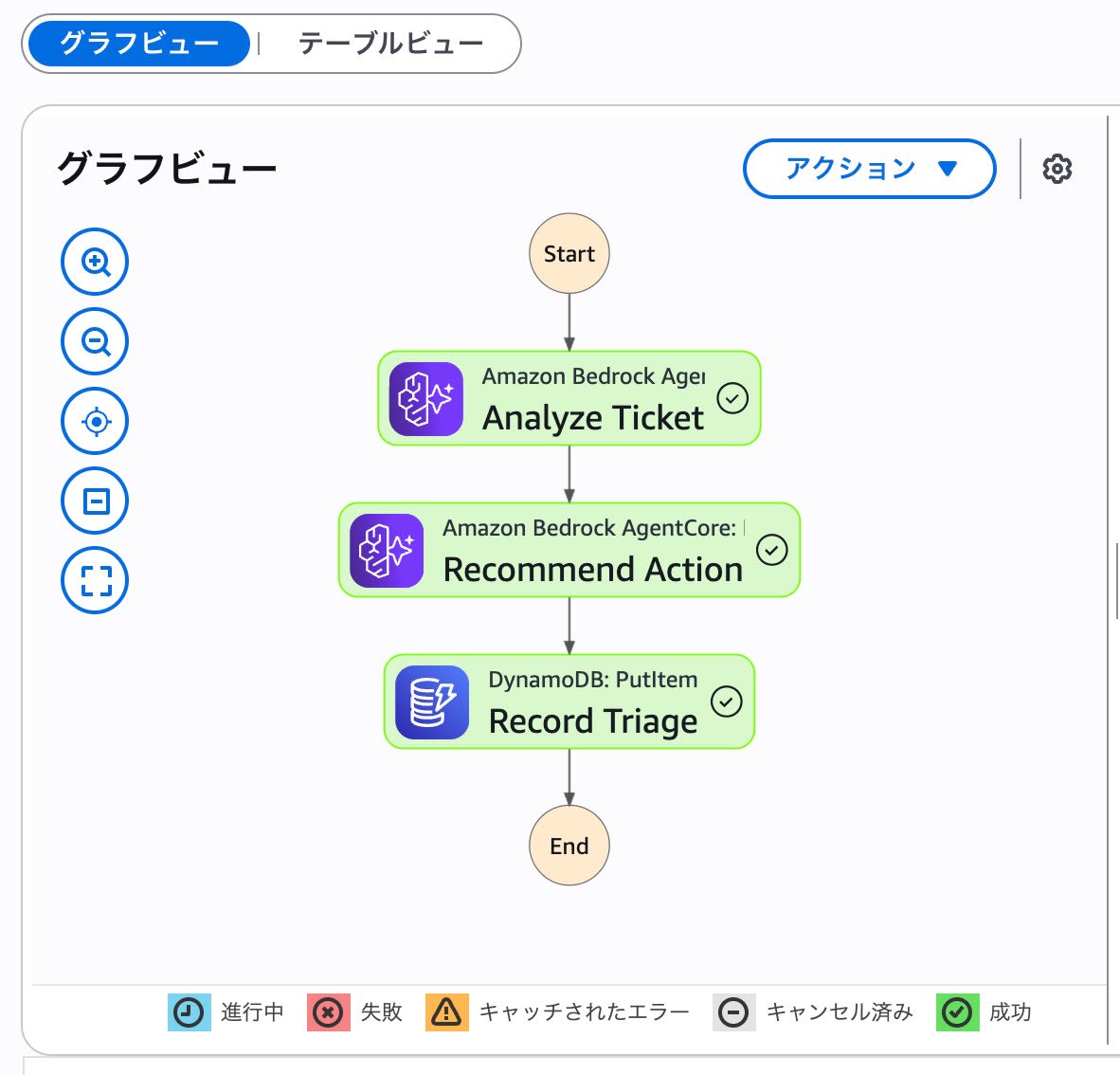
Permission Fix Process
Here is what the repaired IAM actually looks like with the permissions attached.
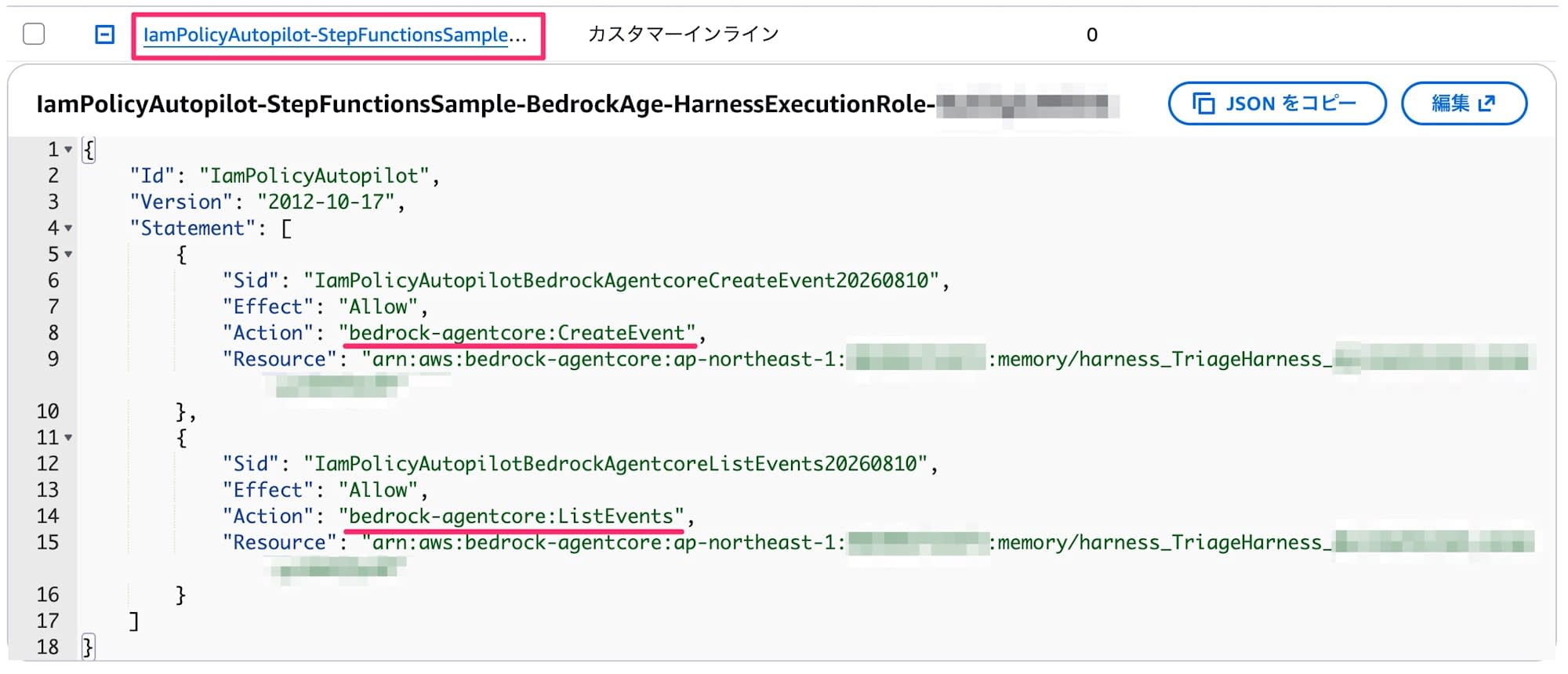
An inline policy named IamPolicyAutopilot-<IAM principal name> is created, and each Action is added inside it. It's great that even after running it multiple times, everything is properly consolidated into a single inline policy.
Summary
Launch CloudShell and paste the error message with uvx iam-policy-autopilot fix-access-denied ""!
Register it as a snippet so you can always run it quickly.