
I tried integrating Claude Code into Windows Terminal "Intelligent Terminal"

This page has been translated by machine translation. View original
Hello. I'm Shiina.
Introduction
While AI agent-driven development is becoming more widespread, context sharing between terminals and agents tends to rely on manual copy and paste.
By using "Intelligent-Terminal," a Windows terminal with agent integration capabilities, you can achieve a seamless workflow.
This time, I tried integrating it with the Claude Code agent, so I'll introduce the setup and actual operation.
What is Intelligent Terminal?
It is a terminal forked from Windows Terminal, published by Microsoft.
It has native agent integration, allowing you to fix errors in PowerShell commands and more in real time on the spot.
This saves you the trouble of copying and pasting error messages to investigate the cause with an AI agent.
Also, simply by instructing what you want to process in natural language, it will convert it into commands and execute them.
Agent Integration
The following agents are supported.
- Copilot (default)
- Claude Code
- Codex
- Gemini
Intelligent Terminal communicates with agents via ACP.
Since Claude Code does not use ACP directly, it launches ACP via a wrapper.
Installation
The following methods are available.
-
Microsoft Store
https://apps.microsoft.com/detail/9nmqc2ssjx24?hl=ja-JP&gl=JP -
WinGet
winget install --id Microsoft.IntelligentTerminal -e
Setup
This time, we will install Intelligent Terminal using the WinGet command and use it integrated with the Claude Code agent.
Installation
- Run the
wingetcommand in PowerShell.
winget install --id Microsoft.IntelligentTerminal -e

The `msstore` source requires that you view the following agreements before using.
Terms of Transaction: https://aka.ms/microsoft-store-terms-of-transaction
The source requires the current machine's 2-letter geographic region to be sent to the backend service to function properly (ex. "US").

Do you agree to all the source agreements terms?
[Y] Yes  [N] No: Y
Found Intelligent Terminal [Microsoft.IntelligentTerminal] Version 0.1.1681.0
This application is licensed to you by its owner.
Microsoft is not responsible for, nor does it grant any licenses to, third-party packages.
This package requires the following dependencies:
  - Packages
      Microsoft.UI.Xaml.2.8 [>= 8.2305.5001.0]
Successfully verified installer hash
Starting package install...
  ██████████████████████████████  100%
Successfully installed
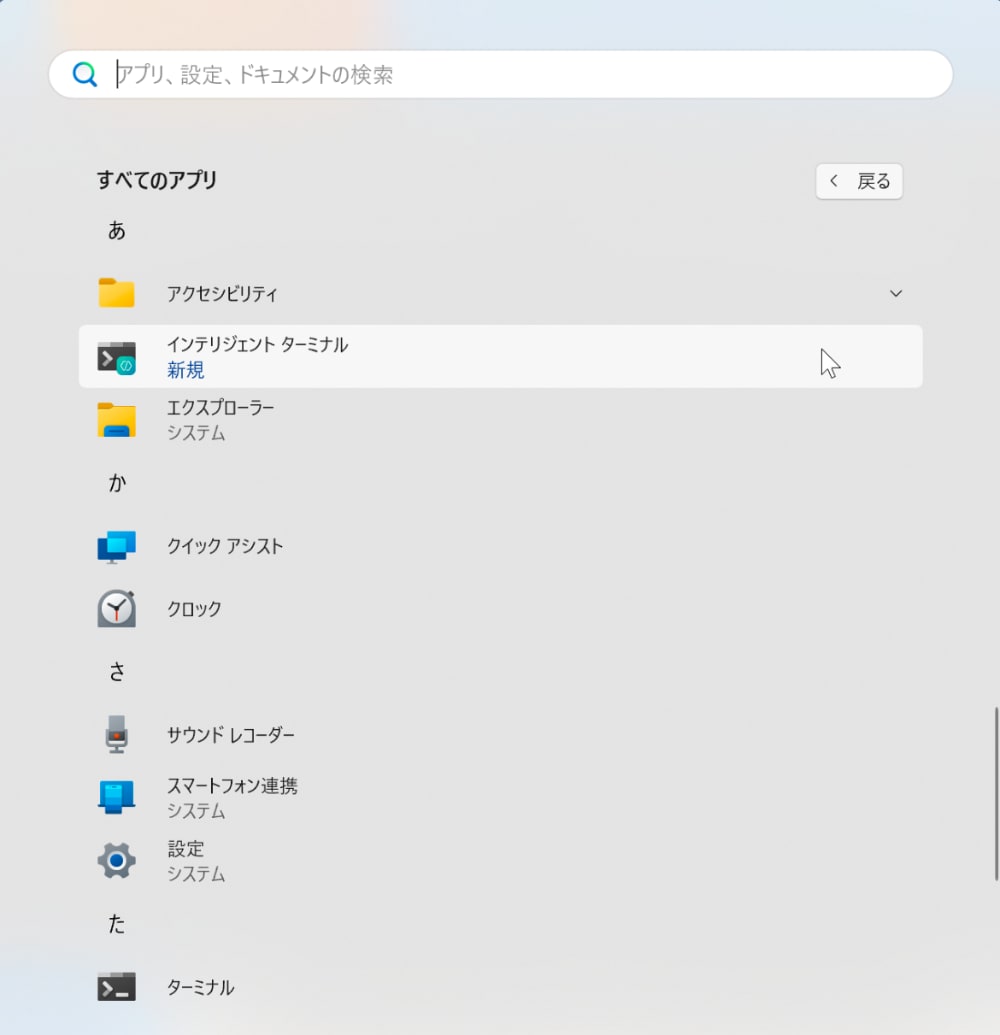
- Once the installation is complete, Intelligent Terminal will be added to the menu.
Claude Code Agent Integration
- Allow the execution policy in advance.
Set-ExecutionPolicy -Scope CurrentUser -ExecutionPolicy RemoteSigned
- Install the required Node.js and Claude Code CLI.
- Node.js
winget install --id OpenJS.NodeJS.LTS --exact --silent `
  --source winget `
  --accept-source-agreements --accept-package-agreements `
  --disable-interactivity
- Claude Code CLI
npm install -g @anthropic-ai/claude-code
- Launch the Claude CLI and make sure you are logged in.
PS C:\Users\cm-shiina> claude
╭─── Claude Code v2.1.191 ─────────────────────────────────────────────────────────────────────────────────────────────╮
│                                                    │ Tips for getting started                                        │
│             Welcome back ShiinaYuichi!             │ Run /init to create a CLAUDE.md file with instructions for Cla… │
│                                                    │ Note: You have launched claude in your home directory. For the… │
│                       ▐▛███▜▌                      │ ─────────────────────────────────────────────────────────────── │
│                      ▝▜█████▛▘                     │ What's new                                                      │
│                        ▘▘ ▝▝                       │ Added `/rewind` support for resuming a conversation from befor… │
│    Opus 4.8 (1M context) · Claude Enterprise ·     │ Fixed scroll position jumping to the bottom while reading earl… │
│                                                    │ Fixed background agents resurrecting after being stopped — sto… │
│                 C:\Users\cm-shiina                 │ /release-notes for more                                         │
╰──────────────────────────────────────────────────────────────────────────────────────────────────────────────────────╯

────────────────────────────────────────────────────────────────────────────────────────────────────────────────────────
❯ /login
────────────────────────────────────────────────────────────────────────────────────────────────────────────────────────
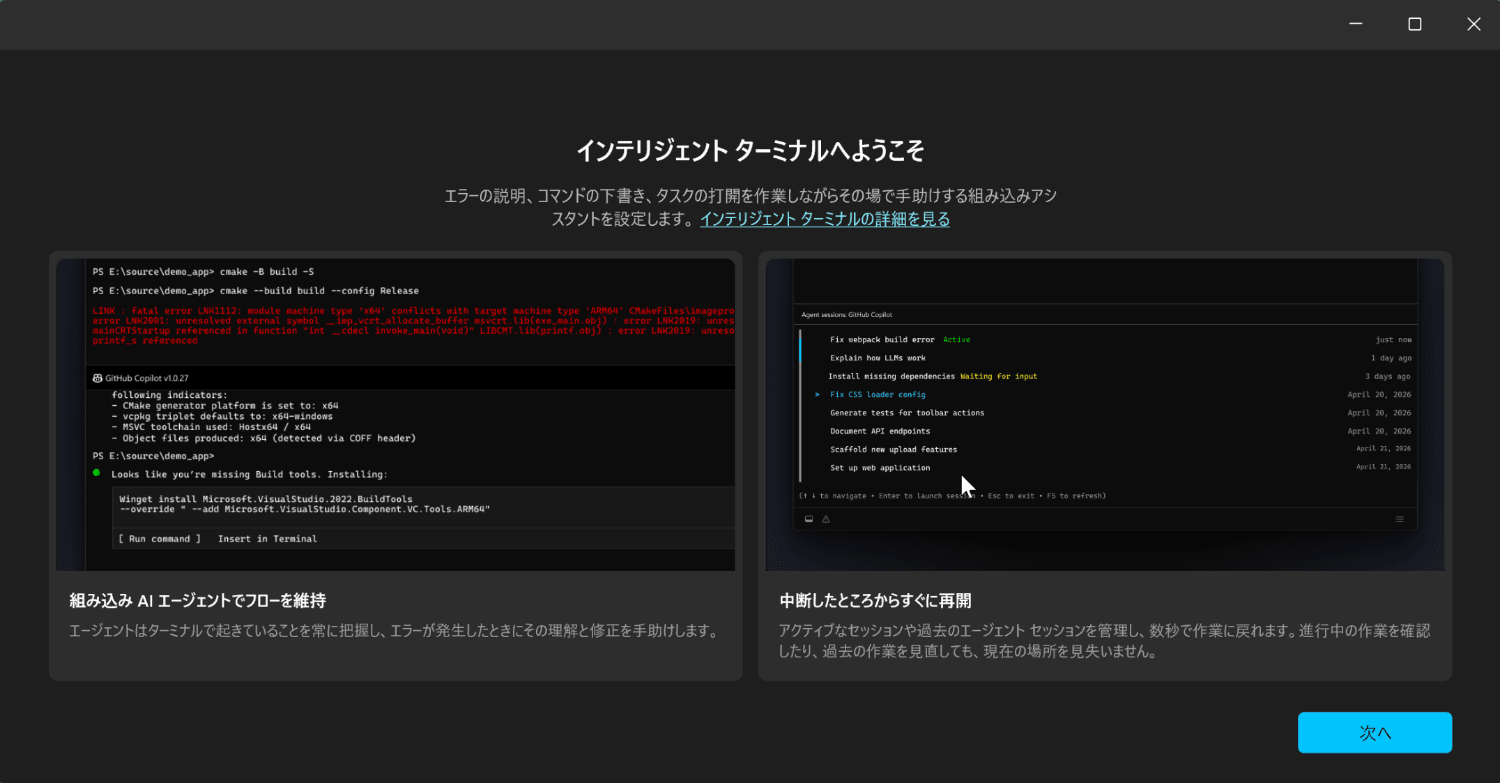
- Launch Intelligent Terminal from the menu.
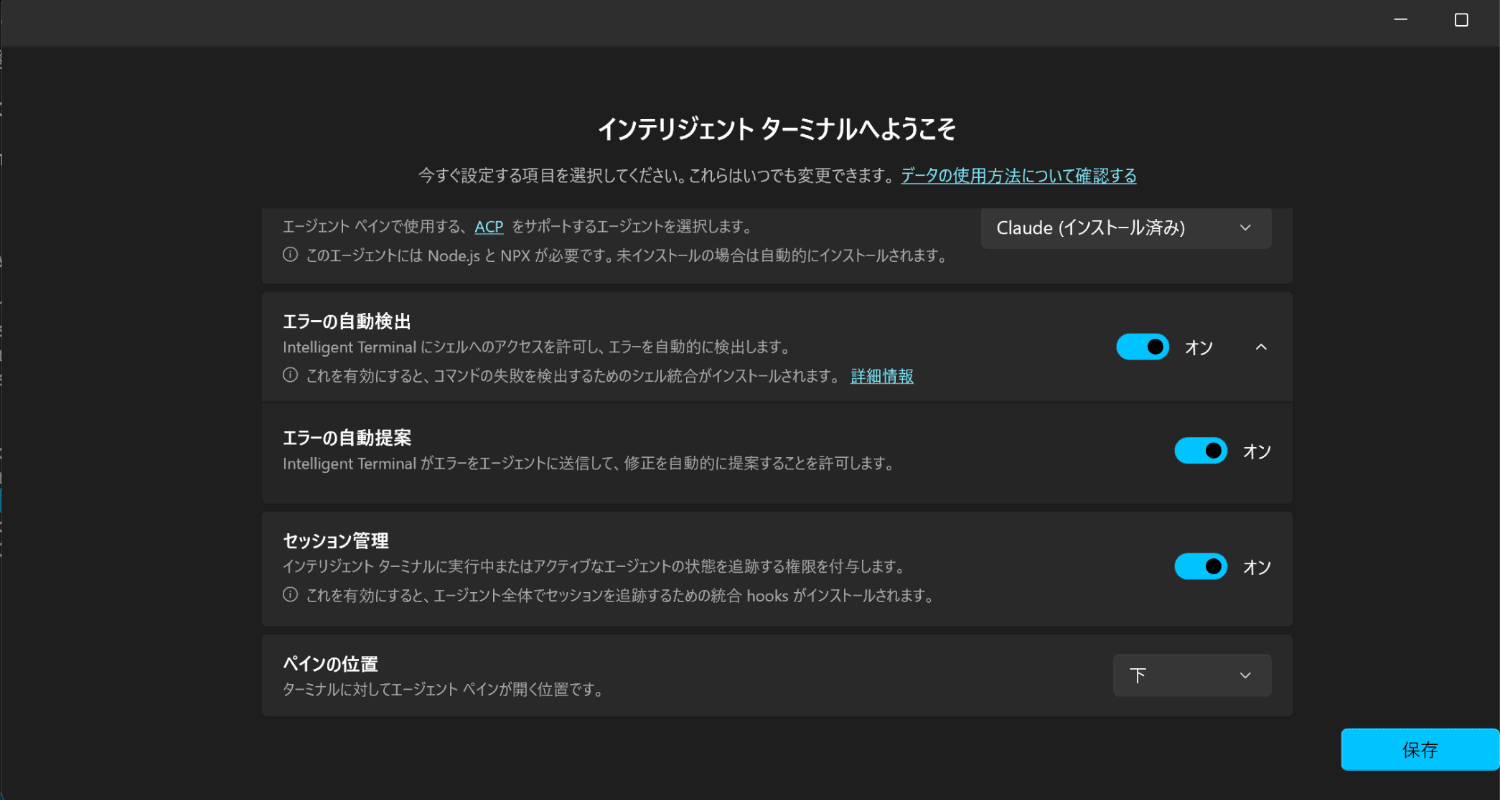
- Perform the initial setup. GitHub Copilot is selected by default in the dropdown menu, so select Claude (already installed).
Opt in to the features you want to use.
- Automatic error detection
- Automatic error suggestions
- Session management
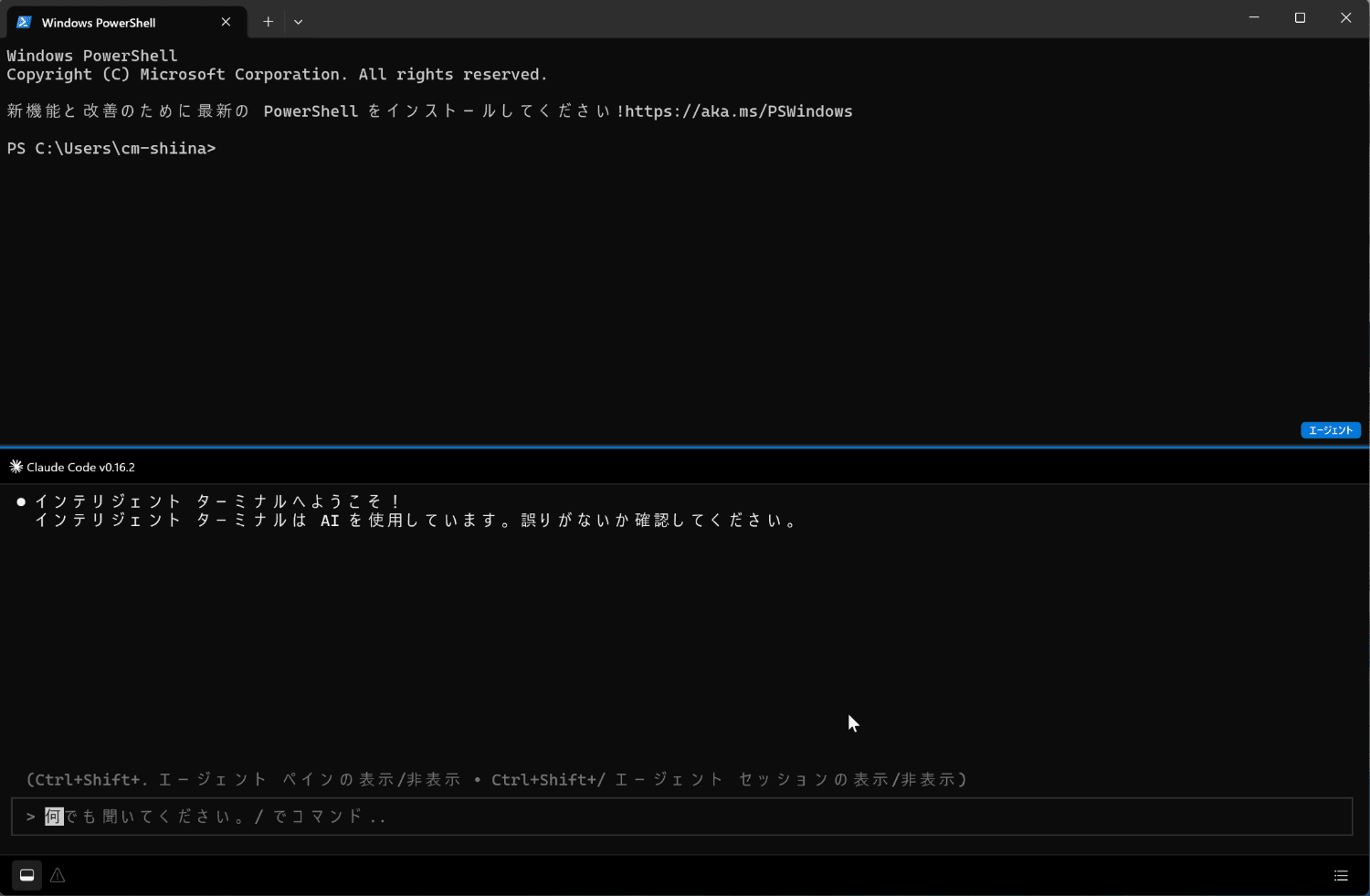
- The terminal launches.
Protocol Error
There was an issue where the connection was dropped due to a protocol error before the session with Claude Code was established.
- Error message
● helper ACP transport failed: new_session over master pipe failed: Internal error: {
       "details": "Query closed before response received"
     }: protocol error [-32603]: Internal error
Intelligent Terminal launches Claude Code not directly but via an npx wrapper called @agentclientprotocol/claude-agent-acp.
If CLAUDE_CODE_EXECUTABLE is not set, this wrapper tries to use the bundled
claude.exe (@anthropic-ai/claude-agent-sdk-win32-x64) in the npx cache, but there appears to be a known issue[1] where it crashes due to incompatibility with the environment.
The issue was resolved by setting the following environment variable and installing Git Bash as a workaround.
setx CLAUDE_CODE_EXECUTABLE "C:\Users\<UserName>\AppData\Roaming\npm\node_modules\@anthropic-ai\claude-code\bin\claude.exe"
winget install --id Git.Git -e
setx CLAUDE_CODE_GIT_BASH_PATH "C:\Program Files\Git\bin\bash.exe"
Trying It Out
First, let's ask what it can do.
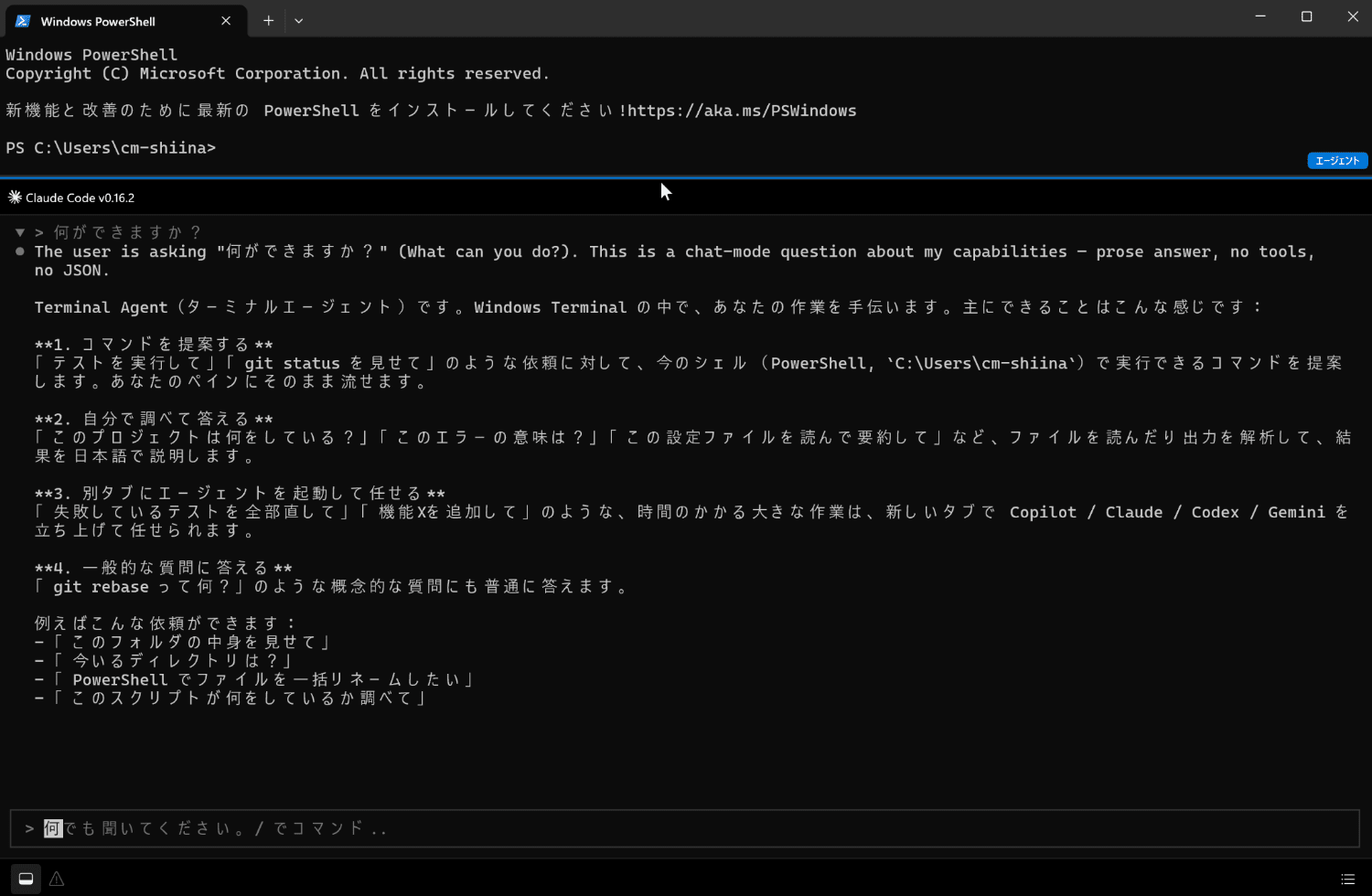
Automatic Error Detection and Suggestion Feature
Command Error
Let's intentionally make a typo in a PowerShell command to cause a syntax error.
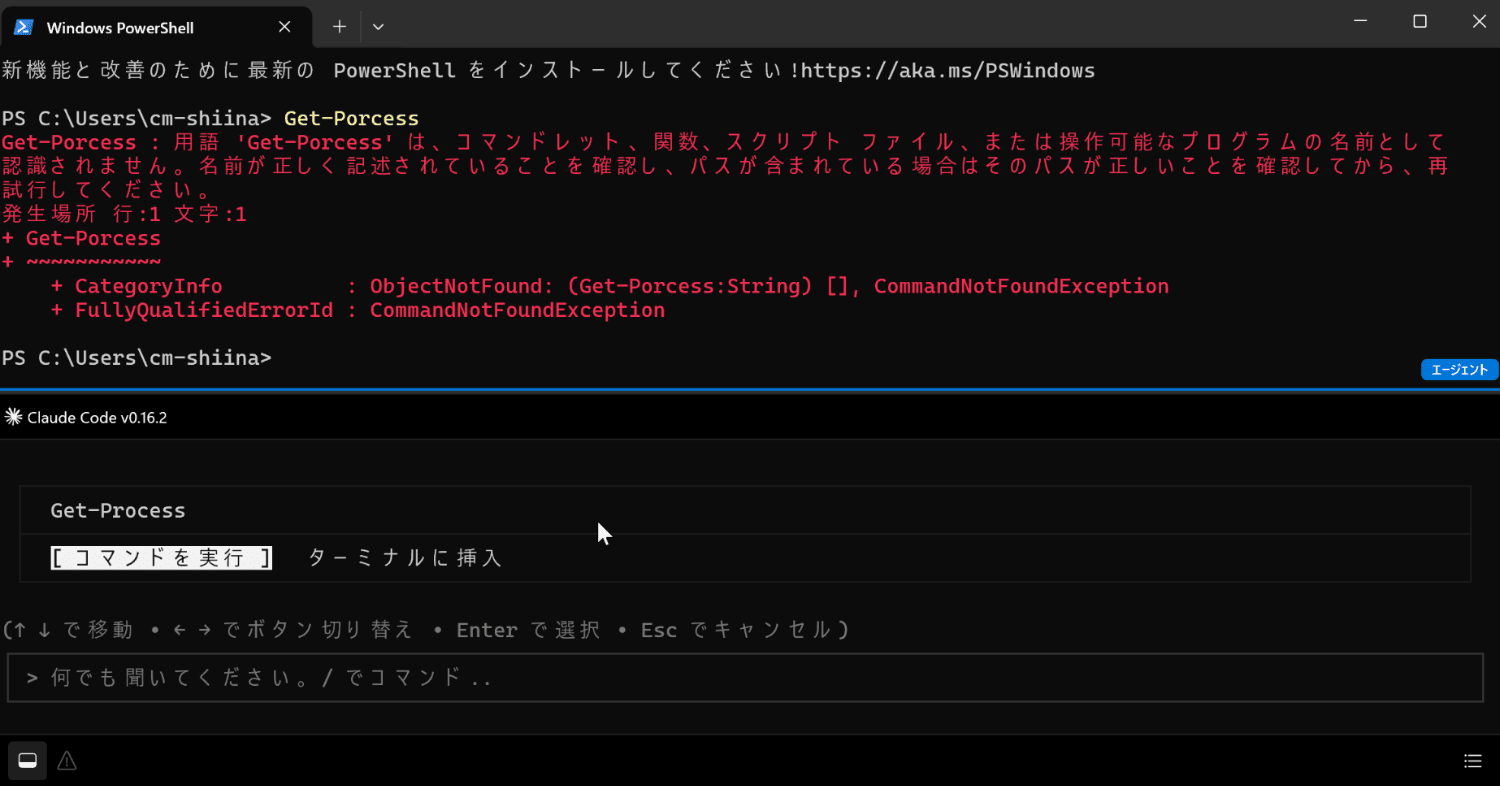
It automatically detects the error and displays the correct command.
You can choose to either execute the command or insert it into the terminal.
This time, I chose to insert it into the terminal.
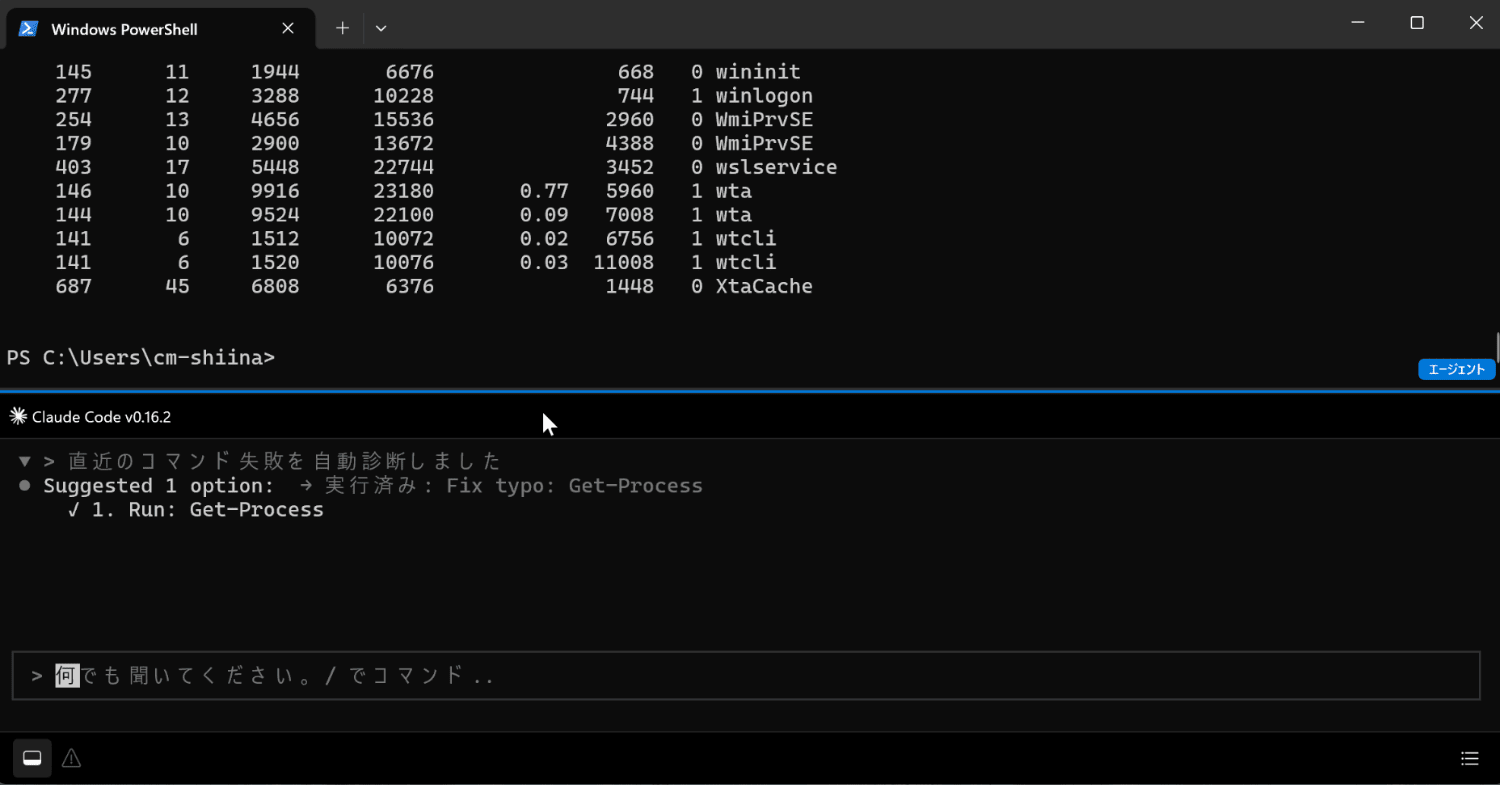
The correct command was inserted and could be executed.
Error Message Explanation
Let's generate an error message with a git command.
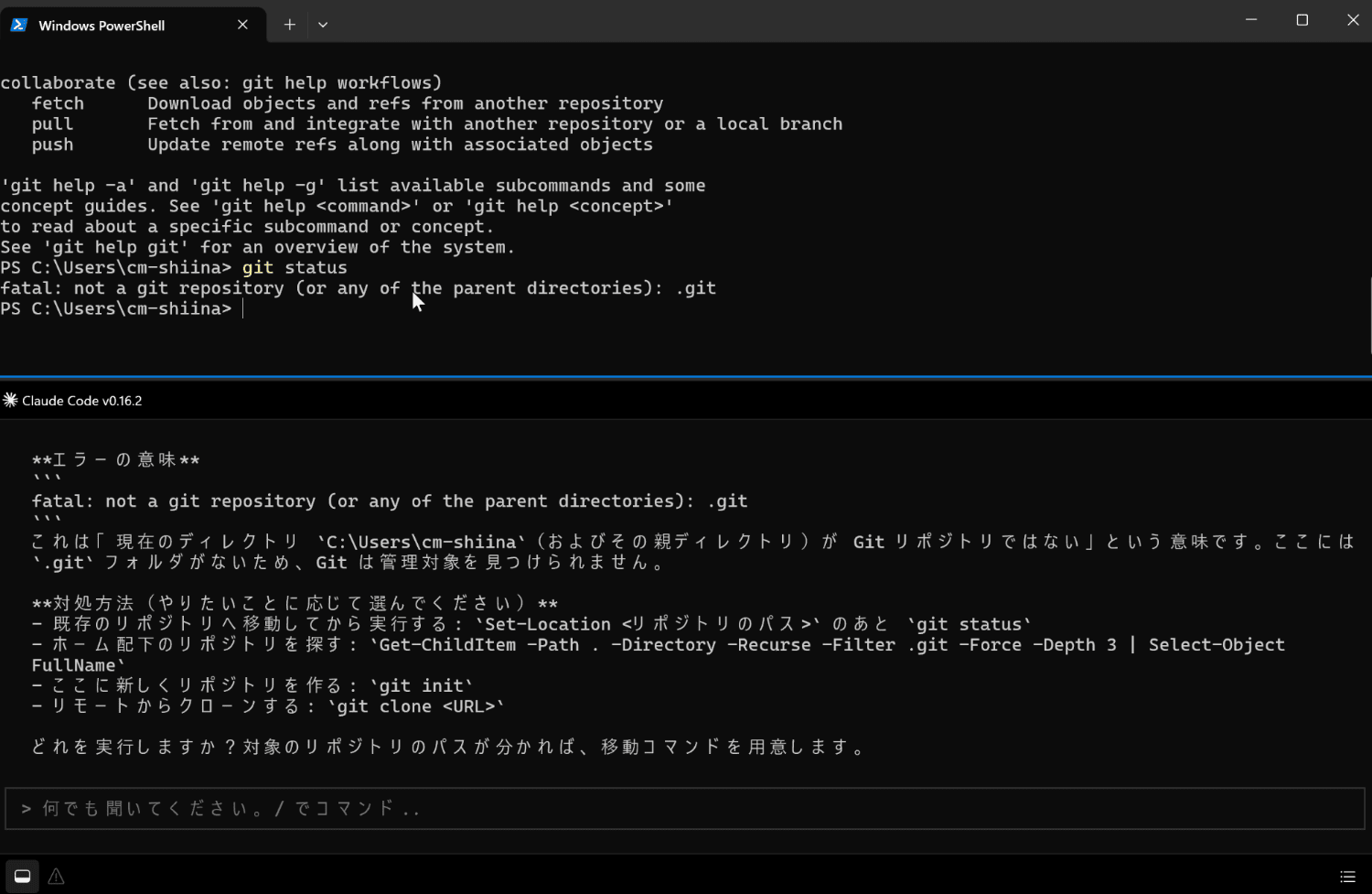
It explained the error message.
Thanks to agent integration, it's great that there's no need to copy and paste each time, and it can be done seamlessly.
Natural Language Instructions
Let's try instructing what we want to operate from the terminal in natural language.
- Case 1
I want to display all current TCP connections with process names
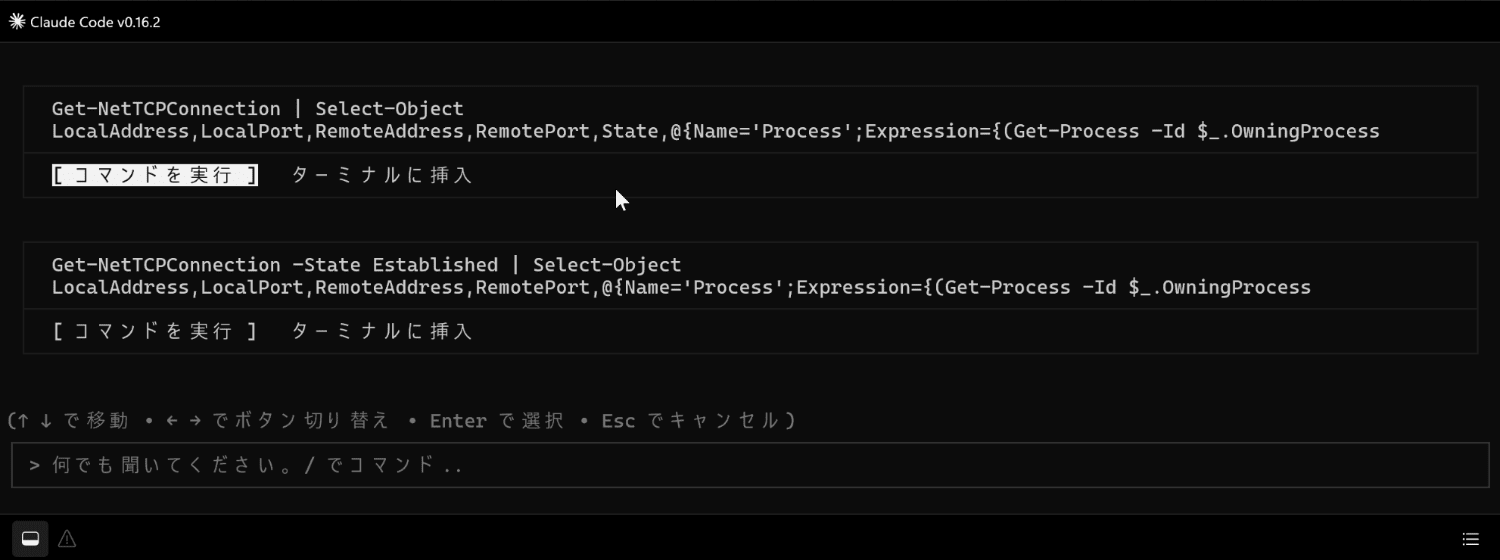
Several command candidates were suggested.
Let's select to execute the Get-NetTCPConnection command from among the suggestions.
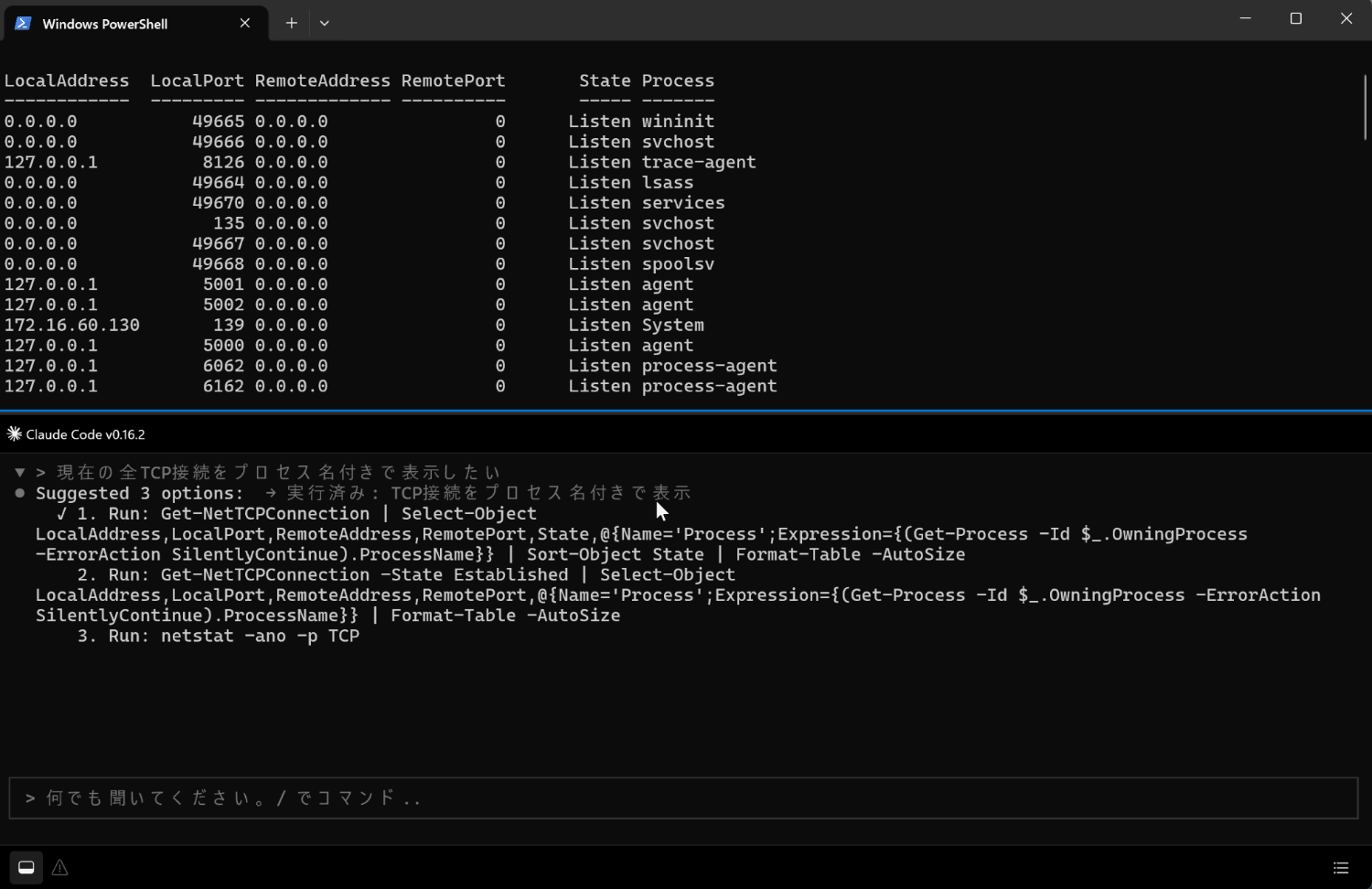
A list with process names was output.
- Case 2
Get the hash value of C:\test\sample.exe
Command candidates were also suggested for this one.
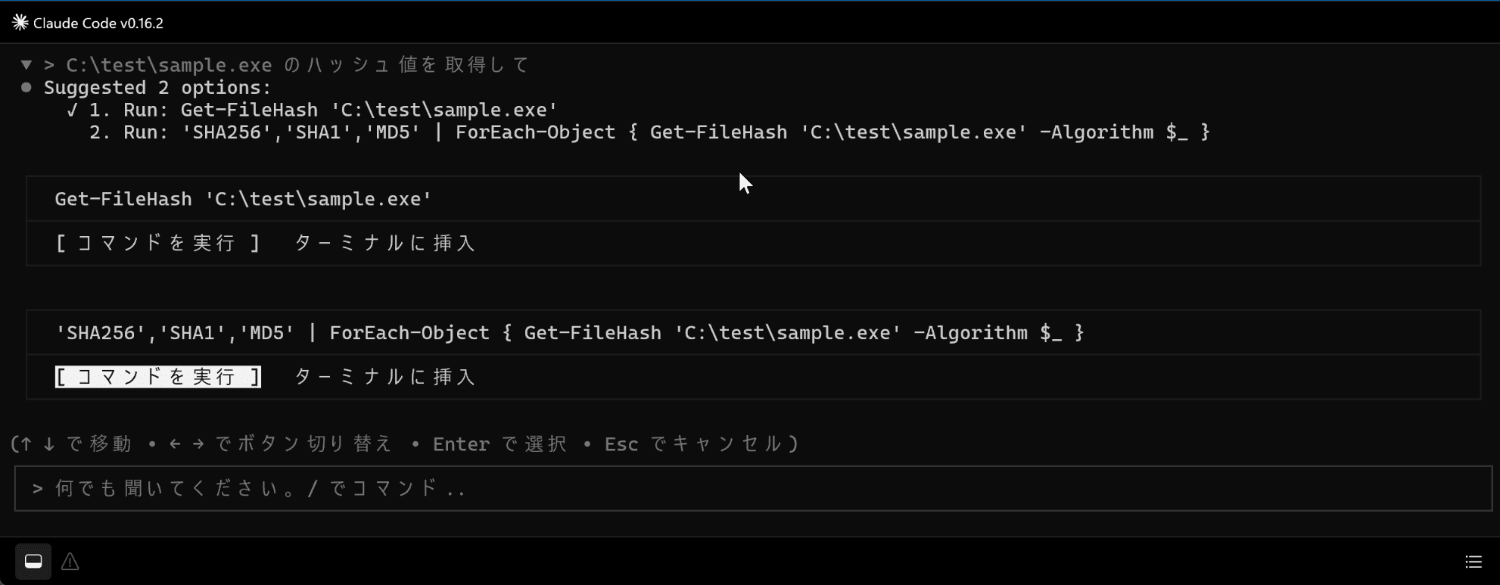
Let's select to execute the Get-FileHash command.
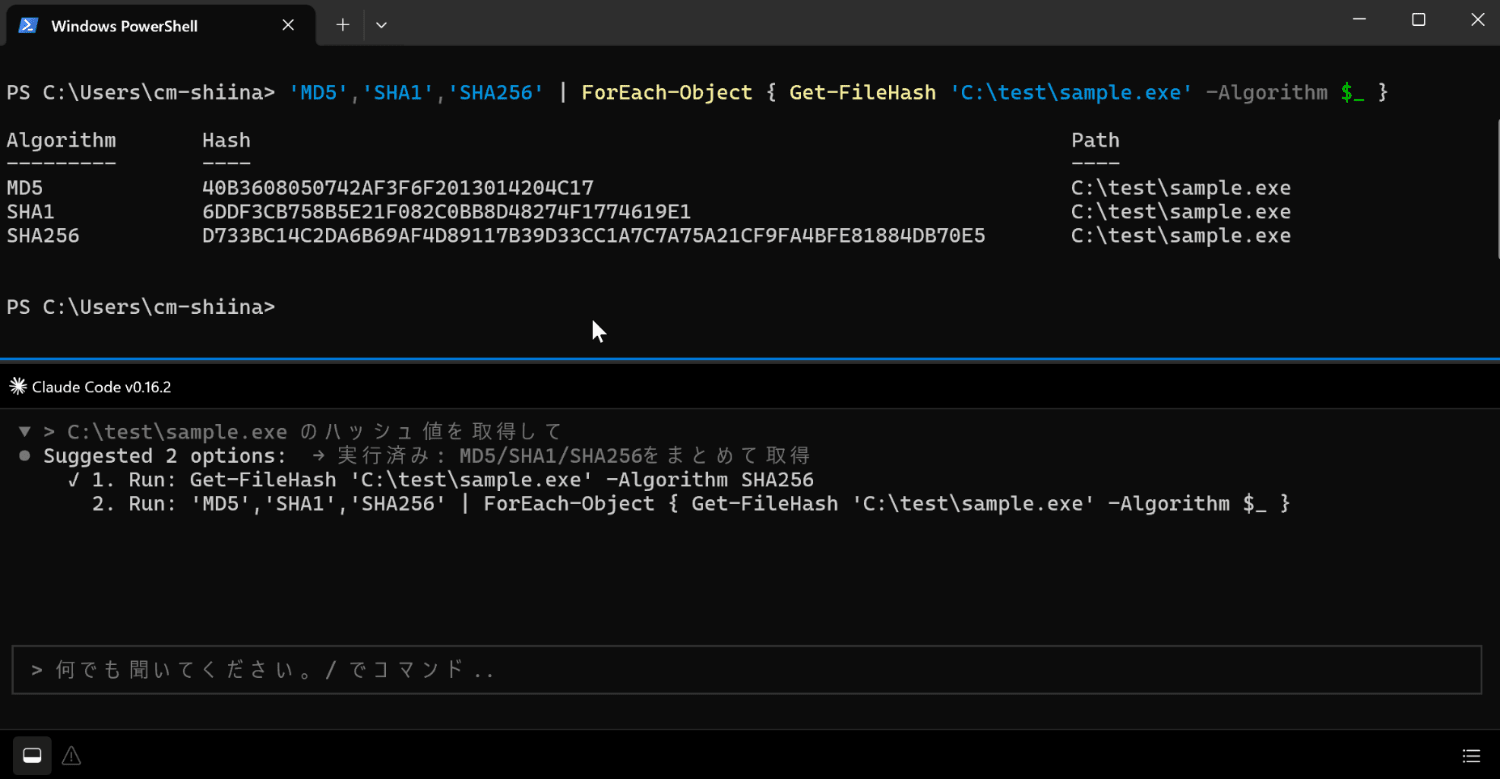
Hash values were obtained for each algorithm.
- Case 3
Get a list of login-related events from the past 60 days
A command with filter conditions was suggested using Get-WinEvent.
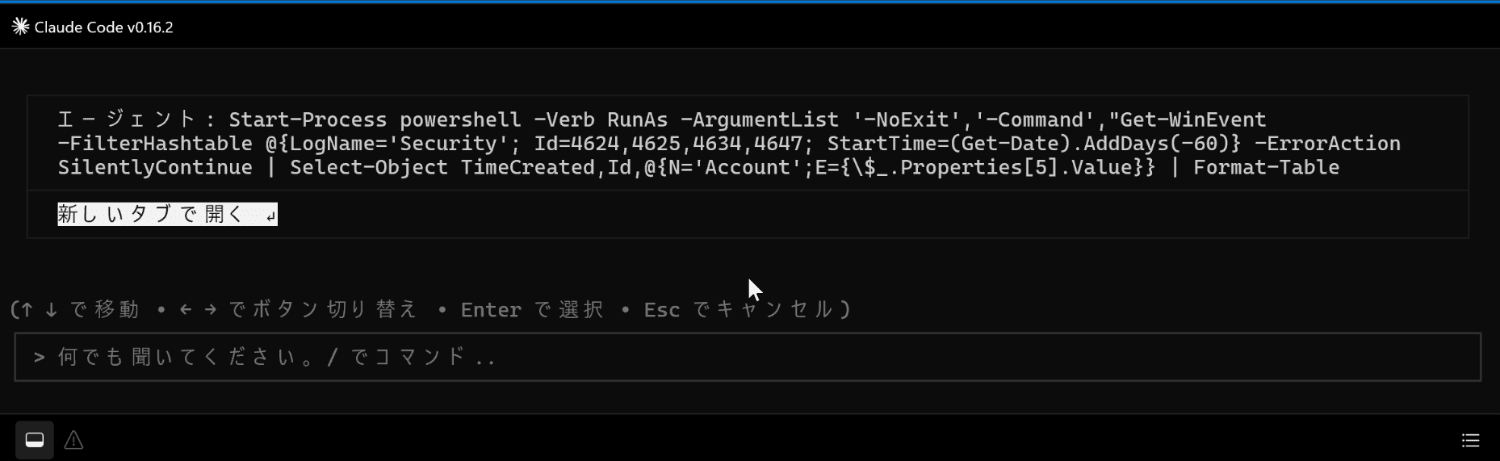
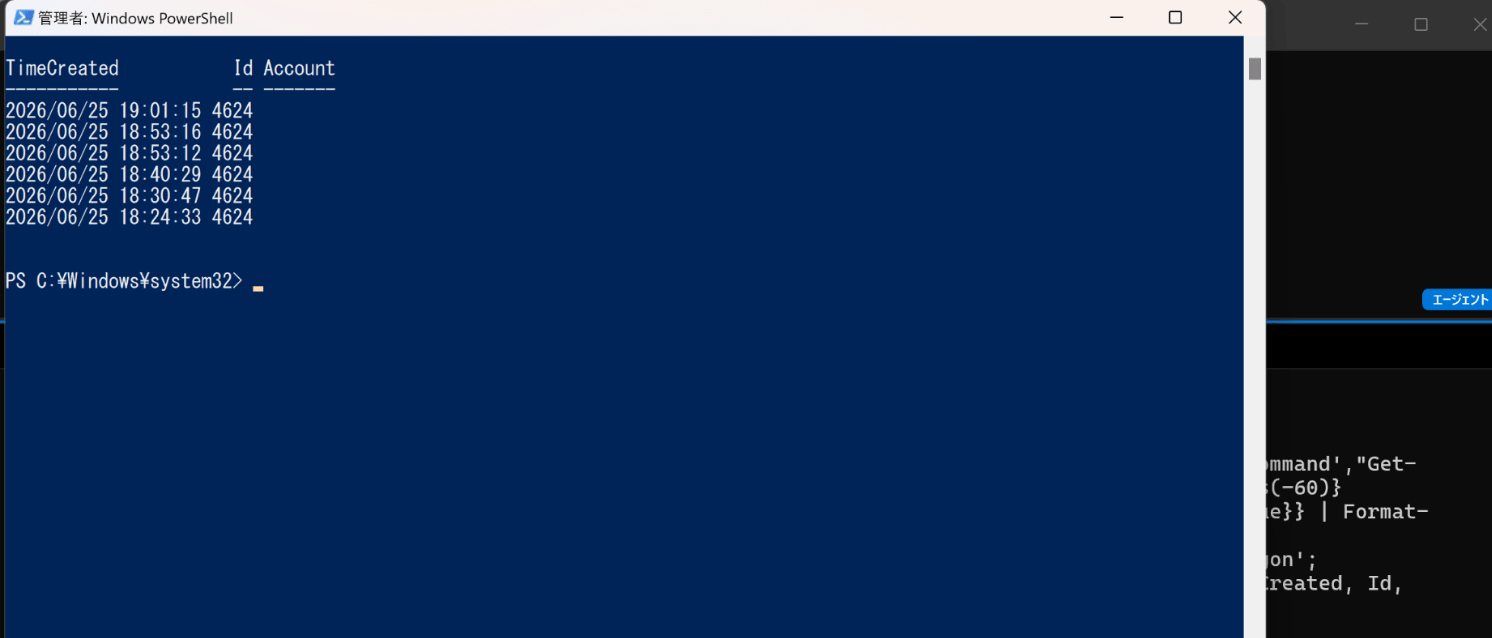
This can be opened in a new tab.
When selected, a new PowerShell launched and the command results were output.
Summary
By using Intelligent Terminal, it became possible to seamlessly share context with the agent for error handling and investigation command generation on the terminal.
A protocol error occurred when integrating with Claude Code, but it was resolved by setting the CLAUDE_CODE_EXECUTABLE environment variable and installing Git Bash.
I hope this will be helpful for those who have been stuck with similar issues.
Although it is still an experimental tool, the day when agent integration becomes a standard native terminal feature may not be far off. Please give it a try.
References
